
Vgate vLinker FS Bluetooth
4.3Editor score
FEPS 18V programming support
Expanded multi-system diagnostics
Upgradable adapter firmware
Broad 12V and 24V coverage
Explore the 10 best Elm327 Bluetooth adapters for 2026, comparing phone compatibility, diagnostic protocols, vehicle coverage, app support, and key features.
Elm327 Bluetooth adapters turn a smartphone into a practical vehicle diagnostic tool for reading trouble codes, checking live sensor data, and monitoring engine behavior. The right adapter depends on your phone operating system, vehicle protocol, preferred app, and the level of diagnostics you actually need, from basic check-engine-light scans to manufacturer-specific workflows.
We compared the ten listed adapters by examining Bluetooth technology, supported OBD-II protocols, vehicle and app compatibility, data capabilities, protective features, and specialized functions such as MS-CAN and FEPS. The list includes general-purpose Bluetooth models, an Android-only compact scanner, BMW and Ford-focused tools, and one Wi-Fi-only product included to clarify an important category distinction.
Each pick explains who it suits, where it stands out, and where its limitations matter. Ratings reflect the supplied customer feedback, while feature availability varies by car, app, and subscription tier. Product prices and availability can change at any time, so confirm the current listing and full compatibility details before making a purchase.
4.3Editor score

4.5Editor score

4.4Editor score
The table below compares connection type, phone support, protocol coverage, and the strongest use case for every adapter. It quickly separates general Bluetooth scanners from specialized options and highlights the Wi-Fi-only model that will not suit buyers searching specifically for Bluetooth.


The Veepeak OBDCheck BLE earns a 4.5 rating and stands out as a straightforward Bluetooth adapter for owners who want dependable phone-based engine diagnostics. It supports Bluetooth Low Energy on both iOS and Android, while the absence of a paired internet connection can help it coexist more cleanly with other mobile applications. It is designed primarily for standard OBD-II work rather than dealer-level vehicle control.
We may earn a commission when you buy through this link, at no additional cost to you.
Its core functions cover the useful baseline for everyday troubleshooting: reading and clearing check-engine codes, inspecting freeze-frame data, checking I/M readiness, and viewing live sensor information. It works with apps including Car Scanner ELM OBD2, Torque on Android, OBD Fusion, and selected vehicle-specific applications. This makes the adapter flexible enough for general use while still giving experienced owners access to more specialized tools when their car and software support them.
The limitations are important but reasonable for a general-purpose scanner. ABS, SRS, oil-light and service resets, electronic parking brake resets, injector coding, and other special functions are not supported. Compatibility for hybrids and electric vehicles depends on the chosen app, and some apps charge separately for advanced features. Older BMW configurations also face documented limitations with BimmerCode and BimmerLink. Buyers should treat the app's compatibility list as part of the product, not an afterthought.
This is a strong choice for a modern iPhone or Android user who wants a compact adapter for code reading and live data without specialized Ford or BMW hardware requirements. It is less suitable for someone seeking ABS, SRS, service-reset, or manufacturer-specific functionality. For ordinary engine monitoring and check-engine-light triage, however, it offers a clear, well-supported path from installation to useful information.
OBDCheck BLE is best understood as a phone interface for standard engine diagnostics rather than a complete vehicle scan platform. Its supported code, freeze-frame, readiness, and live-data functions cover the tasks most owners perform between routine service visits.
Because it uses Bluetooth LE, the adapter connects through the compatible app rather than through the conventional Bluetooth menu on an iPhone. Buyers should follow the setup instructions carefully and avoid pairing through the phone's standard Bluetooth screen.
We may earn a commission when you buy through this link, at no additional cost to you.
This OBD2 Scanner Bluetooth 5.1 adapter has a 3.8 rating and presents a conventional phone-based diagnostic experience for most compatible 12V gasoline vehicles. Its defining feature is Bluetooth 5.1 connectivity, which keeps the adapter compact and cable-free while providing a straightforward link to an iPhone, iPad, or Android device through a compatible application.
We may earn a commission when you buy through this link, at no additional cost to you.
The adapter supports nine common OBD-II protocols, giving it broader potential coverage than a model tied to a single protocol family. The recommended YMOBD app provides a simple path to trouble codes, freeze-frame information, readiness checks, and live data such as engine RPM, speed, coolant temperature, battery voltage, VIN, CID, and CVN. Car Scanner, Torque Lite, DashCommand, inCarDoc, Auto Doctor, PCMScan, and ScanMaster are also listed as compatible options, subject to platform and vehicle differences.
Its lower rating suggests that some buyers may have encountered connection, compatibility, or app-related friction. The product information itself explains that a Bluetooth-connected display can still show the ECU as disconnected when the ignition state, connection type, device selection, or vehicle compatibility is wrong. Advanced manufacturer-specific data, including ABS, SRS, TPMS, transmission temperature, and reset functions, may also be absent depending on the vehicle and application.
This adapter is a practical choice for owners of a standard 12V gasoline car who want multiple protocol options and a wide selection of available live-data parameters. It is less attractive for hybrid, electric, heavy-duty, or advanced multi-module diagnostics. Buyers who value modern Bluetooth and use YMOBD or another well-supported app should find the basic workflow manageable, but checking the vehicle's port and protocol before ordering is essential.
Support for nine OBD-II protocols is valuable because passenger cars may use different communication standards. That breadth makes the adapter more versatile than a simple model intended only for a narrow range of modern vehicles.
YMOBD is recommended for the simplest setup, while established diagnostic apps can provide more customization. The adapter supplies the connection, but the selected app determines much of the dashboard, data logging, and diagnostic experience.
We may earn a commission when you buy through this link, at no additional cost to you.
The Vgate vLinker FD+ carries a 4.3 rating and is a strong option for Ford and Lincoln owners who need more than the standard OBD-II protocols. Its support for MS-CAN as well as all five standard OBD-II protocols makes it especially relevant for FORScan Lite users seeking broader access to supported Ford diagnostic functions.
We may earn a commission when you buy through this link, at no additional cost to you.
It works with a wide selection of ELM327-compatible software, including Torque Pro, Carista, DashCommand, JScan, and BimmerCode. The adapter supports ELM and ST command sets, and its firmware can be updated to improve performance or compatibility over time. Built-in protection against over-voltage, over-current, over-temperature, and battery drain adds practical safeguards for repeated use in a vehicle.
The FD+ is explicitly diagnostic-only. It cannot perform advanced system adjustments or control-unit updates, so owners should not mistake it for the more capable vLinker FS product. FORScan itself may offer features that require separate payment, and compatibility must be verified against the user's exact vehicle and software version. These constraints make the FD+ more specialized and less universally capable than a premium all-system adapter.
Buyers who want MS-CAN, use FORScan Lite, or need a more capable interface for selected Ford systems should give this model serious consideration. It is less suitable for owners seeking coding, programming, or comprehensive control-unit functions. Within its diagnostic-only remit, however, it provides useful protocol coverage, broad software compatibility, and a positive upgrade path.
MS-CAN support is the key distinction for many Ford and Lincoln owners. It expands the adapter beyond the generic OBD-II protocol set and makes it better suited to compatible FORScan Lite workflows.
Firmware upgrades can improve performance and compatibility after purchase. This is useful for an adapter expected to remain in service across multiple vehicles and evolving diagnostic applications.
We may earn a commission when you buy through this link, at no additional cost to you.
This WiFi ELM327 OBD2 adapter has a 4.0 rating and is a useful option for owners whose preferred apps connect through Wi-Fi rather than Bluetooth. Despite appearing in a Bluetooth-adapter roundup, its specifications explicitly state that it supports Wi-Fi only and cannot operate over Bluetooth. That distinction is essential and should be checked before purchase.
We may earn a commission when you buy through this link, at no additional cost to you.
The adapter is designed for 12V petrol and diesel vehicles and works with iOS and Android phones and tablets through apps that support Wi-Fi connections. Torque is recommended for Android, while Car Scanner and OBD Mate are suggested for iPhone users. It can provide a lightweight way to examine trouble codes and live data without a laptop, although the app remains responsible for the exact features and presentation.
There are notable exclusions. It does not support FORScan, motorcycles, or the programming of Ford, Lincoln, Mercury, and Mazda vehicles. Because it operates over a Wi-Fi network, users may also have to manage the adapter's wireless network in their phone settings. These constraints make it a specialized alternative rather than the right choice for the keyword's core audience.
This product suits an owner who wants a low-cost, app-driven scanner and already uses a Wi-Fi-compatible diagnostic application. It does not suit someone searching specifically for Bluetooth, needing FORScan, diagnosing a motorcycle, or attempting manufacturer-specific programming. Buyers who understand the distinction can still appreciate its simple setup and compatibility with widely used OBD-II apps.
The adapter must be selected through the app's Wi-Fi connection settings rather than paired over Bluetooth. This difference affects both setup and compatibility, so owners should verify that their preferred diagnostic app supports the required connection method.
Motorcycles and several manufacturer-specific programming targets are outside the stated scope. Owners should also confirm that the vehicle has a standard OBD-II port before relying on the adapter.
We may earn a commission when you buy through this link, at no additional cost to you.
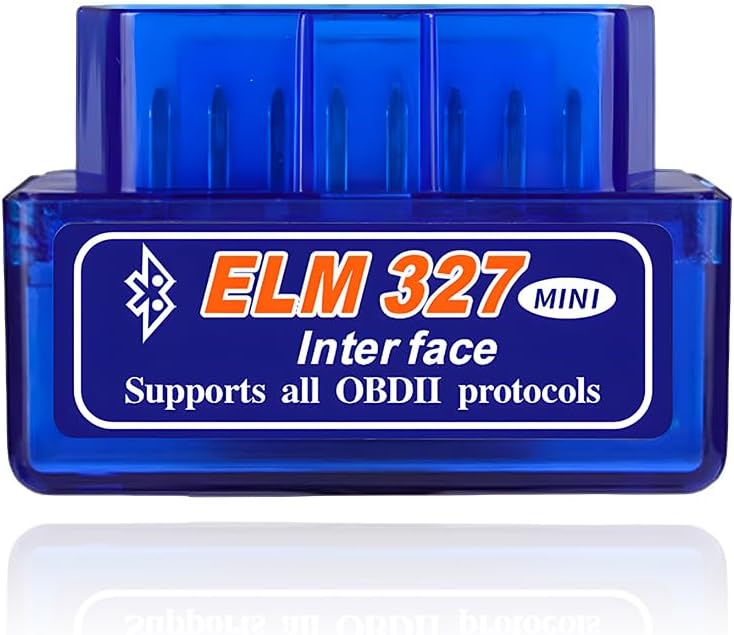
The ELM327 OBD2 Bluetooth Adapter receives a 3.6 rating and offers a simple way to read fault codes and monitor live engine information through a smartphone app. Its small housing, stated dimensions of 3.1 by 1.6 inches, and 41-gram weight make it easy to carry between the glove compartment, a toolbox, or a travel kit.
We may earn a commission when you buy through this link, at no additional cost to you.
The adapter is intended for 12V vehicles with a standard OBD2 port, including many sedans, SUVs, pickup trucks, and light trucks. Live information can include coolant temperature, fuel-system status, vehicle speed, airflow, and fuel pressure. Its Bluetooth connection removes the need for a cable between the adapter and the phone, while a dedicated application converts the vehicle data into readable diagnostics.
The product's 3.6 rating indicates that its experience may be less consistent than that of the higher-rated models. Buyers should also examine the quality and ownership of the app used with the adapter, because the listing does not identify one specific recommended application. The stated feature set focuses on general error diagnosis and live monitoring rather than advanced module access, and unsupported vehicle configurations should be excluded based on the port and model-year requirements.
This adapter is most appropriate for a standard 12V vehicle owner seeking a small, inexpensive, cable-free introduction to OBD-II diagnostics. It is less suitable for users who need validated app compatibility, MS-CAN, advanced systems, or specialist coding functions. Confirming the vehicle's OBD-II port and reviewing recent customer feedback can help determine whether its basic simplicity is enough.
The adapter's compact dimensions make it easy to keep available for roadside checks or routine monitoring. Its physical portability is one of its clearest advantages over bulkier diagnostic hardware.
Because no particular app is identified in the supplied product information, buyers should verify compatibility before ordering. A recognized OBD-II application can provide the interface, but app quality affects connection guidance and available data.
We may earn a commission when you buy through this link, at no additional cost to you.
The KVAEY OBDII Car Auto Diagnostic Scanner has a 3.6 rating and focuses on accessible Bluetooth diagnostics for standard 12V vehicles. Its advertised 17 functions cover familiar ground, including reading and clearing codes, calculating load values, monitoring engine speed and coolant temperature, and checking fuel-system status.
We may earn a commission when you buy through this link, at no additional cost to you.
The setup process is explained clearly: install Torque, insert the scanner into the OBD-II port, start the vehicle, and pair using the stated PIN of 1234. This makes the adapter approachable for Android users. Its ABS housing is described as insulated and flame retardant, offering a practical level of physical durability for a tool that may remain installed in a vehicle or travel between cars.
The product does not support hybrid or electric vehicles, which narrows its audience considerably for shoppers with newer powertrains. It also provides no explicit iPhone workflow, so buyers with iOS devices should look for documented compatibility rather than assuming the standard Android PIN-based procedure applies. The 3.6 rating further suggests that setup or reliability may vary across users and vehicles.
This scanner is a sensible option for an Android owner with a conventional 12V car who wants a broad collection of basic functions through Torque. It is not a strong choice for iPhone users, electrified vehicles, or owners seeking manufacturer-specific tools. Its value lies in simple installation and a familiar app rather than advanced protocol or programming capability.
The recommended use of Torque gives Android users access to customizable engine data and code-reading screens. This turns the adapter into a flexible dashboard rather than a device with a built-in display.
The exclusion of hybrid and electric vehicles is significant for modern shoppers. Checking the vehicle type and standard OBD-II port should happen before purchase, along with confirmation of the phone's Bluetooth behavior.
We may earn a commission when you buy through this link, at no additional cost to you.
The Vgate iCar Pro receives a 4.5 rating and offers the most balanced combination of platform support, app flexibility, power management, and physical convenience in this roundup. It uses Bluetooth 4.0 BLE with iOS and Android, and its straightforward connection process avoids the friction associated with some generic adapters.
We may earn a commission when you buy through this link, at no additional cost to you.
On iOS, users connect directly through the OBD2 app rather than manually pairing the adapter. On Android, the documented process is pairing with the device name Android-Vlink using PIN 1234. The adapter supports Torque, Car Scanner ELM OBD2, OBD Fusion, OBD JScan, and Dr. Prius, giving owners a meaningful choice of diagnostic interfaces and data displays.
Power handling is a major strength. Auto-sleep and auto-wake functionality reduce consumption, with sleep current stated as low as 3mA, making the adapter more practical for extended use. Firmware can be updated through the official smartphone utility or a Windows PC, while LEDs clearly indicate plugged-in, paired, and actively reading states. The trade-off is that it remains a standard OBD-II tool: ABS, SRS, TPMS, MS-CAN, and many special functions are unavailable.
This is the most versatile recommendation for a general car owner who wants reliable iOS and Android support and expects to use established third-party apps. It is a better everyday fit than the Wi-Fi-only product and a more approachable option than the specialized BMW, Ford, or programming-oriented models. Choose it when standard engine diagnostics, live data, and low-power operation matter most.
A stated 3mA sleep current and automatic sleep-wake behavior reduce concerns about leaving the adapter connected. The feature is particularly attractive to owners who monitor data regularly rather than using a scanner only after a warning light appears.
Support for Torque, Car Scanner, OBD Fusion, JScan, and Dr. Prius lets owners choose an interface that matches their experience. Some advanced app features may require in-app purchases, so the software's total capabilities should be checked separately.
We may earn a commission when you buy through this link, at no additional cost to you.
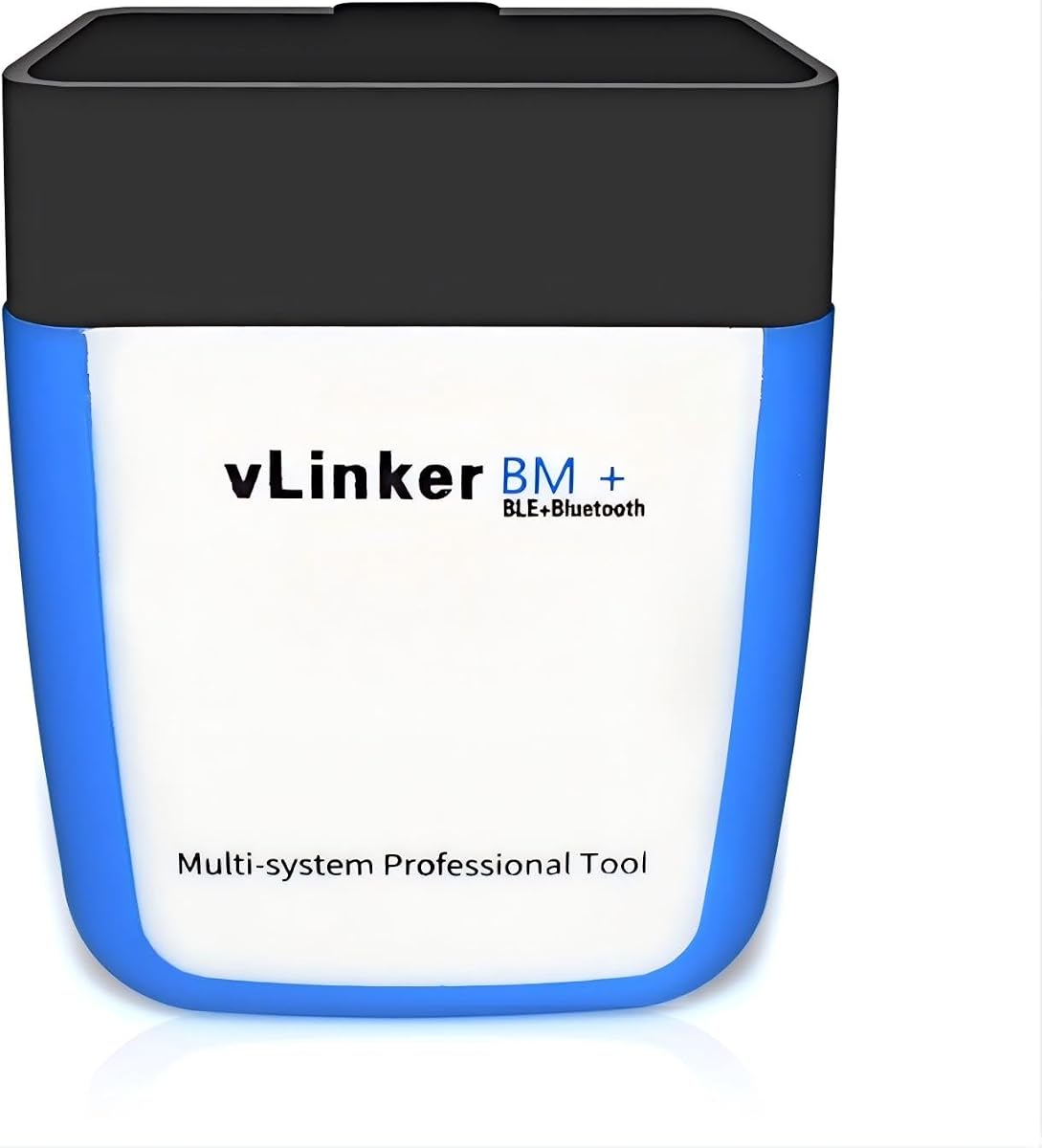
The Vgate vLinker BM+ has a 4.3 rating and is designed for BMW and Mini owners who want more capable Bluetooth diagnostics than a basic generic adapter provides. Its compatibility with BimmerCode, BimmerLink, Carly, Torque Pro, and other ELM327-compatible applications makes it a natural fit for owners using BMW-specific diagnostic software.
We may earn a commission when you buy through this link, at no additional cost to you.
Compared with the earlier iCar Pro approach, the BM+ adds an expanded data buffer and TP protocol support to handle larger transfers associated with BimmerCode coding and live monitoring. It also uses an auto-sleep design and power protections against over-voltage, over-current, and overheating. The result is an adapter better oriented to intensive BMW diagnostic sessions rather than only reading a stored engine code.
Vehicle age and phone platform are the main caveats. BimmerCode on iOS has connection limitations for BMW E/R-series vehicles from 2008 or earlier, so the manufacturer recommends BimmerCode on Android for full functionality in those cases. Compatibility should be verified on the application's developer site, and some software may require separate payment. Although the listing mentions other brands, the adapter's clearest advantage remains BMW and Mini support.
This is a strong pick for a BMW owner who uses BimmerCode, BimmerLink, Carly, or another suitable app and needs a larger data buffer for coding and live sensor work. It is less suitable for a non-BMW driver who only needs basic code reading, or for an older BMW owner who intends to use the iOS version of BimmerCode. Checking model year and app requirements prevents avoidable compatibility problems.
The expanded data buffer is the technical feature that separates the BM+ from many general adapters. It is intended to manage the heavier data traffic involved in supported BMW coding and configuration tasks.
BMW E/R-series vehicles from 2008 or earlier face an iOS connection limitation in BimmerCode. Android is recommended for full functionality in those applications, making phone platform as important as vehicle model.
We may earn a commission when you buy through this link, at no additional cost to you.
The Vgate vLinker FS Bluetooth carries a 4.3 rating and represents the premium, feature-focused option in this guide. It goes beyond simple code reading with support for multiple vehicle systems, including ABS, SRS, and TPMS information where the vehicle and app make it available, along with more live parameters and configuration-oriented capabilities.
We may earn a commission when you buy through this link, at no additional cost to you.
Its standout technical feature is FEPS 18V programming-voltage output in FORScan. It also supports data rates up to the stated 3Mbps maximum and OBD request frames up to 4KB, which are intended to improve graphics, report handling, programming, and longer-frame communication. Recommended applications include FORScan, BimmerCode, Torque, JScan, Auto Doctor, and OBD Fusion, giving it broad appeal among experienced owners.
The adapter includes auto-sleep and wake behavior, over-voltage and battery-drain protection, and free firmware updates. Its stated 28mA operating current and 3mA sleep current make regular use more practical. It works with 1996 and newer U.S.-sold cars and light trucks, including hybrid and electric vehicles, and its Ford network support extends to compatible 24V systems. Software licenses or premium features may still cost extra.
This is the choice for an enthusiast or professional user who needs more than generic engine diagnostics, particularly when FORScan or configuration functions are central to the work. It may be excessive for someone who only wants to read a check-engine code occasionally. Even so, its protective design, vehicle coverage, and high-speed data handling justify considering it when capability matters more than simplicity.
FEPS 18V output is the clearest premium feature because it supports specific Ford-oriented configuration and programming workflows in FORScan. Owners should confirm that their exact vehicle and intended procedure support the feature.
The adapter can expose far more than a basic scanner, but that potential depends on the selected app, vehicle modules, and optional software features. The hardware is powerful, yet correct app and protocol support remains essential.
We may earn a commission when you buy through this link, at no additional cost to you.
The Veepeak Mini Bluetooth OBD2 earns a 4.4 rating and is a compact, focused scanner for Android owners. It uses Classic Bluetooth and supports Android phones and tablets rather than iOS, a limitation stated explicitly enough to make it an important part of the purchase decision.
We may earn a commission when you buy through this link, at no additional cost to you.
For compatible 1996-and-newer U.S. cars and light trucks, the adapter can read and clear check-engine codes, show freeze-frame data, check I/M readiness, and present live engine data such as speed, RPM, coolant temperature, throttle position, oxygen-sensor readings, fuel trim, and mass-air-flow values. Compatible applications include Car Scanner, Torque, OBD Fusion, and Dr. Prius, providing several ways to display and interpret the data.
The Mini does not support ABS, SRS, TPMS, transmission, HVAC, oil-light reset, injector coding, electronic parking brake reset, relearning, or other manufacturer-specific functions. It is also incompatible with BimmerCode, BimmerLink, ABRP, and applications requiring specialized hardware. Since OBD-II ports vary in position and shape, the adapter may need firm pressure to establish a stable connection.
This is an excellent choice for an Android user seeking a small, uncomplicated scanner for routine engine checks. It is not appropriate for an iPhone or iPad user, who should instead consider a Bluetooth LE model such as OBDCheck BLE. It also suits buyers who do not need advanced systems or specialty coding. For its intended category, the Mini combines a favorable rating with a clear and manageable feature set.
The Mini does not try to support every phone or vehicle function. By concentrating on Android and standard engine diagnostics, it offers a simpler product for buyers whose needs align with that scope.
The small housing is easy to install, but the adapter remains limited to generic OBD-II functions. Owners should compare their desired readings with the supported list before purchase, especially if they hope to scan modules beyond the engine.
We may earn a commission when you buy through this link, at no additional cost to you.
The right Bluetooth OBD-II adapter depends less on the label printed on the case and more on the exact connection method, protocol support, app ecosystem, vehicle coverage, and diagnostic depth you need. These factors help separate a genuinely useful purchase from an inexpensive adapter that may never connect reliably to your phone or car.
Confirm that the adapter supports the operating system and phone type you own. Bluetooth Low Energy models such as the Veepeak OBDCheck BLE connect through the app on iOS, while some classic Bluetooth products only support Android. The Vgate iCar Pro supports both platforms but uses different connection steps: direct in-app connection on iOS and PIN-based pairing on Android. A product that says only Bluetooth may not communicate with every modern phone, so operating-system details matter as much as the adapter's protocol list.
Choose an adapter explicitly documented for your phone and tablet combination. If you use iOS, prioritize Bluetooth LE compatibility and an app approved for the adapter.
OBD-II is a standardized port and framework, but individual vehicles communicate through different underlying protocols. The adapter listing should identify support for the protocols used by your car, ideally including CAN variants and the older J1850, ISO9141-2, and KWP families where relevant. The Bluetooth 5.1 model lists nine common protocols, while the Vgate FD+ and iCar Pro support the five standard OBD-II protocol families. Protocol claims alone do not guarantee every vehicle function, but a narrower set can exclude otherwise compatible cars.
Verify the vehicle's model year, port type, and protocol before ordering. Broad protocol support is the safest general recommendation.
Generic OBD-II tools generally focus on the engine control system, including stored and pending codes, freeze-frame data, readiness monitors, and live engine sensors. Advanced systems such as ABS, SRS, TPMS, transmission, and body modules require broader hardware and app support. The vLinker FS is designed for a more extensive diagnostic workflow, while the iCar Pro, OBDCheck BLE, and Veepeak Mini explicitly limit advanced capabilities. Decide whether routine engine monitoring is enough before paying for specialized hardware.
For normal check-engine troubleshooting, standard OBD-II coverage is sufficient. Choose an advanced model for multi-module work.
Ford and Lincoln owners may need MS-CAN rather than only the standard OBD-II protocol set. The Vgate vLinker FD+ specifically supports MS-CAN and FORScan Lite, making it more relevant for compatible Ford diagnostics. BMW owners may prioritize BimmerCode support and a larger data buffer, which is the focus of the vLinker BM+. These features do not guarantee every function on every model year, so the software developer's compatibility list is the final authority.
Match the protocol and data requirements to the make, model, and year rather than relying on a general ELM327 label.
Most adapters in this category do not include a diagnostic application, and a phone-based scanner can only provide what the selected app supports. Popular choices include Torque, Car Scanner, OBD Fusion, JScan, FORScan, BimmerCode, BimmerLink, and YMOBD. Some applications offer advanced dashboards, coding, reports, or configuration only through paid subscriptions or one-time purchases. The hardware rating does not tell you which features are free, so review the app, account requirements, and expected connection behavior before buying.
Treat the adapter and app as one product system. Check current app reviews, fees, and vehicle support.
Bluetooth 4.0 BLE, Classic Bluetooth, Bluetooth 5.1, and Wi-Fi are not interchangeable. Apple devices impose particularly strict requirements on BLE accessories, while Android may support classic pairing with a PIN. Newer Bluetooth specifications alone do not guarantee stable vehicle communication, so a simple documented setup can be more valuable than a higher theoretical version number. Some users also need to switch their phone to a Wi-Fi network to use a Wi-Fi-only adapter, which can interfere with everyday connectivity.
Choose the exact connection type your app and phone support, and follow the pairing instructions precisely.
Most passenger-car adapters are designed for 12V systems, and the supported model years usually begin around 1996 for standard OBD-II vehicles. The vLinker FS extends its stated compatibility to compatible 24V systems and includes hybrid and electric vehicles, while several lower-end products exclude electrified powertrains. Automotive adapters may also remain connected to the vehicle, making sleep current, auto-sleep, over-voltage protection, and battery-drain prevention important practical considerations.
Match the adapter's voltage, powertrain, and year coverage to the car. Low sleep current is valuable for frequent use.
An OBD-II adapter should be small enough to store easily and robust enough to survive repeated insertion and removal. The Veepeak Mini emphasizes a low-profile, portable design, while the KVAEY model uses an insulated ABS housing. Port placement varies widely among vehicles, so a compact body can also be easier to fit under a dashboard. At the same time, a slightly larger housing may be easier to grip and remove, especially in tight or recessed ports.
Consider port location, grip, storage space, and housing material alongside electronic features. Fit is practical, not merely cosmetic.
Begin by confirming the vehicle has a compatible standard OBD-II port and that the adapter is designed for the car's voltage, model year, and powertrain. With the ignition off, locate the port, which is commonly near the driver's side dashboard, center console, or gear selector. Insert the adapter firmly but gently, then turn the ignition on or start the engine when the selected app instructs you to do so.
Open the recommended diagnostic app before establishing the wireless connection. Select the appropriate Bluetooth or Wi-Fi mode, choose the adapter's device name if the app requests one, and use the documented pairing method. On Android, some classic Bluetooth adapters use a PIN such as 1234; on iOS, a Bluetooth LE adapter should normally be connected inside the app rather than through the standard Bluetooth menu. Once connected, read the stored codes, freeze-frame data, readiness monitors, and live sensors supported by the vehicle.
Clear codes only after recording the information and understanding the likely fault. Clearing a code does not repair the underlying problem, and it may reset monitors, erase evidence, or affect emissions readiness. When finished, disconnect the app, turn off the ignition if appropriate, and remove the adapter. Store it in a dry place away from excessive heat, inspect the connector for debris, and use firmware updates or protective features as directed by the manufacturer.
Only if the specific adapter supports both platforms and the phone's Bluetooth mode. Bluetooth LE models such as OBDCheck BLE are designed for iOS and Android, while many inexpensive classic Bluetooth adapters work only with Android. The Vgate iCar Pro supports both but uses direct in-app connection on iOS and PIN-based pairing on Android. Always check the exact platform instructions rather than relying on the ELM327 name alone.
Most of these adapters do not include the diagnostic software and require a compatible phone or computer app. Common options include Torque, Car Scanner, OBD Fusion, FORScan, BimmerCode, BimmerLink, and YMOBD. The adapter provides the connection to the vehicle, while the app provides dashboards, code interpretation, logs, and any available advanced functions. Some app features require a paid subscription or separate purchase.
A wireless connection does not always mean the adapter is communicating with the engine control unit. Check that the ignition is on or the engine is running, the app is using the correct connection type, and the right device name is selected. Also confirm that the adapter is fully seated and that the vehicle uses a supported OBD-II protocol. If the problem continues, verify the car's compatibility with the selected app.
That depends on the hardware, vehicle, and app. Basic adapters in this guide focus mainly on the engine control system, while the Vgate vLinker FS is designed for broader multi-system diagnostics. Even with advanced hardware, a module may not be accessible on every car or software version. Confirm that the developer supports the exact year, make, model, and module before purchasing for specialist work.
A Bluetooth adapter connects through the phone's Bluetooth system, while a Wi-Fi adapter creates or uses a wireless network that the phone joins. The WiFi ELM327 product reviewed here supports Wi-Fi only and explicitly does not support Bluetooth. It also excludes FORScan and motorcycles, making it unsuitable for buyers seeking a true Bluetooth adapter or those needing a Wi-Fi workflow.
Low-power adapters with automatic sleep are designed to minimize battery drain, and models such as the Vgate iCar Pro and vLinker FS state very low sleep currents. However, leaving any accessory installed indefinitely may create unnecessary risk, particularly on older batteries. For long storage, removing the adapter is the conservative choice. Follow the manufacturer's guidance for the exact model.
An adapter identifies trouble codes and may clear them, but it does not automatically repair the underlying fault. The code should be interpreted alongside freeze-frame data, live sensor readings, and vehicle service information. Clearing a code can also reset readiness monitors or erase valuable evidence. If the warning light returns, the problem remains or is not yet resolved.
Ford and Lincoln owners who need MS-CAN or FORScan Lite support should examine the Vgate vLinker FD+, while the premium vLinker FS adds FEPS 18V output and broader configuration capabilities. BMW and Mini owners using BimmerCode or BimmerLink should consider the vLinker BM+, paying close attention to model-year and iOS limitations. Confirm compatibility with the software developer before purchasing either specialized adapter.
The Vgate iCar Pro is the most balanced recommendation for general users because it supports iOS and Android, works with established apps, offers useful LED feedback, and includes low-power sleep behavior. The Vgate vLinker FS Bluetooth is the premium choice for users who need FORScan, FEPS 18V output, expanded system access, or more advanced configuration workflows. The Veepeak Mini is the compact budget-oriented pick for Android users who only need standard engine diagnostics.
Prioritize exact platform support, the protocols used by your vehicle, and the app you intend to use. A basic adapter is sufficient for reading check-engine codes and monitoring live engine sensors, while MS-CAN, BimmerCode, FEPS, or multi-module features should influence the decision only if your car and software support them. A Wi-Fi-only adapter should not be considered a substitute for a Bluetooth product, even if its listing includes ELM327 terminology.
Finally, check the current product listing, app requirements, and vehicle compatibility before ordering. Ratings and feature descriptions provide a useful starting point, but software updates, subscription access, and hardware revisions can change the experience. Current prices and availability also change frequently, so the most current listing should determine the final purchasing decision.


