
Thermalright TL-C14C-S X3
4.7Editor score
Three-fan 140mm package
Up to 1500 RPM
Standard 5V ARGB
Our ARGB 140mm Fans guide compares ten leading 140mm PWM case and radiator fans, covering airflow, static pressure, noise, lighting, and compatibility.
ARGB 140mm fans combine generous airflow with customizable lighting, making them a popular upgrade for PC cases, CPU coolers, and liquid-cooling radiators. A worthwhile model should move enough air for the intended position, remain controllable through standard motherboard headers, and fit the case without conflicting with other components.
The products in this guide were compared using the specifications and feature information supplied for each model. We examine fan size, RPM range, airflow, static pressure, bearing design, noise claims, lighting controls, daisy-chain support, and the kinds of locations each fan is best suited to serve.
Each review explains the standouts and compromises of one fan, helping you identify the right model for a quiet workstation, a visually coordinated gaming PC, or a tightly packed radiator installation. Product listings and specifications can change, so always confirm current compatibility, included accessories, and pricing before ordering.
4.7Editor score

4.6Editor score
4.6Editor score
The comparison below places all ten fans side by side, with particular attention to airflow, static pressure, speed range, lighting, and physical role in a PC build.





The Thermalright TL-C14C-S X3 is the strongest general-value choice in this guide, earning a 4.7 rating from its listed customer feedback. Its three-fan package provides an economical way to establish intake and exhaust positions or populate both sides of a radiator. The standard 4-pin PWM and 5V 3-pin ARGB connections also make it straightforward to integrate with mainstream motherboard headers.
We may earn a commission when you buy through this link, at no additional cost to you.
Performance figures are balanced rather than extreme. Each 140mm fan is rated at up to 1500 RPM, producing 75.8 CFM of airflow and 1.93 mm H2O of static pressure. Those figures make the set suitable for case ventilation, CPU air coolers, and radiators, although the 1.93 mm H2O rating is not among the strongest options here. PWM control lets the motherboard reduce speed when additional airflow is unnecessary, while the listed noise ceiling of 26.4 dBA supports quiet operation.
The visual design is simple, with high-brightness ARGB elements intended to reflect light through the blades. Seventeen lighting modes are supported, and color can be coordinated through a compatible motherboard. The 55cm cable and PBT-plus-PC construction are also useful details for a clean, durable installation. The main tradeoff is that the 5V 3-pin ARGB interface is older than newer addressable lighting standards, so compatibility should be checked before purchase.
This is a good match for builders who want several dependable 140mm fans without moving to a premium brand. It is particularly appealing for a complete case refresh, a three-fan radiator, or a mix of intake and exhaust positions. Choose it when straightforward PWM control, quiet operation, and a three-fan bundle matter more than unusually high static pressure or magnetic cabling.
The 75.8 CFM airflow rating and 1500 RPM ceiling provide enough movement for common case positions and moderately restrictive cooling hardware. PWM control gives you a practical way to reduce sound during light tasks while preserving headroom under heavier loads.
The fan uses a 5V 3-pin ARGB lighting interface and supports up to 17 effects. That makes it a good match for compatible motherboards and simpler lighting controllers, although it should not be connected to a 12V RGB header.
We may earn a commission when you buy through this link, at no additional cost to you.
The CORSAIR RS140 ARGB earns a 4.6 rating and stands out as the most balanced option in the guide. It combines 95.5 CFM maximum airflow with 3.46 mm H2O of static pressure, giving it more capability than a basic case fan while remaining suitable for radiators and heatsinks. The dual-pack format is ideal for a compact two-position upgrade.
We may earn a commission when you buy through this link, at no additional cost to you.
Its most practical feature is the daisy-chain connection. Multiple fans can be linked and controlled through a single 4-pin PWM connector and one 5V ARGB connector, reducing the number of motherboard headers required. The magnetic dome bearing supports smooth operation, while the max speed of 1,700 RPM gives the user a broad range for balancing airflow and noise.
Eight LEDs per fan provide customizable lighting through a compatible motherboard. CORSAIR AirGuide technology adds anti-vortex vanes intended to focus airflow toward hot components, which is especially useful when a fan is mounted to a radiator or heatsink. The main consideration is compatibility: the lighting requires a 5V ARGB-capable controller, and the package includes only two fans rather than a larger multi-fan set.
Overall, the RS140 is suited to builders who want fewer compromises between high-airflow case ventilation and radiator use. It works particularly well when a clean motherboard connection is important, available header space is limited, and the installation requires a pair of visually coordinated fans rather than a complete three-fan set.
A 95.5 CFM airflow rating and 3.46 mm H2O static-pressure figure give the RS140 authority in restrictive positions. Its anti-vortex vanes are designed to direct air through radiators, heatsinks, and other component-focused areas rather than merely circulating it around the chassis.
Daisy-chaining lets compatible fans share a single PWM and ARGB connection. This can simplify cable routing, reduce header pressure, and make the dual-fan set easier to add to a motherboard with a limited number of fan headers.
We may earn a commission when you buy through this link, at no additional cost to you.
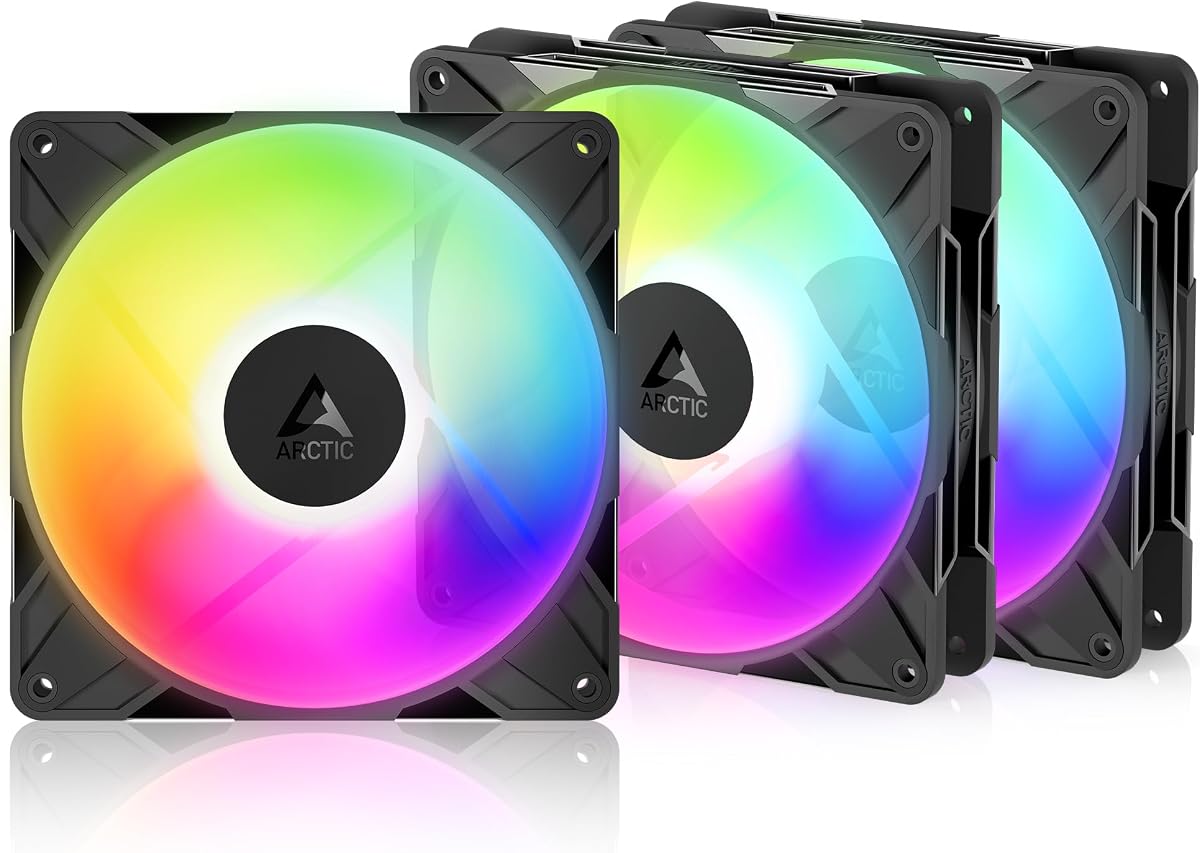
The three-pack ARCTIC P14 Pro Reverse A-RGB is the premium feature option in this roundup, carrying a 4.6 rating. Its defining feature is reversed airflow, which draws air from the rear side and makes it visually appropriate for the front of a glass-sided or otherwise appearance-sensitive PC. The bundle also includes a Y-cable splitter, simplifying a three-fan installation.
We may earn a commission when you buy through this link, at no additional cost to you.
The fan supports an unusually broad PWM range from 400 to 2,650 RPM. It can stop completely below 5% PWM, allowing it to disappear visually during periods of low demand. Its high static-pressure design is intended to push air through dense radiators, narrow perforated panels, and mesh structures, making it more versatile than a light-duty decorative case fan.
ARCTIC emphasizes precise manufacturing, minimal gaps, automatic balancing, and reduced vibration as ways to achieve smooth operation. The hydrodynamic bearing is self-lubricating and is designed to reduce noise while supporting long service. The potential drawback is the wide speed range itself: maximum output can create more noise than a lower-speed fan, so meaningful PWM tuning remains important in a quiet build.
Choose this pack when a coordinated premium appearance, three-fan installation, and flexibility across radiator or mesh positions are priorities. It is particularly well suited to the visually visible intake area of a showcase build, provided the reversed airflow orientation matches the case design and the radiator or fan direction you need.
The reverse-airflow layout moves the visually busier side of the fan away from a glass front panel. This helps preserve a clean view of internal components while retaining the cooling performance expected from a premium 140mm model.
A 400 RPM minimum and 2,650 RPM maximum provide ample room for fan curves. The ability to stop below 5% PWM is particularly useful for silent operation, while the upper range supplies substantial airflow when cooling demands rise.
We may earn a commission when you buy through this link, at no additional cost to you.
The Thermaltake CT140 EX ARGB Sync receives a 4.6 rating and focuses on installation convenience and visual control. Its MagForce 2.0 magnetic connection allows multiple fans to be daisy-chained with one cable, reducing the cable clutter that can otherwise complicate a three-fan installation.
We may earn a commission when you buy through this link, at no additional cost to you.
Each fan carries nine addressable LEDs, and the set supports 5V motherboard synchronization with access to 16.8 million colors. It is intended for builders who want their fan lighting to follow effects configured in compatible motherboard software. The emphasis is clearly on coordinated visual customization rather than a minimalist industrial appearance.
Cooling hardware includes an optimized hydraulic bearing for reliable, silent operation and an embedded anti-vibration mounting system intended to limit vibration transfer. The fan is suitable for both case and radiator positions. The provided information does not list maximum RPM, airflow, static pressure, or a specific noise measurement, making direct performance comparisons less precise than for the numeric alternatives in this guide.
This three-fan pack is a compelling option for a coordinated gaming build where cable management and lighting matter strongly. It is a sensible choice for a color-focused case with compatible 5V ARGB control, provided you are comfortable using the magnetic connection system and do not need to compare exact airflow values before installation.
MagForce 2.0 lets the included fans connect in series with one cable. The result is a cleaner chassis and fewer individual fan connections to manage, especially when all three occupy consecutive positions.
Nine addressable LEDs and 16.8 million color options provide detailed effects beyond a single-color ring. Motherboard synchronization is best when your software and board support the required 5V ARGB connection.
We may earn a commission when you buy through this link, at no additional cost to you.
The AsiaHorse Amici 140mm ARGB carries a 4.5 rating and offers one of the most detailed specification sheets in this collection. It is rated for up to 89.77 CFM of airflow and 3.24 mm H2O of wind pressure, with a stated operating range of 800 to 1,800 RPM at 1,800 RPM under 10 percent tolerance.
We may earn a commission when you buy through this link, at no additional cost to you.
The nine-blade design and claimed 6 to 30 dB(A) noise range are supported by rubber pads and precision balancing intended to reduce vibration and wind noise. An oil-filled hydraulic bearing forms a lubricating film between the shaft and sleeve, while the manufacturer advertises a 50,000-hour service lifespan. These characteristics make the fan suitable for long-running desktop and gaming systems.
Its infinity-mirror appearance uses 24 LED beads and supports 16.8 million colors. Compatibility is listed with ASUS Aura Sync, Gigabyte RGB Fusion, and MSI Mystic Light Sync. Fans can also be linked through wired daisy-chaining, although the recommendation is no more than three per chain. This is not a modular or wireless connection system.
Choose the Amici when you want detailed specifications, a strong single-fan option, and broad motherboard lighting support without moving to a three-pack. It is a good candidate for a case upgrade where one vacant 140mm position needs filling, or as the basis of a multi-fan build using the supported wired connections.
The published 89.77 CFM and 3.24 mm H2O figures place the Amici well above a basic decorative 140mm fan. Those values make it credible for case ventilation and compatible heat-sink or radiator positions, subject to case and mounting limitations.
The oil-filled bearing is designed to maintain a lubricating film, reduce metal friction, and limit wear. A claimed 50,000-hour lifespan and a 6 to 30 dB(A) range reinforce the fan's positioning for sustained, comparatively quiet operation.
We may earn a commission when you buy through this link, at no additional cost to you.
The Cooler Master MasterFan MF140 Halo has the highest listed rating in this guide at 4.8. Its visual identity is built around a duo-ring design illuminated by 24 individually controlled 3-pin ARGB LEDs, giving it a more elaborate appearance than a conventional single-ring case fan.
We may earn a commission when you buy through this link, at no additional cost to you.
Cooling performance is handled by a hybrid static-pressure blade design intended for CPU liquid radiators, low-noise airflow, and mesh chassis ventilation. PWM speed adjustment ranges from 650 to 1,500 RPM. Noise Reduction Technology and sound-absorbing materials are included to reduce operating sound and support a longer service life.
A notable installation detail is the included ARGB header extender. Because the Halo uses a three-pin ARGB connection, the extender can provide the required three-to-four-pin arrangement for compatible motherboard headers. Lighting is compatible with Aura, Mystic Light, and Polychrome Sync, though the exact board software and connection should be verified before installation.
The MF140 Halo is ideal for a showcase build where the fan itself is a prominent visual element. It is also suitable as a CPU cooler or radiator fan when the mounting dimensions and header arrangement fit. The trade-off is that this is a single-fan purchase, so building a matching multi-fan setup requires additional units or a compatible related product.
The duo-ring frame and 24 individually controlled LEDs create a layered glow rather than the simpler outline used by many 140mm fans. This makes the MF140 Halo especially effective as a visible accent in a glass-sided chassis.
A hybrid static-pressure blade layout addresses restrictive cooling locations, while the 650 RPM lower bound permits moderate low-speed operation. Sound-absorbing materials and noise-reduction technology support the product's quieter cooling focus.
We may earn a commission when you buy through this link, at no additional cost to you.
The ARCTIC P14 Pro A-RGB earns a 4.6 rating and distinguishes itself with a maximum speed of 3,000 RPM, the highest ceiling among the models listed. That wide control range is supported by 4-pin PWM operation and the ability to stop completely when the signal falls below 5 percent.
We may earn a commission when you buy through this link, at no additional cost to you.
High static pressure is the central performance benefit. ARCTIC positions the fan for dense radiators, narrow perforated panels, and mesh structures where unrestricted case airflow would be less effective. Revised rotor blades seek a balance between performance and low noise, especially at lower operating speeds, while precision balancing and reduced gaps are intended to limit vibration.
A self-lubricating fluid dynamic bearing supports smooth, quiet operation and long service life. Unlike several alternatives in this guide, however, the supplied data does not provide an exact CFM airflow figure or a numeric noise level. As a single fan, it is best considered as a strong component for a custom build rather than an immediately complete multi-fan set.
The P14 Pro A-RGB makes the most sense for a builder willing to tune the fan curve and use its upper speed range only when needed. It is a strong candidate for a high-performance radiator or restrictive intake, particularly if a balanced, low-speed noise profile matters more than having a preassembled bundle.
The 3,000 RPM maximum provides more performance headroom than the other listed models. It can help when driving air through dense radiator fins, perforated panels, or other restrictive paths where moderate fan speeds may not provide enough flow.
Stopping below 5% PWM lets the fan sit still during periods of minimal demand. The result is less visual movement and no fan noise at the bottom of a properly configured fan curve, while preserving rapid response when temperatures rise.
We may earn a commission when you buy through this link, at no additional cost to you.
This three-pack version of the Thermalright TL-C14C-S X3 has a 4.6 rating and is a strong alternative for quiet case upgrades. It uses a seven-blade design intended to balance heat dissipation with reduced noise, and its four corners have soft silicone feet to minimize vibration and unwanted contact noise.
We may earn a commission when you buy through this link, at no additional cost to you.
The fundamental performance figures match the related three-fan model reviewed first: up to 1,500 RPM, 75.8 CFM of airflow, 1.93 mm H2O of static pressure, and a listed noise ceiling of 26.4 dBA. A 4-pin PWM cable allows automatic speed control based on motherboard temperature or a software-defined fan curve.
This listing is particularly useful for adding three matching 140mm fans to a case, CPU cooler, or radiator. The 55cm cable length provides room for routing, while PBT-plus-PC construction is specified for insulation and durability. As with the other Thermalright option, the static-pressure figure is lower than the leading models, so it may be less effective against dense restrictions than a high-pressure design.
Choose this three-fan pack for a quiet build that needs a coordinated set of case fans without the complexity of magnetic or proprietary daisy-chain systems. It is especially compelling when the 26.4 dBA ceiling, standard PWM control, and simple three-fan format align with your priorities.
The seven-blade rotor, silicone feet, and 26.4 dBA maximum noise claim all support a restrained acoustic profile. Lowering the PWM speed when possible provides further noise control under everyday workloads.
Buying the set together provides matching 140mm dimensions and finish for several case positions. It can populate a three-fan radiator or create a balanced intake-and-exhaust layout with fewer separate purchases.
We may earn a commission when you buy through this link, at no additional cost to you.
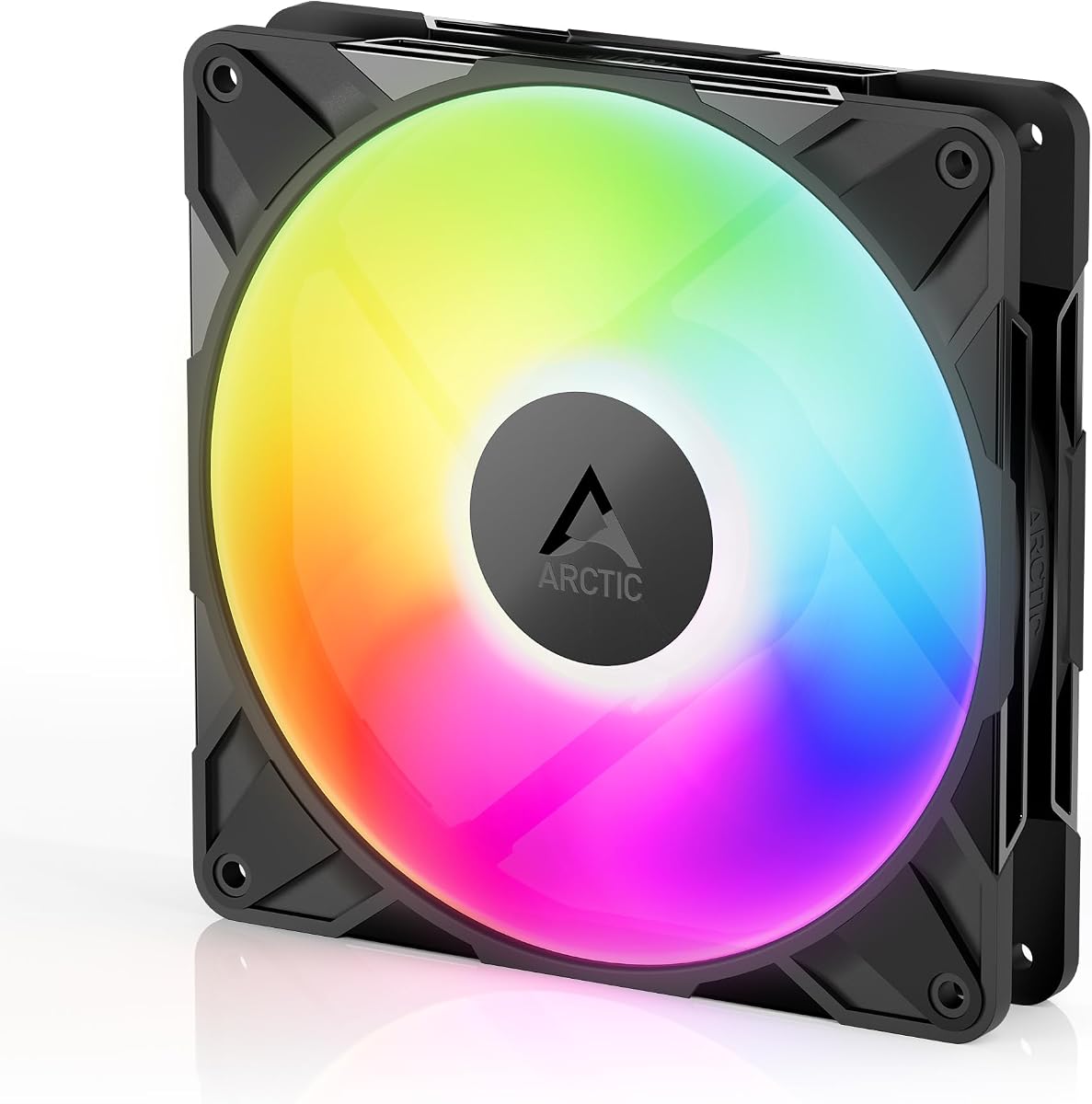
The single-fan ARCTIC P14 Pro Reverse A-RGB has the highest customer rating in the selection at 4.9. It retains the key strengths of the three-pack version while giving buyers the freedom to purchase exactly one unit and add more only where needed.
We may earn a commission when you buy through this link, at no additional cost to you.
Its reverse-airflow construction is designed for glass-fronted cases and other builds where the conventional face of a fan would interrupt the visual presentation. The fan draws air from the rear side, making orientation a critical part of installation. The design remains capable of moving air through radiators, narrow perforated panels, and mesh structures.
PWM speed can be adjusted progressively from 400 to 2,650 RPM, with a complete stop below 5%. The fluid dynamic bearing is self-lubricating, while precise manufacturing, automatic balancing, and high-precision measurement are intended to minimize vibration. The trade-off is that the higher end of the speed range can be audible, and the fan should be oriented carefully to achieve the desired intake or exhaust direction.
This is an excellent single-fan option for a premium showcase build, especially at a visible front intake position. Select it when you need a specific orientation, prefer to expand the set gradually, and want fine control over low-speed operation and full shutdown.
Reverse airflow preserves a cleaner look at the front of a glass-sided case while maintaining strong cooling hardware. It gives builders a way to coordinate appearance and airflow without using a conventional front-facing fan.
The single-unit format is useful when only one position is vacant. It also allows a builder to start with a premium reverse fan and add matching units later as case space and budget allow.
We may earn a commission when you buy through this link, at no additional cost to you.
The Thermalright TL-C14C-S is the simplest way in this roundup to add a 140mm ARGB fan to a compatible PC. Its 4.7 rating reflects a well-received core configuration: a 140 by 140 by 25mm frame, a 4-pin PWM power connection, a 5V 3-pin ARGB lighting interface, and an S-FDB bearing.
We may earn a commission when you buy through this link, at no additional cost to you.
The fan can reach 1,500 RPM and uses a seven-blade design intended to reduce noise while supporting heat dissipation. Silicone feet at the four corners help reduce vibration. Automatic PWM control allows the motherboard to adjust fan speed according to system conditions, making the fan straightforward to integrate with standard cooling software.
High-brightness ARGB elements reflect light through the blades, and up to 17 lighting effects can be managed through a compatible motherboard. The product can be used as a case fan, with a CPU air cooler, or with a water-cooling radiator, although the listing does not provide a precise airflow or static-pressure figure. That makes it less suitable for strict numerical comparisons with the performance-focused models in this guide.
Choose the TL-C14C-S for a simple single-fan upgrade, a spare replacement, or an entry into ARGB cooling without committing to a multipack. Its standard connections and restrained design are useful for builders who prioritize simple compatibility and recognizable motherboard lighting control over advanced airflow figures.
The single fan uses familiar 4-pin PWM and 5V 3-pin ARGB connections. That makes it straightforward to add to a compatible system and synchronize with the broader lighting effects supported by the motherboard.
A maximum speed of 1,500 RPM and a seven-blade design provide a practical operating range for case ventilation. Silicone mounting feet and the S-FDB bearing are intended to keep noise and vibration under control.
We may earn a commission when you buy through this link, at no additional cost to you.
The right 140mm ARGB fan depends on where it will be mounted, how much airflow or pressure the position needs, and how much attention you want to give lighting and cable management.
Start by determining whether each fan will draw air into the case, exhaust air, or serve a radiator. Intake fans should generally pull cool outside air toward the components, while exhaust fans remove accumulated heat. Reverse-airflow models alter the visible orientation and require more care because their intake and exhaust sides differ from conventional fans. Always verify the arrows or markings on the frame and the airflow path inside the case.
Airflow is commonly expressed in CFM and describes the volume of air a fan can move. Static pressure, measured in mm H2O, indicates how effectively it can push air through resistance. Case openings with little obstruction generally benefit from strong airflow, whereas radiators, dense heatsinks, mesh filters, and perforated panels place more demand on static pressure. Products such as the CORSAIR RS140 ARGB combine 95.5 CFM with 3.46 mm H2O, while several Thermalright options prioritize a quieter 1,500 RPM operating point.
A 4-pin PWM fan can vary its speed continuously, allowing a quieter idle state and greater output under load. A broad range is valuable, but it should be paired with a sensible fan curve. Fans that stop below 5% PWM can disappear visually during light tasks, while models with lower minimum speeds, such as the Cooler Master MF140 Halo at 650 RPM, may still rotate at low settings. The highest maximum speeds, including 3,000 RPM on the ARCTIC P14 Pro A-RGB, provide headroom but can produce more noise.
Most of the selected fans use 5V 3-pin ARGB, but 12V 4-pin RGB is a different, incompatible standard. Confirm the header on your motherboard, hub, or lighting controller before purchasing. Software support also varies: ASUS Aura Sync, MSI Mystic Light Sync, Gigabyte RGB Fusion, and other ecosystems are named for particular products. If a fan includes an extender or adapter, verify that it matches the specific header and software you intend to use.
Published noise values should be treated as comparative guidance because test conditions can differ. The Thermalright TL-C14C-S X3 lists a maximum of 26.4 dBA, while the AsiaHorse Amici specifies a 6 to 30 dB(A) range. Bearing design also matters: S-FDB, fluid dynamic, hydrodynamic, and magnetic dome systems all use different structures to reduce friction and maintain smooth rotation. Look for vibration-control features such as rubber pads, silicone feet, or anti-vibration mounting.
A system with only a few fan headers may benefit from daisy-chain support. The CORSAIR RS140 ARGB can be controlled through one 4-pin PWM and one 5V ARGB connection, the Thermaltake CT140 EX ARGB Sync uses a magnetic MagForce 2.0 system, and the AsiaHorse Amici supports wired daisy-chaining with a recommendation of no more than three fans per chain. Check whether the required splitter, Y-cable, or magnetic connectors are included.
A single-fan purchase is ideal for filling one vacant position, replacing a failed fan, or starting a gradual build. Multipacks are more convenient for radiators, front and rear intake-and-exhaust pairs, and complete case refreshes. The Thermalright three-packs and ARCTIC Reverse three-pack provide matching units with less need to source separate fans later. Choose the quantity that matches your actual mounting locations rather than buying more hardware than the case can accommodate.
A fan intended for a CPU heatsink or radiator must move air through a restricted path without excessive noise. The ARCTIC P14 Pro family emphasizes high static pressure, and the CORSAIR RS140 ARGB is also rated at 3.46 mm H2O. The Thermalright TL-C14C-S X3 can be used with radiators, but its 1.93 mm H2O figure is more modest. Match the fan size to the radiator or heatsink, verify mounting dimensions, and account for any offset produced by thicker fan frames or connectors.
Begin by planning the airflow path rather than placing fans solely where they look best. Identify intake, exhaust, radiator, and heatsink positions, then verify that every 140mm location has the correct mounting pattern and enough clearance for the frame, screws, and attached cables. Connect each 4-pin PWM lead to a compatible fan header or powered hub, and avoid using a CPU fan header for a multi-fan group unless its current rating is designed for that load.
Install the fans with the correct orientation, then connect the lighting side to a genuine 5V ARGB header. Never force a 5V 3-pin plug into a 12V 4-pin RGB socket because the pin arrangement is different. After assembly, enter the motherboard lighting software, select the appropriate sync or vendor effect, and adjust brightness to avoid distracting reflections through glass panels. For magnetic or daisy-chain systems, connect the supplied cables exactly as directed by the manufacturer.
Create a PWM fan curve based on case and component temperatures rather than leaving every fan at maximum speed. Begin with a low idle setting, increase output gradually during sustained load, and listen for rattling or airflow noise that indicates a mounting issue. Periodically clean accessible dust from the blades and frame with a soft brush or compressed air while the system is off. Check that screws remain tight, cables are not pressed against fan blades, and the lighting software and fan-control profiles continue to behave as expected.
No. A 5V 3-pin ARGB connector and a 12V 4-pin RGB connector use different pin arrangements and electrical characteristics. Most fans in this guide use 5V ARGB, so check the motherboard or controller header before connecting. An adapter may be used only if it is explicitly designed to convert between the formats, and the correct software must still support the lighting.
Yes, provided the fan dimensions match the radiator and the model has sufficient static pressure for the radiator and any filter in the path. The ARCTIC P14 Pro and CORSAIR RS140 ARGB are particularly oriented toward restrictive positions. Also check radiator thickness and fan offsets so the assembly will not overlap the CPU cooler, memory, or other motherboard components.
It depends on the motherboard and the current draw of the fans. Some boards provide enough powered fan headers and current for three fans, while others require a powered hub. Daisy-chain systems may still need a suitable source for the first fan. Review the motherboard specifications and the fan package for included splitters, Y-cables, or magnetic connectors before installation.
Intake fans bring outside air into the case, while exhaust fans push warm air out. The frame arrows indicate the intended direction, but reverse-airflow models place that direction opposite to the side normally facing the viewer. Correct orientation improves cooling and prevents intake and exhaust fans from fighting against one another.
No. A higher maximum speed can provide more airflow and static-pressure headroom, but it may also create more noise and draw more power. Low-speed control, a useful bearing, and an appropriate fan curve are often more important for everyday comfort. Choose enough performance for the mounting position rather than selecting solely by the highest RPM number.
It is possible when every fan uses the same physical 5V ARGB standard and the motherboard software supports the vendor integrations you need. The listed products mention compatibility with ecosystems such as ASUS Aura Sync, MSI Mystic Light Sync, and Gigabyte RGB Fusion, but software support can change. Confirm the current motherboard and lighting-software compatibility before mixing brands.
Not necessarily. Maximum speed usually produces the most noise, and a properly tuned curve can maintain effective cooling while keeping the PC quieter during light tasks. Increase speed gradually as temperatures rise, and pay attention to whether the fan is moving air through a restrictive radiator, filter, or mesh rather than assuming the highest setting is always necessary.
Inspect them every few months and clean visible dust more often in dusty environments. Switch off and disconnect the system before using compressed air, and hold the fan blades so they do not spin from the airflow. Keep the grille or filter clear, and check that cables and mounting screws have not shifted during maintenance.
The Thermalright TL-C14C-S X3 is the best overall-value selection because its three-fan bundle combines standard PWM control, quiet operation, ARGB lighting, and enough airflow for common case and radiator positions. The CORSAIR RS140 ARGB is the strongest balanced alternative, offering higher airflow and static pressure with especially clean daisy-chain wiring. For premium aesthetics and specialized airflow, the three-pack ARCTIC P14 Pro Reverse A-RGB stands apart.
Prioritize the role of the fan before its lighting. High-static-pressure models suit radiators, mesh, and restrictive filters, while conventional airflow-focused fans are effective in open case positions. Then consider PWM range, bearing technology, noise characteristics, daisy-chain support, and whether you need one fan or a coordinated set. Matching all installed fans can also improve visual consistency and simplify software configuration.
Finally, verify the current listing, included accessories, dimensions, and connector type before making a purchase. Product configurations and software compatibility can change, and current prices fluctuate as well. Checking those details ensures that the fan you select fits both the physical case and the way you plan to control its cooling and lighting.