
Ultimaxx Xtreme VR Remote
3.2Editor score
Six operating modes
Portable wireless design
Android and iOS support
Up to 120-hour battery life
A Bluetooth VR gaming controller can turn a phone, tablet, or headset from a passive viewer into an interactive experience. The right remote should pair easily, translate movement accurately, and remain comfortable through menus, games, videos, and everyday media control. Compatibility and platform limitations matter as much as the advertised feature list.
This guide compares ten controllers using their stated functions, supported devices, connection methods, control layouts, and design details. It covers compact ring remotes, full-size gamepads, a Samsung Gear VR controller, and a complete phone VR headset package. The rankings reflect the available product information rather than hands-on testing.
Each pick highlights a different use case, from budget media control to more advanced wireless gaming. Feature names alone cannot guarantee that every game will work, particularly on iOS or within a specific headset environment, so buyers should verify app and device support before purchasing. Prices and promotions can change at any time.
3.2Editor score

4.2Editor score

4.1Editor score
As an Amazon Associate we earn from qualifying purchases.
The comparison below organizes all ten products by their most important attributes. Pay close attention to platform restrictions, input methods, and whether you need a standalone controller, a full-size gamepad, or a headset bundle.


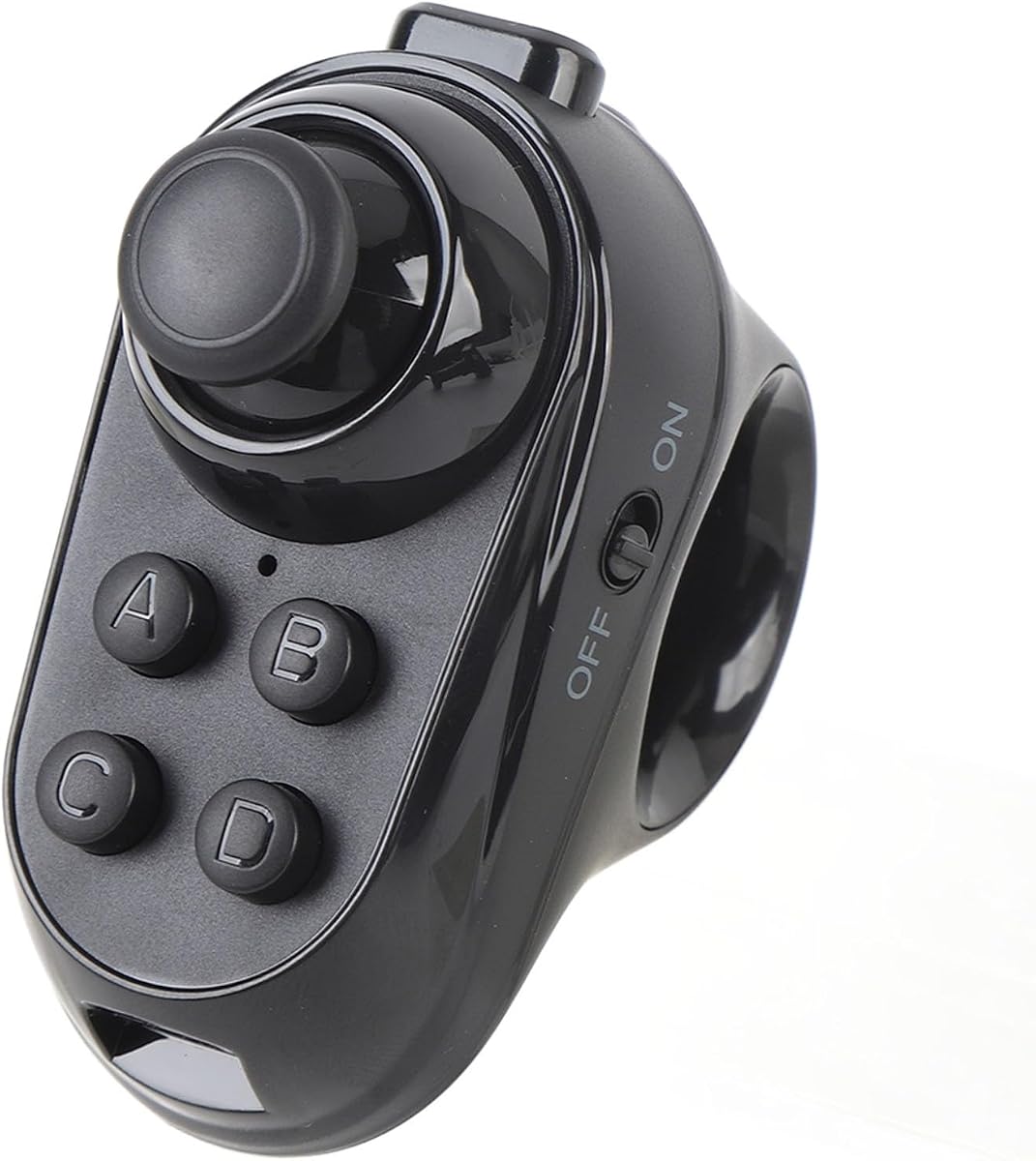


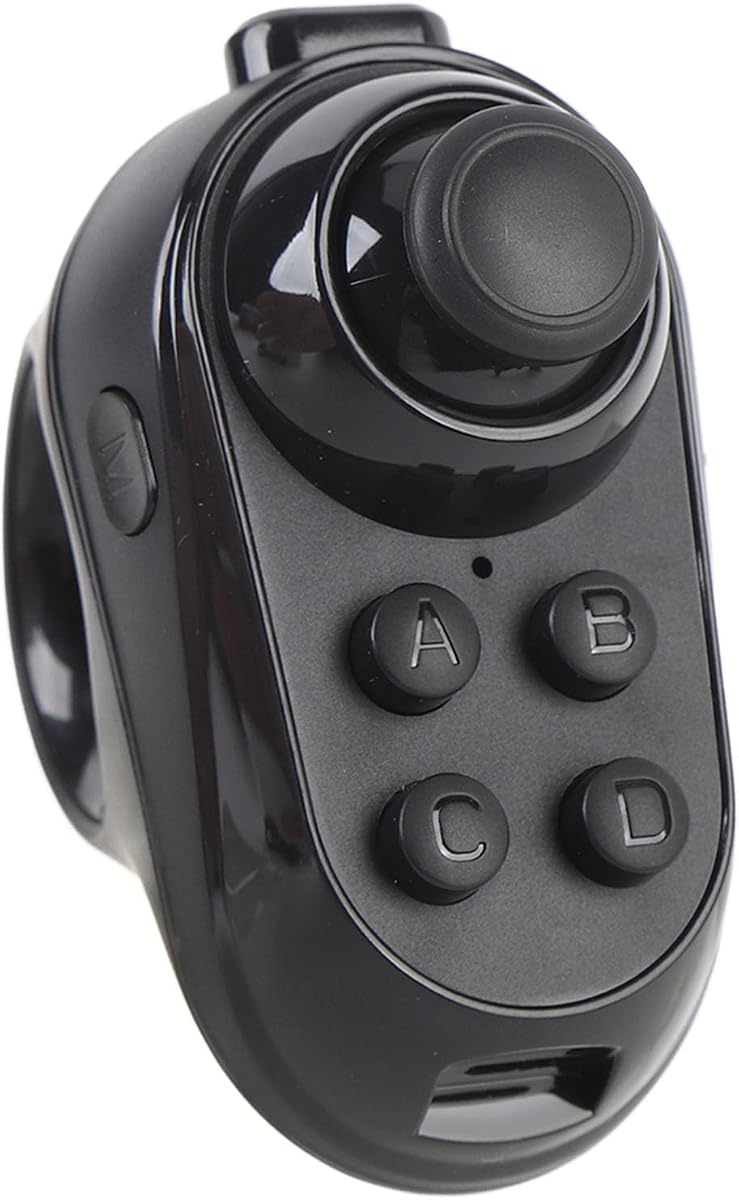

This general-purpose Bluetooth remote is the most functionally expansive entry in the list, with a stated 3.5 rating and support for VR, games, media, selfies, page turning, mouse control, and presentations. Its rocker offers 360-degree movement with high-precision positioning, making it more versatile than a controller limited strictly to headset navigation.
We may earn a commission when you buy through this link, at no additional cost to you.
The strongest attraction is its range of supported hardware. It is described as compatible with VR headsets, mobile phones, tablets, laptops, PCs, smart TVs, and TV boxes. Android users can control volume, media playback, camera shutter, e-book pages, mouse functions, and supported VR games, while iOS operation is more constrained by system limitations.
Its on-off procedure is straightforward: hold the power control for two seconds to turn the unit on and for five seconds to shut it down, with one press also activating the phone shutter. Two AAA batteries are required. These operational constraints are reasonable for a portable remote, although the iOS game list is limited and does not cover the full range available to MFI-compatible controllers.
This is a sensible choice for buyers who want one inexpensive accessory to handle several mobile and VR tasks. It is less suitable for someone whose priorities are console-quality buttons, advanced motion controls, or unrestricted iPhone gaming. Check the target game's control requirements before buying, and confirm that your headset supports third-party Bluetooth remotes.
The ability to act as a gamepad, media remote, mouse, page-turning tool, and camera shutter makes this controller useful beyond a single VR title. That flexibility can reduce the need to switch among several accessories while navigating compatible apps.
The product supports several iOS functions, but its game compatibility is explicitly limited because of operating-system restrictions. Buyers focused on iPhone gaming should verify their title in the supported list rather than assuming every VR app will recognize the controller.
We may earn a commission when you buy through this link, at no additional cost to you.
The PUSOKEI Wireless VR Controller Ring combines an integrated joystick with several media and navigation functions. It carries a 3.2 rating and is positioned for people who want a compact Bluetooth accessory for VR glasses, phones, tablets, and computers without managing a cable.
We may earn a commission when you buy through this link, at no additional cost to you.
Its feature set includes gaming control, selfie operation, page flipping, mouse control, and sound adjustment. The ring form is described as lightweight and ergonomic, with a straightforward grip intended to remain comfortable during extended use or faster operating. Wireless connection allows the hand to move freely within the working range.
The main drawback is that broad device support does not necessarily mean identical control support in every operating system. The available information does not state the same Android-specific limitations shown for some related ring controllers, so buyers should still confirm the behavior of the mouse and page-turning functions on their chosen platform.
This controller is best for casual VR interaction, mobile media navigation, and lightweight accessory needs. It may not suit players who require numerous remappable buttons, shoulder triggers, or a console-like control layout. Its simple design is convenient, but the relatively modest rating suggests buyers should examine recent customer feedback carefully.
Bluetooth operation removes the need to manage a cable between the controller and the host device. That makes the ring easier to move around a phone or tablet and convenient for casual virtual-reality content.
Selfie, page-turning, mouse, and sound controls broaden the device's usefulness. These functions make it a more varied accessory when the headset is also used for videos, learning, or document browsing.
We may earn a commission when you buy through this link, at no additional cost to you.
The VELATEMOR VR Remote Ring is a compact Bluetooth gamepad designed for VR headsets, smartphones, and tablets. It has no published rating, so its appeal must be evaluated primarily through its stated functions and design rather than a numerical customer score.
We may earn a commission when you buy through this link, at no additional cost to you.
Its multifunction controls cover gaming, selfies, page flipping, mouse operation, and sound adjustment. The listed design is lightweight and ergonomic, with an easy-to-hold shape and wireless operation. These qualities suit short media sessions as well as longer periods of navigation, learning, or document use.
One important platform qualification is that mouse control and page flipping work only on Android. The product is therefore better suited to Android phone and tablet setups than to buyers expecting those exact functions on iOS. The absence of a visible rating also means there is no published performance history to help distinguish it from closely related products.
Choose this ring when you want a simple Android-oriented VR remote with more functions than a bare pointer. Verify that your headset and preferred apps support the controller, and consider whether the same functions are available through a more established full-size gamepad if advanced controls are important.
The small, lightweight construction makes the controller easy to hold during media viewing and navigation. Its wireless design also avoids a cable that could restrict movement or become tangled.
Because the mouse and page-turning functions are limited to Android, the controller is best matched to compatible Android devices. Check operating-system requirements before purchasing for an iPhone or iPad.
We may earn a commission when you buy through this link, at no additional cost to you.
The Samsung ET-YO324BBEGUS is a purpose-built Gear VR motion controller with a 4.2 rating. Rather than presenting itself as a universal Bluetooth remote, it concentrates on realistic interaction, hand-motion recognition, and an ergonomic trigger within the established Samsung Gear VR ecosystem.
We may earn a commission when you buy through this link, at no additional cost to you.
It is compatible with Android Lollipop 5.0 or later and is specifically listed for the Galaxy S8 and S8+, along with earlier VR-enabled Galaxy handsets. Those devices include the Galaxy S7, S7 Edge, S6, S6 Edge, S6 Edge+, and Galaxy Note5, as well as previous-generation Gear VR headsets.
Its specialized design provides a clear advantage for owners of that equipment: the controller is intended to unlock more natural interaction in compatible VR experiences. The trade-off is equally clear, however. It is not presented as a controller for arbitrary current phones, tablets, PCs, or newer standalone headsets.
This is the right recommendation for someone who still owns a supported Galaxy VR setup and wants an original-style Gear VR controller. It is a poor choice for a new purchase driven by broad modern compatibility. Confirm the exact phone, headset, and app combination before ordering, especially when used-device conditions vary.
The controller recognizes hand motion to support more realistic virtual interactions. Its physical trigger is designed to provide a natural, intuitive response that complements compatible Gear VR experiences.
This controller's strengths are most valuable within a specific legacy device ecosystem. Prospective buyers should verify their phone model and headset generation because compatibility is much narrower than with the general-purpose remotes in this roundup.
We may earn a commission when you buy through this link, at no additional cost to you.
The Mini VR Remote Controller earns a 4.3 rating, the highest published score among the controllers in this guide. It combines an ergonomic joystick with Bluetooth control for mobile phones and tablets, making it a straightforward option for casual and travel-oriented VR use.
We may earn a commission when you buy through this link, at no additional cost to you.
Its listed strengths include sensitive, intuitive input, simple Bluetooth pairing, and a working distance of two to ten meters. The controller can also act as a camera shutter for compatible smartphones, adding practical value when the phone is mounted in a headset or used for photos.
Android and PC support is the primary strength, while iOS use is limited to camera shutter release and music and video playback. That distinction matters because a controller can be technically Bluetooth-compatible without providing the full set of game inputs on every platform. It also lacks the advanced rear buttons and stick technology found in full-size gamepads.
This mini remote is best for buyers who value portability, a straightforward setup, and a strong published rating over expansive controls. Android owners with compatible games should find it particularly practical. iPhone users should choose it only for the listed media and camera functions, not as a general iOS game controller.
Bluetooth connection and simple game setup reduce the learning curve for a compact accessory. It is particularly convenient for users who want to pair directly with a phone or tablet rather than configure a receiver.
A two-to-ten-meter range gives the user room to move the controller while remaining close to the host device. That makes the remote practical for seated media viewing, arcade experiences, and handheld virtual-reality applications.
We may earn a commission when you buy through this link, at no additional cost to you.
The Ultimaxx Xtreme VR Remote is a compact, budget-oriented Bluetooth 3.0 controller with a stated 3.2 rating. It offers six modes for music, video, games, VR, selfies, and mouse use, giving users a simple way to handle several kinds of mobile interaction.
We may earn a commission when you buy through this link, at no additional cost to you.
Its streamlined, ergonomic shape fits closely to the fingers and is designed for accuracy and flexibility. The small size and low weight make it easy to carry with a phone or tablet, while the stated battery life of up to 120 hours under continuous gaming is a notable benefit for travel.
Power comes from two AAA batteries, which are not included. Android and iOS are both listed as supported, but the product explicitly says iOS is not fully compatible. This distinction means buyers should investigate their preferred app rather than treating the operating-system label as a guarantee of identical functionality.
This remote makes sense for people seeking a straightforward secondary controller at an entry-level price. It is less compelling for serious console-style gaming because it has fewer controls and no advanced customization. Its portability, multiple modes, and battery endurance compensate for its more limited input design and modest rating.
The mode selection covers common entertainment and navigation tasks in one compact accessory. This makes the remote adaptable across compatible phones and tablets without requiring a different controller for every category of content.
A stated continuous gaming duration of up to 120 hours is useful for people who travel or use VR away from a convenient power source. The requirement for two AAA batteries means replacements should be kept on hand.
We may earn a commission when you buy through this link, at no additional cost to you.
The GOWENIC BT VR Remote is a cordless controller with an integrated joystick and a broad collection of secondary functions. Because it has no published rating, buyers should assess the product from its stated device support, physical design, and intended VR, media, and document-control roles.
We may earn a commission when you buy through this link, at no additional cost to you.
Its multifunction layout includes gaming, selfie capture, page flipping, mouse operation, and sound adjustment. It is listed as compatible with VR headsets, smartphones, tablets, and computers, which makes it a flexible option for mixed-use households or users who alternate between entertainment and productivity tasks.
The lightweight, ergonomic shape is intended to be easy to grip, and Bluetooth cordless operation allows freer movement than a wired remote. However, the listing does not provide the detailed operating-system limitations that appear in several similar products, so buyers should confirm whether every advertised secondary function works on their exact platform.
This controller is best for users who want a wireless remote with more functions than a basic headset pointer. It may be useful for casual gaming, presentations, and media navigation. Those requiring programmable buttons, advanced motion sensing, or confirmed universal platform support should consider a more specialized alternative.
Bluetooth operation keeps the controller free from a cable, making it easier to position around a mounted phone or tablet. It also supports freer hand movement during compatible interactive content.
Gaming, media, camera, page, and mouse functions give the device value beyond a single VR title. Buyers should still test or verify the important functions for their chosen operating system before committing.
We may earn a commission when you buy through this link, at no additional cost to you.
The Pomya Bluetooth VR Ring is a compact gamepad intended for VR headsets and smartphones. It has no published rating, but its listed combination of wireless connectivity, an ergonomic ring format, and multifunction controls makes it relevant to casual headset users.
We may earn a commission when you buy through this link, at no additional cost to you.
The controller supports gaming, selfie capture, page flipping, mouse operation, and sound adjustment. Its ring-shaped body is described as lightweight and comfortable, while wireless operation removes the restriction of a cable when the user's hand needs to move around the device.
The product information specifically limits mouse control and page flipping to Android. This is an important distinction because those features can make a compact remote feel substantially more capable when used with an Android headset or phone. iOS compatibility should therefore be treated as incomplete for these particular functions.
Pomya is most appropriate for an Android user who wants a small controller for a headset, phone, or tablet and values navigation functions as much as games. It is less suitable for advanced gaming or buyers who need guaranteed controls on every platform. Confirm the exact app, device, and function combination before purchasing.
The ring form places the controls within easy finger reach, supporting quick operation without a full-size gamepad. Its lightweight construction can also reduce the fatigue associated with holding a rigid controller for long periods.
The stated Android limitation for mouse and page turning affects the controller's broader value. Confirm that your device runs a compatible Android environment if those navigation functions are central to your intended use.
We may earn a commission when you buy through this link, at no additional cost to you.
The TECKNET VR Headset for Phone with Bluetooth Controller is a complete viewing package rather than a standalone remote. It has a 4.1 rating and includes a headset with adjustable optics, anti-blue-light lenses, and a responsive Bluetooth controller for compatible apps and experiences.
We may earn a commission when you buy through this link, at no additional cost to you.
The headset supports phones with 4.7- to 7.2-inch screens and a field of view ranging from 90 to 110 degrees. Its dual independent lenses, adjustable pupil distance, and adjustable focal length are intended to reduce aberration and accommodate different users, including naked-eye viewing for people with myopia within 600 degrees.
Comfort is addressed through an adjustable headband, soft nose rest, breathable foam mask, and a listed weight of 268 grams. The package is well suited to people who want the headset and controller together, although the phone itself is not included. It also does not automatically convert ordinary video into 3D; compatible 3D files or panoramic video are required.
This bundle is the strongest all-in-one recommendation for a new phone-VR setup. It offers more hardware than a bare remote and includes a 36-month warranty for registered users. Buyers who already own a headset or need a sophisticated full-size gamepad may prefer the AceGamer Aurora II instead.
Buying the headset and controller together simplifies the initial setup and provides a matching package for phone-based virtual reality. It is particularly useful for users who do not already own a compatible viewer.
Independent lenses, adjustable pupil distance, and adjustable focal length provide several ways to tune the viewing experience. These adjustments can improve comfort and make the headset more practical for users with different visual needs.
We may earn a commission when you buy through this link, at no additional cost to you.
The AceGamer Aurora II is the most fully featured controller in the roundup, combining Bluetooth, 2.4G wireless, Hall Effect joysticks, RGB lighting, programmable rear buttons, and a 1000mAh rechargeable battery. Its 4.2 rating reflects a feature set aimed at players who want more than a basic headset pointer.
We may earn a commission when you buy through this link, at no additional cost to you.
Platform support is unusually broad for this category, covering PC, Android, Switch, iOS, Switch 2, and Steam Deck, although Xbox is explicitly excluded. The upgraded receiver and encryption dongle are designed to strengthen connectivity, while the Hall Effect sensors are intended to reduce stick drift and improve directional accuracy.
Two additional rear buttons can be assigned to trigger combinations or other features, and two switches provide quick access. Bluetooth pairing is initiated by holding the Home button for approximately three seconds, while 2.4G mode requires holding A and then Home. An automatic sleep mode activates after five minutes of inactivity.
This is the strongest recommendation for users who want a versatile wireless gamepad that can move between a computer, handheld console, tablet, or phone. Its full-size shape is less convenient for a headset than a tiny remote, and game behavior still depends on device and title support. Verify platform and game compatibility, but its controls and connection flexibility are the most ambitious in the list.
Bluetooth offers convenient pairing with compatible devices, while the included 2.4G receiver provides a dedicated connection option for supported gaming platforms. Having both modes increases flexibility when moving between systems.
Hall Effect sticks, rear programmability, and a substantial internal battery make the Aurora II better suited to extended sessions than a basic media remote. Its larger footprint is the trade-off for those additional controls.
We may earn a commission when you buy through this link, at no additional cost to you.
Choosing a Bluetooth VR gaming controller means balancing device compatibility, control needs, comfort, and intended use. The most feature-rich product is not necessarily the right choice if its buttons, platform support, or physical size do not match your headset and favorite apps.
Begin with the exact phone, tablet, headset, or computer you plan to control. The products in this guide advertise different combinations of Android, iOS, PC, Switch, Steam Deck, Gear VR, and generic headset support. Compatibility can involve two separate questions: whether the controller can pair with the device and whether the selected app accepts its button layout.
Pay particular attention to iOS limitations. Several remotes provide only camera, music, or video functions on Apple devices, while mouse and page-turning functions are limited to Android on certain products. A Bluetooth connection alone does not guarantee native gamepad support, and a headset may also impose its own control requirements.
Compact ring remotes are convenient for menu navigation, media control, selfies, and casual VR interactions. Full-size gamepads provide analog sticks, additional buttons, rear inputs, and a more familiar gaming layout. The Samsung Gear VR controller takes a different approach, focusing on hand-motion recognition and a natural trigger within Samsung's legacy ecosystem.
Match the control type to the experience. A pointer and a few buttons may be enough for videos or simple menus, while racing, flight, action, and platform-style games benefit from analog movement and configurable inputs. More buttons also make a controller bulkier, so consider whether the device must remain unobtrusive in a headset.
Bluetooth is convenient for most mobile accessories, but a controller that supports only Bluetooth may have a different connection experience from one with a dedicated 2.4G receiver. The AceGamer Aurora II provides both options, while the Mini VR Remote has a stated two-to-ten-meter operating range. Other products emphasize wireless freedom without publishing precise range figures.
For headset use, stability matters more than an impressive maximum distance. A short, consistent connection within the user's seated or standing play area is generally more useful than a long theoretical range. Consider interference from nearby wireless devices and whether the target device can use the controller's preferred connection method.
Battery design affects portability and maintenance. The Ultimaxx Xtreme VR Remote uses two AAA batteries and claims up to 120 hours of continuous gaming, while several other remotes do not publish equivalent battery information. The AceGamer Aurora II uses a built-in 1000mAh rechargeable battery and enters sleep mode after five minutes of inactivity.
Removable batteries are easy to replace but require carrying spares, while an internal rechargeable battery is more convenient yet depends on access to charging. Verify the stated battery type, charging requirements, and expected runtime before buying. A long runtime is especially useful for travel and extended sessions away from an outlet.
Ring-style controllers place a small set of controls directly in the fingers and are easy to carry. Full-size gamepads support a more conventional grip but require more space. The TECKNET bundle focuses on headset comfort with an adjustable headband, soft nose rest, breathable foam, and a listed weight of 268 grams.
For a headset, the ergonomics of the viewer may be as important as those of the remote. Look for adjustable controls, a non-slip or comfortable grip, and a shape that remains usable during longer sessions. If the controller is worn or held alongside a phone, its size can affect comfort and balance.
A useful VR accessory often does more than launch a game. Many of these remotes also control music, video, volume, page turning, the camera shutter, and mouse movement. Such features can be valuable when a phone is being used for video, learning, presentations, or ordinary navigation.
Some multifunction claims are platform-specific. Mouse control and page flipping are Android-only on the VELATEMOR and Pomya options, while the first-ranked remote has more extensive iOS media support but limited iOS game compatibility. Review the feature list against the operating system you actually use instead of assuming every labeled mode is equivalent.
VR content does not always support every standard gamepad. A controller may work for menus, video, and one title but lack the inputs required by another. The first-ranked product specifically mentions compatible iOS titles such as Crowdy City, Clean Road, and Crossy Road, illustrating why an app-by-app check can be worthwhile.
Look for examples or named compatible games in the product documentation, and consider whether the target title expects touch input, motion controls, a trigger, or a particular platform protocol. Full-size gamepads are generally more likely to fit conventional games, while simple remotes are better suited to navigation and supported VR interfaces.
A standalone controller is economical when you already own a compatible headset or want to add input to a phone and tablet. A bundled headset is more convenient for a new setup, but it introduces fit, lens, phone-size, and content considerations beyond controller performance. The TECKNET package supports 4.7- to 7.2-inch phones and includes adjustable optics.
Some headsets also require compatible 3D or panoramic content and do not transform ordinary video automatically. A headset can provide a complete entry into phone VR, but it will not guarantee access to games without suitable software. Decide whether your priority is better control or a complete hardware package.
Begin by charging the controller if it uses an internal battery, or installing the required batteries if it uses removable cells. Power it on according to its instructions, enable Bluetooth on the host phone, tablet, or computer, and look for the controller in the available-device list. For products with a separate 2.4G receiver, install the receiver before selecting that connection mode rather than pairing through the host's standard Bluetooth menu.
After a successful connection, open the intended VR, gaming, or media app and test each important input. Confirm that movement, trigger or button presses, camera controls, and navigation all respond correctly. If a function does nothing, check the app's controller settings, operating-system restrictions, selected mode, and battery level. Recalibrate or re-pair the device when necessary, following the specific pairing sequence provided by the manufacturer.
Store the controller in a dry, dust-free place and avoid leaving it in extreme heat, moisture, or direct sunlight. Remove batteries from a remote that will not be used for an extended period, and keep contacts clean with a dry cloth. Keep the device away from liquids, and check the cable, battery compartment, buttons, and joystick movement periodically. For a headset bundle, clean the face foam and lenses according to the manufacturer's guidance to protect both comfort and optical quality.
No. The controller must both pair with your phone's Bluetooth system and be supported by the app or game you intend to use. Some products work more fully on Android, while iOS support may be limited to media playback, camera controls, or a short list of compatible games. Always check the device and app requirements before purchasing.
A ring remote is usually better for lightweight navigation, media control, selfies, page turning, and simple VR menus. A full-size gamepad is better for games that need analog sticks, multiple buttons, triggers, or programmable rear controls. The best choice depends on whether portability or advanced input is your main priority.
Most of the listed controllers include functions for media playback, volume, and sound adjustment, and several also support page turning and mouse operation. Availability varies by operating system and app, particularly on iOS. Verify that the specific functions appear in the product's compatibility notes before relying on them.
Bluetooth connects directly with a compatible host device and is convenient for phones, tablets, and computers. A 2.4G connection uses a dedicated USB receiver and can provide a stable alternative on supported platforms. The AceGamer Aurora II supports both, while most of the compact remotes use Bluetooth alone.
No, not necessarily. Several remotes are designed to work with an existing phone, tablet, computer, or compatible headset. A bundled option such as the TECKNET package makes more sense if you are starting without a headset, while a standalone controller is convenient when your viewing hardware is already established.
Games may expect different controls, such as an analog stick, trigger, motion sensor, touch gesture, or a specific gamepad layout. Some apps also block generic Bluetooth remotes or offer only partial iOS support. Check whether the title officially supports the controller and compare its required inputs with the buttons available on the product.
Keep the controller and host device reasonably close, confirm the battery has power, and remove stale pairings if the device has trouble connecting. Restart Bluetooth and the app before attempting another pairing. For controllers with a 2.4G receiver, use the specified receiver mode and ensure the USB dongle is seated properly.
No. A headset viewer does not automatically convert standard video into immersive 3D content. Users generally need apps with compatible 3D files, panoramic videos, or other virtual-reality experiences. The TECKNET product information specifically notes this limitation.
The AceGamer Aurora II stands out as the most versatile pick, offering Bluetooth and 2.4G wireless, Hall Effect sticks, programmable rear buttons, and broad platform support. The Ultimaxx Xtreme VR Remote is the budget-focused choice for portable six-mode control, while the TECKNET package is the most complete option for buyers who also need a phone VR headset.
Prioritize verified device and app compatibility before any other feature. A smaller remote may be ideal for media and casual interaction, whereas a full-size gamepad offers better inputs for demanding titles. Confirm the operating system, headset model, required control methods, power needs, and any platform-specific feature limits before ordering.
Current prices, promotions, availability, and customer feedback can change, so review the latest listing information before making a final purchase. Matching the controller to your device, software, and preferred type of interaction will produce a more satisfying result than choosing solely on the number of advertised functions.