
Anker Desktop Charger
4.7Editor score
Two dedicated 100W USB-C outputs
Three AC outlets and two USB-A ports
Eight-point electrical safety system
Compact desktop-focused construction
Weighted 560-gram base
Explore the best Charging Tower options, comparing outlet capacity, USB-C power, surge protection, cord design, safety, and desktop convenience.
A charging tower combines a vertical power strip with a built-in USB charging station, making it useful for desks, nightstands, dorm rooms, offices, and other places where ordinary horizontal strips can consume too much space. The best models balance useful outlet spacing, dependable protection, convenient placement, and enough charging capacity for the devices you use every day.
We compared all ten towers by examining their AC outlet counts, USB and USB-C configurations, maximum charging outputs, surge protection, extension-cord designs, safety features, and physical footprints. The list covers high-watt charging options, retractable-cord models, compact towers, and budget-friendly designs for different workspaces and device combinations.
Each review explains the standout strengths, practical limitations, and ideal buyer for that particular model. Ratings and product details reflect the supplied information, while availability and pricing can change, so readers should confirm current specifications and terms before making a final purchase decision.
4.7Editor score

4.7Editor score
4.7Editor score
The comparison below highlights the major differences in outlet capacity, charging performance, surge protection, cord length, and physical design. It is designed to make it easier to identify the tower that matches your devices, available wall space, and preferred level of charging power.


The Kakyanill Charging Station combines nine AC outlets, four USB-C ports, and four USB-A ports in a slim vertical tower. Its 4.5 rating reflects a generally capable design, particularly for buyers who value both substantial AC capacity and a retractable extension cord. The tower is positioned as a flexible home, office, or dorm solution rather than a specialist high-watt charger.
We may earn a commission when you buy through this link, at no additional cost to you.
Its most distinctive feature is the six-foot retractable flat cord. Pulling the cord from the base provides reach when the tower is placed away from a wall outlet, while rotating the tower stores the cable and reduces the visual mess associated with long extension leads. The 0.35-inch plug and 45-degree angled design are also helpful behind sofas, desks, bedside tables, and other furniture. AC outlets are spaced 1.5 inches apart, giving bulky adapters more room than tightly packed strips.
The electrical specification is generous for many everyday setups. A 15-amp, 1875-watt circuit breaker supports higher-draw appliances, while the USB system supplies up to 4.8 amps in total. That is less powerful than the dedicated high-watt USB-C options in this guide, so demanding laptops may require their own charger. Individual outlet switches are useful for controlling equipment without unplugging the entire tower.
This model makes the most sense for a busy desk or entertainment area that needs many AC connections and several everyday USB devices. It is particularly attractive if a permanently extended cord would be inconvenient. Buyers seeking laptop-class USB-C charging should choose a higher-output alternative, but for general organization, outlet control, and retractable convenience, this Kakyanill tower is a well-rounded recommendation.
The retractable six-foot cord lets the tower sit near several devices without leaving a long cable permanently stretched across the workspace. It is particularly useful when the outlet is behind furniture or the layout changes frequently.
Nine AC outlets and eight USB connections cover many mixed-device setups, while the 1875-watt breaker provides useful capacity for demanding household or office equipment.
We may earn a commission when you buy through this link, at no additional cost to you.
The JACKYLED Power Strip Tower combines twelve widely spaced AC outlets with six USB charging ports, including two USB-C connections. Its 4.7 rating and broad range of device types make it an especially complete all-purpose option. It is designed for gaming setups, offices, dorm rooms, and home stations where many electronics need access to one organized power point.
We may earn a commission when you buy through this link, at no additional cost to you.
The 2.2-inch spacing between AC outlets stands out among the products in this guide. That clearance reduces the frustration of large adapter blocks preventing access to neighboring sockets. Each layer also has an independent switch with an indicator, allowing individual equipment groups to be turned off without disrupting the whole tower. This makes the model practical for systems with computers, audio equipment, lighting, networking hardware, and other frequently used devices.
Charging output totals 4.8 amps or 24 watts across the USB connections. Individual USB-C ports support up to 5 volts and 3 amps, while USB-A ports support up to 5 volts and 2.4 amps. These are appropriate for phones, accessories, and many compact electronics, but they do not support the highest laptop charging levels. The tower also supplies 1050 joules of surge protection along with overload, short-circuit, overcurrent, overvoltage, and overheat protection.
The retractable 6.5-foot pure-copper cord further strengthens its case for shared workspaces. Buyers who need numerous AC outlets, generous socket spacing, independent controls, and a tidy footprint will find this an excellent fit. Those seeking high-watt USB-C laptop charging or exceptionally large surge capacity should instead examine the Anker or TenTrend alternatives.
The 2.2-inch separation provides useful clearance for larger wall chargers. It reduces blocked sockets and makes the tower easier to manage in setups containing several power-hungry devices.
Individual switched layers let users disconnect selected groups of equipment. The built-in indicators make it easier to confirm whether a layer is operating without unplugging every device.
We may earn a commission when you buy through this link, at no additional cost to you.
The Kakyanill 115W USB Charging Station is built for users who need more capable USB-C output than a conventional four-port power strip can provide. It combines nine AC outlets with four USB-C and four USB-A connections. Two USB-C ports can deliver up to 65 watts each, while the other two support up to 20 watts, making the tower a credible central charging point for phones, tablets, and compatible laptops.
We may earn a commission when you buy through this link, at no additional cost to you.
Its total charging capacity is 115 watts, but buyers should understand that output is distributed across the connected ports rather than guaranteed as a simultaneous 65 watts on every USB-C socket. The two 65-watt-capable USB-C positions are the main attraction for a laptop that supports USB Power Delivery, and the 20-watt ports are useful for smaller devices. The four USB-A ports share a 5-volt, 3-amp output for conventional accessories.
The retractable six-foot cord and compact tower make this a practical addition to a desk. Holding the base extends the cord, and rotating the tower body retracts it. Four anti-slip rubber feet help prevent sliding or tipping, while a safety indicator light and reset/off switch simplify operation. The supplied charging note recommends removing thick phone cases to avoid overheating.
This is the strongest choice in the guide for mixed high-power charging, especially when one or two laptops need meaningful USB-C power. It still offers fewer AC outlets than several twelve-outlet alternatives, so buyers should count their full-size plugs before choosing. For users with several computers, prioritize outlet capacity; for users who mainly need fast charging for two personal devices, the 115-watt specification is more valuable.
Two USB-C ports rated up to 65 watts can support compatible laptops and other high-demand devices. That capability is the main reason to choose this tower over a basic USB power strip.
A rotating base manages the extension cord, while anti-slip feet help keep the tower steady. Together, these details support a cleaner and more reliable desktop arrangement.
We may earn a commission when you buy through this link, at no additional cost to you.
The Olcorife Power Strip Tower provides twelve AC outlets and four USB ports in a vertical format designed to conserve space. Its 4.7 rating indicates a strong reception, and the 2000-joule surge protection is among the higher ratings in this comparison. It offers an appealing combination of outlet capacity, compact construction, and essential USB connectivity.
We may earn a commission when you buy through this link, at no additional cost to you.
The tower includes two USB-C ports with a maximum output of 3 amps and 15 watts, along with two USB-A ports rated for 2.4 amps and 12 watts. These are suitable for many phones, earbuds, watches, and accessories, although they are not intended to replace a high-output laptop charger. AC capacity is the more important specification here, allowing numerous monitors, lamps, printers, and other full-size adapters to share one outlet.
Its 0.31-inch flat plug is designed to sit closely against the wall. The angled form helps avoid interference with plugs in a lower outlet, while the six-foot extension cord offers enough flexibility for common room arrangements. Protection against surges, overloads, overcharging, short circuits, and overheating provides a reassuring set of safeguards for a device used around valuable electronics.
This is an excellent value-oriented option for a home office, dorm room, or entertainment center where twelve AC outlets are more important than rapid USB-C charging. It lacks the retractable cord found in several premium rivals, but its straightforward design, broad protection, and strong customer rating compensate. It is a sensible first charging tower for many households.
The 2000-joule rating is a notable strength in this category. It provides a useful safeguard for computers, entertainment components, and other sensitive electronics connected to the tower.
The vertical format provides more full-size connections than a typical desktop strip. It is especially helpful for rooms with many chargers, lamps, and other powered accessories.
We may earn a commission when you buy through this link, at no additional cost to you.
The TenTrend 230W Charging Tower is the most powerful USB-focused model in this guide. It offers eight charging ports with a stated total output of 230 watts, including two orange USB-C ports rated up to 65 watts, two green USB-C ports rated up to 20 watts, and four blue USB-A ports rated up to 15 watts. A 4.5 rating reflects its strong overall utility for charging-intensive workspaces.
We may earn a commission when you buy through this link, at no additional cost to you.
The color-coded ports help users identify the different power classes without repeatedly checking the manual. A compatible laptop can use one of the 65-watt USB-C connections, while smaller electronics can occupy the 20-watt or 15-watt options. Six AC outlets supplement the charging array, although that is fewer full-size connections than the 12-outlet towers elsewhere in the list. The AC section is rated for 1250 watts, 125 volts, and 10 amps.
Its physical design is compact at 3.15 by 3.15 by 5.12 inches, and the 0.31-inch flat plug is intended to sit neatly against a wall. A five-foot flat cable can run along a desk edge or floor without looking bulky. Built-in protection covers overcurrent, overvoltage, short circuits, and overheating, making the extensive output specification more reassuring.
This tower is best for a charging station where phones, tablets, earbuds, and one or two compatible laptops share a desk. Its 230-watt ceiling exceeds every other model here, but buyers should not interpret that figure as output available from every port simultaneously. Those with many full-size adapters should choose a twelve-outlet model; those optimizing for fast, mixed-device charging will find this one especially compelling.
Separate port ratings allow a mix of high- and lower-power devices to charge efficiently. The labeled outputs make it simpler to match a cable and device with the appropriate connection.
At 3.15 inches square, the tower occupies a relatively small section of a desk. Its slim plug and flat five-foot cord also reduce visual and physical clutter.
We may earn a commission when you buy through this link, at no additional cost to you.
The TenTrend 40W Total Fast Charging Station combines twelve AC outlets with eight USB connections in a compact tower. It carries a 4.7 rating and targets users who want plenty of full-size outlets plus convenient charging for phones, tablets, cameras, and smaller accessories. The model is particularly useful when long reach from a wall outlet matters more than laptop-level charging.
We may earn a commission when you buy through this link, at no additional cost to you.
Two USB-C ports provide up to 20 watts each, and the six USB-A ports support up to 12 watts. This makes the tower suitable for common mobile accessories without supplying the more powerful USB-C output found in the 115-watt and 230-watt models. The 12 AC outlets are the main attraction, and their compact vertical arrangement helps avoid the wide horizontal footprint of conventional power strips.
The 0.27-inch plug is among the slimmer designs listed, while the 45-degree angle helps prevent interference with plugs below. Its pure-copper ten-foot extension cord supports 15 amps and provides ample reach for furniture arrangements, dorm rooms, or offices. At 3.4 by 3.4 by 6.5 inches, the tower remains relatively compact, and four rubber feet help prevent sliding or falling.
Safety features include overload protection and a fire-resistant ABS-and-PC housing rated to 1382 degrees Fahrenheit. A master on/off switch provides a convenient way to shut down the entire unit. This is a strong option for users who need a dozen outlets and moderate phone charging, while the long cord makes it less suitable for travel despite its stated portability. Laptops with substantial charging requirements need a more specialized tower.
The long flat cord makes it easier to position the tower near a group of devices while retaining access to a distant outlet. Its low-profile construction also allows it to run neatly along walls or furniture.
Two 20-watt USB-C ports cover many common charging needs. The design is straightforward for users who want faster modern connectors without paying attention to a complex port hierarchy.
We may earn a commission when you buy through this link, at no additional cost to you.
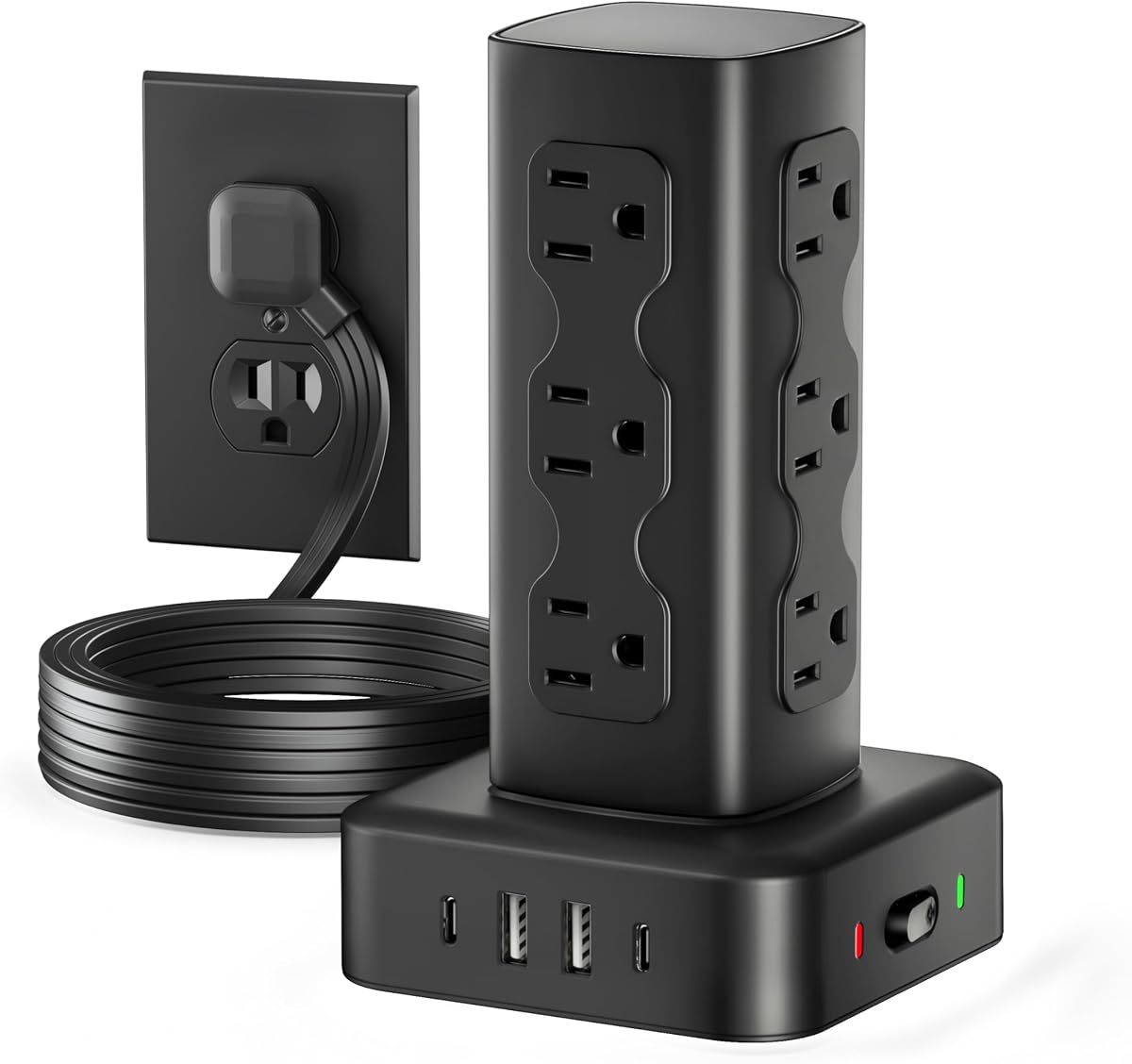
The Anker Desktop Charger is a focused nine-in-one desktop power station with three AC outlets, four USB-C ports, and two USB-A ports. Its 4.7 rating reflects a well-regarded feature set, and the two principal USB-C connections can each support up to 100 watts when used individually. That output places it among the strongest options for demanding devices in this comparison.
We may earn a commission when you buy through this link, at no additional cost to you.
The 100-watt capability makes the charger particularly relevant to compatible laptops, tablets, and other high-energy accessories. A USB-C device can be connected to either of the two high-output positions, although the wording indicates individual rather than simultaneous 100-watt delivery. Two additional USB-C ports and two USB-A ports create a convenient mixed charging bank for accessories, phones, and smaller electronics.
The product also includes 300 joules of surge protection and an eight-point safety system designed to address overvoltage, short circuits, and other risks. At 19.75 ounces, or 560 grams, the charger has the approximate weight of a 500-milliliter water bottle. The manufacturer presents that stability as beneficial for desktop use, helping the unit remain planted while cables are inserted or removed.
This is the premium choice for buyers who care most about fast, dependable USB-C charging and a compact desktop footprint. It is not the right selection for a room that needs a dozen AC outlets, and buyers should understand that the highest output applies when each 100-watt port is used individually. Within a high-powered charging niche, however, it offers an unusually capable and compact solution.
High-output USB-C charging can reduce the need to keep a bulky laptop adapter beside the device. The result is a cleaner desk when one or two computers are the main charging priorities.
The weighted base reduces movement during everyday use, while the eight-point protection system adds layers of electrical safeguards. These details suit frequent plugging and unplugging in an active workspace.
We may earn a commission when you buy through this link, at no additional cost to you.
The Tower Power Strip with Dedicated 20W PD USB-C Port offers twelve AC outlets, three USB-C ports, and two USB-A connections. Its 4.5 rating makes it a solid general-purpose option, particularly for homes and offices where full-size appliances and mobile devices need power from one organized location.
We may earn a commission when you buy through this link, at no additional cost to you.
The dedicated 20-watt USB-C port is designed for quick phone charging, with the product information specifically citing an iPhone 17 charging from zero to 50 percent in 30 minutes. Additional USB-C and USB-A ports intelligently distribute power to earbuds, watches, power banks, and other devices. Although the tower has more USB connections than several rivals, only one port carries a clearly defined 20-watt output, so it is not a strong match for power-hungry laptops.
Its 1.5-inch AC outlet spacing helps accommodate bulky adapters without blocking neighboring connections. A weighted, non-slip base improves stability, while the 0.31-inch flat plug and 45-degree angle allow discreet placement behind furniture. The ten-foot flat cord provides ample reach and can be folded for storage or travel. Surge protection is rated at 1800 joules, supplemented by overload protection and a flame-retardant housing.
The tower is a good fit for mixed-device households that value outlet spacing, a long cord, and one fast USB-C connection. It offers less raw charging power than the Kakyanill 115W, TenTrend 230W, or Anker 100W alternatives, but the added AC capacity and wide spacing may be more valuable in a shared family room. Confirm that the available USB output meets your device requirements.
The 1.5-inch outlet spacing helps prevent large adapters from monopolizing nearby sockets. This is useful in shared spaces where several different charger shapes are used.
The thin ten-foot cable offers enough reach for distant outlets and furniture layouts. Its flat profile makes it easier to route along a wall, baseboard, or edge of a desk.
We may earn a commission when you buy through this link, at no additional cost to you.
The Boutar 16-in-1 Tower combines twelve AC outlets with two USB-A and two USB-C ports in a compact vertical power strip. Its 4.7 rating reflects a favorable balance of features, and the stated dimensions of 3.15 by 3.15 by 5.79 inches make it smaller than many models with a similar number of full-size outlets.
We may earn a commission when you buy through this link, at no additional cost to you.
Its USB system has a total output of 3.4 amps. The USB-C connection is rated up to 3.4 amps, while each USB-A port can reach 3.1 amps, and the product information states that the USB-C experience can be up to 30 percent faster than a standard 5-watt charger. These figures suit phones, tablets, earphones, and many small accessories, but they do not match the high-watt performance available from dedicated USB-C desktop chargers.
A 0.30-inch flat plug and 45-degree right-angle design help the tower fit behind sofas, nightstands, bookshelves, and headboards. The six-foot extension cord is long enough for common placement needs. Safety features include 1800 joules of surge protection, overload, short-circuit, and overcurrent protection, plus a reset and off switch that shuts the system down automatically in an overload condition.
This model is a good fit for buyers who want a small tower with as many full-size AC outlets as possible. It offers a good balance of USB-C convenience, strong surge protection, and a smaller footprint, but it cannot compete with the Anker, Kakyanill 115W, or TenTrend 230W for laptop-level charging. For general desk use, however, its specification is unusually well balanced.
Twelve AC outlets usually require a broad horizontal strip, but this model fits them into a 3.15-inch square footprint. It is useful where desk or nightstand space is at a premium.
A 3.4-amp USB-C connection provides faster charging than a basic five-watt adapter for compatible devices. It is a practical middle ground for mobile accessories and tablets.
We may earn a commission when you buy through this link, at no additional cost to you.
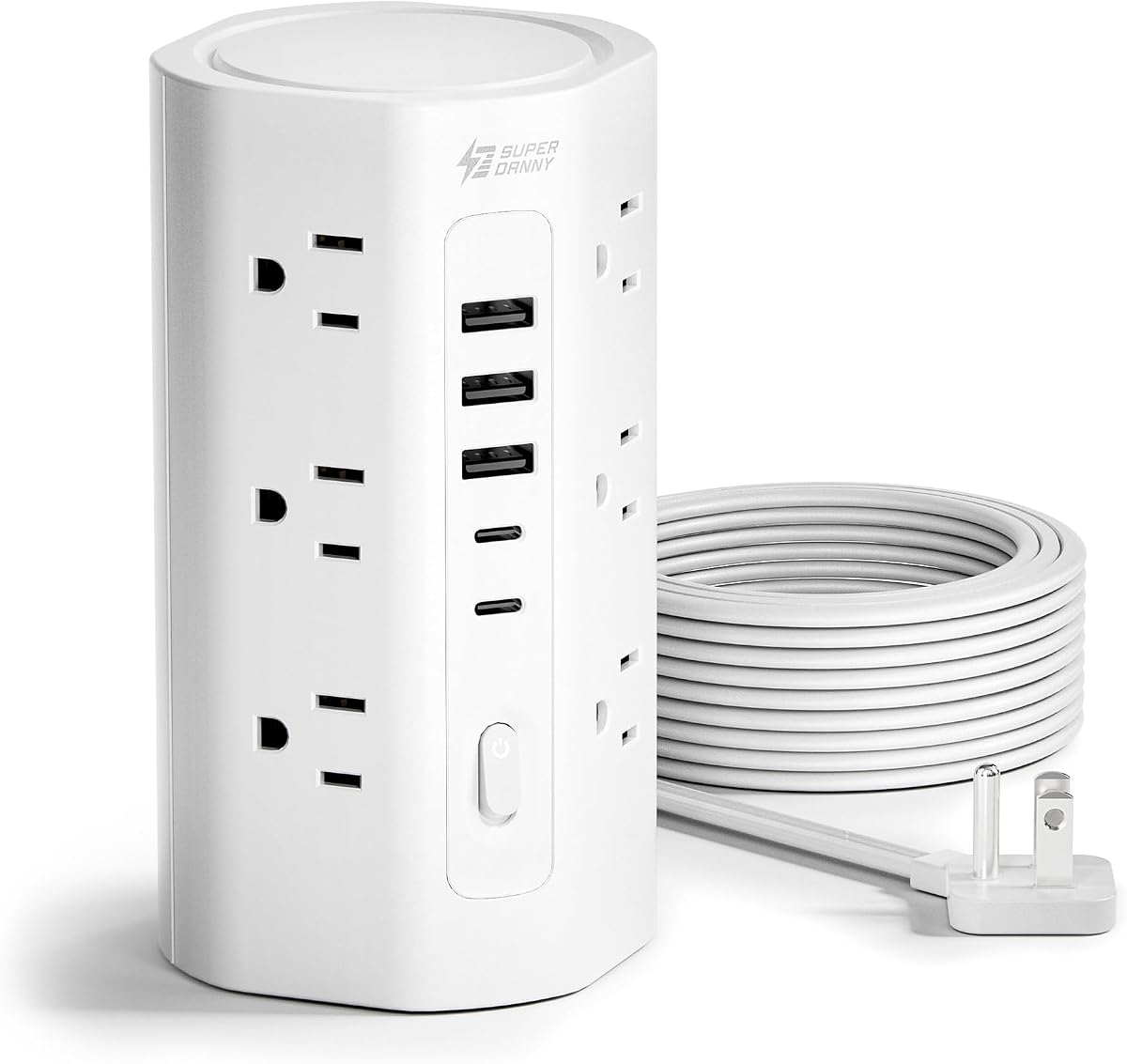
The SUPERDANNY 17-in-1 Tower provides twelve AC outlets, three USB-A ports, and two USB-C ports in a vertical arrangement. Its 4.7 rating and extensive protection specifications make it a strong all-purpose choice. It is designed for home, office, and dorm use, especially where many powered peripherals coexist with several USB-charged personal devices.
We may earn a commission when you buy through this link, at no additional cost to you.
The AC outlets are spaced 1.5 inches apart, allowing room for bulky adapters and oversized plugs. The USB system includes three USB-A ports rated at 5 volts and 2.4 amps and two USB-C ports rated at 5 volts and 3 amps. It automatically detects connected devices and supplies an appropriate charging speed, eliminating the need for separate adapters for many accessories. As with the other conventional USB towers, it is not intended to deliver laptop-class wattage.
Safety is a major strength. The tower provides 1700 joules of surge protection along with overload, grounded, short-circuit, overcurrent, overvoltage, and overheat protection. Its V-0 fire-retardant casing is rated to 1382 degrees Fahrenheit. A three-year maintenance or replacement plan adds additional reassurance for long-term household or office use.
The 0.31-inch flat plug and 0.12-inch-thick ten-foot cord make the tower adaptable to distant outlets and tight corners. Its 3-by-3-by-5.9-inch body and four anti-slip feet provide a stable, compact footprint. This model is a compelling choice for users who prioritize broad safety protections, outlet spacing, and a long cord. It is less attractive for anyone whose main requirement is fast laptop charging.
The tower combines surge, overload, grounding, short-circuit, overcurrent, overvoltage, and thermal protection. That breadth makes it suitable for varied collections of household and office electronics.
The thin ten-foot cord can reach a distant outlet while sitting close to the floor or wall. Its low profile helps reduce trip and visual-clutter concerns in common room layouts.
We may earn a commission when you buy through this link, at no additional cost to you.
The right charging tower depends on the number of full-size devices, the charging demands of your electronics, the available wall position, and the level of electrical protection you require. Comparing these factors before shopping prevents a tower that looks versatile from becoming an awkward compromise.
Begin by listing every device that needs a traditional wall connection. Computer monitors, lamps, printers, game consoles, and audio equipment use AC plugs, while phones and smaller accessories can often use USB. A tower with twelve AC outlets is versatile for a busy desk, but six may be sufficient when most personal electronics charge over USB. Outlet spacing matters as much as the count because large power bricks can block adjacent sockets.
USB ports are not equal. Basic USB-A connections may be adequate for accessories and small devices, but modern phones and tablets can benefit from USB-C Power Delivery. A 20-watt USB-C port is a useful standard for many mobile devices, while 65-watt and 100-watt options can support compatible laptops. Confirm the protocol and power requirements of your devices before choosing a tower based solely on its total wattage.
A headline figure such as 115 watts or 230 watts often describes the combined USB capability, not the output available from every port at once. Multiple phones, tablets, and laptops drawing power simultaneously can reduce individual charging speeds. Some models use separate power paths for certain high-output ports, while others share capacity across the entire bank. The most useful comparison is the rated output for each port and the manufacturer's guidance on simultaneous use.
A charging tower often carries valuable electronics, so surge and overload protection deserve attention. Joule ratings indicate the energy the surge protector is designed to absorb, while overload, short-circuit, overcurrent, overvoltage, and thermal protection address other common electrical risks. A model with several protective layers is generally more reassuring than one that lists only basic surge protection, although no product should be treated as a substitute for properly installed household surge protection.
Cord design determines how neatly the tower can integrate into a room. Retractable cords reduce visible excess length and are convenient when the tower moves around. Flat cords lie close to walls and floors, while longer cords provide more freedom when the wall outlet is distant. A slim flat plug helps in tight spaces, and a right-angle profile can keep neighboring wall plugs accessible. Match the cord length to the actual furniture and outlet layout rather than assuming extra length is always better.
A vertical tower can save substantial desk or floor space compared with a horizontal strip, but its height and base still need room. Many models measure about three inches square, with heights around five to six-and-a-half inches. Anti-slip feet and a weighted base help prevent movement when plugs are inserted. Consider whether the tower will stand on a desk, floor, nightstand, or behind furniture and whether the cord can be routed without creating a trip hazard.
Switches make it easier to disconnect groups of devices without unplugging each one. The JACKYLED tower provides independent controls for each layer, while several other models use a central reset or off switch. Individual controls are especially helpful for entertainment setups where one lamp, monitor, or peripheral is frequently restarted. A visible power indicator can also make it easier to confirm operation after the tower is positioned behind furniture.
A large connection count sounds attractive, but unused ports do not improve a setup by themselves. More ports can mean a larger tower, a higher price, and potentially shared charging capacity. Count the devices that will remain connected regularly, allow room for occasional additions, and prioritize the connector types and wattage you truly need. A focused nine-in-one model with powerful USB-C may serve one user better than a broad tower with many low-power ports.
Place the tower on a dry, level surface with enough clearance around its vents and connections. Connect it directly to a suitable wall outlet, unwind a retractable cord fully if the design requires it, and avoid placing the tower where it can be stepped on, pinched, or exposed to moisture. Arrange frequently used cables around the vertical body so that they remain separated and easy to trace.
Match each device to an appropriate port. Use a compatible USB-C cable for Power Delivery and check the tower's output requirements for laptops and other high-demand products. Avoid operating multiple high-output devices at once unless the manufacturer confirms that the stated power can be delivered simultaneously. Keep phone cases off during charging when a model warns that they may contribute to heat.
Inspect the plug, cord, and sockets periodically for damage, discoloration, loose fit, or unusual heat. Do not use a tower with a cracked housing or frayed cable. When cleaning, unplug the unit first and use a dry or lightly damp cloth rather than soaking the openings. If a reset switch trips repeatedly, disconnect loads and allow the tower to cool before investigating whether one device is drawing too much power.
A charging tower is a vertically oriented power strip that also includes USB charging ports. Its narrow footprint can reduce desk clutter, while the USB connections eliminate the need for separate wall adapters for many compatible accessories. Like conventional strips, it should still be connected to a properly grounded wall outlet.
It depends on the USB-C output and the laptop's charging requirements. Towers with dedicated 20-watt ports are generally better for phones and smaller devices, while 65-watt or 100-watt USB-C models may support compatible laptops. Check the laptop's input requirements and the tower's per-port and shared-output specifications before connecting it.
No. A high total wattage can be divided among connected devices, and some models reserve high output for specific ports. Compare the maximum output of the exact port you plan to use, along with the manufacturer's instructions about simultaneous charging. Otherwise, connected devices may negotiate lower speeds than the headline rating suggests.
Orientation itself does not determine electrical safety. A reputable charging tower with overload, surge, short-circuit, and thermal protection can be as suitable as a horizontal strip, provided it is not overloaded, damaged, or placed in an unsafe environment. Follow the stated electrical limits and replace the unit if its casing, plug, or cord becomes damaged.
The physical connection count may reach 16 or 20, but actual simultaneous use depends on the USB power budget and the number and size of AC loads. A tower with many ports can still slow USB charging when several devices draw power together. Check both the outlet rating and USB sharing behavior for the intended setup.
Many modern towers include overload and thermal protections, but leaving unnecessary devices connected can still increase heat and energy use. Turn off individual switches or the master switch when equipment is not needed, especially in a child's room, an unoccupied office, or any location where heat could be a concern. Unplug the tower if it is not used for extended periods.
Often yes, because many modern phones, tablets, and laptops use USB-C connectors. The cable must support the intended charging power, and the device must use an appropriate protocol. Legacy USB-A accessories require a USB-A cable, while some older or specialized devices may still need their original wall adapter.
Choose a dry, stable location with ventilation and easy access to the outlets. A desk or entertainment cabinet works well, but avoid covering the tower with papers or fabric and keep long cords away from walking paths. Behind furniture is possible when the plug and cord are designed for that placement and the tower can be switched off safely.
The JACKYLED Power Strip Tower is the strongest all-around selection because it combines twelve widely spaced AC outlets, six USB connections, individual layer switches, a retractable cord, and a 4.7 rating. For premium high-power charging, the Anker Desktop Charger stands out with two individually capable 100-watt USB-C ports, while the Olcorife 16-in-1 Tower is a capable budget choice with twelve outlets and 2000-joule surge protection.
Prioritize the power your actual devices require rather than the largest port count. Choose a 65-watt or 100-watt model for compatible laptops, a dedicated 20-watt USB-C port for fast phone charging, and enough AC sockets for bulky adapters. Cord style, outlet spacing, surge protection, and stability should then be matched to the intended room and workflow.
Product specifications, customer ratings, availability, and pricing can change, so confirm the current listing before purchasing. Review the tower's total and per-port output, maximum load, protective features, and included instructions, and use the product's affiliate link to check the latest available options and terms.