
TP-Link AXE5400
4.3Editor score
Clean 6 GHz spectrum
Up to 5400 Mbps throughput
True tri-band networking
Our Gaming Router for 0 Ping guide compares ten Wi-Fi 6E, Wi-Fi 7, mesh, and gaming routers for latency, ports, coverage, and control.
A gaming router for 0 ping should be judged by more than a dramatic name. The most useful model combines low-latency wireless, capable hardware, multi-gigabit connections, responsive network management, and coverage that remains stable where you play. True zero ping is impossible, but a well-chosen router can reduce avoidable delay and keep gameplay consistent.
We compared ten routers across Wi-Fi 6, Wi-Fi 6E, and Wi-Fi 7 standards, with particular attention to latency-related features, band congestion, wired port speed, processor capability, gaming acceleration, mesh support, security, and setup options. The list includes dedicated gaming routers, tri-band models, premium quad-band equipment, and versatile routers that can serve busy connected homes.
Each pick demonstrates what it brings to a gaming setup: dedicated traffic prioritization, wider clean-spectrum access, faster Ethernet, stronger whole-home coverage, or advanced controls. No router can manufacture an instant response from a distant game server, so the right hardware still depends on your service, games, devices, and home layout. Product prices and promotions can change at any time.
4.3Editor score

4.6Editor score

4.3Editor score
The comparison below highlights the Wi-Fi generation, available bands, wired connection options, and gaming-focused features of each router, helping you match network hardware to your devices, service speed, and play area.





The GL.iNet Flint 2 is the most balanced recommendation in this guide, earning a 4.6 rating from its listed customer feedback. It combines an eight-stream Wi-Fi 6 platform, a capable 1 GB DDR4 memory configuration, 2.5G wired networking, and a web-based interface that appeals to both gamers and technically inclined users. Its emphasis is practical responsiveness rather than decorative gaming hardware.
We may earn a commission when you buy through this link, at no additional cost to you.
Two 2.5G ports make this router unusually flexible for gaming. You can connect a compatible console or PC at multi-gigabit speed, while the remaining gigabit LAN port supports another wired device. The router also supports WireGuard and OpenVPN, with listed VPN throughputs of up to 900 Mbps and 880 Mbps. AdGuard Home support can filter selected ads and trackers at the DNS level, while the higher storage and memory provide room for numerous connected devices and additional plugins.
Its main limitation is that it is a dual-band Wi-Fi 6 model rather than a tri-band Wi-Fi 6E or Wi-Fi 7 design. There is no clean 6 GHz band to separate compatible clients from crowded 2.4 GHz and 5 GHz traffic. In addition, the manufacturer explicitly recommends updating the firmware during initial setup because doing so can enhance performance and the overall user experience.
This is the strongest all-around choice for a gamer who wants fast Ethernet, useful network customization, and enough capacity for a connected household without moving to a premium flagship. It is especially suitable when one principal gaming device benefits from a 2.5G connection and the rest of the home needs dependable, flexible coverage.
The dual 2.5G ports give this router a practical advantage for compatible PCs, consoles, and network storage. Keeping a gaming device wired preserves radio capacity for other users and can avoid the additional variability inherent in a wireless connection.
The admin interface, VPN support, and AdGuard Home compatibility make the Flint 2 approachable for users who want more control without a complicated managed platform. Firmware maintenance remains important, as the manufacturer specifically calls out an initial update.
We may earn a commission when you buy through this link, at no additional cost to you.
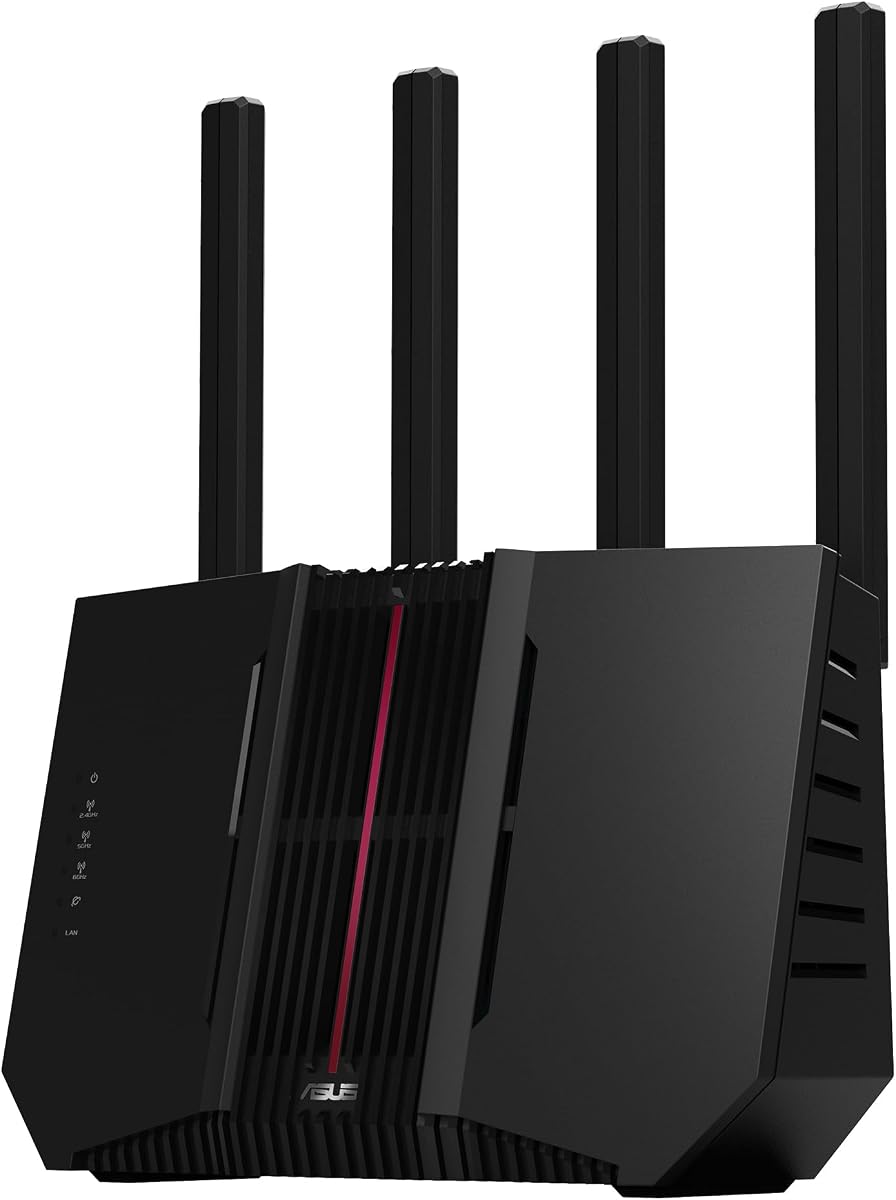
The TP-Link AXE5400, also known as the Archer AXE75, is an economical way to gain access to the less crowded 6 GHz band. Its 4.3 rating reflects a broadly capable router, while tri-band operation and up to 5400 Mbps aggregate wireless speed make it a practical choice for homes where ordinary dual-band routers may struggle with congestion.
We may earn a commission when you buy through this link, at no additional cost to you.
The 6 GHz spectrum is its major gaming advantage. Compatible devices can operate on wider, cleaner channels without competing directly with the 2.4 GHz and 5 GHz bands. OFDMA and true tri-band operation also increase capacity by allowing multiple devices to transmit simultaneously. A 1.0 GHz dual-core processor and 512 MB of memory support the demands of a busy network, while a housing designed for heat dissipation aids long-term reliability.
Wired performance is more modest than that of several higher-ranked models. The router supports VPN server and client functions through OpenVPN, PPTP, and L2TP, and its HomeShield package includes network security, parental controls, quality of service, and usage reports. The lack of a 2.5G port means it may not take full advantage of a multi-gig internet plan, and its 6 GHz benefits require compatible client devices.
Choose the AXE5400 if you want cleaner wireless conditions and greater whole-home capacity on a sensible budget. It is best for mixed homes with several modern devices, especially when the gaming PC, console, or handheld supports Wi-Fi 6E and most other traffic can remain on the lower bands.
The dedicated 6 GHz band can reduce competition from conventional devices. Keeping compatible gaming clients on that band leaves more room for 2.4 GHz and 5 GHz traffic belonging to smart-home products and older devices.
OFDMA, MU-MIMO, a dual-core processor, and 512 MB of memory support simultaneous activity. EasyMesh compatibility also makes it possible to improve reach without replacing the entire network ecosystem.
We may earn a commission when you buy through this link, at no additional cost to you.
The NETGEAR Nighthawk RS90 is a straightforward Wi-Fi 7 upgrade for gamers who want newer wireless capabilities without moving to a large enthusiast platform. It carries a 4.3 rating and combines 2.4 GHz and 5 GHz bands with a claimed aggregate speed of up to 3.6 Gbps, along with MU-MIMO and OFDMA for simultaneous device traffic.
We may earn a commission when you buy through this link, at no additional cost to you.
Its 2.5G WAN port is the feature most likely to affect a gaming setup directly. Pairing it with a compatible multi-gig modem or gateway can unlock faster internet service, while four gigabit LAN ports provide dedicated connections for a PC, console, television, or storage device. The Nighthawk app supports guided setup, Wi-Fi management, speed tests, device pausing, and guest networks from an iOS or Android device.
It is a dual-band router, so it does not offer the cleaner 6 GHz band found on the TP-Link AXE5400 and several Wi-Fi 7 competitors. It also lacks explicit game-traffic prioritization, making its case rest on platform speed, capacity, and wired flexibility rather than gaming-specific software. Larger homes or properties with several floors may still need an Orbi mesh system.
The RS90 suits a gamer who prioritizes a modern, manageable upgrade and has a multi-gig connection but does not require a dedicated gaming panel or several 2.5G ports. It also works well as the main router in a moderate-sized home where the stated coverage target is sufficient.
The Nighthawk app keeps setup and daily management approachable. It provides the essential controls for guests, connected-device oversight, and performance checks without requiring advanced router expertise.
The 2.5G WAN port allows the RS90 to take advantage of qualifying multi-gig service. This is a meaningful advantage for latency-sensitive use when the connected modem or gateway and local devices also support multi-gig Ethernet.
We may earn a commission when you buy through this link, at no additional cost to you.
The TP-Link BE400, sold under the BE6500 designation, is a well-balanced Wi-Fi 7 router with a 4.3 rating. It uses Multi-Link Operation, Multi-RUs, and 4K-QAM to improve throughput, latency, and reliability on compatible devices, while its stated wireless capacity reaches up to 6500 Mbps across the 2.4 GHz and 5 GHz bands.
We may earn a commission when you buy through this link, at no additional cost to you.
Its wired configuration is particularly useful for gaming. One 2.5G port can serve as WAN or LAN, another is a dedicated 2.5G LAN port, and three gigabit LAN ports support additional equipment. That mix allows a multi-gig modem to feed the network while a gaming PC or console receives a high-speed wired connection. Six antennas and beamforming support coverage of up to 2400 square feet and as many as 90 devices under ideal conditions.
As a dual-band design, it does not have a 6 GHz band, and it lacks the dedicated game acceleration and game-status panels found on TP-Link's Archer GXE75 and GE650. The BE400 can still deliver a responsive connection, but users who explicitly want per-game prioritization may find a more gaming-focused model more satisfying. A separate modem is required for most providers.
This router is a strong general recommendation for a Wi-Fi 7 home that includes both demanding clients and many ordinary devices. It is especially attractive for gamers who want multi-gig wired networking, modern security tools, VPN support, and a clear path to a modern wireless standard without choosing a flagship quad-band unit.
Two 2.5G ports create useful options for a multi-gig gateway, a gaming computer, or a wired network segment. The remaining gigabit ports support less bandwidth-intensive accessories without requiring a separate switch.
Multi-Link Operation can improve reliability by using multiple links where supported. HomeShield, WPA3 support, parental controls, IoT security, and regular firmware maintenance round out a practical feature set.
We may earn a commission when you buy through this link, at no additional cost to you.
The ASUS ROG Rapture GT-BE98 Pro is the premium enthusiast choice, earning a 4.3 rating. Its quad-band Wi-Fi 7 platform supports speeds of up to 30 Gbps, 320 MHz channels in the 6 GHz band, 4096-QAM, and multi-link operation. These capabilities make it appropriate for gamers with high-end devices, demanding homes, and plans to use high-speed wired connections.
We may earn a commission when you buy through this link, at no additional cost to you.
The wired feature set is the standout. Dual 10G ports and four 2.5G ports offer considerable flexibility for a gaming PC, console, network storage, and a multi-gig internet connection. Triple-Level Game Acceleration is designed to optimize gaming traffic from the PC port through the network to the game server, while external dual-feeding antennas are intended to improve signal strength and coverage efficiency.
The trade-off is substantial hardware investment, and much of its fastest potential requires compatible Wi-Fi 7 clients and a suitably fast local network. Claimed wireless speeds are not the same as application latency, and the service provider, game server, device, distance, and surrounding interference still influence performance. Its broad feature set also makes it more complex than a straightforward gaming router.
Buy the GT-BE98 Pro when you want the strongest combination of gaming-specific optimization, quad-band flexibility, and high-speed Ethernet available in this list. It is a particularly compelling choice for a serious gaming setup with multiple modern devices and an intention to build a high-performance mesh network over time.
Triple-Level Game Acceleration targets the entire route rather than only applying a simple bandwidth limit. That focus makes the router feel purpose-built for competitive and real-time online play.
Two 10G ports and four 2.5G ports provide unusually broad wired headroom. A gaming PC can use a fast dedicated link while other high-traffic devices share the remaining multi-gig connections.
We may earn a commission when you buy through this link, at no additional cost to you.
The TP-Link Archer BE550 is a tri-band Wi-Fi 7 router built around an unusually useful wired design. It has a 4.0 rating, up to 9300 Mbps aggregate wireless throughput, and five 2.5G Ethernet ports, including one WAN and four LAN. That makes it easy to connect several high-speed devices without immediately needing an external switch.
We may earn a commission when you buy through this link, at no additional cost to you.
The wireless platform uses Multi-Link Operation, Multi-RUs, 4K-QAM, and 320 MHz channels. It provides 6 GHz, 5 GHz, and 2.4 GHz bands, with stated maximums of 5760, 2880, and 574 Mbps respectively. Six strategically placed antennas, beamforming, and TP-Link's Wi-Fi optimization technology are intended to improve strength, reliability, capacity, and interference resistance.
The router does not offer the specialized game acceleration and gaming dashboard found in TP-Link's GXE75 and GE650. Its 4.0 rating also places it below the more highly rated products in the guide, so buyers seeking the most focused gaming experience may prefer those alternatives. That said, its private IoT network, WPA3 support, HomeShield tools, and VPN functions are valuable for general security.
The BE550 is a good match for a Wi-Fi 7 household with several wired devices that could benefit from 2.5G connections. It is particularly appealing when the gaming PC, console, television, and storage equipment all need faster local networking and the household also wants clean 6 GHz wireless capacity.
Every wired port supports 2.5G, which simplifies mixed-speed networks. Multiple consoles, computers, and smart televisions can use fast links while retaining the convenience of a single router.
A private IoT network separates compatible smart devices from the main Wi-Fi. Combined with HomeShield and WPA3, this provides a clearer security structure for mixed-purpose homes.
We may earn a commission when you buy through this link, at no additional cost to you.
The TP-Link Archer GXE75 is the most clearly gaming-focused TP-Link model in this group, with a 4.4 rating. It combines tri-band Wi-Fi 6E and a dedicated 6 GHz band with a 2.5G WAN port, game application and server acceleration, and a gaming panel that provides insight into network status, router performance, RGB settings, and accelerated devices.
We may earn a commission when you buy through this link, at no additional cost to you.
The separate 6 GHz band gives compatible gaming hardware access to clean spectrum without competing with devices on 2.4 GHz or 5 GHz. The 2.5G WAN port can accept a multi-gig modem, while four gigabit LAN ports connect wired devices. Acceleration support covers gaming applications and game equipment such as headsets, mice, and controllers, and the panel can show which games and devices are receiving priority.
Its gaming controls do not automatically guarantee lower ping. The correct game, server, application, and devices must be selected, and the real latency still depends on the service provider, route to the server, local congestion, and device itself. The router also has only one 2.5G port, so a second high-speed wired device requires gigabit Ethernet or an additional switch.
Choose the GXE75 when you want visible, controllable gaming optimization without moving to a premium enthusiast chassis. It is a good fit for a gamer with compatible Wi-Fi 6E hardware, a multi-gig internet service, and a preference for detailed network status over simple automation.
The gaming panel provides a useful overview of accelerated applications, devices, and overall router performance. This makes it easier to confirm that priority settings are working as intended during a session.
The 6 GHz band can reduce wireless competition for compatible consoles, handhelds, and computers. Older or unsupported devices continue to use the other bands without losing access to the network.
We may earn a commission when you buy through this link, at no additional cost to you.
The ASUS RT-BE9700 is a tri-band Wi-Fi 7 router that emphasizes security, flexible internet access, and mesh expansion. Its 4.0 rating reflects a capable platform, while 320 MHz 6 GHz channels, 4096-QAM, and multi-link operation support wireless speeds of up to 9700 Mbps and more stable links on compatible devices.
We may earn a commission when you buy through this link, at no additional cost to you.
A particularly distinctive feature is the flexible WAN arrangement. AI WAN detection can establish an always-on internet connection, and a USB port can be ready for 4G LTE or 5G mobile tethering. That gives a gaming household an alternate path when a primary service experiences an outage, although the optional mobile hardware and configuration requirements should be considered before relying on it.
ASUS Network Security provides subscription-free triple-level protection and access to a commercial-grade cloud database. The router also supports advanced site-to-site VPN and the Instant Guard mobile app for secure access over public Wi-Fi. Unlike dedicated gaming models, however, it does not advertise a special game accelerator, so gameplay prioritization would depend on its general quality-of-service and network-management tools.
The RT-BE9700 is an excellent fit for a security-conscious household that wants high-speed Wi-Fi 7, flexible WAN options, and straightforward AiMesh expansion. It is worth considering for competitive play when reliability and whole-home roaming matter more than an explicitly branded gaming interface.
AI WAN detection and ready USB support for mobile tethering provide a potential backup path. This can be valuable during service disruption, although a cellular plan, compatible hardware, and provider coverage determine real-world effectiveness.
Triple-level protection and a commercial-grade cloud database protect the network without relying on the included NETGEAR-style trial model. Site-to-site VPN and Instant Guard add useful options for remote access.
We may earn a commission when you buy through this link, at no additional cost to you.
The ASUS RT-AX1800S is the most approachable router in this guide for gamers who need a dependable upgrade without moving to Wi-Fi 6E or Wi-Fi 7. It holds a 4.3 rating and combines dual-band Wi-Fi 6, MU-MIMO, OFDMA, 1024-QAM, a dual-core processor, and five Gigabit Ethernet ports.
We may earn a commission when you buy through this link, at no additional cost to you.
Its five-port Gigabit layout is useful for a modest home network. One Gigabit WAN port connects to the modem or gateway, while four Gigabit LAN ports can serve a gaming PC, console, television, and another network device. AiMesh compatibility allows later expansion with compatible ASUS mesh equipment, which is more useful than treating the router as an isolated single-room solution.
AiProtection Classic supplies commercial-grade network security without a recurring subscription, while Instant Guard offers a simple way to create a secure VPN connection when away from home. Parental controls and built-in VPN functions add further value. On the downside, there is no 6 GHz spectrum, no multi-gig port, and no dedicated game acceleration panel, so it cannot isolate modern clients onto a clean high-band channel.
This router is best for a gamer on a normal Gigabit connection who values stable wired connections, security, and easy expansion. It is less suited to a home with Wi-Fi 7 devices, a multi-gig internet plan, or demanding users who want explicit prioritization of individual games and game servers.
Five Gigabit ports provide more than many entry-level routers and make it easy to keep a PC or console on a wired link. This reduces dependence on crowded wireless channels during online matches.
AiMesh compatibility gives owners a clear path to expand coverage. A suitable ASUS mesh node can improve reach while preserving a unified network and access to the router's security features.
We may earn a commission when you buy through this link, at no additional cost to you.
The TP-Link Archer GE650 is a dedicated gaming router built around Wi-Fi 7, a dedicated gaming band, and a highly visual management dashboard. It has a 3.8 rating, the lowest in this group, but its feature set is closely aligned with competitive gaming. Stated band speeds reach 5764 Mbps on 6 GHz, 4320 Mbps on 5 GHz, and 574 Mbps on 2.4 GHz.
We may earn a commission when you buy through this link, at no additional cost to you.
Its multi-link operation can use all three frequency bands simultaneously for efficiency and reliability. The dedicated 5 GHz gaming band is intended to remain separate from household streaming traffic, while WTFast is designed to optimize routes for gaming devices, servers, and applications such as Steam, Twitch, and Origin. A dedicated panel displays network and router status, priority controls, accelerated devices, and RGB settings.
Wired connectivity is also strong. A 5G WAN port and 5G LAN port support high-speed service and local transfers, while three 2.5G LAN ports handle consoles, computers, and other demanding devices. The design includes customizable RGB lighting for a gaming setup. Nevertheless, the lower rating suggests that buyers should examine the latest customer feedback carefully, and software complexity may be more than a casual user needs.
The GE650 makes the most sense for a dedicated gamer who values explicit traffic acceleration, a separate gaming band, and detailed monitoring. It is a compelling specialist option, but the Flint 2, GXE75, or other simpler picks may offer a more balanced experience for users who only need clean wireless performance and fast wired links.
A dedicated 5 GHz gaming band helps separate gameplay from household streaming congestion. This design is particularly useful in homes where several people watch video while one player competes online.
The gaming dashboard shows network status, router performance, priority assignments, and which devices are accelerated. Players can check whether the intended game and console are receiving the attention they expect.
We may earn a commission when you buy through this link, at no additional cost to you.
The most effective gaming router minimizes avoidable delay, preserves bandwidth for priority devices, and provides a stable connection throughout the areas where you play. Consider latency, wireless bands, Ethernet speed, processing capacity, coverage, and management tools together rather than focusing on a single headline specification.
Prioritize a stable low-ping experience over the largest possible headline speed. A well-chosen Wi-Fi 6E or Wi-Fi 7 router with clean spectrum may improve responsiveness more than a faster but congested dual-band model.
Choose a 6 GHz-capable router when your primary gaming devices support it. A dedicated gaming band can be useful, but broad compatibility and strong coverage often matter more than a branded band.
Check the port speed of both the modem or gateway and the gaming device. A faster router port alone cannot improve service that remains limited by slower equipment elsewhere in the path.
Look for a current dual-core or stronger platform, ample memory, and regular firmware support. A fast interface is less useful if the manufacturer stops providing security and performance updates.
Position the main router centrally and avoid enclosing it. If a game regularly suffers from weak Wi-Fi, use Ethernet in the play area or add a properly placed mesh node rather than relying only on greater nominal speed.
Favor a router that makes priority rules easy to understand and adjust. Transparent status information is often more valuable than a large collection of decorative features.
Check whether important security features require a continuing subscription. Subscription-free protections can offer simpler long-term ownership, while optional services may provide additional threat intelligence or control.
Build a network around the equipment you own now while leaving room for future upgrades. A slightly older but well-matched router can outperform a flagship if it solves your actual congestion and coverage problems.
Begin by connecting the router to the modem or gateway and completing the manufacturer's setup process. Update the firmware before optimizing performance, then change the administrator credentials and wireless security settings. Place the router in an open, central location rather than beside other transmitting electronics, and connect the gaming device directly during initial testing to establish a clean baseline.
Configure the gaming device and network separately. Reserve the desired bandwidth for the PC or console, select the appropriate game application and server where supported, and avoid scheduling large downloads or uploads during matches. Use the router's dashboard to check device status, traffic, signal strength, and acceleration rules, but change only one setting at a time so its effect is easier to understand.
Keep the router ventilated, updated, and lightly loaded. Install firmware updates promptly, periodically review connected devices and parental or guest settings, and check whether a service outage originates from the local network or the provider. When a game feels inconsistent, compare wired and wireless results, run speed tests near the router, and check for local congestion before blaming the game server.
No router can guarantee literal zero ping because latency depends on the game server, internet service, physical distance, routing, and network conditions. A capable gaming router can minimize local queuing, wireless interference, and retransmissions. The practical goal is a consistently low ping with few spikes rather than an absolute value of zero.
A gaming router can be better when it offers useful traffic prioritization, a clean wireless band, powerful processing, or faster Ethernet. It is not automatically better than a well-chosen ordinary router, especially if both use identical service and client equipment. Consider the actual congestion, port speed, and coverage problems in your home.
No. A faster standard can improve throughput and responsiveness under certain conditions, but latency depends on the entire path. Wi-Fi 7 benefits require compatible clients, and a well-positioned Wi-Fi 6E router may produce a more stable game connection than a poorly placed or congested newer model.
Ethernet is generally the most consistent option when practical because it avoids wireless interference, channel contention, and signal variation. It also frees wireless capacity for other users. A suitable 2.5G connection is worth considering for multi-gig service, but the router, modem, switch, and gaming device must all support the relevant speed.
Yes, particularly in a congested home. The 6 GHz band offers more spectrum and can provide cleaner, wider channels for compatible devices, reducing competition with 2.4 GHz and 5 GHz traffic. The benefit is limited to Wi-Fi 6E or Wi-Fi 7 clients, and 6 GHz has shorter practical range than lower bands.
A modern dual-core processor with ample memory is a sensible baseline for a busy connected household. More resources can help when combining gaming acceleration, VPNs, parental controls, security services, and many simultaneous clients. A faster processor cannot compensate for a weak internet uplink, though.
Mesh can improve coverage and remove weak-signal dead zones, but it does not automatically reduce latency. Wireless mesh backhaul introduces additional transmission stages, while Ethernet backhaul can preserve wired performance. A direct Ethernet connection or a well-positioned main router is generally preferable for the primary gaming station.
Check your internet plan speed, available Ethernet ports, router and client Wi-Fi standards, room layout, and the number of simultaneous users. For a competitive player, also examine dedicated game prioritization, 2.5G or faster ports, update support, and security features. Confirm that the router addresses the specific bottleneck in your current setup.
The GL.iNet Flint 2 is the best overall choice because it pairs a 4.6 rating with capable Wi-Fi 6 performance, two 2.5G ports, strong processing, and useful VPN and filtering options. The TP-Link AXE5400 stands out as the best budget route to cleaner 6 GHz networking, while the ASUS ROG GT-BE98 Pro offers premium quad-band Wi-Fi 7, high-speed Ethernet, and dedicated game acceleration.
Prioritize the issue causing the most delay in your own setup. A congested wireless environment may respond better to a tri-band model, a multi-gig service deserves compatible 2.5G or faster ports, and a dead zone requires careful placement or mesh expansion. Dedicated gaming controls are useful, but a stable uplink, nearby router, compatible client, and reasonable server route remain equally important.
Before purchasing, confirm compatibility with your modem, gaming devices, and home layout, and check the latest product information and customer feedback. Prices and promotions change frequently, so compare the complete feature set and current offer rather than selecting solely by headline speed or a temporary discount.