
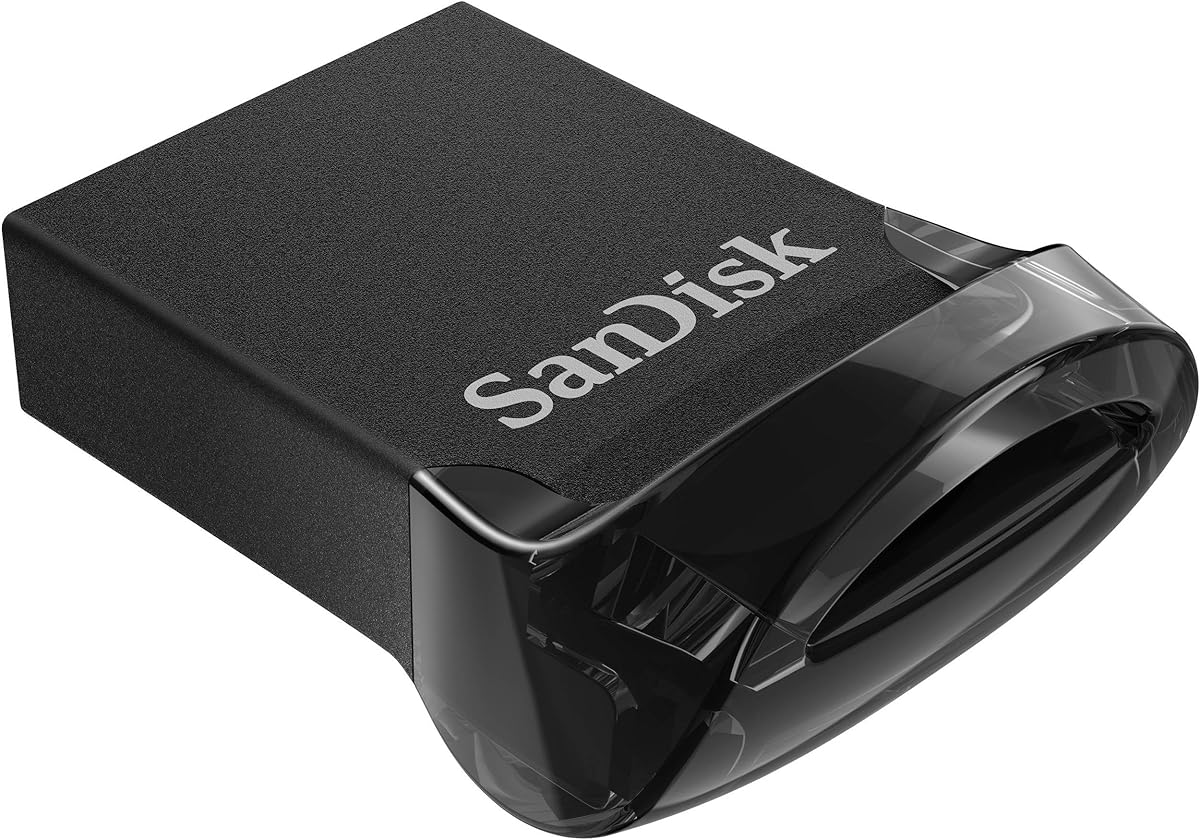
SANDISK 32GB Ultra Fit
4.6Editor score
Compact 32GB capacity
Up to 130MB/s read speeds
Five-year limited warranty
Our slim USB flash drive guide compares capacity, speed, connector type, durability, and security features to help you choose the right model.
Slim USB flash drives are compact storage devices that add portable capacity to computers, tablets, game consoles, televisions, and compatible vehicles without occupying much physical space. A good slim drive should balance usable capacity with reliable transfer speeds, a connector that fits your devices, and a durable design suited to frequent travel.
This guide compares ten compact flash drives based on the supplied capacity, interface, read-speed claims, physical design, compatibility information, security options, and customer ratings. The selections include USB Type-A and USB-C models, several SanDisk Ultra Fit capacities, and a PNY Elite-X Fit option for higher-capacity storage.
Each review explains who the drive is best suited for, where its compact form makes a difference, and which trade-offs deserve consideration. Ratings and performance claims come from the supplied product information, while availability and prices can change, so readers should verify current listing details before purchasing.
4.6Editor score

4.4Editor score

4.3Editor score
The comparison below places all ten drives side by side, highlighting differences in capacity, connector, stated read speed, and security support. Use it to identify the model that best matches your devices, file types, and storage needs.




The SANDISK 128GB Ultra Fit combines a genuinely low-profile design with one of the higher read-speed claims in this roundup. Its 4.4 rating reflects generally favorable customer feedback, while the USB Type-A connector and 128GB capacity make it a versatile choice for laptops, game consoles, in-car audio systems, and other compatible hosts.
We may earn a commission when you buy through this link, at no additional cost to you.
Its main appeal is the combination of useful capacity and stated performance of up to 400MB/s. According to the supplied information, it can transfer a 1.2GB MPEG-4 video to the drive in less than 30 seconds when connected to a USB 3.2 Gen 1 or USB 3.0 host. The plug-and-stay body also reduces the temptation to remove and lose a small drive during frequent use.
Security is another strength. Password protection uses 128-bit AES encryption and is supported by Windows 10 and later and macOS 10.9 or later, although a software download is required. The main qualifications are equally straightforward: maximum speed requires a suitable host, and real-world performance can vary with the device, file attributes, capacity, and operating conditions.
This is the strongest general recommendation for buyers who want more than a basic file carrier. It is particularly suitable for people moving large photo, video, or document collections between a USB 3.0 computer and a device with a full-size USB port. Those who need USB-C or substantially more capacity should consider the Extreme Fit or 512GB alternatives instead.
The low-profile plug-and-stay format adds storage without the visual and physical bulk of a conventional flash drive. It is especially convenient for vehicles and systems where a protruding drive could be inconvenient or vulnerable to accidental impacts.
The supported 128-bit AES password protection gives the drive an extra layer of privacy for sensitive documents. Users should download the required software before relying on this feature and confirm that their operating system is compatible.
We may earn a commission when you buy through this link, at no additional cost to you.
The SANDISK 256GB Ultra Fit is a high-capacity version of the slim USB Type-A design that ranks first in this guide. It retains the same 4.4 rating and stated read speed of up to 400MB/s, but its larger capacity makes it better suited to media libraries, extensive project folders, and users who want to carry one drive for many file types.
We may earn a commission when you buy through this link, at no additional cost to you.
The compact body can remain connected to a compatible host, reducing the need to repeatedly insert and remove a small device. Performance claims are strongest when used with USB 3.2 Gen 1 or USB 3.0 equipment. The supplied information notes that a 1.2GB MPEG-4 video can be transferred in less than 30 seconds under the stated testing conditions.
Privacy features match the smaller Ultra Fit model. Password protection relies on 128-bit AES encryption, with support for Windows 10 and later and macOS 10.9 or later. As with the related SanDisk drives, the protection software must be downloaded separately, and actual transfer results can vary with host hardware, capacity, usage conditions, and file characteristics.
Choose this drive if 256GB represents a better balance for your storage needs than 128GB without moving to the much larger 512GB option. It is an excellent match for USB 3.0 laptops, compatible game consoles, and in-car systems that support standard USB Type-A media. Users with USB-C-only equipment will need an adapter or a different drive.
At 256GB, the drive provides room for more photographs, videos, documents, and project files while preserving the small footprint. That balance is useful when one device must support several storage needs rather than serving as a narrow temporary transfer tool.
The advertised 400MB/s read speed requires a USB 3.0-class connection. A USB 2.0 host will limit performance, so the speed of the computer, console, or media device should be checked before buying.
We may earn a commission when you buy through this link, at no additional cost to you.
The SANDISK 128GB Ultra Flair offers a 4.6 rating, a sleek metal casing, and a stated read speed of up to 150MB/s. Unlike the Ultra Fit models, it uses a more conventional full-size USB Type-A body, which can make it easier to handle and potentially more comfortable for users who prefer a drive with a visible grip.
We may earn a commission when you buy through this link, at no additional cost to you.
Its USB 3.0 performance is a meaningful improvement over standard USB 2.0 drives. The supplied information says writes can be up to 15 times faster than a standard USB 2.0 drive rated at 4MB/s, depending on capacity and conditions. It also states that a 1.2GB MPEG-4 video can be moved in less than 30 seconds when the host supports USB 3.0.
The durable metal casing is the defining physical feature, while password protection adds privacy for private files. The supplied information states that 128-bit AES encryption supports Windows 7, Windows 8, Windows 10, and Mac OS X 10.9 or later, with a software download required for Mac. Buyers should not confuse the sturdy casing with a stated waterproof or impact-resistance rating.
This model is a strong option for users who value the 4.6 customer rating, a metal enclosure, and enough speed for everyday file transfers more than maximum read performance. It fits standard USB Type-A ports and is appropriate for everyday document, media, and school or work storage. For the smallest possible footprint, choose an Ultra Fit instead.
The metal body provides a substantial, durable-feeling enclosure that distinguishes this drive from lightweight plastic models. It remains a practical option for users who want a slim rectangular drive that is easier to grip without protruding as minimally as the Ultra Fit.
An asserted read speed of up to 150MB/s is well suited to documents, photographs, and moderate collections of video. It trails the fastest models here, but it provides a practical balance for compatible USB 3.0 systems.
We may earn a commission when you buy through this link, at no additional cost to you.
The SANDISK 32GB Ultra Fit is an economical entry into compact flash drive ownership, with a 4.6 rating and a stated read speed of up to 130MB/s. It suits users who need to carry documents, presentations, a modest selection of photos, or installers rather than a large media collection.
We may earn a commission when you buy through this link, at no additional cost to you.
Its central advantage is the combination of a small plug-and-stay footprint and practical transfer performance. The supplied description identifies compatibility with laptops, game consoles, and in-car audio, and says the drive can write up to 15 times faster than a standard USB 2.0 drive when used with a USB 3.1 Gen 1 or USB 3.0 host.
Private-file support is included through SanDisk SecureAccess. The stated password protection uses 128-bit AES encryption and supports Windows 7, Windows 8, Windows 10, and macOS 10.9 or later, with a Mac software download required. A five-year limited manufacturer warranty also provides more coverage than many buyers expect from a compact removable drive.
This is the best budget-oriented choice for everyday carry, boot media, document delivery, and lightweight file exchange. The obvious limitation is capacity: large videos or extensive photo archives can fill it quickly. If you need more room but still want a low-profile form, the 64GB and 128GB Ultra Fit models are more flexible.
A 32GB capacity is enough for focused storage tasks, including work documents, class materials, a compact photo set, or software installers. Its low-profile design also makes it easy to keep connected in a compatible vehicle or other frequently used system.
The five-year limited manufacturer warranty adds reassurance for a frequently handled removable device. It does not replace careful use, but it complements the drive's compact and portable design.
We may earn a commission when you buy through this link, at no additional cost to you.
The PNY 512GB Elite-X Fit is the premium high-capacity choice in this guide, combining 512GB of storage with a micro-sized, low-profile body. Its 4.3 rating is the lowest among the listed products, but the exceptional capacity and stated read speed of up to 200MB/s make it relevant to buyers who prioritize storage density over every other consideration.
We may earn a commission when you buy through this link, at no additional cost to you.
The USB 3.1 Gen 1 interface provides backward compatibility with USB 2.0, allowing the drive to work with older compatible hosts even though maximum performance requires a newer connection. The supplied information also claims transfer speeds up to 30 times faster than standard PNY USB 2.0 flash drives, with the exact result naturally depending on the host and conditions.
The long-stay design can remain connected without protruding significantly, making it useful for compatible vehicles, game consoles, and computers where a full-size drive would be inconvenient. However, the supplied data does not specify password encryption, waterproofing, or a warranty, so buyers who require those features should prioritize them over capacity.
Choose this model when you need substantial portable storage but refuse to carry a bulky drive. It is particularly relevant to users moving large project folders, media, or files between compatible USB 3.x systems. For confidential material, select an encrypted SanDisk option instead, and for maximum stated read speed, consider a 400MB/s model.
The 512GB capacity makes the Elite-X Fit useful for users who want the storage of a much larger drive in a compact body. It reduces the need to split large collections across several devices or carry a bulkier enclosure.
USB 3.1 Gen 1 performance is also described as equivalent to USB 3.0, while backward compatibility supports use on USB 2.0 systems. Maximum transfer rates still depend on using a suitably fast host device.
We may earn a commission when you buy through this link, at no additional cost to you.
The ABLAZE 128GB Flash Drive 2 Pack is unusual in this roundup because it includes two matching slim drives, along with two keychains. Its 4.4 rating and generous total capacity make it appealing for separating personal and work files, sharing a drive, or keeping backups in different locations.
We may earn a commission when you buy through this link, at no additional cost to you.
The metal-bodied design is described as slim enough for narrow USB ports, while the capless format removes the problem of losing a removable cap. The components are described as vacuum-sealed within the metal casing, and the listing characterizes the enclosure as waterproof and durable, though buyers who require a formal standardized ingress rating should look for one elsewhere.
This is a USB 2.0 drive, so it is better suited to general file storage than speed-intensive workflows. The supplied information states that it works without software across a broad collection of Windows versions, Linux, Mac OS, and Chrome, and supports USB 2.0 and lower interfaces. That broad compatibility makes it useful for older computers and systems without newer ports.
The two-drive bundle is best for users who value convenience and organization over maximum transfer speed. One unit can remain in a laptop bag, vehicle, or workplace while the other is used elsewhere. The absence of stated password protection means it is less suitable for sensitive files unless the operating system or another solution provides encryption.
Having two matching drives allows straightforward separation of work, school, media, and backup files. It also means a second drive is available if one is left at another location, though the product's USB 2.0 interface remains the principal limitation.
The slim metal body and lack of a loose cap improve portability. Included keychains make it easier to attach each drive to a bag, key ring, or lanyard for transport.
We may earn a commission when you buy through this link, at no additional cost to you.
The SANDISK 512GB Ultra Fit combines the highest capacity in the SanDisk Ultra Fit range with a stated read speed of up to 400MB/s. It carries a 4.4 rating and retains the compact plug-and-stay form, making it a strong option for people who need considerable storage but still want the drive to remain unobtrusive when connected.
We may earn a commission when you buy through this link, at no additional cost to you.
Large media collections, design projects, offline backups, and full-length video workflows benefit from the 512GB allowance. With a USB 3.2 Gen 1 or USB 3.0 host, the supplied information states that a 1.2GB MPEG-4 video can be transferred in less than 30 seconds under the cited conditions. Performance can vary with the host, usage conditions, capacity, and other factors.
The drive supports 128-bit AES password protection for files, with compatibility stated for Windows 10 and later and macOS 10.9 or later. The required software must be downloaded. This makes the model more suitable for sensitive documents than an unencrypted high-capacity option, provided the user configures protection before storing important files.
This is the right choice for maximum storage within a USB Type-A slim design. It is less suitable for modern USB-C-only laptops, although a suitable adapter may allow use. Buyers should consider whether they genuinely need 512GB and avoid choosing solely on capacity, since smaller Ultra Fit models may be more convenient for lighter storage tasks.
The 512GB capacity can hold extensive photographs, videos, documents, and project assets without requiring several drives. That makes it useful for media professionals, travelers, and users creating local working copies of larger collections.
Because larger collections may contain sensitive material, the supported AES password protection is a meaningful advantage. Download the relevant software and test the protected workflow before moving irreplaceable files.
We may earn a commission when you buy through this link, at no additional cost to you.
The SANDISK 16GB Ultra Fit is the most capacity-focused option in this list, offering a compact, high-rated 4.6 product for users who only need to transport a small collection of essential files. It works well for documents, presentations, configuration files, recovery media, and a limited number of compressed images.
We may earn a commission when you buy through this link, at no additional cost to you.
Despite its modest capacity, the drive supports USB 3.2 Gen 1 or USB 3.0 performance, with the supplied information listing read speeds of up to 130MB/s. The description also states that it writes faster than a standard USB 2.0 drive rated at 4MB/s, subject to host device, file attributes, and other conditions.
SanDisk SecureAccess support adds a privacy option through 128-bit AES password protection. Compatible systems listed in the supplied data include Windows 7, Windows 8, Windows 10, and macOS 10.9 or later, with software required on Mac. The low-profile design remains easy to carry and can stay connected to a compatible host when desired.
This is a sensible pick for a minimal portable file carrier rather than a media library. Its advantages are a very small physical footprint, a favorable rating, and faster host support than ordinary USB 2.0 media. Anyone handling large videos or extensive photo collections should move up to the 64GB or 128GB Ultra Fit capacity.
Sixteen gigabytes is enough for lightweight, recurring tasks rather than long-term archive storage. The drive is best for people who already know exactly which small files need to remain portable and accessible.
The stated 130MB/s read speed keeps the small model competitive when paired with a compatible USB 3.x host. The low-profile body remains easy to carry and less likely to snag during everyday transport.
We may earn a commission when you buy through this link, at no additional cost to you.
The SANDISK 64GB Ultra Fit occupies a practical middle ground between small essentials and high-capacity media storage. Its 4.6 rating, stated read speed of up to 130MB/s, and 64GB capacity make it suitable for everyday documents, photo collections, playlists, and several smaller video files.
We may earn a commission when you buy through this link, at no additional cost to you.
The low-profile body can remain inserted in laptops, compatible game consoles, or in-car audio systems. When paired with a USB 3.1 Gen 1 or USB 3.0 host, the drive can write up to 15 times faster than a standard USB 2.0 drive rated at 4MB/s, according to the supplied information. A 1.2GB MPEG-4 video can also be moved in less than 30 seconds under the stated conditions.
Password protection uses 128-bit AES encryption and is supported across the Windows and macOS versions listed in the supplied data. The drive's appeal therefore comes not only from size and capacity but also from the ability to protect private files once the required software is installed and configured.
Choose this model if 64GB is enough for your routine needs and you prefer a familiar 4.6-rated drive over the latest high-speed 400MB/s versions. It is a balanced choice for students, professionals, and travelers. Large archives or frequent transfers of very high-resolution video will be better served by a higher-capacity or faster model.
The 64GB configuration balances file capacity with the drive's low-profile design. It offers enough room for a working collection of common file types without the greater size and cost of a high-capacity model.
AES password protection helps guard sensitive documents and folders. The feature depends on compatible software and operating-system support, which should be verified before files are transferred.
We may earn a commission when you buy through this link, at no additional cost to you.
The SANDISK 128GB Extreme Fit is the top-rated product in the supplied list, carrying a 4.7 rating, and it stands out for its native USB-C connector. It is the most natural option for modern USB Type-C computers and tablets when a traditional full-size USB plug would require an adapter.
We may earn a commission when you buy through this link, at no additional cost to you.
The tiny body provides 128GB of storage and a stated read speed of up to 400MB/s under USB 3.2 Gen 1 conditions. It fits snugly into compatible USB-C ports, creating a clean, portable configuration for files, documents, photographs, and media. Its physical size makes it easy to carry and less likely to be damaged by bending or impact than a larger drive.
The supplied data also identifies support for the SANDISK Memory Zone app on Windows and Mac, allowing users to organize and manage files. This software layer can make a compact drive easier to use, although it should not be treated as a requirement for basic drag-and-drop storage. The listing does not specifically describe the Extreme Fit as offering password protection.
Choose this drive for a USB-C-centered setup or for anyone willing to check device compatibility for the smallest, fastest-rated option in the guide. It is less convenient for older systems with only full-size USB Type-A ports, and users who prioritize encryption should confirm their security requirements before choosing it.
A native USB-C connector removes the need to carry an adapter when working with compatible modern devices. The snug, low-profile fit also leaves neighboring ports more accessible on crowded laptops and tablets.
The Memory Zone app provides an optional way to organize and manage files on Windows and Mac systems. It can simplify storage tasks, although the drive remains designed for straightforward transfer and access.
We may earn a commission when you buy through this link, at no additional cost to you.
The best slim USB flash drive depends on connector compatibility, capacity, transfer expectations, and how often it will be carried. These factors help narrow the field before comparing specific models.
Start with the ports available on your devices. Most slim drives in this guide use USB Type-A, while the SANDISK 128GB Extreme Fit uses USB-C. A Type-A drive is convenient for many older and newer systems that retain the familiar port, while USB-C is a better match for modern laptops, tablets, and accessories built around that interface. A physical adapter can bridge some connector differences, but it adds bulk and may prevent the drive from sitting flush.
Capacity should reflect the size of the files you carry and whether the drive is for temporary transfers or a longer-term portable library. The 16GB model is best for focused essentials, 32GB and 64GB work well for everyday documents and modest media collections, and 128GB or 256GB suit larger files. At 512GB, the drive can act as a broad portable library, although the physical and financial commitment is greater.
Stated read speeds range from 130MB/s to 400MB/s in this roundup, with the 200MB/s PNY model in the middle. Higher read speed is useful when opening large files or loading media from a compatible host. Actual results depend on the host connection, source files, drive capacity, and operating conditions, so the fastest claim does not guarantee the same result on every computer.
USB 3.0-class performance requires a compatible USB 3.x host. The ABLAZE two-pack uses USB 2.0 and may be more accommodating for older systems, while the other models emphasize newer interfaces. Also consider the intended destination: laptops, game consoles, vehicles, televisions, and media players can support different file systems and connection standards. Check the host requirements before relying on a drive for a particular device.
Several SanDisk models support password protection using 128-bit AES encryption. The relevant software must be downloaded, and the supplied information lists differing operating-system support across product generations. This feature is worthwhile for work documents, personal records, or files that could be physically accessed by someone else. The Extreme Fit's listed strengths emphasize file management rather than encryption, so security requirements should be checked separately.
Slimness can make a drive easier to carry and less noticeable when left connected, but the smallest body is not automatically the most protective. The Ultra Flair has a metal casing, the ABLAZE drives use sealed metal bodies, and the other models emphasize a compact plug-and-stay format. Consider how often the drive will be carried, whether it may be dropped, and whether a keyring attachment would help keep it from being lost.
Basic plug-and-play storage should work across common platforms, but optional features may have narrower requirements. The ABLAZE product explicitly lists support for several Windows versions, Linux, Mac OS, and Chrome. SanDisk encryption and Memory Zone features also involve downloadable software. Users who need to format the drive, work with particular file systems, or manage files through an application should verify those requirements before relying on the drive.
Removable storage benefits from manufacturer support because accidental damage, connector wear, and lost devices can occur during transport. The 32GB Ultra Fit includes a five-year limited manufacturer warranty, and the supplied information points to official SanDisk warranty details. For other products, buyers should check the current listing and manufacturer terms. Support does not eliminate the need to protect important files through backups.
Before inserting a slim drive, inspect the connector and casing for dirt, bending, moisture, or physical damage. Confirm that the host has the matching USB Type-A or USB-C port, then insert the drive carefully without forcing it. For a new drive, use the host operating system to format it in a file system supported by every device that will access the files.
Copy important files in smaller, manageable batches and allow each transfer to finish before unplugging the drive. Safely eject it from the operating system rather than pulling it out immediately after a transfer. Do not leave the drive inserted in a frequently accessed public computer, and do not use it as the only copy of important documents, photographs, videos, or project files.
Keep the drive in a protective pouch when it is not in use, especially if it has no cap or keychain. Avoid moisture, extreme heat, magnetic environments, and forceful removal. For encrypted models, download and configure the required software, store its password securely, and test the protected files before relying on the drive for important information.
Physical size does not determine speed by itself. Several compact models here claim read speeds of up to 400MB/s, while the ABLAZE model uses USB 2.0. Actual performance depends on the interface, host device, file size, capacity, and operating conditions, and older ports will limit the result.
USB Type-A is the familiar full-size connector found on many computers, while USB-C is smaller and increasingly common on modern laptops and tablets. A Type-A drive may need an adapter on a USB-C-only device, whereas a USB-C drive may need a compatible adapter or hub for a full-size port.
A 16GB or 32GB drive is sufficient for many documents, presentations, and small collections of media. A 64GB or 128GB drive is more flexible for photographs and video, while 256GB and 512GB options suit large media libraries, offline project storage, and backup needs.
The supplied product information identifies laptops, game consoles, in-car audio, and other devices as intended use for several Ultra Fit models. Compatibility is not guaranteed for every system, so check the console or vehicle's supported capacity, file system, and media format before formatting a drive.
No. Several SanDisk products in the list use downloadable software and 128-bit AES password protection, with operating-system support varying by model. The supplied data does not identify password protection for every drive, so buyers handling sensitive files should verify the feature before purchasing.
Yes, for the models that state USB 3.0 or USB 3.2 Gen 1 requirements. A USB 2.0 connection will limit transfer performance, and even a compatible host may produce different results because of the source device, file attributes, drive capacity, and usage conditions.
Use the formatting function in the host operating system and select a file system that all intended devices support. The drive should be connected directly during formatting, and any existing content will be removed. Confirm the device requirements first, especially if the drive will be used in a game console, vehicle, or media player.
Keep it in a dedicated pouch or case when it is not connected. The ABLAZE two-pack includes keychains, which can make the drives easier to attach to bags or lanyards. For other models, consider a compatible holder or adapter with a loop, and label the drive so its owner can be identified.
The SANDISK 128GB Ultra Fit is the most balanced overall recommendation because it combines useful capacity, a very compact body, stated 400MB/s performance, and password protection. The SANDISK 32GB Ultra Fit is the practical budget option, while the PNY 512GB Elite-X Fit leads for buyers who need maximum capacity in a micro-sized USB Type-A design.
Prioritize connector compatibility first, then choose capacity according to the files you expect to carry. Speed matters for large media and frequent transfers, while encryption should influence the decision for sensitive documents. USB-C users should look closely at the SANDISK 128GB Extreme Fit, and buyers who value a two-drive bundle and broad platform support should consider the ABLAZE pack.
Ratings, product details, availability, and prices can change over time, so check the current Amazon listing and manufacturer support information before purchasing. Whichever slim USB flash drive you choose, treat it as a portable tool rather than the only location for irreplaceable files, and keep important data backed up elsewhere.

