
TRENDnet TMO-312C MoCA 2.5 Adapter
4.3Editor score
Single Gigabit Ethernet port
Single adapter for expansion
Three-year manufacturer protection
Our Coax to Ethernet Adapter guide compares 10 options for speed, ports, wiring compatibility, installation needs, and reliable whole-home networking use.
A coax to Ethernet adapter can transform existing coaxial wiring into a dependable wired network without opening walls or pulling new Ethernet cables. The right model depends on whether your coax carries cable television, internet, fiber, satellite service, or no live signal at all, as well as the speed and port configuration your devices require.
We compared ten adapters using their published specifications, included components, compatibility notes, ratings, and intended use cases. The guide covers MoCA 2.5 and 2.0 home networking kits, a G.hn solution for unused coax, a point-to-point PoE converter, and an adapter with integrated PoE+.
Each pick identifies the strongest reason to consider that product, along with wiring limitations and important trade-offs. Our selections prioritize practical installation requirements over headline speed alone. Product listings and technical details can change, so confirm current specifications, service-provider compatibility, and deal availability before purchasing.
4.3Editor score

4.6Editor score

4.4Editor score
The comparison below places the ten adapters according to their connection technology, maximum Ethernet speed, port layout, installation scope, and most important compatibility constraints.


The ScreenBeam ECB7250K02 combines two bonded MoCA 2.5 adapters, power supplies, Ethernet cables, coax cables, splitters, and setup documentation in one comprehensive package. With a 4.4 rating, it stands out for offering high-capacity Ethernet over coax in a configuration that can serve as a dependable wired backbone for a home or small office.
We may earn a commission when you buy through this link, at no additional cost to you.
Its key advantage is the 2.5Gbps Ethernet port, which makes the kit relevant to modern high-speed connections, 4K and 8K streaming, gaming, remote work, and network storage. Bonded MoCA 2.5 can support up to 16 nodes, allowing the network to extend beyond the two included locations. Additional adapters and switches can turn the coax wiring into a broader LAN infrastructure.
The compatibility notes deserve careful attention. ScreenBeam states that some DOCSIS 3.1 modems can cause frequency-overlap issues and random disconnects, so consultation with the internet service provider may be necessary. The kit also is not compatible with DirecTV, Dish, AT&T internet, or AT&T U-verse coax networks. Comcast support for MoCA 2.0 with an Xfinity XB8 may require changing the gateway setting to access the adapter's full MoCA 2.5 capability.
This is the most complete general-purpose starter kit in the group for a compatible coax installation. Choose it when you need to establish a wired network in two locations, have access to suitable coax outlets, and want installation components supplied together. It is less suitable for satellite-only homes, AT&T coax systems, or installations where the existing coax network is isolated rather than interconnected.
The package includes two ECB7250 units and the necessary power adapters, Ethernet leads, coax leads, and splitters. Placing one adapter near the router and another near a distant device creates the basic path for a wired connection without opening walls.
A 2.5Gbps Ethernet interface gives the kit useful headroom for high-bandwidth streaming, large file transfers, and low-latency gaming. Actual throughput still depends on the internet plan, coax quality, network conditions, and connected equipment.
We may earn a commission when you buy through this link, at no additional cost to you.
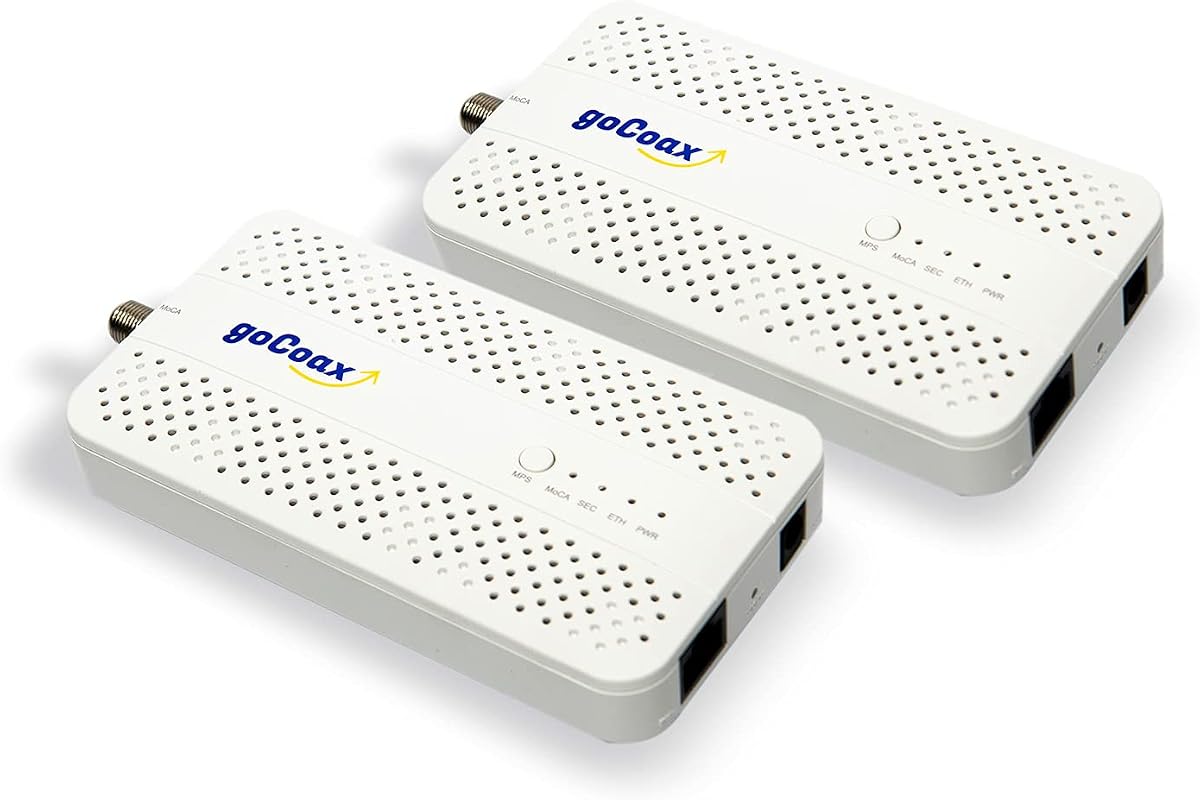
The goCoax MA2500D is a two-pack MoCA 2.5 system with a 4.6 rating, placing it among the strongest reviewed options for both user satisfaction and specification breadth. It uses each adapter's 2.5GbE Ethernet port to turn existing coax wiring into a wired network backbone for connected rooms.
We may earn a commission when you buy through this link, at no additional cost to you.
The kit is designed for straightforward setup. One adapter connects near the modem or router and another connects near the intended Ethernet device; the MoCA network then configures itself. Included coax cables, Ethernet cables, and power adapters reduce the number of separate items needed for a basic installation. It also supports up to 16 nodes and interoperates with other brands of MoCA adapters.
One important qualification is the need for a functioning coax network connected through a splitter. The product does not work with satellite television systems such as DirecTV or Dish, nor with AT&T U-verse. For optimal security and performance, goCoax recommends adding a MoCA PoE filter at the cable entry point, but that filter is not included. These requirements make the kit most suitable for cable or properly interconnected fiber homes.
For a homeowner who wants fast Ethernet over coax with minimal configuration, the MA2500D is a strong all-around choice. Its 4.6 rating and two-adapter format support straightforward whole-home expansion. It is particularly attractive when connecting a gaming console, smart television, personal computer, network storage device, or mesh Wi-Fi access point in a location where running new Ethernet would be inconvenient.
Once coax and Ethernet are connected, the adapters are designed to auto-configure the MoCA network. This makes the kit approachable for users who want a wired extension without extensive network configuration.
A wired MoCA path can reduce reliance on wireless backhaul between mesh components. The result may be more consistent behavior in difficult rooms, although the benefit still depends on coax quality and the capabilities of the mesh system.
We may earn a commission when you buy through this link, at no additional cost to you.
The Kiwee KB-M3-02 stands out because each of its two MoCA 2.5 adapters includes two 2.5GbE Ethernet ports. That design gives each location more local connection flexibility than a conventional single-port MoCA adapter, while its 4.6 rating reflects strong feedback among users.
We may earn a commission when you buy through this link, at no additional cost to you.
The extra port can connect one device to the MoCA backbone while leaving another port available for a computer, television, game console, access point, or small switch. This makes the kit especially interesting for entertainment centers and rooms where several wired devices need connectivity. Coax and Ethernet cables are included for a basic installation, and the adapters are presented as configuration-free additions to an existing router and internet connection.
The dual-port arrangement does not make every location equivalent to an independent coax outlet. The adapters still need compatible, interconnected coax wiring, and actual performance is subject to the home network and service environment. As with other MoCA products, the advertised 2.5Gbps class performance should be understood as an upper capability rather than a guarantee of equal internet speed at every connected device.
Choose the KB-M3-02 when port count and installation flexibility matter as much as peak speed. It is particularly compelling for a home that wants to avoid running multiple separate Ethernet runs from one room. For users needing only one additional connection, a single-port adapter may offer a simpler path, while networking-intensive users will find the two-port layout unusually versatile.
Two Ethernet ports per adapter remove the need for a separate local switch when only two wired devices need service at a room. A switch can still be added when more ports are required.
When the home already has interconnected coax outlets, the kit can create a high-speed wired path through rooms where new Ethernet would be difficult to install. It supplements rather than replaces the modem and router.
We may earn a commission when you buy through this link, at no additional cost to you.
The TRENDnet TMO-313C2K is a two-pack of compact MoCA 2.5 adapters with one 2.5Gbps RJ45 Ethernet port per unit. Its 4.8 rating is the highest among the products compared, making it a particularly attractive candidate for users who prioritize both modern performance and positive customer feedback.
We may earn a commission when you buy through this link, at no additional cost to you.
The adapters can extend a high-speed wired network through existing coax without configuration. Backward compatibility with MoCA 2.0, 1.1, and 1.0 broadens the possibilities when building a mixed network. Up to 16 nodes can share one MoCA network, and the relatively compact housings fit naturally beside routers, entertainment systems, and desks.
TRENDnet also highlights NDAA and TAA compliance, making this two-pack relevant for government network deployments in the United States and Canada. That compliance is a specialized advantage rather than a requirement for an ordinary home. Buyers should still verify that their coax outlets are interconnected and understand that Directv, Dish Network, AT&T U-verse, and other non-MoCA services are not supported.
This is a strong recommendation for a compatible home or organization that wants the highest rated product in the group and values a recognized, compact two-adapter solution. Its one-port-per-unit layout is less flexible than the Kiwee dual-port design for connecting multiple devices at a single station, but it remains well suited to standard point-to-point or multi-node Ethernet-over-coax networking.
Support for earlier MoCA generations allows the adapters to participate in networks that already contain older equipment. This can make gradual expansion easier when every component does not need to be replaced at once.
The lightweight housings are suitable for locations with limited space, including entertainment centers and work areas. Each unit needs both a coax connection and an Ethernet connection to perform its network function.
We may earn a commission when you buy through this link, at no additional cost to you.
The Hitron HTEM5 is a two-adapter MoCA 2.5 kit designed to extend an existing network over interconnected coax. Its 4.3 rating is solid, and its most distinctive strength is the unusually explicit compatibility guidance, which helps buyers determine whether their wiring can support the product before installation.
We may earn a commission when you buy through this link, at no additional cost to you.
Hitron explains that the adapter is not a modem, router, or Wi-Fi system. It requires an active internet connection, a router, coax outlets with round screw-on connectors, and a main splitter connecting the relevant rooms. The kit includes two adapters, two coax cables, two Ethernet cables, two power supplies, and a quick start guide.
Several service exclusions are important. The product does not work with satellite wiring that has been cut or isolated, AT&T Fiber, phone lines, or Ethernet cables used in place of coax. A PoE filter may be required for high-split DOCSIS cable systems, and that accessory is sold separately. This careful qualification makes the HTEM5 especially suitable for buyers who want help understanding a complicated installation.
Free technical support is included, adding value for households that are unsure whether their coax network is suitable. Choose this kit when you have cable internet or supported fiber, can verify that the outlets are interconnected, and value clear instructions and support. If your home previously used satellite service, confirm that the provider reconnected and did not isolate the coax runs before buying.
The kit's most valuable service is its emphasis on checking outlet type and network interconnection. MoCA requires a shared, functional coax topology rather than unrelated or cut coax runs.
The HTEM5 is suitable for cable networks and many fiber services, including the named Verizon Fios and Google Fiber examples. Compatibility still depends on the service provider's implementation and the available in-home coax.
We may earn a commission when you buy through this link, at no additional cost to you.
The LNOVISION LongReach PoE over Coax converter is a specialized point-to-point Ethernet-over-coax solution rather than a conventional home MoCA adapter. With a 4.4 rating, it serves a distinct need: carrying IP data and power over existing RG59, RG6, or RG11 coax, particularly for surveillance and analog-system upgrades.
We may earn a commission when you buy through this link, at no additional cost to you.
The receiver supports PoE standards IEEE 802.3af and IEEE 802.3at, while the transmitter can connect with PoE or non-PoE devices. Data can travel through coaxial cable or twisted pair through the unit's BNC connections. Across regular twisted pair, the listed bandwidth reaches 100Mbps at 330 feet or 10Mbps at 1,485 feet, making the product useful for elevator cameras and other specialized installations.
Its limitations make it unsuitable as a general home networking solution. The product is designed for point-to-point connections rather than a multi-node MoCA LAN, and the receiver must be powered by a PoE switch or injector. For multiple PoE-over-coax links in one system, LNOVISION recommends its EOC switch kit to reduce potential interference. The hardware is also designated for indoor use only.
Choose this converter when an installer needs to modernize an analog coax infrastructure for IP cameras, VoIP phones, or a specific point-to-point device link and needs PoE delivered over the cable. For streaming, gaming, and whole-home connectivity, one of the MoCA 2.5 kits is the more appropriate selection.
Integrated PoE support can simplify installations where a remote camera or phone needs both network connectivity and electrical power. The receiving end still requires an appropriate PoE switch or injector.
Support for coax and twisted pair gives the converter flexibility in retrofit environments. Speed varies with distance and cable type, so network design should account for the stated performance limits.
We may earn a commission when you buy through this link, at no additional cost to you.
The Nexuslink GCA-1200-KIT uses G.hn rather than MoCA to create an Ethernet-over-coax network on coax that is unused or otherwise disconnected from live television and internet services. Its 4.3 rating reflects a practical alternative for homes with coax wiring that cannot safely carry a MoCA network alongside an active cable provider signal.
We may earn a commission when you buy through this link, at no additional cost to you.
The kit can deliver up to 1.2Gbps across as much as 800 meters of suitable coax, according to its published specifications. That makes it an interesting option for connecting a gaming system, streaming television, or computer through existing wiring, particularly in homes with coax runs installed for other purposes. Two adapter units create the point-to-point link with simple Ethernet connections at each end.
The critical restriction is that the coax network must be dark or unused. Nexuslink explicitly warns that the kit will not work with cable television or cable internet services because those signals occupy the same network. It also recommends G.hn for fiber or satellite internet and MoCA for cable TV and cable internet installations, making the product a specialized choice rather than a universal answer.
Choose the GCA-1200-KIT when your coax outlets are verified as unused and you want a dedicated Ethernet-over-coax path. It can be especially helpful in a home where active cable signals make MoCA unsuitable or where a dark coax network already provides convenient room-to-room routing. Do not attempt to combine it with live cable service.
Using otherwise idle coax avoids interference with the service signals that can prevent G.hn and MoCA equipment from sharing a live cable network. Verify the network's status before installation.
The advertised 800-meter capability provides considerable flexibility for connecting distant rooms. Actual results depend on cable quality, installation topology, interference, and the devices attached to the adapters.
We may earn a commission when you buy through this link, at no additional cost to you.
The Kiwee KB-M3-03 combines MoCA 2.5 networking with IEEE 802.3at PoE+ in a two-adapter kit. With a 4.4 rating, it targets installers who need both network data and power delivered to a remote endpoint, particularly Wi-Fi 6E or Wi-Fi 7 access points, IP cameras, and VoIP phones.
We may earn a commission when you buy through this link, at no additional cost to you.
Data travels over the coax wiring at a 2.5Gbps class, while the Ethernet connection can deliver up to 30W of PoE+ power. This arrangement can simplify a remote installation by allowing one Ethernet connection to carry both data and power. The kit includes two PowerBridge 2.5G adapters and is designed for plug-and-play setup with coax, Ethernet, and power connections.
PoE+ support narrows the product's audience compared with a standard MoCA kit. The attached device must support the appropriate power standard, and the installation must meet the limitations of the powered Ethernet link. The product excludes satellite TV and is intended to work with most MoCA 2.0 and 2.5 equipment, Ethernet-enabled smart-home devices, and mesh systems.
This is the pick for a technically informed buyer or professional installer who wants to extend both connectivity and PoE power through existing coax. It is less necessary for an ordinary living room connection but valuable for a remote access point that would otherwise require a nearby outlet. Verify device power requirements before selecting it.
PoE+ can reduce cable clutter around supported access points and cameras. The coax path handles network data, while the Ethernet side supplies both connectivity and the required power.
Wi-Fi 6E and Wi-Fi 7 access points are explicitly highlighted as suitable endpoints. This makes the kit useful for extending a high-performance wireless system without placing every unit beside the router.
We may earn a commission when you buy through this link, at no additional cost to you.
The TRENDnet TMO-312C is a single MoCA 2.5 adapter with a Gigabit Ethernet port. Its 4.3 rating and straightforward design make it an economical way to add one wired location to an existing MoCA network, particularly for users who already own another compatible adapter.
We may earn a commission when you buy through this link, at no additional cost to you.
The adapter creates a faster and more reliable wired path between existing coax and a router, gaming console, television, or another Ethernet-enabled device. It requires no configuration and is backward compatible with MoCA 2.0, 1.1, and 1.0. Support for up to 16 nodes also makes it possible to incorporate the unit into a broader network rather than treating it as an isolated product.
The main limitation is its Gigabit Ethernet port, which offers a lower ceiling than the 2.5GbE models in this comparison. The package contains one adapter rather than the two needed for a standalone two-location link, and the router or another compatible MoCA device must already provide the other end of the connection. Directv, Dish Network, AT&T U-verse, and other non-MoCA services are excluded.
Choose the TMO-312C when your priority is extending an established MoCA system with one additional endpoint at a sensible cost. It is a less natural choice for a first installation than a two-pack, but it can be the most economical option for a room that already has coax and a usable connection path through the rest of the network.
Buying a single unit makes sense when a compatible adapter already exists near the router. The new unit can serve a distant room without purchasing a complete two-location kit.
A Gigabit Ethernet port remains suitable for many everyday streaming and gaming systems. Networks that routinely move multi-gigabit files or operate several high-bandwidth devices may benefit from a 2.5GbE alternative.
We may earn a commission when you buy through this link, at no additional cost to you.
The ScreenBeam ECB6200S02 is an add-on adapter for Bonded MoCA 2.0 networks. With a 4.2 rating, it offers a practical expansion path for homes already using compatible ScreenBeam equipment, while its Gigabit Ethernet connection and single-unit format make it more modest than the newest MoCA 2.5 alternatives.
We may earn a commission when you buy through this link, at no additional cost to you.
The adapter can add a 1Gbps-class Ethernet-over-coax connection between a router and a device in another room. It supports as many as 16 nodes on one network, and the package includes one ECB6200 adapter, a power adapter, an Ethernet cable, a coax cable, and a quick start guide. That inclusion helps users add another location without assembling every connection accessory separately.
Compatibility is narrower than for current MoCA 2.5 products. The unit is not compatible with Direct TV, Dish, other satellite television systems, AT&T internet, or AT&T U-verse. Some DOCSIS 3.1 modems may create frequency-overlap issues and random disconnects, for which ScreenBeam recommends checking with the internet service provider. The router must also have built-in or added MoCA capability.
This add-on is best for a compatible MoCA 2.0 installation that needs one more wired endpoint. It can deliver a more stable and potentially faster link than Wi-Fi in the same location, but buyers starting from scratch may prefer a two-adapter MoCA 2.5 kit with more bandwidth and newer equipment.
The ECB6200S02 is designed to supplement an existing Bonded MoCA 2.0 setup. It offers less value as a starting product unless another compatible adapter or router-based MoCA function is already available.
A coax-based path can offer a more consistent connection in rooms affected by wireless interference or weak coverage. The gain still depends on the quality of the coax installation and the existing network equipment.
We may earn a commission when you buy through this link, at no additional cost to you.
The most important selection factors are the type of signal on your coax wiring, the required Ethernet speed, the number of endpoints, and whether the installation needs ordinary network access or PoE. Reviewing these requirements first prevents an otherwise capable adapter from becoming unusable.
Choose a MoCA product for a compatible cable or supported fiber network, and choose the dark-coax G.hn kit for unused wiring. Avoid products expressly listed as incompatible with your provider. When a service provider uses overlapping frequencies, ask the provider whether its modem and gateway can support the desired MoCA generation.
A 2.5GbE port provides a better match for modern high-bandwidth networks than a Gigabit port. It adds practical headroom for local transfers and multiple simultaneous users, even when the internet connection is slower.
Count the router-side adapters, remote-room adapters, and required Ethernet ports before buying. A complete kit is simplest for a two-location installation, while modular single adapters suit an existing network.
Review the kit contents and your provider's guidance for filters or splitters. A supposedly complete package may still require a filter in a high-split or shared coax environment.
Use a PoE-capable model when the remote endpoint requires network power. For ordinary computers and televisions, a conventional Ethernet connection is usually simpler and more universally compatible.
Use MoCA for a multi-node compatible home network, G.hn for dark coax, and point-to-point EoC for a dedicated powered link. Architecture should come before branding.
Give every adapter room a nearby power outlet and verify the required connector type. Plan cable routes that avoid unnecessary strain and do not share unrelated coax signals unintentionally.
Treat ratings as supporting evidence rather than the primary decision. Correct wiring and a suitable network design matter more than a small difference in customer scores.
Begin by documenting your service provider, modem or gateway, router model, and coax topology. Confirm that the outlets you intend to use are connected to the same main splitter and that the wiring is not an isolated satellite run. For a dark-coax product, verify that no television, internet, or other live signal occupies the selected cable network before connecting equipment.
Install one adapter near the router and connect its Ethernet port to the router or an appropriate Ethernet switch. At the remote location, connect the second adapter's coax port to the wall outlet and its Ethernet port to the device that needs network access. Apply power only after checking connectors, then allow the MoCA or G.hn network to configure according to the manufacturer's instructions. Add one adapter at a time when building a multi-node network.
For ongoing care, avoid tightly coiling or sharply bending coax, and do not use splitters beyond what the manufacturer and service provider permit. Keep adapters ventilated, away from moisture, and in indoor locations unless the product is specifically rated otherwise. Test performance at different times, inspect cables after rearrangements, and contact technical support or the service provider if random disconnects occur or the network fails to initialize.
Most MoCA 2.5 adapters in this guide are designed for compatible cable internet installations using interconnected coax wiring. Some cable modems or gateways may need configuration changes, and high-split DOCSIS systems may require a PoE filter. Check the provider's MoCA requirements before installing the adapter.
The listed MoCA products are not compatible with DirecTV, Dish, or other satellite television systems. Satellite providers may also cut or isolate in-home coax runs, leaving physical connectors that look usable but cannot carry the required network signal. The LNOVISION point-to-point converter serves a different specialized purpose and should not be mistaken for a MoCA satellite solution.
MoCA adapters use the Multimedia over Coax Alliance standard and can form multi-node home networks, commonly over a cable provider's interconnected coax. G.hn adapters are intended here for dark or unused coax and are best suited to a dedicated point-to-point Ethernet path. The two standards should not be assumed to be interchangeable.
Yes, a basic point-to-point Ethernet-over-coax connection normally requires two endpoints: one near the router and another near the remote device. Two-packs include this arrangement. A single adapter is most useful when another compatible MoCA device already exists or when the router has integrated MoCA capability.
Only if another part of the connection is the limiting factor and your service plan supports the higher rate. A 2.5GbE adapter can remove local Ethernet bottlenecks, improve large transfers within the network, and provide useful headroom for several devices. It cannot exceed the speed provided by the internet service, modem, router, or remote server.
That arrangement often works because MoCA is designed to coexist with cable television signals over suitable coax, but it depends on the provider's gateway, modem, split topology, and filter requirements. High-split systems may need a PoE filter to separate signals properly. Follow the adapter and provider guidance rather than adding arbitrary splitters.
The listed MoCA products are generally excluded from AT&T Fiber or AT&T U-verse implementations because the provider's signal approach may interfere with MoCA. Product-by-product exceptions are possible, so verify the current provider guidance. If your service does not support MoCA, a dark-coax G.hn installation or a conventional Ethernet run may be more suitable.
PoE is useful when an access point or camera requires network power and has no convenient local electrical outlet. The Kiwee KB-M3-03 provides PoE+ up to 30W, while the LNOVISION converter is designed around point-to-point PoE deployments. Verify the device's power standard and draw before selecting either approach.
The ScreenBeam ECB7250K02 is the strongest overall starter choice because it combines MoCA 2.5, two adapters, 2.5Gbps Ethernet, and a generous set of installation accessories. The Kiwee KB-M3-02 is ideal when two Ethernet ports at each location would simplify device connections, while the TRENDnet TMO-312C offers a focused way to expand an existing MoCA system with one unit.
Before choosing any model, confirm that your coax network is active or dark as required, the outlets are interconnected, and your provider supports the technology. Choose 2.5GbE for current high-bandwidth equipment, PoE+ for compatible remote powered devices, and the dark-coax G.hn kit only for wiring with no live service.
Ratings and specifications provide a useful starting point, but current product details, service compatibility, and technical requirements can change. Review the latest listing, confirm connector and power arrangements, and consider whether a filter or additional adapter is necessary before making your final purchase.