
ASUS RT-AX1800S
4.3Editor score
Subscription-free family security
Built-in VPN support
Five Gigabit Ethernet ports
Our parental control routers guide compares ten Wi-Fi routers for scheduling, family safety, coverage, security, VPN features, and whole-home parental controls.
Parental control routers put everyday internet boundaries closer to the source, helping families manage screen time, organize device access, and separate guests or vulnerable devices from the main network. A useful router should make those controls understandable, dependable, and easy to review rather than burying them beneath complicated menus.
We compared ten routers across family-management features, security tools, wireless standards, wired connectivity, coverage capabilities, mesh support, and ease of administration. The list includes Wi-Fi 6, Wi-Fi 6E, Wi-Fi 7, and a wired VPN router, giving households options for modest, advanced, and high-bandwidth networks.
Each review explains what distinguishes the model, where its controls or security features fall short, and which households it best serves. Ratings reflect the information available for the supplied products, while features and availability can change; compare current product pages carefully because pricing and software options vary over time.
4.3Editor score

4.2Editor score

4.3Editor score
The comparison below highlights the strongest distinction among each model: family controls, network security, wireless generation, wired flexibility, or whole-home expansion. The ASUS RT-AX1800S stands out for approachable subscription-free security, while the TP-Link Archer BE230 combines explicit parental controls with Wi-Fi 7 and EasyMesh support.




The TP-Link Archer AX21 V5 combines a 4.4 rating with a well-balanced feature set for households upgrading from older dual-band equipment. It supports Wi-Fi 6, OFDMA, beamforming, and up to 1.8 Gbps of aggregate wireless bandwidth, making it a practical foundation for homes with many connected devices. Its strongest appeal is dependable mainstream performance rather than an expansive collection of specialized family controls.
We may earn a commission when you buy through this link, at no additional cost to you.
Coverage is designed around four high-gain antennas, beamforming, and an advanced front-end module that focuses signals toward client devices. The 5 GHz band can reach up to 1,200 Mbps, while the 2.4 GHz band can reach up to 574 Mbps under ideal conditions. OFDMA helps the router communicate with several devices simultaneously, reducing contention when phones, televisions, computers, and smart-home equipment are active at once.
The main limitation is that the supplied product information does not explicitly advertise dedicated parental-control scheduling. The Archer AX21 does include a VPN server, a Tether management app, firmware updates, and a security-by-design commitment, but households requiring clearly documented content restrictions should verify the available HomeShield tools for their exact model and region before purchasing. Its dual-band design also lacks a 6 GHz band for newer high-bandwidth devices.
This is a strong choice for parents who want stable, modern Wi-Fi and a familiar management app, particularly in apartments or medium-sized homes. It is less compelling as a dedicated parental-control system because the supplied feature list does not confirm the depth of its time limits, device grouping, or usage reports. For uncomplicated Wi-Fi 6 performance, however, the Archer AX21 remains a persuasive all-rounder.
OFDMA and MU-MIMO-style efficiency allow the Archer AX21 to serve several active clients without treating the wireless airtime as a single shared queue. That makes it a sensible upgrade for homes where children, parents, and connected devices are routinely online at the same time.
The Tether app keeps setup, monitoring, and firmware maintenance in one place. Because the model also supports VPN server functions, it can provide a useful foundation for remote access, although administrators should secure credentials and keep firmware current.
We may earn a commission when you buy through this link, at no additional cost to you.
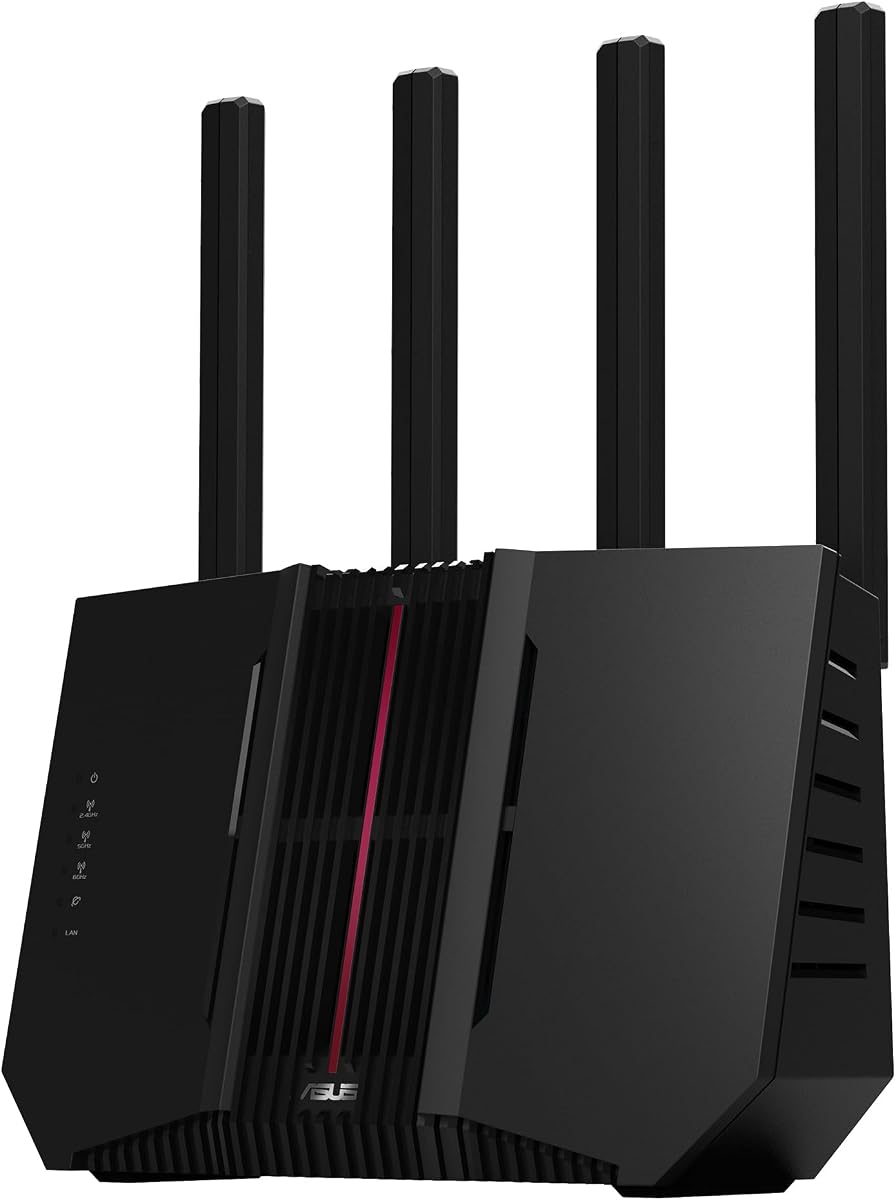
The ASUS RT-AX1800S earns a 4.3 rating and stands out as the most approachable dedicated recommendation in this guide. Its product information explicitly combines parental controls with subscription-free network security, while Wi-Fi 6, 1024-QAM, MU-MIMO, and OFDMA provide a modern base for ordinary family traffic. It is especially attractive to households that want visible family-management tools without committing to a recurring security subscription.
We may earn a commission when you buy through this link, at no additional cost to you.
AiProtection Classic, powered by Trend Micro, forms the security foundation, and ASUS Instant Guard offers a one-click secure VPN for accessing the home network while away. The router also includes a Gigabit WAN port and four Gigabit LAN ports, giving connected devices a practical wired path for downloads, video calls, gaming, and fixed-position equipment. Four external antennas support the radio system, while a dual-core processor handles the main routing workload.
Its main limitation is that it remains a dual-band Wi-Fi 6 model with no 6 GHz radio. The stated 1,800 Mbps class is suitable for many homes, but newer Wi-Fi 7 systems offer more capacity for high-speed broadband, dense device populations, and future-oriented devices. External antennas also add visual clutter, and actual range will depend on placement, walls, floors, and neighboring wireless activity.
The RT-AX1800S is a strong fit for parents who want documented parental controls, subscription-free protection, and useful wired ports without moving to a premium model. It also works well as the first unit in an AiMesh system. For families wanting a simple, secure Wi-Fi 6 router with credible family controls, it offers an especially balanced package.
AiProtection Classic and the router's parental-control features make this a more explicit family-management option than many general-purpose models in the list. Subscription-free protection can also simplify long-term budgeting, although administrators should still review exactly which tools are included for their region.
Five Gigabit Ethernet ports reduce the need for an additional switch when desktops, game consoles, and smart TVs are placed in fixed locations. A wired connection can also make consistent access to parental restrictions and network security settings easier to manage.
We may earn a commission when you buy through this link, at no additional cost to you.
The TP-Link Archer BE230 is a 4.2-rated Wi-Fi 7 router with the strongest explicit parental-control claim among the more affordable models reviewed. It combines robust parental controls, real-time IoT security, and comprehensive network protection with Multi-Link Operation, Multi-RUs, 4K-QAM, and a dual-band BE3600 platform. This makes it a practical option for households that want current wireless technology alongside clearly documented family controls.
We may earn a commission when you buy through this link, at no additional cost to you.
The router supplies up to 2,882 Mbps on the 5 GHz band and 688 Mbps on 2.4 GHz under ideal conditions. A 2.5 Gbps WAN/LAN port and separate 2.5 Gbps LAN port provide room for faster internet service and high-bandwidth wired equipment, while three additional Gigabit LAN ports cover conventional devices. Internal antennas and beamforming are said to cover up to 2,000 square feet for as many as 60 devices, though real results vary with walls and usage.
The main trade-off is that it remains dual-band and therefore does not offer the 6 GHz spectrum found in tri-band Wi-Fi 6E and Wi-Fi 7 models. Its coverage figure should be treated as a maximum guidance rather than a guarantee. Another consideration is that the supplied information does not detail every scheduling or reporting option within the parental-control suite, so users should confirm those functions during setup.
The Archer BE230 is well suited to families that want parental controls, IoT protection, modern Wi-Fi, and flexible 2.5G connectivity in one device. It is especially convincing when a household plans to add EasyMesh routers or extenders later. Those wanting a 6 GHz network or the very highest wireless capacity should look higher in the range, but this model delivers a practical balance for many homes.
The combination of robust parental controls and real-time IoT security provides a broader safety framework than a basic guest-network feature. Families can manage connected devices from one interface, but should still create separate profiles for children with different schedules and access needs.
The dedicated 2.5G ports are meaningful for households subscribing to faster broadband tiers. They also allow compatible computers, network storage, and game consoles to benefit from wired speed without forcing an entire upgrade to premium multi-gigabit hardware.
We may earn a commission when you buy through this link, at no additional cost to you.
The ASUS RT-AX3000S is a 4.2-rated Wi-Fi 6 router whose most relevant family feature is explicit parental-control scheduling. It combines that scheduling with built-in VPN functionality, Instant Guard, and AiMesh compatibility, making it a natural candidate for households that want rules applied at predictable times without building a complex separate network.
We may earn a commission when you buy through this link, at no additional cost to you.
Its aggregate wireless speed is about 3,000 Mbps, divided into up to 574 Mbps on 2.4 GHz and 2,402 Mbps on 5 GHz. MU-MIMO and OFDMA improve simultaneous communication with multiple devices, while 1024-QAM supports denser data transmission. The ability to add an AiMesh-compatible router can extend coverage and allow devices to roam more consistently between access points.
The supplied information gives less detail about this model's security suite than it does for several other ASUS products. As a result, buyers interested in a particular filtering category, reporting function, or threat-detection feature should check the ASUS administration interface before purchase. It also remains a dual-band router, so households seeking the extra spectrum and headroom of a 6 GHz model will need to move up.
The RT-AX3000S is best for families wanting scheduled internet access, VPN support, and a clear path to whole-home expansion. It may also appeal to users who already understand AiMesh and want a more capable dual-band model than lower-tier Wi-Fi 6 equipment. Its main appeal is practical flexibility rather than premium multi-gigabit performance.
Parental-control scheduling can help define when particular devices should be online, making homework, bedtime, and recreational periods easier to enforce. Schedules are most effective when parents review them regularly and apply them consistently across all of a child's connected devices.
Instant Guard gives travelers a one-click route to a secure VPN connection when using public Wi-Fi. It can reduce exposure to untrusted hotspots, though families should still avoid sensitive activity on unsecured networks and keep account credentials current.
We may earn a commission when you buy through this link, at no additional cost to you.
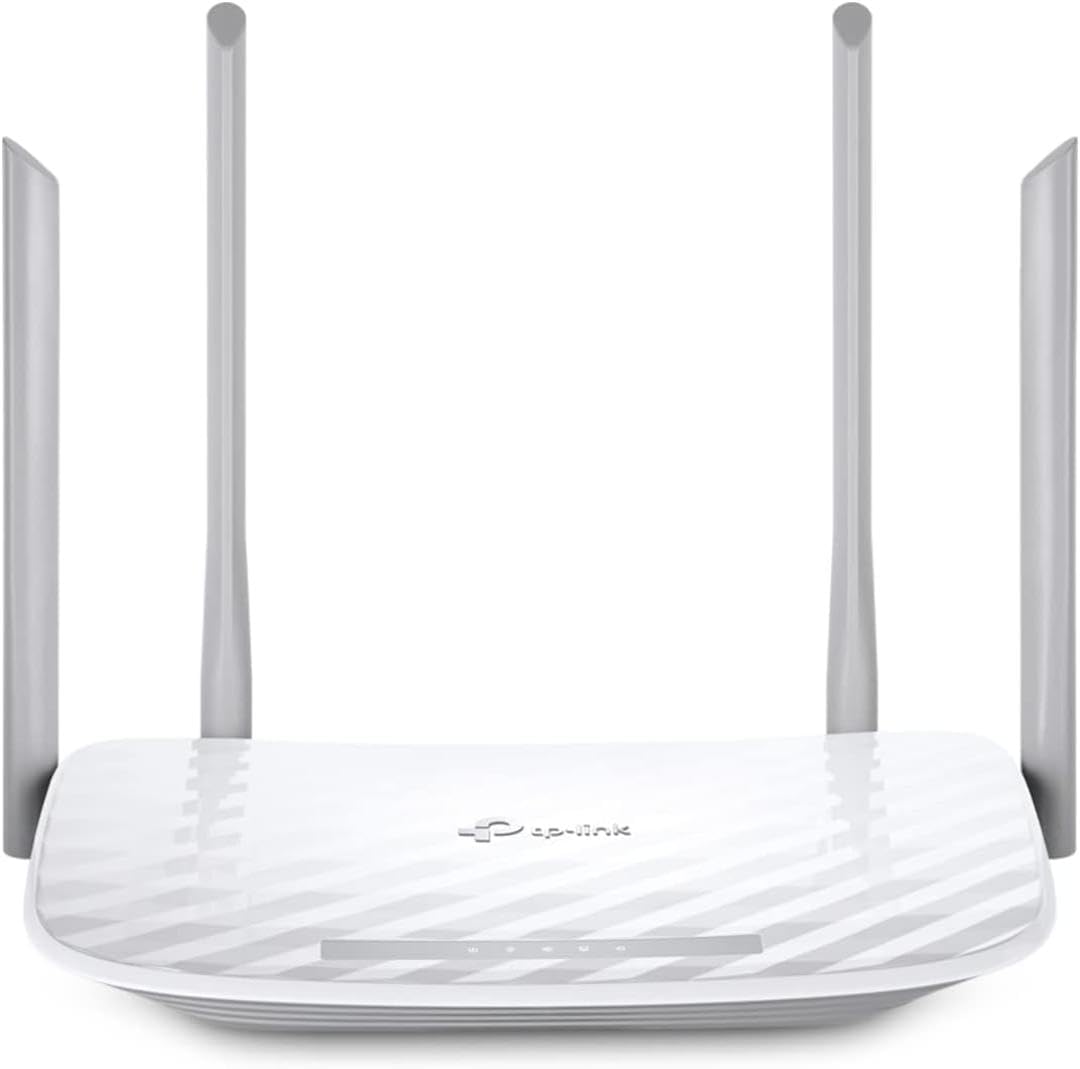
The TP-Link Archer A54 provides a 4.3 rating and focuses on uncomplicated dual-band networking rather than advanced parental management. It offers Wi-Fi 5 performance, WPA3 security, EasyMesh compatibility, IPTV-related functions, and a straightforward Tether app. This makes it a sensible lower-tier option for smaller homes, older devices, or users who need a reliable router without paying for the newest wireless generation.
We may earn a commission when you buy through this link, at no additional cost to you.
The stated maximum is 1,200 Mbps of aggregate bandwidth, with up to 867 Mbps on 5 GHz and 300 Mbps on 2.4 GHz. Four external antennas and a claimed coverage area of up to 1,000 square feet provide a reasonable starting point for apartments and compact homes. Access Point mode is useful when the existing network infrastructure should remain in place, while EasyMesh compatibility permits later expansion.
Its key drawback for this guide is the absence of explicitly documented parental-control features in the supplied information. WPA3 strengthens wireless security, but it is not a substitute for device-level scheduling, usage visibility, or content controls. Wi-Fi 5 also lacks the efficiency benefits of newer standards, and the lower theoretical capacity can become noticeable on fast broadband plans or in crowded wireless environments.
The Archer A54 is a good choice for straightforward networking, households with modest bandwidth needs, and anyone who values the Tether interface. It may also serve as an EasyMesh component rather than the sole center of a large home. Parents who need verified scheduling should choose a model with explicitly stated parental controls rather than assuming a general-purpose router includes them.
WPA3 adds improved protection for compatible personal networks and is valuable even on a Wi-Fi 5 router. Older client devices may negotiate a less capable mode, so checking the router's mixed-mode settings is advisable during installation.
Access Point mode lets the router add wireless access without taking over the primary network connection. EasyMesh compatibility then gives administrators an option to add compatible hardware if dead zones appear in larger homes.
We may earn a commission when you buy through this link, at no additional cost to you.
The TP-Link ER605 is a 4.4-rated wired Gigabit VPN router offering unusually granular control over network traffic. Although it does not provide Wi-Fi, its IP, MAC, and URL filtering, firewall policies, and denial-of-service defenses can help administrators restrict access more directly than a basic consumer router. It is most relevant to a home or small office that already has separate wireless access points.
We may earn a commission when you buy through this link, at no additional cost to you.
Five Gigabit ports include one Gigabit WAN port, two Gigabit WAN/LAN ports, and two Gigabit LAN ports. The flexible ports allow up to three WAN connections, which can support a primary connection, a secondary provider, or a 4G USB modem used for backup. The router also supports substantial VPN connectivity, including LAN-to-LAN IPsec, OpenVPN, L2TP, and PPTP connections.
Unlike the wireless routers in this roundup, the ER605 is not a turnkey solution for families wanting phone-based content controls or automatic screen-time schedules. It requires deliberate configuration, particularly for multiple WAN links, VPN tunnels, and filtering rules. It also needs a separate wireless router or access points for laptops, phones, tablets, and smart-home products. That additional infrastructure may make it less convenient for casual users.
The ER605 is ideal for technically confident administrators who want precise URL, IP, and MAC filtering, resilient WAN options, and extensive VPN support. Small offices, shared homes, and administrators with an existing access-point network can benefit from its control. It is less appropriate as a one-box family solution, but it may be the most targeted parental-control-style router here when the goal is enforceable network-level filtering.
URL, IP, and MAC filtering can block or isolate unwanted traffic without relying on every individual device to enforce its own filtering. The approach is especially useful for shared networks where administrators want a consistent policy applied centrally.
Up to three WAN ports offer flexibility that most consumer routers do not provide, and the USB port can support compatible 4G modems for backup. This is useful for remote workers and households that cannot afford an interruption in online access.
We may earn a commission when you buy through this link, at no additional cost to you.
The ASUS RT-BE88U is the strongest premium family option in this guide, with a 4.3 rating, Wi-Fi 7 performance, and two 10G network ports. It supports up to 7,200 Mbps of wireless throughput and includes convenient parental controls, Guest Network Pro, AiProtection Pro, VPN features, and AiMesh compatibility. That combination serves demanding homes that need more than a basic router with a few scheduling menus.
We may earn a commission when you buy through this link, at no additional cost to you.
One 10G SFP+ port and one 10G WAN/LAN port can anchor a very fast wired network, while the quad-core 2.6 GHz processor is designed to process demanding traffic. Guest Network Pro supports up to five SSIDs, allowing parents to separate IoT equipment, guests, children, and adult devices more meaningfully. A one-tap security scan, Trend Micro-powered AiProtection Pro, and site-to-site VPN add further administrative tools.
The trade-offs are complexity and irrelevance for some homes. A family with a modest internet connection may never need 10G ports or the full capacity of this model, and a router with extensive options can take longer to configure correctly. AI WAN detection, mobile tethering support, multiple SSIDs, and advanced security should be introduced gradually, with changes documented so troubleshooting remains straightforward.
The RT-BE88U is a compelling choice for affluent or highly connected households with fast broadband, many networked devices, and a need for advanced separation of users and device classes. It is also well suited to administrators who want premium family controls and security in a single high-performance platform. For a smaller home with ordinary bandwidth needs, a less elaborate ASUS or TP-Link model may deliver a more manageable experience.
Guest Network Pro and support for multiple SSIDs let administrators place IoT devices and guests away from sensitive personal systems. Clear naming and access policies make it easier for parents to understand which network each child or appliance uses.
The two 10G ports support high-speed wired links that future-proof a demanding home or small office. They are most valuable when the broadband plan, internal network, storage, and endpoint hardware can all sustain multi-gigabit performance.
We may earn a commission when you buy through this link, at no additional cost to you.
The TP-Link Archer AXE75 offers a 4.3 rating and a balanced mix of tri-band Wi-Fi 6E, HomeShield parental controls, and expandable coverage. It is a strong alternative to the Archer BE230 for households that want the dedicated 6 GHz band but do not need a Wi-Fi 7 platform. The AXE75's total stated bandwidth reaches 5,400 Mbps across all three bands.
We may earn a commission when you buy through this link, at no additional cost to you.
HomeShield includes basic network security, security scans, IoT device identification, basic parental controls, quality of service, and weekly or monthly reports. The VPN functionality includes both server and client operation with OpenVPN, PPTP, and L2TP, adding flexibility for secure access. Four internal antennas and beamforming support a broad home network, while EasyMesh compatibility allows the system to expand.
The supplied data identifies these as free or basic HomeShield features. Some advanced HomeShield services are commonly subscription-based, so parents should verify which functions are included without a recurring fee for their region. The router also uses the previous Wi-Fi 6E generation rather than Wi-Fi 7, meaning it lacks newer Multi-Link Operation and 4K-QAM capabilities. Its 512 MB memory is generous for a consumer router but not a replacement for dedicated network management.
The AXE75 is well matched to families seeking 6 GHz performance and explicit parental-control features on a mature platform. It is a good fit for streaming-heavy homes, hybrid work areas, and users who want tri-band capacity without moving to a top-tier Wi-Fi 7 router. Families whose main priority is the newest standard should consider the Archer BE230 or an ASUS Wi-Fi 7 model instead.
The 6 GHz band offers additional spectrum and near-zero latency characteristics, helping compatible modern devices avoid congestion on the traditional 2.4 GHz and 5 GHz bands. Older clients will continue using the other two bands, so the benefit depends on the devices in the home.
Weekly and monthly reports can give parents a clearer view of network activity and help them decide whether schedules need adjustment. Reports are most useful when paired with open communication and consistent device rules rather than treated as a substitute for it.
We may earn a commission when you buy through this link, at no additional cost to you.
The ASUS RT-BE82U is a 4.2-rated dual-band Wi-Fi 7 router that combines strong performance with commercial-grade network security. It supports up to 6,500 Mbps of wireless speed, 4096-QAM, Multi-link Operation, and five 2.5GbE ports. AiProtection Pro, a one-tap security scan, and Safe Browsing make it relevant to parents who want broad network oversight alongside a modern wireless platform.
We may earn a commission when you buy through this link, at no additional cost to you.
Five 2.5GbE ports provide unusual wired flexibility for a dual-band router. Compatible devices can be assigned higher-bandwidth connections without requiring a separate multi-gigabit switch, while AiMesh compatibility allows the household to create a more seamless whole-home system. Multi-link Operation can use multiple bands at the same time to improve connection stability and data-transfer efficiency.
Although the product's security features are well documented, the supplied information does not spell out the depth of its parental-control scheduling or reporting. Parents should confirm those details in the ASUS interface. It is also a dual-band model without a 6 GHz radio, so it does not offer the additional spectrum of tri-band alternatives. Actual performance depends on compatible clients, network conditions, and the available broadband connection.
The RT-BE82U is a good fit for a modern, device-dense household that wants several 2.5GbE connections and commercial-grade security without moving to a top premium chassis. It may be especially useful for mixed home-office setups where wired reliability matters. For families prioritizing documented scheduling or 6 GHz coverage, the AXE75 or another model with clearer feature alignment may be a more direct match.
Five 2.5GbE ports allow several high-bandwidth endpoints to use faster wired links directly. This can benefit network storage, modern computers, and consoles while giving fixed household devices a more stable connection to the router.
A one-tap security scan gives administrators a quick way to inspect the network for potential concerns. AiProtection Pro and Safe Browsing extend that visibility, making the model attractive for households that want centralized security reporting.
We may earn a commission when you buy through this link, at no additional cost to you.
The ASUS RT-BE9700 closes the guide as a 4.3-rated product offering the highest stated wireless throughput in the lineup, up to 9,700 Mbps. It is a tri-band Wi-Fi 7 router with 320 MHz channels on 6 GHz, 4096-QAM, Multi-link Operation, two WAN-oriented connections, AiMesh support, and a broad collection of security and VPN tools for advanced networks.
We may earn a commission when you buy through this link, at no additional cost to you.
ASUS Network Security provides a subscription-free triple-level protection design backed by a commercial-grade cloud database. Comprehensive VPN features include site-to-site VPN and the Instant Guard mobile application for secure access over public Wi-Fi. AI WAN detection and a USB port for 4G LTE or 5G tethering add options for flexible or resilient internet access. These features make the router suitable for technically capable administrators and demanding connected homes.
Its 3.9 rating is the lowest among the ten products, so buyers should investigate current customer feedback and account for the limited rating history associated with a newer platform. The extensive feature set also creates a steep learning curve. Multiple WAN options, tri-band networking, 6 GHz channels, VPN configurations, and mobile tethering serve different purposes, and not every household needs them. Dedicated parental-control scheduling is not explicitly detailed in the supplied information.
The RT-BE9700 is most appropriate for a large, technology-heavy home with fast broadband, many high-end clients, and an administrator who can configure advanced features. It is a poor fit for a small home seeking a simple schedule menu or for users who will not use the 6 GHz band and multi-gigabit capabilities. Its hardware potential is substantial, but simpler ASUS models may deliver a more satisfying experience for ordinary family use.
Wide 320 MHz channels can support substantial throughput for compatible modern clients on the 6 GHz band. The additional spectrum can reduce congestion, but older devices and some client hardware will continue to operate on 2.4 GHz or 5 GHz.
The subscription-free triple-level design is aimed at households that want centralized safeguards without an additional recurring security fee. Site-to-site VPN and Instant Guard add useful options for remote workers and travelers connecting from outside the home.
We may earn a commission when you buy through this link, at no additional cost to you.
The right parental control router balances usable family tools with the coverage, wired capacity, and security features required by your home. Begin with the devices and activities that need control, then evaluate management depth rather than relying on a general claim that a router is family friendly.
Look for routers that can assign devices to individual profiles, set connection times, and prevent devices from bypassing a restriction simply by changing their name. The ASUS RT-AX1800S, ASUS RT-AX3000S, and TP-Link Archer BE230 explicitly advertise parental-control functions, while the Archer AXE75 includes basic HomeShield parental controls. Parents should determine whether a model can combine multiple devices, apply different bedtimes, and pause access temporarily when a child finishes homework early.
Choose the router that offers enough granularity for your actual family routines. Detailed scheduling is more useful than a single global pause, particularly when teenagers, younger children, and adults have different sleep and study schedules.
Parental controls may include blocking of unsuitable websites, category filters, activity histories, and weekly or monthly summaries. These tools help adults identify patterns, but the usefulness depends on how clearly the router presents reports and how regularly the family reviews them. The Archer AXE75 specifically lists weekly and monthly reports, while security-oriented ASUS models offer broader network visibility tools.
Prioritize accessible reports and understandable alerts. A detailed log that nobody can interpret provides less practical protection than a simple summary that helps a parent adjust a child's schedule with confidence.
A parental control router should protect the entire home, not merely provide a timer for one device. Look for firewall tools, malicious-site filtering, IoT identification, secure VPN functions, and current firmware support. ASUS models in this guide range from AiProtection Classic to AiProtection Pro and the RT-BE9700's triple-level protection, while TP-Link models emphasize HomeShield and IoT security.
Avoid treating a Wi-Fi password as the only protection. Combine strong wireless encryption, a separate guest or IoT network, secure administrator credentials, automatic updates, and centralized filtering to reduce the number of gaps children or compromised devices can exploit.
Wi-Fi 7 models such as the Archer BE230, ASUS RT-BE88U, RT-BE82U, and RT-BE9700 offer newer efficiency and throughput features, while Wi-Fi 6 and Wi-Fi 6E remain sensible for many homes. The dual-band Archer AX21 and ASUS RT-AX1800S provide up to 1.8 Gbps of aggregate wireless capacity, and the AXE75 adds a dedicated 6 GHz band. Choose based on client compatibility, not headline speed alone.
A faster standard cannot overcome poor placement or weak broadband. Match the router to the devices in the home and plan for newer clients to use OFDMA, MU-MIMO, multi-link features, or 6 GHz spectrum only when the hardware actually supports them.
Coverage claims provide a starting point, but walls, floors, building materials, nearby networks, and router placement can change real-world results. The Archer BE230 is listed as covering up to 2,000 square feet for up to 60 devices, while the Archer A54 lists up to 1,000 square feet. Larger or oddly shaped homes should favor a mesh-capable model, including the EasyMesh-compatible TP-Link options and AiMesh-compatible ASUS routers.
A single centrally placed unit may cover a compact home, but separate access points often improve performance in long hallways or multistory properties. Confirm that expansion units are compatible with the main router before building a larger system.
Wired Ethernet remains important for desktop computers, game consoles, smart televisions, and network storage, where consistent latency and throughput matter. The ASUS RT-AX1800S includes one Gigabit WAN and four Gigabit LAN ports. The TP-Link ER605 provides flexible WAN/LAN options, the Archer BE230 adds 2.5G ports, and the ASUS RT-BE88U and RT-BE82U go further with 10G or five 2.5GbE connections.
Count the devices that benefit from a permanent cable before paying for faster ports. Multi-gigabit hardware makes the most sense when the internet service, internal network, endpoint, and storage can all support the higher rate.
Built-in VPN functions can protect family members on public Wi-Fi and support secure connections to a home network. The ASUS RT-AX1800S, RT-AX3000S, and RT-BE88U include Instant Guard, while the Archer AX21 supports OpenVPN and PPTP server functions. The Archer AXE75 supports server and client modes, and the TP-Link ER605 accommodates numerous LAN-to-LAN and remote VPN connections.
Decide whether a family needs a VPN server, a client for secure travel, or site-to-site connectivity between locations. This distinction prevents an attractive but unnecessarily complex router from being purchased for a requirement the household does not have.
A web interface can offer detailed control, while a mobile app can make routine changes easier for less technical users. TP-Link models emphasize the Tether app, and ASUS provides browser-based administration with extensive hardware and network options. Consider firmware support, the clarity of setup instructions, and how easily guests or children can be moved to an appropriate network.
Choose an interface you can revisit comfortably. A feature-rich router can still be frustrating if changing one parental rule requires navigating a deeply nested menu or if the household cannot tell which settings are active.
Begin by connecting the router to the modem, updating its firmware, and changing the administrator credentials before configuring family rules. Create separate profiles for each child or device group, use meaningful names, and test the schedules with a device that can be reached from both the Wi-Fi and wired networks. Confirm that blocked content fails as expected while permitted sites and gaming services continue to work.
Place the router in a central, elevated location rather than beside a modem, television, or metal cabinet. Keep the default Wi-Fi password, use WPA3 or the strongest mixed mode compatible with every essential device, and assign guest, IoT, and child devices to separate networks where appropriate. Review connected-device lists monthly, remove devices that no longer belong, and change the wireless password whenever a family member loses access to an account or device.
Treat the router as part of a wider family safety plan. Discuss which content is appropriate, explain why schedules change, and avoid relying on router controls to handle every digital-safety issue. Keep firmware current, periodically review VPN and security logs, and revisit schedules as school terms, hobbies, and sleep patterns change. If the network slows or coverage becomes inconsistent, check device load and placement before assuming the router has failed.
Parental controls usually apply through the router's connection to your home internet, so they can cover many conventional devices regardless of their operating system. However, a child can bypass router-based limits by using another connection, a device belonging to someone else, or certain services outside the home network. Combining router profiles, device-level controls, and family agreements gives the most complete protection.
The ASUS RT-AX1800S is a strong starting point because its supplied information explicitly highlights parental controls, subscription-free network security, and built-in VPN features without requiring a premium platform. The ASUS RT-AX3000S is another approachable option for households that primarily need scheduled access. Buyers should still compare the exact menus and reporting tools available in their region.
That depends on the protocols and brands involved. The TP-Link Archer BE230 supports EasyMesh, while several ASUS routers support AiMesh, and both ecosystems can be expanded with compatible hardware. An unrelated router or access point may not adopt every control from the main system, so check mesh compatibility before replacing equipment.
No. Wi-Fi 6 and Wi-Fi 6E routers can support many busy households, particularly when the main access point is placed well and wired connections are used for high-demand devices. Wi-Fi 7 is more attractive when you have compatible clients, a very fast internet plan, dense wireless traffic, or a need for newer multi-link and multi-gigabit features.
Built-in controls are useful for enforcing schedules, separating device groups, filtering websites, and reducing exposure to risky content, but they are only one layer of online safety. Parents should also use privacy settings on individual devices, keep operating systems updated, enable safe search where appropriate, discuss safe behavior, and monitor for signs that a child is bypassing restrictions.
A guest network isolates visitors or selected devices from trusted local systems, usually through a separate password and restricted access. A parental control profile is designed to manage a person's or device's online activity, including schedules, filtering, and reporting. Some routers combine these functions, but their purposes and levels of access can differ.
Firmware updates can improve security, fix reliability problems, repair vulnerabilities, and add or refine management features. Updating is particularly important when a router manages children's devices or provides VPN and filtering functions. Use the manufacturer's official application or website, maintain administrator credentials, and avoid interrupting the update until it completes.
Usually, a wireless router is more convenient for a typical home, but a wired model such as the TP-Link ER605 can be valuable when precise filtering or redundant WAN connections are priorities. It would normally need separate wireless access points. Advanced administrators may choose this route for a small office or a home with an existing wired network and centralized filtering requirements.
The ASUS RT-AX1800S offers the most balanced budget-oriented package, pairing explicit parental controls with subscription-free security, five Gigabit ports, and AiMesh expansion. The TP-Link Archer BE230 is a more modern family-control choice with Wi-Fi 7, explicit parental tools, IoT security, 2.5G connectivity, and EasyMesh support, while the ASUS RT-BE88U serves premium households needing advanced controls, multiple SSIDs, and two 10G ports.
Prioritize the controls your family will actually use, such as reliable schedules, device grouping, understandable reports, and centralized security. Coverage and wired capacity should follow your real estate, internet plan, and device mix. A simpler router with clearly documented features may serve a family better than a technically impressive model whose advanced menus no one wants to maintain.
Before buying, verify the current parental-control features, subscription terms, regional firmware, and mesh compatibility on the product listing. Product specifications and prices can change, so compare current offerings at the time of purchase and confirm that the chosen router supports every device and service the household depends on.