
THUSTAR 8MP Document Camera
4.4Editor score
8MP live image output
Three-level LED lighting
Manual image inversion
A document projector for the classroom turns printed pages, handwritten notes, artwork, and small objects into content the entire room can examine. The right model should deliver a clear image, place controls within easy reach, and work reliably with the computers, meeting applications, and display equipment already used by the instructor.
This guide compares ten classroom presentation products, including USB document cameras, wireless visualisers, overhead projectors, and conventional classroom projectors. We evaluated their stated resolution, lighting features, connectivity, capture area, audio support, software compatibility, and practical teaching functions to help distinguish specialized visualisers from full-size room projectors.
The recommendations show why some products excel as focused desktop teaching tools while others are better for projecting prepared slides across a classroom. Features vary considerably, so the right choice depends on the documents you teach, the room's ambient light, your connection method, and whether you need to capture live demonstrations or simply display a computer image. Prices and availability change over time.
4.4Editor score
4.5Editor score

4.6Editor score
As an Amazon Associate we earn from qualifying purchases.
The table below compares all ten products by category, image capability, connection options, and the features most relevant to classroom demonstrations, with each product's rating shown separately.


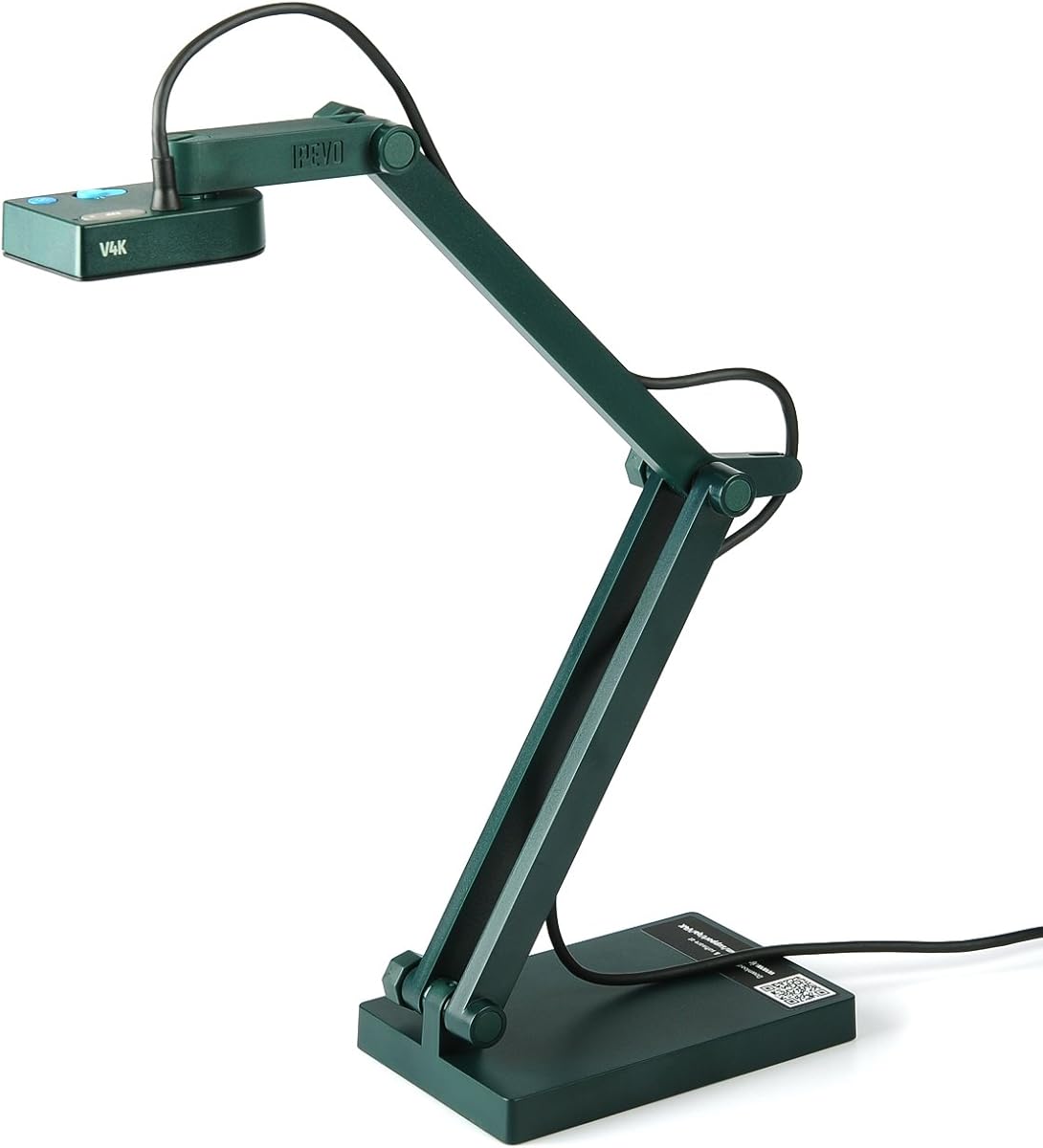
The IPEVO V4K is an 8MP USB document camera built for teachers who regularly place worksheets, maps, photographs, and small objects beneath a camera. It carries a 4.5 rating and stands out for a combination of detailed image capture, responsive focusing, and broad support for Mac, Windows, and Chromebook environments. Its 3264 × 2448 maximum resolution gives it more room for fine text than a basic classroom webcam.
We may earn a commission when you buy through this link, at no additional cost to you.
Image quality is supported by a Sony CMOS sensor and a fast focusing system designed to reduce delays when the teacher changes materials. The camera can stream at up to 30fps at 1920 × 1080 for live demonstrations and conferencing, while its maximum resolution reaches 3264 × 2448. A maximum shooting area of 13.46 × 10.04 inches provides enough space for common classroom pages and compact teaching aids.
Its main limitation is that it relies on a wired USB connection to a computer. That makes it less flexible when an instructor wants to move around the room or connect directly to a television or projector without a computer. The multi-jointed stand and approximately 13.46 × 10.04-inch coverage area also require deliberate placement to keep a full page visible without distortion.
Despite those constraints, the V4K is an excellent all-around choice for conventional classrooms, hybrid lessons, and distance teaching. It is especially attractive for educators who prioritize document clarity and smooth live video over wireless freedom. Users should confirm that their computer meets the listed system requirements and that their preferred conferencing or classroom application recognizes a USB camera.
The 8MP sensor can preserve fine features in worksheets, diagrams, and handwritten notes. Its 3264 × 2448 maximum resolution is particularly useful when a document contains small print that would become difficult to decipher in a low-resolution video feed.
Compatibility with Mac, Windows, and Chromebook systems makes the camera flexible for mixed-device schools. Its 30fps full HD mode also suits live demonstrations, remote lessons, and web conferencing applications where visible lag would interrupt instruction.
We may earn a commission when you buy through this link, at no additional cost to you.
The Apollo Horizon 2 is a traditional overhead projector with a 2000-lumen output, a 10 × 10-inch stage, and an open-head LCD design. Its 4.2 rating reflects the appeal of a direct, familiar teaching format: the teacher places a transparent page, map, worksheet, or three-dimensional object on the illuminated surface and projects it onto a wall or screen.
We may earn a commission when you buy through this link, at no additional cost to you.
Unlike a small desktop visualiser, the Apollo offers a generous physical stage for material that would otherwise be too large or too delicate to place beneath a compact camera arm. VGA and USB connectivity provide ways to connect it to classroom presentation equipment, while the stated 2000-lumen output gives the unit enough output for ordinary instructional viewing.
The trade-off is physical size and the age of the projection format. An overhead projector needs a stable surface and a clear path between the stage, mirror, and projection screen. It may also demand more attention to alignment than a small digital camera, and the supplied product information provides fewer details about modern video standards, software, or classroom controls.
The Horizon 2 makes most sense for schools seeking an uncomplicated way to teach with transparent documents, transparencies, diagrams, and physical objects. It can complement a modern digital classroom, but it is not the flexible choice for teachers who regularly annotate digitally, move around the room, or present through web conferencing software.
The 10 × 10-inch illuminated area gives teachers room to position full-sized teaching materials. This is useful for maps, tracing exercises, transparencies, and objects that need to be viewed from a larger distance.
An open-head overhead format makes the document visible to the instructor and easy for students to understand. VGA and USB ports offer practical wired options for integrating the unit with existing classroom display systems.
We may earn a commission when you buy through this link, at no additional cost to you.
The IPEVO VZ-X is the most versatile document camera in this group, with Wi-Fi, HDMI, and USB connectivity, an 8MP sensor, and a 4.6 rating. It is designed for teachers who need to move between a computer, a mobile device, a television, a projector, or a conferencing setup without being restricted to one fixed connection method.
We may earn a commission when you buy through this link, at no additional cost to you.
In Wi-Fi and HDMI modes, the camera captures at 1920 × 1080 and records video at 30fps. USB mode raises image capture to nearly 4K resolution at 3264 × 2448, while an Ambarella processor supports faster focusing, noise reduction, and color reproduction. A built-in LED illuminates the document, and the advertised maximum viewing area accommodates both 16:9 and 4:3 layouts.
Its flexibility comes with a few qualifications. Output resolution changes according to the selected mode, and a teacher must account for that when planning detailed demonstrations. Wireless operation also depends on the surrounding environment, while direct camera buttons provide useful control without returning to a computer. The swiveling head, multi-jointed stand, and compact footprint help mitigate the usual bulk of a visualizer.
The VZ-X is the strongest recommendation for mobile teaching, wireless lessons, and classrooms that want a visualizer capable of serving multiple device ecosystems. Its claimed 33-foot wireless range allows the teacher to capture materials around the room, while the 9-to-12-hour battery supports a full class or presentation. It is worth considering when wireless adaptability is a top priority.
Wi-Fi, HDMI, and USB modes let the instructor choose the most appropriate route for the available equipment. This is particularly valuable in schools where a single visualizer may support a computer cart, a mobile device, and a fixed classroom display.
The stated 33-foot wireless range and 9-to-12-hour battery life are meaningful advantages during a full teaching day. The swiveling head and adjustable stand also help the teacher capture objects from different angles without constantly moving the entire unit.
We may earn a commission when you buy through this link, at no additional cost to you.
The THUSTAR 8MP Document Camera is a value-oriented visualizer designed for everyday classroom demonstrations, remote teaching, and online meetings. Its 4.4 rating reflects a useful combination of 8MP output, 30fps live video, three lighting levels, and broad platform support. It can function as both a document camera and a webcam for teachers who need a simple all-in-one presentation tool.
We may earn a commission when you buy through this link, at no additional cost to you.
A 14-lamp ring with three brightness levels helps teachers compensate for dim rooms, bright spaces, and reflective pages. Manual brightness buttons provide additional control, while a one-press focus function is designed to keep moving objects from producing distracting focus shifts. Its maximum covering area reaches 16.5 × 11.6 inches, enough for A3-sized paper, and the articulated support can be adjusted for two- and three-dimensional subjects.
The camera uses a wired USB connection, so it does not offer the placement freedom of the IPEVO VZ-X. Its stated 2448P output and 30fps rate should be considered alongside the 8MP sensor, because effective document clarity also depends on lighting, focus, and how the image is delivered. The nearest stated macro distance is 3.94 inches, so very tiny specimens are not the primary use case.
This model is a compelling choice for budget-conscious educators who want more than a basic webcam and who teach on Windows, macOS, or Chrome OS. The dual microphones add value during hybrid lessons, while manual image inversion is useful when text needs to be shown in a normal orientation. It is best suited to teachers who can keep the camera connected to a nearby computer.
Three selectable LED levels and separate brightness controls make it easier to handle dim lecture rooms, bright classrooms, and reflective paper. This flexibility is valuable because document contrast can deteriorate even when the camera sensor itself is capable.
The dual microphones support clearer spoken communication in online lessons, while the foldable construction simplifies storage between rooms. Plug-and-play support for major platforms reduces setup friction for teachers with limited technical support.
We may earn a commission when you buy through this link, at no additional cost to you.
The INSWAN INS-2 is a 13MP visualizer aimed at professional educators, art instructors, and presenters who need to show large documents, artwork, and two-page spreads. It holds a 4.4 rating and supports 3840 × 2160 video at 30fps, placing it among the most detailed document cameras featured here.
We may earn a commission when you buy through this link, at no additional cost to you.
Its flexible multi-joint arm supports A3-size material, while the built-in LED, anti-glare sheet, dual-mode autofocus, brightness control, and macro capability help the teacher manage common presentation challenges. The included Documate software adds zoom, annotation, recording, scanning, whiteboard tools, and optical character recognition, giving the camera more utility beyond basic image capture.
Plug-and-play UVC operation is listed for multiple Windows versions, recent Mac systems, compatible USB-C iPads, and Chromebooks, with support for popular conferencing platforms. However, the operating-system and port requirements matter, particularly for older classroom devices. Software also needs to be obtained separately rather than functioning entirely through built-in controls.
The INS-2 is a strong choice for art instruction, technical demonstrations, large-format reading, and workshops where fine visual detail matters. It is less compelling for a teacher who only needs a basic camera or who cannot meet the stated platform requirements. Its combination of 4K output, broad capture space, and teaching software makes it a specialized but capable classroom tool.
The 13MP sensor and 3840 × 2160 at 30fps output preserve fine lines, small annotations, and subtle color differences. These characteristics are particularly useful for artwork, diagrams, and dense pages viewed on a large display.
Documate provides annotation, zoom, recording, scanning, whiteboard features, and OCR. Those functions can turn the visualizer into a broader teaching platform, although users should confirm that the available software works smoothly with their chosen computer and display arrangement.
We may earn a commission when you buy through this link, at no additional cost to you.
The Lumens DC166 is an SXGA document camera projector with 6× optical zoom, manual zoom, and 8× digital magnification. Its 3.6 rating is the lowest among the listed products, but the optical zoom gives it a specialized advantage when an instructor needs to inspect small components, specimens, circuit details, or fine sections of a document.
We may earn a commission when you buy through this link, at no additional cost to you.
The camera supports several resolution classes and includes one-touch video recording and playback. Internal memory can hold 120 JPEG images, while an SD card slot accepts cards up to 32GB. Compatibility with interactive whiteboards makes it suitable for institutions that already use those displays as part of their teaching workflow.
The main concerns are its comparatively modest rating and a specification sheet that focuses on an older visualizer feature set. There is no mention of modern wireless connectivity, built-in lighting, current video conferencing integration, or a broad plug-and-play device list. A buyer may therefore need to verify cable support, display adapters, and software behavior before purchase.
The DC166 is most appropriate for teachers and technical trainers who specifically value optical magnification and physical recording controls. It can also suit an established interactive-whiteboard classroom. For a new mobile or hybrid teaching setup, one of the newer 8MP or 4K visualizers may offer more current connectivity, though the Lumens remains compelling when magnification is the priority.
The 6× optical zoom is more useful than digital magnification when a teacher needs to enlarge a genuinely small object without relying entirely on cropping. It is useful for science specimens, repair demonstrations, coin collections, and detailed craft work.
One-touch recording, playback, 120-image internal memory, and an SD card slot support repeated classroom use. The SD capacity adds a practical way to retain images and recordings beyond the camera's built-in storage.
We may earn a commission when you buy through this link, at no additional cost to you.
The Epson PowerLite 118 is a 4:3 LCD projector with a 4.9 rating, making it one of the strongest-rated products in the guide. It is designed to project prepared slides, documents, and video from a computer, making it a useful classroom display partner even though it does not perform the live physical-document capture offered by the visualizers.
We may earn a commission when you buy through this link, at no additional cost to you.
Its 3LCD technology produces vibrant images, and the projector includes a built-in speaker for presentations that include audio. HDMI transfers video and sound through one connection, while the moderator function can connect up to 50 users simultaneously. The stated 17,000-hour lamp life also suits a school environment where the unit may operate throughout the academic year.
Because this is a conventional projector rather than a document camera, it cannot independently capture a worksheet, handwritten note, or physical object as a live visualiser does. Its native 4:3 ratio is familiar for many lesson materials but may leave unused space or require scaling with widescreen computer content. The product information also does not state its brightness, so buyers with bright rooms should verify classroom visibility before purchasing.
The PowerLite 118 is a strong choice for teachers who want a dedicated, ceiling-mountable projector for presentations and media. It can be paired with a separate visualizer when live document capture is required. Its high rating, straightforward connections, built-in audio, and long lamp-life claim make it a practical option for a permanent classroom installation.
The projector is best suited to computer-based slides, videos, and digital worksheets. A single HDMI connection carries both image and sound, reducing cable complexity in a busy teaching space.
A 17,000-hour stated lamp life and ceiling-mount compatibility align with permanent school use. The built-in speaker and 50-user moderator function further support lessons that involve media and multiple connected participants.
We may earn a commission when you buy through this link, at no additional cost to you.
The DLP Business Projector is a 3300-lumen unit designed for offices, classrooms, meeting rooms, and training spaces. Its 5.0 rating is the highest numerical score in this list, although that figure should be understood as an aggregate user rating rather than a guarantee of performance in every installation.
We may earn a commission when you buy through this link, at no additional cost to you.
Built-in DLP technology is presented as a way to achieve natural color and improved contrast for teaching materials, charts, slides, and professional presentations. The 3300-lumen output makes it suitable for larger display sizes and rooms where some ambient light remains. A fast-startup design is intended to reduce delays before lessons, meetings, or training sessions.
The product information is less detailed than that of several other entries. It specifies a wired connection approach but does not list exact port types, native resolution, throw ratio, or lamp life. It also cannot serve as a document camera, so a live worksheet or three-dimensional object would still require a separate visualizer. Ceiling mounting and remote-control features should be confirmed with the seller if they are important to the installation.
This projector is a good match for educators who mainly display digital content and need a bright, straightforward unit for daily use. Its stated simplicity makes it appealing to schools wanting a projector that can be started and connected without a complicated configuration process. For live teaching demonstrations, pair it with a compatible document camera rather than expecting it to capture physical materials itself.
A 3300-lumen output is intended to keep slides, charts, and documents visible in rooms that are not completely dark. This is particularly useful for daytime instruction and flexible spaces where lights may remain on.
Quick startup and wired operation can streamline transitions between classes or meetings. Teachers who value uncomplicated controls will find the design easier to manage than a projector with a broad configuration menu.
We may earn a commission when you buy through this link, at no additional cost to you.
The Epson PowerLite E20 is a white 4:3 LCD projector designed for flexible placement and traditional classroom content. Its 4.8 rating reflects a strong user reception, while 3LCD technology promises vibrant, true-to-life images for slides, diagrams, and everyday instructional media.
We may earn a commission when you buy through this link, at no additional cost to you.
The projector includes a 5-watt speaker and HDMI connectivity that carries video and audio through a single cable. A stated 12,000-hour lamp life supports regular use, and the flexible construction allows display from virtually anywhere. The white finish is a practical aesthetic choice for many modern classrooms, particularly where the unit is mounted permanently or placed against light-colored walls.
Its 4:3 native format is well suited to older presentation templates and many school worksheets, though it is less efficient for modern 16:9 content. The shorter lamp-life figure than the Epson PowerLite 118 may matter in an intensely used room. Like the other conventional projectors here, it cannot capture physical documents or objects on its own.
The E20 is a well-rounded choice for a school that wants dependable projection, built-in sound, and flexible installation. It is especially attractive for teachers presenting digital lesson plans or media in a permanent classroom. A separate visualizer remains necessary for live demonstrations of printed pages, student work, and hands-on objects.
The 3LCD imaging system is designed to produce vibrant, true-to-life visuals. That makes the projector suitable for charts, reference images, and color-based teaching content shown in a typical classroom environment.
The flexible construction and ceiling-mount capability allow schools to position the projector according to room layout. A 5-watt built-in speaker and single-cable HDMI audio reduce the need for separate classroom speakers during simpler presentations.
We may earn a commission when you buy through this link, at no additional cost to you.
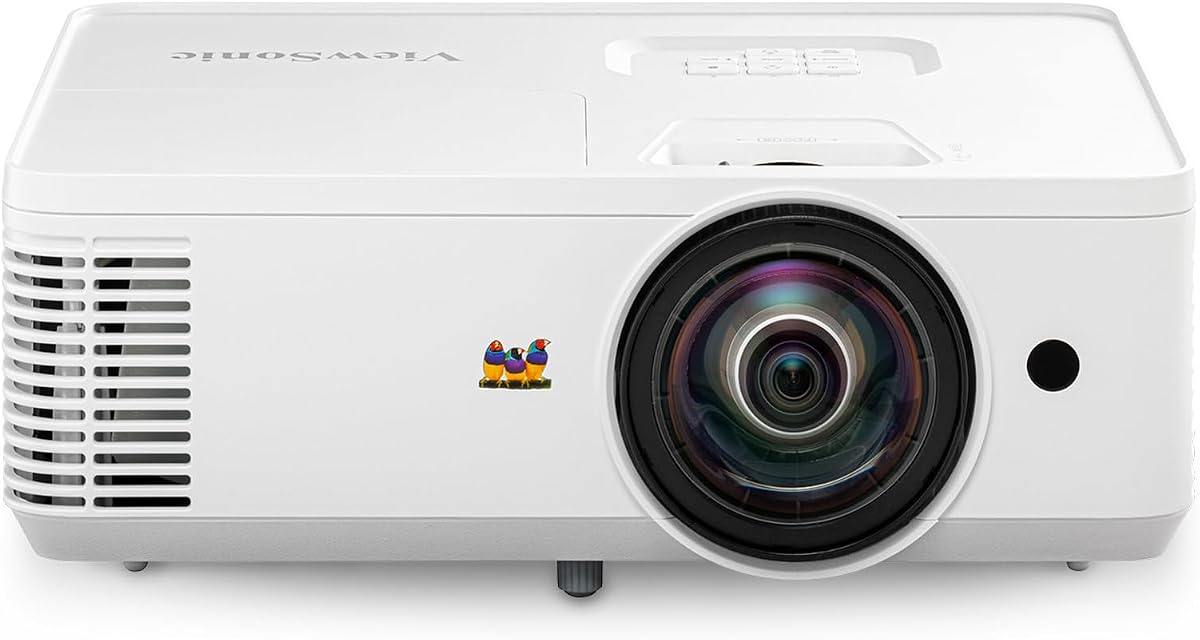
The ViewSonic PS502W is a WXGA short-throw projector with 4000 ANSI lumens, dual HDMI connectivity, and a 4.4 rating. It is built for classrooms and small meeting rooms where floor space is limited but a large projected image is still required.
We may earn a commission when you buy through this link, at no additional cost to you.
Its 0.5 throw ratio allows a 100-inch image from only 4.5 feet away, and the stated maximum image size reaches 150 inches. This short-throw capability can reduce the shadow and obstruction problems associated with placing a traditional projector near the screen. The 4000 ANSI lumens are intended to maintain clarity in moderate ambient light, including daytime sessions.
The native 1280 × 800 WXGA resolution is lower than full HD, so the projector is best suited to content whose text and graphics remain legible at that resolution. It also cannot capture live documents as a visualizer. Vertical auto-keystone correction, digital zoom, and instant power controls simplify setup, while support for table or ceiling mounting gives the school installation options.
The PS502W is an excellent choice for small rooms that need an unusually large projected image without placing the projector far from the screen. Its brightness makes it suitable for lessons where some ambient light is unavoidable. Schools should compare the WXGA resolution against their existing content, but for space-constrained classrooms the short throw ratio and high lumen output are compelling advantages.
The 0.5 throw ratio creates a large image without requiring the projector to sit far back from the screen. This can make better use of compact rooms and help keep the device out of students' direct line of sight.
The 4000 ANSI-lumen output supports presentations in rooms with moderate ambient lighting. Automatic vertical keystone correction, digital zoom, and instant power functions reduce the work required to prepare the display each day.
We may earn a commission when you buy through this link, at no additional cost to you.
The most useful classroom projector depends on whether you need live document capture, a large digital display, or a traditional overhead projection system. Evaluate the teaching format, room conditions, connected devices, and required image detail before comparing models.
A document camera is a specialized visualizer that captures physical material and sends that image to a computer, display, or conferencing application. It is the right choice for showing handwritten work, printed pages, small specimens, experiments, and three-dimensional objects. A conventional projector, by contrast, displays prepared digital slides, videos, and documents from a connected computer but does not independently capture a physical page. The products in this guide intentionally include both categories because schools may need one or the other, or a visualizer paired with a dedicated projector.
Resolution determines how much fine detail the system can preserve. The IPEVO V4K offers an 8MP sensor and up to 3264 × 2448 capture, the INSWAN INS-2 supports 3840 × 2160 at 30fps, and the ViewSonic PS502W projects at 1280 × 800. Higher figures are not automatically better for every lesson, but they are valuable when students must read small type, inspect diagrams, or examine artwork. Effective clarity also depends on lighting, focus, optical design, display size, and the application used to process the image.
Classroom lighting can wash out both live camera images and projected content. Visualizers therefore benefit from a built-in LED or ring lamp with adjustable brightness. The THUSTAR offers three levels and separate brightness controls, while the IPEVO VZ-X and INSWAN INS-2 also include built-in illumination. For conventional projectors, output expressed in lumens becomes important: the ViewSonic PS502W lists 4000 ANSI lumens, the DLP Business Projector lists 3300 lumens, and the Apollo Horizon 2 lists 2000 lumens. Darkening blinds can improve every option.
A USB visualizer offers the simplest computer-based workflow, but it ties the camera to a cable and a nearby machine. The IPEVO VZ-X broadens the options with Wi-Fi, HDMI, and USB, allowing it to work with computers, mobile devices, Apple TV, projectors, televisions, and monitors. Most visualizers in this guide support standard meeting applications, including Zoom, Microsoft Teams, and Google Meet, but compatibility should be confirmed. A projector also needs the correct video connection, and schools should account for adapters when using newer USB-C computers.
The camera's maximum viewing area determines the size of material that can appear in a single frame. The INSWAN INS-2 and THUSTAR 8MP Document Camera cover A3-sized sheets, while the IPEVO V4K provides a 13.46 × 10.04-inch shooting area. Magnification matters for small objects: the Lumens DC166 includes 6× optical zoom and 8× digital zoom, and the INSWAN can focus as close as 3.9 inches. Consider both size and minimum focus distance, especially for art, science, repair, or specimen demonstrations.
Basic image capture is only part of a visualizer's teaching utility. Annotation allows a teacher to point out a sentence, circle a diagram, or mark a calculation without writing directly on the original page. The INSWAN INS-2 includes Documate with zoom, annotation, video recording, scanning, whiteboard tools, and OCR. Other cameras rely on operating-system or conferencing-platform tools, so the depth of annotation varies. Teachers who routinely annotate should check whether the required functions are built in, included separately, or available in the software they already use.
Hybrid and remote lessons add an audio requirement to visual selection. The THUSTAR includes dual microphones to reduce noise and improve spoken quality, and the INSWAN INS-2 includes a built-in microphone. The Epson projectors have built-in speakers, with the PowerLite 118 supporting audio over HDMI and the E20 including a 5-watt speaker. A document camera microphone does not automatically replace a room microphone, so teachers should consider student participation, microphone direction, and the distance between the teacher and device.
Portable visualizers suit teachers who move between rooms, while fixed installations favor ceiling mounting, stable positioning, and tidy cable management. The THUSTAR folds into a compact shape, the IPEVO VZ-X has a small footprint and a rechargeable battery, and the IPEVO V4K uses an adjustable multi-jointed stand. The Epson 118 and E20 are ceiling-mountable, while the ViewSonic PS502W supports table or ceiling mounting and has a compact short-throw design. Evaluate storage, charging, cables, and wall access before choosing a permanent arrangement.
Begin with a stable, clean workspace and connect the document camera or projector before class. For a visualizer, raise the arm gradually, center the page beneath the lens, and adjust the camera height until the entire teaching area fits without stretching or perspective distortion. Turn on the LED or room lights so the document has sufficient contrast, then use the focus controls to sharpen text before opening a meeting application or beginning a recording.
For live teaching, open the camera feed in your preferred application and check framing, brightness, orientation, and audio before students join. Test the document with several materials, including white paper, handwritten notes, and reflective photographs. If a visualizer supports manual image inversion, use it when the feed appears reversed. For a conventional projector, select the correct computer input, use keystone correction to square the image, and connect audio through the documented port when required.
Care for the device by switching it off normally rather than interrupting power during startup or shutdown. Keep the lens and camera head clean with a dry, soft cloth, and avoid liquid cleaners unless the manufacturer specifically permits them. Loosen joints only enough to change the viewing angle, and retighten them after repeated adjustments. Store portable visualizers in their cases, protect projector vents from dust, and leave adequate space around projectors so heat can dissipate.
No. A document camera captures a physical page, object, or demonstration and sends a live image to a computer or display. A classroom projector generally displays content from a connected computer, such as slides, videos, and digital documents. Teachers who need both functions can use a document camera with a separate projector.
Resolution, focus, lighting, and magnification all affect small-text visibility. The INSWAN INS-2 offers 4K at 30fps with a 13MP sensor, while the IPEVO V4K provides 8MP capture at up to 3264 × 2448. The Lumens DC166 may also appeal to teachers who need 6× optical magnification of especially small subjects.
Many document cameras in this guide are designed to work with popular conferencing applications, but compatibility should be confirmed for the exact computer, operating system, and application version. USB plug-and-play models are generally straightforward, while wireless devices may require an initial setup or network configuration.
USB usually provides a direct wired connection to a computer and may offer a higher maximum capture resolution. Wireless mode allows more freedom and can connect to mobile devices or displays without a cable, but output resolution and connection behavior can differ. The IPEVO VZ-X supports both approaches as well as HDMI.
Not necessarily. A document camera can send its live image to a compatible television, interactive whiteboard, monitor, or projector. The important factors are the available connection ports, supported resolution, and whether the display and classroom software recognize the camera as a video input.
Lighting requirements depend on the camera, room, and material being displayed. Built-in LEDs can reveal detail in dim rooms, while excessive brightness may wash out a white page or create reflections on glossy photographs. Adjustable lighting, blinds, and moderate room illumination usually provide the most balanced result.
Yes. A short-throw projector can create a large image from a shorter distance, making it useful in rooms where a conventional projector would need to sit far back or where ceiling space is limited. The ViewSonic PS502W is designed for this use, with a 0.5 throw ratio and support for large display sizes.
Check the camera's connection method, computer and operating-system requirements, conferencing application support, capture area, focus range, lighting controls, annotation software, and warranty process. Test the complete setup with the actual classroom devices and the documents teachers most often present before purchasing in volume.
The IPEVO V4K is the strongest all-around visualizer for teachers who want detailed 8MP capture, smooth full HD streaming, fast focusing, and broad computer compatibility. The THUSTAR 8MP Document Camera stands out as the practical budget choice, combining useful lighting controls, image inversion, dual microphones, and broad platform support. For maximum flexibility, the IPEVO VZ-X offers Wi-Fi, HDMI, and USB, along with a long battery life and a generous wireless range.
The remaining products serve more specialized roles. The INSWAN INS-2 prioritizes 4K detail, A3 coverage, and teaching software, while the Lumens DC166 centers on optical magnification and interactive-whiteboard use. Among conventional projectors, the Epson PowerLite 118 offers a strong rating and long lamp-life claim, the DLP Business Projector emphasizes 3300-lumen brightness and quick startup, the Epson PowerLite E20 offers flexible white-room installation, and the ViewSonic PS502W serves space-constrained rooms with short-throw projection.
Before making a final decision, match the device to the lesson rather than the category name. Teachers should verify the material they display, room lighting, available ports, conferencing software, desired capture size, and placement needs. Current prices, promotions, availability, and compatibility details can change, so checking the latest listing and manufacturer guidance before purchasing is essential.


