
UGREEN DXP4800 Plus
4.6Editor score
10GbE high-speed connectivity
Docker and virtual machine support
Storage capacity up to 144TB
Four-bay flexible expansion
A NAS for small business centralizes files, automates backups, supports team access, and keeps important data available outside scattered cloud accounts and external drives. The right system depends on storage capacity, performance, security, app support, and how many employees need simultaneous access.
This guide compares eight multi-bay NAS systems and two NAS-ready hard drives using the supplied specifications, including processor capabilities, networking, expansion options, protection features, surveillance support, and ease of use. It also highlights important distinctions between entry-level, advanced, and business-oriented models.
Each pick reveals where that product fits best, from straightforward private storage to high-speed workflows for creators and small offices. Ratings reflect the supplied customer feedback, while configurations and current prices can change, so buyers should verify compatibility and deal terms before ordering.
4.6Editor score

4.7Editor score

4.5Editor score
As an Amazon Associate we earn from qualifying purchases.
This side-by-side comparison covers complete NAS enclosures and two drive options, showing how capacity, networking, applications, protection, and expansion support vary across the shortlist.




The UGREEN NAS DH2300 is an approachable two-bay NAS for small teams and owners who want centralized storage without a complex installation. Its supplied rating is 4.5, and its strongest qualities are accessible setup, broad device support, automatic backup features, and a clear path to keeping valuable files on locally owned hardware.
We may earn a commission when you buy through this link, at no additional cost to you.
The enclosure supports storage drives up to 64TB when compatible drives are installed in the advertised configuration. Automatic backups cover Windows, iOS, Android, and macOS devices, while the 1GbE port and four gigabytes of onboard memory suit routine document storage, phone backups, and shared media. AI tools can identify faces, locations, text, and objects, and the system can detect similar or duplicate photographs.
The trade-offs are important for buyers comparing it with business-oriented alternatives. It does not support Docker, virtual machines, or SAN Manager, while its single 1GbE port is much slower than the multi-gigabit and 10GbE options elsewhere in this list. The manufacturer also explicitly describes the model as an entry-level consumer device rather than a solution for critical server applications.
It is a sensible choice for a microbusiness that primarily needs shared files, routine backups, photo organization, and a private alternative to scattered external storage. Buyers should choose it for simplicity rather than heavy application hosting, and they will need compatible HDDs or SSDs to create a complete working system.
Keeping documents, photographs, and media on a locally accessible NAS gives employees a shared destination while reducing the need to distribute multiple external drives. The included permission and security features help separate access by user while preserving a straightforward private-cloud experience.
Automatic phone, tablet, and computer backups are especially useful for teams that regularly add new files. Cross-platform support means employees can contribute files without adopting one operating system, although organizations should still test their preferred backup workflow before relying on it.
We may earn a commission when you buy through this link, at no additional cost to you.
The UGREEN NAS DXP2800 is a well-balanced upgrade for remote workers, creators, and small offices that need more application support than an entry-level enclosure. Its supplied rating is 4.6, while the Intel N100 processor, eight gigabytes of DDR5 memory, and 2.5GbE networking create a capable platform for daily storage and light creative workloads.
We may earn a commission when you buy through this link, at no additional cost to you.
Two M.2 NVMe slots allow compatible SSD caching or other storage use, while the two HDD bays hold larger-capacity drives. The system supports Docker, virtual machines, and compatible Plex media-server applications. AI photo functions recognize people, objects, scenes, and locations, and compatible network cameras can be managed through local surveillance tools.
Its limitation is expansion. A four-bay model may be more practical when a business expects to add personnel, camera recordings, or multiple data sets. The DXP2800 also remains diskless, and Plex cannot be run directly without Docker, so buyers need to account for both media costs and setup requirements.
This is a strong choice for a growing creative practice or home office that needs a compact, capable two-bay system. It offers a stronger application environment and faster networking than the DH2300 without moving to the full size and complexity of a four-bay professional platform.
Docker and virtual machine support make this enclosure more versatile than a basic file server. Remote workers and creators can use that flexibility for compatible media, productivity, and development workflows while keeping primary data on locally managed storage.
The 2.5GbE connection improves large-file responsiveness compared with a basic gigabit NAS, while two NVMe slots give buyers more ways to structure active storage. Actual performance still depends on the installed drives, network equipment, file sizes, and workload.
We may earn a commission when you buy through this link, at no additional cost to you.
The Synology DS725+ is a two-bay NAS designed for home and small-business use with a particularly clear expansion path. Its supplied rating is 4.1, but the system's appeal lies in RAID redundancy, automated backups, snapshot technology, private-cloud access, and support for business-oriented surveillance workflows.
We may earn a commission when you buy through this link, at no additional cost to you.
Adding a DX525 expansion unit introduces five additional drive bays and allows the installation to scale to 140TB. The listed protection features work together rather than relying only on drive redundancy, helping address accidental deletion, malware, and other data-loss scenarios. The surveillance platform can manage up to 30 IP cameras with motion detection and secure remote access.
Compared with the UGREEN models in this guide, the Synology emphasizes a more managed ecosystem and conventional business storage path. That does not make it universally better: the lower supplied rating may reflect buyer experience, and expansion hardware, camera licenses, and other ecosystem requirements should be considered before installation.
Choose the DS725+ when a business wants to begin with two drives but expects its data footprint to grow. It is especially appropriate for teams that value snapshots, structured expansion, and centralized surveillance over the NVMe flexibility offered by some competing enclosures.
The DS725+ lets a small organization purchase only the storage it needs initially and add capacity later. That makes it useful for businesses whose projects, client archives, and camera retention requirements are likely to change over time.
RAID redundancy addresses drive failure, while automated backups and snapshots help protect against deletions and other logical problems. A layered approach is more appropriate for business files than treating RAID alone as a complete backup strategy.
We may earn a commission when you buy through this link, at no additional cost to you.
The WD Red Plus 4TB is a NAS-oriented hard drive rather than a complete network storage appliance. Its supplied rating is 4.2, and it offers a moderate four-terabyte capacity point for small-business documents, shared media, backups, and lightly used camera archives when installed in a compatible multi-bay NAS.
We may earn a commission when you buy through this link, at no additional cost to you.
The drive uses CMR recording, a 128MB cache, SATA 6 Gb/s connectivity, and a 5400 RPM spindle speed. It is designed for RAID-optimized NAS systems with as many as eight bays and is tuned for continuous operation through NASware, making it a more specialized option than a standard desktop hard drive.
Buyers must not mistake it for an all-in-one business server. It does not provide file sharing, snapshots, remote access, RAID management, surveillance software, or network hardware. Its performance also remains modest for heavily concurrent workloads, and it may be less compelling when a comparable SSD-based configuration better matches the task.
This drive is most useful for filling a two-bay NAS with a balanced capacity point, or supplementing a larger enclosure. It is a good fit for a small office that values familiar hard-drive economics and continuous-operation design over maximum transfer speed.
Two matched four-terabyte drives can provide useful shared capacity in a common small-business configuration. Buyers should confirm the NAS compatibility list and choose a protection scheme that matches their tolerance for redundancy and rebuild time.
NAS-aware firmware and continuous-operation design distinguish this drive from general-purpose desktop storage. Those characteristics suit regular file serving and backup duties, though they do not replace application-level protection or an independent backup copy.
We may earn a commission when you buy through this link, at no additional cost to you.
The UGREEN DXP4800 Plus is a versatile four-bay NAS for small offices, creative teams, and households that are quickly outgrowing basic file sharing. Its supplied rating is 4.6, and the combination of 10GbE networking, 10Gbps USB ports, Docker, virtual machines, and flexible RAID options makes it especially attractive for speed-conscious workflows.
We may earn a commission when you buy through this link, at no additional cost to you.
The system can support up to 144TB in the advertised configuration and provides centralized storage, automatic backups, remote access, and team file sharing. It works across Windows, macOS, Linux, iOS, Android, web browsers, and compatible smart TVs. An AI photo album can identify faces, scenes, objects, and locations while detecting duplicate images.
The primary trade-off is that this remains a diskless enclosure, so compatible drives must be purchased separately. It supports wired Ethernet rather than built-in Wi-Fi, and Plex runs through Docker with manual setup. High-speed performance also depends on having suitably equipped clients, switches, storage, and workloads that can use the available bandwidth.
For a small business that wants room to grow without moving to a larger chassis, the DXP4800 Plus is among the strongest choices here. It is particularly appropriate for designers, video teams, and offices repeatedly moving large project files or maintaining fast local backups.
A 10GbE port can make a noticeable difference when transferring large media, archives, and virtual machine images. The benefit appears only when the rest of the path supports it, including the switch, client adapter, drive configuration, and individual file workflow.
Docker and virtual machine support let buyers consolidate storage and compatible services instead of running everything on separate machines. This makes the enclosure more useful for a growing office, provided the team has the time and expertise to maintain the applications it deploys.
We may earn a commission when you buy through this link, at no additional cost to you.
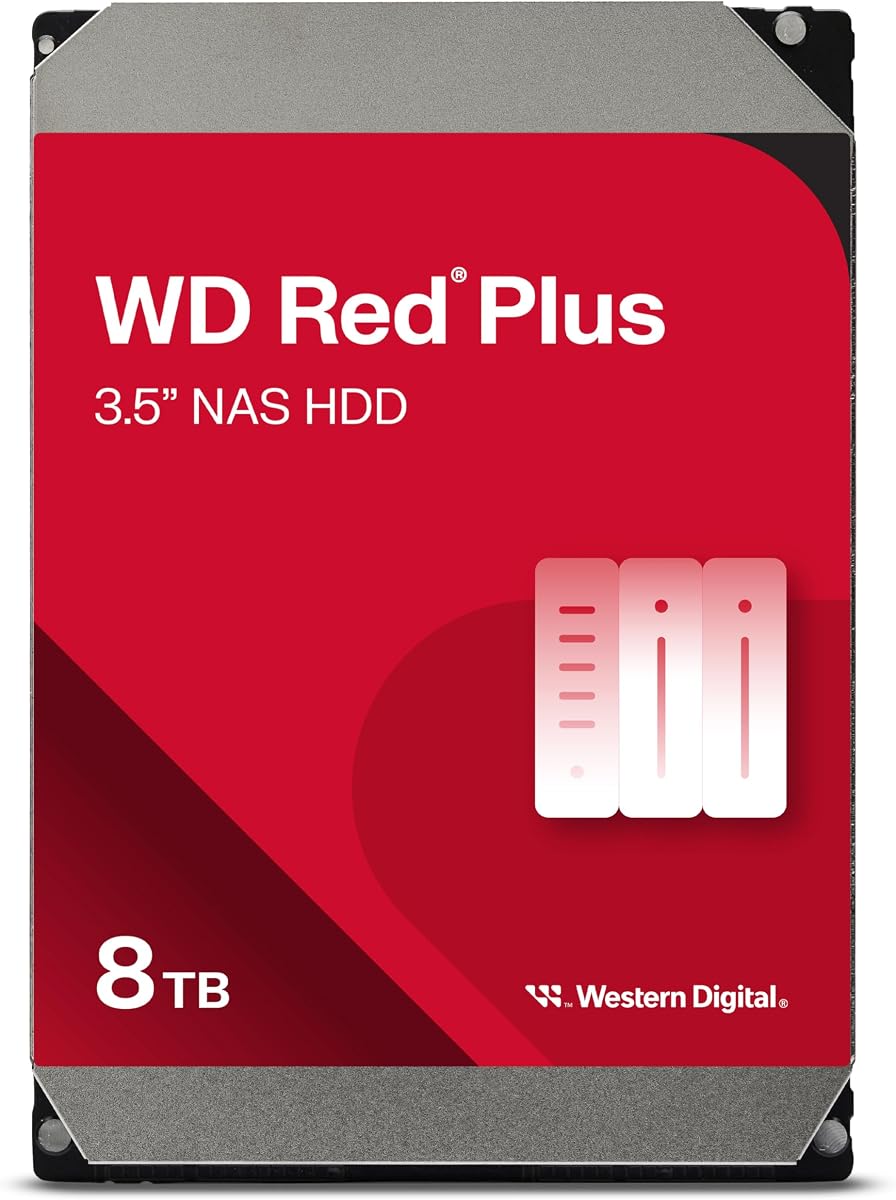
The WD Red Plus 8TB provides a higher-capacity hard-drive option for small businesses with growing archives, project libraries, and camera retention needs. Its supplied rating is 4.2, while its 5640 RPM speed, CMR recording technology, and 256MB cache offer a more active mechanical profile than the four-terabyte option.
We may earn a commission when you buy through this link, at no additional cost to you.
The drive is specified for small or medium business NAS systems operating around the clock and carries a workload rate of up to 180TB per year. NASware firmware supports compatibility, and the stated availability range includes multiple capacities. As with the other drive in this list, it is an internal component rather than a complete NAS.
Its main drawback is that mechanical storage is not a substitute for NVMe speed in active databases, virtual environments, or frequently edited media. A business must also account for noise, heat, power consumption, and backup responsibilities. Capacity calculations should recognize that usable RAID volume space is lower than the sum of raw drive capacities.
This is a compelling drive for organizations that value retention and capacity per installed device more than minimal latency. It can populate a four-bay enclosure, serve as part of a multi-bay storage pool, or deliver a practical starting point for a two-bay system.
Eight terabytes per drive gives a small office more room for historical records, large media collections, and camera footage. It is especially useful where a business wants a straightforward capacity increase without immediately moving to a larger or more complex enclosure.
The continuous-operation design, NASware firmware, and stated workload rating target regular business use. Buyers should still verify that the drive appears on the chosen NAS compatibility list and plan an independent backup for irreplaceable information.
We may earn a commission when you buy through this link, at no additional cost to you.
The Synology DS423 is a four-bay NAS designed around secure file sharing, business backup, photo management, and video surveillance. Its supplied rating is 4.4, and the system is a practical fit for a small business that wants a managed private cloud rather than a highly customizable application server.
We may earn a commission when you buy through this link, at no additional cost to you.
Team folders and granular permissions support controlled collaboration, while multi-destination backup, versioned files, and immutable snapshots help protect documents from malware and accidental changes. The Photo Vault provides another route into media organization, and the surveillance platform can support up to 30 IP cameras with monitoring, archiving, and analysis features.
Camera use requires separately purchased licenses, which should be included in the total ownership calculation. Detailed processor, memory, and networking specifications are not included in the supplied product data, so buyers should not assume capabilities beyond the listed functions. Like every diskless NAS in this list, it also needs compatible storage installed.
Choose the DS423 for teams that prioritize straightforward backups, shared folders, and a polished integrated management experience. It is especially compelling for small organizations that want modern collaboration and surveillance tools without requiring every employee to maintain complex application containers.
Immutable snapshots, versioned files, and multi-destination strategies address different recovery needs. This layered approach helps a business recover without allowing ransomware or accidental edits to compromise every available copy at once.
Local team folders and permission controls provide a more structured shared workspace than unmanaged external media. A defined account model also makes it easier to review who can access sensitive client, financial, or operational documents.
We may earn a commission when you buy through this link, at no additional cost to you.
The UGREEN DXP4800 GT is a high-performance four-bay NAS aimed at creators, technical users, and office teams that want to run more demanding services on their storage platform. Its supplied rating is 4.6, and the AMD Ryzen Embedded R2514 processor, dual 10GbE networking, expandable memory, and extensive app support set it apart from conventional file servers.
We may earn a commission when you buy through this link, at no additional cost to you.
The processor provides four cores and eight threads with speeds up to 3.70GHz, while the preinstalled eight gigabytes of DDR4 can be expanded to 64GB. UGOS Pro supports Docker, virtual machines, SAN Manager, and compatible services such as Plex, Emby, Jellyfin, Home Assistant, and web hosting. The built-in SD slot and multiple high-speed USB ports streamline creator ingestion workflows.
This level of capability brings operational responsibility. SAN Manager and virtual-machine use can require careful storage planning, and Plex requires manual Docker setup. The installed memory is non-ECC, so buyers seeking error-correction features need a compatible ECC upgrade. NVMe and SATA storage must also be sourced separately.
The DXP4800 GT is best suited to a technically capable team with demanding media, backup, or development workloads. It offers the strongest combination of processing, dual high-speed networking, and flexible app hosting in this shortlist, making it a compelling premium option for organizations prepared to manage it properly.
Two 10GbE ports can improve large transfers, concurrent access, and workload balancing when the rest of the network is ready. Link Aggregation on compatible equipment can increase aggregate bandwidth, but ordinary switches and clients may not benefit from the full potential.
The SD card slot, 10Gbps USB-A and USB-C ports, and 4K HDMI output simplify direct import and media-management tasks. Up to two compatible bays can accept U.2 NVMe SSDs, while two M.2 positions offer additional high-speed storage options.
We may earn a commission when you buy through this link, at no additional cost to you.
The Synology DS425+ is the strongest balanced choice in this guide for a conventional small office that needs shared files, streaming, centralized records, and dependable backup tools. Its supplied rating of 4.7 is the highest among the ten products, and the stated ability to support more than ten concurrent users fits collaborative teams well.
We may earn a commission when you buy through this link, at no additional cost to you.
Company documents, client files, and media assets can be kept in a central repository with granular access controls and audit logs. The system combines RAID redundancy, automated backups, and snapshots, provides remote access, and supports up to 30 IP cameras with motion detection and secure remote viewing. A three-year warranty adds reassurance for continuous access.
The product is diskless, so buyers must add compatible drives, and surveillance deployments may require separate camera licenses. Detailed processor and memory specifications are not included in the supplied data, making it important to verify current technical requirements if a specialized workload is planned. The claimed streaming performance also depends on network and client conditions.
The DS425+ is an excellent recommendation for organizations that prioritize a mature, accessible file-and-backup experience over maximum application freedom. It is the top pick here because it combines the best supplied rating with practical multi-user performance, granular governance, and broad business functions.
Supporting more than ten concurrent users makes this enclosure a realistic central workspace for a small but active team. Granular permissions and audit logs help administrators understand access and keep sensitive folders separated from general collaboration areas.
The combination of shared repositories and media streaming reduces the need for separate services when a team wants to store and distribute large files. The stated throughput makes it attractive for an office handling presentations, client media, and routine backups.
We may earn a commission when you buy through this link, at no additional cost to you.
The Synology DS925+ is a performance-focused four-bay DiskStation for organizations that prioritize sequential file throughput and redundant network connectivity. Its supplied rating is 4.3, while the listed read and write speeds of up to 522 and 565 MB/s distinguish it as one of the more ambitious platforms in the guide.
We may earn a commission when you buy through this link, at no additional cost to you.
Dual 2.5GbE ports can support faster transfers and provide an additional layer of network resilience when configured appropriately. The operating system brings together file and photo management, data protection, virtualization, and surveillance solutions, making the enclosure suitable for a small business that wants an established platform with multiple functions.
The supplied listing does not detail the processor or installed memory, so buyers seeking heavily virtualized workloads should verify those specifications before purchase. The model is also diskless and carries a higher acquisition cost than several alternatives, which makes compatibility, network readiness, and long-term storage planning essential.
The DS925+ is best for businesses with sustained large-file movement or workloads that benefit from dual high-speed networking. It is less compelling when a small team only needs basic shared storage, but it offers a stronger performance foundation for an office expecting its needs to increase.
High sequential speeds can improve the handling of archives, media, and other large files when the storage and network are appropriately configured. Real-world responsiveness also depends on the protocol, file size, drive population, client hardware, and background activity.
Two 2.5GbE ports offer more than the connectivity of a basic single-port NAS. Depending on switch, configuration, and application support, they can improve flexibility and provide a useful layer of redundancy for a business that values continuous access.
We may earn a commission when you buy through this link, at no additional cost to you.
A useful NAS purchase starts with how the business stores, protects, shares, and accesses information. Capacity and networking matter, but software, expansion, surveillance needs, and the skills available to maintain the system should shape the final decision.
Choose a bay count and expansion path that match both current data and likely growth. Do not confuse a headline maximum with the usable capacity you will have after redundancy is configured.
Match network speed to workload and upgrade the entire path where needed. For offices moving large files daily, faster Ethernet can deliver more value than adding premium processing power.
Buy application capability only when the business will use and maintain it. Stronger processors and expandable memory matter most for intensive services, not routine document access.
Use RAID for continuity, snapshots for rapid recovery, and separate backups for disaster protection. Test restoration regularly rather than assuming every safeguard works as intended.
Prioritize per-user permissions, multi-factor authentication, encrypted traffic, and disciplined account management. Avoid making convenience the only reason for exposing sensitive files.
Choose surveillance support only after estimating recording volume and reviewing licensing requirements. Ensure the cameras and storage configuration are compatible with the selected platform.
Choose a platform your team can administer confidently. Simplicity is a business benefit, while advanced features only help when someone is prepared to operate them.
Budget for compatible storage and any expansion or surveillance requirements. Avoid buying a bare enclosure without checking drive support, bay count, and future growth.
Begin by selecting compatible drives, installing them in the documented bays, and connecting the NAS to the wired network. Use the manufacturer's setup path to create the administrator account, configure a strong unique password, enable multi-factor authentication, and decide which computers and mobile devices need access. Create shared folders according to real business needs rather than granting every employee broad access to every directory.
Next, establish a protection routine. Configure RAID or the available redundancy method according to the required recovery tolerance, schedule automated backups from important endpoints, enable snapshots where appropriate, and copy critical data to a separate location. Test file restoration and document the process so a staff member other than the original administrator can respond during an absence or emergency.
Ongoing care includes monitoring drive health, storage use, backup status, and security notifications. Install updates on a deliberate schedule, review user permissions when roles change, and remove access promptly for departing personnel. Keep the enclosure ventilated, place it on a stable surface away from moisture and direct heat, and do not treat a NAS as a substitute for a separate off-site or offline backup.
A NAS can be better for businesses that want ongoing control over large file libraries, predictable local access, and a centralized backup destination. Cloud services can still be valuable for off-site collaboration and disaster recovery because they place copies outside the office. Many organizations use both, treating the NAS as the primary shared platform and maintaining a separate cloud or offline copy of critical data.
A two-bay system is often sufficient for a small office with limited data and a straightforward growth plan. Four bays provide more room for capacity, drive segregation, better resilience, or expansion without replacing the enclosure. Choose based on projected growth rather than the number of files you have on installation day.
No. RAID is primarily designed to maintain availability when one or more drives fail, depending on the configuration. It does not reliably protect against accidental deletion, ransomware, controller failure, theft, or disaster. Snapshots and backups stored on a separate system or medium are still necessary for business-critical information.
The listed UGREEN and Synology enclosures are diskless, so compatible storage drives must be purchased separately. The two Western Digital products are NAS-ready internal hard drives rather than complete network storage systems. Always verify the current compatibility list and supported configuration before ordering.
Not necessarily. A gigabit connection can handle ordinary documents, backups, and lighter collaboration well. Faster networking becomes more valuable when the business routinely moves large media, backs up many devices, operates virtual machines, or supports several users working with sizable files simultaneously. The clients, switch, cabling, and NAS must all support the faster connection.
Several models in this list support IP camera recording and remote review, including the DS725+, DS423, DS425+, DXP2800, and DXP4800 GT. Camera licenses may be required on Synology systems, while the UGREEN DXP4800 GT supports compatible ONVIF and RTSP cameras. Buyers should calculate storage consumption for the desired resolution and retention period before installation.
A NAS provides network access, multi-user permissions, centralized management, automated backup, and usually RAID or snapshot protection. An external hard drive typically connects directly to one computer and depends on that device for access and administration. A NAS is better suited to shared business workflows, although important data still needs a separate backup copy.
Docker support is useful when the business wants to run compatible services such as media servers or development tools on the NAS. It also creates more maintenance, networking, and storage-planning responsibilities. For straightforward file sharing and backup, a simpler NAS may be sufficient; for complex self-hosted workloads, a stronger model may justify the additional overhead.
The Synology DS425+ is the most balanced overall recommendation, combining the highest supplied rating with concurrent access, granular permissions, backup tools, surveillance support, and a three-year warranty. The UGREEN DXP4800 Plus stands out for 10GbE speed, four-bay flexibility, and application support, while the UGREEN DH2300 offers the most approachable route to private centralized storage.
Prioritize the workload before the specification. A small office that mainly needs shared folders and dependable recovery should emphasize backups, snapshots, permissions, and simple administration. A creative or technical team may benefit more from NVMe support, 2.5GbE or 10GbE networking, Docker, virtual machines, and stronger processing power, but only if the team can maintain those services.
Before ordering, confirm the official drive compatibility list, calculate protected usable capacity, review surveillance licensing, and compare the network hardware needed to support the advertised speed. Current prices and configurations can change, so check the latest listing and product support information before making the final purchase.