
TCL TAB 10 Gen 4
4.5Editor score
10.1-inch Full HD display
128GB internal storage
Slim metal construction
An entry level tablet can be an excellent first step into portable entertainment, online learning, reading, video calls, and light everyday productivity. The best model balances a clear screen, capable hardware, dependable battery life, and useful software without adding complexity that beginners may not need.
This guide compares ten affordable tablets using the specifications and features listed for each product. The evaluation considers display size and resolution, memory, storage, processors, battery claims, cameras, connectivity, portability, parental controls, stylus support, and practical extras such as speakers and audio jacks.
Each review reveals which users may benefit most from a particular tablet, from compact models for travel to larger screens for media and study. Ratings and configurations can vary by listing, while prices and promotions change frequently, so confirm the current details before making a purchase.
4.5Editor score

4.5Editor score

4.6Editor score
As an Amazon Associate we earn from qualifying purchases.
The following comparison places every tablet side by side across its most important characteristics, helping you match screen size, memory, storage, battery life, and connectivity to the way you plan to use your device.


The Amazon Fire HD 10 stands out as the most well-rounded entry level tablet in this group, earning a 4.5 rating. Its 10.1-inch 1080p Full HD display provides more room for streaming, reading, web browsing, and casual gaming, while the octa-core processor and 4GB of RAM should suit ordinary household use.
We may earn a commission when you buy through this link, at no additional cost to you.
Battery life is listed at up to 13 hours, making the tablet a practical companion for a long flight, a full study session, or several episodes of a favorite show. The 32GB internal configuration is modest, but support for microSD expansion of up to 1TB gives owners a practical way to add space for files. The 5MP front camera is also suitable for video calls and everyday content creation.
The main compromises are familiar for the Fire range. The 32GB starting storage is limited for app-heavy households, and the optional Made for Amazon Stylus Pen must be purchased separately. The tablet is designed around Amazon Appstore services rather than the full Google Play ecosystem, which may matter if a particular app is central to your needs.
Despite those limitations, the Fire HD 10 is easy to recommend to beginners seeking a large, approachable media tablet with a capable screen and long battery life. It is particularly well suited to families using Amazon Kids, casual readers, and viewers who want a straightforward device for streaming and everyday tasks.
The 10.1-inch 1080p display gives videos, books, games, and websites more visual space than a compact 8-inch model. Its vibrant Full HD presentation is a convincing reason to choose this tablet when streaming and reading are the main priorities.
An advertised battery life of up to 13 hours supports extended use, while microSD expansion offers room for downloaded media and documents. Both features help the tablet adapt as storage needs grow.
We may earn a commission when you buy through this link, at no additional cost to you.
The Evermyth Android 16 Tablet combines a conventional Android experience with an unusually generous memory configuration, earning a 4.3 rating. Its 10-inch IPS display offers a 1280×800 resolution, while the listed 24GB RAM and 64GB internal storage create a spacious specification sheet for an entry-level device.
We may earn a commission when you buy through this link, at no additional cost to you.
The important context is that 21GB of the stated RAM is virtual. Physical memory is 3GB, with the remaining allocation created by the operating system. Virtual memory can improve flexibility when several apps are open, but it is not equivalent to additional physical RAM and should not be treated as such when judging performance.
Connectivity is a clear strength. Wi-Fi 6, dual-band Wi-Fi, and Bluetooth 5.4 make this tablet well suited to modern routers and wireless accessories. A 6000mAh battery is rated for as much as eight hours of mixed use, and the device includes a 5MP front camera, 8MP rear camera, and low-blue-light display technology.
This is a compelling option for users who value storage, Google Play access, and modern wireless standards more than a high-resolution screen. It may also appeal to anyone who wants a general-purpose Android tablet for classes, communication, browsing, and entertainment without paying for a premium model.
The 24GB headline includes 3GB of physical RAM and 21GB of virtual memory. Virtual RAM can assist with app switching, but a faster processor and true physical memory generally deliver more consistent performance.
Google Play certification gives access to popular apps, while Wi-Fi 6 and Bluetooth 5.4 provide a modern foundation for streaming, accessories, and everyday communication. Expansion to 1TB adds flexibility, although the TF card is sold separately.
We may earn a commission when you buy through this link, at no additional cost to you.
The Samsung Galaxy Tab A11+ carries a 4.6 rating, tying for the highest among the reviewed products. Its 11-inch display and refresh rate of up to 90Hz give it an advantage for family entertainment, motion-heavy content, and general navigation across a large screen.
We may earn a commission when you buy through this link, at no additional cost to you.
The listed 6GB of memory and 128GB of storage create a useful balance for multitasking and local files. Quad speakers tuned with Dolby Atmos add a strong emphasis on audio, while Google Gemini and Circle to Search provide convenient ways to get help or search for visible information. A 5MP front camera supports clear video calls.
Samsung's product information also describes an upgraded chipset for responsive everyday performance and a long-lasting battery with fast charging. However, the feature summary refers to a broader family with up to 8GB of memory and 256GB of storage, while this specific listing identifies a 6GB and 128GB configuration. Buyers should therefore check the exact variation shown in the listing.
The Galaxy Tab A11+ is an excellent choice for households seeking a large screen, strong stereo sound, and a polished Samsung experience. It is particularly attractive for shared family use, video calls, streaming, and casual productivity where the 90Hz display makes navigation feel more refined.
The 11-inch panel and 90Hz refresh rate make the Galaxy Tab A11+ well suited to shared streaming, casual games, and family browsing. The extra screen area also gives children and adults more comfortable space for reading or watching together.
Quad speakers with Dolby Atmos provide a stronger entertainment proposition than a single speaker or basic stereo arrangement. This makes the tablet useful for movies, music, and virtual meetings without requiring external equipment.
We may earn a commission when you buy through this link, at no additional cost to you.
The international Samsung Galaxy Tab A11 is a compact Wi-Fi tablet with a 4.2 rating. Its 8.7-inch TFT display operates at 90Hz and carries a 1340×800 resolution, offering a smooth and portable format for reading, browsing, streaming, and light productivity.
We may earn a commission when you buy through this link, at no additional cost to you.
The listed MediaTek Helio G99 is a six-nanometer octa-core processor, joined by 4GB of RAM, 64GB of internal storage, and a microSD slot that supports up to 2TB. Dual-band Wi-Fi, Bluetooth 5.3, a 3.5mm headphone jack, and USB-C 2.0 cover the essentials well.
This listing includes important limitations. It is an international Latin American model with no warranty, and a charger is not included. Some countries may not appear during initial setup, although the instructions indicate that a country can be selected and updated later after connecting to Wi-Fi. Buyers who value simple warranty service should treat those details carefully.
The tablet is best suited to users who want a smaller Samsung tablet and are comfortable sourcing any needed charging accessory or arranging international support. Its 8MP rear camera, 5MP front camera, GPS support, and 5100mAh battery make it a capable general-purpose travel device despite the regional restrictions.
The 8.7-inch form is easier to carry than a 10- or 12-inch model, while the 90Hz refresh rate keeps menus and scrolling fluid. It is a sensible size for reading and use in a travel bag.
The international model has no warranty, and the charger is not included. Confirm that the regional configuration, app compatibility, setup process, and support options meet your needs before purchasing.
We may earn a commission when you buy through this link, at no additional cost to you.
The Lenovo Idea Tab Plus is the most premium-oriented option in the guide and holds a 4.6 rating. Its 12.1-inch 2.5K IPS touchscreen delivers a sharp image, a 90Hz refresh rate, and up to 800 nits of brightness, making it well suited to reading, note-taking, streaming, and study.
We may earn a commission when you buy through this link, at no additional cost to you.
The MediaTek Dimensity 6400 processor, 8GB of memory, and 128GB of storage give it more advanced specifications than most entry-level tablets. Quad Dolby Atmos tuned speakers improve the media experience, and the included Lenovo Tab Pen and folio case provide a ready-to-use setup for writing, drawing, and organizing notes.
Productivity features form a major part of its appeal. Circle to Search can identify content on the display, while Lenovo Notepad, Squid, Nebo, and MyScript Calculator support different study workflows. The tablet also offers seamless drag-and-drop file sharing between compatible devices without quality loss.
It weighs just over a pound and offers up to 13 hours of YouTube streaming, but the large 12.1-inch size is less convenient for one-handed reading than a compact model. Even so, it is the strongest choice here for students, note-takers, and creative users who value a premium screen and included accessories.
The 2.5K resolution gives text, illustrations, and video more definition than a standard HD panel. With brightness of up to 800 nits and low-blue-light certification, it also adapts well to different study environments.
The Lenovo Tab Pen and folio case remove the need to source basic accessories separately. Four learning apps, Circle to Search, and cross-device sharing reinforce the tablet's productive positioning.
We may earn a commission when you buy through this link, at no additional cost to you.
The TCL TAB 10 Gen 4 offers a particularly balanced set of entry-level features and earns a 4.5 rating. Its 10.1-inch IPS Full HD display uses a 1920×1200 resolution and a 16:10 aspect ratio, giving movies, reading material, and web pages a clear and comfortable canvas.
We may earn a commission when you buy through this link, at no additional cost to you.
Storage is a major advantage in this configuration. The tablet includes 128GB of internal space, 4GB of physical RAM, and 8GB of expandable RAM, plus support for microSD cards up to 1TB. Its 6000mAh battery is designed for daily learning, streaming, and browsing, while 18W fast charging can shorten recharge stops when a compatible charger is available.
TCL NXTURBO hardware and software optimizations are intended to support responsive performance and limit heat and power consumption. The slim 0.30-inch unibody metal design weighs only 0.87 pound, making the tablet easier to carry than it may initially appear. Face unlock, dual speakers, and front and rear cameras cover common daily needs.
The absent charger and Wi-Fi 5 rather than Wi-Fi 6 are minor limitations for some buyers. Nevertheless, the combination of 128GB storage, a Full HD display, expandable memory, and family features makes this an excellent balanced choice for students, casual users, and households seeking a capable general-purpose tablet.
The 128GB internal configuration gives this tablet an advantage for apps, offline media, and study files. Support for microSD cards up to 1TB extends that capacity without changing the core device.
Kids Space, Family Link parental controls, Eye Comfort mode, and Face Unlock make routine use easier for families. A 6000mAh battery and 18W charging support all-day entertainment and learning.
We may earn a commission when you buy through this link, at no additional cost to you.
The Amazon Fire HD 8 is a compact 4.5-rated tablet built for portable entertainment. Its 8-inch HD display, thin construction, and stated battery life of up to 13 hours make it easier to carry than a full-size 10-inch tablet while still providing a comfortable surface for video, games, reading, and browsing.
We may earn a commission when you buy through this link, at no additional cost to you.
The newest model described in the listing includes 4GB of memory, 64GB of internal storage, a hexa-core processor, and expansion of up to 1TB through a separately sold microSD card. A 5MP rear-facing camera can capture photos, and Alexa can handle common tasks such as playing music, checking the weather, updating lists, setting reminders, and controlling compatible smart-home devices.
The most significant restriction is software. Google Play is not supported, so shoppers must find their desired apps through Amazon Appstore. Some content also requires a subscription. Buyers with a firm need for a particular Google Play title should verify its availability before committing.
This Fire HD 8 is a strong pick for travelers, children, and users who prefer a smaller Amazon tablet. It balances useful storage, expandable capacity, and long battery life with a straightforward entertainment-focused experience.
The 8-inch display keeps the device compact enough for a handbag, backpack, or carry-on while remaining large enough for reading and streaming. It is a practical middle ground for users who find 10-inch tablets too large.
Amazon Appstore provides access to popular entertainment and social apps, and Alexa adds hands-free convenience. Google Play is not supported, so required app compatibility should be checked before purchase.
We may earn a commission when you buy through this link, at no additional cost to you.
This Samsung Galaxy Tab A11 listing combines the compact 2026 tablet with a 20W fast-charging cube, giving it a 4.2 rating. The 8.7-inch TFT display has a 90Hz refresh rate and 1340×800 resolution, making the tablet suitable for fluid navigation, streaming, reading, and everyday communication.
We may earn a commission when you buy through this link, at no additional cost to you.
Its MediaTek Helio G99 is a six-nanometer octa-core processor supported by 4GB of RAM and 64GB of storage. A microSD slot accepts cards up to 2TB, and the software is described as receiving up to five major Android upgrades. The included charging cube is a meaningful convenience compared with listings that do not supply a charger.
As with the other international Galaxy Tab A11 listing, this is a Latin American model with no warranty and Wi-Fi-only connectivity. The product information also notes that country selection may not be available during setup, but it can be updated after connecting to Wi-Fi. Regional app and service compatibility deserves attention.
The included charger makes this a convenient compact package for a traveler, student, or first-time tablet owner who does not want to source a separate power adapter. It is a solid choice for users who value a smooth display, future upgrade support, and compact Samsung software.
The bundled 20W UL fast charging cube removes a common source of setup inconvenience. It also makes the package more useful for travel where a compatible charger may not already be available.
Support for up to five major Android upgrades can extend the useful life of the tablet. The compact 8.7-inch design and 2TB expansion capability make it adaptable to reading, media, and schoolwork.
We may earn a commission when you buy through this link, at no additional cost to you.
The silver Samsung Galaxy Tab A7 Lite is a compact US-version tablet with a 4.5 rating. Its 8.7-inch screen, slim profile, and sturdy metal frame make it especially suitable for children, frequent travelers, and anyone who wants a smaller alternative to a full-size media tablet.
We may earn a commission when you buy through this link, at no additional cost to you.
The 32GB internal storage is modest, but microSD expansion of up to 1TB offers considerable room for apps, photos, videos, and offline content. Samsung describes faster performance than earlier models, a long-lasting battery, and fast charging, all of which support use for school, entertainment, and ordinary web tasks.
Its 2021 release date is important because it belongs to an older generation of Samsung tablets. Software updates, available services, and accessory compatibility may be less current than those of newer models. The listing does not provide the same detailed processor, memory, and charging specifications found on the Galaxy Tab A11 pages, so buyers should review the current product details carefully.
The Galaxy Tab A7 Lite remains appealing when affordability, portability, and a child-friendly form factor lead the decision. It is also a logical choice for users already invested in the Samsung Galaxy ecosystem, thanks to One UI connectivity across compatible devices.
The compact 8.7-inch form is easier for children to carry and hold than a larger tablet. Its metal frame adds a reassuring sense of durability for everyday use, although a protective case remains sensible.
The 2021 model may not offer the newest software or specifications, but its 1TB storage expansion, long-lasting battery, and Samsung integration preserve useful everyday functionality. Check the current software support before committing.
We may earn a commission when you buy through this link, at no additional cost to you.
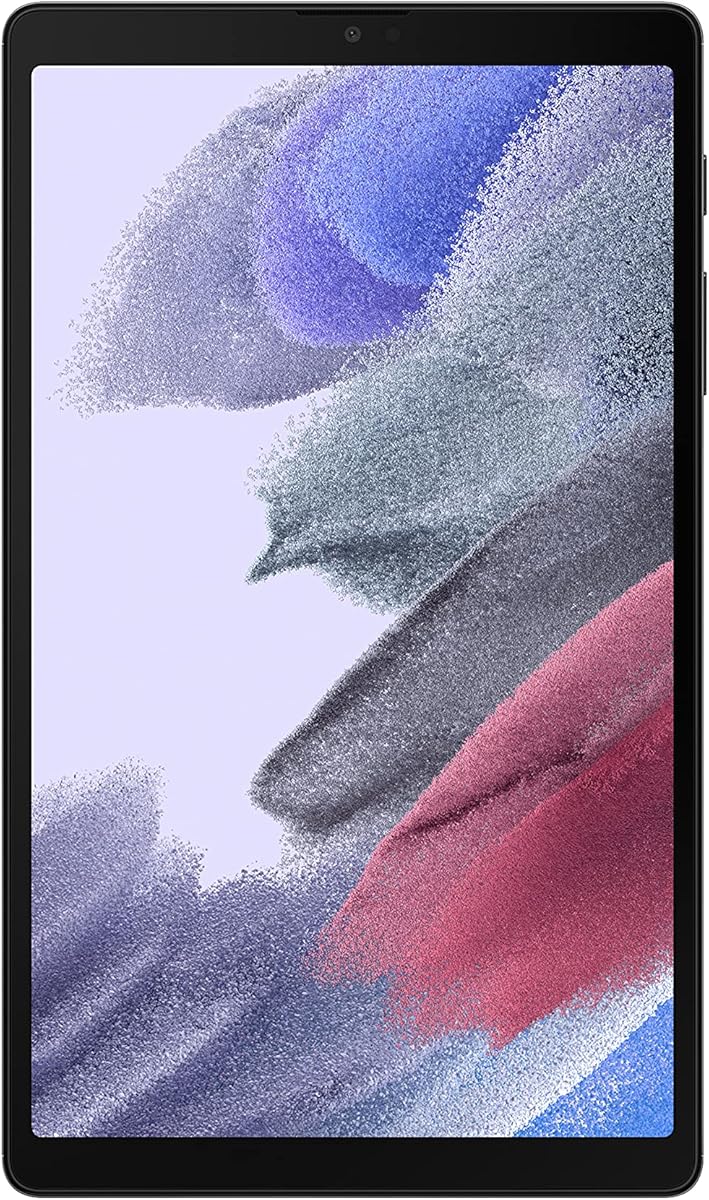
The gray Samsung Galaxy Tab A7 Lite offers the same compact, kid-friendly foundation as the silver version and carries a 4.5 rating. Its 8.7-inch display, slim metal construction, and low weight make it a straightforward choice for entertainment, school activities, and travel.
We may earn a commission when you buy through this link, at no additional cost to you.
The tablet provides 32GB of internal storage and can accept a microSD card for expansion up to 1TB. Bluetooth 5.0 and a 3.5mm stereo headphone jack cover common wireless and wired audio needs. The listing also highlights a long-lasting battery, fast charging, and smoother performance than earlier versions.
Samsung Kids provides a dedicated child-oriented experience with parental oversight, while One UI connectivity allows supported Galaxy devices to share tasks such as continuing a show from a phone. These features give the tablet more family appeal than a basic Android slate, despite its older release year.
For a first tablet for a child or a compact secondary device, the gray Galaxy Tab A7 Lite can be a practical purchase. Prospective buyers should account for the modest internal storage and confirm that the apps and services they need remain current for this 2021 model.
A compact screen and long-lasting battery suit travel and supervised use, while the sturdy metal body is designed to tolerate ordinary handling. Samsung Kids adds a child-focused environment with parent control.
One UI supports continuity features across compatible Galaxy phones and tablets. The 3.5mm headphone jack is also useful for children or travelers who prefer not to depend on wireless audio.
We may earn a commission when you buy through this link, at no additional cost to you.
The right entry level tablet depends on screen preference, supported apps, battery expectations, storage, and how comfortably the device will be carried. Use the following factors to narrow the field before making a final decision.
Choose a compact screen for portability or a larger, higher-resolution panel for media and study.
Prioritize processor quality and physical RAM over a large number created by virtual memory.
Choose at least 64GB for general use and verify that the tablet supports the memory capacity and card format you need.
Compare claimed usage rather than standby figures, and check whether a suitable charger is bundled.
Confirm that every essential app is available in the tablet's chosen store and region before purchasing.
Check Wi-Fi standard, Bluetooth version, headphone support, charging, and stylus needs against your daily routine.
Balance screen area with weight, thickness, and hand comfort rather than focusing on one specification alone.
Prioritize parental controls for children and note-taking or file-sharing features for study and work.
Begin by charging the tablet with a compatible USB-C power adapter, then complete the operating system setup and connect it to your preferred Wi-Fi network. Sign in to the required app store, update all system and app software, and configure parental controls, screen rotation, accessibility settings, and automatic updates before handing the device to another user.
For reading, browsing, and video calls, adjust the display brightness and text size to create a comfortable viewing environment. Use the included or separately purchased stylus for supported note-taking applications when precision matters. If storage becomes limited, review downloaded videos, unused apps, cached images, and large files before adding a microSD card, and format that card only after confirming the tablet recognizes it.
Protect the device with a suitable case and avoid leaving it in extreme heat, direct prolonged sunlight, or damp conditions. Clean the screen gently with a soft, lint-free cloth, keep charging ports free of debris, and use only compatible chargers. Update the system regularly, use strong account credentials, and maintain a backup of important documents so the tablet remains useful and secure over time.
A 10-inch tablet is generally better for streaming, reading, note-taking, and sharing a screen, while an 8-inch model is easier to carry and hold. The best size depends on how much you value portability versus screen space. Consider whether the smaller device will be used during travel or by children, and whether the larger screen will regularly support work, study, or media viewing.
At least 64GB of internal storage is preferable for general use because operating systems, app updates, photos, and videos consume space over time. A 32GB model can work when expanded with a microSD card and cloud storage, but it may fill quickly. Check whether the tablet supports the card capacity and file format you intend to use.
The Fire HD 8 and Fire HD 10 described in this guide do not support Google Play, so apps must be obtained through Amazon Appstore. Some content and subscriptions also cost extra. If a required app is only distributed through Google Play, choose an Android tablet with Google Play certification instead.
Physical RAM is memory built into the tablet, while virtual RAM uses storage to simulate additional memory and can help when several apps remain open. It does not perform exactly like physical RAM. When comparing specifications, look for the amount of physical memory as well as the processor, because a higher virtual figure should not be treated as equivalent to added hardware memory.
An international model can provide good hardware value, but it may have no manufacturer warranty and may use region-specific software or accessories. The Galaxy Tab A11 international listings specifically note no warranty and potential country-selection limitations during setup. Check app compatibility, service availability, language settings, charger standards, and return options before buying.
A stylus is most useful for handwriting, sketching, precise navigation, and study notes. The Lenovo Idea Tab Plus includes a Tab Pen and folio, while the Amazon Fire HD 10 supports a separately sold pressure-sensitive stylus. If you mainly stream video or browse the web, a stylus is optional, but it can make a tablet much more versatile for learning and creation.
These entry level tablets are well suited to web browsing, streaming, reading, communication, and light productivity, but they are not full replacements for every laptop task. Complex software, extensive file management, professional creative work, and demanding multitasking may require more power. Consider the apps you use, keyboard or mouse support, file-transfer needs, and battery expectations before deciding.
A protective case, a compatible USB-C charger, and a microSD card are the most practical additions for many buyers. A stylus and folio are useful for note-taking, while a Bluetooth keyboard can improve long-form typing. Headphones may also be helpful, although several models already include a 3.5mm headphone jack.
The Amazon Fire HD 10 is the strongest all-around choice for buyers who want a large Full HD screen, long stated battery life, expandable storage, and simple Amazon entertainment. The TCL TAB 10 Gen 4 stands out for balanced everyday value, especially its 128GB storage, while the Lenovo Idea Tab Plus offers the most premium combination of a sharp 2.5K screen, smooth motion, quad speakers, and included writing accessories.
Prioritize the features that directly affect your routine. Compact 8.7-inch models such as the Galaxy Tab A7 Lite and Galaxy Tab A11 are easier to carry, the Galaxy Tab A11+ emphasizes a large 90Hz screen and strong audio, and the Evermyth tablet appeals to buyers seeking Google Play, Wi-Fi 6, and abundant listed memory. Verify app availability, regional support, charger inclusion, and expansion details before buying.
Tablet ratings, configurations, software, and promotions can change, while current prices fluctuate. Check the live listing for the exact model, storage, color, included accessories, regional terms, and availability so your final choice matches your needs and budget at the time of purchase.