
G.SKILL Flare X5 32GB 6000MT/s CL36
4.7Editor score
32GB matched dual-channel kit
6000MT/s rated transfer speed
XMP 3.0 and EXPO
JEDEC baseline profile
Our DDR5 RAM for Overclocking guide compares ten 32GB and 16GB kits for speed, latency, XMP and EXPO support, stability, cooling, and build fit.
DDR5 RAM built for overclocking combines high memory speeds, responsive timings, dependable components, and profiles that make advanced settings easier to apply. A good kit should not only advertise an impressive headline frequency; it should also work well with your processor, motherboard, and memory controller while leaving room for meaningful manual tuning.
We compared the ten kits in this guide using their stated capacity, speed, latency, extended timings, voltage, platform profiles, voltage regulation, heat-spreader design, and intended use. The list covers dual-module 32GB kits for most modern gaming systems, a faster 6400MT/s option for performance-oriented builds, and a single 16GB module for users who may want flexibility.
Each review explains the product's strongest qualities, likely trade-offs, and best-fit platform without claiming that every advertised profile will be stable in every system. Remember that memory performance depends on the full hardware combination, BIOS behavior, cooling, and workload, and that product details and availability can change over time.
4.7Editor score

4.6Editor score

4.7Editor score
This side-by-side comparison highlights the differences in capacity, rated speed, latency, overclocking profiles, and physical design, helping buyers narrow the field before checking current motherboard compatibility.




The Crucial Pro 32GB DDR5 RAM Kit is a strong all-around starting point for a gaming desktop that will be configured through XMP 3.0 or AMD EXPO. Its 4.8 rating is the highest among the products in this guide, although that should be understood as a customer-rating signal rather than an independent laboratory result. The kit combines two 16GB modules, a 6000MHz operating target, and CL36 primary timing in a straightforward dual-channel configuration.
We may earn a commission when you buy through this link, at no additional cost to you.
Its most useful feature is the balance between frequency and timing. At 6000MHz, the kit is aggressive enough to appeal to performance builders, but it also sits in a range that many current DDR5 platforms are designed to support more readily than very high-speed kits. The listed 36-38-38-80 timing profile provides more detail than CL36 alone and gives manual tuners a defined starting point for voltage, FCLK, and memory-controller adjustments.
The main caveat is that rated speed does not guarantee identical behavior on every processor. Memory-controller quality, motherboard BIOS maturity, CPU load, and installed operating system can all affect stability. The product data also recommends relatively current 13th-generation Intel Core systems or newer AMD Ryzen 9000-series processors, making platform age another important consideration. Buyers who want effortless plug-in performance may prefer this kit, while aggressive overclockers may prefer finer timing control.
This is a strong recommendation for a builder who wants 32GB, 6000MHz performance, recognizable platform support, and a sensible foundation for later tuning. Install the modules in the recommended dual-channel slots, update the motherboard BIOS before changing settings, and load the appropriate XMP or EXPO profile only after confirming that the hardware combination supports it. For many systems, the Crucial Pro kit will be the easiest place to begin.
The 6000MHz target provides a meaningful balance of bandwidth and accessibility, especially when compared with kits that push much higher while retaining looser timings. A defined 36-38-38-80 profile also makes it easier to identify the intended performance level and begin incremental manual tuning.
Intel XMP 3.0 and AMD EXPO support make the kit suitable for either platform in principle. Check the motherboard's supported memory list and the processor's memory specifications before assuming that the advertised profile will boot at its full target.
We may earn a commission when you buy through this link, at no additional cost to you.
Corsair Vengeance RGB RS DDR5 32GB combines a 6000MHz-class target with dual-platform profiles, onboard voltage regulation, and dynamic addressable lighting. Its 4.3 customer rating is the lowest in this list, but the underlying feature set makes it relevant to builders who want both a coordinated visual design and useful overclocking controls. Two matched 16GB modules provide the standard 32GB capacity favored by modern gaming builds.
We may earn a commission when you buy through this link, at no additional cost to you.
The onboard voltage regulation is a notable distinction. It places voltage management on the memory module and can make adjustments more convenient through CORSAIR iCUE software than with systems that rely entirely on motherboard BIOS controls. The presence of both AMD EXPO and Intel XMP 3.0 profiles means the kit is not tied to a single processor ecosystem, although motherboard support remains the decisive factor for those profiles.
The RGB implementation is a full part of the design rather than a small decorative accent. Individually addressable lighting and a panoramic diffuser can make the modules the visual focus of a glass-sided case, which may be more important to some buyers than reaching for the fastest possible transfer rate. The trade-off is that some large coolers can interfere with tall illuminated modules, so case and cooler clearance should be checked before purchasing.
This kit suits a builder who wants a polished gaming system and plans to use the integrated voltage controls during tuning. Its 6000MHz target provides a useful performance tier, while the dual profiles broaden platform flexibility. It is less compelling for someone who does not want RGB and prioritizes maximum frequency over appearance, but for a visible, controllable build, the Vengeance RGB RS is a credible option.
The individually addressable RGB array is controlled for synchronized effects and adds visual interest without requiring separate memory lighting. Confirm that the motherboard's software and operating system support the desired lighting ecosystem before building.
Onboard voltage regulation can make incremental tuning more convenient through iCUE. It does not remove the need to monitor stability, but it provides another route for managing memory voltage and related settings.
We may earn a commission when you buy through this link, at no additional cost to you.
The Crucial Pro 32GB DDR5 RAM Kit at 6400MHz is the fastest-rated kit in this comparison, pairing that headline speed with CL32 timing. Its 4.6 rating reflects a generally favorable customer response, and the product is specifically positioned for overclocking, low-latency gaming, and multitasking. The 32-40-40-103 extended timing profile gives users a more precise reference than the abbreviated CL32 designation.
We may earn a commission when you buy through this link, at no additional cost to you.
The combination of 6400MHz and CL32 is particularly attractive for users who know their platform can handle the increased memory-controller load. A faster transfer rate can improve bandwidth-sensitive workloads, while a tighter primary latency makes the kit more competitive in lightly threaded and latency-sensitive games. The kit also supports Intel XMP 3.0 and AMD EXPO, giving builders a one-click route to the rated settings on compatible hardware.
The obvious trade-off is platform selectivity. The product data lists Intel Core Ultra Series 2 and Ryzen 9000-series desktop processors among compatible platforms, which indicates that this is aimed at newer systems rather than every DDR5 installation. Reaching 6400MHz may require a mature motherboard BIOS, a capable memory controller, and sufficient memory voltage. Users who need guaranteed plug-and-play behavior across a wider range of processors may find a 6000MHz kit less demanding.
This is the top choice for a performance-oriented builder with a recent, compatible platform who wants more bandwidth and tighter latency than a conventional 6000MHz kit. It is particularly attractive when the goal is manual tuning rather than simply enabling a profile. Treat 6400MHz as a target to validate, keep a known-stable lower setting available, and raise memory or FCLK values in controlled steps.
The 6400MHz transfer target increases available bandwidth, while CL32 keeps the main access latency aggressive. Together they create a more performance-oriented profile than the CL36-centered kits in the guide.
Newer Core Ultra Series 2 and Ryzen 9000 desktop systems are explicitly highlighted as compatible targets. Even then, individual memory-controller quality can vary, so the full profile should be stress-tested rather than assumed.
We may earn a commission when you buy through this link, at no additional cost to you.
The Crucial Pro Overclocking Edition is a 16GB unbuffered DDR5 module rated for a 6000MT/s data transfer rate with CL36 timing at 1.35V. Its 4.7 rating and straightforward 288-pin UDIMM format make it relevant to desktop builders, but the single-module configuration is the crucial distinction. A single DDR5 DIMM does not provide the same dual-channel bandwidth as a matched two-module kit.
We may earn a commission when you buy through this link, at no additional cost to you.
The appeal of this module is flexibility. A user can install it now, validate that the system recognizes the intended speed, and add a second matching module later to create dual-channel operation. It may also suit a specialized workstation, compact system, or upgrade path where preserving an existing slot is more important than immediate maximum bandwidth. The stated compatibility with DDR5-6000 systems provides a clear baseline for platform selection.
The drawback is that adding memory later is less predictable than buying a qualified matched kit from the outset. Mixing separately sourced modules can reduce stability or prevent the pair from reaching the expected memory frequency, especially when the modules use different IC layouts, revisions, or timing profiles. The advertised overclocking potential also does not eliminate the limitations of single-channel operation.
Choose this module only when modular expansion is important and you accept the temporary or permanent bandwidth tradeoff. If buying two modules now, a matched 32GB kit is generally the more straightforward route to gaming performance and easier platform validation. For an unusual build that specifically benefits from a single DDR5-6000 module, this Crucial Pro offering fills a clear niche.
A single module leaves the remaining DIMM slots available for a future upgrade. This can be useful in a system where memory capacity needs will change over time, provided the eventual second module is compatible and suitably matched.
One module cannot deliver the full bandwidth of a properly configured dual-channel kit. Games, content creation, and other memory-intensive tasks may lose some of the throughput advantage provided by two matched modules.
We may earn a commission when you buy through this link, at no additional cost to you.
G.SKILL Flare X5 Series provides a 32GB matched kit rated up to 6000MT/s with CL36-36-36-96 timing at 1.35V. Its 4.7 rating places it among the strongest customer-rated options here. For a builder creating a mainstream gaming or productivity system, the combination of 32GB, dual-platform profiles, a full timing specification, and a conventional 6000MT/s target provides a clear and versatile foundation.
We may earn a commission when you buy through this link, at no additional cost to you.
The kit includes a JEDEC default profile as well as AMD EXPO and Intel XMP 3.0 memory overclocking profiles. That means it should boot at conservative settings with compatible hardware, after which the appropriate performance profile can be enabled. The listed platform set covers a broad range of recent Intel and AMD chipsets, and G.SKILL directs buyers to its qualified vendor list and configurator for more specific motherboard guidance.
The important operational detail is not to mix memory kits. G.SKILL specifically states that kits are sold as matched sets and that combining them with other memory can result in instability or system failure. This warning is relevant because 32GB DDR5 kits are often sold as two 16GB modules, and adding another matched-looking module later may still involve different revision or component differences.
This is a particularly sensible recommendation for a user who wants a proven-style platform foundation without moving to the highest possible transfer rate. It offers enough information for manual tuning, broad profile support, and a 32GB capacity suited to current games and multitasking. Install it as a pair, start with the appropriate profile, and use the full timing values as the basis for any later adjustment.
The two matched 16GB modules avoid the uncertainty associated with assembling a dual-channel configuration from unrelated kits. This is especially useful for a first DDR5 build where reliability and simple setup matter.
The complete 36-36-36-96 specification provides a useful baseline for memory tuning. Secondary and tertiary timings may require additional adjustment, but the listed profile gives enthusiasts more than a single CL number.
We may earn a commission when you buy through this link, at no additional cost to you.
Patriot Viper Venom DDR5 32GB pairs two 16GB modules with a 6000MHz rated speed and CL30 primary timing. Its 4.6 rating indicates a favorable customer response, while the tested 30-40-40-76 profile gives buyers a more concrete view of the intended timing package. For gamers, the combination of a familiar 6000MHz target and tighter CL30 latency is particularly interesting.
We may earn a commission when you buy through this link, at no additional cost to you.
Supporting both XMP 3.0 and EXPO means the kit can follow either major platform's one-click profile format. The memory is advertised as tested across current DDR5 platforms, reducing the chance that it is an exotic option intended only for a narrow set of enthusiast boards. Its limited lifetime warranty also adds a visible point of differentiation among the kits reviewed here.
The trade-off is that the product information is less elaborate than that of some competitors. There is no detailed RGB specification in the supplied listing, so the appeal rests on raw memory characteristics rather than lighting. CL30 at 6000MHz can also be less forgiving on certain memory controllers than looser 6000MHz configurations, even when a processor supports 6000MHz as a nominal target.
This kit is a good match for a latency-focused gaming build with a compatible recent processor. Users should confirm support in the motherboard qualified vendor list and check the full timing settings before attempting to improve them. For those who want a straightforward, non-illuminated 32GB package with strong primary latency, the Viper Venom deserves a place near the top of the shortlist.
CL30 makes this kit more responsive on paper than the CL36-centered 6000MHz options. Actual application gains vary, but the tighter main timing is attractive for gaming and other latency-sensitive workloads.
XMP 3.0 and EXPO support provide familiar setup paths on Intel and AMD systems. The correct profile should be selected only after confirming motherboard and processor support.
We may earn a commission when you buy through this link, at no additional cost to you.
CORSAIR Vengeance RGB DDR5 32GB combines a 6000MHz target, CL30-36-36-76 timing, 1.40V voltage, ten-zone RGB lighting, and onboard voltage regulation. Its 4.7 rating reflects strong customer reception, and the feature density makes it the most premium-oriented kit in this list. It is designed for builders who want a high-performance memory package, coordinated lighting, and more convenient control over overclocking settings.
We may earn a commission when you buy through this link, at no additional cost to you.
The ten individually addressable LEDs on each module are enclosed within a panoramic light bar, producing visible illumination from multiple angles. Onboard voltage regulation can make memory tuning more finely managed through CORSAIR iCUE than systems that expose fewer controls. The kit also supports AMD EXPO, while the product title identifies Intel XMP compatibility, giving it broad profile coverage.
Physical design and platform demands are the main trade-offs. Illuminated heat spreaders can be taller than a plain memory kit, potentially interfering with large CPU coolers or side-mounted fans. The 1.40V specification is also higher than the 1.35V used by several alternatives, although it remains within the normal range for performance DDR5 and should not be treated as inherently problematic.
This is the premium recommendation for a visible gaming PC where memory lighting, software-based voltage management, and strong primary latency are all priorities. It may be less suitable for a compact, cooler-constrained build or for a platform that has not been validated at 6000MHz. Check clearance, update the BIOS, and validate the EXPO or XMP profile under sustained workloads.
Ten individually addressable zones per module create detailed lighting patterns visible through the panoramic diffuser. iCUE-based voltage control adds a practical software dimension, although the ecosystem must be supported by the rest of the system.
The CL30-36-36-76 profile pairs a 6000MHz transfer rate with aggressive primary latency. It is a well-balanced target for recent platforms, though stable operation still depends on the memory controller and motherboard.
We may earn a commission when you buy through this link, at no additional cost to you.
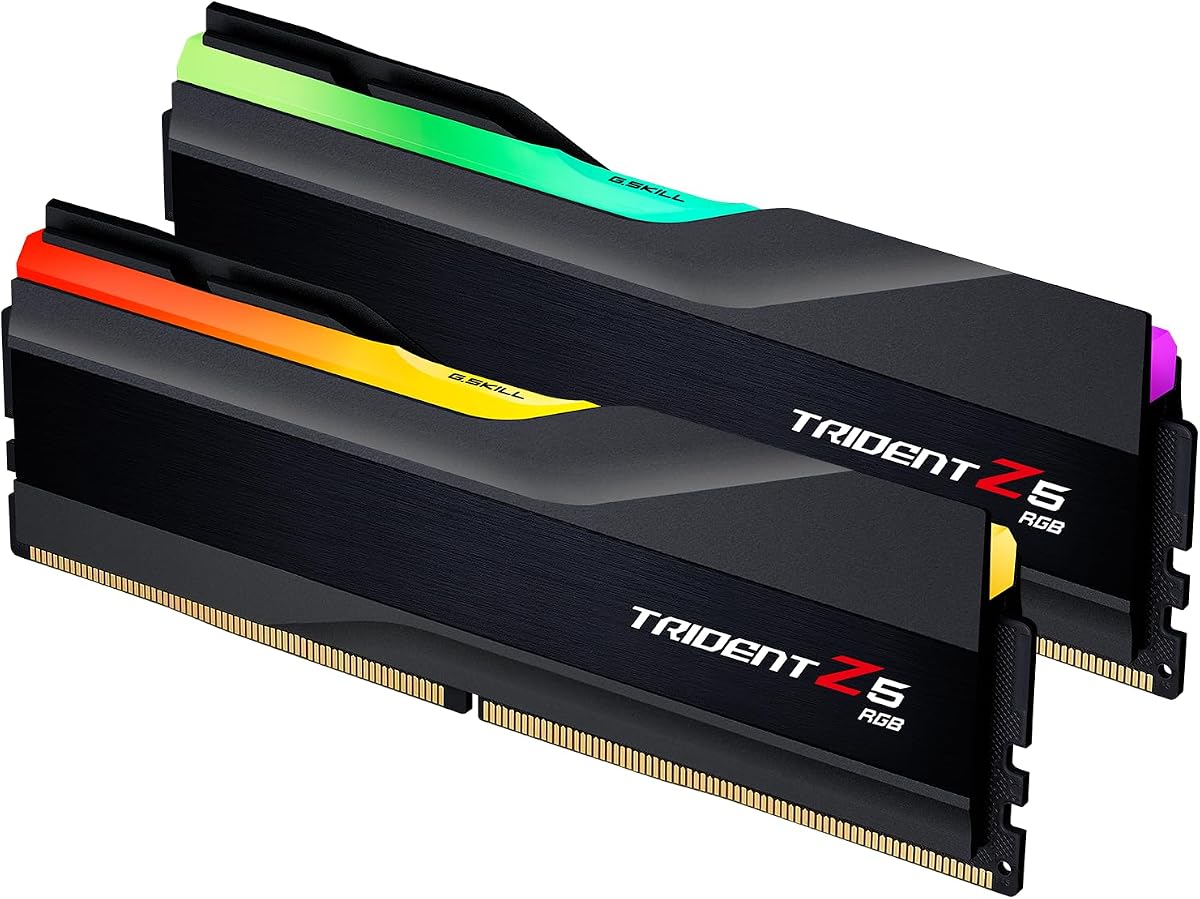
G.SKILL Trident Z5 RGB Series combines 32GB of matched DDR5 capacity, a 6000MT/s rated speed, CL36-36-36-96 timing, and a recognizable illuminated design. Its 4.7 rating is among the best in the guide. The kit targets desktop gaming and performance systems that support Intel XMP 3.0 or AMD EXPO, making it a familiar choice for builders who want both memory performance and RGB styling.
We may earn a commission when you buy through this link, at no additional cost to you.
The 6000MT/s target and 1.35V operating voltage form a common modern performance profile. The complete timing package gives manual overclockers a clear starting point, while the matched 32GB configuration reduces the uncertainty associated with combining separate memory kits. The supplied platform list spans numerous recent Intel and AMD motherboard families, and G.SKILL provides a qualified vendor list and RAM configurator for more detailed matching.
Its main limitation relative to some alternatives is timing aggressiveness. CL36 is less competitive on paper than the CL30 kits in this comparison, and achieving a lower latency may require additional tuning. Trident Z5 modules also tend to place greater emphasis on the heat spreader and lighting assembly, so physical clearance with large air coolers deserves attention.
The Trident Z5 RGB is most attractive to a builder who values a recognizable, polished design and wants a qualified 32GB foundation at 6000MT/s. It is a strong all-around choice when the system is already compatible with the listed platforms. Confirm cooler clearance, avoid mixing kits, and treat the advertised profile as a starting point that should be verified through sustained testing.
The illuminated heat spreader and matte-black styling are designed to remain visible in a finished gaming system. Its visual presence also makes cooler compatibility an important part of the purchase decision.
G.SKILL's broad named platform list and qualified vendor resources help buyers narrow compatibility. Checking the exact motherboard model can reveal whether the kit's full performance profile has been validated.
We may earn a commission when you buy through this link, at no additional cost to you.
CORSAIR Vengeance DDR5 32GB is a clean, non-RGB overclocking option rated up to 6000MHz. Its 4.8 rating ties for the highest customer rating in this comparison. Two 16GB modules, dual XMP and EXPO profiles, onboard voltage regulation, and carefully screened memory chips make it a practical performance kit for builders who prefer a restrained appearance and straightforward software controls.
We may earn a commission when you buy through this link, at no additional cost to you.
The lack of RGB may be a deliberate advantage in a professional, compact, or understated system. The heat spreader can focus attention on the overall design rather than lighting, while the onboard voltage regulation provides a convenient tuning path through iCUE. The product is optimized for current AMD and Intel DDR5 motherboards, with tightly screened chips intended to extend overclocking potential.
The main information limitation is that the supplied product information does not list a complete primary or extended timing sequence. That makes it harder to compare the kit directly with the CL30 and CL36 specifications elsewhere in the guide. The 6000MHz target is clear, but buyers who prioritize fine-grained timing control may want additional information from the current listing or manufacturer documentation before finalizing a choice.
This kit is a strong recommendation for a builder seeking a highly rated 32GB 6000MHz package without RGB complexity. It should appeal to users who want onboard control and screened components, provided the exact board is compatible. Confirm the complete timing profile, check available motherboard clearance, and validate stability after enabling the appropriate platform profile.
The non-RGB design fits builds that do not need illuminated memory and can coordinate with a wider range of cases and coolers. Performance-oriented users receive the same key benefits without adding a lighting ecosystem to the system.
Carefully screened memory chips are intended to support stable, repeatable performance. Onboard voltage regulation adds convenient control, making this kit suitable for users who intend to move beyond a single profile setting.
We may earn a commission when you buy through this link, at no additional cost to you.
G.SKILL Ripjaws S5 Series offers a low-profile alternative to the more elaborate Trident Z5 design. The kit includes two matched 16GB modules rated up to 6000MT/s with CL36-36-36-96 timing at 1.35V. Its 4.6 rating and restrained matte-black appearance make it a practical choice for gaming and general-purpose desktop builds where the memory must coexist comfortably with large CPU coolers.
We may earn a commission when you buy through this link, at no additional cost to you.
The profile situation is comprehensive. The kit includes a JEDEC default profile, Intel XMP 3.0, and AMD EXPO, allowing compatible systems to boot conservatively and then move to the rated performance profile. The listed motherboard families cover current Intel and AMD platforms, while the recommendation to consult G.SKILL's qualified vendor list makes it possible to verify a specific board and memory combination before installation.
Its limitations are mostly relative rather than fundamental. CL36 is not the tightest primary timing among the alternatives, and there is no RGB lighting for builders who want a illuminated centerpiece. More importantly, G.SKILL warns that the maximum speed requires overclocking or BIOS adjustments and that memory kits should not be mixed. These caveats matter because the product will normally begin at the JEDEC default unless the appropriate profile is enabled.
The Ripjaws S5 is a sound final recommendation for a builder who wants 32GB, 6000MT/s, a low-profile heat spreader, and broad profile support. It works particularly well in systems with tighter cooler clearance or a preference for a clean, unlit appearance. Install the matched pair in the correct slots, load the proper profile, and test the configuration thoroughly before making further timing changes.
The understated heat spreader is designed to occupy less visual and physical space than many illuminated performance modules. This can make the kit easier to position beneath a large air cooler or inside a compact case.
Using the supplied modules as a matched pair preserves the intended configuration. The kit should begin from its JEDEC default and move to XMP or EXPO only when the motherboard and processor support the desired target.
We may earn a commission when you buy through this link, at no additional cost to you.
Choosing DDR5 RAM for overclocking requires balancing transfer speed, latency, platform support, physical design, and the amount of manual tuning you actually want to perform. The right kit is the one that can run its intended profile reliably in your specific system.
Memory speed is limited by the processor's integrated memory controller, the motherboard BIOS, and the motherboard's memory layout. Two modules of the same capacity are generally easier for the controller to handle than several more complex configurations, but a qualified vendor list remains the best source for model-specific guidance. Check whether the board supports DDR5, the target transfer rate, and the selected XMP or EXPO profile before purchasing.
Transfer rate indicates how much data the memory interface can move per second, while CL timing describes the number of clock cycles associated with a primary access. A higher transfer rate can improve bandwidth, and lower CL can reduce latency. Compare both rather than treating speed as the only measure of quality, because a looser high-speed kit may not suit a processor whose memory controller is already being pushed near its limit.
A CL number describes only one part of the memory profile. Secondary timings such as tRCD and tRP, tertiary timings, voltage, and related controller settings can also affect stability and performance. Kits that list a complete timing sequence give manual tuners a better baseline for incremental adjustments. They also make it easier to identify when a proposed setting is unusually loose or aggressive.
Intel XMP and AMD EXPO store validated or intended memory settings that can be loaded through BIOS instead of entered manually. Support for both formats makes a kit convenient across platforms, but it does not guarantee identical behavior on every CPU. A profile usually activates a higher speed, tighter timing, and increased voltage together, so the complete combination must be stable rather than just the headline transfer rate.
A 32GB kit made from two matched 16GB modules offers a practical balance for modern gaming, streaming, and multitasking. A single 16GB module provides expansion flexibility but operates in a less bandwidth-friendly configuration until a matching second module is added. Avoid planning to combine unmatched kits because differences in components, revisions, and timing can cause instability or prevent the memory from reaching its intended target.
Onboard voltage regulation can make memory voltage easier to monitor and adjust through the manufacturer's software. This is particularly useful for incremental overclocking because it may reduce repeated BIOS navigation. It does not guarantee a stable result, and excessive voltage can increase heat and component stress. Any adjustment should be made conservatively and paired with stability testing rather than treated as a one-click performance increase.
DDR5 modules vary considerably in height, heat-spreader design, and lighting. Low-profile kits are easier to fit beneath large air coolers, while tall RGB modules may conflict with front fans or side-mounted cooling hardware. Compare module dimensions with the available DIMM clearance and consider whether a four-DIMM motherboard layout leaves enough space for airflow. A visually striking kit is not useful if it prevents the CPU cooler from being installed properly.
DDR5 modules generally benefit from the airflow provided by a normal desktop case, but sustained memory-heavy workloads can still make thermal management relevant. Look for a substantial heat spreader, maintain unobstructed airflow around the DIMM area, and monitor temperatures during validation. The product's component quality, qualified configuration, and manufacturer testing are also more meaningful indicators of reliability than a dramatic RGB effect or an unverified manual timing claim.
Before installing the memory, power down the system completely, disconnect the power cable, and consult the motherboard manual for the recommended DIMM slots. With a two-module kit, use the slots specified for dual-channel operation. Seat each module evenly, close the retention clips, and confirm that the latches click into their locked positions before reconnecting power.
Enter the BIOS or UEFI after the first boot, save the current BIOS version, and check for an updated version from the motherboard manufacturer. Load the appropriate XMP 3.0 or EXPO profile only on a listed compatible platform. A failed boot is possible if the full profile cannot be initialized, so know the motherboard's memory-training or recovery procedure before changing settings.
Validate the selected profile under a sustained memory-intensive workload and monitor for errors, crashes, or application instability. Make small changes to one timing or voltage setting at a time, record each successful configuration, and retain a known-stable profile as a fallback. Keep the modules seated firmly, maintain case airflow, and avoid frequent removal or rotation of the modules once the system is stable.
For many modern gaming platforms, 6000MHz is a highly relevant target because it offers substantial bandwidth without moving into the most demanding memory-controller territory. The result depends on the processor, motherboard, BIOS, and individual memory controller. A 6000MHz kit with CL30 or CL36 can be a better-balanced choice than a much faster kit that cannot maintain its advertised settings.
A stable 6400MHz kit can provide more memory bandwidth and potentially improve performance in bandwidth-sensitive games, but it also places greater demands on the memory controller. The benefit is not universal and may be modest compared with other system upgrades. Choose 6400MHz when the platform is validated for it and you value the additional tuning headroom.
CL30 has a tighter primary latency specification than CL36, but real performance also depends on transfer rate, secondary timings, processor behavior, and workload. Two otherwise similar kits can perform differently because their full profiles are not identical. Compare the complete timing package rather than assuming the CL number alone determines the better experience.
Usually, yes. Most performance DDR5 kits boot at a conservative JEDEC baseline unless the appropriate XMP or EXPO profile is enabled in BIOS. Loading the profile applies a group of frequency, timing, and voltage settings, so the full package should be tested for stability after activation.
Mixing kits is generally discouraged because modules can use different memory ICs, firmware, heat spreaders, and timing profiles. Even matching capacity and speed does not guarantee compatibility. Many manufacturers explicitly warn that mixing separately sold kits can cause instability or failure, so use a qualified matched pair whenever possible.
Lighting has no direct relationship to memory performance. RGB modules can have excellent or ordinary overclocking characteristics based on their underlying components and profiles. Choose a non-RGB kit for a cleaner appearance or lower-profile design, or an RGB kit for aesthetics and integrated lighting controls, while comparing the actual speed and timing specifications.
A 32GB kit made from two matched 16GB modules is a practical choice for modern gaming and multitasking. It provides dual-channel bandwidth and enough capacity for games, background applications, voice chat, and streaming tools. A single 16GB module can be useful for expansion, but it sacrifices bandwidth until a suitable second module is added.
A successful boot is not enough to establish stability. Run sustained memory-intensive tests and normal workloads while watching for errors, crashes, distorted media, and application failures. If the system survives testing, keep the validated settings as a baseline and change only one timing or voltage parameter at a time when tuning further.
The Crucial Pro 32GB 6400MHz CL32 stands out for builders with a recent compatible platform who want the highest rated transfer speed in the group and tight primary timing. G.SKILL Flare X5 32GB 6000MT/s CL36 offers a practical matched foundation, while CORSAIR Vengeance RGB 32GB 6000MHz CL30 serves as a premium option for builds that combine aggressive latency, onboard controls, and ten-zone lighting.
Prioritize motherboard and processor compatibility before choosing a headline speed. A stable 6000MHz kit with complete timings and dual-platform profiles often provides a better experience than an ambitious frequency that the system cannot maintain. Capacity, matched modules, voltage-management features, physical clearance, and the willingness to test each change all matter as much as the specification printed on the package.
Before ordering, verify the exact motherboard model against the manufacturer's qualified memory guidance and confirm that the case or CPU cooler leaves enough space for the modules. Product details and availability can change, so review the current listing and support information before making a final purchasing decision.
