
G-Mee Connect Pro
4.0Editor score
Built-in app locker
No front or rear camera
Android 13 device
Four gigabytes of memory
Choosing a phone for a child or teenager is not simply a matter of finding a small screen or a colorful case. The safest devices balance useful communication with firm boundaries, offering parent controls, restricted app access, contact filtering, location tools, and limits that can evolve as young users mature and become more independent.
We compared the ten phones in this guide across the factors families encounter most often: cellular compatibility, camera access, app restrictions, parental management, screen-time controls, location features, storage, battery life, and suitability for different ages. The list includes purpose-built family smartphones, camera-free Android devices, secure tracking phones, and entertainment-focused models for younger children.
Each review identifies the product's strongest safety benefits while also noting limitations that could affect your decision. Ratings and specifications reflect the supplied product information, which may change as manufacturers update software. Prices and commercial terms also change, so check the current listing and service requirements before purchasing.
4.0Editor score

3.0Editor score

4.2Editor score
As an Amazon Associate we earn from qualifying purchases.
This side-by-side comparison highlights the major differences in age range, cellular support, camera access, app controls, and core safety features so families can match a device to a child's needs and communication plan.

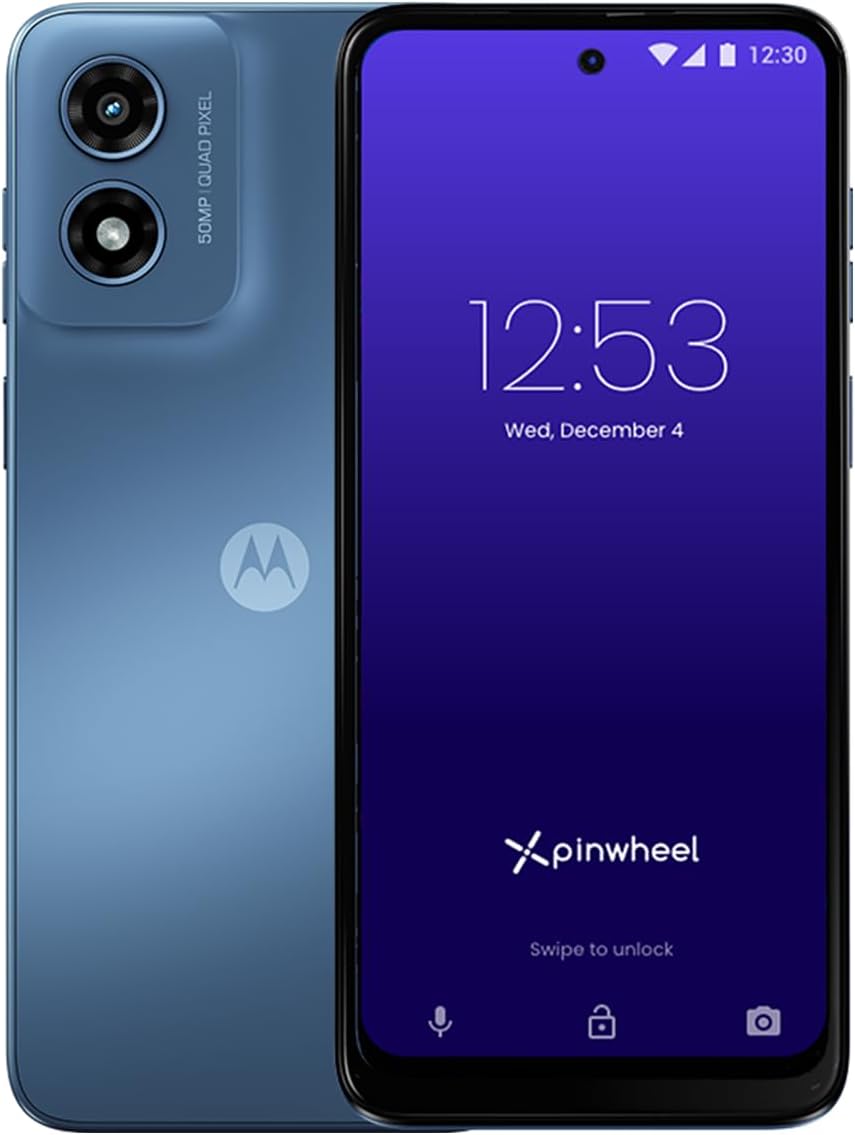


The Pinwheel Plus 6 is the most complete family smartphone in this guide for parents who want centralized control over a child's communication and app use. Its supplied rating is 3.0, but the feature set is more relevant than the score alone because it addresses several everyday safety concerns in one place: contact filtering, app management, message visibility, schedules, and social media restrictions.
We may earn a commission when you buy through this link, at no additional cost to you.
Its Caregiver Portal gives adults remote access to text messages and call history, the ability to safelist approved contacts, and schedules that determine when apps and contacts become available. The phone excludes social media and adult apps, while offering more than 1,200 app safety ratings to help parents evaluate additions. The optional web browser and controlled app environment create a safer starting point than a conventional smartphone with unrestricted installation.
There are trade-offs. The 3.0 rating suggests that some buyers may have encountered installation, service, software, or fulfillment issues, and the included Caregiver Portal access lasts only one month, meaning ongoing management likely requires a subscription. A conventional camera is also present, so the device does not prevent a child from taking or sharing images without additional limits. The included service and carrier alternatives also require careful review before activation.
This is the strongest overall choice for a child entering the smartphone world or a teen whose family still wants visible guardrails. It offers enough communication and storage to function as an everyday phone, yet its remote controls make it more appropriate than an unrestricted device. For families committed to reviewing the portal and updating approved apps, the Pinwheel Plus 6 provides the most deliberate balance of independence, communication, and supervision.
The Caregiver Portal turns supervision into an active system rather than an occasional check. Parents can review communications, control availability, and adjust permissions as the child becomes more responsible.
Blocking social media and adult apps reduces exposure to unsuitable platforms, while the supplied safety ratings give families a useful basis for evaluating requests to add new software.
We may earn a commission when you buy through this link, at no additional cost to you.
The Genesis 4 offers a familiar full-size smartphone experience for children and teenagers, but its software layers are designed around family access and communication control. Its supplied rating of 1.6 is the lowest in the group, so buyers should treat the device cautiously and read current customer feedback. The stated controls, however, closely mirror those of the Pinwheel Plus 6 and remain well suited to a gradual transition toward smartphone independence.
We may earn a commission when you buy through this link, at no additional cost to you.
Parents can use the Caregiver Portal to safelist contacts, inspect messages and call history, and establish schedules for app and contact access. Social media, adult apps, spam, and unknown callers are excluded, while more than 1,200 app safety ratings are available. The phone can start as a communication-focused device and gain more functionality as the user ages, avoiding the need to replace the hardware at each stage.
The most important limitation is carrier compatibility. The Genesis 4 supports AT&T and T-Mobile SIMs but not Verizon, and it does not support 5G networks. Its supplied 1.6 rating may reflect service, setup, product quality, or other experiences that cannot be determined from the specifications alone. The one-month portal subscription also means families must consider long-term management costs, and the 6.7-inch display and cameras make it less restrictive than purpose-built safety phones.
Choose the Genesis 4 if your family is on a compatible carrier and values a large, modern phone with extensive controls. It may suit a child or teen who needs games, educational applications, and regular communication but should not be trusted without thoughtful configuration. Given its low rating, it is less compelling than the Pinwheel Plus 6 unless compatibility or a particular hardware feature makes it the more practical option.
The ability to begin with calling and texting and then expand app access makes the Genesis 4 useful over a longer childhood. Parents can reward responsibility by adjusting permissions instead of starting with a fully unrestricted phone.
AT&T and T-Mobile users have more flexibility than Verizon customers. Confirm the phone's supported bands, SIM requirements, and current coverage before making a final decision.
We may earn a commission when you buy through this link, at no additional cost to you.
The Pinwheel Slim 6 is a balanced choice for families seeking the familiar controls of a Pinwheel phone in a simpler package. Its 3.5 rating is more favorable than the ratings attached to the other two full-size Pinwheel models, although it remains only moderate. The strongest reasons to choose it are its focused parental controls, long stated battery life, and balanced 6.5-inch display.
We may earn a commission when you buy through this link, at no additional cost to you.
The Caregiver Portal supports safelisted contacts, message and call-history access, and schedules for apps and contacts. Adults can install Google Play applications except social media and adult apps, using more than 1,200 safety ratings as a guide. Spam, stranger texts, and stranger calls are blocked, giving the child useful connectivity without exposing them to an open communication environment.
Its 64GB storage is more limited than the 128GB available in the Pinwheel Plus 6, and the 6.5-inch IPS LCD display may be less immersive for some older children or teens. The supplied four-day battery figure makes it especially practical for school days, although actual runtime depends on use and settings. As with the other Pinwheel phones, families should evaluate the Caregiver Portal's ongoing subscription and understand that the one month included does not make the service permanently free.
The Pinwheel Slim 6 is a sensible pick for a child or early teen who needs messaging, approved educational apps, and dependable battery life without social media. It is less compelling for a teen who expects more storage or a more advanced display, but its parental tools make it one of the more straightforward choices for establishing a first smartphone routine.
A stated four-day battery reduces the likelihood of an unplanned loss of contact time. It makes the device well suited to children who may forget to charge a phone consistently.
The schedule and safelist features let children practice making calls and using approved apps while adults retain a clear view of activity and can adjust access over time.
We may earn a commission when you buy through this link, at no additional cost to you.
The Secure Phone 4G GPS Tracker is the most focused safety device in the guide, offering a deliberately narrow alternative to a normal smartphone. Its supplied rating of 4.2 is the highest among the ten products. That score reflects a device designed around communication and location rather than apps, games, web browsing, or open social engagement.
We may earn a commission when you buy through this link, at no additional cost to you.
Real-time tracking gives caregivers visibility, while calling control restricts calls and texts to numbers programmed by parents. The absence of internet, games, and apps removes major distraction and exposure risks. The product also supports children, teens, seniors, and people with autism, dementia, Alzheimer's, or other special needs, making it relevant to families whose priority is dependable contact and location rather than general-purpose mobile entertainment.
The important constraint is service dependence. A cellular plan must be purchased from Secure Phone, and buyers cannot use their own plan. The included SIM supports the 4G connection, but the exact coverage, activation steps, and ongoing terms should be confirmed before purchase. This is a communication tracker rather than a conventional smartphone, so anyone expecting streaming, app downloads, or unrestricted web use should choose a different device.
This model is best for a child, teen, or older relative who needs a simple, highly controlled way to stay in touch. Its combination of location information, approved-contact calling, and a near-total lack of digital distraction makes it especially appropriate for safety-focused households. It is also the top choice here for users who value a high supplied rating and minimal functions over a broad Android experience.
Real-time tracking provides a direct way for authorized adults to check a user's whereabouts. This makes the phone more useful than a basic feature phone for families worried about a child arriving safely or a vulnerable adult becoming disoriented.
With no internet, apps, or games, there is no social feed, browsing history, or app store to manage. The remaining communication channels are intentionally narrow and controlled.
We may earn a commission when you buy through this link, at no additional cost to you.
The G-Mee Connect Pro delivers a modern Android smartphone experience while removing both front and rear cameras, an unusually strong privacy measure for a child or teen. Its supplied rating of 4.0 is solid within the group, and the camera-free construction gives parents a tangible guarantee that the device cannot be used to photograph the user or strangers.
We may earn a commission when you buy through this link, at no additional cost to you.
The built-in app locker is the main safety feature. A guardian can PIN-lock individual applications before handing over the device, which helps prevent access to unsuitable services without requiring the child to have a fully managed software account. Android 13, 4GB of RAM, 64GB of internal storage, expandable microSD support, and a 5.72-inch HD+ display make it more capable than a basic tracker phone.
Connectivity is less flexible than that of an unlocked model because the phone is locked to T-Mobile. The device supports two nano-SIM slots, dual-band Wi-Fi, Bluetooth 5.0, and NFC, but a T-Mobile SIM reseller or provider is required. The app locker is also less comprehensive than a remote caregiver portal: it restricts local apps but does not provide the supplied description of message monitoring, call-history access, or contact scheduling.
The G-Mee Connect Pro is an excellent fit for a child age 10 or older who wants useful apps, media, and communication but does not need a camera. Its physical privacy design is a meaningful advantage, while the app locker offers a practical middle ground between unrestricted Android and a tightly restricted family phone. Check T-Mobile compatibility and set up the included instructions video before handing the phone over.
Removing the cameras makes social-photo risks impossible rather than merely dependent on software policy. It also prevents video calls that depend on a camera and reduces the chance of accidental image sharing.
The included app locker is straightforward for guardians who want to keep selected services out of reach. It is less flexible than cloud-based remote management, but it adds protection without hiding every useful function.
We may earn a commission when you buy through this link, at no additional cost to you.
The 3.7-Inch Mini Phone is designed for children who want a genuinely small phone rather than a tablet or toy. It runs Android 10, supports calls, video calls, Wi-Fi, GPS, and apps, and includes facial recognition for unlocking. No customer rating was supplied, so there is no rating-based reason to favor it over the more highly rated models in the guide.
We may earn a commission when you buy through this link, at no additional cost to you.
Its size is a meaningful safety benefit for younger hands. A 3.7-inch eye-protection screen is easier to operate one-handed and less likely to dominate a child's attention than a large display. Dual SIM slots can hold two cards or one SIM and one memory card, while storage can be expanded to 128GB. The included case, screen protector, cable, and other accessories make it easier to introduce to a child.
This is not the most controlled option. Although GPS is included, the product information does not describe a caregiver portal, contact safelist, app approvals, stranger-call blocking, or screen-time schedules. It can support apps such as TikTok and Chrome, which means the standard Google Play restrictions may not provide the same protection as a purpose-built kids smartphone. Front and rear cameras also allow photography and video communication.
Consider this model for a child who primarily needs calls, GPS, and a manageable physical device, especially as a first phone or travel backup. Parents should install parental controls through the device and carrier, restrict app permissions, disable unnecessary apps, and set location-sharing carefully. It is best for close family communication rather than a teen seeking a full-featured, strongly managed smartphone.
The compact body reduces distraction and helps small hands reach every part of the screen. It is a practical fit for children who may struggle with the weight and dimensions of a conventional smartphone.
GPS and dual-SIM support add practical flexibility for travel or family arrangements. SIM frequency compatibility should be checked with the carrier before the device is activated.
We may earn a commission when you buy through this link, at no additional cost to you.
The 3.97-Inch Learning Phone is among the safest choices for a young child because it does not function as a conventional connected phone. It has no Wi-Fi and no calling, which eliminates live communication risks and prevents children from wandering into unrestricted app stores. Its supplied 4.1 rating is among the strongest in the guide.
We may earn a commission when you buy through this link, at no additional cost to you.
The device is built around offline entertainment and learning. More than 200 educational games cover letters, numbers, puzzles, and logic, while 190-plus drawing activities, five story adventures, a flashlight, camera tools, and an alarm clock broaden the experience. Parent mode uses password protection and provides app and time management, with support for multiple child accounts so each child can have a more appropriate environment.
It is important to understand that this is an entertainment-oriented learning toy rather than a smartphone for calls, emergency contact, or navigation. The 8GB storage is limited, and although the product does not support app downloads, its many included activities may still feel repetitive over time. A protective silicone case helps with drops, but parents should set reasonable limits so educational entertainment does not replace sleep, outdoor activity, or social interaction.
This is an excellent first device for a child between ages 3 and 12 who primarily needs supervised learning and creative play. It is the safest option here when eliminating internet and calling is the top priority, though it is not suitable for families expecting emergency communication. For a first mobile phone, pair it with a parent's contact phone and explain that it is designed for learning rather than independent communication.
The absence of Wi-Fi and cellular service is the product's most important safety feature. Children cannot browse the web, receive calls, or download new applications, reducing exposure to unknown content and contacts.
Password-protected Parent Mode supports app and time management along with separate child accounts. This helps adults preserve a calm, focused environment and set healthy limits without constant intervention.
We may earn a commission when you buy through this link, at no additional cost to you.
The Kids Smart Phone 3.0 is a small Wi-Fi-only Android device intended for children age 3 and above. It supports video calling, educational tools, music, camera functions, and expandable storage, making it more versatile than a purely offline learning toy. Its supplied rating is 3.3, placing it in the middle of the group.
We may earn a commission when you buy through this link, at no additional cost to you.
Sixteen gigabytes of built-in memory provides more room for photos, educational applications, and video than many toy phones. Front and rear HD cameras support vlogging and video calls, while a detachable, washable silicone case adds drop protection and makes routine cleaning easier. Bluetooth compatibility can support child-friendly wireless headphones, which may be useful in public spaces.
Safety management is less defined than on the dedicated family smartphones. The product supports downloaded applications and mentions apps such as TikTok, so unrestricted access depends heavily on the parent's account settings and device configuration. There is no cellular calling, which is safer in some respects, but it also means the phone cannot provide ordinary voice contact or emergency calling over a mobile network. The listing's mention of location and family messaging apps is optional rather than an integrated caregiver system.
This model works best for a young child who wants a creative, camera-equipped device for Wi-Fi use under close supervision. Parents should create a child account, disable unnecessary permissions, set screen-time boundaries, and keep the device away from unfiltered app downloads. It is less suitable as a first smartphone for a teen or for a family that needs dependable cellular communication.
The larger storage allowance, cameras, and downloadable educational apps give children more creative options than a fixed-content toy. They also create more opportunities for parental oversight, making account configuration essential.
The detachable, washable case absorbs everyday bumps and can be cleaned more easily than an integrated shell. A lanyard can also reduce the chance that the device is dropped while carried.
We may earn a commission when you buy through this link, at no additional cost to you.
The 3-Inch Mini Smartphone is positioned as a first phone for children ages 7 to 12 who need basic voice and video communication in a highly portable form. It supports real-time calls, GPS, Android 10, apps, dual SIM functionality, and face unlocking. Its supplied rating is 2.7, one of the lower scores among the products reviewed.
We may earn a commission when you buy through this link, at no additional cost to you.
The 3-inch eye-protection screen is designed for small hands and one-handed use, while the 32GB storage and expansion for another 128GB provide room for media and educational applications. A 2800mAh battery is stated to deliver up to 27 hours of standby, and USB Type-C charging is convenient for families that already use that cable. The supplied protective case and screen protector improve readiness for regular use.
The 2G network is the most important limitation to investigate. It may provide basic calling and messaging in suitable coverage areas, but it cannot be assumed to support the modern services, high-speed data, video calls, or applications that many families expect. The product information also lists TikTok and Chrome as supported, which creates a need for careful account and app restrictions. No dedicated caregiver portal, safelist, screen-time scheduler, or message visibility system is described.
Consider the device only when the child needs a genuinely small phone and the local network's 2G service is reliable. Its physical size, included protection, and basic GPS support may be useful for early independence, but its low rating and limited safety controls make it less convincing for a connected teen. Carefully check carrier coverage before buying and install a robust parental-control solution before handing it over.
The bank-card-sized form is easy for a child to carry and operate. A smaller screen may also reduce the temptation for prolonged use, although adult-set limits remain necessary.
A 2G connection can be adequate for basic calls and messages, but only where coverage remains strong. Confirm service behavior, SIM format, and location support before purchasing.
We may earn a commission when you buy through this link, at no additional cost to you.
The MOMILLA 5-Inch Kids Phone is a larger, more creative offline device for children ages 3 to 12. Its supplied 4.0 rating places it among the better-reviewed products in the guide, and its emphasis on learning, drawing, stories, and two-player activities makes it especially suitable for a child who wants more than basic calling.
We may earn a commission when you buy through this link, at no additional cost to you.
More than 500 educational activities include alphabet learning, Montessori-inspired exercises, STEM content, and interactive stories. The package also includes 50 mini games, 20 two-player modes, and more than 200 coloring, puzzle, drawing, art-appreciation, and doodling activities. A 5-inch display provides more room for creative work than the smaller learning phones, while a 2000mAh rechargeable battery supports everyday use.
Parent Mode can control applications and play time, and the device has no Wi-Fi or SIM capability. That separation from live connectivity is a major safety advantage, but it also means the phone is not a communication device and cannot make emergency calls. The included calming tracks, white noise, timer, calculator, and voice recorder are useful for quiet time and bedtime routines. A standard non-fast-charging adapter is recommended with the included USB-C cable.
Choose the MOMILLA model for a child who values games, drawing, stories, and sibling play more than phone calls. The larger screen and broad activity library can make it feel more like a creative learning tablet while still keeping online exposure absent. With Parent Mode properly configured and healthy limits in place, it is a strong entertainment-focused option for young children, but not a substitute for a connected family smartphone.
The 5-inch display gives drawing, stories, and games more visual space than a compact toy phone. It remains small enough for a portable device but may be more satisfying for creative activities.
Without Wi-Fi or a SIM, children cannot encounter live feeds, advertisements, unknown contacts, or newly downloaded apps. Parent Mode can then focus the included content on a controlled learning schedule.
We may earn a commission when you buy through this link, at no additional cost to you.
The right phone depends on age, independence, communication needs, and the family's tolerance for risk. Start with the youngest user's abilities, then compare parental controls, connectivity, cameras, location features, and service requirements before considering hardware specifications.
A child who is just beginning to explore a phone may benefit more from a fixed-content learning device than from a full smartphone. Products designed for ages 3 to 12 often emphasize games, drawing, cameras, passwords, and offline activities without cellular service. Older children and teens generally need reliable calls, messaging, approved applications, schedules, and enough storage for schoolwork and social communication.
Choose by developmental stage rather than by screen size alone. A physically small device does not automatically provide stronger supervision, while a larger phone with a robust caregiver portal may be easier to manage than an inexpensive miniature handset.
Strong parental controls should do more than hide selected icons. Look for remote contact safelisting, message and call-history access, app approvals, screen-time schedules, and the ability to lock access when a parent wants the device to remain focused. A PIN-locked app locker can be useful, but it may not provide the same visibility or flexibility as a caregiver portal.
Test the parent controls before handing over the phone. Confirm that you can understand the schedule, change permissions, and review activity without making the device unnecessarily difficult for the child to use.
Offline learning phones remove the largest digital risks because they cannot browse the web, receive calls, or install new applications. Wi-Fi-only models support video calls and downloadable content but still need account-level supervision. Cellular smartphones provide dependable everyday contact and location services, although they also create more opportunities for communication with unknown people.
Choose the least connected device that still meets your child's genuine needs. A phone that cannot call a parent is better than an overpromising feature set for a young child, while a teen may reasonably need cellular service for school and emergencies.
Cameras enable photos, video calls, and visual communication, but they can also facilitate unwanted sharing or contact with strangers. A camera-free Android phone physically prevents these activities. Devices with cameras need app-level restrictions, careful account settings, and rules about when and where images may be shared.
Social media deserves separate consideration because it introduces public profiles, direct messaging, advertising, and recommendation algorithms. Purpose-built family phones can block major social platforms, while conventional Android and mini phones generally require the parent to manage every installed application.
An unlocked phone may work with several major carriers, while other models remain tied to one network. Some products support only 4G, one explicitly excludes 5G, and a compact model uses 2G. These differences affect call quality, data performance, coverage, and whether family members can share a carrier plan.
Check the exact bands, SIM format, activation rules, and coverage in the areas where the phone will be used. Also confirm whether the device requires a proprietary service, as the Secure Phone 4G does, because that affects portability and long-term convenience.
GPS can help a family locate a child, while real-time tracking is central to dedicated safety phones. Location features are only as useful as the account setup, permissions, and network connection behind them, so verify that location sharing is active and visible to the responsible adult. A phone that is only Wi-Fi based may not provide dependable location services outdoors.
Any device used for emergencies should remain powered, charged, and capable of reaching a parent. The offline learning devices intentionally cannot provide ordinary cellular calling, so families should pair them with a separate communication method and make that limitation clear to children.
A child or teen may carry a phone all day, so battery life can be a safety advantage when it prevents a missed call or location update. The Pinwheel Slim 6 advertises a four-day battery, while the G-Mee Connect Pro and compact phones offer more conventional capacity estimates. Actual results depend on network conditions, screen use, and location settings.
Storage should reflect camera use, educational applications, and offline media. The 128GB models offer the most room for growing libraries, while 8GB or 16GB devices are better suited to curated content. Cases, lanyards, and screen protectors matter especially for younger users.
A phone that works for an eight-year-old may become too restrictive for a fourteen-year-old, while an unrestricted phone may be inappropriate for a child who cannot yet assess online risks. Look for controls that can expand over time so the family can shift from strict scheduling to broader app access as maturity increases.
Avoid promising that a device will remain safe without oversight. Technology changes, children encounter new platforms, and even a camera-free or web-free phone can still create location, communication, or screen-time concerns. Revisit permissions periodically and discuss expectations as the user grows.
Set up the phone with the child nearby. Create a dedicated child or family account, connect it to the appropriate caregiver portal, and apply the restrictive settings before adding valuable personal data. If the product includes a remote management service, verify the subscription status and test message monitoring, contact safelisting, app approvals, schedules, and location sharing from the parent's device.
Agree on clear household rules that match the device's capabilities. Explain which contacts are approved, when the phone may be used, what happens when a stranger calls, and why particular apps or web access are blocked. For children, keep emergency contact information visible and make sure they know how to reach a parent. For teens, involve them in setting schedules and app permissions so the boundaries feel increasingly collaborative rather than arbitrary.
Care for the device with a protective case, suitable screen protection, and a charging routine. Keep the charging port clean, use the recommended cable and compatible adapter, and teach the child not to share chargers or devices that have not been checked. Review battery health, storage, installed apps, contact list, location permissions, and service status regularly, and remove or update the plan as the child gets older.
An offline learning phone is generally safest for a child who only needs games, stories, drawing, and creative play. The 3.97-Inch Learning Phone and MOMILLA 5-Inch Kids Phone have no Wi-Fi or cellular calling, reducing opportunities for web browsing, unknown contacts, and live messaging. They still need parental limits and regular adult supervision.
The Pinwheel Plus 6 offers the broadest supplied remote-management features, including message and call-history access, safelisted contacts, app schedules, and app safety ratings. It is most appropriate when parents want regular oversight without reducing the device to a basic tracker. The Pinwheel Slim 6 provides a similar approach with a longer stated battery life.
A camera-free phone can be safer for families concerned about image sharing or video contact with strangers. The G-Mee Connect Pro combines that physical protection with a modern Android device and a PIN-locked app locker. It remains locked to T-Mobile, so buyers should confirm carrier compatibility and parental-control requirements before purchase.
Generally, no. The 3.97-Inch Learning Phone, Kids Smart Phone 3.0, and MOMILLA model do not provide cellular calling. Families should keep a separate reachable phone available and teach children how to find a trusted adult in an emergency. A cellular safety phone is a better choice when dependable voice contact is essential.
A contact safelist limits calls and messages to numbers that an adult has approved. This can prevent unknown people from contacting a child and reduces the chance that the device becomes an open channel for unsolicited communication. The Pinwheel models offer this feature, but families should still review messages and adjust the approved list as relationships change.
That depends on the device and the operating-system account configuration. A model with a built-in PIN-locked app locker or a dedicated caregiver portal provides stronger technical boundaries than an ordinary mini phone whose applications are controlled only by the adult's device settings. Keep the device unlocked only when necessary, maintain the guardian password, and review installed applications routinely.
A dedicated kids phone is preferable when a family wants scheduled access, contact filtering, and blocked social media without extensive setup. A regular smartphone may be more appropriate for an older teen who needs advanced school tools and greater independence, but it requires stronger account management, discussion, and monitoring. The correct choice depends on maturity as much as age.
Keep location sharing limited to trusted adults, confirm that real-time tracking is working, and discuss with the user when location is visible. The Secure Phone 4G GPS Tracker also requires a plan from its own service, so verify coverage and activation steps before relying on it. Location complements family communication and emergency planning; it does not replace either.
The Pinwheel Plus 6 stands out as the most complete family smartphone because it combines remote caregiver management, restricted app access, contact filtering, communication visibility, and a modern 5G hardware set. The Secure Phone 4G GPS Tracker is the strongest specialized option for location-led safety, while the G-Mee Connect Pro offers an unusual camera-free Android experience with a useful app locker.
For younger children, choosing less connectivity can matter more than adding sophisticated features. The offline learning phones provide games, drawing, stories, and parent controls without web or cellular exposure, making them suitable when communication is not the primary purpose. For teens, prioritize dependable service, sufficient storage, clear schedules, and controls that can expand as the user becomes more independent.
Before purchasing, verify the current listing, customer feedback, carrier compatibility, included service, app availability, and long-term parental-management terms. Specifications and commercial terms can change, so treat this guide as a structured comparison rather than a substitute for checking the latest product information. The most effective choice is the one whose safety boundaries match your child's age, maturity, and daily needs.