
Omada 7, BE5000 Wireless Access Point
4.7Editor score
Dual-band four-stream Wi-Fi 7
Future-ready 2.5G Ethernet
Support for 250+ clients
POE Access Point guide comparing 10 leading business access points for Wi-Fi 6, Wi-Fi 7, indoor, outdoor, PoE, coverage, and management needs.
A POE Access Point is more than a box that broadcasts Wi-Fi; it is a central part of a business network, connecting employees, visitors, cameras, and other devices while receiving both data and power through one cable. A strong model should balance wireless performance, reliable wired connectivity, flexible installation, remote management, and an appropriate environmental rating for its location.
The products in this guide span Wi-Fi 6 and Wi-Fi 7, compact indoor units, outdoor access points, and models designed for either a PoE switch or a supplied power adapter. We compared the stated wireless generation, port speed, supported power methods, management features, client capacity, weather protection, warranty, and other installation-relevant details to show where each model is strongest.
Each pick demonstrates a different way to approach business networking, from a flexible dual-band Wi-Fi 6 indoor deployment to a high-speed Wi-Fi 7 model or a rugged outdoor installation. Ratings and specifications can change as manufacturers update products, so confirm compatibility and current listing details with the manufacturer before purchasing or adding units to an existing network.
4.7Editor score

4.5Editor score

4.6Editor score
This side-by-side comparison highlights each access point's wireless generation, wired connectivity, power options, and most important management or environmental feature, making it easier to identify the right fit for a particular business network.


The Omada EAP650 is a well-rounded business access point for organizations that want modern Wi-Fi 6 performance without moving directly to a Wi-Fi 7 platform. It carries a 4.5 rating and stands out for dual-band throughput stated at up to 2976 Mbps, a compact ceiling-friendly design, and unusually broad support for different installation power methods.
We may earn a commission when you buy through this link, at no additional cost to you.
Its main attraction is flexibility. The unit supports 802.3at PoE plus, 48V/0.5A passive PoE, and a 12V/1.5A DC supply, with a DC adapter included. That means it can work with a compatible PoE switch, a suitable passive PoE adapter, or a conventional outlet. The hardware also supports Mesh WiFi, Seamless Roaming, WPA3, Band Steering, Load Balancing, Airtime Fairness, and Beamforming.
Management can be handled through free Omada Essentials cloud management, a hardware controller, a software controller, or standalone operation. This is valuable for businesses that may expand from one site to several, although controller-dependent features such as Omada Mesh and Seamless Roaming require the appropriate Omada SDN infrastructure. Its Gigabit-class connectivity is suitable for most current business access, but it offers less wired headroom than a 2.5G model.
The EAP650 suits offices, classrooms, hotels, cafes, and other locations that need dependable Wi-Fi 6 and flexible deployment. Choose it when management options and installation compatibility matter more than Wi-Fi 7 or multigig wired connectivity. For many organizations replacing aging business access points, it offers the most balanced package in this guide.
The EAP650 is easier to deploy because it accepts three common power approaches and includes a DC adapter. Installers can use existing PoE infrastructure, a passive PoE solution, or a regular power connection without changing the access point model.
Free Omada Essentials cloud management removes the need for a local controller in supported environments. Hardware, software, cloud, and standalone choices also make the EAP650 adaptable to small sites, distributed organizations, and established Omada networks.
We may earn a commission when you buy through this link, at no additional cost to you.
The Omada EAP720 is the premium choice in this roundup, combining dual-band Wi-Fi 7, a 2.5 Gigabit Ethernet port, and substantial stated client capacity. Its 4.7 rating reflects a strong overall proposition for organizations that want long-term wireless headroom and a wired connection that can accommodate multigig broadband plans.
We may earn a commission when you buy through this link, at no additional cost to you.
The access point is listed for up to 5.0 Gbps aggregate wireless throughput, comprising 4324 Mbps on the 5 GHz band and 688 Mbps on 2.4 GHz. Multi-Link Operation, Multi-RUs, and 4K-QAM are among the highlighted Wi-Fi 7 technologies. A 2.5G port avoids the immediate bottleneck associated with a single-gigabit uplink, especially as wireless access points become faster.
Omada cloud management adds network monitoring, remote configuration, AI features, and Zero Touch Provisioning, while VLAN segmentation, bandwidth management, schedules, security controls, and PPSK are also highlighted. Seamless roaming, Mesh, and Airtime Fairness support the business use case, while a stated capacity of more than 250 concurrent clients makes the EAP720 appropriate for busy offices, hospitality spaces, and educational environments.
Installation is flexible because it supports 802.3at PoE and DC power, with an adapter included. Its total power consumption is listed at 17.83W when powered over PoE, so an appropriate switch may be needed for dense installations. Buyers with older client fleets may not see every benefit immediately, but the EAP720 is the most forward-looking model here for a new deployment.
The 2.5G Ethernet port gives the EAP720 more headroom than a conventional Gigabit uplink. That matters in dense Wi-Fi 7 deployments where aggregated client traffic can outpace a single-gigabit wired connection.
Support for more than 250 concurrent clients makes this model a practical option for high-traffic business spaces. Actual performance still depends on client capabilities, radio conditions, application demand, and the supporting network.
We may earn a commission when you buy through this link, at no additional cost to you.
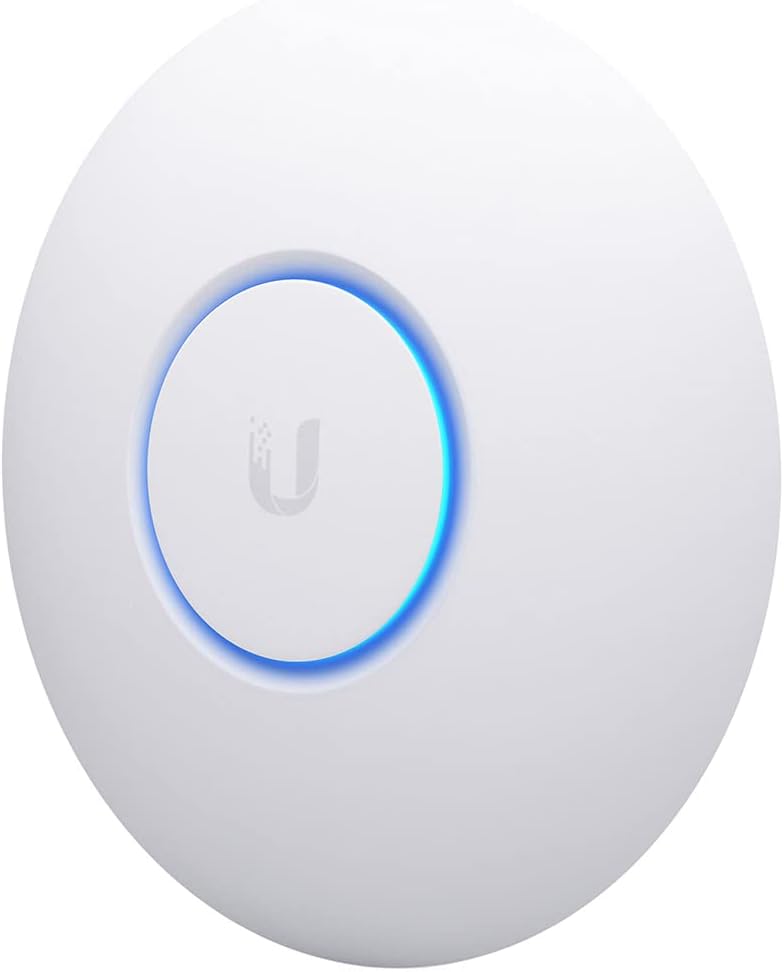
The Ubiquiti UniFi nanoHD is a compact 802.11ac Wave 2 access point with a 4.7 rating. It remains a practical choice for a business that values a discreet form factor, straightforward PoE operation, and support for more than 200 concurrent users without moving to a newer wireless generation.
We may earn a commission when you buy through this link, at no additional cost to you.
Four-stream 802.11ac Wave 2 technology and MU-MIMO are the core features. MU-MIMO allows compatible clients to use the access point more efficiently by serving multiple transmissions in parallel, which is particularly relevant in offices where many wireless devices are active at once. The nanoHD also supports 802.3af PoE, simplifying installations that use compatible switches or injectors.
The main limitation is age relative to the Wi-Fi 6 and Wi-Fi 7 products in the list. Newer clients can still use it, but they will not gain the performance benefits of newer wireless standards, higher channel utilization options, or multigig wired connectivity. Optional covers are sold separately, which may matter for design-conscious offices, hotels, and other visible installations.
This model makes the most sense for an existing UniFi environment, a compact secondary deployment, or an organization comfortable with Wi-Fi 5. New installations with heavy upgrade plans should compare it against the newer Ubiquiti U6+ and Omada options, but the nanoHD still delivers a focused combination of capacity, size, and efficient client handling.
The nanoHD's compact enclosure is suited to offices and other spaces where visual prominence should be kept low. Optional covers provide another way to help the unit blend into its surroundings.
Four-stream 802.11ac Wave 2 operation and MU-MIMO improve efficiency for compatible clients. Its stated support for more than 200 concurrent users makes it suitable for established business networks that do not require Wi-Fi 6 or Wi-Fi 7.
We may earn a commission when you buy through this link, at no additional cost to you.
The Omada EAP610 offers a balanced Wi-Fi 6 upgrade for offices, classrooms, hotels, and cafes. Its 4.6 rating, four spatial streams, and stated dual-band throughput of up to 1800 Mbps make it a versatile option for organizations seeking newer wireless efficiency in a compact design.
We may earn a commission when you buy through this link, at no additional cost to you.
Wi-Fi 6 features such as 1024-QAM and Long OFDM Symbol improve efficiency, while four spatial streams help support multiple applications and users. The access point can be managed through free Omada Essentials cloud management, an Omada hardware controller, a software controller, or standalone mode. Its slim enclosure is designed to blend into modern business environments.
Power deployment is flexible, with support for 802.3at PoE plus, 48V/0.5A passive PoE, and a 12V/1.5A DC supply. A DC adapter is included, while Mesh WiFi, Seamless Roaming, WPA3, Band Steering, Load Balancing, Airtime Fairness, and Beamforming add useful business functionality.
The EAP610 is a sensible selection when a Wi-Fi 6 upgrade is important but a top-tier Wi-Fi 7 radio and 2.5G port are unnecessary. It is also a natural companion to the EAP650 within one Omada environment. Buyers should confirm current SDN firmware compatibility and choose the appropriate controller or cloud arrangement before deployment.
1024-QAM, Long OFDM Symbol, and four spatial streams help the EAP610 serve a growing collection of business clients efficiently. These features are especially valuable in shared spaces where many devices access the network simultaneously.
The EAP610 supports cloud, hardware controller, software controller, and standalone modes. Organizations can therefore use the same broad management ecosystem as other compatible Omada access points while scaling from a small location to multiple sites.
We may earn a commission when you buy through this link, at no additional cost to you.
The Omada EAP225-Outdoor is built for outdoor business coverage, with a 4.2 rating, an IP65 weatherproof rating, and a durable enclosure. It is particularly relevant for campuses, parking areas, hospitality grounds, warehouses, and other locations where an indoor access point cannot provide the required reach.
We may earn a commission when you buy through this link, at no additional cost to you.
Dual-band 802.11ac Wave 2 performance is listed at up to 1200 Mbps, with MU-MIMO helping serve compatible clients more efficiently. The product supports up to 16 SSIDs, eight for each band, allowing indoor employees, guests, and other device groups to be separated logically. A reboot schedule and radio enablement controls add operational flexibility.
The stated outdoor reach extends beyond 200 meters on 2.4 GHz and beyond 300 meters on 5 GHz, although actual results depend heavily on the environment. Obstacles, walls, interference, antenna placement, and regulatory settings all influence performance. The IP65 enclosure helps protect against rain, dust, and temperature extremes, but it does not make every deployment equally suitable.
For installers who need proven outdoor capability within an Omada network, this is a useful option. The included PoE injector and support for 802.3af, 802.3at, and passive PoE simplify deployment. However, a Wi-Fi 6 outdoor model such as the EAP650-Outdoor provides a more current platform when the available infrastructure can support it.
The EAP225-Outdoor is designed to extend a business network beyond enclosed spaces. Its stated range makes it relevant for broad grounds, although installers should survey the site and account for walls, foliage, structures, and competing radio signals.
Support for multiple SSIDs lets administrators separate staff, guests, or device classes while using one access point. This improves network organization and can support different access policies for each group.
We may earn a commission when you buy through this link, at no additional cost to you.
The Omada EAP225 is an approachable business access point for budget-conscious installations that still need centralized management and reliable dual-band connectivity. It holds a 4.6 rating and includes a PoE injector, reducing the need for a separate powered network path during deployment.
We may earn a commission when you buy through this link, at no additional cost to you.
Its AC1350 class and 802.11ac dual-band operation provide a solid foundation for standard business traffic. MU-MIMO improves efficiency when paired with compatible clients, while the Gigabit Ethernet port keeps the wired connection suitable for many everyday access-point deployments. The result is less cutting-edge than a Wi-Fi 6 or Wi-Fi 7 installation, but it remains a capable indoor option.
Seamless Roaming is supported when both the access point and client devices use the appropriate 802.11K and 802.11V protocols. Mesh capability can extend coverage and allow network expansion where additional wiring is inconvenient. Omada SDN integration brings cloud access, application-based management, monitoring, and centralized control to supported environments.
The EAP225 is best for small offices, retail spaces, branch locations, guest networks, and other deployments where dependable basics matter more than maximum wireless speed. It is a particularly good fit for buyers already using Omada. Organizations expecting rapid client growth or high-bandwidth applications should consider moving to a newer Wi-Fi 6 model.
The access point supports both 802.3af PoE and passive PoE, and its supplied injector adds installation flexibility. A Gigabit Ethernet connection supports practical high-speed wired networking without requiring a multigig uplink.
Omada SDN provides a centralized path for monitoring and controlling compatible business access points. Cloud access and application management are useful for organizations that want visibility without maintaining a dedicated local controller.
We may earn a commission when you buy through this link, at no additional cost to you.
The Ubiquiti U6+ combines Wi-Fi 6 performance with a wall-mountable design and a 3 Gbit/s wireless class. Its 4.6 rating makes it a strong candidate for a modern business or dense home network that wants newer wireless capabilities and streamlined PoE+ installation.
We may earn a commission when you buy through this link, at no additional cost to you.
IEEE 802.11ax operation improves efficiency and capacity over older standards, while the listed dual-band radio supports communication across both 2.4 GHz and 5 GHz networks. Data encryption helps protect network access, and the unit is designed for wall mounting, which gives installers more placement options than a ceiling-only configuration in some environments.
A Gigabit Ethernet port handles the wired side of the network, while the PoE+ port can deliver data and up to 25.5W through one cable. This is useful where a nearby power outlet is unavailable, provided the connected switch or injector meets the required power specification. The single-cable approach also simplifies cable routing and maintenance.
The U6+ is a strong all-around Wi-Fi 6 option for a business already using Ubiquiti equipment, or for an installation seeking a modern but established platform. Its main limitation is the Gigabit Ethernet uplink, which provides less headroom than the 2.5G ports found on premium Wi-Fi 7 models. For very dense deployments, confirm uplink and switch requirements in advance.
Wi-Fi 6 improves spectrum efficiency, which can be valuable in offices where many clients share the same access point. The U6+'s 3 Gbit/s wireless class provides meaningful headroom for compatible devices and demanding local applications.
The PoE+ port carries network data and power over one cable, eliminating the need for a local outlet at the mounting location. Supporting infrastructure must provide appropriate PoE+ power, and the unit can also be wall mounted for flexible placement.
We may earn a commission when you buy through this link, at no additional cost to you.
The Ubiquiti U6+ AP WiFi6 2×2 is a compact Wi-Fi 6 option intended for network expansion and focused coverage. Its 4.6 rating reflects a dependable combination of 2×2 dual-band technology, a Gigabit Ethernet PoE connection, and support for dual displays.
We may earn a commission when you buy through this link, at no additional cost to you.
The 2×2 radio arrangement is intended to provide effective coverage without the radio complexity of higher-tier access points. Wi-Fi 6 capabilities make the model relevant for current clients that support 802.11ax, while the 1xGbE PoE connection handles both network data and power through a single wired path.
This is a useful access point when the objective is extending an established Ubiquiti network into a branch office, meeting room, retail zone, or another moderate-traffic area. It can offer a more focused capacity profile than a high-density 4×4 unit, which may make channel planning easier in certain smaller spaces. Dual-display support also adds flexibility for environments with multiple screens.
The primary limitation is the single-gigabit Ethernet connection, which is adequate for many ordinary access points but not as future-proof as a 2.5G uplink. It is best selected when Wi-Fi 6 efficiency, manageable coverage, and easy PoE deployment matter more than maximum aggregate throughput.
A 2×2 dual-band radio can be appropriate for areas that need solid coverage without the density of a higher-stream access point. It is a practical fit for smaller offices, conference areas, and distributed network expansions.
The integrated 1xGbE PoE connection combines networking and power in one run. This simplifies deployment while retaining Gigabit-class wired connectivity for ordinary business access-point traffic.
We may earn a commission when you buy through this link, at no additional cost to you.
The Omada EAP723 brings Wi-Fi 7 and a 2.5G port to a flexible deployment model, earning a 4.6 rating. Its BE5000 dual-band wireless class combines stated 5 GHz throughput of 4324 Mbps with 688 Mbps on 2.4 GHz, making it a strong candidate for organizations modernizing an indoor business network.
We may earn a commission when you buy through this link, at no additional cost to you.
Support for 240 MHz bandwidth allows more simultaneous transmissions on compatible channels, while Multi-RUs improve radio efficiency. The 2.5G Ethernet port helps prevent a single-gigabit wired connection from constraining the higher wireless class. This combination is particularly relevant in offices, hospitality venues, and educational spaces where multiple high-capability clients may connect at once.
Centralized management, Mesh, and Seamless Roaming place the EAP723 within the Omada ecosystem. It can therefore fit organizations that want consistent control across compatible switches, gateways, and access points. The main practical distinction from the EAP720 is that no DC adapter is included, making the model most convenient for installations with access to suitable 802.3at PoE.
This model is a good fit for new Wi-Fi 7 deployments that already have modern PoE switching. If a building has no suitable PoE infrastructure and an outlet is the only option, the EAP720 may be simpler because it includes a DC adapter. With suitable infrastructure, the EAP723 offers an attractive combination of wireless growth and wired headroom.
The availability of 240 MHz bandwidth and Multi-RUs gives the EAP723 tools for efficiently serving dense client populations. Actual channel width depends on radio conditions, regulatory rules, spectrum availability, and client support.
Its single 2.5G port provides a stronger uplink than a standard Gigabit connection. That extra capacity can be valuable when aggregate traffic from many Wi-Fi 7 clients needs to move toward the core network.
We may earn a commission when you buy through this link, at no additional cost to you.
The Omada EAP650-Outdoor combines Wi-Fi 6 performance with an IP67-rated weatherproof enclosure, making it an effective modern choice for outdoor business coverage. Its 4.4 rating reflects strong core specifications, while dedicated antennas and a rugged enclosure distinguish it from ordinary indoor access points.
We may earn a commission when you buy through this link, at no additional cost to you.
Dual-band throughput is stated at up to 2976 Mbps using Wi-Fi 6 technologies including 1024-QAM, HE60, and Long OFDM Symbol. The outdoor design uses dedicated high-gain antennas to help project coverage across areas such as courtyards, campuses, parking facilities, hospitality grounds, and exterior workspaces.
The IP67 enclosure provides protection against harsh weather, dust, and moisture. It can also be used indoors, although the outdoor enclosure may be more than necessary for a protected interior location. Omada SDN integration supports cloud access and centralized multi-site management, while Mesh, Seamless Roaming, Band Steering, Load Balancing, Airtime Fairness, and Beamforming improve large-network operation.
A PoE injector is included, which helps installers establish a wired power connection at locations without a nearby outlet. As with all outdoor deployments, antenna orientation, cable distance, wall composition, and competing radio systems strongly affect results. Businesses seeking the newest outdoor platform should also consider whether Wi-Fi 7 models may better match their longer-term equipment strategy.
The IP67 enclosure is designed to protect the access point in demanding outdoor environments. It offers a stronger environmental specification than the IP65-rated outdoor model in this guide, although neither rating eliminates the need for careful placement.
Dedicated high-gain antennas help provide more useful directional or broad outdoor coverage. Installers should survey the site, account for obstructions, and position the unit where the intended clients are located.
We may earn a commission when you buy through this link, at no additional cost to you.
The right POE Access Point depends on client density, wireless standard, wired uplink, management environment, and installation location. Reviewing these factors before purchasing helps prevent an installation that is underpowered, difficult to manage, or poorly matched to the building.
Wi-Fi 6 access points improve efficiency and capacity compared with older 802.11ac models, while Wi-Fi 7 adds features such as Multi-Link Operation, Multi-RUs, wider channel support, and higher-efficiency modulation. The client population matters as much as the headline wireless class. Lightweight offices with a modest number of employees may perform well on Wi-Fi 5 or Wi-Fi 6, while busy hotels, classrooms, and shared workspaces may benefit from a higher-stream radio and a stated client capacity of 250 or more.
The access point's Ethernet port can become a bottleneck before the wireless radio does. A Gigabit port is appropriate for many conventional deployments, but a 2.5G uplink offers more room for aggregate traffic from newer clients. This is especially important for Wi-Fi 7 installations, dense offices, and locations using multigig internet connections. The connected switch, controller, gateway, and cabling must also support the intended uplink speed.
PoE can reduce cabling requirements by carrying power and data over one connection, but installers must confirm whether the switch supports 802.3af, 802.3at, or PoE plus and whether it has sufficient power budget. Passive PoE is another option, but its voltage and current requirements must match the access point. Models that include a DC adapter offer more placement flexibility because they can operate from a conventional outlet as well as compatible PoE infrastructure.
Standalone operation is useful for a single access point, but growing networks benefit from centralized configuration, monitoring, firmware control, and remote diagnostics. TP-Link Omada models support several management approaches, including Omada Essentials cloud management, hardware controllers, software controllers, and standalone use. Ubiquiti access points are generally considered within the UniFi ecosystem. Mesh and seamless roaming features also commonly depend on compatible controllers and the correct firmware, so compatibility should be checked before purchasing mixed equipment.
An indoor access point is designed for protected spaces and generally has a compact, unobtrusive enclosure. An outdoor model needs a suitable ingress-protection rating, sealed construction, and antennas intended for exterior placement. The EAP225-Outdoor has an IP65 rating, while the EAP650-Outdoor has an IP67 rating and dedicated high-gain antennas. Neither weatherproof specification guarantees performance; walls, vegetation, weather, nearby radios, antenna orientation, and cable routing remain important.
The stated maximum wireless rate is a laboratory figure, not a promise of the speed every client will receive. Real performance depends on client radio capabilities, channel width, interference, distance, walls, and the number of nearby access points. A four-stream model may serve a high-density area effectively, while a 2×2 configuration may be sufficient for a smaller office. Mesh can fill gaps, but wired backhaul is generally more predictable where cabling is available.
A business access point should support current wireless security, encrypted management access, and separation of different user groups. WPA3 support appears on the EAP650 and EAP610, while the EAP720 also includes security controls and PPSK. VLAN segmentation, multiple SSIDs, schedules, and access policies are especially valuable for separating staff, guests, IoT devices, and sensitive systems. Security features should be paired with a properly secured controller account and regular firmware maintenance.
Longer warranty periods can provide useful confidence in business deployments, particularly when access points are installed across multiple difficult-to-access locations. The Omada EAP650, EAP720, EAP610, and EAP225 include stated five-year warranties, with technical support available during published hours. Warranty length should still be balanced against product age, expected technology refresh, environmental suitability, and the availability of replacement units.
Begin with a coverage and capacity survey rather than placing the first unit in the center of the building. Identify where users sit, where applications are used, where walls create dead zones, and how many devices are likely to connect. For outdoor access points, inspect the mounting area, cable route, drainage, sunlight exposure, and nearby radio interference before drilling or mounting equipment.
Install the access point using a compatible PoE switch or injector, or use the supplied DC adapter when the product supports it. Confirm the voltage, current, PoE standard, and Ethernet connection before energizing the unit. Create or select the intended management platform, apply firmware and controller compatibility guidance, and use a site survey to adjust transmit power, channels, and placement rather than immediately running every radio at maximum power.
After installation, test coverage and throughput in multiple locations, especially at the network edges. Separate staff, guest, and IoT traffic, apply appropriate security policies, and verify roaming behavior where users move between access points. Monitor client counts, channel utilization, retransmissions, and hardware health through the management platform, and schedule firmware and configuration maintenance during appropriate service windows.
PoE carries electrical power and network data over one Ethernet cable, while a DC adapter uses a separate power connection. PoE can simplify wiring and reduce outlet requirements, but the switch or injector must support the correct PoE standard and power level. A model with a DC adapter offers more flexibility because it can be installed where conventional power is available or where compatible PoE infrastructure already exists.
Not always. A suitable Wi-Fi 6 access point can provide efficient, reliable service for many offices, cafés, and branch locations. Wi-Fi 7 is more compelling in dense environments, for newer high-capability clients, or when future growth and a 2.5G uplink are priorities. The correct choice depends more on client density, application demand, wired infrastructure, and management needs than on the newest standard alone.
Usually not for a conventional wired access point because it needs both network connectivity and power. A PoE switch or injector still requires a network connection to the building network, although it can eliminate the need for a separate power cable at the access point. Wireless mesh or power-line alternatives may reduce cabling in limited situations, but they introduce different performance and reliability considerations.
The standards indicate how much power a PoE system may deliver to a powered device. 802.3af covers lower power, while 802.3at supports a higher power budget. An access point may work with either, but the switch, injector, cable length, and device requirements must all align. PoE plus is commonly associated with 802.3at, and users should check each product's stated requirements before connecting it.
Outdoor installations require cables and connectors suitable for the environment, including proper grounding and weather-resistant conduit where appropriate. A PoE injector should not be exposed to rain or moisture unless it is specifically designed for that location. The access point should be mounted with the required clearance and orientation, and all cable entries should follow the manufacturer's sealing and installation instructions.
The correct number depends on area, walls, client density, radio interference, application usage, and the access point's radio class. Start with a site survey and place units where users need coverage rather than spreading them evenly without purpose. Dense environments may require several coordinated units with carefully planned channels, while smaller spaces may need only one or two well-positioned access points.
Many access points can operate in standalone mode, but a controller or cloud platform simplifies configuration, monitoring, firmware updates, and future expansion. Controllers are particularly useful when operating multiple sites, coordinating roaming, managing many devices, or separating access policies. Check the specific product's supported management modes and whether advanced mesh or roaming features require controller operation.
Review firmware releases regularly and install updates during an appropriate maintenance window, particularly when they address security, stability, management compatibility, or client interoperability. Avoid updating access points one at a time across a critical site unless a staged procedure is being used. Read release notes, confirm controller support, and test the change before rolling it out across the entire network.
The Omada EAP650 is the most balanced overall choice, combining Wi-Fi 6 performance, flexible PoE options, free cloud management, advanced wireless features, and a five-year warranty. The EAP720 stands out for organizations seeking premium Wi-Fi 7 performance, a 2.5G uplink, and high stated client capacity, while the EAP225 offers a practical budget-oriented path into centralized Omada management.
Prioritize the wireless generation, uplink speed, client density, and power method that match your actual environment rather than choosing from headline speed alone. Verify management-controller compatibility, environmental ratings, and included accessories before purchase. Outdoor users should also conduct a site survey, while offices with high client density should consider models with higher stream counts and multigig wired connectivity.
Specifications, ratings, package contents, and listing details can change over time, so consult the current product listing and manufacturer documentation before making a final decision. Checking current pricing and availability at the same time can help ensure that the selected POE Access Point remains a practical fit for the intended installation.