
UANTIN USB C to HDMI Cable
4.4Editor score
Direct plug-and-play HDMI connection
Supports 4K at 30Hz
Works with DisplayPort Alt Mode
Discover the best Phone to TV Adapters, comparing USB-C, Lightning, wired, and wireless options for charging, resolution, compatibility, portability, and setup.
Phone to TV adapters make it easier to share videos, presentations, games, photos, and other content on a larger television, monitor, or projector. The right choice depends mainly on your phone connector, video capabilities, charging needs, and preferred setup method, making careful compatibility checks essential.
This guide compares ten adapters using the supplied product information, focusing on connection type, supported resolution, wired or wireless operation, power delivery, device compatibility, portability, and potential content restrictions. It covers USB-C models, Lightning models, multiport options, and wireless display dongles without claiming they were personally tested.
The reviews reveal that a strong adapter is more than a simple connector: some add simultaneous charging, while others prioritize a cable-based connection, broader display support, or convenient wireless mirroring. Each pick highlights a different use case, and prices, availability, device models, and streaming restrictions can change over time.
4.4Editor score

4.4Editor score

4.5Editor score
The table below compares the ten adapters by connection style, maximum stated resolution, charging support, and key compatibility considerations.


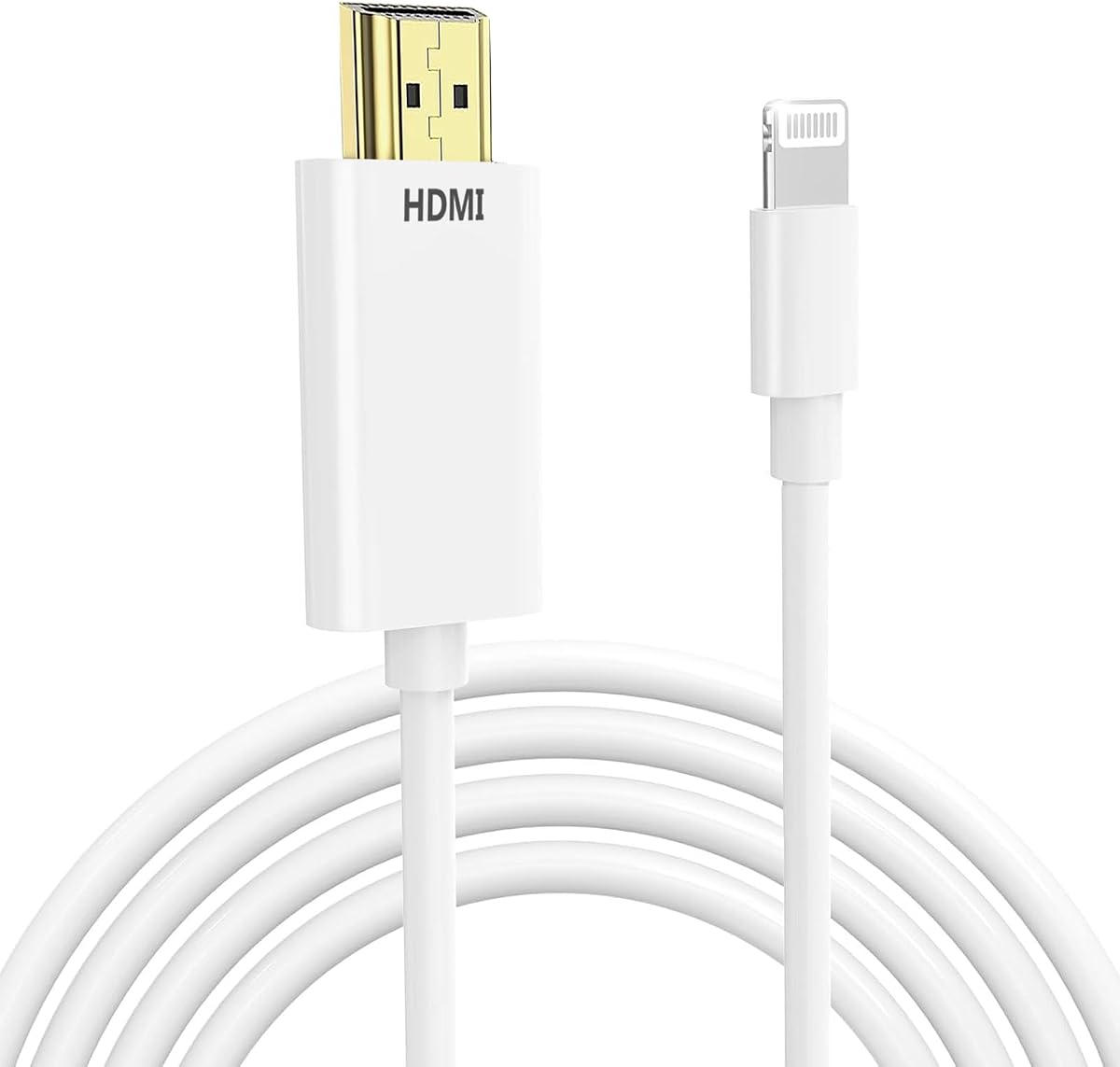
The UANTIN USB C to HDMI Cable 6Ft for Home Office 4K High-Speed is a straightforward wired solution with a 4.4 rating. Its main appeal is the combination of a six-foot cable, 4K at 30Hz output, and broad compatibility with USB-C laptops, tablets, and phones that support DisplayPort Alternate Mode.
We may earn a commission when you buy through this link, at no additional cost to you.
Unlike a small dongle that also requires an HDMI cable, this product connects the source device directly to a television, projector, or monitor. That reduces the number of components involved and makes it a convenient option for home offices, presentations, travel, and hotel-room entertainment. Shielding, gold-plated connectors, and a braided nylon exterior are designed to support stable signal transmission and everyday durability.
The main compromises are clear. It supports 4K only at 30Hz, which is less suitable for demanding gaming or motion-heavy content than 4K at 60Hz alternatives. It also lacks a separate charging port, so a compatible phone could consume power while mirroring. Portable monitors are explicitly not supported, and the USB-C port must support DisplayPort Alternate Mode.
This is a strong recommendation for someone who wants an uncomplicated USB-C to HDMI connection without assembling a multiport hub. Check your device for video-output support, use a suitable television or projector, and choose this cable when 4K at 30Hz and simple operation matter more than maximum refresh rate or simultaneous charging.
The integrated six-foot cable removes the need to carry a separate HDMI lead. It is particularly useful for presentations, office desks, and travel, where fewer adapters mean fewer possible connection points.
The stated device list is extensive and covers major phone, tablet, laptop, and Chromebook families. The essential caveat is DisplayPort Alternate Mode, which is a software and hardware feature rather than a universal USB-C standard.
We may earn a commission when you buy through this link, at no additional cost to you.
The 2026 Upgraded Wireless HDMI Display Dongle Adapter has a 4.4 rating and offers a cable-free alternative for sending a phone or laptop image to an HDTV, projector, or monitor. Its stated 1080p at 60Hz output and support for 4K content make it versatile for presentations, lessons, meetings, and casual entertainment.
We may earn a commission when you buy through this link, at no additional cost to you.
Dual-band 2.4GHz and 5GHz antennas are intended to support a stable connection up to 16 feet, while the listed latency is approximately 100 milliseconds. AirPlay support covers compatible Apple systems, and Miracast support applies to compatible Android and Windows devices. A privacy mode and one-click disconnect add convenience, and the side button changes portrait and landscape orientation.
The notable limitation involves HDCP-protected content. The supplied information specifically identifies Netflix, Amazon Prime Video, Hulu, Comcast TV, Xfinity, Vudu, Sky Go, and BT Sport as potentially unsupported. Users should therefore distinguish between general screen mirroring and streaming protected subscription services, which can behave very differently because of content-protection rules.
Choose this dongle when avoiding a wired connection is the priority and your content is not subject to strict HDCP limitations. It is less appropriate for competitive gaming, latency-sensitive use, or a setup where a stable wired link and continuous device charging are essential.
The product is described as working without apps, Bluetooth, or a conventional Wi-Fi connection, which simplifies screen sharing in unfamiliar rooms. A compatible transmitter remains necessary, but the receiver reduces dependence on display cabling.
HDCP protection can prevent otherwise compatible hardware from displaying certain subscription content. The product may mirror ordinary apps, presentations, websites, and local media, but protected video services may show no picture or otherwise restrict output.
We may earn a commission when you buy through this link, at no additional cost to you.
The USB C to HDTV Adapter for TV with 100W PD and 4K at 60Hz is a practical two-port solution rated 4.3. It combines an HDMI output with a dedicated USB-C power-delivery input, allowing compatible phones, tablets, and laptops to display content while receiving power.
We may earn a commission when you buy through this link, at no additional cost to you.
Its 4K at 60Hz ceiling gives it an advantage over the first cable in this list for smoother motion and more demanding displays. The adapter is intended for mirroring or extending screens, making it useful for presentations, online meetings, gaming, and home viewing. It operates without a driver, app, or Wi-Fi connection, so setup remains approachable.
Video output still depends on a compatible source device with USB-C and DisplayPort Alt Mode. The product information also says that it does not support iPhone 16e or iPhone 17e. A 100W rating describes supported input, but actual charging behavior depends on the device, charger, cable, and power-delivery agreement.
This adapter is a compelling middle ground for users who need more than a basic cable but do not require a full multiport hub. It is particularly helpful when long viewing or working sessions make simultaneous charging important, while 4K at 60Hz provides a more versatile display experience.
Keeping charging separate from display output means a phone can remain powered during a long presentation, movie, meeting, or game session. The multiport arrangement is more useful than a basic display-only adapter when the source device has only one USB-C port.
The stated 60Hz output is the central distinction for viewers who notice motion smoothness. It remains important to use a television, monitor, projector, and HDMI cable capable of handling the selected resolution and refresh rate.
We may earn a commission when you buy through this link, at no additional cost to you.
The USB C to HDMI Adapter for iPhone 18 17 16 15 to TV is rated 4.3 and focuses on current USB-C Apple devices as well as compatible iPads and other video-capable hardware. Its MFi certification, 4K at 60Hz output, and 100W charging port distinguish it from simple display adapters.
We may earn a commission when you buy through this link, at no additional cost to you.
The dedicated charging input is useful during long films, presentations, video calls, and gaming sessions. The product supports both mirroring and extending, while the listed application coverage includes YouTube, Microsoft Office, local media, and several broadcast or entertainment apps. Setup requires connecting the source, an HDMI cable, and the display without installing software.
It does not solve protected-content limitations. Netflix, Amazon Prime Video, Disney+, Hulu, and HBO Go are specifically identified as unsupported due to copyright protection. Compatibility also depends on having a USB-C device with display output; older iPhone and iPad models that use the Lightning connector need a different solution.
This is a sensible choice for a recent USB-C iPhone user who values certified hardware, charging, and higher refresh output. It is best for personal media, presentations, and apps that permit direct screen output rather than for users expecting every protected streaming application to work.
MFi certification indicates that the accessory has been designed within Apple's accessory program and made to Apple's stated requirements. It can provide additional confidence regarding compatibility and quality for users who prefer certified accessories.
A physically compatible adapter cannot override the digital-rights controls used by major streaming platforms. Confirm that your intended apps permit screen output and use local or unprotected video when protected services display a black screen.
We may earn a commission when you buy through this link, at no additional cost to you.
The 2027 Wireless HDMI Display Dongle Adapter has the highest listed rating in this group at 4.5. It is designed for users who want to mirror a compatible smartphone or laptop to a television, projector, or monitor without running a cable between the source and large display.
We may earn a commission when you buy through this link, at no additional cost to you.
The receiver supports AirPlay for compatible Apple devices, Miracast for compatible Android and Windows devices, and DLNA according to the supplied listing. Dual-band 2.4GHz and 5GHz antennas are specified for transmission up to 16 feet, with a listed latency of approximately 100 milliseconds. Portrait and landscape switching, privacy mode, and one-click disconnection improve usability.
Its limitations mirror those of most wireless display systems. Protected streaming services such as Netflix, Amazon Prime Video, Hulu, Comcast TV, Xfinity, Vudu, Sky Go, and BT Sport may not display because of HDCP. Wireless transmission also cannot match the consistency of a direct wired connection, especially when latency, fast motion, or uninterrupted playback matters.
This premium pick is best for presentations, education, meetings, and shared content where wireless convenience and broad casting standards outweigh the need for a wired charging connection. Users seeking protected streaming, professional gaming, or guaranteed low-latency performance should choose a wired 4K adapter instead.
AirPlay and Miracast support gives the receiver broader usefulness than a receiver tied to one operating system. Actual results still depend on the source device's operating system, permissions, network environment, and casting implementation.
The stated range and dual-band antennas suit conference rooms, classrooms, and home spaces where presenters want to connect quickly. Keeping the source and receiver within the stated range can help reduce instability.
We may earn a commission when you buy through this link, at no additional cost to you.
The USB-C to HDMI Adapter for iPhone 18/17/16/15, iPad to TV is a versatile wired adapter with a 4.4 rating. It combines 4K at 60Hz output with a 100W USB-C power-delivery port, covering three common needs: large-screen display, smooth motion, and continued charging.
We may earn a commission when you buy through this link, at no additional cost to you.
Its compatibility list includes recent iPhone, iPad, MacBook, iMac, Samsung Galaxy, Surface Laptop, and Dell XPS devices, along with other products using USB-C DisplayPort Alt Mode. The product can mirror or extend the display and supports ordinary applications including YouTube, TikTok, Instagram, Office suites, and locally stored video.
HDCP 2.2 remains a meaningful limitation. The listing says Netflix, Amazon Prime Video, Hulu, and HBO Go are not supported, which may result in audio-only playback or a black screen. The product also does not serve older Lightning-based iPhones, and its stated 100W charging capability varies according to the connected device and charger.
This is the most balanced recommendation in the guide for someone who wants 4K at 60Hz, simultaneous charging, and broad USB-C compatibility. It is a compelling choice for home entertainment, presentations, and extended desktop work, provided the intended content is not restricted by HDCP.
A single USB-C adapter can replace several everyday accessories when a device has limited ports. The separate charging input preserves power while the HDMI output handles the display, reducing the need to unplug and reconnect accessories.
The 4K at 60Hz specification is useful for detailed documents, fluid motion, and smooth transitions. The television, projector, or monitor must also support the target mode, and the source device must have compatible video output.
We may earn a commission when you buy through this link, at no additional cost to you.
The Battony USB C to HDTV Adapter, Type C Multiport AV Converter is rated 4.3 and serves users who need more than a single display connection. Its three-in-one design combines HDMI output, USB-A connectivity, and a charging port in a portable aluminum-bodied adapter.
We may earn a commission when you buy through this link, at no additional cost to you.
The HDMI output supports up to 4K UHD at 30Hz and works with compatible televisions, monitors, and projectors. Its USB-A ports support data transfers up to 5Gbps, potentially allowing connections for flash drives, cameras, removable hard drives, mice, and keyboards. The product uses plug-and-play operation without software, drivers, or a complicated installation process.
The lower 30Hz ceiling makes it less attractive for demanding gaming or high-refresh 4K workflows. A compatible USB-C computer with video output and appropriate power delivery is still required, and the maximum transfer speed depends on connected equipment. Older devices listed in the compatibility information are more relevant to its intended computer-focused use.
This adapter is a good choice for a desk setup where a phone or computer needs display, charging, and occasional USB peripherals. It is less suitable for users whose priorities are wireless flexibility, 4K at 60Hz, or the most compact possible travel accessory.
The USB-A connections add practical value for peripherals and removable storage, making the adapter more useful at a desk than a basic display-only dongle. The included charging path helps keep the source device powered during extended work.
Its slim form is intended to fit in a pocket or laptop bag, while the aluminum body is described as aiding heat dissipation. A separate HDMI cable is still required because the converter provides an HDMI port rather than an integrated cable.
We may earn a commission when you buy through this link, at no additional cost to you.
The Apple MFi Certified Lightning to HDMI Digital AV Adapter is a 1080p solution for Lightning-based iPhones and iPads. Its 4.1 rating is the lowest in this selection, but its MFi certification, broad device list, and integrated charging port make it relevant for users who still rely on older Apple hardware.
We may earn a commission when you buy through this link, at no additional cost to you.
It can mirror apps, presentations, websites, slideshows, and local media on a compatible television, projector, or monitor. Installation is simple: attach the Lightning connector, connect an HDMI cable, approve the trust prompt, and wait for the screen to appear. No application, driver, personal hotspot, or Wi-Fi setup is required.
The maximum output is 1080p, so it does not meet the needs of users seeking 4K. HDCP also restricts paid services such as Netflix, HBO GO, Prime, Hulu, and DIRECTV, even though ordinary YouTube content, Office tools, local video, and several broadcast applications are listed as supported.
Choose this adapter if you own a Lightning iPhone or iPad and want certified, simple screen mirroring with a charging option. If your device uses USB-C, buying a USB-C alternative will provide a wider choice of current models and potentially higher video specifications.
The listed compatibility includes iPhone models from the 5-series era through iPhone 14 variants, along with many iPad Air, Pro, and Mini models. This broad range is the adapter's defining benefit for users without USB-C hardware.
A wired connection removes dependence on wireless network quality and is often easier to manage during meetings or classes. The adapter remains subject to protected-content rules and the display capabilities of the connected screen.
We may earn a commission when you buy through this link, at no additional cost to you.
The Apple MFi Certified Lightning to HDMI Digital AV Dongle is a portable 1080p adapter for older iPhone, iPad, and iPod devices. It has a 4.2 rating and is built around straightforward mirroring, broad Lightning compatibility, and a charging port that avoids the need for a separate external power supply.
We may earn a commission when you buy through this link, at no additional cost to you.
Images, movies, games, websites, presentations, and slideshows can be mirrored to an HDMI-equipped television, display, or projector. The listed device coverage includes iPhone models from the 5 through 14 families, as well as iPad, iPod, and other Lightning-interface devices. Setup involves connecting an HDMI cable, waiting for the device to recognize the adapter, and approving the trust prompt.
HDCP-protected content is the main obstacle. The listing specifically excludes Netflix, Amazon Video, HBO Go, Hulu, Sky Q, and other protected applications, while YouTube, IDMB, Quickflix, Microsoft Office, local videos, and several broadcast networks are supported. The maximum 1080p resolution also falls short of 4K alternatives.
This is a practical travel and legacy-device pick. It suits users who want an inexpensive, compact, certified adapter without an external power supply, particularly for presentations, local media, and ordinary app mirroring.
The adapter is described as drawing the needed operating power from the connected Apple device. Its Lightning charging port can accept a cable for continued power, but the product does not require an external power brick.
After connecting the hardware, the user approves a trust request and the display appears automatically. The process is straightforward, although newer software versions can introduce compatibility changes that make manufacturer support valuable.
We may earn a commission when you buy through this link, at no additional cost to you.
The KikoSaka Lightning to HDMI Cable for iPhone TV Adapter is an Apple MFi Certified option rated 4.3. Its defining feature is broad compatibility with Lightning-equipped iPhones, iPads, iPods, and other Apple devices rather than an expanded collection of data ports.
We may earn a commission when you buy through this link, at no additional cost to you.
The stated device list covers iPhone 14, 13, 12, 11, X, XS, XS Max, XR, 8, 7, 6 Plus, 5, 5S, 5C, and SE models, along with iPad and iPod devices. The listing also states support across iOS versions, which is useful for users who do not want to replace an older device solely to add television support.
The supplied product information is less detailed than for several other picks. It does not clearly state a maximum resolution, supported charging arrangement, or exact behavior with protected streaming applications. Consumers should therefore review the final listing details and confirm that the adapter meets their video and charging requirements before purchase.
This product is best for a Lightning-based Apple device where certified compatibility, portability, and a simple connection are the priorities. It is a less informed choice than the better-specified Lightning options for demanding users, but it may serve as a compact and broadly compatible travel accessory.
Apple MFi certification offers reassurance within the manufacturer's accessory ecosystem. The extensive compatibility list makes the adapter especially relevant to owners of older Lightning devices that may be difficult to connect with newer USB-C-only accessories.
Because the supplied information emphasizes compatibility rather than output specifications, buyers should confirm resolution, charging, and app support on the current product page. Those details can vary as listing content and product designs are updated.
We may earn a commission when you buy through this link, at no additional cost to you.
A useful phone-to-TV adapter should match your connector, deliver an appropriate display mode, and avoid unnecessary restrictions. Consider power, portability, content protection, and the type of screen you use before choosing.
In short, identify the connector and confirm that it supports external video before selecting an adapter.
In short, choose 4K at 60Hz when motion smoothness matters; 4K at 30Hz is sufficient for many static or standard-viewing uses.
In short, use a wired adapter for dependable everyday performance and a wireless dongle when mobility and clean presentation matter most.
In short, choose a PD-equipped adapter for long sessions, but verify that your source device and charger support the required power standard.
In short, hardware compatibility does not guarantee streaming-app compatibility, especially for HDCP-protected services.
In short, add ports only when you will use them; otherwise, a smaller display-and-charge adapter is easier to carry.
In short, count every required component when travel convenience matters instead of comparing adapter size alone.
In short, verify the exact model and current software support, not just the connector type or device family.
Begin by confirming that the source device supports external video output. For a wired adapter, connect the USB-C or Lightning end to the phone, tablet, or laptop, connect the adapter's HDMI port to the television or projector with a suitable HDMI cable, and select the correct input source. For a wireless dongle, connect the receiver to the display and follow the casting prompt on the source device.
After the first connection, approve any trust or screen-mirroring prompt and adjust the display orientation. Use the television or projector's input menu if the image is absent, and ensure the screen is set to the matching resolution and refresh rate. If the adapter includes a power-delivery port, attach a compatible charger and cable to keep the source device powered during extended use.
Handle the adapter and cable by their connectors, avoid sharply bending the cable near the plug, and keep the device away from moisture, excessive heat, and heavy impact. Store wireless receivers in a small protective pouch and do not leave a connected adapter under pressure in a bag. If a picture appears intermittently, re-seat every connection, test another display input, and verify that the source device and streaming app support the selected output mode.
No. A USB-C connector can support charging, data, video, or a combination of those functions, but phone-to-TV output usually requires DisplayPort Alternate Mode. Check the manufacturer's specifications for external-display or screen-mirroring support. Even when the port is compatible, the television, projector, or monitor must also accept the signal through a suitable HDMI connection.
It depends on the adapter and the content's protection system. Several products in this guide explicitly do not support Netflix and other HDCP-protected services, even though ordinary apps and local media work. A black screen in a protected app usually reflects content protection rather than a defective cable. Check both the adapter's app-compatibility notes and the service's screen-output terms.
Mirroring shows the same content on the phone and external display, which is ideal for videos, presentations, and demonstrations. Extending creates a separate desktop area on the external screen, allowing more windows to remain open. Device operating systems, applications, and some wireless systems may support extending more reliably than others.
Choose wired for consistent performance, lower-latency response, easy charging, and dependable access to local media. Choose wireless when avoiding cables, changing presenters, or presenting in a shared room is more important. Wireless adapters may introduce latency and are more dependent on compatible casting standards, source permissions, signal conditions, and content-protection support.
Most dongles and multiport converters require a separate HDMI cable to connect the adapter to the television, projector, or monitor. A product described as a USB-C-to-HDMI cable already includes that connection in one continuous form. Check the product description and package contents, particularly for wireless receivers and compact multiport adapters.
It means the adapter's USB-C power-delivery input can accept up to 100W under compatible conditions. The phone, tablet, or laptop determines the amount actually accepted, and the charger and charging cable must also support an appropriate power level. The 100W figure should not be read as a guarantee that every connected device will charge at 100W.
No. A Lightning adapter requires a device with a Lightning port and will not physically connect to a USB-C phone. Recent USB-C iPhones need an adapter designed for USB-C DisplayPort Alternate Mode, while older Lightning iPhones need a Lightning model. Confirm the exact connector on the device before buying.
Start by confirming that the source device supports video output and that the display is on the correct HDMI input. Re-seat the adapter and HDMI cable, approve any trust prompt, and try a different cable or display if possible. For wireless setups, check the casting standard and network conditions. Finally, determine whether a protected streaming app is blocking the image through HDCP.
The UANTIN USB C to HDMI Cable is the strongest value-oriented wired option, offering 4K at 30Hz in a straightforward integrated-cable design. The USB-C to HDMI Adapter with PD100W is the most balanced everyday choice because it combines 4K at 60Hz with simultaneous charging, while the 2027 Wireless HDMI Dongle is the premium pick for cable-free sharing and broad casting support.
Prioritize the connection type your device actually supports, then choose between 30Hz and 60Hz according to the display and content. Consider a power-delivery port for long sessions, check whether wireless latency is acceptable, and confirm application support before expecting a particular streaming service to work. Portable monitors, legacy connectors, and HDCP-protected services require extra verification.
Prices and availability change, so compare the current listing and included components at the time of purchase. A separate HDMI cable, a suitable power adapter, and a display with matching capabilities may be necessary even when the adapter itself is fully compatible.