
Western Digital 500GB WD Red SN700
4.5Editor score
Purpose-built for NAS workloads
Up to 3,430 MB/s reads
Reliable virtualization performance
Discover the 10 best NAS Grade NVME SSDs, comparing PCIe generations, capacities, endurance, compatibility, and performance for network storage systems.
A NAS-grade NVMe SSD should deliver more than fast benchmark results. It needs dependable endurance, broad enclosure compatibility, consistent performance under sustained workloads, and enough capacity for the way your network is used. The strongest choices serve as storage tiers, caches, or primary drives in active home and business systems.
This guide compares ten M.2 2280 models positioned for high-performance NAS use, including dedicated NAS products and versatile PCIe 4.0 or 5.0 drives. We considered stated speeds, I/O performance, endurance, thermal design, capacity, firmware support, and the workloads each drive is intended to handle. The list includes both purpose-built and adaptable choices.
Each review explains the strongest reasons to choose a drive, along with compatibility or workload limitations worth considering. The top recommendations cover a budget-oriented NAS model, a premium PCIe 5.0 option, and a high-end general-purpose drive. Current prices and availability can change, so compare specifications and your NAS requirements before purchasing.
4.5Editor score

4.7Editor score

The table below places all ten drives side by side, highlighting their interface, advertised speed, capacity class, and primary strengths. The comparison also distinguishes dedicated NAS SSDs from general-purpose drives that may require additional platform validation.



The Sandisk 960GB NAS 800 is a purpose-built PCIe 5.0 M.2 2280 drive for demanding network storage configurations. Its defining advantage is the combination of extreme advertised bandwidth and a design explicitly intended for 24/7 NAS operation. The listed sequential performance reaches up to 14,900 MB/s for reads and 13,200 MB/s for writes, making it one of the most aggressive options in this guide.
We may earn a commission when you buy through this link, at no additional cost to you.
The NAS 800 family is engineered for use as a cache device, a storage tier, or primary storage in an all-flash NAS. It uses TLC 3D NAND, and the broader family is specified with endurance reaching up to 14 PBW on the 7.68TB model. Compatibility testing with leading NAS systems is also a meaningful advantage because it reduces uncertainty when adding specialized storage to an enclosure.
The main drawback is that PCIe 5.0 performance depends on matching hardware. Many NAS platforms still use PCIe 4.0 slots or do not expose enough lanes to benefit from the full interface. The 960GB capacity is also modest for large media libraries, extensive virtual machines, or storage pools with substantial redundancy requirements, although it can be useful for an application tier or cache.
This is the strongest recommendation for buyers who specifically want a premium drive designed around continuous NAS service rather than a general-purpose SSD repurposed for storage. Choose it when your platform supports PCIe 5.0 M.2 2280, your workload benefits from high sequential throughput, and you value explicit NAS engineering and compatibility testing.
The stated 24/7 NAS positioning makes this drive more relevant for sustained operations than a typical short-burst desktop SSD. Its ability to serve as primary storage, a tier, or a cache gives administrators flexibility as performance and capacity requirements change.
The headline speeds are most useful in modern platforms with suitable CPU and slot support. In older or limited enclosures, the drive may operate at lower negotiated speeds, but its NAS-focused design remains relevant for demanding workloads.
We may earn a commission when you buy through this link, at no additional cost to you.
The 500GB WD Red SN700 is an approachable way to add dedicated NVMe performance to a compatible NAS. It is a Gen3 PCIe M.2 2280 drive rated for up to 3,430 MB/s, and the Red branding is reinforced by the product's stated focus on NAS reliability, endurance, and responsive I/O.
We may earn a commission when you buy through this link, at no additional cost to you.
Its most attractive qualities center on practical NAS operation rather than spectacular headline bandwidth. The listed capabilities target virtualization, collaborative editing, and multitasking applications used by multiple users. That makes the drive a sensible option for an application cache, a focused storage pool, or a high-traffic working area in a compatible system.
PCIe 3.0 is the principal limitation. The drive will not match the sequential throughput of PCIe 4.0 or 5.0 models, and its 500GB capacity is modest by modern storage standards. It also needs a NAS enclosure with a compatible M.2 slot and adequate thermal support; the mere presence of an M.2 connector does not guarantee that every NAS model supports every drive.
For cost-conscious buyers who want a drive explicitly designed for NAS duties, the WD Red SN700 500GB is easier to justify than a general-purpose alternative. It is a good match for smaller NAS systems and targeted workloads where dedicated endurance and responsiveness matter more than maximum transfer speed.
The Red SN700 is described as handling NAS workloads with reliability and endurance in mind. That positioning makes it more relevant to a sustained network deployment than choosing solely from a consumer SSD's peak speed figure.
At 500GB, this capacity is practical for a cache or a smaller working pool. Buyers needing libraries, multiple virtual machines, or large backups should either choose a larger version or add conventional NAS storage for bulk data.
We may earn a commission when you buy through this link, at no additional cost to you.
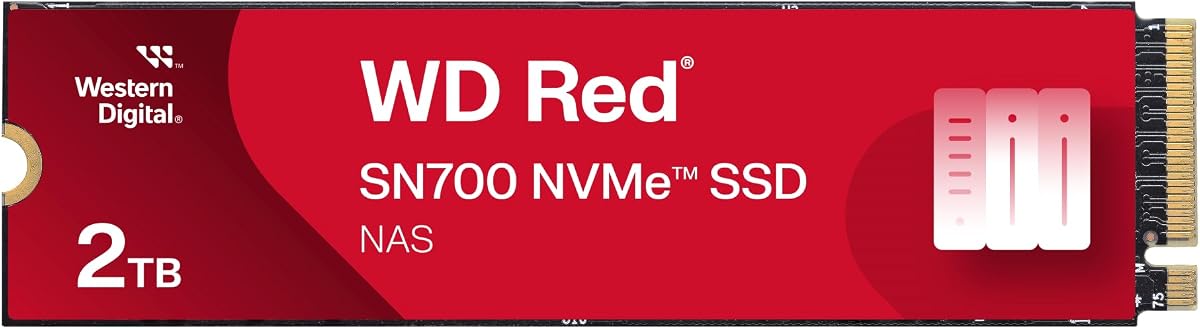
The 2TB WD Red SN700 expands on the smaller model's dedicated NAS positioning with a more useful amount of room for applications, working data, and virtual environments. It is a Gen3 PCIe M.2 2280 SSD with advertised read performance of up to 3,400 MB/s and a 2TB capacity.
We may earn a commission when you buy through this link, at no additional cost to you.
This configuration is more useful for a NAS user whose data set has outgrown a small cache but does not require the very high sequential bandwidth of newer interfaces. The stated feature set emphasizes exceptional I/O performance, reliability, endurance, virtualization, collaborative editing, and multiuser multitasking. Those are common requirements for studios, development teams, and active creative offices.
The older interface is the main compromise. PCIe 3.0 limits theoretical throughput and may leave performance on the table in a system equipped with newer slots. Capacity also does not eliminate the need for a storage strategy: a 2TB SSD can fill quickly when virtual machine images, databases, camera footage, and container data are combined.
Choose this drive when you want a larger, purpose-built Red SN700 without moving to a high-bandwidth general-purpose platform. It is especially compelling for a compatible NAS where reliable responsiveness and enough room for working data matter more than achieving PCIe 5.0 transfer rates.
The larger capacity supports a broader mix of NAS workloads, including collaborative projects, databases, and virtualization. It remains more manageable than a very large flash tier while offering enough room for frequently accessed working data.
The SN700's identity centers on dependable NAS operation and responsive I/O. Buyers prioritizing sustained work under load may find that focus more valuable than the maximum sequential throughput advertised by newer generations.
We may earn a commission when you buy through this link, at no additional cost to you.
The Sandisk 1.92TB NAS 800 is a high-capacity version of the family's dedicated PCIe 5.0 NAS drive. It retains the headline sequential speeds of up to 14,900 MB/s read and 13,200 MB/s write, while providing enough space for a more substantial cache, storage tier, or primary all-flash array.
We may earn a commission when you buy through this link, at no additional cost to you.
Designed around 24/7 NAS systems, the drive is positioned for write-intensive environments and can serve multiple roles. Its TLC 3D NAND foundation and compatibility testing with leading NAS systems distinguish it from many general-purpose PCIe 5.0 drives. The family also supports broad deployment across systems accepting PCIe 5.0, 4.0, or 3.0 M.2 2280 SSDs.
Its weaknesses are practical rather than fundamental. A modern PCIe 5.0 platform is needed to access the strongest performance, and good cooling becomes increasingly important as sustained workloads intensify. At 1.92TB, the drive cannot replace bulk hard-drive storage for large archives, although it is well suited to active datasets that benefit from low latency.
This is a compelling premium choice for a compatible, high-performance NAS that needs a dedicated flash tier. It balances the specialized NAS 800 engineering with more usable capacity than the 960GB version, making it particularly suitable for databases, virtualized applications, and collaborative production systems.
The 1.92TB capacity gives administrators a practical place for hot applications, recent project files, or frequently accessed datasets. The high sequential throughput can benefit large transfers and media-intensive workflows when the host platform supports it.
Using the drive as a cache, storage tier, or primary device gives administrators options as requirements change. This flexibility is one of the strongest reasons to favor a purpose-built NAS product over an unqualified desktop SSD.
We may earn a commission when you buy through this link, at no additional cost to you.
The Samsung SSD 9100 PRO 2TB combines the highest headline read speed in this comparison with flexible support for demanding creative and compute workloads. Its PCIe 5.0 x4 interface is rated for up to 14,700 MB/s sequential reads and 13,400 MB/s writes, while random performance reaches up to 1,850K read IOPS and 2,600K write IOPS.
We may earn a commission when you buy through this link, at no additional cost to you.
That level of performance makes it a candidate for a modern NAS with an exposed M.2 slot, although the drive is marketed primarily as a high-end general-purpose SSD rather than a dedicated NAS model. Its 5nm controller is stated to improve power efficiency by as much as 49% over the Samsung 990 PRO, and advanced thermal control is intended to maintain performance as workloads continue.
Samsung Magician Software adds another practical layer through firmware updates, encryption options, and drive-health monitoring. The trade-offs are the usual ones for a PCIe 5.0 desktop drive: the NAS must support the form factor and interface, cooling must be adequate, and administrators should verify that their operating system and enclosure recognize the drive as intended for storage use.
This is our Editor's Choice because it offers the guide's strongest balance of extreme speed, strong random I/O, efficiency, and software support. It is an excellent high-performance NAS tier for modern compatible systems, while also making sense for a creator workstation that can benefit from the same drive.
The stated 2,600K write IOPS is particularly relevant for databases, virtual machines, and many small-file operations. High random performance can improve responsiveness even when headline sequential transfer rates are not the only factor affecting user experience.
Magician Software provides firmware and health-management tools, while the efficient controller and advanced thermal control support sustained use. A NAS enclosure with adequate airflow remains important when deploying such a high-speed drive.
We may earn a commission when you buy through this link, at no additional cost to you.
The Samsung SSD 990 PRO 2TB remains a strong high-performance choice for systems that have adopted PCIe 4.0 but are not ready for PCIe 5.0. It provides advertised read and write speeds of up to 7,450 MB/s and 6,900 MB/s, respectively, within the widely used M.2 2280 format.
We may earn a commission when you buy through this link, at no additional cost to you.
Samsung emphasizes a more than 55% random-performance improvement over the 980 PRO and up to 50% better performance per watt. Those characteristics can translate into a responsive NAS for active applications, while the 2TB capacity provides a practical balance for frequently accessed data, virtual environments, and production workloads.
As a general-purpose consumer SSD, the 990 PRO does not carry the dedicated NAS branding or explicit NAS compatibility testing found in the Red SN700 and Sandisk NAS 800. It also requires an enclosure with a compatible M.2 slot, and sustained workloads may expose differences between a well-cooled platform and one with limited airflow.
The drive is most attractive for builders who want known PCIe 4.0 performance, power efficiency, and strong everyday responsiveness without moving to a PCIe 5.0 platform. For a compatible NAS, it can be a high-speed tier, while its broader support for gaming, video editing, and data analysis gives it more uses outside the network enclosure.
The 990 PRO fits the large installed base of PCIe 4.0 platforms. Its performance sits close to the interface's practical range, making it a straightforward option when maximum theoretical bandwidth is not the deciding factor.
The claimed performance-per-watt improvement is useful in systems where heat and power budgets matter. Efficient operation can also help a compact NAS maintain consistent performance when it has limited cooling.
We may earn a commission when you buy through this link, at no additional cost to you.
The Kingston NV3 1TB is a straightforward PCIe 4.0 option for builders who want useful NVMe performance without moving to a premium generation. It is an M.2 2280 drive with advertised read and write speeds of up to 6,000 MB/s and 4,000 MB/s, respectively.
We may earn a commission when you buy through this link, at no additional cost to you.
Its low-power design and Gen4 x4 interface make it relevant to compact NAS systems and other storage-focused deployments. The included Acronis cloning software simplifies a common setup task, while the five-year limited warranty provides a clear ownership benefit. Its 1TB capacity is enough for a focused cache, a smaller application tier, or a selection of frequently accessed projects.
The principal concern is that Kingston does not position the NV3 as a dedicated NAS drive. Compatibility should therefore be checked against the exact enclosure, operating system, slot layout, and intended pool role. The lower write figure and 1TB capacity also make it less attractive for large all-flash arrays where sustained write volume and usable space are priorities.
For a compatible NAS that supports PCIe 4.0 M.2 2280 devices, the NV3 is a balanced general-purpose choice. It works especially well for mixed creative or office systems where administrators need an inexpensive way to add fast storage without purchasing the fastest desktop SSD.
The NV3's advertised performance sits comfortably within PCIe 4.0 expectations. It is well matched to users who want faster access than a SATA drive or a slower entry NVMe without paying for PCIe 5.0.
Acronis cloning software can shorten initial migration work, and the five-year limited warranty adds clarity over the service life of the drive. Backup planning remains necessary regardless of the included utilities.
We may earn a commission when you buy through this link, at no additional cost to you.
The Samsung SSD 990 EVO Plus 2TB delivers high sequential throughput while placing unusual emphasis on power efficiency and thermal behavior. Its advertised speeds reach up to 7,250 MB/s read and 6,300 MB/s write through a PCIe 4.0 x4 interface, with compatibility also listed for PCIe 5.0 x2 operation.
We may earn a commission when you buy through this link, at no additional cost to you.
The nickel-coated controller is designed to use less power while maintaining similar performance, a useful characteristic for compact systems where cooling can be limited. Magician Software provides firmware updates, encryption functions, and health monitoring. The 2TB capacity also makes this drive more practical for active NAS datasets than many lower-capacity alternatives.
It is not explicitly engineered or validated as a NAS drive, so buyers should verify physical fit, slot support, and operating-system behavior. Its strong read throughput will be most visible in file access and transfer tasks, while sustained write-heavy behavior still calls for adequate enclosure airflow and a sensible storage-pool design.
The 990 EVO Plus is a strong choice for a modern compatible NAS that wants fast, efficient NVMe storage without committing to the heat and power demands of a full PCIe 5.0 x4 drive. It also works well as a desktop or laptop upgrade, making it easier to justify outside a single role.
The nickel-coated controller is the standout physical design feature. Lower power use and heat output can support steady operation in smaller enclosures, although adequate airflow and a suitable heatsink are still important.
Firmware updates, health monitoring, and encryption support add useful administrative tools. These features help maintain visibility after installation, although they do not replace the backup and redundancy provided by the NAS platform.
We may earn a commission when you buy through this link, at no additional cost to you.
The Sandisk Optimus 5100 2TB is a creator-oriented PCIe 4.0 SSD with enough speed and capacity to be considered for a compatible NAS. It advertises read speeds up to 7,100 MB/s and write speeds up to 6,700 MB/s for the relevant capacity models, all within a standard M.2 2280 form factor.
We may earn a commission when you buy through this link, at no additional cost to you.
Its stated design uses eighth-generation Sandisk BiCS QLC 3D CBA NAND, an important distinction from the TLC-based models in this list. The product is aimed at creative work, including 4K video and high-resolution images, and its power-efficient design is well suited to mobile and compact systems. A 2TB capacity provides useful room for active project files and a working cache.
For NAS use, administrators should account for the QLC memory characteristics and confirm that the target workload suits the drive. It lacks dedicated NAS branding and explicit NAS compatibility testing. The Sandisk Dashboard application supports monitoring and updates, but a NAS may not offer convenient access to the host operating system's management tools.
This is a good option for a creative NAS needing large transfers and ample active capacity, provided the enclosure supports the drive and the workload is not unusually write-intensive. It is also a versatile choice for workstations and laptops, giving the purchase value beyond the network enclosure.
High sequential speeds benefit large media files and project transfers. The 2TB capacity gives users room to keep active assets on flash while leaving archival data on bulk storage.
QLC NAND offers dense, high-capacity storage, but its behavior differs from TLC. Buyers focused on repeated heavy writes should investigate endurance and consistency more carefully than buyers storing mostly read-heavy media.
We may earn a commission when you buy through this link, at no additional cost to you.
The WD Black SN7100 1TB delivers up to 7,250 MB/s read and 6,900 MB/s write performance through a PCIe 4.0 interface. Although designed with laptops and handheld gaming devices in mind, its standard M.2 2280 format and strong speed make it worth considering for a compatible NAS that needs an efficient general-purpose tier.
We may earn a commission when you buy through this link, at no additional cost to you.
Next-generation TLC 3D NAND and claimed power-efficiency improvements are useful in compact systems where thermal headroom may be limited. The drive also supports monitoring and optimization through the downloadable WD Black Dashboard, which is designed for Windows environments. Its 1TB capacity is appropriate for a cache, an application tier, or a modest active dataset.
The product information explicitly states that it has been replaced by the latest Sandisk Optimus GX 7100 NVMe SSD, so prospective buyers should compare the replacement before making a final decision. It is also not marketed as a NAS drive, and administrators should validate enclosure support, cooling, and intended pool behavior before deployment.
For a compatible system, the SN7100 remains a fast and efficient option, particularly when the buyer also values a drive for a laptop or other portable device. Because it has been superseded, however, the strongest buying decision will often involve comparing its specifications with the current replacement and the purpose-built NAS alternatives in this guide.
The use of next-generation TLC 3D NAND gives this model a familiar storage profile while supporting strong PCIe 4.0 throughput. That balance can suit both active NAS data and general computing use.
Because the listed product has been replaced, buyers should examine the current Optimus GX 7100 and other available options. The newer model may be a more natural long-term purchase even when the SN7100 remains capable.
We may earn a commission when you buy through this link, at no additional cost to you.
Choosing a NAS SSD means balancing interface speed, sustained endurance, capacity, cooling, and platform support. A fast benchmark result matters only when the enclosure can use the drive and the workload benefits from the extra bandwidth.
Start with the NAS manufacturer's support documentation. Confirm that the enclosure accepts an M.2 2280 drive, supports the drive's PCIe generation, provides the required lanes, and has firmware or operating-system support for the intended cache or storage-pool role. Physical fit is only the first step; some platforms reserve certain slots for cache devices, accelerator cards, or dedicated system storage. Purpose-built NAS drives such as the Sandisk NAS 800 and WD Red SN700 are easier to justify for support-sensitive deployments because their positioning is explicitly tied to NAS systems.
In short, verify the exact NAS, slot, firmware, and pool role before buying. A drive can be physically insertable while still providing less performance or flexibility than expected.
PCIe 5.0 drives offer the highest headline bandwidth, but PCIe 4.0 remains highly capable and often more broadly compatible. The Sandisk NAS 800 and Samsung 9100 PRO represent the PCIe 5.0 end of this guide, while the Samsung 990 PRO, Kingston NV3, Samsung 990 EVO Plus, Sandisk Optimus 5100, and WD Black SN7100 use PCIe 4.0. A Gen3 drive such as the WD Red SN700 may be ideal in a platform designed around that interface. Check not only the advertised generation but also whether the NAS slot can negotiate the expected x4 link.
Match the interface to the enclosure, not the shopping list. Faster hardware offers no advantage when the slot, CPU, or platform design limits the available bandwidth.
Decide whether the SSD will be a read cache, a high-performance storage tier, a database and application tier, or primary storage in an all-flash system. Small capacities are practical for dedicated caches and compact working sets, while databases, virtual machines, containers, and media projects benefit from more room. Consider how much usable capacity remains after filesystem overhead, snapshots, redundancy, and pool management. A 1TB drive may appear large on its label but become constrained quickly in an active environment with multiple virtual machines or versioned files.
In short, calculate capacity around the workload and overhead. Choose enough room for peak use, not merely the files visible on a typical day.
A NAS can remain powered for long periods, and some roles generate continuous writes through databases, logs, virtual machines, and temporary files. Endurance figures provide one indication of how a drive is designed to absorb write activity. The Sandisk NAS 800 family specifies endurance as high as 14 PBW on its largest model, while the Sandisk Optimus 5100 lists up to 1,200 TBW on the 4TB version. Compare these figures on a per-capacity basis and consider the nature of the workload. A read-heavy media tier creates a different demand profile from a constantly changing virtual machine store.
In short, favor suitable endurance and workload behavior over a headline speed figure. The best drive is the one whose strengths match how the pool is actually used.
Fast NVMe drives generate heat, especially during sustained transfers and write-intensive tasks. NAS enclosures vary greatly in airflow, and some M.2 slots have little or no cooling. Confirm whether the enclosure includes a heatsink or fan and whether adding one is permitted. The Samsung 9100 PRO highlights advanced thermal control, while the Samsung 990 EVO Plus emphasizes a nickel-coated controller designed for efficiency. These features help, but they cannot fully replace adequate case airflow and a stable thermal environment.
In short, plan for heat before enabling a high-speed tier. Good cooling helps the drive sustain its advertised performance and reduces the risk of throttling.
Long-term operation depends on monitoring, firmware maintenance, and clear health information. Samsung Magician Software provides drive-health monitoring, firmware updates, and encryption features. The Sandisk Dashboard offers similar visibility for Sandisk products, while WD Black Dashboard is described as a Windows-only utility. Before purchasing, determine whether the NAS operating system can expose the drive's health data directly. If it can, desktop utilities may be unnecessary; if it cannot, remote management access can become an important operational requirement.
In short, consider how you will monitor and update the drive. A well-managed SSD is easier to maintain and diagnose than an installed drive with no practical health visibility.
The products in this guide include TLC and QLC NAND. TLC is commonly used in higher-end and performance-oriented drives, while QLC can provide large capacity at a lower cost. Neither type is universally best, but their behavior under repeated writes and mixed workloads can differ. The Sandisk NAS 800 and WD Black SN7100 use TLC 3D NAND, the Samsung 9100 PRO is described as using in-house NAND and DRAM, and the Sandisk Optimus 5100 uses BiCS QLC 3D CBA NAND. Review the expected write pattern and any official endurance information before selecting a NAND type.
In short, understand the memory type instead of assuming every fast M.2 drive behaves identically. Pair the drive's strengths with the workload and its importance to the NAS.
No NVMe SSD should be treated as the only copy of important data, regardless of its rated endurance or NAS-specific design. RAID, snapshots, replication, and versioned backups provide different forms of protection, but none replaces a sound backup strategy. High-speed flash is especially vulnerable to accidental deletion because the operation can complete across many files almost instantly. Consider separating application storage from backup destinations and test restoration procedures periodically. A dedicated cache may also need to be recreated after certain failures, so its contents should never be the only copy of unique files.
In short, use redundancy for availability and backups for recovery. Keep an independent copy of irreplaceable data even when the NAS setup looks comprehensive.
Begin by confirming compatibility, installing the drive in the intended M.2 slot, and securing any required heatsink. Follow the NAS manufacturer's procedure for initialization, pool creation, cache assignment, or storage-tier setup. These processes can differ significantly between models, and assigning a drive incorrectly may require formatting or a new configuration. Allow the platform to complete its setup before moving large quantities of data onto the new device.
After installation, enable the appropriate health monitoring, install any available firmware updates, and verify that the operating system recognizes the drive at the negotiated PCIe speed. Establish a regular backup workflow and ensure that important datasets are not dependent on volatile cache space. Keep an eye on temperatures, available capacity, and storage errors through the NAS interface or the manufacturer's monitoring software.
Care for the drive by maintaining adequate airflow, avoiding unnecessary abrupt shutdowns, and leaving some free capacity where the platform and workload permit. Do not repeatedly reinitialize or alter a cache without following the manufacturer's guidance. If a drive begins reporting escalating errors, disappears unexpectedly, or shows unusual slowdown, check compatibility, cooling, firmware, and the enclosure before deciding whether to replace it.
A suitable NAS SSD combines endurance, sustained performance, thermal behavior, and compatibility with the enclosure. It should also fit the intended role, whether that is caching, running applications, or forming a high-performance storage tier. A fast desktop SSD can work well, but a purpose-built NAS model may offer clearer support and workload positioning.
Yes, if the NAS manufacturer supports the drive's physical format, PCIe interface, and intended function. Check the slot specification, maximum capacity, firmware requirements, and any supported-device list. Even when a general-purpose SSD is accepted, confirm that the enclosure provides sufficient cooling and that the operating system can monitor its health.
Not necessarily. PCIe 4.0 drives can provide very strong performance for databases, virtual machines, and active file access, especially when the platform cannot negotiate a full PCIe 5.0 link. PCIe 5.0 becomes more compelling for very high sequential transfer demands and modern all-flash configurations, but platform and cooling limitations can narrow its advantage.
A cache accelerates frequently accessed data but should not be the only copy of important files. Primary NVMe storage is appropriate for applications, databases, virtual machines, and other workloads that benefit from low latency and high IOPS. Choose the role based on the NAS features, available slots, redundancy plan, and the data's recovery requirements.
A heatsink or active cooling can be important for high-speed drives running sustained workloads, especially PCIe 5.0 models. It depends on the NAS design, slot location, airflow, and drive's thermal characteristics. The manufacturer may specify a heatsink, prohibit an incompatible one, or provide cooling only in particular bays, so always follow the enclosure guidance.
The right amount depends on the role, number of users, virtual machine images, databases, media projects, snapshots, and storage overhead. Caches can be modest, while application tiers and all-flash pools usually need considerably more space. Leave room for growth and avoid filling a volume completely, as free space can help the platform manage writes and maintenance.
Both can be suitable, but they have different write and endurance characteristics. TLC is often favored for performance-oriented and write-intensive deployments, while QLC can offer attractive capacity. Review endurance figures, the expected workload, and the importance of the data before choosing, and maintain backups regardless of the NAND type.
Consult the NAS manufacturer's current hardware guide and compatibility documentation, then match the drive's form factor, interface, capacity, and intended role. Check whether the slot supports M.2 2280 SSDs and whether it provides the expected PCIe lanes. When documentation is unclear, contact the manufacturer before installing the drive or creating a storage pool.
The Sandisk NAS 800 1.92TB stands out as a premium dedicated option, combining PCIe 5.0 throughput with explicit 24/7 NAS engineering and flexible cache or storage-tier roles. The WD Red SN700 500GB offers a more budget-conscious path into dedicated NAS storage, while the Samsung 9100 PRO 2TB is the most versatile high-end choice with exceptional sequential and random performance.
Prioritize compatibility before speed. Confirm that your NAS supports the exact M.2 2280 drive, the required PCIe generation, the intended pool role, and an appropriate cooling arrangement. After that, match endurance, capacity, and random I/O to the workload rather than choosing solely by the largest advertised transfer speed.
Current prices and product availability can change, and some models in the guide have been replaced by newer versions. Review current listings, manufacturer documentation, and the NAS support matrix before buying. Whatever option you select, keep a separate backup of irreplaceable data and allow enough free capacity for healthy, consistent operation.