
Braided Micro HDMI Cable 1FT
5.0Editor score
Compact one-foot length
4K at 60Hz
Braided nylon exterior
ARC and HDR support
Explore the best Micro and Mini HDMI Cables with a detailed comparison of lengths, connector types, 4K support, durability, device compatibility, and portabilit
Micro and Mini HDMI Cables provide a convenient way to connect compact cameras, Raspberry Pi computers, portable monitors, tablets, and other compatible equipment to larger displays. A useful cable should offer the correct connector orientation, reliable signal transmission, practical length, and shielding that minimizes interference in real-world setups.
The products in this guide were compared using their stated connector types, supported resolutions, audio features, construction, length, compatibility, and customer ratings. The list includes direct Micro HDMI to Mini HDMI cables, several length options, and one Micro HDMI to standard HDMI alternative for readers whose equipment uses a full-size port.
Each review explains the cable's strongest use case, important limitations, and ideal devices. The top selections highlight a versatile 3.3-foot option, a compact one-foot option, and a longer five-foot model with reinforced construction. Product availability and pricing can change, so readers should confirm current details before purchasing.
5.0Editor score

4.6Editor score

4.9Editor score
This side-by-side comparison evaluates all ten cables by connector arrangement, length, stated video capabilities, construction, and intended equipment, helping readers identify the most suitable option for compact, medium-range, or extended setups.


This 3.3-foot Micro HDMI to Mini HDMI cable combines a versatile length with broad compatibility and a 4.6 rating. It is designed for Raspberry Pi 4 and Pi 5 systems, cameras, portable monitors, tablets, laptops, and camcorders, making it a practical general-purpose option for compact electronics.
We may earn a commission when you buy through this link, at no additional cost to you.
Its key attraction is stated support for 4K at 60Hz, HDR, 3D, and Audio Return Channel. The cable provides up to 18Gbps of bandwidth, uses 30AWG pure copper wire, and adds gold-plated connectors with aluminum shell shielding to support stable audio and video transmission.
Bidirectional operation means it can carry a signal from a Micro HDMI source to a Mini HDMI display or connect a Mini HDMI source to a Micro HDMI display. That flexibility is valuable when moving between different camera, computer, and monitor configurations, although it does not make the cable compatible with Standard HDMI, USB-C, Micro USB, or DisplayPort.
The three-point-three-foot length gives enough slack to route around a monitor stand without creating the clutter of a longer cable. It is an especially strong choice for Raspberry Pi workstations, camera review desks, portable monitor kits, and living-room connections where both compact connector types are present.
The combination of 4K at 60Hz, HDR, ARC, and bidirectional transmission gives this cable broad utility. It can serve as the primary link between a compact computer or camera and a suitably equipped Mini HDMI display without requiring an additional adapter.
At 3.3 feet, the cable offers enough reach for many portable-monitor arrangements while remaining easy to pack. The stated compatibility with Raspberry Pi systems, cameras, tablets, and monitors makes it a sensible cross-purpose choice for mobile and desktop use.
We may earn a commission when you buy through this link, at no additional cost to you.
This 3.3-foot braided cable is a strong option for users who frequently connect cameras, GoPro cameras, Raspberry Pi systems, or monitors. Its 5.0 rating is the highest among the listed products, while the braided nylon jacket and aluminum connector shells create a durable, tidy-looking cable.
We may earn a commission when you buy through this link, at no additional cost to you.
The stated video capabilities include 4K at 60Hz, HDR, 3D, and Audio Return Channel, with Dolby Atmos support also mentioned. Its male Micro HDMI to male Mini HDMI configuration makes it suitable for direct connections between devices using those two distinct HDMI formats.
The braided exterior helps resist tangles and everyday abrasion, which is useful in camera bags and portable-monitor cases. That durability does not make the cable immune to sharp bends, however, and the compact connector shells should be handled carefully during repeated insertion and removal.
This model suits photographers, Raspberry Pi hobbyists, and travelers who want a full-featured cable without a long run of excess cable. It is especially attractive when a setup requires a balance of portability, flexibility, and stated high-resolution performance.
The nylon braid is a practical advantage for a cable that may be coiled, packed, and uncoiled repeatedly. It helps the cable stay more orderly than a basic smooth jacket and adds useful protection against everyday surface wear.
The stated use cases span mirrorless cameras, GoPro Hero 5, 6, and 7 models, Raspberry Pi portable-monitor setups, and other compatible devices. Buyers should still confirm the physical port on each device because similarly named charging ports are not interchangeable.
We may earn a commission when you buy through this link, at no additional cost to you.
This one-foot cable is the most compact option in the guide and carries a 5.0 rating. It connects a Micro HDMI device to a Mini HDMI device while offering stated support for 4K at 60Hz, HDR, ARC, 3D, and Dolby Atmos.
We may earn a commission when you buy through this link, at no additional cost to you.
Its braided nylon jacket and aluminum shells provide a more robust appearance than a simple lightweight lead. The short length is particularly useful for cameras placed close to a monitor, Raspberry Pi systems sitting immediately beside a portable display, or temporary monitoring arrangements that need minimal cable clutter.
Its main limitation is physical reach. A one-foot cable can be ideal on a desk, but it may be too short when the source and display are several inches or feet apart, particularly if the monitor stand forces the connection around a corner. It is less versatile than the three-point-three-foot version for those layouts.
For close-range connections, this is a compelling pick because it combines the highest listed rating with a durable jacket and strong stated specifications. Buyers should verify both connector shapes and ensure their devices support the intended resolution and audio features.
The one-foot design is easy to carry and leaves almost no excess wire around a display. It is a natural fit for compact camera rigs, immediate desktop connections, and portable kits where every accessory benefits from a small footprint.
Short cables can often be convenient choices for high-resolution connections, and this product states 4K at 60Hz, HDR, and ARC support. The aluminum shells and braided jacket add physical protection without changing the direct Micro-to-Mini connector format.
We may earn a commission when you buy through this link, at no additional cost to you.
This five-foot cable is the strongest construction-focused selection in the guide, earning a 4.9 rating and pairing a useful length with triple-layer shielding, oxygen-free copper conductors, and gold-plated connectors. It is designed for direct connections between Micro HDMI and Mini HDMI equipment.
We may earn a commission when you buy through this link, at no additional cost to you.
The stated specification of 4K at 60Hz, HDR, 3D, and multichannel digital audio makes it suitable for modern compact displays and source devices. Bi-directional transmission adds flexibility, allowing either connector type to act as the source when the connected equipment permits it.
A nylon braid resists wear and tangling, while reinforced strain relief protects the points where the conductors enter the connectors. Those details are meaningful for a permanently installed cable or a mobile kit that is plugged in frequently, although the shielding and refined construction are not necessary for every simple viewing task.
This is a strong all-around recommendation for users who want extended reach without excessive length. It suits portable monitors, Raspberry Pi systems, projectors, cameras, tablets, graphics tablets, and other compatible devices, provided the source and display have the correct Micro and Mini HDMI ports.
Oxygen-free copper conductors, gold-plated contacts, and triple-layer shielding form a signal-focused construction. These features are intended to reduce data loss and electromagnetic interference while supporting the stated 4K at 60Hz and multichannel audio capabilities.
Reinforced strain relief addresses the connector junctions, where bending and pulling can place the most stress on internal wires. Combined with a braided jacket, it creates a more reassuring option for travel bags, desktop installations, and frequently connected camera systems.
We may earn a commission when you buy through this link, at no additional cost to you.
This one-foot cable offers a compact direct link between Micro HDMI and Mini HDMI ports, with a 4.6 rating and stated support for 4K at 60Hz. It is particularly relevant to Raspberry Pi 4 and Pi 5 owners using a nearby portable monitor.
We may earn a commission when you buy through this link, at no additional cost to you.
The cable also lists ARC, HDR, Dolby, Dolby Atmos, and Dolby TrueHD 7.1 support, while its 18Gbps bandwidth specification positions it for demanding multimedia applications. Gold-plated connectors, aluminum shell shielding, and 30AWG pure copper wire form the stated construction package.
Like the other one-foot option, the chief trade-off is reach. It works best when a Raspberry Pi, camera, or tablet can sit immediately beside the display. If the source must connect from across a desk or behind a larger monitor, a three-foot or longer model would be easier to route.
This cable is best for users creating a tidy, close-range workstation or portable setup. Its stated compatibility with Raspberry Pi Zero W, cameras, tablets, laptops, and camcorders gives it broader utility, provided the device actually has the connector shown in the product description.
A short lead is convenient when a Pi enclosure sits beside a compact monitor. It avoids creating a loop of unused cable and makes the setup easier to disconnect, transport, and reconnect for demonstrations.
The stated 18Gbps bandwidth, 4K at 60Hz support, and gold-plated connectors make this more than a basic charge-style lead. It remains important to confirm that the connected monitor and source device support the resolution and audio formats being requested.
We may earn a commission when you buy through this link, at no additional cost to you.
The six-foot version adds useful reach while retaining the same broad feature set found in the related one-foot, three-point-three-foot, and longer cables. It has a 4.6 rating and supports 4K at 60Hz, HDR, 3D, ARC, and stated high-bandwidth audio formats.
We may earn a commission when you buy through this link, at no additional cost to you.
Its length works well when a portable monitor, camera, or Raspberry Pi system sits across a desk or on a nearby shelf. The extra span can avoid tension at the connector and reduce the need to rearrange a device every time it is connected.
The trade-off is portability. Six feet is less convenient to pack than one or three-point-three feet, and a longer lead can create more clutter when both endpoints are close. It is also still strictly a Micro HDMI to Mini HDMI cable, so users should not mistake the compact ends for full-size HDMI, USB-C, or DisplayPort.
This is a good middle option for medium-range portable-monitor arrangements and desktop camera connections. The stated 18Gbps bandwidth, 30AWG pure copper wire, gold-plated connectors, and aluminum shielding make it a technically well-rounded cable for compatible high-resolution equipment.
Six feet gives users the freedom to place a source and display in different positions without pulling on either connector. It is particularly useful when a monitor is elevated on a stand and the computer or camera remains on the desk.
The same 4K at 60Hz, HDR, ARC, and 18Gbps claims make the six-foot model a straightforward choice for Raspberry Pi and portable-monitor users. Actual display quality also depends on the source, monitor, settings, and whether both devices support the selected features.
We may earn a commission when you buy through this link, at no additional cost to you.
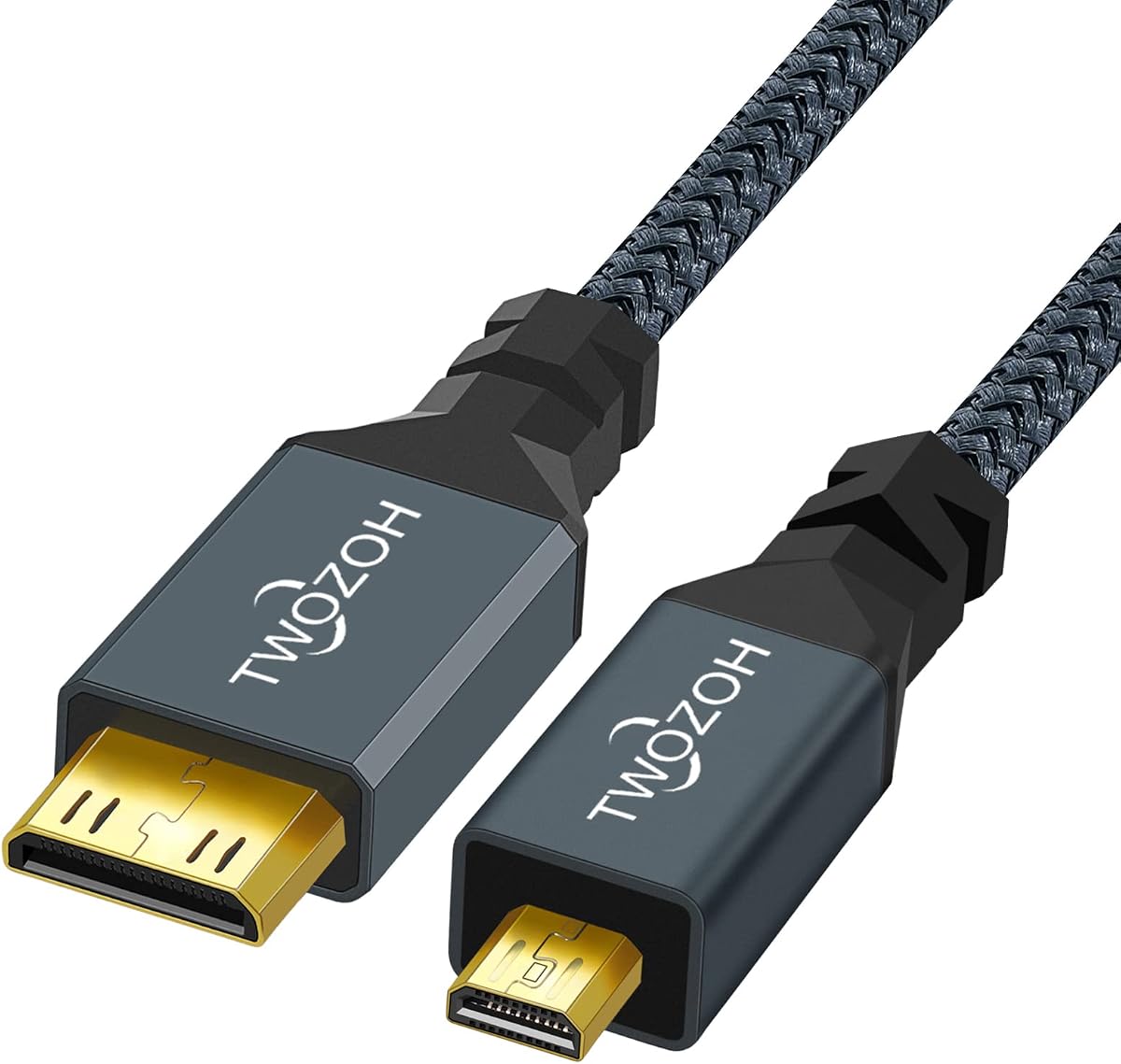
The Twozoh cable is a straightforward one-meter Micro HDMI Type D to Mini HDMI Type C lead with a 4.6 rating. It is intended for HDTVs, cameras, camcorders, game players, and other devices that use one of the two compact HDMI formats.
We may earn a commission when you buy through this link, at no additional cost to you.
Its stated support includes 3D, 4K, 1080p, 1080i, 720p, and 480p through HDMI 2.0. Gold-plated connectors and a nylon exterior are highlighted for durability, while the manufacturer states that cables are inspected and visually checked before packing.
Compared with newer options in the list, its specification language focuses on established video modes rather than 4K at 60Hz, 18Gbps, or high-refresh resolutions. That makes it worth considering for standard viewing and compatible camera work, but demanding users should verify their exact output mode in advance.
The product is best for a straightforward 1080p or 4K-capable setup that needs a meter of reach. It provides a clear connector specification and a traditional male-to-male format, but it lacks some of the detailed high-bandwidth and bidirectional claims found among the more specialized recommendations.
The direct male-to-male design makes this cable convenient for connecting a camera or other compact source to a Mini HDMI television. It avoids an adapter chain and provides enough length for many basic desktop arrangements.
The Type D to Type C specification is useful because Micro HDMI and Mini HDMI are often confused with one another or with Micro USB. Checking the source and display ports before ordering prevents an otherwise straightforward cable from being unusable.
We may earn a commission when you buy through this link, at no additional cost to you.
This UGREEN cable is the list's important alternative to direct Micro-to-Mini connections. It uses a full-size HDMI connector on one end and a Micro HDMI connector on the other, giving it a 4.6 rating and stated 4K at 60Hz support.
We may earn a commission when you buy through this link, at no additional cost to you.
The three-foot length is familiar and versatile, while the cable supports 2K, 1080p, 3D, HDR, and Audio Return Channel. Tinned copper wire, aluminum foil, braid shielding, copper conductors, and gold-plated connectors provide the stated signal and durability features.
This distinction matters because a standard HDMI plug is wider than a Mini HDMI plug. The cable cannot connect to a Mini HDMI port, but it is especially useful for televisions and monitors that retain full-size HDMI while the source device uses Micro HDMI, such as a compatible camera, Raspberry Pi, GoPro, tablet, or laptop.
It is the right pick for anyone who has confirmed that the display has Standard HDMI but no Mini HDMI. For a setup where both ends use Mini HDMI, the dedicated Micro-to-Mini options elsewhere in the guide are more direct and avoid the extra connector bulk.
Many current displays use standard HDMI, so this Micro-to-HDMI cable solves a common connector mismatch. It gives camera and Raspberry Pi users a direct route to a television or monitor without adding a separate adapter.
Tinned copper conductors and several shielding layers are intended to support reliable transmission with less data loss. Bi-directional operation adds flexibility, while the stated ARC support can help carry audio through a compatible display setup.
We may earn a commission when you buy through this link, at no additional cost to you.
The ten-foot cable is designed for installations where the Micro HDMI source and Mini HDMI display are too far apart for a short lead. It retains a 4.6 rating and states support for 4K at 60Hz, HDR, 3D, ARC, and 18Gbps bandwidth.
We may earn a commission when you buy through this link, at no additional cost to you.
Its length can be useful for a wall-mounted monitor, a camera positioned several feet from a display, or a Raspberry Pi system connected to a portable screen across a worktable. The extra reach reduces strain on the connectors compared with forcing a shorter cable into an awkward position.
The disadvantages are portability and manageability. Ten feet of cable is harder to pack neatly, and it may hang behind furniture or form loops on a compact desk. A cable raceway, hook, or other organizer may be useful if the connection is permanent.
This model is best for users who prioritize reach over minimum size. Its broad stated device compatibility and advanced video specifications make it suitable for compatible cameras, Raspberry Pi systems, tablets, laptops, portable monitors, and camcorders when the physical distance requires additional cable.
Ten feet opens up more placement options than the shorter alternatives. It can link equipment on opposite sides of a table, around a monitor stand, or within a compact room where routing requires a little slack.
The stated 18Gbps bandwidth, 4K at 60Hz support, pure copper wire, and shielding are reassuring for a longer connection. These are manufacturer specifications, so final performance still depends on the source, display, resolution, refresh rate, and signal settings.
We may earn a commission when you buy through this link, at no additional cost to you.
The fifteen-foot cable is the longest direct Micro HDMI to Mini HDMI option reviewed. Its 4.6 rating and listed support for 4K at 60Hz, HDR, 3D, ARC, and 18Gbps make it relevant to installations where considerable distance separates the source and display.
We may earn a commission when you buy through this link, at no additional cost to you.
It can connect a camera, Raspberry Pi system, portable monitor, tablet, laptop, or camcorder to a suitably equipped Mini HDMI display without requiring an intermediate extender. The extra distance gives users freedom to rearrange equipment or keep a computer away from a display wall.
Fifteen feet is also the least portable option here. It can be awkward to coil, may snag in a bag, and creates excess cable around close-range setups. A shorter model is usually more practical unless distance makes the extra length essential, and a cable-management solution may be needed.
This cable is best for permanent or semi-permanent installations and users who have already confirmed the required reach. It combines the direct connector format with advanced stated specifications, but buyers should balance those features against cable weight, routing, and portability.
The direct fifteen-foot run is helpful when equipment is spread across a room, workbench, or production area. It keeps the connection simple while providing enough span to avoid tight, sharply bent leads.
Long cables are easiest to manage when their path is planned. Identifying walls, stands, desks, and power routes in advance can help buyers avoid coils, sharp bends, and excess cable that would make a shorter option more convenient.
We may earn a commission when you buy through this link, at no additional cost to you.
The right cable depends on connector type, physical distance, display capabilities, construction, and how often it will be moved. Comparing those factors before ordering is the most reliable way to avoid an incompatible or inconvenient connection.
Choose a direct Micro-to-Mini cable when both devices use the two compact formats. Choose a Micro HDMI to standard HDMI cable when the display has a full-size port.
Select the shortest length that still allows comfortable routing. For travel, favor a compact cable; for fixed installations, extra reach may prevent awkward tension.
Prioritize the specifications your actual equipment needs. Higher bandwidth is helpful for demanding displays, but it cannot overcome an incompatible port or unsupported mode.
Look for conductive cores, plated contacts, and shielding when working near busy electronics. Simple setups may not need every premium construction feature.
Choose braided construction and reinforced ends for frequent mobile use. Handle the connectors gently and avoid hanging a display by its cable.
Prefer bi-directional transmission for adaptable camera, computer, and display arrangements. For a permanently fixed pair, confirm the required direction instead.
Choose an ARC-capable cable when using compatible display or soundbar audio routing. Otherwise, prioritize the video mode, length, and construction.
Check device clearance before ordering, especially with camera rigs and monitor stands. A slightly different connection point may be easier than forcing a tight fit.
Identify the source and display ports before connecting anything. Confirm that the source has the connector shown on one end of the cable and the display has the matching connector on the other. Power on the display first, connect the cable, and then start the camera or computer. Select the appropriate input on the display and set the source device to a supported resolution and refresh rate.
After connection, check the display for a stable image and verify that the resolution, refresh rate, HDR setting, and audio route meet your needs. If a 4K mode is available but the picture is unstable, try a lower resolution or refresh rate to determine whether the limitation comes from the source, display, cable routing, or another device. For ARC, make sure the display's audio output is configured correctly and that the connected speakers or soundbar are selected.
Store the cable loosely by coiling it without sharp bends, and avoid wrapping the cable tightly around itself. Do not hang equipment by the cable, pull on the plug to disconnect it, or force a connector into a port. Keep both ends free of dust and debris, and inspect the jacket and strain relief periodically if the cable travels frequently.
Micro HDMI, commonly called Type D, and Mini HDMI, or Type C, are two different connector standards. Both are smaller than standard HDMI, but their shapes are not interchangeable. A Micro HDMI to Mini HDMI cable has a different plug at each end and can only connect devices that use those exact formats.
It can connect to a television only if the television has a Mini HDMI input. Most televisions use full-size standard HDMI, which requires a Micro HDMI to standard HDMI cable or a suitable adapter. Check the television's port labels and manual rather than judging the connector by size alone.
A one-foot cable can be sufficient when the source device sits immediately beside the portable monitor. It may be too short if the monitor is elevated, the source is in another enclosure, or the cable must route around a stand. Measure the setup and allow enough slack to avoid strain on the connectors.
No. The cable can carry a supported signal, but both the source and display must support the desired resolution and refresh rate. The source's graphics or camera settings and the display's input settings must also be configured correctly. Higher-rated cables cannot add 4K capability to incompatible hardware.
Bidirectional transmission allows the cable to carry a signal in either connector direction when the connected equipment supports it. For example, a Micro HDMI source may send video to a Mini HDMI display, or a Mini HDMI source may send video to a Micro HDMI display. The feature does not guarantee compatibility with every HDMI device.
A braided jacket can improve resistance to abrasion and make a cable less prone to tangling during travel. It may also look more substantial than a basic smooth jacket. Signal performance still depends on conductor quality, shielding, connectors, and the devices involved, so the jacket is only one part of the overall construction.
Not directly. Micro HDMI, Mini HDMI, standard HDMI, USB-C, and DisplayPort use different connectors, even though some appear visually similar. Connecting different formats generally requires the correct cable or an active or passive adapter that is supported by the source and destination devices.
Loosely coil the cable and keep it free from sharp bends, especially near the plug. Avoid wrapping it tightly around itself or hanging connected equipment by the lead. For a fifteen-foot run, routing the cable along a wall, desk underside, or cable raceway can make it safer and less likely to snag.
The 3.3-foot 4K Micro HDMI to Mini HDMI Cable stands out as the most versatile general choice, combining 4K at 60Hz support, bidirectional transmission, 18Gbps bandwidth, and broad device compatibility. The one-foot braided cable is ideal for close-range portable setups, while the five-foot cable offers a compelling mix of reach, shielding, and reinforced construction.
Prioritize the connector combination first, then choose a length that matches the actual placement of the source and display. Consider the stated video modes, audio requirements, shielding, and jacket construction based on how often the cable will be moved. Compact systems may need little more than a one-foot lead, while cameras placed farther from a display benefit from additional reach.
Before buying, confirm the physical ports on every device and check the latest product details, customer feedback, and current pricing. Availability and specifications can change, and a connector that appears similar at a glance can still be the wrong format for the intended setup.