
Mount-It! Ergonomic Laptop Arm
4.4Editor score
Spring-assisted full-motion positioning
Wall or round-pole installation
Removable VESA monitor tray
A laptop wall mount can transform a crowded desk into a flexible workstation while keeping your computer accessible for work, entertainment, study, or display purposes. The best models combine a secure tray, smooth adjustment, reliable wall hardware, cable organization, and enough ventilation to protect the device during extended use.
We compared all ten options by examining laptop and monitor compatibility, supported weight, movement ranges, installation requirements, tray security, cooling features, and the ability to share space with other equipment. The list covers articulating arms, compact shelves, detachable trays, dual-purpose monitor mounts, and simpler storage solutions.
Each pick highlights a different way to reclaim space, from budget-friendly wall shelves to premium gas-spring arms. Ratings, configurations, and availability can change over time, so check the current product listing, device dimensions, and wall conditions before making a final purchase decision.
4.4Editor score

4.4Editor score
4.2Editor score
As an Amazon Associate we earn from qualifying purchases.
This side-by-side comparison highlights the major differences among the ten mounts, including supported devices, adjustment style, installation method, weight capacity, and notable convenience features.


The MOUNT PRO Laptop Wall Mount combines a laptop tray, articulating arm, and monitor mounting hardware in a well-rounded package. Its 4.6 rating reflects a balanced feature set, and the ability to support 11–17 inch laptops while also accommodating 13–32 inch VESA-compatible monitors makes it unusually versatile for the category.
We may earn a commission when you buy through this link, at no additional cost to you.
The arm provides a generous 90-degree upward tilt, 45-degree downward tilt, 180-degree swivel, and full 360-degree rotation in monitor mode. Its 11.8-inch height adjustment helps bring the screen to a more comfortable position, while the extended reach makes it easier to move the computer aside when the desk is needed for writing, typing, or other tasks.
The ventilated tray uses adjustable straps to keep the laptop secure, and the open structure allows air to circulate during long sessions. Cable management is built into the design, helping prevent cords from dropping across the work surface. A broad supported weight range also gives the mount more flexibility than a basic fixed shelf.
The primary caution is the installation requirement. The manufacturer recommends a wood stud, cement wall, or concrete brick wall and explicitly advises against relying on drywall alone. Buyers who cannot reach a structural surface should consider a pole-mounted or furniture-mounted alternative. For everyone else, this is an adaptable, feature-rich choice with one of the strongest ratings in the group.
The included VESA plate turns the setup into a monitor arm, adding genuine value for workspaces that alternate between a notebook and an external display. The supported screen sizes and 75-by-75 or 100-by-100 millimeter patterns cover many common displays.
A broad tilt, swivel, rotation, and height range makes the mount practical for video calls, focused work, recipes, or shared presentations. The ventilated tray and adjustable straps help keep the laptop both stable and cool while it is suspended.
We may earn a commission when you buy through this link, at no additional cost to you.
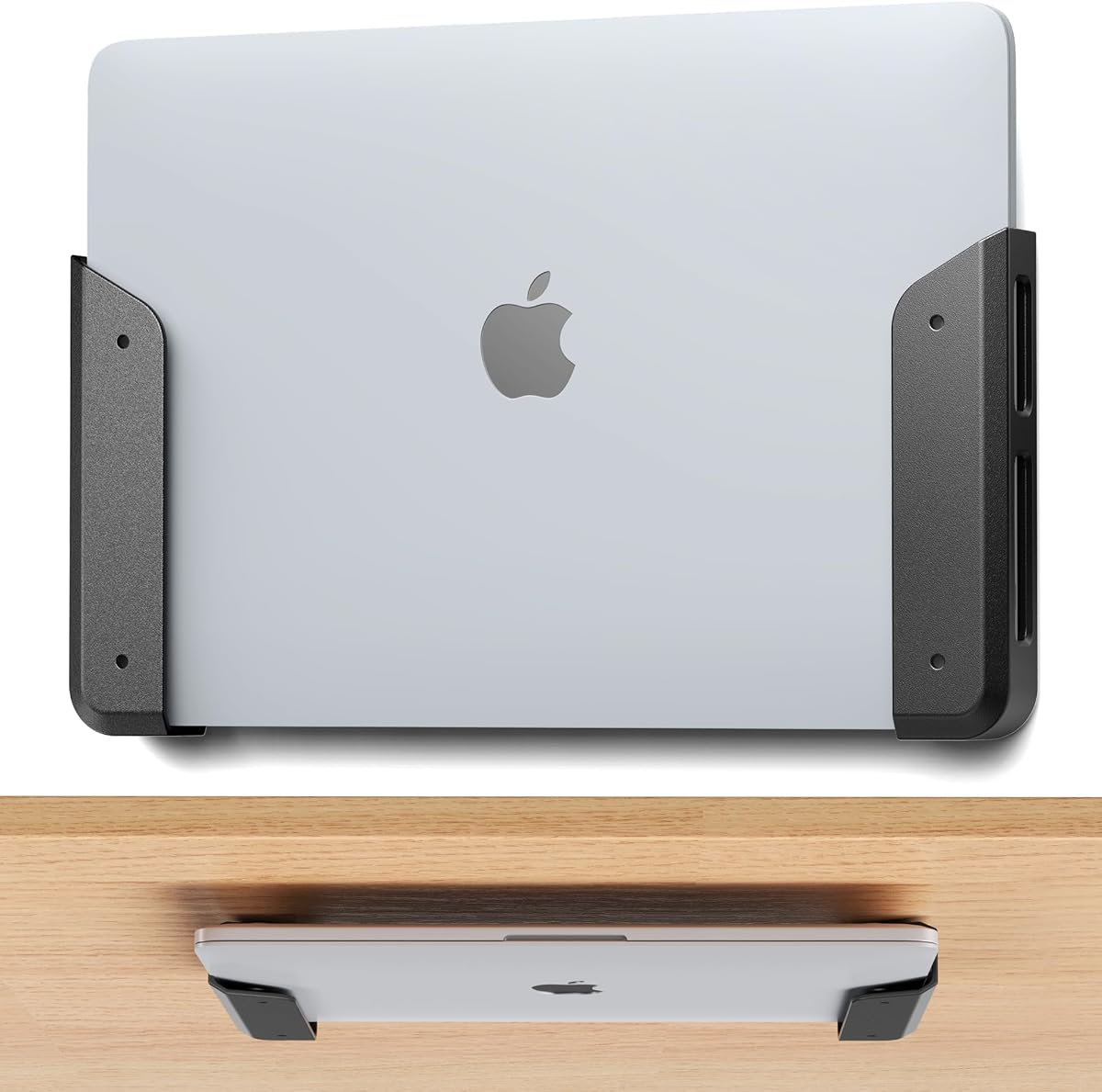
The ELETIUO Wall and Under Desk Mount is the most budget-oriented approach in this guide, yet it remains useful beyond a single laptop. Its 4.2 rating reflects a simple design aimed at convenient storage for laptops, MacBooks, Surface devices, keyboards, tablets, a Nintendo Switch, and other small electronics.
We may earn a commission when you buy through this link, at no additional cost to you.
Two installation paths give the mount flexibility. Adhesive strips allow tool-free placement for lighter or temporary setups, while the included self-tapping screws, anchors, and washers create a more permanent attachment for heavier devices. The wall kit includes appropriate expansion anchors for common construction types, making the package fairly complete for a DIY installation.
Each cradle accommodates equipment up to 26 millimeters, or 1.02 inches, thick. The holders can be adjusted in spacing and placed vertically or horizontally, which is especially helpful for keyboards and tablets. Anti-scratch pads protect the contact points, while the open cutouts preserve access to charging ports, cables, and buttons.
This is not an articulating laptop arm, so it cannot be pulled toward a user or moved smoothly through space. It also cannot provide the same ergonomic height control as a full-motion model. Its appeal lies in affordability, compact storage, and installation flexibility. Choose it for a stationary laptop dock, a temporary setup, or an under-desk organizer rather than a highly mobile workstation.
The included adhesive and screw options let the buyer match the attachment method to the surface and device weight. For long-term placement of a heavier laptop, using the supplied anchors and screws on an appropriate wall is the more dependable choice.
The universal format makes this mount useful for keyboards, tablets, routers, and other compact electronics. Its ability to sit beneath a desk also creates a floating storage point without permanently occupying valuable wall space.
We may earn a commission when you buy through this link, at no additional cost to you.
This 2-in-1 Laptop Wall Mount stands out for its long 20.7-inch reach and 11-inch vertical adjustment range. Its 4.4 rating reflects a versatile design that can hold most 11–17 inch laptops and convert into an arm for 22–32 inch monitors using standard 75-by-75 or 100-by-100 millimeter VESA patterns.
We may earn a commission when you buy through this link, at no additional cost to you.
The laptop side uses an innovative locking mechanism and dual-adjustable clamps to keep the device from shifting. Its open-frame tray includes ventilation slots, which helps maintain airflow when the computer is running demanding applications. A mounting system that can free up as much as 80% of desk space is especially relevant in dorm rooms and compact offices.
Movement includes a 70-degree upward tilt, 45-degree downward tilt, 180-degree swivel, and 360-degree rotation when configured for a monitor. The full range makes it possible to reposition the screen, push it out of the way, or share a display across a room. As with the other full-motion models, 360-degree rotation is not offered in laptop mode.
The mounting instructions call for a wood stud, cement wall, or concrete brick wall, and the product should not be installed into drywall alone. That limitation is important in rented rooms where solid surfaces may be difficult to find. Within a suitable installation setting, the combination of reach, locking security, cooling, and dual-device capability makes this a strong space-saving option.
The extended arm is especially useful when the wall is farther from the desk or when a shared workstation needs to move between users. Vertical adjustment helps compensate for different furniture heights and viewing preferences.
Locking hardware reduces the chance of accidental slips, while the open tray and adjustable clamps create a stable platform without blocking all airflow. Together, these features support extended work sessions in compact spaces.
We may earn a commission when you buy through this link, at no additional cost to you.
The MOUNTUP Laptop Wall Mount is a polished dual-purpose option with a 4.5 rating. It supports laptops from 14 to 17 inches, devices weighing 4.4–22 pounds, and monitors from 22 to 32 inches when the included VESA arrangement is used. That range makes it a strong fit for larger notebooks and standard desktop displays.
We may earn a commission when you buy through this link, at no additional cost to you.
A notable feature is the tray's latch, which is designed to keep the laptop from slipping during work or gaming. The open tray design promotes airflow, while the dual-adjustable arm offers 70 degrees of upward tilt, 45 degrees of downward tilt, 180 degrees of swivel, and 360-degree monitor rotation.
The 20.7-inch reach and 11-inch height adjustment are useful in dorm rooms, clinics, warehouses, kitchens, and other places where the computer must move out of the way. Standard 75-by-75 and 100-by-100 millimeter VESA patterns allow the same system to support many external monitors.
Its clearest limitation is the narrower laptop size range. The listed support begins at 14 inches, so owners of smaller notebooks should verify their dimensions carefully. Installation is also intended for a wood stud, concrete wall, or solid brick rather than unsupported drywall. Subject to those constraints, the MOUNTUP combines strong movement, a secure latch, and useful cooling.
The locking latch is a meaningful improvement for active workspaces because it helps keep the notebook seated while the arm is moved or shared. Buyers should still ensure the laptop rests fully within the tray and that all clamps are properly tightened.
The mount can support hands-free recipe viewing, patient information in a clinic, order checking in a warehouse, or sheet music in a music room. Its long reach makes those applications more practical than a fixed wall shelf.
We may earn a commission when you buy through this link, at no additional cost to you.
The WALI Laptop Wall Mount is a balanced 2-in-1 arm for users who want to alternate between a notebook and an external display. It has a 4.4 rating and supports 10–17 inch laptops up to 15.4 pounds, while its VESA configuration accommodates 17–32 inch monitors up to 22 pounds.
We may earn a commission when you buy through this link, at no additional cost to you.
Its articulated structure extends from 16.7 to 19.3 inches, tilts 70 degrees upward and 45 degrees downward, swivels 90 degrees in either direction, and rotates 360 degrees. These ranges support different tasks such as typing, presenting, video conferencing, viewing, and gaming without requiring a separate mount.
The ventilated platform is designed to dissipate heat during demanding workloads, and the surrounding arm can place the computer at a more ergonomic height. WALI specifically positions the product for home offices, dorm rooms, classrooms, studios, and small business environments where conserving desk area matters.
Compared with the longest-reach arms in this guide, the WALI has a relatively compact extension, so it may not reach as far from the wall. Also note that its stated laptop and monitor limits are different, and the heavier 22-pound figure applies to the monitor configuration rather than every supported device. Even with those distinctions, it remains a versatile and well-rounded option.
The generous tilt, swivel, and rotation make it easy to reposition the display for close work or shared viewing. Stable placement at the chosen angle can also support a more comfortable neck position during extended sessions.
Ventilation holes help move heat away from the laptop during gaming, editing, or other intensive activity. The platform remains more practical for active computer use than a fully enclosed storage case.
We may earn a commission when you buy through this link, at no additional cost to you.
The 2-in-1 Laptop Wall Mount with Detachable Tray earns a 4.5 rating through its practical combination of adjustability, device protection, and cable management. The laptop platform is designed for 12–17 inch notebooks, supports a load of 4.4–19.8 pounds, and can be adjusted from 276 to 472 millimeters wide.
We may earn a commission when you buy through this link, at no additional cost to you.
The arm rotates 90 degrees in either direction and provides a 250-millimeter, or approximately 9.8-inch, height adjustment range. That movement allows a user to reposition the screen for a more comfortable viewing angle. The detachable platform can also be removed so the arm can use 75-by-75 or 100-by-100 millimeter VESA patterns for a compatible display.
Four tray corners and the side contact points are padded to reduce scratching while holding the laptop firmly. A concealed cable management system runs along the hanging arm, allowing power and data cords to be routed neatly rather than hanging loosely. Ventilation holes in the center of the platform support heat dissipation.
The monitor-size specifications are less explicit than those of several competing dual-purpose mounts, so buyers should check the current listing carefully. Installation hardware and structural wall requirements should also be reviewed before purchase. For users who value tidy cable routing and a removable laptop platform, however, this model offers a polished and flexible feature set.
The concealed management channel keeps cords close to the arm and out of the main work area. This is particularly valuable for users who regularly connect chargers, external displays, peripherals, or network cables.
Padded corners and side contact points help protect the laptop shell while maintaining a secure hold. The ventilation pattern gives the device room to dissipate heat during sustained workloads.
We may earn a commission when you buy through this link, at no additional cost to you.
The VIVO Black Laptop Wall Mount is an established-style pneumatic arm option for 10–15.6 inch laptops. Its 4.4 rating and counterbalance mechanism make it particularly effective for users who want smooth height changes without wrestling with a stiff articulated arm.
We may earn a commission when you buy through this link, at no additional cost to you.
Tool-less, immediate height adjustment helps the user find a comfortable viewing and typing position. The arm supports a 90-degree upward tilt, 45-degree downward tilt, 180-degree swivel, and 360-degree rotation. The removable VESA plate makes the arm easy to install around a laptop tray, and the supplied hardware supports installation on a wood stud, brick wall, or concrete wall.
The adjustable clamp accommodates several notebook sizes, while rubber tabs hold the laptop securely and help prevent scratches. Ventilation slots allow air to circulate beneath the device. Unlike basic fixed shelves, this design can be moved toward the user for typing and pushed aside for other desk activities.
The counterbalance arm has an important operating condition: it must hold at least 4.4 pounds to function properly. It also tops out at 9.9 pounds and 15.6 inches, so it is unsuitable for larger workstation notebooks. Within those limits, the VIVO is a polished choice with fluid movement and a reassuring manufacturer warranty.
The pneumatic mechanism holds the laptop near the selected position and permits quick height changes. This makes the mount particularly pleasant for switching between sitting and standing work or between typing and viewing angles.
Adjustable clamps accommodate different laptop dimensions, and rubber contact tabs reduce scratches. Ventilation slots preserve airflow, helping the mounted computer manage heat during ordinary work.
We may earn a commission when you buy through this link, at no additional cost to you.
The Mount-It! Ergonomic Laptop Arm is the most premium-oriented selection here, offering a spring-assisted full-motion arm with an unusually broad range of uses. It holds 10–15.6 inch laptops, swivels 180 degrees, tilts from 90 degrees upward to 45 degrees downward, and extends as far as 21.8 inches.
We may earn a commission when you buy through this link, at no additional cost to you.
Unlike a basic friction joint, the internal spring helps the laptop remain where it is placed rather than gradually drifting or drooping. Tension can be adjusted at the arm bolts so the movement feels easier or firmer. This makes the mount suitable for clinics, workshops, studios, recreational vehicles, reception desks, and other environments where the display must be brought close or moved out of the way.
A major advantage is its dual installation method. The box includes a wall plate and a clamp for a round pole, although the pole itself must be purchased separately. The removable tray also converts the arm into a VESA 75-by-75 or 100-by-100 millimeter monitor mount for screens up to 32 inches.
The laptop tray includes hold-down supports that help keep the computer in place, but the user should seat it fully within the retainers before releasing it. The arm does not support laptops larger than 15.6 inches. Even with those boundaries, the combination of spring tension, long reach, pole flexibility, and monitor conversion gives it the most adaptable design in the guide.
The tension-adjustable spring keeps the mounted computer stable without locking the arm into place. Users can pull the display closer for focused work or push it back to clear the surrounding area.
The included pole clamp expands the installation options to benches, stands, and round structural supports. Removing the laptop tray creates a capable monitor arm, adding another layer of reuse to the package.
We may earn a commission when you buy through this link, at no additional cost to you.
The Universal Wall Mount has the highest rating among the ten products at 4.7. Unlike a suspended articulating arm, it functions as a compact wall shelf designed to hold up to 22 pounds. It accommodates devices up to 1.57 inches thick and can store laptops, keyboards, tablets, Kindles, routers, modems, cable boxes, and other compact electronics.
We may earn a commission when you buy through this link, at no additional cost to you.
Its two-tier design provides several practical layouts. A user might place one laptop and one keyboard together, two laptops, two keyboards, four tablets, a modem and Wi-Fi router, or a combination of tablets and phones. The broader utility makes it attractive for offices, studies, bedrooms, living rooms, and retail or service spaces.
Construction uses 1.5-millimeter metal with a painted surface, and eight EVA pads help protect stored electronics from scratches and contact damage. The vertical arrangement frees desk and counter space, while the included screws, rubber plugs, and pads provide the basic hardware needed for installation.
This shelf is not designed for a laptop user to type while it is mounted. It offers no tilt, swivel, extension, or cooling-specific ventilation, and its 1.57-inch thickness limit excludes many larger notebooks. Its purpose is organized storage and display, making it best for a second computer, a docked laptop, or a collection of small electronics.
The universal shelf can handle a surprising range of equipment in one location. Its two levels and broad thickness allowance make it particularly useful for organizing an entire desk rather than isolating a single laptop.
The 4.7 rating reflects a straightforward product that does what it promises without complicated movement or settings. Protective pads and rigid metal construction help keep the stored equipment secure.
We may earn a commission when you buy through this link, at no additional cost to you.
The Long Arm 2-in-1 Laptop Wall Mount is built around a three-section gas spring and provides a maximum extension of 27.83 inches, the longest reach in this comparison. It carries a 4.5 rating and supports 12–17 inch laptops, making it appropriate for users who need to move a computer unusually far from the wall.
We may earn a commission when you buy through this link, at no additional cost to you.
The detachable tray allows the same arm to accept 17–32 inch monitors through 75-by-75 or 100-by-100 millimeter VESA patterns. Height, extension, tilt, and swivel adjustments help position the screen comfortably, while the gas spring provides smooth movement intended to resist sagging or drifting over time.
This configuration is especially useful in space-constrained environments where a traditional desk and chair arrangement is impractical. The laptop can be positioned close when focused work is needed and moved away to open the room. A stationary wall-mounted workstation can also support streaming, music following, bench work, and shared use.
The exceptionally long arm requires enough physical clearance to move without striking nearby objects, walls, or furniture. Buyers should also verify the included mounting components and the suitability of the chosen wall surface. Within those considerations, the gas-spring system and extended reach provide a clear advantage for unusually constrained or flexible workspaces.
The three-section arm can retract closely to the wall and extend dramatically into the room. That range allows the computer to leave the work surface entirely and then return for comfortable viewing or typing.
Gas-spring assistance supports smooth repositioning while helping the device remain where it is placed. The result is useful in busy rooms where a loose or drifting display would be inconvenient.
We may earn a commission when you buy through this link, at no additional cost to you.
The right laptop wall mount depends on how you use the computer, the size of the device, the available wall surface, and the amount of movement your workspace needs. Review the compatibility and installation requirements before comparing features.
Start with the manufacturer’s supported screen range and weight limit rather than relying on diagonal size alone. Some mounts accommodate laptops as small as 10 inches, while others begin at 12, 14, or even 17 inches. A device may fit within the size range yet exceed the load limit, particularly when a heavier workstation laptop is placed in a tray designed for thinner notebooks. Measure the computer’s width, depth, and thickness, then compare those dimensions with the tray’s stated fit and weight capacity.
The listed load is also device-specific for dual-purpose models. Several mounts support monitors up to 22 pounds but laptops only 15.4 pounds or 19.8 pounds. Always verify the exact limit for the configuration you intend to use.
A fixed shelf is the simplest and often least expensive option. It stores the laptop vertically or horizontally, making it ideal for a docked computer that is powered on and viewed from a distance. An articulating arm provides a much larger working envelope, allowing the computer to move closer, tilt, swivel, and leave the desk completely free. The trade-off is greater weight, more moving parts, and a more involved installation.
Choose a shelf for storage and display. Choose an arm when the laptop will be used actively, shared with other people, or positioned at different heights throughout the day.
Useful adjustments include height, extension, tilt, swivel, and rotation. Friction joints can be difficult to move and may drift over time, while a gas spring or pneumatic counterbalance provides smoother movement and holds a selected position. Spring tension can sometimes be tuned to the mounted device’s weight, improving both control and stability.
For frequent repositioning, prioritize a counterbalanced or gas-spring arm. For occasional use, a simpler friction mechanism may be sufficient if the movement range still meets your needs.
Wall construction matters because a laptop arm can place substantial leverage on its mounting point. Wood studs, solid brick, cement, and concrete are generally appropriate structural surfaces. Many manufacturers explicitly warn against installing into drywall alone because unsupported drywall can allow the arm to pull free. Under-desk and adhesive installations offer alternatives, but they should be matched to the device's weight and the strength of the attachment surface.
Use the included hardware when possible and follow the supplied instructions. Confirm the required anchor type before drilling, especially in masonry, and verify whether the wall plate can sit flush.
A laptop generates heat during normal work and more during gaming, video editing, or other intensive tasks. A ventilated tray with open slots or holes allows air to circulate and reduces the chance of heat building up around the underside. Security features such as adjustable straps, clamps, rubber tabs, or a locking latch help prevent the computer from sliding or falling while the arm is moved.
Look for both ventilation and positive retention. A secure, well-spaced tray should hold the laptop without pressing against ports or obstructing the underside airflow.
Many dual-purpose mounts include a VESA plate that lets the tray be removed and a monitor attached instead. This is useful for buyers who alternate between a notebook and a larger external display. Check the supported monitor size, weight, and VESA pattern, which commonly appear as 75-by-75 or 100-by-100 millimeters. Removable trays also make the arm easier to reposition for different activities.
A monitor conversion is not automatically universal. Confirm both the VESA pattern and the display’s weight before relying on that mode.
A suspended computer needs a safe place for its power, video, network, and peripheral cables. Integrated channels, clips, or concealed routing keep cords close to the arm and out of the workspace. This reduces snagging, makes cleaning easier, and prevents cables from pulling against the laptop’s ports. A simple shelf may need separate clips or sleeves to achieve the same result.
Look for management that runs along the arm rather than forcing cables through a tight tray opening. Leave enough slack for full movement without creating a large loop.
A mount that keeps the laptop permanently connected should leave charging ports, headphone jacks, and buttons accessible. Vertical and landscape orientations can support different workflows: landscape suits video calls and presentations, while vertical storage works well for docked or inactive computers. Consider desk depth, chair movement, nearby furniture, and the full sweep of the arm before choosing a long-reach model.
The best layout creates a usable workstation rather than simply adding another obstruction. Measure the available wall and desk area before installation, especially for gas-spring arms with a long extension.
Before installation, identify the wall construction, locate a suitable structural attachment point, and assemble the wall plate according to the manufacturer’s instructions. Keep the laptop, monitor, and any other heavy device off the mount while drilling or tightening fasteners. Once the plate is secure, attach the arm, install the tray or VESA plate, and check every screw before placing the computer on the support.
Place the laptop fully within the tray, engage the clamps, straps, tabs, or latch, and confirm that none of the supports obstruct ports or vents. Move the arm through its intended range without forcing it. For counterbalanced or spring models, follow the supplied tension instructions, especially if a different device is mounted later. Route cables through the arm's management system while leaving enough slack for repositioning.
For routine care, wipe the tray and pads with a soft, dry or lightly damp cloth and remove dust from the ventilation openings. Inspect the wall fasteners, arm joints, and tray attachments periodically, particularly after moving the mount. Do not exceed the stated weight limit, and remove the laptop before loosening hardware or changing between laptop and monitor configurations.
It depends on the model and the installation method. Full-motion laptop arms generally require a wood stud, concrete wall, or solid brick because drywall alone may not withstand the load and leverage. Some lighter shelf products include suitable drywall anchors, but the manufacturer’s instructions should always determine the acceptable surface. Adhesive installations can be useful temporarily, although they are less dependable for heavy laptops.
A properly ventilated mount should not cause a laptop to overheat simply because it is mounted vertically or above a desk. The open tray and ventilation slots allow heat to dissipate, while the wall mount may actually improve airflow around the device. Avoid covering the underside with cases or blankets, and periodically clean the vents if dust accumulates. Monitor temperature behavior during sustained gaming or editing workloads.
Only if the arm has a laptop tray or a compatible holder. Standard VESA monitor arms can damage a laptop if the computer is attached directly without a proper platform. Several mounts in this guide include a removable tray and VESA plate, allowing the same arm to support either a laptop or a compatible monitor. Check both the device size and weight limits before switching modes.
A fixed shelf stores the laptop in one location and is ideal for docking, display, or occasional access. An articulating arm moves the computer through tilt, swivel, extension, and height adjustments, making it better for active use and ergonomic positioning. Arms generally cost more and require stronger installation hardware, while shelves are simpler and often more versatile for storing keyboards or other electronics.
The limit varies by model and configuration. The products reviewed range from approximately 9.9 pounds for a smaller laptop arm to 22 pounds for heavier-duty laptop or monitor applications. A dual-purpose mount may allow more weight for a monitor than for a laptop. Always use the lower relevant limit, and account for the weight of any attached equipment, cables, or accessories resting in the tray.
It can be, provided the arm has sufficient height adjustment, reach, and keyboard clearance. A spring or gas-spring mechanism is especially useful because it lets the user bring the laptop close for typing and then move it back. Check the depth of the keyboard, the angle of the arm, and nearby furniture before installation to avoid an awkward typing posture.
Yes, provided the wall and installation method are suitable. A pole-mounted or under-desk product may be preferable in a rental where drilling into a structural wall is difficult. Long articulating arms are especially useful in dorm rooms because they can move the computer out of the way when the desk is needed. Check for nearby furniture and make sure the arm has a clear path to travel.
Route cables along the arm through any built-in clips or concealed channel, leaving a small amount of slack at each joint. Avoid creating tight bends or leaving a heavy loop hanging below the mount. Secure the loose end near the outlet or desk, and check that the cable does not pull against the laptop's power port when the arm is fully extended.
The Mount-It! Ergonomic Laptop Arm stands out as the most premium and adaptable option, offering spring-assisted movement, a lengthy extension, wall-or-pole installation, and conversion to a VESA monitor arm. The VIVO Black Laptop Wall Mount is an especially polished alternative for users who prioritize effortless counterbalanced movement, while the ELETIUO holder delivers the most budget-friendly way to store and organize a laptop and several smaller devices.
Prioritize the requirements that match your actual routine. A fixed universal shelf is sufficient for storage, a long-reach gas-spring arm is valuable in a constrained room, and a counterbalanced model is best for frequent repositioning. Check device dimensions, load limits, cooling provisions, port access, cable routing, and the construction of the mounting surface before buying.
Product ratings, configurations, and availability can change, so review the current listing before ordering. Confirm that the selected mount supports your exact laptop size and weight, and verify that all necessary installation components are included. Those checks will help ensure the wall mount provides a secure, comfortable, and space-saving result.