
Meteteel 12 Device Charging Station
5.0Editor score
Stores twelve devices simultaneously
Supports screens up to 15 inches
Four-side ventilation design
Includes wall-mounting hardware
A laptop lock box can protect an expensive computer, keep shared devices organized, or provide discreet storage for documents and valuables. The right model depends on capacity, access method, portability, ventilation, charging needs, and whether the box will be mounted or carried between locations.
We compared ten products across charging cabinets, personal safes, dorm lock boxes, and briefcase-style cases. The guide evaluates device fit, lock type, construction, cable management, mounting options, interior protection, and practical features based on the supplied product information.
Each pick highlights a different use case, from managing multiple Chromebooks to securing a single laptop at home or while traveling. Product ratings and configurations are current in this guide, although prices, availability, and seller details can change over time.
5.0Editor score

4.7Editor score

4.3Editor score
As an Amazon Associate we earn from qualifying purchases.
The comparison below covers ten laptop security and storage solutions spanning multi-device charging cabinets, digital safes, portable lock boxes, and a hard-shell briefcase. Each entry highlights the most important distinctions in capacity, access, construction, and intended use.





The Meteteel 8 Tablet Charging Station Lock Box combines secure device storage with centralized charging for up to eight Chromebooks, tablets, notebooks, iPads, and laptops. Its 4.2 rating reflects a practical mix of useful capacity, ventilation, and access controls. It is especially relevant to schools, offices, clinical workspaces, and other shared environments where loose devices need an organized home.
We may earn a commission when you buy through this link, at no additional cost to you.
Eight divider slots create individual spaces, while the supplied 120V/15A horizontal power strip keeps charging connections centralized. The 1.5-inch dividers accommodate devices up to 14 inches, and ventilated sides support airflow during charging. A combination lock and two included keys provide more than one way to manage access, while the 40-pound weight capacity gives the cabinet a practical limit for supported loads.
The main compromise is capacity. A dedicated eight-device cabinet may feel modest in a large classroom, particularly if the devices are thicker than the available slot width. The 10.5-by-15-by-13.75-inch cabinet also occupies meaningful floor or wall space, and its fixed power strip means the unit must be positioned near a suitable outlet. These constraints make it more specialized than a general-purpose safe.
Buyers should choose this model when they need a ready-to-use charging point for a known quantity of devices. It offers the strongest balance of security, charging, and footprint among the eight-device cabinets here, especially for organizations that value both key and combination access. Larger collections will be better served by the 12-device Meteteel model.
The combination mechanism supports regular staff access, while the included keys provide a backup or administrative method. That dual approach is useful when more than one person must retrieve devices without sharing a single everyday code.
Individual dividers and the integrated power strip reduce the clutter associated with charging several tablets or Chromebooks. Ventilated sides help maintain airflow while the devices remain stored.
We may earn a commission when you buy through this link, at no additional cost to you.
The Vaultz Locking Storage Chest is a straightforward, portable security box for dorm rooms, homes, and travel. It carries a 4.3 rating and focuses on keyless access, roomy laptop storage, and simple organization. Rather than trying to manage electrical connections, it protects a computer, tablet, documents, medicine, cash, and small personal items in one movable chest.
We may earn a commission when you buy through this link, at no additional cost to you.
Two combination locks provide access without a key, and the locks can be reset whenever codes need to change. The 17.52-by-12.4-by-4.25-inch interior fits most laptops and tablets while leaving room for accessories. A built-in cable grommet and loop tether add another layer of device security, while mesh netting keeps contents separated and helps protect against scratches.
Its limitations are important. It has no built-in power strip or ventilation system, so it is a storage box rather than a charging cabinet. The less rigid construction also cannot offer the same resistance to forced entry as a solid-steel safe. Buyers who need a fire rating, pry-resistant body, or anchored installation may need to spend more or select another category.
This is a good value-oriented choice for students and travelers who want keyless storage without carrying separate keys. It works particularly well under a dorm bed, in a closet, or in a vehicle. For those managing multiple powered devices, the POCHAR cabinet is more specialized; for high-value documents, a steel safe offers stronger physical protection.
Dual resettable combination locks remove the inconvenience of misplaced keys. Separate codes can also make the chest convenient for roommates, travel companions, or family members who need limited access.
The cable grommet, loop tether, and mesh interior keep a laptop and smaller accessories from shifting. Dual handles make the chest easier to lift when it needs to move between a dorm, office, or vehicle.
We may earn a commission when you buy through this link, at no additional cost to you.
The POCHAR 8-Unit Charging Cabinet is a strong all-around choice for classrooms, libraries, offices, training rooms, and healthcare facilities. Its 4.7 rating places it among the best-rated products in this guide. It stores and charges up to eight devices, including Chromebooks, iPads, notebooks, tablets, and laptops with screens up to 14 inches.
We may earn a commission when you buy through this link, at no additional cost to you.
Security is handled through two separate access points: a combination lock on the front door and a key lock on the upper door, with two keys included. The metal frame supports durable daily use, while a built-in 120V/15A horizontal power strip supplies eight charging outlets. Cable slots, internal dividers, and side handles improve organization and portability.
Compared with simpler charging lock boxes, the two-door system offers more controlled access to devices and upper storage areas. The trade-off is bulk and a strict one-inch thickness limit. Buyers should verify both the dimensions and thickness of their devices before purchasing, especially if they use protective cases. The cabinet is also intended for stationary shared-device management rather than individual transport.
This cabinet is the most flexible recommendation for organizations seeking a complete charging station with credible access controls. It arrives fully assembled, can stand on a desktop or be wall-mounted, and removes much of the setup associated with multi-device charging. It is an excellent middle ground between the smaller Meteteel 8-device option and the higher-capacity 12-device cabinet.
Separate combination and key locks give administrators more control over how the cabinet is opened. This is useful in settings where one group manages devices while another oversees the keys or upper compartment.
Top cable slots and internal dividers help keep charging leads in place. That organization makes it easier to connect devices consistently and reduces the chance of a cable being pinched or tangled.
We may earn a commission when you buy through this link, at no additional cost to you.
The Meteteel 12 Device Tablet Charging Station Lock Box is the premium choice for institutions that need to store and charge a larger group of devices. Its 5.0 rating is the highest among the products featured. It accommodates as many as 12 tablets, Chromebooks, Surface devices, Galaxy Tabs, laptops, and other compatible electronics at once.
We may earn a commission when you buy through this link, at no additional cost to you.
The cabinet accepts screens up to 15 inches and devices up to one inch thick, giving it more flexibility than many eight-device alternatives. A front-door lock comes with two keys, and ventilation holes on all four sides support heat dissipation. The 12-outlet power strip includes overload protection, while cable-management slots help keep charging cords organized.
The main drawback is size. At 19.8 by 15 by 14 inches, it needs a larger footprint than the eight-device cabinets, even though it can be wall-mounted. It also relies on a keyed front lock rather than a combination mechanism, which means keys must be controlled carefully. Buyers should confirm that the station's supported thickness matches their device cases.
This is the strongest recommendation for schools, libraries, hospitals, corporate training rooms, and other high-volume shared environments. It combines broad device compatibility, a 12-outlet charging system, ventilation, mounting flexibility, and a top customer rating. For smaller collections, the POCHAR model offers more compact storage and dual access controls.
Twelve individual spaces give administrators room to consolidate more devices in one location. This can simplify inventory management and make end-of-day charging routines more consistent.
Ventilation openings on all four sides allow airflow around stored equipment. The overload-protected power strip also adds a practical layer of protection for a cabinet designed to charge many devices simultaneously.
We may earn a commission when you buy through this link, at no additional cost to you.
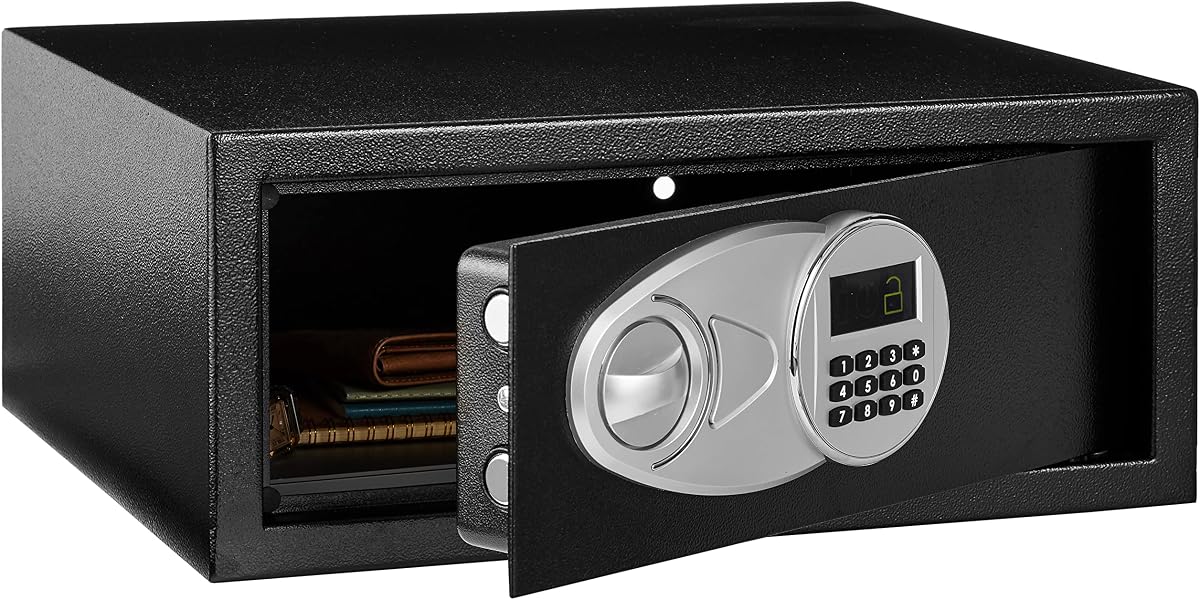
The Amazon Basics Steel Security Safe offers a familiar balance of electronic access and physical construction for storing a laptop, documents, jewelry, cash, and other valuables. Its 4.6 rating reflects strong demand for a compact safe that can be programmed and mounted. The internal dimensions are 16.77 by 11.93 by 6.93 inches, giving it room for many common laptops.
We may earn a commission when you buy through this link, at no additional cost to you.
The digital keypad can be reprogrammed, while two emergency override keys provide a fallback. Two live-door bolts and concealed hinges improve resistance to prying. A carpeted floor reduces the chance of scratches against the contents, and four included bolts allow the safe to be secured to a wall, floor, or shelf.
The four-AA battery requirement is a notable inconvenience because batteries are not included. Buyers who want immediate, uninterrupted electronic access should account for that minor setup step. At 0.7 cubic feet, the safe is also smaller than the ACS-6 and AXS-5, so larger laptops may need to be checked carefully for fit. It does not provide charging capability.
This safe suits apartment, dorm, office, or rental-property users who want a compact secure box and electronic convenience. It is a better fit for one or two smaller devices than for a fleet of tablets. Those needing larger capacity, a status display, access logs, or included batteries should examine one of the more advanced digital safes.
A digital keypad can be reprogrammed as needed, which makes the safe convenient for a changing set of users. Emergency override keys provide a secondary path if a code is forgotten or the batteries are depleted.
The included mounting bolts let the owner secure the safe to a fixed surface. Anchoring can make casual removal more difficult and is especially useful in shared rooms or rental properties.
We may earn a commission when you buy through this link, at no additional cost to you.
The 8-Device Tablet & Laptop Charging Cabinet is a practical option for offices, schools, libraries, healthcare facilities, and reception areas. It has a 4.7 rating and concentrates on a simple proposition: store, charge, and secure up to eight laptops, Chromebooks, tablets, iPads, or notebooks in a compact steel unit.
We may earn a commission when you buy through this link, at no additional cost to you.
Divider slots support devices up to 14 inches, while ventilated side panels help reduce heat buildup. An integrated UL-listed eight-outlet power strip supports simultaneous charging without requiring a separate power hub. The cabinet arrives fully assembled and includes mounting hardware for either desktop placement or optional wall installation.
Compared with the POCHAR and first Meteteel cabinet, this model has a simpler access system: a keyed steel door with two included keys. It also does not list an access log, status display, or combination keypad. Those omissions are reasonable for a straightforward organizational cabinet, but less suitable for properties where the administrator needs detailed access records.
This cabinet is a good match for organizations wanting a straightforward charging solution with minimal setup. It provides ventilation, integrated power, physical locking, and a relatively compact format. Buyers who need combination access or more sophisticated key management should compare it with the dual-lock POCHAR model before making a final choice.
Because the cabinet arrives fully assembled, it can be placed, plugged in, and put into service with minimal installation. That convenience is valuable when a school or office needs device storage quickly.
The integrated UL-listed strip reduces external cable clutter, while ventilated side panels help move heat away from stored devices. Together, these features support a more orderly charging routine.
We may earn a commission when you buy through this link, at no additional cost to you.
The TOTOY Portable Steel Safe is designed for people who need a manageable secure box for a laptop, tablet, documents, or valuables. Its 4.3 rating reflects a practical mix of steel construction, keyless access, and portable dimensions. The interior is intended to accommodate 13- to 14-inch laptops as well as A4-sized documents and small personal items.
We may earn a commission when you buy through this link, at no additional cost to you.
A resettable three-digit combination removes the need to carry keys, while the 8.4-pound weight makes the unit comparatively easy to transport. A rotatable metal handle supports one-handed carrying, and 2.5D foam lines the inner walls to reduce scratches, dents, and damage from bumps or vibration.
Despite the product's fire-oriented terminology, the supplied information describes fire readiness only when paired with a standard A4 fireproof document bag; it does not state that the safe itself has a specific fire rating. The three-digit code also has fewer possible combinations than a longer electronic code. Neither issue prevents it from serving as a portable lock box, but both deserve consideration.
This model is best for dorm residents, travelers, and home-office users who want a laptop-sized safe without permanent anchoring. The soft lining is especially useful for electronics and documents. Those needing stronger resistance to prying, advanced access tracking, or a larger safe should consider the digital steel models in this guide.
The contoured foam lining creates a softer interior than bare steel. It helps protect laptop finishes, tablet surfaces, watches, and paper edges from movement during transport.
The rotating metal handle and relatively low weight make the safe easier to move. It can be kept in a drawer, closet, car trunk, or dorm room and brought along when secure storage is needed elsewhere.
We may earn a commission when you buy through this link, at no additional cost to you.
The ACS-6 Large Laptop Safe is a feature-rich digital safe for homes, dorm rooms, offices, hotels, and rental properties. It carries a 4.7 rating and offers 1.25 cubic feet of capacity, enough for laptops up to 17 inches along with A4 documents, electronics, cash, jewelry, medicine, and other valuables.
We may earn a commission when you buy through this link, at no additional cost to you.
Its solid-steel body, concealed hinges, seamless pry-resistant door, and two 0.8-inch motorized locking bolts provide a more advanced security design than a basic combination chest. A programmable 4- to 6-digit user code and master code support different access needs. The illuminated keypad, LED display, and 100-event audit trail help the owner review when the safe was opened and closed.
The safe arrives with four AA batteries, two emergency override keys, and mounting hardware. A USB emergency power port offers a temporary power option if the internal batteries are depleted, while automatic lockout after four incorrect code attempts discourages repeated guessing. The main drawback is size and weight, and the larger keypad housing adds depth beyond the stated cabinet measurements.
Buyers who value oversight, guest-code management, and a large laptop fit will find the ACS-6 particularly compelling. It is a stronger choice than a simple portable box for a fixed home, office, or hospitality installation. The AXS-5 offers a similar feature set in a slightly smaller body and may be easier to place in tighter spaces.
The built-in audit trail stores the last 100 opening and closing events with dates and times. That history is useful for landlords, managers, families, and anyone responsible for a shared safe.
Programmable user and master codes allow different levels of access. Two override keys and an external USB emergency power port provide additional ways to regain entry if batteries fail or a code is forgotten.
We may earn a commission when you buy through this link, at no additional cost to you.
The LOCKCURX Aluminum Laptop Briefcase offers a more mobile and professional alternative to a stationary safe or charging cabinet. Its 4.2 rating reflects a rigid aluminum exterior, combination locking, and organized storage for a 14-inch laptop, files, notebooks, chargers, and office accessories. The executive-style design is aimed at meetings, presentations, commuting, and business travel.
We may earn a commission when you buy through this link, at no additional cost to you.
Two built-in combination locks protect the contents without requiring a key. Inside, three adjustable Velcro straps keep the laptop and accessories from shifting. The 14.8-by-11-by-4.2-inch interior balances carrying capacity with a relatively compact footprint, while the ergonomic handle supports convenient transport.
This is not a safe in the same sense as the steel security boxes. It has no powered locking bolts, mounting points, access history, or anchoring system, and its aluminum shell may not provide the same pry resistance as thicker steel. The product also lacks cable-management features and any integrated charging capability, so users must route and secure cords separately.
The briefcase is ideal for professionals who want to carry a laptop and documents with added lock protection. It also works for students moving between classes, provided the device is not left unattended. For stationary storage of high-value items, a bolted digital safe offers a stronger security model; for multiple powered devices, a dedicated charging cabinet is the better choice.
The rigid exterior gives files and electronics a structured place to travel. Adjustable straps separate the laptop from folders and smaller accessories, reducing movement and simplifying organization.
Two built-in locks offer added deterrence for a device left in a vehicle, office, or meeting room. The carry handle makes the case straightforward to move without needing a separate bag.
We may earn a commission when you buy through this link, at no additional cost to you.
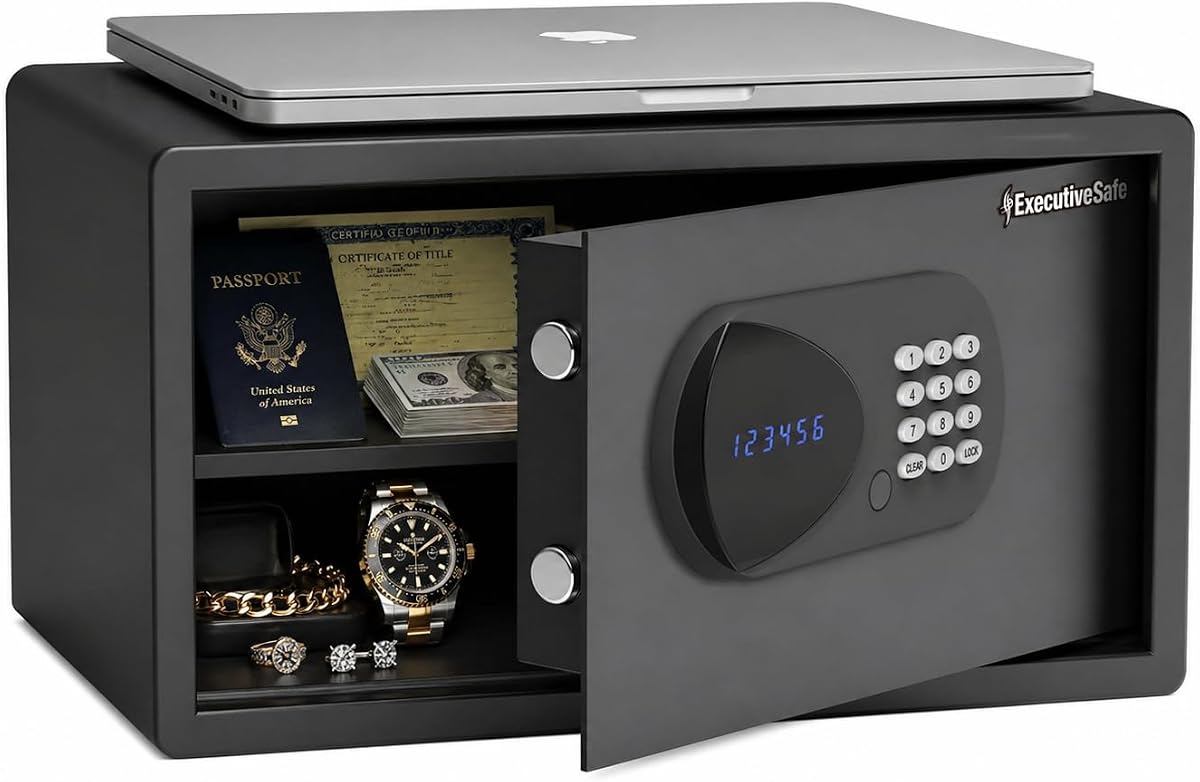
The AXS-5 Large Digital Laptop Safe is a well-rated digital safe designed for homes, dorm rooms, offices, hotels, and rental properties. It has a 5.0 rating and 1.05 cubic feet of storage capacity. That space accommodates most 17-inch laptops and leaves room for passports, cash, jewelry, identification, documents, medicine, and other valuables.
We may earn a commission when you buy through this link, at no additional cost to you.
Solid-steel construction, concealed hinges, a pry-resistant body and door, and two 0.8-inch motorized bolts create a robust locking structure. Four- to six-digit user and master codes offer flexible access management, and the LED display presents status information. Like the ACS-6, it records the last 100 opening and closing events for added oversight.
The safe includes four AA batteries, two emergency override keys, and mounting hardware. Low-battery warnings, a battery-life check, and an external USB emergency power port help reduce the risk of being locked out. Its principal drawback is physical size: at 21.8 pounds, it is substantial, and the keypad adds 0.65 inches to the stated depth.
This model is a strong choice for a fixed installation in a dorm or shared property where administrators want electronic access and an activity trail. It is slightly smaller and less capacious than the ACS-6, but retains most of its advanced management features. Buyers should reserve a stable surface or mounting location rather than treating it as a frequently transported case.
Programmable user and master codes make the safe suitable for temporary access arrangements. A management code, illuminated keypad, and automatic door opening simplify daily operation.
The 1.05-cubic-foot interior balances useful capacity with a footprint suitable for closets, wardrobes, or home offices. A carpeted floor and fixed shelf help organize and protect the contents.
We may earn a commission when you buy through this link, at no additional cost to you.
The best laptop lock box depends on whether you need portable protection, permanent storage, or centralized charging. Consider device size, access control, construction, power requirements, mounting needs, and the level of theft protection your environment demands.
Start by deciding whether the product is meant to protect one traveling laptop, store several shared devices, or charge a larger collection. A personal safe emphasizes access tracking, anchoring, and physical resistance. A charging cabinet prioritizes divided storage, ventilation, and an integrated power strip. A portable lock box or briefcase is designed to move between locations rather than remain permanently installed.
Choose the category that matches the routine, not merely the product that looks most secure. Frequent travel calls for a lighter carrying case, while shared-device management calls for organized charging capacity.
Check the laptop's screen size, thickness, width, and depth against the stated product dimensions. Many charging cabinets support devices up to 14 or 15 inches and one inch thick, but protective cases can consume the available space. Personal safes may advertise a laptop size while offering less clearance for cables, chargers, or accessories.
Measure the intended storage location as well as the device. Leave room to insert and remove equipment, connect power cables, and operate the lock or door without scraping nearby surfaces.
Key locks are familiar and durable, but keys must be stored responsibly. Combination locks eliminate that burden and can be reset, although shorter numeric codes offer fewer possible combinations. Digital keypads support programmable user and master codes, lockout features, and sometimes access histories, but they depend on batteries. Dual-lock cabinets provide a choice between everyday code access and controlled key access.
Select the mechanism that fits the number of users and the need for oversight. A shared rental or dorm safe benefits from programmable codes, while a personal chest may only require a straightforward resettable combination.
Steel construction, concealed hinges, live-door bolts, and pry-resistant doors offer a stronger foundation for stationary storage. Portable boxes may use lighter materials that are adequate for deterrence but less resistant to forced entry. A rigid aluminum briefcase protects contents during transport but should not be expected to provide the same resistance as a locking safe.
For fixed locations, consider pre-drilled holes and included mounting hardware. Anchoring a safe to a wall, floor, or shelf can make casual theft substantially more difficult and is especially valuable in shared rooms.
A charging lock box should have enough outlets for its stated device count, suitable internal dividers, and ventilation around the stored equipment. Check whether the power strip is integrated, whether it includes overload protection, and whether the product is listed as fully assembled. A fixed power strip also affects where the cabinet can be placed.
For devices that remain connected for long periods, airflow is especially important. Route cables through the provided slots and avoid overloading the strip with unrelated equipment. A storage-only box offers no charging convenience and requires a separate secure charging area.
Look for a carpeted or foam-lined interior, organized compartments, grommets, and restraints that keep accessories from shifting. These details protect finishes and make items easier to find. A useful access log can help shared-property managers understand when a safe was opened, while override keys and emergency power options provide recovery paths.
Test the opening process and identify where replacement batteries or keys are stored. For digital models, note low-battery warnings, lockout behavior, and emergency power requirements. Reliable maintenance planning is especially important when a safe contains irreplaceable documents.
Large digital safes may fit 17-inch laptops and provide stronger steel construction, but they weigh substantially more than compact lock boxes. Multi-device charging cabinets hold many tablets or Chromebooks yet are rarely intended for transport. Portable chests and aluminum briefcases offer mobility but usually have less physical protection and no charging features.
Choose the smallest design that comfortably holds the required equipment with room for access. Extra capacity can be useful for future devices, but a larger unit may be harder to place, move, or secure in the intended location.
Before placing equipment inside, confirm that the lock works and that the door, hinges, bolts, or latches operate smoothly. Charge and fully test the batteries in a digital safe, and program both the user and override codes. For a charging cabinet, inspect dividers and outlets, connect the power strip to a suitable outlet, and make sure each device fits without forcing it into a slot.
Place the laptop in a protective sleeve or use the included foam, mesh, or carpeted lining to prevent scratches. Arrange chargers and accessories in their designated spaces, route cords through cable channels, and keep the ventilation openings unobstructed. If the box includes a tether or grommet, connect it to the laptop's security slot and test that it releases normally before closing the door.
For long-term care, wipe the exterior with a soft, dry cloth and avoid harsh cleaners around the keypad, lock, ventilation holes, and display. Inspect anchors, power connections, batteries, and cables periodically. Replace batteries before the low-battery warning appears, store spare keys securely, and avoid leaving the door open in an unattended location. A complete laptop lock box is much more useful when its access system, interior protection, and power equipment are maintained regularly.
Measure the laptop's width, depth, thickness, and screen size, then compare those figures with the product's interior dimensions rather than only its advertised compatibility. Protective cases and charging cables can reduce usable space. If the manufacturer states a maximum screen size and thickness, verify that both measurements are within the stated limits.
Only charging cabinets or storage boxes with an integrated power strip can charge connected devices. The Meteteel, POCHAR, and eight-device charging cabinet models include multi-outlet strips and ventilation intended for this use. General-purpose safes, portable lock boxes, and briefcases protect equipment but do not provide charging capability.
A digital safe is generally better for fixed locations with multiple users because it can support programmable codes, lockout protection, status displays, and sometimes access histories. A combination chest is simpler, often lighter, and easier to carry. Consider battery reliability, emergency access, and whether the lock will be used by one person or shared among several.
Mounting is strongly preferable when the safe contains a valuable computer or documents and will remain in one location. Anchoring makes casual removal more difficult and reduces the value of simply carrying the unit away. Models with pre-drilled holes and included hardware are designed for this purpose, but the surface must be suitable for the fasteners.
The terms are sometimes used interchangeably, but the products in this guide cover different levels of protection. Lock boxes and briefcases are primarily for deterrence, organization, or transport, while safes generally emphasize thicker steel, stronger bolts, concealed hinges, and fixed installation. Always review the construction and resistance features rather than relying on the product name alone.
Use the cabinet as intended, keep every ventilation opening clear, and connect only compatible devices to the integrated power strip. Position devices in their assigned slots so cables do not pinch them, and avoid adding unrelated high-draw equipment to the same outlet. If stored devices regularly become excessively warm, pause charging and have the setup inspected.
Digital safes in this guide provide emergency override keys, and the ACS-6 and AXS-5 also include an external USB emergency power port. Keyed products should be opened with their supplied key, while combination chests can usually be reset according to the manufacturer's instructions. Avoid forcing a lock and contact the seller or manufacturer if the documented recovery method fails.
A multi-device charging cabinet is usually the most practical choice because it provides divided storage, an integrated power strip, ventilation, and a lockable door. The POCHAR model is well suited to eight-device collections, while the Meteteel 12-device cabinet offers more capacity and supports larger screens. Measure device thickness before either cabinet is selected.
The POCHAR 8-Unit Charging Cabinet is the most versatile all-around recommendation because it combines eight-device charging, two locking systems, cable management, and flexible placement. The Meteteel 12 Device Charging Station is the premium option for larger collections, while the Vaultz Locking Storage Chest offers a more portable and economical way to secure a laptop and valuables without charging equipment.
For one valuable computer in a fixed location, an anchored digital safe deserves priority. The Amazon Basics model is compact and straightforward, the ACS-6 provides extensive access controls and monitoring, and the AXS-5 delivers similar advanced features in a smaller volume. Portable users should consider the TOTOY steel safe or LOCKCURX briefcase, while buyers who need both a lock and an ergonomic carrying case may prefer the aluminum briefcase.
Before purchasing, verify device dimensions, access requirements, power needs, mounting plans, and the product's exact included accessories. Prices, ratings, inventory, and seller details may change, so check the current listing and manufacturer information. The right laptop lock box is the one that fits the device, suits the setting, and provides the right level of access and physical protection without adding unnecessary complexity.