
NETGEAR Nighthawk RS90
4.3Editor score
Up to 3.6 Gbps wireless speed
Coverage for 2,000 square feet
Multi-gig WAN and four LAN ports
Our Home Firewall WiFi Router guide compares 10 secure routers for coverage, WiFi speed, VPN support, firewall features, setup ease, and value.
A home firewall WiFi router combines network protection, wired connectivity, and wireless coverage in one central device. A strong choice should handle busy households, support modern devices, resist common online threats, and provide clear controls without making setup unnecessarily complicated. The best model depends heavily on home size, internet speed, and the level of control you want.
We compared all 10 products using the supplied specifications, focusing on WiFi generation, coverage, device capacity, firewall or VPN capabilities, Ethernet ports, management options, and ease of expansion. The list includes WiFi 6, WiFi 6E, and WiFi 7 routers, a mesh router, and two security-focused models for shoppers with more advanced routing needs.
Each review explains who the router is best for, its strongest benefits, and any meaningful trade-offs. Our top selections reflect the most balanced combinations of performance, protection, capacity, and usability, but the right choice for a small apartment may differ from one for a busy multi-device home. Prices and availability change regularly, so confirm current listings before buying.
4.3Editor score

4.3Editor score

4.0Editor score
The comparison below highlights the major differences among all 10 candidates, including wireless standard, stated coverage, wired port flexibility, and security or VPN features. It provides a quick way to identify the right class of router before reading the detailed reviews.
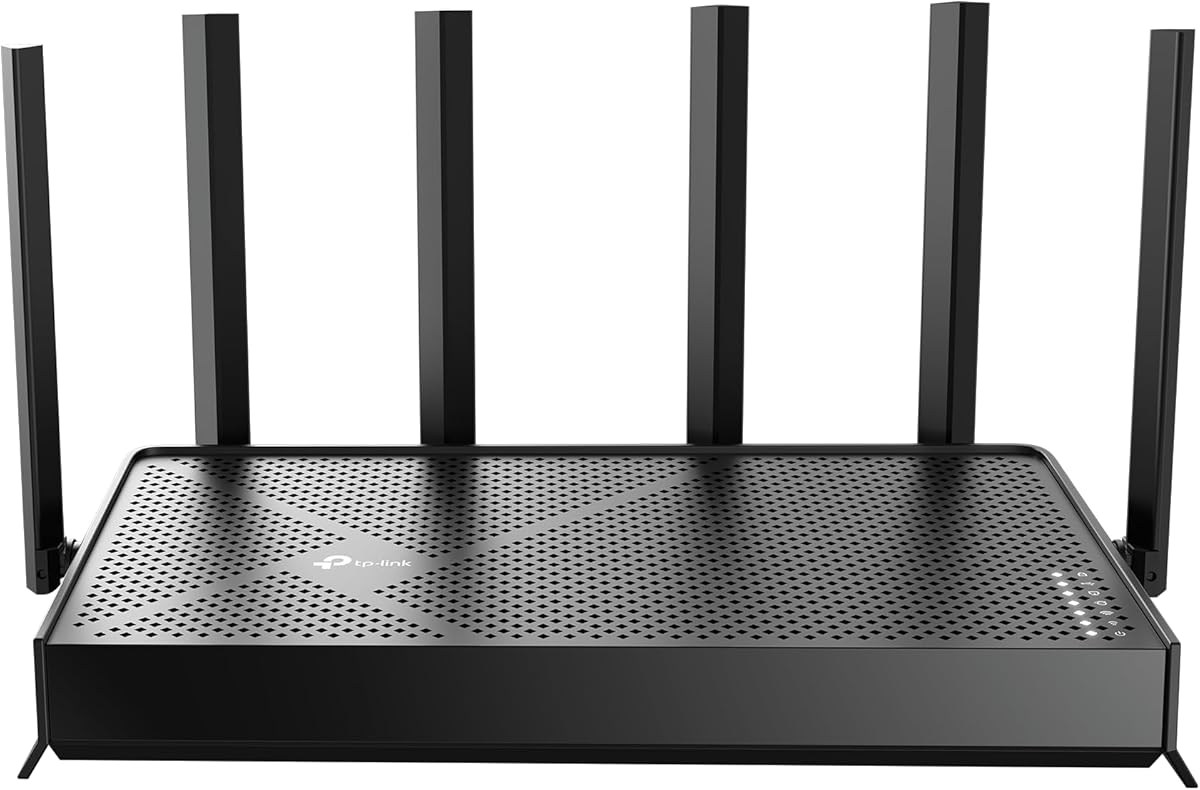
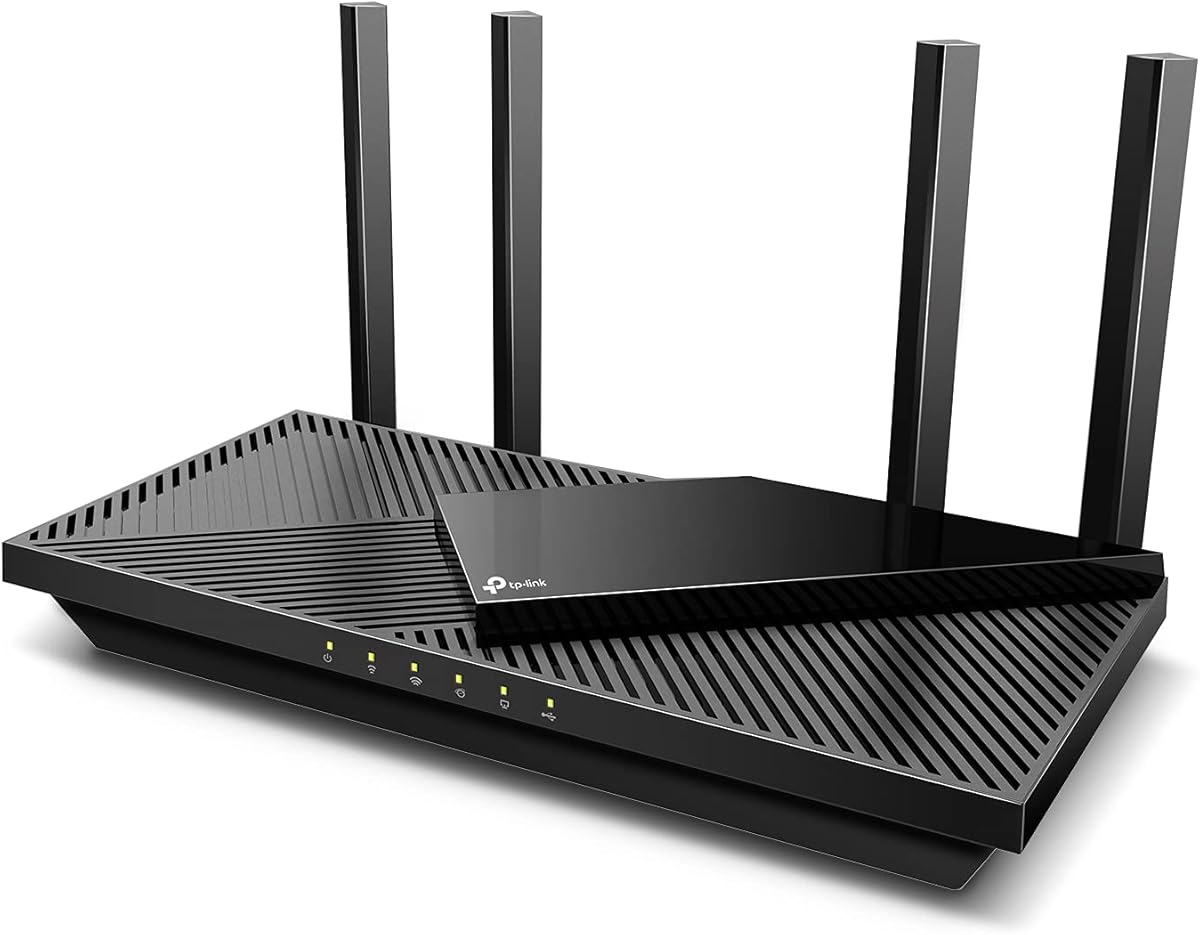


The NETGEAR Nighthawk RS90 is a dual-band WiFi 7 router that combines a stated aggregate speed of up to 3.6 Gbps with coverage for as many as 50 devices. Its 4.3 rating reflects a generally strong balance of modern wireless performance, multi-gig internet support, and straightforward management. It is especially appealing to households that want newer WiFi 7 hardware without moving into a larger tri-band system.
We may earn a commission when you buy through this link, at no additional cost to you.
One of the RS90's most useful features is its 2.5 Gbps WAN port, which can take advantage of compatible cable, fiber, DSL, or satellite internet services. Four 1 Gbps LAN ports provide dedicated wired connections for computers, consoles, televisions, and storage devices. MU-MIMO and OFDMA help the router serve multiple clients concurrently, while the 2.4 GHz and 5 GHz bands cover the devices found in most modern homes.
The trade-offs are understandable for a dual-band design. It does not include the dedicated 6 GHz band found on higher-tier tri-band routers, and its stated coverage is not guaranteed to overcome thick walls or every floor plan. NETGEAR's optional Armor subscription is also worth distinguishing from the router's built-in security features, which include Advanced Router Protection and automatic firmware updates.
The RS90 is our top overall choice because it gives many buyers a future-oriented router without unnecessary complexity. Choose it for a medium-sized home with several high-speed devices, especially if you have a multi-gig internet plan or plan to buy WiFi 7-compatible phones, laptops, and televisions. Pairing it with a suitable modem or gateway completes the network, and a mesh system may be preferable for unusually large or multi-story properties.
WiFi 7 features such as MU-MIMO and OFDMA improve how the RS90 manages concurrent traffic, while its stated 3.6 Gbps aggregate capacity gives compatible clients room for demanding streaming, gaming, calls, and downloads. Actual performance depends on the internet plan, client hardware, signal conditions, and network congestion.
The Nighthawk app guides setup and lets users manage WiFi, run speed tests, pause devices, and create guest networks. Automatic firmware updates help maintain protection, while Advanced Router Protection and the optional Armor trial provide additional ways to manage network security.
We may earn a commission when you buy through this link, at no additional cost to you.
The TP-Link Archer BE400 is a dual-band WiFi 7 router rated 4.3, with a stated maximum of 6,452 Mbps across its 2.4 GHz and 5 GHz bands. It combines Multi-Link Operation, Multi-RUs, and 4K-QAM with a claimed capacity of up to 90 devices. That makes it a strong all-round option for busy homes that want high wireless throughput and advanced features without adopting a tri-band design.
We may earn a commission when you buy through this link, at no additional cost to you.
Its coverage claim extends to 2,400 square feet, assisted by six antennas and beamforming. Ethernet connectivity includes one 2.5 Gbps WAN/LAN port, a separate 2.5 Gbps LAN port, and three 1 Gbps LAN ports. This arrangement is useful for connecting a multi-gig modem, a high-speed workstation, a network storage device, or a game console without making every wired device share a single fast port.
The main limitation is that, like the RS90, the BE400 lacks a 6 GHz band. It also cannot be paired directly with TP-Link's Deco mesh family, although it can work with other EasyMesh-compatible routers and range extenders. The router's HomeShield tools, parental controls, real-time IoT security, and support for remote VPN access improve its value for buyers who treat network protection as part of the main purchase.
This is our Editor's Choice because it balances speed, capacity, useful security tools, and flexible wired connections especially well. It is a compelling fit for a modern household with many connected clients, mixed WiFi generations, and a need for 2.5 Gbps networking. Confirm EasyMesh compatibility carefully if you plan to expand coverage, and use the Tether app to keep firmware current.
The stated support for up to 90 devices makes the BE400 suitable for homes where phones, televisions, computers, speakers, cameras, and appliances share one network. OFDMA, MU-MIMO, MLO, and beamforming are designed to improve efficiency and stability when many clients are active.
HomeShield provides network protection, parental controls, and real-time IoT security, while the router can also let compatible home devices reach remote VPN servers. These features are especially relevant for users who want centralized privacy controls without running a separate software VPN on every device.
We may earn a commission when you buy through this link, at no additional cost to you.
The TP-Link AX3000 is a dual-band WiFi 6 router with a 4.4 rating, the highest among the products in this guide. Its maximum theoretical throughput is 2,976 Mbps, divided between 2,402 Mbps on 5 GHz and 574 Mbps on 2.4 GHz. It offers a mature, practical route to fast gigabit WiFi for homes that do not need WiFi 7 or multi-gig wired connections.
We may earn a commission when you buy through this link, at no additional cost to you.
OFDMA allows multiple clients to share a band more efficiently, which is valuable when several people are streaming, gaming, attending calls, or browsing simultaneously. Four high-gain external antennas and beamforming support broader, more consistent connections, while Target Wake Time can improve battery efficiency for compatible wireless clients. The revised case and larger heat sink are designed to manage heat without unnecessary throttling.
The main compromise is that its WiFi 6 specification is now a step behind the newest WiFi 7 options in the list. It also lacks a 2.5 Gbps port, so users with gigabit-plus internet may not benefit from a faster modem connection. On the other hand, built-in VPN server and client support adds meaningful flexibility, and Alexa compatibility provides a simple voice-control option.
Choose the AX3000 for a home with gigabit internet, mixed older and newer client devices, and a preference for a straightforward TP-Link experience. It is particularly suitable for users who want dependable wireless performance, parental controls, and basic HomeShield security without needing the newest radio standard. It requires a separate modem for most internet providers.
OFDMA and beamforming help the AX3000 serve concurrent traffic and focus signals toward connected clients. These features are valuable in households where a few bandwidth-intensive devices regularly share the connection with many lower-demand phones, speakers, and appliances.
HomeShield includes network scans, IoT device identification, basic parental controls, quality of service, and scheduled reports. VPN server and client support also gives compatible devices options for accessing remote networks without requiring separate VPN software on every connected product.
We may earn a commission when you buy through this link, at no additional cost to you.
The TP-Link AXE5400 is a tri-band WiFi 6E router that reaches a stated 5,400 Mbps across the 6 GHz, 5 GHz, and 2.4 GHz bands. The dedicated 6 GHz spectrum gives compatible modern devices a clean, lower-latency lane, while the other two bands maintain wider reach for older and more distant clients. Its 4.3 rating supports its reputation as a capable general-purpose router.
We may earn a commission when you buy through this link, at no additional cost to you.
A 1.0 GHz dual-core processor and 512 MB of memory provide the stated hardware foundation for performance and reliability. True tri-band operation and OFDMA increase simultaneous transmission capacity, while the distinctive housing is designed to improve heat dissipation. EasyMesh compatibility allows additional compatible routers, extenders, or wireless powerline adapters to address dead zones and expand a home network.
Its 6 GHz band cannot be used by every device, so the value depends on having some WiFi 6E-compatible equipment. While WiFi 7 models deliver newer features, the AXE5400 remains a well-balanced option for users who value tri-band flexibility and substantial memory. VPN server and client support, HomeShield tools, and provider compatibility broaden its appeal.
This router is best for a household that wants a dedicated high-speed band now and plans to retain its current client devices for several years. It is a good fit for medium-to-large homes where wireless congestion is common and EasyMesh expansion may eventually be necessary. A separate modem is required for most internet service plans.
The 6 GHz band is less crowded than 2.4 GHz and 5 GHz, which can reduce contention for compatible phones, laptops, and other recent clients. Keeping this traffic separate from the other bands helps the router maintain responsiveness when a household is heavily connected.
EasyMesh compatibility provides a path beyond a single router's normal room-to-room reach. Buyers can add compatible equipment to create a more seamless whole-home network without committing to a different mesh ecosystem before they need it.
We may earn a commission when you buy through this link, at no additional cost to you.
The Amazon eero 6 is a one-pack mesh WiFi 6 router rated 4.4, with stated coverage up to 1,500 square feet and support for 75 or more connected devices. TrueMesh technology is designed to route traffic intelligently and reduce drop-offs, making it a strong choice for buyers who prioritize effortless setup and smooth whole-home connectivity over deep router configuration.
We may earn a commission when you buy through this link, at no additional cost to you.
The eero app walks users through installation and provides remote network management. Automatic updates help the system receive new features and security improvements, while the built-in Zigbee hub connects compatible smart-home devices through Alexa without requiring a separate hub for each product. The platform also supports adding compatible eero units as coverage needs change.
The compromise is that this is primarily a simple mesh system rather than a configurable firewall appliance. Users seeking detailed VPN termination, VLAN-style segmentation, deep traffic rules, or extensive advanced routing options will find less control. Its stated support for internet plans up to 900 Mbps also makes it less suitable for very fast multi-gig services than several WiFi 7 alternatives in this guide.
The eero 6 is best for apartments, medium homes, and users who want a polished setup process with reliable wireless coverage. It is particularly attractive to Alexa-based smart homes because of the integrated Zigbee function. For advanced threat filtering or a broader VPN feature set, choose a security-focused router instead; for uncomplicated mesh performance, this is a highly accessible option.
TrueMesh coordinates client traffic to reduce drop-offs, while the app handles the main setup steps in a straightforward way. This makes the eero 6 approachable for households that would rather avoid manually tuning radio channels, band allocation, and advanced network behavior.
The built-in Zigbee smart-home hub gives compatible devices a central connection through Alexa. It also reduces the need for extra hubs while leaving room to expand the mesh with additional compatible eero products as the home's coverage requirements change.
We may earn a commission when you buy through this link, at no additional cost to you.
The NETGEAR Nighthawk tri-band WiFi 7 router offers a stated aggregate speed of 9.3 Gbps and coverage for up to 100 devices across 2,500 square feet. Its third band operates on 6 GHz, giving compatible modern devices a separate high-speed lane. The 4.3 rating reflects a capable high-end option for homes where many phones, computers, televisions, and smart-home products compete for airtime.
We may earn a commission when you buy through this link, at no additional cost to you.
The 2.5 Gbps WAN port supports multi-gig internet services, while two 2.5 Gbps LAN ports and two 1 Gbps LAN ports provide useful wired capacity. A gaming rig, NAS, smart television, or other high-bandwidth device can benefit from dedicated multi-gig connections. The Nighthawk app supports guided setup, speed testing, device pausing, guest networks, and remote management.
The primary caveat is that a powerful WiFi 7 router is not equivalent to a dedicated enterprise firewall. NETGEAR provides Advanced Router Protection, automatic firmware updates, and an optional Armor subscription, but buyers with complex policy, auditing, or site-to-site requirements may still need dedicated firewall hardware. Actual range and throughput will also depend on construction, interference, client devices, and the internet plan.
We recommend this router for large, active homes that want current WiFi 7 performance, multi-gig wired connections, and a high device ceiling. It is an especially strong match for users already building a modern smart home or preparing for faster client devices. Larger or more complex properties may still require a mesh system to eliminate every dead zone.
The dedicated 6 GHz band can give compatible WiFi 7 devices a less crowded route through the network. That separation helps demanding devices avoid sharing capacity with ordinary 2.4 GHz and 5 GHz traffic while preserving the other bands for reach and compatibility.
Two 2.5 Gbps LAN ports give home servers, storage arrays, and high-end computers dedicated paths for transferring large files. A multi-gig WAN port also prevents a compatible fiber or cable service from being limited by a single-gigabit network port.
We may earn a commission when you buy through this link, at no additional cost to you.
The TP-Link Archer BE550 is a tri-band WiFi 7 router with a stated combined speed of 9,214 Mbps. It distributes that capacity among a 6 GHz band rated at 5,760 Mbps, a 5 GHz band rated at 2,880 Mbps, and a 2.4 GHz band rated at 574 Mbps. Its 4.0 rating is the lowest among the listed products, but the hardware configuration is exceptionally strong for premium users.
We may earn a commission when you buy through this link, at no additional cost to you.
The standout wired feature is the inclusion of one 2.5 Gbps WAN port and four 2.5 Gbps LAN ports. That gives a connected home unusually flexible multi-gig options for a modem, server, storage system, workstation, or gaming setup. Six positioned antennas, beamforming, and TP-Link's WiFi optimization technology support stronger and more stable connections across a busy network.
Its security and segmentation tools are more advanced than many consumer-router offerings. HomeShield provides network protection, parental controls, and real-time IoT security, while a separate private IoT network can keep compatible smart devices apart from the main WiFi network. The router also supports VPN client and server functions and can be managed through the Tether app.
The BE550 is best for affluent or demanding households with multi-gig service, high-end clients, and enough devices to justify premium hardware. EasyMesh support provides an expansion path, and backward compatibility allows it to work with earlier WiFi generations. Buyers with modest internet service and only a few devices may receive little practical benefit from its full capability.
The dedicated private IoT network uses WPA3 encryption and HomeShield to separate compatible smart products from the primary household connection. Segmentation can reduce the amount of device-to-device communication and creates a more controlled environment for connected accessories.
Rather than mixing one fast port with several slower ones, the BE550 supplies 2.5 Gbps across its WAN and four LAN connections. This is unusually flexible for a high-end home router and supports fast modems, local storage, and other bandwidth-intensive wired devices.
We may earn a commission when you buy through this link, at no additional cost to you.
The TP-Link Omada ER707-M2 is a multi-gigabit VPN router rather than a conventional wireless router, and it earns a 4.4 rating. It is designed for users who need centralized routing, encrypted remote access, and flexible WAN configuration. Home buyers can use it as the secure core of a network and connect separate access points for WiFi coverage.
We may earn a commission when you buy through this link, at no additional cost to you.
Its port configuration includes one dedicated 2.5 Gbps WAN port, one 2.5 Gbps WAN/LAN port, four Gigabit WAN/LAN ports, and one Gigabit SFP WAN/LAN port. The USB 2.0 port supports storage and LTE backup when used with a compatible LTE dongle. This makes the ER707-M2 adaptable to broadband, failover, and mixed wired-network arrangements.
VPN capacity is the defining feature. The router supports up to 100 IPsec LAN-to-LAN connections, 66 OpenVPN connections, and 60 each for L2TP and PPTP. It handles a maximum of 500,000 concurrent sessions and more than 1,000 clients. Omada cloud access and the companion app provide centralized management across different sites from one interface.
Choose the ER707-M2 for a technically capable household that prioritizes secure remote access, centralized administration, and routing control over built-in WiFi. It is less appropriate for someone who wants a simple all-in-one router with strong wireless radios and no additional equipment. A five-year warranty and included technical support provide reassurance for long-term use.
Support for numerous IPsec, OpenVPN, L2TP, and PPTP connections makes the ER707-M2 useful for employees, family members, or branch locations that need encrypted access to the home network. LAN-to-LAN IPsec support also enables secure links between separate sites.
Omada's cloud platform and app centralize network administration from different locations. Users can manage the router through one interface instead of relying only on local access, which is particularly useful for distributed households or small organizations supporting several sites.
We may earn a commission when you buy through this link, at no additional cost to you.
The Zyxel USGLITE60AX is a cyber security firewall aimed at small homes, home offices, and very small businesses with as many as five users. It combines AX6000 dual-band WiFi 6 with dual-WAN intelligence, real-time threat intelligence, intrusion prevention, anti-malware, and Nebula cloud management. Its 3.8 rating is the lowest in the list, making careful feature evaluation important.
We may earn a commission when you buy through this link, at no additional cost to you.
The dual-WAN design can distribute traffic intelligently and help maintain connectivity for critical applications when one connection is disrupted. Two 2.5 Gbps multi-gig ports support high-speed WAN or LAN use, while Zyxel mesh capability can extend wireless coverage through compatible equipment. Nebula allows setup and centralized network management through a mobile app without a local hardware controller.
Eligible new registrations can include a complimentary one-year Elite Pack with comprehensive web filtering, advanced Nebula Pro features, and enhanced ransomware protection. The 3.8 rating may reflect the product's complexity, subscription structure, or the limits of its five-user positioning, although the supplied information does not isolate the reason. Buyers should confirm the included service and renewal terms for their specific registration date.
The USGLITE60AX is best for users who explicitly want a security appliance rather than a general consumer router. It offers stronger threat-oriented positioning than many WiFi-focused models and is suitable for protecting a compact household or home office. It is less relevant to large families, and buyers who only need basic WiFi may find simpler products easier to operate.
Real-time threat intelligence, intrusion prevention, and anti-malware are central features rather than optional additions to the main wireless experience. These protections are intended to identify and stop malicious traffic at the network edge, making the device more suitable for users with specific security requirements.
Dual-WAN intelligence can distribute bandwidth and support uninterrupted connectivity for critical applications. A home office that relies on hosted services, remote access, or regular work calls may benefit from two WAN connections and the router's smart traffic management.
We may earn a commission when you buy through this link, at no additional cost to you.
The ASUS RT-AX1800S is a dual-band WiFi 6 router with a 4.3 rating, four external antennas, and five Gigabit Ethernet ports. It targets buyers who want robust household networking, parental controls, and built-in protection without a recurring security subscription. Its 1024-QAM, MU-MIMO, and OFDMA support are designed to improve throughput and manage multiple clients more efficiently.
We may earn a commission when you buy through this link, at no additional cost to you.
One Gigabit WAN port and four Gigabit LAN ports provide a balanced wired setup for computers, gaming consoles, televisions, and storage devices. Unlike several faster competitors, the RT-AX1800S does not include 2.5 Gbps Ethernet, so it is better matched to standard gigabit service than to multi-gig plans that need a faster internal or WAN connection.
AiProtection Classic, powered by Trend Micro, supplies network security without requiring a subscription, while ASUS Instant Guard creates a secure VPN connection for users away from home. Parental controls and AiMesh compatibility add further value, with the latter offering a path to extend the network using compatible ASUS mesh equipment. As with every router, actual throughput and range vary with traffic, construction, and interference.
The RT-AX1800S is a good choice for a small or medium home that prioritizes security, straightforward wired networking, and no ongoing protection fee. It is also appealing to ASUS users who may later add AiMesh nodes. For a large property, a very fast multi-gig connection, or the newest WiFi 7 standard, one of the higher-tier models will be more suitable.
AiProtection Classic provides built-in network security based on Trend Micro technology without the subscription requirement associated with many premium router services. This makes the RT-AX1800S attractive to households that want ongoing protection without adding another recurring expense.
ASUS Instant Guard gives users a convenient way to create a secure VPN connection while away from home. AiMesh compatibility also allows compatible ASUS routers and access points to extend coverage and create a more unified network across larger living spaces.
We may earn a commission when you buy through this link, at no additional cost to you.
The right router balances wireless performance, network protection, wired speed, management complexity, and the physical demands of your home. These factors help distinguish a basic WiFi system from a security-focused router, a high-capacity WiFi 7 model, and a multi-gig VPN appliance.
WiFi 7 models such as the NETGEAR RS90, TP-Link Archer BE400, NETGEAR tri-band router, and Archer BE550 include newer capabilities such as Multi-Link Operation, Multi-RUs, 4K-QAM, or wider channels. Those features can improve efficiency and throughput for compatible devices, but older phones, laptops, televisions, and appliances will continue using earlier standards. A WiFi 6 model may therefore deliver a more practical experience if your household is not yet equipped with WiFi 7 clients.
Choose the newest standard your main devices can use, but do not ignore backward compatibility. Modern routers in this guide support earlier WiFi generations, allowing older smart-home products and IoT accessories to connect while newer devices use the faster bands.
A stated square-foot figure is a useful starting point, but walls, floors, furniture, nearby networks, and the placement of the router can change actual results. The products range from the eero 6 at up to 1,500 square feet to the NETGEAR tri-band router at up to 2,500 square feet. Larger or multi-story homes may need a mesh system even when a capable standalone router is selected.
Estimate coverage from the supplied specification, then account for building materials and the number of floors. If dead zones are likely, verify that the router supports a compatible mesh system before making the purchase.
Every connected device adds demand, even when it is not actively streaming. A household with many phones, televisions, speakers, cameras, consoles, and appliances needs more than enough nominal speed; it also needs sufficient processing capacity, efficient band use, and good radio design. The listed capacity ranges from 50 devices on the RS90 to 100 on the NETGEAR tri-band router, while the eero 6 lists support for 75 or more devices.
Prioritize capacity beyond the number of devices you own today. Smart-home products tend to accumulate over time, and video calls, gaming, cloud backups, and simultaneous streaming can create traffic spikes that a basic router handles less gracefully.
A firewall WiFi router should place useful security controls close to the network edge. Consumer-oriented models offer features such as automatic updates, IoT identification, basic parental controls, VPN client or server support, private IoT networks, and threat filtering. Dedicated security appliances such as the Zyxel USGLITE60AX emphasize intrusion prevention, anti-malware, web filtering, and intelligent dual-WAN operation.
Decide whether basic built-in protection is enough or whether you need simultaneous VPN tunnels, encrypted site-to-site links, centralized policy management, or a private network for IoT devices. Also check whether advanced protection requires a subscription and review its renewal terms.
Wireless speed is only one part of network performance. A fast computer, NAS, game console, or television may exchange more data over a wired connection than it does over WiFi. The RS90 has a 2.5 Gbps WAN port and four Gigabit LAN ports, while the Archer BE400 includes two 2.5 Gbps ports. The Archer BE550 goes further with a 2.5 Gbps WAN port and four 2.5 Gbps LAN ports.
Match port speed to your internet service and local devices. Multi-gig WAN is useful for fiber or cable plans above one gigabit, while multiple 2.5 Gbps LAN ports are valuable for servers and direct transfers. Check whether ports are configurable as WAN or LAN before designing the layout.
Most home users want a router that works reliably after a short setup process and can be adjusted from a phone. The Nighthawk, Tether, eero, ASUS, and Nebula interfaces each emphasize app-based management, but they provide different levels of control. A simple mesh system may suit casual users, while an Omada VPN router or dedicated security firewall suits administrators who want centralized policies and remote access.
Prioritize a management system that matches your comfort level. Clear parental controls, device pausing, guest networks, automatic updates, and remote access are practical for most households. More advanced routing, VPN, and threat-management tools add control but can also increase setup and maintenance demands.
A router that can expand into a mesh network gives households more flexibility than one limited to a single access point. TP-Link's AXE5400 and BE550 support EasyMesh-compatible equipment, the eero 6 expands with compatible eero products, and the ASUS RT-AX1800S supports AiMesh. Expansion is especially valuable in homes with masonry, long floor plans, or a need to cover outdoor spaces.
Verify ecosystem compatibility before buying expansion units. The Archer BE400 is not compatible with Deco systems, and a router advertised as mesh-capable may require a different brand or controller. For smart homes, the eero 6's built-in Zigbee hub is a distinct advantage for compatible Alexa devices.
Most standalone WiFi routers still need a compatible modem or gateway to receive internet service, while the TP-Link Omada ER707-M2 is primarily a wired VPN router and may require separate wireless access points. The Zyxel USGLITE60AX is a compact security appliance for as many as five users rather than a high-capacity family router. Confirm what equipment you already own before deciding which category fits.
Avoid buying a more advanced router than your service and devices can use. A multi-gig router cannot create faster internet than the provider supplies, and a firewall-focused model will not necessarily deliver better WiFi coverage. Choose the device that addresses the actual bottleneck in your network.
Begin by placing the router in a central, open location rather than inside a cabinet, behind a television, or at the edge of the property. For a multi-floor home, consider a compatible mesh system or additional access points. Connect the modem or gateway to the appropriate WAN port with Ethernet, then follow the manufacturer's app for initial configuration. Use a strong administrative password and unique wireless passwords for both the 2.4 GHz and 5 GHz networks.
After setup, update the router firmware, create a separate guest network for visitors, and review parental controls, connected-device lists, and security notifications. If the router supports VPN functions, determine whether they should be used for the entire network or selected clients. For a dedicated firewall or Omada installation, configure VPN tunnels, WAN policies, IoT segmentation, and remote access according to the intended use rather than leaving every advanced feature at its default setting.
For ongoing care, check the router for firmware updates regularly, replace administrative credentials if they may have been exposed, and review connected devices for anything unfamiliar. Keep the unit ventilated and away from direct heat. Test speed and signal strength in the rooms where you actually use the internet, reposition the router if results are poor, and add compatible mesh equipment rather than repeatedly increasing the transmit setting. Also remember that a router cannot eliminate outages caused by the internet service provider or the local line.
Parental controls and basic router security are not the same as a dedicated firewall. A consumer WiFi router generally protects a home connection while managing wireless clients, but a dedicated firewall may provide deeper threat inspection, VPN tunnels, policy control, dual-WAN resilience, and centralized logging. A household with basic browsing needs may be adequately served by the security features in a modern router, while remote workers, small offices, or users with advanced threat concerns have more reason to consider a dedicated appliance.
Most of the listed WiFi routers are designed to pair with an existing cable, fiber, DSL, or satellite modem or gateway. Some gateway and modem-router combinations may require bridge mode, and most internet providers require a separate modem. The TP-Link Omada ER707-M2 is primarily a wired VPN router, so it will need separate access points if you want conventional wireless coverage.
WiFi 6 improves efficiency and throughput over earlier standards through features such as OFDMA and MU-MIMO. WiFi 6E adds the 6 GHz band, giving compatible modern devices more bandwidth and often lower congestion. WiFi 7 adds further capabilities such as Multi-Link Operation, Multi-RUs, 4K-QAM, and wider channels, making it most useful when both the router and the connected devices support the newest standard.
Start with the router's stated coverage and compare it with your home's floor area and number of levels. Thick walls, concrete, metal appliances, and interference can reduce the effective range, so a larger home may need a mesh system. The eero 6 and several standalone routers can cover medium homes well, while multi-story properties benefit most from a coordinated mesh deployment.
A 2.5 Gbps router is most useful when your internet plan exceeds one gigabit, you operate a local NAS, or you transfer large files between wired computers. It also gives you more room if you plan to upgrade your service later. If your service is limited to one gigabit and your devices do not need faster local transfers, a router with standard Gigabit LAN ports may be sufficient.
It depends on the model and the protection you want. The ASUS RT-AX1800S includes AiProtection Classic without a subscription, while some other products provide basic security free and offer optional advanced services. The Zyxel USGLITE60AX includes a complimentary service period for eligible new registrations, but buyers should verify all renewal conditions. Always check whether firewall, IoT protection, parental controls, and VPN features remain available without a recurring fee.
Some of the listed routers make segmentation easier. The TP-Link Archer BE550 supports a private IoT network, and models such as the Archer AXE5400 and ASUS RT-AX1800S include broader management and parental-control options. Other routers with multiple bands can also use a separate SSID, although a separate wireless name alone does not always provide the same isolation guarantees as a dedicated network profile. Review the device's security documentation before relying on separation for sensitive systems.
Install updates as soon as they are available, especially when they contain security fixes. Many of the listed routers offer automatic updates or let you check for firmware through their companion apps. Periodic manual checks are still useful because automatic installation can be interrupted, and you should confirm that your settings, VPN profiles, parental controls, and custom access rules survived the update.
The NETGEAR RS90 is the most balanced overall pick, combining WiFi 7, a 2.5 Gbps WAN port, four Gigabit LAN ports, and a manageable app for as many as 50 devices. The TP-Link Archer BE400 stands out for high dual-band throughput, capacity for up to 90 devices, and useful HomeShield and VPN features, while the NETGEAR tri-band model is the stronger choice for homes seeking a dedicated 6 GHz band and support for as many as 100 devices.
Prioritize the constraint that matters most: coverage for the physical home, capacity for the number of clients, multi-gig access for current internet service, or advanced firewall and VPN functions. Simple households may prefer the eero 6 or ASUS RT-AX1800S, while power users can examine the Archer BE550, Omada ER707-M2, or Zyxel USGLITE60AX. A router cannot outperform every possible device, and a capable model still benefits from sensible placement and current firmware.
Finally, check the current listing, included services, compatibility, and available installation options before ordering, because prices and promotions change. Confirm whether you need a separate modem, which mesh ecosystem is supported, whether advanced security requires a subscription, and whether your internet plan can use the router's fastest WAN port. Those checks help prevent an otherwise capable router from becoming a bottleneck.