
TP-Link Archer AX73
4.5Editor score
AX5400 tri-band wireless
Up to 2,000 square feet
Four simultaneous data streams
Our Gaming Router for Xfinity guide compares ten routers for latency, WiFi speed, multi-gig options, coverage, gaming features, and setup.
A gaming router for Xfinity should do more than advertise a high wireless speed number. It needs to reduce local network congestion, handle busy connected homes, support demanding devices, and provide a dependable path from your modem or gateway to a console, desktop, television, or handheld. The right choice depends heavily on your Xfinity plan, home layout, and how you game.
This guide compares ten routers using the supplied specifications, with particular attention to WiFi generation, wired port speed, multi-device capacity, coverage, gaming-oriented controls, and Xfinity compatibility. It includes a cable modem-router combo as well as standalone routers, so readers can compare both approaches without overlooking the need for compatible internet equipment.
The rankings reveal different priorities: one product combines a cable modem with WiFi 6, several standalone routers emphasize wireless speed, and multiple gaming models provide multi-gigabit Ethernet, traffic prioritization, or VPN functions. Product specifications and availability can change, so readers should verify current compatibility, features, and pricing before purchasing.
4.5Editor score

4.6Editor score

4.1Editor score
The comparison below covers wireless generation, Xfinity setup requirements, wired connectivity, and the main features that matter for gaming. Standalone models require a compatible modem or gateway, while the NETGEAR CAX30 includes both cable modem and router functions.


The NETGEAR Nighthawk CAX30 is the most straightforward choice for an Xfinity customer who wants one device to provide both cable modem and WiFi router functions. It carries a 4.1 rating and uses DOCSIS 3.1, offering compatibility with Xfinity internet plans up to 800Mbps according to the supplied specifications. Its AX2700 dual-band WiFi 6 system is designed to support busy homes, streaming, video calls, and gaming.
We may earn a commission when you buy through this link, at no additional cost to you.
The principal advantage is consolidation. Instead of pairing a separate modem or gateway with a standalone router, the CAX30 creates a single home-network system with four Gigabit Ethernet ports. A console or desktop can use a wired connection for stable, low-latency traffic, while phones, televisions, and other compatible devices can connect wirelessly. The device also offers OFDMA to improve response times during periods of network congestion.
There are important limitations. It is designed for cable internet rather than bundled Xfinity voice, and ISP activation is required after setup. The listed Xfinity compatibility applies to plans up to 800Mbps, so it is not a suitable foundation for every higher-tier service. Owners also need to confirm that their address is served and that their current Xfinity plan does not require equipment not supported by this model.
This is an attractive recommendation for users who want fewer boxes, straightforward Xfinity compatibility, and a good mix of wireless and wired connections. It is less appropriate for households that want the newest WiFi 7 standard, extensive multi-gigabit LAN connectivity, or advanced gaming-specific prioritization. For those needs, one of the standalone gaming routers offers a stronger long-term feature set.
Combining the cable modem and router reduces desk clutter and removes the need to manage a separate Ethernet connection between devices. It also gives Xfinity users a clearly identified all-in-one option.
Four Gigabit Ethernet ports make it practical to hardwire a gaming console, desktop, television, or other bandwidth-sensitive device. Wired connections can be more consistent than WiFi when latency and jitter are priorities.
We may earn a commission when you buy through this link, at no additional cost to you.
The TP-Link Archer AXE75 is a well-rounded standalone router for Xfinity subscribers who want access to the 6GHz band without moving to WiFi 7. Its 4.3 rating reflects a capable tri-band platform that supports up to 5400 Mbps of combined wireless throughput. The dedicated 6GHz spectrum can offer short-range, low-latency performance for compatible modern devices in suitable conditions.
We may earn a commission when you buy through this link, at no additional cost to you.
True tri-band operation separates traffic across 2.4, 5, and 6GHz frequencies. OFDMA and MU-MIMO improve simultaneous transmission capacity, which is valuable when a gaming household is also streaming in 4K, making video calls, and operating numerous connected devices. The supplied specifications note a 1.0GHz dual-core processor and 512MB of memory, giving the router more resources than a basic model.
The Archer AXE75 is not a cable modem, so Xfinity users need to connect it to a compatible modem or gateway through Ethernet. It also lacks the dedicated gaming controls found in the GL.iNet Flint 2, ASUS TUF, or NETGEAR XR700. Those specialized features can improve traffic treatment, but a capable general-purpose router with a clean 6GHz band may still be the more balanced choice for many homes.
The router is especially suitable for buyers with compatible WiFi 6E or WiFi 7 devices who want a straightforward way to add faster wireless networking to an existing Xfinity connection. EasyMesh compatibility also gives owners a path to expand coverage later. For the most gaming-focused traffic management, move to a model with explicit prioritization, multi-gig ports, or both.
The 6GHz band separates compatible high-speed clients from crowded 2.4 and 5GHz networks. Its short range means placement near the intended gaming area remains important.
EasyMesh compatibility allows the Archer AXE75 to work with compatible routers, extenders, and wireless powerline adapters. This makes it a practical starting point for a staged mesh network.
We may earn a commission when you buy through this link, at no additional cost to you.
The NETGEAR Nighthawk RS90 delivers a balanced WiFi 7 upgrade for Xfinity users who want modern wireless capabilities without moving to a larger tri-band system. It has a 4.3 rating and supports up to 3.6 Gbps across the 2.4 and 5GHz bands. The 2.5GbE WAN port can take advantage of a multi-gig Xfinity plan, while four Gigabit LAN ports serve wired devices.
We may earn a commission when you buy through this link, at no additional cost to you.
MU-MIMO and OFDMA help the router manage traffic from many simultaneous clients. The stated capacity covers up to 50 devices and reaches as far as 2,000 square feet, although the manufacturer cautions that walls, floors, interference, and home layout affect actual results. A larger or multi-story home may be better served by an Orbi mesh system.
As a standalone router, the RS90 requires an existing modem or gateway. Some gateways or modem-router combinations may need bridge mode to work correctly, and no coax connection is needed from the router itself. Its single 2.5GbE port is a limitation for users with several multi-gig wired devices, while the lack of a 6GHz band keeps the design simpler than the tri-band alternatives.
The RS90 makes sense for a compact or moderately sized home with WiFi 7 devices and at least one multi-gig internet option. It combines modern wireless performance, app-based management, automatic firmware updates, and basic security features without gaming-specific controls. It is a sensible general-purpose choice, but competitive gaming systems may benefit more from multiple 2.5GbE ports or dedicated game prioritization.
The 2.5GbE WAN port can accept faster Xfinity service when the modem or gateway supplies a suitable multi-gig connection. This is a meaningful benefit when a wired gaming setup is central.
The Nighthawk app supports guided setup, speed tests, device pausing, guest networks, and remote management. Automatic security updates help keep the system current without requiring advanced router administration.
We may earn a commission when you buy through this link, at no additional cost to you.
The GL.iNet GL-MT6000 Flint 2 stands out as the most explicitly gaming-focused router in this group. Its 4.6 rating is the highest listed rating among the ten products, and the hardware combines eight-stream WiFi 6, dual 2.5G Ethernet ports, and 1GB of DDR4 memory with 8GB of eMMC storage. It is designed for users who want more control over a busy network rather than a basic router with a gaming label.
We may earn a commission when you buy through this link, at no additional cost to you.
Multi-gig wired connections are especially relevant to gaming. Two 2.5G ports allow a fast Xfinity modem or gateway to feed the router over a high-speed link, while a second multi-gig port can serve a gaming desktop, console, or network storage device. Fast WireGuard and OpenVPN support is another strength for users who create an encrypted connection or run a VPN directly on the router.
The main setup condition is important: GL.iNet specifically instructs users to update the firmware during initial setup to enhance performance. Because Xfinity service requires a cable modem, the Flint 2 also needs an existing compatible modem or gateway. Its web administration interface is approachable enough for a dedicated gaming router, although the product's broader plugin and customization appeal may be more relevant to technically interested buyers than beginners.
This is the strongest recommendation for gamers who want multi-gig flexibility, VPN performance, and a router designed around control and responsiveness. It is an excellent match for an Xfinity subscriber with a multi-gig plan, a wired gaming station, and an interest in managing traffic locally. Buyers seeking a simple all-in-one cable solution should instead consider the NETGEAR CAX30.
Dual 2.5G Ethernet ports make the Flint 2 unusually flexible for gaming networks. One can connect to a suitable Xfinity modem or gateway, while the other can serve a high-speed wired client.
WireGuard and OpenVPN processing can move VPN responsibilities to the router. That is useful for compatible devices that lack native VPN software, although actual throughput depends on the provider and network environment.
We may earn a commission when you buy through this link, at no additional cost to you.
This NETGEAR Nighthawk WiFi 7 router is the premium wireless choice in the lineup, with a 4.3 rating and a tri-band design capable of up to 9.3 Gbps. It combines 2.4, 5, and 6GHz bands, giving compatible high-speed devices a dedicated lane that can reduce competition from ordinary household traffic.
We may earn a commission when you buy through this link, at no additional cost to you.
The router is built for busy connected environments. Its stated capacity reaches as many as 100 devices and covers up to 2,500 square feet, subject to real-world walls, floors, and interference. Wired connections are equally considered: a 2.5GbE WAN port supports multi-gig Xfinity service, and the rear panel includes two 2.5GbE LAN ports plus two 1Gbps Ethernet ports for gaming rigs, storage, and smart televisions.
The trade-off is complexity relative to simpler models. WiFi 7 benefits are most visible when clients and the internet service can support them, and the stated wireless maximum is not equivalent to guaranteed application throughput. Users also need a separate cable modem and may need bridge mode depending on the gateway. The larger specification set also places this model beyond the basic needs of a small household with one console.
It is best suited to a high-traffic, larger home where many people game, stream, work, and use connected devices at once. The 6GHz band and multiple multi-gig ports provide a strong foundation for current and future equipment. For most Xfinity customers, however, the model may be more than necessary; the AX73 or Flint 2 can meet more modest gaming and household needs with less demanding hardware.
The 6GHz band can keep compatible modern devices away from crowded lower bands. In a multi-device home, that separation may be more useful than a higher headline speed alone.
Two 2.5GbE LAN ports make it easier to combine a multi-gig Xfinity connection with a wired gaming computer or network storage device. The two additional Gigabit ports cover conventional wired equipment.
We may earn a commission when you buy through this link, at no additional cost to you.
The TP-Link Archer AX90 combines high aggregate WiFi 6 throughput, eight wireless streams, and a useful 2.5Gbps network port. Its 4.4 rating makes it one of the stronger general-purpose options in the list. It works with Xfinity and other major providers when paired with the required cable modem.
We may earn a commission when you buy through this link, at no additional cost to you.
The AX6600 tri-band configuration divides traffic between two 5GHz bands and one 2.4GHz band. Beamforming and eight high-gain antennas are intended to extend coverage and focus signals toward connected clients, while OFDMA and MU-MIMO help the router serve multiple devices concurrently. For gaming, the 2.5Gbps WAN/LAN port can be especially useful when an Xfinity plan and modem support multi-gig service.
Its main limitation is that it remains a WiFi 6 product with no 6GHz band. Owners with WiFi 7 devices cannot access the additional spectrum, MLO, or newer capabilities available on the BE400, ASUS TUF, and Nighthawk models. It also lacks a dedicated gaming port or explicit real-time game-ping tools, so it depends on general network quality rather than specialized prioritization.
The Archer AX90 is a compelling choice for an Xfinity household that wants substantial tri-band capacity, a multi-gig uplink, and room to expand through OneMesh. It is less attractive as a future-facing purchase for buyers who already own several WiFi 7 clients. In most other respects, it delivers a mature, balanced platform for gaming alongside streaming and work.
The 2.5Gbps port gives the AX90 a useful wired advantage even though its wireless standard is older. It can support a multi-gig Xfinity connection and a fast local network.
Two 5GHz bands can separate groups of clients and reduce interference compared with a dual-band arrangement. The exact benefit depends on compatible devices, placement, and surrounding networks.
We may earn a commission when you buy through this link, at no additional cost to you.
The NETGEAR Nighthawk Pro XR700 is built around explicit gaming controls, making it one of the most relevant choices for the keyword even though its wireless generation is not the newest. It carries a 4.1 rating and uses an AD7200 quad-stream design advertised for wireless speeds up to 7.2 Gbps alongside six 1Gbps Ethernet ports.
We may earn a commission when you buy through this link, at no additional cost to you.
Quality of Service can place gaming traffic in a dedicated lane, reducing congestion, lag spikes, and jitter. The router can monitor network and game ping in real time, identify bandwidth-heavy devices and applications, and use geo-filtering to favor closer servers and players. It also supports a secure gaming VPN server, giving players a more specialized feature set than most general-purpose routers in the lineup.
The disadvantages are significant for buyers shopping for a forward-looking network. AD7200 is an older designation than WiFi 7, and every wired port is limited to 1Gbps rather than 2.5Gbps. The supplied title also references specific older games, so modern users should not assume every listed optimization remains equally relevant. New hardware may offer better processing efficiency and wireless flexibility.
The XR700 remains compelling for a gamer who values traffic controls, monitoring, geo-filtering, and numerous Ethernet connections more than the latest radio standard. It works particularly well when a console, desktop, and other local devices can be connected by wire. Xfinity users must still provide a separate compatible modem or gateway and confirm that their desired setup is supported.
Quality of Service is designed to keep selected gaming traffic moving when other devices demand bandwidth. It can reduce visible lag variation during crowded household use.
Ping monitoring and per-device or per-application traffic information help identify congestion. The information is most useful when paired with a wired console or gaming computer.
We may earn a commission when you buy through this link, at no additional cost to you.
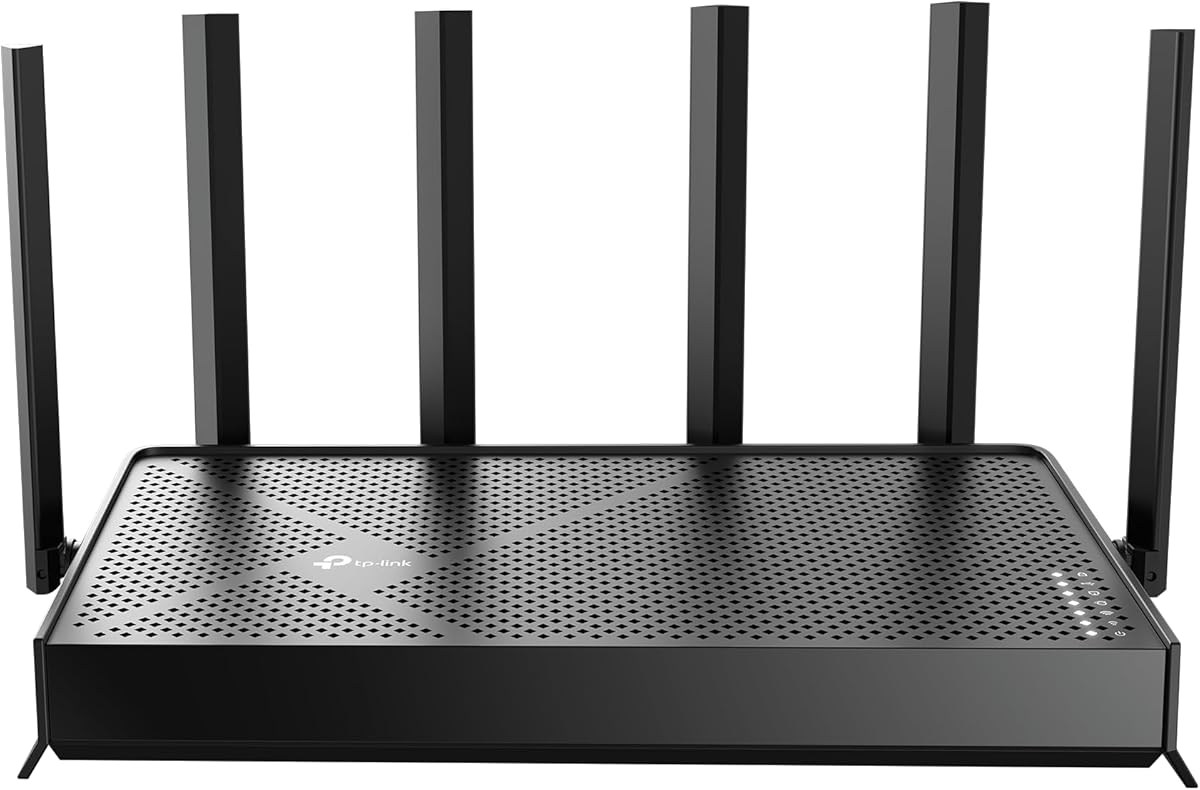
The TP-Link Archer AX73 is a balanced WiFi 6 router for a typical Xfinity home that wants a significant wireless upgrade without moving directly to WiFi 7. Its 4.5 rating is the second-highest in the group, and the tri-band AX5400 platform supports up to 5400 Mbps of combined throughput across 2.4 and two 5GHz bands.
We may earn a commission when you buy through this link, at no additional cost to you.
The main wireless radio uses 4T4R and HE160 technology, allowing four simultaneous data streams on the 5GHz band. MU-MIMO and OFDMA help serve multiple clients at once, while six antennas, beamforming, and high-power FEM components are intended to extend coverage. The stated range is up to 2,000 square feet, though actual results depend on the layout and obstacles.
The chief limitation for high-end Xfinity plans is that its Ethernet ports are Gigabit rather than multi-gig. It can still provide an excellent gaming experience over 1Gbps wired connections, and wireless play benefits from the router's capacity, but it cannot exploit a multi-gig local link. The router also needs a separate cable modem, and there is no dedicated gaming port or game-latency monitor.
The Archer AX73 is an excellent general-purpose value pick for homes with several connected devices, one or two gaming systems, and a need for broad tri-band coverage. It suits buyers who prioritize a proven, approachable platform over specialized gaming controls. Those who need a 2.5Gbps uplink should consider the AX90, Flint 2, or a WiFi 7 alternative instead.
The 4T4R 5GHz radio can communicate with several compatible clients at once. Combined with MU-MIMO and OFDMA, that helps maintain throughput when the household is busy.
The stated 2,000-square-foot target suits many apartments and modest houses. Beamforming and high-gain antennas help focus the signal, but floors and dense walls still require realistic expectations.
We may earn a commission when you buy through this link, at no additional cost to you.
The TP-Link Archer BE400 offers a focused WiFi 7 feature set for Xfinity users who want newer wireless technology and multi-gig wired connections. It has a 4.3 rating, supports up to 5764 Mbps on 5GHz and 688 Mbps on 2.4GHz, and includes Multi-Link Operation, Multi-RUs, and 4K-QAM.
We may earn a commission when you buy through this link, at no additional cost to you.
Multi-Link Operation can allow compatible devices to transfer data across multiple frequency bands simultaneously, with the aim of improving throughput, latency, and reliability. The router's six antennas and beamforming are rated to cover up to 2,400 square feet and support as many as 90 devices. Actual results depend on the client hardware, wireless environment, and the internet service.
For wired gaming, a 2.5Gbps WAN/LAN port and a separate 2.5Gbps LAN port provide a clear upgrade over basic Gigabit equipment. Three additional Gigabit LAN ports support conventional equipment. A separate Xfinity modem remains necessary, and the BE400 is not compatible with Deco mesh systems, though it can work with EasyMesh-compatible devices.
This is a strong recommendation for a modern household with WiFi 7 phones, laptops, or consoles and an interest in multi-gig networking. It offers fewer explicit gaming controls than the ASUS TUF or XR700, but its MLO support, high-speed ports, and Tether app make it an efficient general-purpose choice. It is particularly appealing when the intention is to keep a multi-gig Xfinity connection while avoiding a tri-band design.
MLO lets eligible clients use multiple bands at the same time, potentially reducing the effect of congestion on one connection. The benefit depends heavily on support in the user's phone, laptop, or console.
The 2.5Gbps WAN/LAN port can bridge a multi-gig Xfinity modem, while the dedicated 2.5Gbps LAN port can serve a gaming computer. This is a cleaner fit for multi-gig plans than an all-Gigabit design.
We may earn a commission when you buy through this link, at no additional cost to you.
The ASUS TUF Gaming BE6500 combines WiFi 7 hardware with an unusually generous set of four 2.5GbE ports and gaming-specific controls. Its 4.1 rating does not lead the group, but the feature design makes it a notable option for console and PC gamers who prioritize local network control over having the newest standard in every category.
We may earn a commission when you buy through this link, at no additional cost to you.
One 2.5GbE port is designated for WAN, while three can serve LAN devices, offering considerable wired flexibility. A dedicated Gaming Port places a selected client at the front of the queue, and one-tap mobile game packet prioritization addresses a second type of gameplay. Open NAT simplifies multiplayer port forwarding in three steps, while Multi-Link Operation can improve stability and efficiency across multiple bands.
The router is dual-band rather than tri-band, so it does not provide a dedicated 6GHz spectrum. Its maximum 6.5Gbps figure should also be understood as an aggregate class-based value, not a guaranteed speed for every client. Xfinity users need a separate cable modem, and they should confirm the desired port mode and gaming features during setup.
The TUF BE6500 is best for gamers who want several multi-gig wired connections, straightforward multiplayer configuration, and mobile gaming prioritization in one package. Its subscription-free network security is another positive for buyers who want core protection without depending on a recurring service. Buyers seeking a 6GHz lane or more advanced VPN processing should look to the NETGEAR tri-band or GL.iNet alternatives.
The unusual concentration of 2.5GbE ports supports a multi-gig internet connection and several fast wired clients. It is particularly useful for homes with a gaming PC, console, and network storage.
Open NAT guides users through port forwarding in three steps, reducing the complexity of establishing some multiplayer connections. A dedicated gaming port and mobile priority control complement that convenience.
We may earn a commission when you buy through this link, at no additional cost to you.
The right gaming router depends on your Xfinity plan, the wired devices you use, the size of your home, and the amount of control you want. The most important distinction is whether you need a cable modem and router in one unit or already have compatible internet equipment.
A standalone router is usually the more flexible choice because it can connect to an existing Xfinity modem or gateway and can be replaced independently. It also offers a broader selection of WiFi generations, multi-gig ports, and gaming controls. A combo unit such as the NETGEAR CAX30 reduces equipment and simplifies the network, but compatibility must be checked against the exact Xfinity plan, service address, and any bundled voice service.
Choose a standalone router when you already own compatible equipment or want future upgrade flexibility. Choose a combo when simplicity, fewer cables, and integrated Xfinity support matter more than having the newest wireless features.
A router cannot create internet speed that the Xfinity plan does not provide. For gaming, upload speed and consistency can be just as important as download throughput, particularly for voice chat, streaming, and uploading large game files. A multi-gigabit WAN port can prevent the local network from becoming a bottleneck when the service and modem support a faster tier.
Match the WAN connection to your actual service. Choose 2.5GbE when your Xfinity plan and modem offer multi-gig performance; a Gigabit port is sufficient for many conventional plans.
WiFi 6E adds the 6GHz band, while WiFi 7 introduces features such as Multi-Link Operation, 4K-QAM, and Multi-RUs on compatible hardware. Newer standards can improve efficiency and performance for compatible clients, but they cannot improve the speed of an unsupported device. A tri-band router may also be unnecessary in a small home where the 6GHz signal cannot cover every room.
Prioritize the standard supported by your actual devices. Use WiFi 7 for newer mixed ecosystems, WiFi 6E for a dedicated 6GHz lane, and proven WiFi 6 for a mature, value-oriented setup.
Wired Ethernet remains a dependable choice for gaming consoles, desktop computers, televisions, and network storage because it avoids some wireless interference and coverage limitations. A 2.5Gbps port is useful for a multi-gig internet uplink or fast local transfers, while multiple Gigabit ports provide a simpler path to stable console connections.
Count the devices you plan to hardwire before choosing a model. One multi-gig port is different from four multi-gig ports, and a router with only Gigabit LAN may limit a high-tier Xfinity installation.
Gaming-focused routers may provide a dedicated gaming port, Quality of Service controls, one-tap mobile prioritization, real-time ping monitoring, geo-filtering, or simplified Open NAT configuration. These tools can improve how the router treats competing traffic, although they do not guarantee low latency to the game server or replace a low-latency Xfinity plan.
Look for prioritization that suits how you play. Console owners may appreciate a dedicated port, while mobile gamers may value one-tap controls and VPN or traffic management features.
Coverage claims provide a useful starting point, but walls, floors, appliances, neighboring networks, and router placement determine real results. A stated 2,000-square-foot range may work well for a single-story home but fail in a multi-story property. High device counts also require good concurrent transmission features, adequate processing, and sensible band distribution.
For a large or multi-level home, consider a router with mesh expansion support or a dedicated mesh system. For smaller homes, a capable single router may provide more consistent performance and simpler management.
VPN support can help protect traffic, support compatible devices that lack native VPN software, or route selected activity through an encrypted tunnel. It may also affect latency, and throughput depends on the VPN protocol, provider, server location, and underlying Xfinity service. Security features such as WPA3, firewall protection, parental controls, malware protection, and automatic firmware updates deserve attention for the entire household.
Choose the security and VPN features you will actually use. A subscription-free core platform may suit most families, while frequent VPN users should examine processor performance and supported protocols.
App-based management, automatic updates, guest networks, device pausing, and remote monitoring make ownership easier. Mesh or EasyMesh support can provide a path to eliminate dead zones later. At the same time, highly customizable interfaces and plugin-based systems may appeal to advanced users but require more attention than a streamlined mobile app.
Prioritize reliable setup, clear traffic controls, and an expansion path that matches your home. The best router is the one you can configure correctly and maintain over time.
Start by confirming that your Xfinity internet service, modem, and plan are compatible with the selected equipment. For a standalone router, connect it to the modem or gateway using Ethernet. Update the router's firmware before moving devices, change the default administrator credentials, and create a strong WiFi password before completing wireless setup.
Place the router near the center of the home and away from enclosed cabinets, microwaves, thick metal objects, and other sources of interference. Connect a gaming console or desktop by Ethernet when possible, then use the router's application to update firmware, review connected devices, create a guest network, and check speed results. Avoid changing advanced QoS or network-management settings before understanding their effects.
For long-term care, check for firmware updates every few months, replace dated WiFi passwords, and review which devices have guest or parental-control access. Reboot the equipment when performance becomes inconsistent, but first look for a congested device or an overloaded network. If Xfinity service itself seems slow, test directly through the provider before assuming the router is responsible.
No, but a capable router can improve local network performance, coverage, and traffic management. Your console connects to the router just as it would to an Xfinity gateway. The biggest improvements usually come from using a suitable Xfinity plan, a stable modem connection, and Ethernet for the primary gaming device when possible.
Most modern standalone routers can connect to a compatible Xfinity modem or gateway through Ethernet. Some gateway arrangements may require bridge mode, and a cable modem-router combo must explicitly support your provider, plan, and service area. Check compatibility before replacing equipment, especially when voice service is included.
Not necessarily. Low latency depends on the Xfinity plan, local network conditions, server distance, device performance, and connection type. WiFi 7 can improve efficiency and throughput for compatible devices, but an older WiFi 6 router with stable performance and a wired console connection can still provide a strong gaming experience.
It can when the Xfinity plan, modem, router uplink, and local device all support multi-gig speeds. For most online games, a stable Gigabit connection is already sufficient. The larger benefit appears with very fast internet plans, local file transfers, network storage, and other high-bandwidth household activity.
Ethernet is generally preferable because it avoids wireless interference, signal loss, and variable airtime contention. It can provide more consistent latency and fewer connection drops. A modern WiFi 6 or WiFi 7 router can still work well, but placement, distance, walls, and competing household traffic all affect the result.
A router cannot exceed the download or upload speed included in your Xfinity plan. It can prevent local bottlenecks, distribute traffic more effectively, and improve coverage or stability. If a speed test is slow on every wired and wireless device, contact Xfinity to investigate the line or modem before replacing the router.
Only if you want one device to handle both functions. The NETGEAR CAX30 is the combo in this guide and supports Xfinity internet plans up to 800Mbps according to its supplied specifications, but it is not compatible with bundled voice plans. Standalone routers offer more choice and are usually easier to upgrade independently.
Measure the area that must be covered, including floors, thick walls, and outdoor or garage devices if they are important. Published square-foot figures are maximum targets rather than guarantees. Larger or multi-story homes may need mesh expansion, while compact homes can often be served effectively by one well-placed router.
The GL.iNet GL-MT6000 Flint 2 is the strongest all-around gaming recommendation because it combines the highest listed rating, dual 2.5G Ethernet ports, eight-stream WiFi 6, fast VPN support, and extensive control options. The TP-Link Archer AX73 stands out as the value choice for a typical home, while the ASUS TUF Gaming BE6500 offers the richest package of dedicated gaming features and multi-gig wired connectivity.
Prioritize the path from Xfinity to your game rather than the largest headline number. That means checking plan compatibility, selecting a suitable WAN port, using Ethernet where practical, placing the router well, and choosing features such as QoS or a gaming port only when they match your play style. WiFi 7 is worthwhile for newer clients and busy multi-device homes, but a mature WiFi 6 router can still perform admirably.
Before purchasing, verify the latest Xfinity plan requirements, modem or gateway arrangement, firmware support, and current feature availability. Product specifications and prices can change over time, so checking the current listing ensures that the selected router remains compatible with the service and the equipment already in the home.