
HP LaserJet M207dw
4.0Editor score
28 ppm print speed
Automatic two-sided printing
Dual-band wireless connectivity
Ethernet included
Compare the best Ethernet laser printers for homes and offices, including print speed, duplexing, paper capacity, security, connectivity, and key features.
Ethernet laser printers are built for dependable, high-volume document output, making them especially useful in home offices, small businesses, and shared workspaces. The right model should combine fast monochrome printing with straightforward networking, sensible paper handling, manageable operating costs, and features that protect sensitive information.
This guide compares ten laser printers using the specifications and feature details supplied for each model. We examine Ethernet availability, wireless support, print speed, automatic duplexing, input capacity, security, mobile printing compatibility, and practical differences between printers, multifunction devices, and higher-capacity office models.
Each review identifies the environment best suited to the printer and explains the benefits and limitations visible in its supplied specifications. The compact options serve home users and small teams, while the larger models target demanding offices. Product ratings and availability can change, so check current listings and pricing before purchasing.
4.0Editor score

4.0Editor score

4.2Editor score
The comparison below highlights the major differences among these ten laser printers, including connection options, maximum print speed, duplexing, and input capacity. Some models are compact and wireless-first, others focus on wired office networking, and the highest-capacity choices are designed for sustained professional workloads.



The Brother HL-L2460DW is a compact monochrome laser printer with a 4.0 rating and a notably balanced feature set. It combines wired Ethernet networking with dual-band wireless connectivity, automatic duplex printing, and a maximum stated print speed of 36 pages per minute. That combination makes it a practical choice for a home office or small business that wants flexible connections without moving to a large office printer.
We may earn a commission when you buy through this link, at no additional cost to you.
Its strongest attraction is the range of connection methods. Ethernet allows a stable connection to a conventional office network, while 2.4GHz and 5GHz wireless bands offer options for mobile devices and locations where running a network cable is inconvenient. A USB interface supports a direct connection to one computer. Automatic duplex printing further improves efficiency by reducing manual paper handling and paper consumption on multipage documents.
The 250-sheet main tray is large enough for regular document work, and the manual feed slot expands the types of media the printer can accept, including envelopes and specialty paper. Brother Mobile Connect adds remote printing and management functions, along with toner ordering and supply tracking. The main trade-off is that this is a printer only, with no scanner or copier, and it produces black-and-white rather than color documents.
This is an excellent recommendation for users who need a relatively compact Ethernet laser printer with modern wireless support and automatic duplexing. It is less suitable for a home that regularly scans documents or a workplace that depends on color output. For those needs, the multifunction Brother DCP-L2640DW offers a more versatile alternative.
Built-in Ethernet makes the HL-L2460DW straightforward to place on a wired office network, while dual-band Wi-Fi adds flexibility for mobile users. USB is also available for a local single-computer setup, giving the printer more than one practical way to connect.
A stated speed of up to 36 ppm and automatic duplex printing make this model well suited to recurring reports, invoices, and multipage proposals. The 250-sheet tray reduces refills compared with a smaller desktop printer.
We may earn a commission when you buy through this link, at no additional cost to you.
The HP LaserJet M207dw is a black-and-white laser printer aimed at offices with one to five people. Its 4.0 rating reflects a straightforward package that includes automatic duplex printing, Ethernet, dual-band Wi-Fi, and mobile printing. The listed maximum speed of 28 pages per minute is lower than several competing models, but it remains suitable for routine business documents and moderate workloads.
We may earn a commission when you buy through this link, at no additional cost to you.
One of the model's most useful features is automatic two-sided printing. For invoices, contracts, internal reports, and other multipage documents, this reduces the amount of time spent feeding paper back into the printer and helps limit waste. The printer also supports wireless printing from mobile devices, PCs, and tablets, while Ethernet provides a stable wired path for network users.
Connectivity is reinforced by dual-band Wi-Fi and an automatic self-reset feature intended to detect and resolve connection issues. Built-in security features are another meaningful benefit for a shared office device. The printer works with Microsoft, Mac, AirPrint, Android, and Chromebook environments, which makes it adaptable to a mixed-device workplace.
The HP LaserJet M207dw is best for a small office seeking Ethernet, wireless convenience, and automatic duplexing without moving into a higher-capacity business printer. Its trade-offs are the lack of scanning and copying functions and a lower stated print speed than the fastest models in this guide. Those limitations are reasonable for a team focused primarily on printing black-and-white documents.
Ethernet supports reliable shared access, while dual-band Wi-Fi gives employees another way to submit jobs. The included self-reset behavior is particularly useful for a printer that needs to remain accessible to a changing group of users.
Two-sided output is a major efficiency benefit for offices that print multi-page reports or forms. It reduces manual intervention and supports more consistent document formatting.
We may earn a commission when you buy through this link, at no additional cost to you.
The HP LaserJet Pro 4001dn carries a 4.4 rating and is positioned for small teams that need professional black-and-white documents at a fast stated rate of up to 42 pages per minute. Its Ethernet and USB connections suit an office that relies on a structured network, and automatic two-sided printing helps keep multipage work efficient. The 10-person target audience distinguishes it from models intended for one or five people.
We may earn a commission when you buy through this link, at no additional cost to you.
Its most important strength is speed. A 42 ppm maximum can keep pace with busier workflows that involve contracts, internal reports, batches of forms, or routine administrative printing. The printer also includes HP Wolf Pro Security with customizable settings, adding a meaningful layer of protection for organizations that handle sensitive information and share a printer across multiple users.
The principal limitation is clearly stated in the product information: it does not support wireless printing. Users who require Wi-Fi should consider the LaserJet Pro 4001dw instead. This Ethernet-only model also lacks scanner and copier functions, and it is designed to work only with cartridges using original HP chips or circuitry. That cartridge restriction should be considered before long-term ownership.
For a small team already using wired Ethernet, the 4001dn is a compelling speed-oriented choice. It suits users who value fast output, automatic duplexing, and business security over wireless convenience or multifunction features. It is less fitting for a home office that wants flexible Wi-Fi placement or a shared department that routinely scans paperwork.
The 42 ppm stated maximum is among the fastest figures offered by the compact models here. It is particularly relevant for teams producing consistent batches of professional black-and-white documents.
HP Wolf Pro Security and customizable settings are useful for a shared office environment. The printer is designed to support protection of company data rather than simply serving as a basic desktop output device.
We may earn a commission when you buy through this link, at no additional cost to you.
The Brother DCP-L2640DW is a 3-in-1 monochrome multifunction laser printer with a 4.1 rating. It combines printing, scanning, and copying in a compact footprint and provides both Ethernet and dual-band wireless connectivity. With print speeds up to 36 pages per minute and a 50-page automatic document feeder, it targets small businesses that want to consolidate several office devices without adopting a large multifunction system.
We may earn a commission when you buy through this link, at no additional cost to you.
The automatic document feeder is one of the most consequential features. It supports convenient multi-page scanning and copying, reducing the need to place each sheet on a flatbed glass. Stated scan speeds reach 23.6 pages per minute in black and 7.9 pages per minute in color, while the printer itself produces monochrome pages at up to 36 ppm. This combination supports both document capture and routine output.
Connection flexibility is another strength. Built-in 2.4GHz and 5GHz wireless networking allows flexible placement, Ethernet supports a stable wired network, and USB is available for local use. Brother Mobile Connect can be used for remote printing, scanning, management, toner ordering, and supply tracking. The trade-off is that this is still a monochrome multifunction device rather than a color printer, and combining three functions makes it bulkier than a dedicated compact printer.
This model is a strong recommendation for a small business or home office that regularly scans and copies as well as prints. It is ideal when buying separate devices would add complexity or consume more space. Those who only need fast document output should compare it with the simpler Brother HL-L2460DW, which offers similar stated print speed and duplexing without the scanner and copier.
The integrated scanner and copier allow a compact workstation to handle document workflows beyond printing. A 50-page automatic feeder is especially useful for batches of forms, records, and multi-page documents.
Up to 36 ppm printing and up to 23.6 black-and-white pages per minute scanning give the device useful throughput for a small team. Its combination of Ethernet, dual-band Wi-Fi, and USB supports several working arrangements.
We may earn a commission when you buy through this link, at no additional cost to you.
The HP LaserJet Pro 3001dw is a wireless black-and-white laser printer for small teams, with a 4.1 rating and a stated maximum speed of 35 pages per minute. It is designed for up to seven users and combines Ethernet, intelligent Wi-Fi, and Bluetooth. That wider connection mix makes it a natural fit for a team that wants to print from several types of mobile and desktop devices.
We may earn a commission when you buy through this link, at no additional cost to you.
Automatic two-sided printing improves efficiency for multi-page documents, while HP Wolf Pro Security provides customizable protections relevant to company data. The printer supports wireless printing from mobile devices, PCs, and tablets and is compatible with Microsoft, Mac, AirPrint, Android, and Chromebook environments. These compatibility details make it easier to integrate into a mixed workplace.
The trade-offs are the absence of scanning and copying functions and an original-chip cartridge requirement. The supplied information says the printer blocks cartridges using non-HP chips or circuitry and that periodic firmware updates maintain those controls. Buyers should therefore account for cartridge compatibility and updates as part of long-term ownership, rather than evaluating only the purchase listing.
This is a good recommendation for a seven-person office that wants flexible wireless printing while retaining a wired Ethernet option. It is less appropriate for users whose priority is multifunction document handling, and it may not be the first choice for a highly wired office that will never use Bluetooth or Wi-Fi. Within those parameters, its speed, duplexing, and security features form a persuasive package.
Ethernet, intelligent Wi-Fi, and Bluetooth give the printer more placement options than a strictly wired model. That versatility is helpful when employees print from phones, tablets, laptops, and desktop systems.
A 35 ppm maximum and automatic duplexing support routine professional output. The seven-user positioning makes the printer a middle ground between compact personal devices and larger shared-office models.
We may earn a commission when you buy through this link, at no additional cost to you.
The Brother HL-L2405W is a compact monochrome laser printer aimed at homes and home offices. It has a 4.1 rating, a stated print speed of up to 30 pages per minute, and a 250-sheet input tray. Its most important distinction within this category is that the supplied feature information lists dual-band wireless and USB connections but does not include Ethernet.
We may earn a commission when you buy through this link, at no additional cost to you.
The printer's strong points are compactness, sharp black-and-white output, and flexible wireless placement. Built-in 2.4GHz and 5GHz Wi-Fi allows multiple compatible devices to connect, and Brother Mobile Connect provides remote printing, supply ordering, toner tracking, and management. The manual feed slot broadens media support by allowing envelopes and specialty paper to be handled outside the main tray.
Its limitations are meaningful for anyone specifically shopping for Ethernet. There is no stated Ethernet interface, no automatic duplexing feature, and no scanner or copier. Documents must be printed one side at a time, and a wired network would require a separate connectivity solution rather than a built-in network port. It is therefore not the most direct match for the core keyword, even though it shares useful qualities with the other Brother models.
This printer is a sensible recommendation for a home user or home office that values wireless convenience over wired networking. It is also appropriate for users who primarily produce shorter black-and-white documents and do not need scanning. If Ethernet, duplexing, or faster output is essential, the Brother HL-L2460DW offers a substantially closer match.
Dual-band Wi-Fi removes the need for a network cable and makes the printer easier to position near the people who use it. The 250-sheet tray still provides enough capacity for regular home-office documents.
Brother Mobile Connect can be used to monitor toner usage, order genuine supplies, and manage printing remotely. This is convenient for a home office where the printer is shared only occasionally.
We may earn a commission when you buy through this link, at no additional cost to you.
The HP LaserJet Pro M404dn is a monochrome laser printer with a 4.4 rating and a clear focus on secure, fast office output. It provides built-in Ethernet, automatic two-sided printing, a 250-sheet input tray, and a maximum stated speed of 40 pages per minute. These specifications position it as a strong wired choice for organizations that value stable network sharing over wireless flexibility.
We may earn a commission when you buy through this link, at no additional cost to you.
HP Wolf Pro Security is built into the printer's hardware, firmware, and operating system, according to the supplied information. That layered approach is designed to protect company data and help guard against cyberattacks. Automatic duplexing and a fast first-page time complement the 40 ppm speed rating, allowing the printer to handle substantial document batches without frequent intervention.
The device also incorporates energy-efficiency features and technologies intended to reduce paper waste. Its compact size is useful in a shared work area, and the original HP 58A and 58X toner cartridge recommendation is intended to reduce reprints, supply waste, and service calls. As with other HP models in this roundup, it works only with original HP chips or circuitry, which buyers should consider as an ongoing ownership factor.
The HP LaserJet Pro M404dn is an excellent recommendation for a business with a dependable wired network and a need for high-speed, secure black-and-white printing. It is less suitable for a household seeking Wi-Fi, or for a department that also requires a scanner and copier. Within a professional wired environment, it delivers a compelling mix of speed, security, duplexing, and compactness.
Built-in Ethernet makes the printer accessible across a conventional office network, while the stated 40 ppm maximum supports demanding batches. Security embedded across hardware, firmware, and operating system layers is especially relevant for business data.
Automatic duplexing reduces paper waste, while the stated energy savings and compact footprint help organizations control space and resource use. A 250-sheet input tray supports productive operation between refills.
We may earn a commission when you buy through this link, at no additional cost to you.
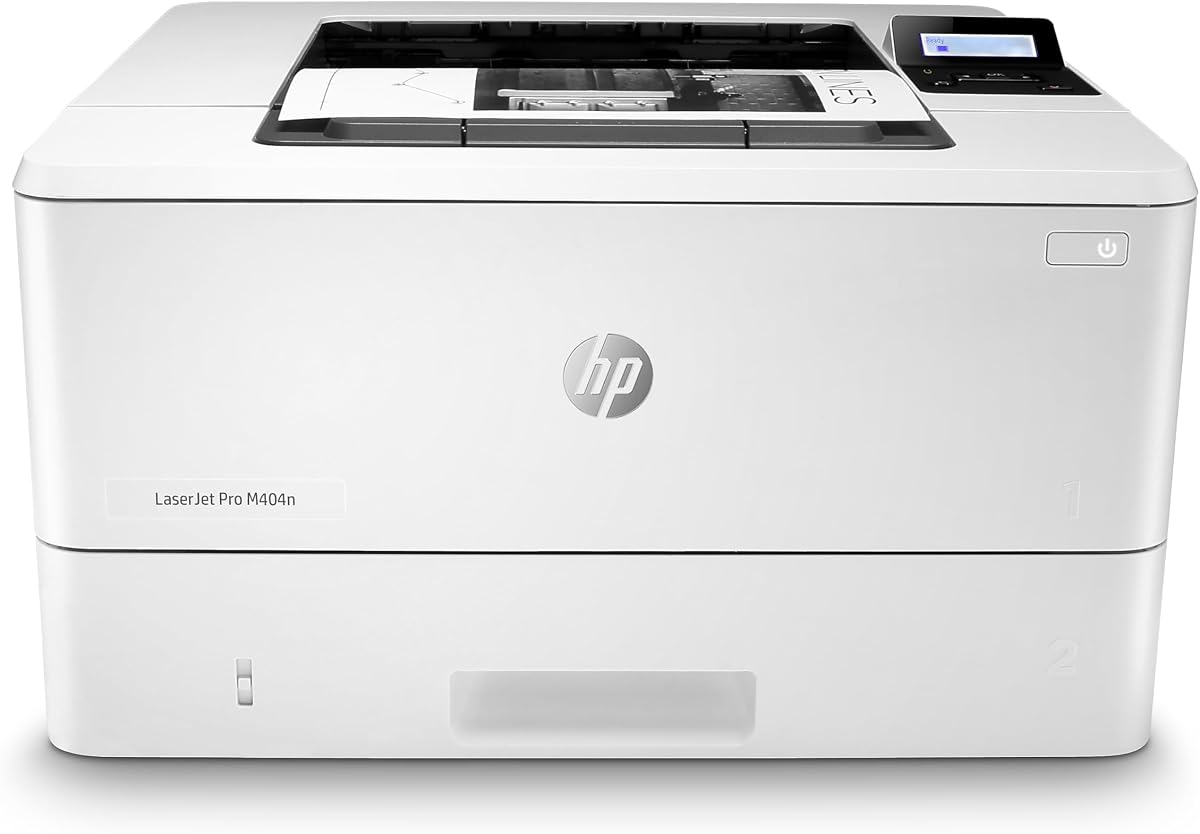
The HP LaserJet Pro M404n is a 4.3-rated monochrome laser printer built around Ethernet connectivity, a 250-sheet input tray, and print speeds of up to 40 pages per minute. It shares much of its underlying professional positioning with the M404dn, but the supplied details do not list automatic two-sided printing. That difference makes the M404n better suited to buyers who prioritize speed and simplicity over duplex output.
We may earn a commission when you buy through this link, at no additional cost to you.
Built-in Ethernet allows the printer to be shared easily across a business network. HP Wolf Pro Security provides protection in the printer's hardware, firmware, and operating system, while a fast first-page time supports responsive everyday workflows. The compact enclosure is designed to fit into shared work areas without requiring the footprint of a large production printer.
Energy-efficiency features are claimed to save up to 18 percent energy over prior products, and paper-saving technologies are included. The original HP 58A and 58X cartridges are recommended to help avoid reprints and service calls. However, the printer's cartridge compatibility is restricted to original HP chips or circuitry, and periodic firmware updates are used to maintain those restrictions.
This model is a strong fit for a wired business that prints large quantities of single-sided black-and-white documents and wants a straightforward network printer. It is less compelling when automatic duplexing is central to the workflow, since the closely related M404dn includes that capability. It also does not offer stated Wi-Fi, scanning, or copying.
The 40 ppm maximum and 250-sheet input tray give the M404n the fundamentals for regular business printing. Ethernet allows multiple authorized users to access the machine through the office network.
HP Wolf Pro Security helps protect organizational data, while the stated energy-efficiency improvements and paper-saving technologies address operating considerations. The compact body is another advantage in a shared workspace.
We may earn a commission when you buy through this link, at no additional cost to you.
The Brother HL-L5100DN is a high-productivity monochrome laser printer with a 4.4 rating. It combines a stated print speed of up to 42 pages per minute with built-in Ethernet, USB, and automatic duplex printing. Its expandable paper system can reach 1,340 sheets, making it a good option for an office that expects to grow beyond the limits of a compact desktop printer.
We may earn a commission when you buy through this link, at no additional cost to you.
The standard configuration includes a 250-sheet tray for letter or legal paper and a 50-sheet multipurpose tray for envelopes or alternative media. Optional add-on trays raise total capacity substantially. This is a meaningful advantage for teams that print lengthy reports or want fewer interruptions from refilling paper. The multipurpose tray also provides flexibility for jobs that are not standard office paper.
Document protection is another major strength. Secure Function Lock, Secure Print, and other advanced security features help restrict unauthorized printing and protect sensitive material. The printer supports AirPrint, Google Cloud Print 2.0, Mopria, Brother iPrint&Scan, and Cortado Workplace, broadening the available mobile and cloud printing workflows. Ethernet and USB support shared and local connections.
The principal limitation is that the supplied specifications do not list built-in wireless networking. This model is therefore most appropriate for a company that has a reliable wired network and values capacity, duplexing, and security. It is a strong recommendation for a growing small office, while users who require Wi-Fi should examine the Brother HL-6210DW or another wireless-equipped model.
The combination of a 250-sheet main tray, 50-sheet multipurpose tray, and optional add-on trays allows maximum capacity to reach 1,340 sheets. That reduces refill frequency and supports a more professional paper workflow.
Secure Function Lock and Secure Print help control access to output. These features are especially valuable in a shared office where multiple employees need access to a single network printer.
We may earn a commission when you buy through this link, at no additional cost to you.
The Brother HL-6210DW is the most productivity-focused model in this roundup, with a 4.2 rating and a maximum stated output speed of 50 pages per minute. It combines Gigabit Ethernet, dual-band wireless networking, monochrome duplex printing, and a large 520-sheet main tray. These specifications make it a premium choice for a busy office that needs substantial throughput and professional paper handling.
We may earn a commission when you buy through this link, at no additional cost to you.
Capacity is a major advantage. The 520-sheet main tray and 100-sheet multipurpose tray can be expanded with optional trays to a maximum of 1,660 sheets. The result is fewer paper changes during large jobs and better support for organizations that consistently produce reports, records, contracts, and other professional documents. Its 50 ppm speed adds another layer of productivity for sustained output.
Advanced Triple Layer Security is designed to protect networks, devices, and documents during transmission and printing. Gigabit Ethernet supports efficient sharing across a business network, while dual-band wireless gives administrators and mobile users a more flexible way to connect. Brother Genuine ultra high-yield replacement toner cartridges are advertised as delivering up to 18,000 pages, which may simplify supply planning for high-volume users.
This printer is an excellent recommendation for a busy professional office with sustained monochrome printing needs and a requirement for both wired and wireless connectivity. It is less appropriate for a light-duty home user because its capacity and feature set exceed the needs of occasional printing. For those who need sustained output without a large footprint, the Brother HL-L5100DN is a more moderate alternative.
A 50 ppm maximum and duplex printing support high-volume monochrome workflows. The large standard paper system further reduces interruptions during substantial office print jobs.
The 520-sheet main tray and 100-sheet multipurpose tray provide a strong starting configuration. Optional trays can raise total capacity to 1,660 sheets for organizations that print continuously.
Gigabit Ethernet, dual-band wireless, and Triple Layer Security make the HL-6210DW suitable for a modern office. It supports both stable network sharing and flexible mobile-device access while protecting document workflows.
We may earn a commission when you buy through this link, at no additional cost to you.
Choosing an Ethernet laser printer means balancing network compatibility, speed, paper capacity, duplexing, security, and the number of users who will depend on it. The following factors help narrow the field for home offices, growing teams, and document-heavy workplaces.
Begin by verifying that the manufacturer lists a built-in Ethernet interface. A wireless-only printer may still print through an existing network, but it does not offer the same direct wired connection. Ethernet is especially valuable in structured offices, shared departments, and environments where administrators want stable device integration, centralized network management, or a direct connection to a network switch.
The stated maximum speed offers a useful comparison point, but it is only one part of real productivity. A model rated at 28 to 35 pages per minute may suit a small team, while models reaching 40 to 50 pages per minute are better aligned with sustained professional output. First-page performance, duplex speed, paper handling, and processing large jobs also influence how quickly real work gets completed.
Automatic duplex printing produces two-sided pages without requiring manual paper changes. It is particularly valuable for reports, invoices, contracts, and other multipage documents, and it can reduce paper consumption. A single-sided printer may be perfectly adequate for short, one-page jobs, but adding duplex capability usually creates a more versatile long-term office tool.
A 250-sheet tray is a common starting point for a compact office printer. Models with 420-, 520-, or 550-sheet main trays reduce refills during busy periods, while multipurpose trays accept envelopes and specialty media. Expandable capacity is worth considering for a growing organization because optional trays can extend the printer's useful life without requiring an immediate replacement.
Shared network printers can expose sensitive documents if access controls are weak. Look for secure print, function locks, customizable security settings, and protections built into the printer's hardware and firmware. A printer paired with a mobile application may also provide centralized supply monitoring, remote management, and visibility into toner consumption across a home office or small team.
Ethernet and Wi-Fi can coexist in one printer, allowing a wired office to remain stable while employees also print from mobile devices. Models with both 2.4GHz and 5GHz bands can provide more connection options in crowded environments. A wireless-only model may be convenient at home, but it is not a direct substitute for a printer with a physical Ethernet interface when network administrators require a wired path.
A dedicated printer offers a smaller footprint and straightforward operation, while a multifunction model adds scanning and copying in the same enclosure. An automatic document feeder can save considerable time when processing multi-page records. Choose a dedicated printer for printing-only workflows and a multifunction device when scanning or copying is part of the regular routine.
Several HP models in this guide are designed to work only with cartridges containing original HP chips or circuitry. This restriction can affect replacement options and should be reviewed before purchase. Brother models reference genuine TN830, TN830XL, and other high-yield supplies. Checking cartridge requirements, expected yield, and management tools helps avoid unexpected operating costs or service interruptions.
Begin by unboxing the printer, removing packing material, installing toner according to the manufacturer's instructions, and loading plain paper into the main tray. Before connecting it to a network, decide whether Ethernet or wireless operation is the primary method. For a wired installation, connect the network port to the office switch or router and use the setup process to assign the printer an appropriate network address.
After confirming that a computer or mobile device can print a test page, install the manufacturer's recommended software and mobile applications where needed. These tools can assist with printer management, supply monitoring, status checks, and wireless configuration. Set the default paper type and size correctly, enable duplex printing if the model supports it, and adjust security settings before allowing broad access to users.
For routine care, keep the paper dry and dust-free, clean the exterior with a soft dry cloth, and follow the supplied guidance for the scanner glass or internal imaging components. Use appropriate toner and avoid unapproved cartridges. Monitor toner status through the printer display or management app, replace supplies before prolonged jobs, and arrange service when error messages, repeated paper jams, or print-quality issues persist.
Ethernet is often preferable in a fixed office because it provides a stable wired connection and can simplify centralized network management. Wi-Fi offers greater placement flexibility and is convenient for mobile-device printing. The strongest choice for many offices is a printer that supports both, allowing Ethernet for a permanent workstation and wireless for flexible access.
Duplex printing places content on both sides of one sheet. Automatic duplexing flips and feeds the paper without manual intervention, saving time and reducing paper use compared with one-sided printing. It is especially useful for reports, invoices, contracts, proposals, and other multipage documents.
A compact printer rated at 30 to 35 pages per minute can handle light office traffic, while 40 to 50 pages per minute is more suitable for busy teams and sustained workloads. Actual performance also depends on document complexity, duplexing, first-page time, file size, and how often users need to refill paper or toner.
A multifunction model is more useful when scanning and copying are regular tasks, particularly if it includes an automatic document feeder. A dedicated printer generally offers a smaller footprint and simpler operation for printing-only users. Consider the frequency of document capture, available desk space, and how much workflow simplification the extra functions will provide.
A 250-sheet tray is a reasonable starting point for regular use, but larger main trays reduce the frequency of refills in demanding environments. Models with 420 to 550 sheets and expandable total capacity are better suited to long jobs or teams that print continuously. A multipurpose tray is also useful for envelopes and specialty media.
Many can print from mobile devices through supported wireless connections, AirPrint, Mopria, or manufacturer applications. A printer with both Ethernet and Wi-Fi provides the most flexible arrangement because phones can use the wireless network while office computers can use the wired connection. Compatibility with the specific operating system should still be confirmed before purchase.
Secure print, access restrictions, function locks, and security embedded in the printer's firmware are important when several employees share a device. Customizable settings can help limit sensitive workflows and protect documents stored temporarily inside the printer. Organizations should also manage access according to their own network and data-security requirements.
The requirements vary by model. Several HP printers listed here are designed to work only with cartridges containing original HP chips or circuitry, while the Brother models reference Brother Genuine toner. Check the current product specifications and cartridge policies before buying, especially if third-party or remanufactured supplies are important to your workflow.
The Brother HL-L2460DW stands out as the most balanced overall choice because it combines Ethernet, dual-band Wi-Fi, 36 ppm performance, automatic duplexing, and a compact 250-sheet design. The HP LaserJet M207dw is a value-oriented alternative for very small offices, while the Brother HL-6210DW is the premium selection for sustained output, extensive paper capacity, and enterprise-style connectivity.
Prioritize the needs of your actual workflow rather than focusing on a single specification. Confirm physical Ethernet support, assess monthly document volume, determine whether duplexing is essential, and decide whether scanning and copying justify a multifunction printer. Security and cartridge compatibility are especially important for shared business equipment.
Ratings, configurations, availability, and prices can change over time, so consult the current listing and manufacturer documentation before ordering. Review the connection requirements, paper configuration, included supplies, warranty information, and cartridge restrictions carefully to ensure the selected printer fits your office.