
Embedded Desk Wireless Charger
4.3Editor score
Recessed 2.36-inch installation
Aluminum alloy housing
Broad Qi device compatibility
Discover the best Desk Embedded Wireless Charger options, comparing mounting styles, charging speeds, device compatibility, safety features, and desk convenienc
A desk embedded wireless charger turns an ordinary tabletop into a convenient charging zone without adding a stand, charging pad, or loose cable to the visible work surface. The best installations feel integrated, dependable, and easy to reach, whether mounted beneath the desk or recessed directly into a standard grommet opening.
This guide compares ten embedded and under-desk charging products by installation method, charging speed, magnetic alignment, supported devices, cable routing, protective features, and the degree to which they preserve a clean workspace. It includes recessed, surface-mounted, and hidden under-table designs for home offices, conference rooms, restaurants, and nightstands.
Each pick highlights a different reason to buy: a budget grommet charger, a high-output magnetic model, a polished premium installation, or a convenient dual-use system. Product ratings and technical details reflect the supplied information, while prices and availability can change, so check the current listing before purchasing.
4.3Editor score

4.2Editor score

5.0Editor score
The comparison covers recessed grommet chargers, hidden under-table systems, magnetic models, and one retractable desktop station. Key differences include installation requirements, maximum charging output, magnetic support, device compatibility, included accessories, and suitability for different furniture types.
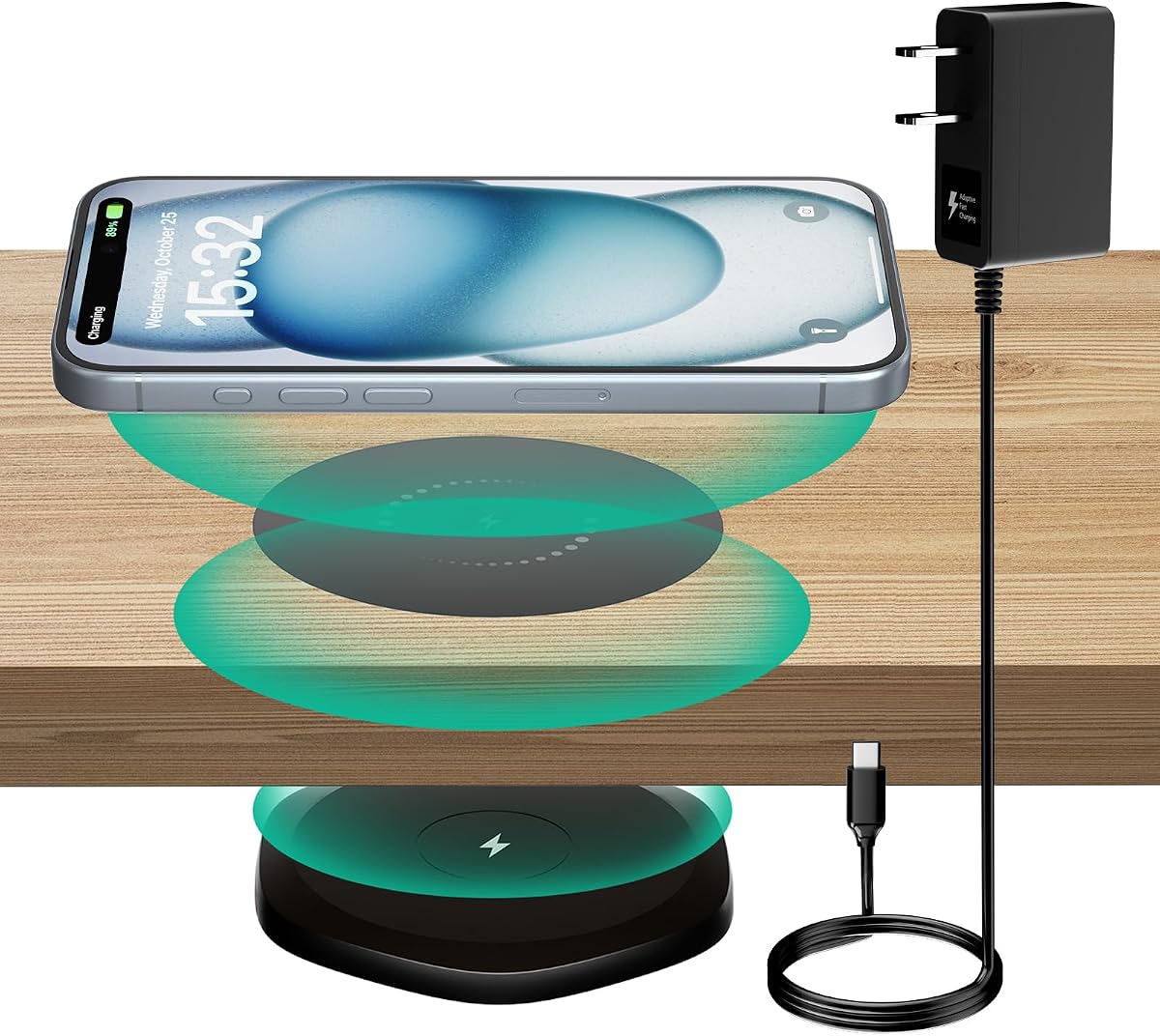


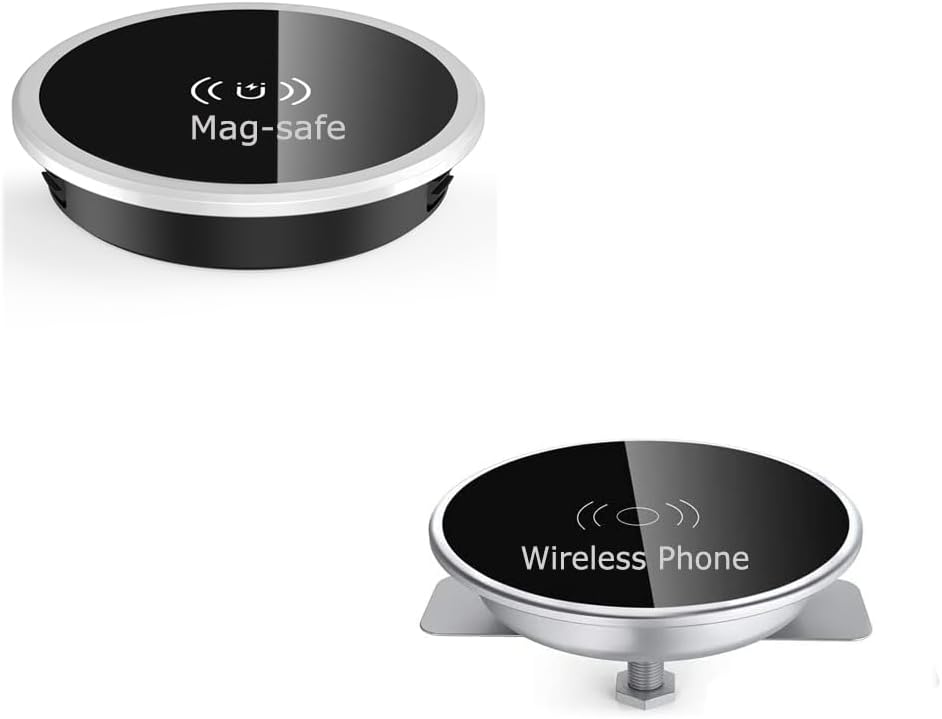

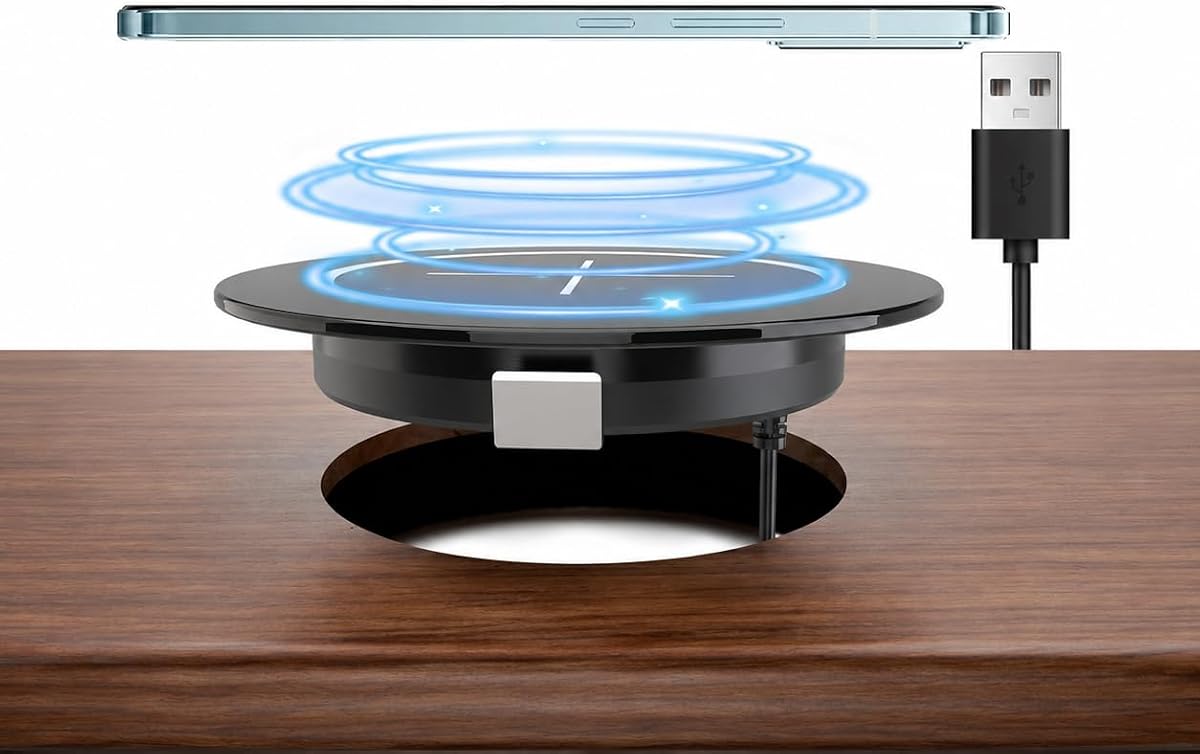

The KPON Invisible Wireless Charger is an under-desk mat that sends power through a tabletop so a phone can charge on the visible surface above it. It has a 3.9 rating, but its no-drill installation and included quick-charge adapter make it a practical choice for renters, existing desks, and anyone who wants charging capability without modifying furniture.
We may earn a commission when you buy through this link, at no additional cost to you.
Its standout quality is flexibility. The charging system works through wood, plastic, glass, quartz, granite, marble, and other common surfaces, with a stated charging distance of 13–30 millimeters. Maximum output reaches 15W for compatible Google and certain LG devices, while supported iPhone and Samsung models receive lower device-appropriate rates. Overcharging and heat protection are included.
The principal trade-off is that the system depends on accurate placement. Unlike a magnetic recessed pad, it does not actively pull a phone into the charging position, and charging through a thick or unsuitable surface may be less consistent. The 3.9 rating also suggests that experiences may vary more than they do with the higher-rated magnetic installations.
Choose this model when preserving the furniture is more important than automatic alignment. It is especially suitable for a nightstand, kitchen counter, office desk, or shared surface where a discreet charging zone matters. For the best experience, install the mat in an accessible location, identify a consistent charging spot, and keep the surface free of metal objects.
Because the charging hardware remains beneath the furniture, the visible desktop can stay free of stands, pads, and loose charging cables. The approach is especially helpful in shared offices and customer-facing environments where surface clutter can interfere with cleaning or presentation.
The stated 13–30 millimeter range allows charging through many everyday furniture materials. A thin, even surface generally offers the most predictable result, while metal objects near the marked charging area should be removed.
We may earn a commission when you buy through this link, at no additional cost to you.
The Embedded Desk Wireless Charger is a conventional recessed Qi pad designed to sit inside a 2.36-inch desk grommet. It carries a 4.3 rating and offers a straightforward, attractive installation for desks, conference tables, counters, coffee shops, and restaurants. Its aluminum housing, non-slip charging area, and breathing status LEDs help it feel more purposeful than a loose pad.
We may earn a commission when you buy through this link, at no additional cost to you.
Installation is the main appeal. A standard 60-millimeter grommet may already be available, although drilling may be necessary for a new installation. The supplied 47-inch USB cable is fixed to the metal shell, and three installation accessories plus a manual are included. A suitable QC 3.0 adapter enables faster charging, but the adapter is not part of the package.
This is a non-magnetic Qi design, so phones must be placed within the effective charging area rather than snapping into alignment. Its compatibility list is broad, including numerous iPhone, Samsung Galaxy, Huawei, LG, HTC, and Blackberry models, along with other Qi-enabled devices. Phones without Qi require a separate receiver, which is not included.
This is the best budget option for a permanent-looking installation because it combines a widely recognized grommet size with a restrained metal design. It suits homeowners who already have a suitable hole and want reliable embedded charging without paying for the newest magnetic standard. Confirm the opening diameter, tabletop thickness, and power supply before cutting or drilling.
Recessing the charger removes the familiar lump of a conventional pad and creates a permanent charging point. That makes it well suited to a desk or shared table where users can benefit from consistent placement and a clean visual finish.
Breathing LEDs provide visual feedback for device and charger status. They are particularly useful in an office because they can help users determine whether a phone is positioned correctly without removing it from the surface.
We may earn a commission when you buy through this link, at no additional cost to you.
The Recessed Magnetic Wireless Charger combines a flush-mounted design with magnetic alignment and up to 15W charging. Its 4.3 rating makes it one of the stronger choices in the roundup, particularly for iPhone users who want the phone to snap into the correct position instead of relying on visual placement.
We may earn a commission when you buy through this link, at no additional cost to you.
The charger is designed for a 2⅜-inch, or 60-millimeter, desk hole. A removable USB-A to USB-C cable is included, while a QC 3.0 adapter rated above 15W or 18W is recommended for the stated fast-charging performance. Its N52 magnetic system is intended to hold the phone firmly, and the low-profile surface helps reduce scratches and accidental falls.
The most important limitation involves the phone case. A regular, non-magnetic case can weaken the magnetic pull, and the product information specifically recommends a compatible magnetic case for stronger attachment. Users should also account for protruding camera modules and verify that the phone can sit evenly without rocking.
This model is a strong fit for a modern office, nightstand, study table, or hospitality counter where iPhones are used most often. Choose it over a basic recessed Qi pad when effortless alignment and a clean, nearly flush appearance matter more than having the newest Qi2.2 specification.
The magnetic ring helps center a compatible phone over the charging coil. That reduces the chance that a small placement error will interrupt charging, which is a meaningful advantage in a shared workspace where users may not know the exact target area.
The built-in chipset provides overcurrent, overvoltage, and overtemperature protection, with charging interruption when temperatures become too high. These safeguards make the recessed format more practical for furniture intended for daily use.
We may earn a commission when you buy through this link, at no additional cost to you.
The Eazpower Invisible Wireless Charger stands out for its dual-use design: it can be mounted beneath a tabletop or placed directly on top. It has a 4.0 rating, a stated charging range of zero to 30 millimeters, and support for up to 15W output, making it suitable for users who want flexibility rather than a permanently recessed installation.
We may earn a commission when you buy through this link, at no additional cost to you.
The supplied adhesive metal ring allows installation without drilling, and the system is advertised as compatible with solid wood, slate, granite, marble, glass, plastic, quartz, and other materials. A power sticker marks the location above the hidden hardware. The package includes a QC3.0 adapter, USB Type-A to USB-C cable, power sticker, adhesive metal ring, and instructions.
Unlike the recessed magnetic products, there is no system that centers the device automatically. Charging can also be affected by a thick case, a dense table material, or imprecise placement. A minor discrepancy also appears between the 0–30 millimeter range in the product name and the approximately 30-millimeter range described in the features, so users should follow the placement guidance carefully.
This charger makes the most sense for someone who wants a discreet setup but may relocate it later. It can also serve as an on-table pad for a thicker case, a PopSocket, or a grip. It is worth considering for a nightstand, temporary office, or rental property where avoiding permanent holes is important.
The ability to move the unit from below the surface to the top expands the range of use. A user can conceal it when aesthetics matter and then use it openly when a thick case or accessory needs more direct proximity to the charging coil.
The included metal ring and adhesive mounting method avoid the need for tools or drilling. This is useful for temporary installations, although the adhesive should be placed on a clean, smooth surface for the best bond.
We may earn a commission when you buy through this link, at no additional cost to you.
The Qi2.2 25W Magnetic Wireless Charger is the most technically advanced option in this guide. It has a 4.2 rating, WPC certification, magnetic alignment, and up to 25 watts of charging for compatible iPhone 17 and 16 models. It is designed to sit in a standard 60-millimeter grommet while leaving only about four millimeters above the tabletop.
We may earn a commission when you buy through this link, at no additional cost to you.
Its charging performance is the main distinction. The manufacturer states that an iPhone 17 Pro Max can reach 50 percent in approximately 31 minutes, while iPhone 15, 14, 13, and 12 models support up to 15W. A 45W or higher USB-C PD power adapter is needed for maximum output and is not included in the package.
The recessed surface provides approximately four millimeters of extra clearance around protruding camera modules, helping the phone sit more evenly and remain aligned. N52 magnets are rated at up to 20 newtons of holding force. Metal cases, cards, plates, and non-magnetic cases can interfere, so compatibility should be checked before installation.
This is the best overall pick for a new, high-quality desk installation because it combines current charging standards with a standard hole size and a measured safety design. It also works with AirPods wireless cases, recent Samsung Galaxy phones, Google Pixel phones, and other Qi-enabled devices. Confirm tabletop thickness, charging case compatibility, and adapter requirements before ordering.
The 25W ceiling makes this charger attractive for people who top up a phone between meetings or appointments. Actual output varies with battery level, adapter capability, temperature, and the device, but its specification headroom exceeds the 15W limits of most alternatives in the list.
WPC certification, aluminum housing, and overcharge, overcurrent, overvoltage, overtemperature, and short-circuit safeguards create a more complete thermal strategy. The certification and protective circuitry are important differentiators in a product installed permanently inside furniture.
We may earn a commission when you buy through this link, at no additional cost to you.
The Recessed Hidden Desk Charger is a basic fixed-mount option intended for phones and compatible accessories such as AirPods. Unlike several competitors, its supplied information offers only a few details, including wireless charging for phones, a fixed desk installation, and a recessed hidden position beneath the desktop surface.
We may earn a commission when you buy through this link, at no additional cost to you.
The product's appeal lies in visual integration. Recessing the charger into a hole leaves a much cleaner appearance than placing a conventional pad on top of a counter. Its listed support for iPhone, Samsung Galaxy, MagSafe-oriented charging, and AirPods makes it a reasonable candidate for a shared office, café, reception counter, or conference table.
Because the product data does not provide a numerical charging rate, detailed hole dimensions, included accessories, or safety specifications, buyers cannot make a fully informed comparison from the listing alone. It also has no available star rating, making customer feedback impossible to evaluate from the supplied data. A compatible power source and complete installation requirements should be confirmed on the product page.
This charger is most appropriate for a buyer who values a simple, hidden charging point over a long list of advanced features. It may be especially useful in shared furniture where a dedicated charging zone should be available without creating visible tabletop clutter. Verify dimensions and power requirements carefully because the supplied information is comparatively limited.
A fixed recessed unit creates a consistent charging location that users can learn quickly. In an office or hospitality setting, that predictability can be more useful than a portable pad that might be moved from place to place.
The absence of a numerical rating and detailed installation specifications means prospective buyers should inspect the live listing. Confirming hole size, tabletop thickness, power requirements, and case compatibility before drilling can prevent an avoidable installation mistake.
We may earn a commission when you buy through this link, at no additional cost to you.
The Humanscale Under Desk Wireless Charger is the premium design pick in the roundup, combining a 5.0 rating with a compact 5.14-inch diameter and Qi charging up to 10W. It mounts beneath a desk or table so the phone charges from the visible surface above, preserving the uncluttered appearance of the workspace.
We may earn a commission when you buy through this link, at no additional cost to you.
The product emphasizes touch-free operation and visual integration rather than magnetic alignment. A charging sticker identifies the correct position, while the under-table unit remains largely out of sight. This makes it especially appropriate for a polished home office, executive desk, reception area, or shared table where standard charging pads could disrupt the design.
Its 10W maximum output is lower than the 15W and 25W figures advertised by several competing models. It also depends on Qi compatibility and accurate positioning, so it is less compelling for a buyer whose priority is the newest fast-charging standard. Nevertheless, the perfect rating and focus on adaptable installation make it the most design-conscious option here.
Choose this charger when appearance, touch-free convenience, and established design matter more than maximum wattage. It is a strong fit for a professional workspace that should look like furniture rather than technology. Buyers should review the current installation instructions and confirm that the surface thickness and device position are suitable before committing.
Mounting the charger underneath the work surface removes the most visible part of the charging setup. The result is a familiar flat desktop with a designated charging point instead of a raised accessory competing for space.
The touch-free format means a user simply places a compatible device over the indicated position. That simplicity is valuable in offices and homes where charging should be intuitive enough for occasional visitors to use without instruction.
We may earn a commission when you buy through this link, at no additional cost to you.
The Humanscale NeatCharge Wireless Underdesk Charger is a minimalist, furniture-mounted solution designed to power devices by placing them on the surface above it. Its North America black designation and under-desk construction make it particularly appropriate for professional workspaces where visual restraint is central to the furniture design.
We may earn a commission when you buy through this link, at no additional cost to you.
The product's supplied information emphasizes a compact, discreet design, straightforward attachment beneath a desk or table, and consistent power throughout the workday. Rather than introducing another object to the visible desktop, it uses the underside of the furniture and preserves a clean, uncluttered working area.
The available product data does not include a numerical star rating or a specific maximum wattage. Buyers should therefore verify charging speed, power requirements, surface-thickness limitations, and device compatibility on the current listing. Those details also distinguish this model from the other Humanscale under-desk option, which publishes a 10W maximum and a 5.14-inch diameter.
This model is best for an office, library, professional studio, or home office where the desk was designed to look uncluttered. It is less suitable for someone seeking magnetic self-alignment or the highest charging output. If the listing confirms the required dimensions and power arrangements, it can deliver an exceptionally tidy result.
The understated black unit is designed to disappear beneath the desk. This visual discretion is a meaningful benefit in professional spaces where cables, pads, and status lights can otherwise make an otherwise clean workstation look improvised.
The stated goal of maintaining consistent charging is appropriate for desk-based routines. Users can keep the phone on the same location and begin charging without reconnecting a cable each time they sit down.
We may earn a commission when you buy through this link, at no additional cost to you.
The Magnetic Wireless Charging Station is an affordable flush-mount charger with magnetic alignment and up to 15W output. Its 3.7 rating is the lowest numerical score among the listed products, but the installation format, device support, and protective features remain relevant for buyers building a permanent charging point.
We may earn a commission when you buy through this link, at no additional cost to you.
The magnetic system is intended to position a phone over the charging coil automatically, reducing the likelihood of misalignment. Output can adjust across 15W, 10W, 7.5W, and 5W depending on the device. Compatibility includes recent iPhone series and AirPods models with wireless charging cases, along with other Qi-enabled smartphones.
Temperature control, overvoltage, overcurrent, short-circuit, and foreign-object detection are listed as safety features. A QC 3.0 or PD adapter is recommended for maximum performance, but no adapter is included. As with all magnetic chargers, metal and non-magnetic cases may reduce alignment strength or interfere with charging.
This model is worth considering for a nightstand, conference table, café counter, or office desk where automatic positioning is preferred and budget is important. Its low rating suggests checking recent customer feedback carefully. Confirm that the desk opening is appropriate and use a capable power adapter before judging charging speed.
Magnetic alignment makes the charger easier to use repeatedly because the phone can snap toward the correct position. It also reduces the visual impression of a phone being placed slightly off-center on a recessed pad.
The listed temperature, voltage, current, short-circuit, and foreign-object protections are useful for a device built into furniture. These safeguards help the charger respond appropriately when conditions deviate from normal use.
We may earn a commission when you buy through this link, at no additional cost to you.
The Pop Up Retractable Desk Charger combines 15W wireless charging with pop-up USB-A and USB-C connections, making it the most multifunctional product in the guide. Its 4.4 rating is the highest numerical rating among the ten options, and the retractable format can charge up to three devices at once.
We may earn a commission when you buy through this link, at no additional cost to you.
The circular charger sits within a 2.4-inch installation spacing and can retract into the tabletop when not in use. That mechanism preserves the appearance of a café, restaurant, bar, office, or home desk while keeping wired charging ports available for accessories that do not support wireless charging.
The installation has a clear limitation: the tabletop should be less than 1.1 inches thick. Buyers must also account for the physical depth and retractability of the unit. Wireless charging uses the Qi standard and supports many compatible phones, but this is not a magnetic design, so exact placement remains the user's responsibility.
This is the best pick for a desk or hospitality table where one phone needs wireless charging while other devices occasionally need cable power. It is less suitable for a thick, solid-wood desktop that cannot accommodate the mechanism. Its high rating, retractable appearance, and three-device capability make it a versatile alternative to a single-purpose embedded pad.
The pop-up USB-A and USB-C ports extend the station beyond phone charging. This makes it useful for earbuds, watches, accessories, or a second phone, especially in offices and hospitality locations where different users arrive with different charging needs.
The charging circle can disappear into the surface when it is not needed. This preserves a clean tabletop while making the ports and wireless pad available at the moment they are needed.
We may earn a commission when you buy through this link, at no additional cost to you.
The right embedded charger depends on your furniture, power setup, device mix, and tolerance for installation work. Compare hole sizes, charging standards, mounting methods, magnetic alignment, thermal protections, and included accessories before making a permanent change.
Recessed grommet chargers fit into an existing or newly drilled hole and usually offer the cleanest integrated result. Under-desk systems attach to the underside of a surface and charge through it, which avoids drilling but depends on material thickness and coil placement. Retractable units add moving hardware and require sufficient tabletop depth. Consider whether the furniture can be modified, whether renters need a reversible setup, and whether the charging location is available to every intended user.
In short, select recessed for a permanent built-in look, under-desk for no-drill discretion, and retractable for a multifunctional shared surface.
A charger cannot be installed safely if its body does not fit the available opening. Many of the listed products use a 60-millimeter or 2⅜-inch grommet, while one recessed model uses a stated 2.36-inch opening and the retractable model requires 2.4-inch hole spacing. Also verify maximum tabletop thickness, especially for under-table systems, where the stated charging distance must accommodate the material.
In short, measure both the hole diameter and tabletop depth before ordering, and leave enough clearance for cables, mounting hardware, and the phone.
Charging speed is not determined by the charger's maximum wattage alone. The phone, adapter, cable, temperature, battery level, and charging protocol all influence the result. The Qi2.2 model advertises up to 25W for compatible iPhone 17 and 16 devices, several alternatives support up to 15W, and the premium under-desk option is rated at up to 10W. Qi support matters more than a headline number if your devices use different standards.
In short, prioritize the charging protocol and wattage your phone can actually accept, then ensure the power adapter supplies enough power.
Magnetic recessed chargers center a compatible phone over the coil and make repeated placement easier. They are especially helpful in offices, cafés, and other spaces where different people use the same charging point. However, magnetic attachment can weaken through a regular case, and metal cards, plates, or cases may interfere. Non-magnetic Qi pads are simpler and more broadly compatible, but users must position the device correctly by sight or touch.
In short, choose magnets for repeatability with magnetic cases, or a standard Qi pad for case flexibility and simpler placement.
Some chargers include a compatible power adapter, while others require you to supply one. The KPON and Eazpower under-desk systems include adapters, whereas the recessed products generally list the adapter as an accessory. The Qi2.2 model requires a 45W or higher USB-C PD adapter for its maximum 25W output. A USB-A to USB-C cable may be included, but the correct wall adapter still determines whether the charger can reach its stated performance.
In short, check what is in the box and budget for a suitable adapter if none is included, especially for high-output charging.
Wireless charging creates heat, and a charger installed inside furniture needs appropriate safeguards. Look for overcharge, overcurrent, overvoltage, overtemperature, short-circuit, and foreign-object protection. WPC certification and an aluminum housing can provide additional confidence, although certification does not remove the need to use compatible equipment and suitable power supplies. Also avoid placing chargeable objects, keys, cards, or other metal items over the charging area.
In short, look for layered thermal and electrical protection, and use the charger only as instructed.
The list covers magnetic iPhone models, standard Qi phones from several manufacturers, wireless-case earbuds, and other Qi-enabled devices. Compatibility is more nuanced than a brand name because models, cases, and regional variants can differ. A phone without built-in Qi will need a compatible receiver, while a magnetic charger may need a magnetic case for adequate alignment. AirPods generally require a case that supports wireless charging.
In short, verify the exact phone model, case, and earbuds case rather than relying on a broad brand label.
An embedded charger becomes part of the furniture, so cable routing, cleaning, repair, and access to the power connection matter. Under-desk installations are easy to hide but may require reaching beneath the table to connect a cable. Recessed units look clean but can make repairs more involved. Check the warranty or product support, documentation, and included mounting hardware, and make sure the charging position is easy to reach and keep free of spills or clutter.
In short, choose a design you can install, power, clean, and service without damaging the tabletop.
Begin by measuring the furniture and confirming that the charger's specified opening, tabletop thickness, cable, and power requirements are compatible. For a recessed unit, switch off the power, mark the approved hole carefully, and use appropriate tools and protective equipment. For an under-desk system, clean the mounting area, position the charging sticker precisely, and attach the coil assembly to a flat, stable surface.
Connect the charger to its specified power source, allow it to initialize, and test it with one supported device before treating the installation as final. Place a magnetic phone directly over the center so it can align naturally. With a non-magnetic pad, center the phone or earbuds case over the marked area. Remove incompatible metal cards, keys, coins, magnetic plates, and thick cases if charging becomes inconsistent.
Clean the visible charging surface with a soft, dry or lightly damp cloth and avoid abrasive cleaners or flooding the opening. Do not place drinks over the charger, alter the fixed cable, or exceed the adapter's rated output. Inspect adhesive mounts and grommet fittings periodically, and follow the manufacturer's installation and safety instructions, particularly regarding heat, drilling, and power isolation.
They can be safe when the manufacturer's installation instructions are followed and the charger is correctly sized for the opening. Switch off or disconnect the relevant power before drilling, use appropriate tools, and ensure the unit is firmly secured. Charging generates heat, so ventilation, a compatible power adapter, and the specified mounting depth are important. Never cover a charging area with insulating materials or leave combustible objects directly over it.
A magnetic case usually improves alignment, especially for models that do not have integrated magnetic hardware. Regular cases can weaken the magnetic force and may make the phone sit farther from the charging coil. Metal cards, plates, and accessories can also interfere with charging. Check the charger and case instructions, and avoid adding loose magnetic objects to the charging area.
Only AirPods models supplied with a wireless-charging case are generally compatible. The case, rather than the individual earbuds, must be centered on the charging surface. Charging speed and reliability can vary, so using a Qi or magnetic charger known to support that case is recommended. The recessed magnetic and flush-mount models in this guide list compatible AirPods support.
An under-desk charger is attached to the underside of a table and sends power through the surface to the phone above it. A recessed charger is inserted into a drilled or existing grommet opening, leaving a small charging surface visible. Under-desk systems often avoid drilling, while recessed installations generally create a more deliberate built-in appearance and may provide more direct coil alignment.
The phone may not be centered, its case may be too thick, or the charger may be receiving less power than its stated maximum. The power adapter and cable also need to support the desired charging mode. Metal objects, heat, and an unsuitable table material can interfere with under-desk systems. Test with the case removed when practical and confirm the adapter requirements before changing hardware.
You often can, provided the opening diameter and tabletop thickness match the charger's requirements. Most of the products reviewed use a standard 60-millimeter or approximately 2⅜-inch opening, but dimensions should be measured rather than assumed. Also check whether the existing grommet can be removed without damaging the surface and whether there is adequate clearance for the cable and mounting hardware.
No. The phone's own charging curve, supported protocol, battery level, temperature, adapter, and cable all affect the result. A charger rated at 25W may provide no advantage to a device that accepts only 10W. Likewise, a capable phone may charge slowly if the connected adapter or installation cannot supply the required power reliably.
They can be well suited to shared furniture because a fixed charging location reduces cable clutter and makes charging intuitive for different users. Recessed magnetic models are especially useful when repeat alignment matters, while under-desk systems preserve the visual appearance. For public installations, verify the power source, mounting security, cleaning procedure, and local electrical requirements before use.
The Qi2.2 25W Magnetic Wireless Charger is the strongest all-around choice because it combines the highest stated output, current magnetic alignment, a standard 60-millimeter installation, and detailed thermal protections. The Embedded Desk Wireless Charger is a more restrained budget selection for an existing standard grommet, while the Humanscale Under Desk Wireless Charger leads the premium design category with its polished, touch-free installation.
Prioritize the installation method before comparing wattage. A permanent grommet charger suits furniture that can be drilled, an under-desk model suits a reversible no-drill setup, and a retractable station works best in a thin shared tabletop. Within those formats, match the charging protocol to your phone, verify case compatibility, confirm the power adapter, and account for the time and tools required for installation.
Prices, ratings, product configurations, and availability can change, so review the current listing and seller information before purchasing. Check the dimensions one final time, read the included instructions, and compare any bundled accessories. A well-chosen embedded charger can make a desk cleaner and charging more convenient without introducing another loose accessory to the work surface.