
INSIGNIA 75-Inch F50 Series
4.2Editor score
4K HDR10 picture
Alexa voice remote
Fire TV platform
A 70 inch smart TV can transform a living room, media room, or gaming space, but the best model depends on how you watch. Screen size alone does not determine picture quality; backlighting, color technology, motion processing, smart features, and connectivity all shape the viewing experience.
We compared ten large-screen Samsung, LG, Sony, Toshiba, Panasonic, and TCL models using their listed specifications, features, platform capabilities, and customer ratings. The guide includes exact 70-inch sets and closely related 75-inch options that compete in the same large-screen category.
Each pick highlights a different reason to buy, from budget-friendly 4K performance to Mini LED contrast and high-refresh-rate gaming. Ratings provide useful context, but availability, feature bundles, and prices change, so confirm the current listing and specifications before purchasing.
4.2Editor score

4.3Editor score

4.2Editor score
As an Amazon Associate we earn from qualifying purchases.
The table below compares all ten large-screen smart TVs across display technology, resolution, gaming capabilities, smart platform, and major viewing features, making it easier to identify the model that matches your room and priorities.


The Samsung 75-Inch Class M70H Series combines Mini LED backlighting, 4K resolution, and a 4.3 customer rating in one of the most complete large-screen packages in this guide. It is an excellent overall choice for viewers who want richer contrast than a conventional LED television, strong sports performance, and a mature smart-TV ecosystem without moving into the most advanced premium tiers.
We may earn a commission when you buy through this link, at no additional cost to you.
Its Mini LED processor is designed to create brighter highlights and deeper blacks, while the Supreme Mini LED Dimming system adds local contrast control. The Pure Color Spectrum is advertised as delivering one billion colors, and the Color Booster can intensify the look of individual content. For games and sports, Motion Xcelerator with a 120Hz analysis and optimization system prioritizes smoothness, while Soccer Mode adds specialized motion clarity and more vibrant green tones.
The platform is another major strength. Samsung TV Plus provides more than 750 subscription-free channels, and Samsung describes a total of more than 2,700 free streaming options. The Gaming Hub gathers supported console, cloud, and gaming-app destinations in a central location. These features make the television more useful for everyday viewing, although the breadth of the interface can take some time to learn, and some content or services may require separate accounts and subscriptions.
Choose the M70H if you want a commanding screen for mixed entertainment, live sports, and console gaming. It is particularly compelling for a dedicated media room because the combination of Mini LED contrast, high-speed motion processing, free content, and gaming organization addresses several common large-screen priorities at once.
Mini LED backlighting gives the M70H more precise highlight and shadow control than a basic direct-lit LED set. That distinction is particularly useful on a 75-inch panel because dark scenes can look muddy when brightness is pushed too high.
The Gaming Hub, Samsung TV Plus, and wide range of free channels reduce the need to search through multiple devices. It is a practical smart-TV setup for households that want casual entertainment and game access readily available.
We may earn a commission when you buy through this link, at no additional cost to you.
The INSIGNIA 75-Inch F50 Series is a value-focused 4K smart TV with a 4.2 rating, Fire TV integration, and an Alexa-enabled remote. It delivers the essentials most buyers need from a large television: sharp 4K presentation, HDR10 support, broad app support, voice control, and a generous connection selection.
We may earn a commission when you buy through this link, at no additional cost to you.
Direct LED backlighting is a meaningful step above entry-level configurations because it is designed to create a more uniformly bright screen with improved color accuracy and contrast. HDR10 adds a wider range of color detail and stronger contrast, while upscaling can make lower-resolution programming appear closer to 4K. The three-dimensional presentation from DTS Virtual-X is a television-based audio effect, not a dedicated multichannel speaker system.
Its Fire TV platform provides access to a large catalog of films, shows, channels, and apps, including major services such as Netflix, Hulu, Max, YouTube, Disney+, ESPN+, Sling TV, and Paramount+. The included Alexa remote can launch content, switch inputs, and manage basic navigation. HDMI ARC and HDMI eARC support makes it easier to send television audio to a compatible soundbar or receiver.
The F50 is best for buyers who want a large, capable smart TV without paying for premium Mini LED or high-refresh gaming technology. Its main compromises are the lack of advanced local dimming and a more basic motion specification, but for streaming, sports, family viewing, and console gaming, it remains a compelling all-around value.
Fire TV puts live programming and major streaming applications behind a familiar interface, while Alexa provides an easy way to search and launch content. Families can also use parental controls to block channels or programs with a PIN.
Three HDMI inputs support several consoles, streamers, and disc players at once. Composite inputs, optical audio, USB, Ethernet, a headphone jack, and a coaxial connection add flexibility for older and external devices.
We may earn a commission when you buy through this link, at no additional cost to you.
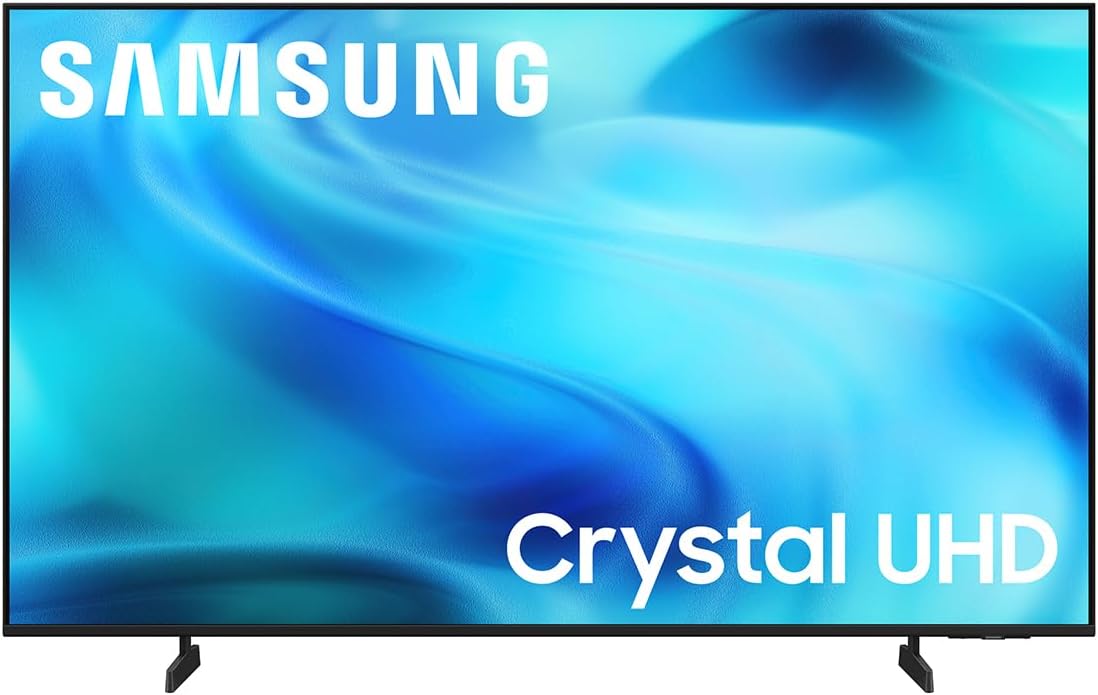
The Samsung 75-Inch Class U8000H Series is a straightforward Crystal UHD 4K model for viewers who prioritize sharp images, useful upscaling, and Samsung's smart features. Its 4.2 rating places it among the stronger general-purpose choices in the roundup, although it sits below the M70H in backlighting sophistication and motion capability.
We may earn a commission when you buy through this link, at no additional cost to you.
The Crystal Processor works on color and detail, helping the display render a vibrant 4K image and upscale lower-resolution content. Color Booster adds intensity when desired. For sports and games, Motion Xcelerator estimates and adjusts frame transitions in real time, delivering performance up to 4K at 60Hz, according to the product information.
Samsung TV Plus and the wider collection of more than 2,700 free streaming options make this a convenient entertainment center. The absence of Mini LED means it does not offer the same degree of local highlight and shadow control as the M70H or Toshiba Z670, so dark-room movie viewing will be less dramatic.
The U8000H suits households that want a large 4K television with strong processing and content access but do not need a high-refresh gaming panel. It is a balanced choice for daily shows, live news, sports, and general console play.
Not every stream or broadcast arrives in native 4K. The U8000H's 4K upscaling and Crystal Processor work together to sharpen detail and improve perceived clarity in lower-resolution content.
Motion Xcelerator, Color Booster, and the extensive free-content catalog provide useful controls without forcing users into advanced calibration. The result is an approachable television for mixed content.
We may earn a commission when you buy through this link, at no additional cost to you.
The Panasonic W70 Series is an exact 70-inch option with 4K Ultra HD resolution, Fire TV, Alexa, broad HDR support, and four HDMI connections. Its 4.0 rating reflects a capable general-purpose package, while the bundled HDMI cables and protection plan add convenience for buyers assembling a new home-theater setup.
We may earn a commission when you buy through this link, at no additional cost to you.
The HDR Bright Panel is powered by the 4K Studio Color Engine and supports HDR10+, HDR10, and HLG. A processor and MEMC motion system work to maintain smooth movement, while Bluetooth permits connection to wireless speakers and headphones. Four HDMI ports, including an HDMI 2.1 port, provide ample room for consoles, a player, and an external tuner or streaming device.
Fire TV serves as the smart platform, and Alexa can launch applications, change channels, or control compatible smart-home equipment. The bundle also includes two six-foot universal 4K HDMI cables, a home-theater beginner's guide, and a 26-month service plan with accidental and burn-in coverage.
The W70 is ideal if the exact 70-inch format matters, you want Fire TV, and you prefer having cables and added protection included. It is less suited to competitive gaming because the listed specifications do not emphasize a high native refresh rate, variable refresh rate, or dedicated gaming features.
Four HDMI inputs and Bluetooth support make the W70 practical for mixed entertainment systems. You can connect several source devices and use wireless headphones without occupying a wired audio output.
Beyond streaming, the Fire TV interface can display compatible camera feeds and work with services such as AirPlay, lighting, and thermostat control, expanding its role beyond a conventional television.
We may earn a commission when you buy through this link, at no additional cost to you.
The LG 70-Inch UQ7590PUB combines an HDR 4K UHD panel with LG's a5 Gen 5 AI Processor 4K and a rating of 3.8. It is a practical family television centered on convenient processing, separate user profiles, and a single place for adjusting game settings.
We may earn a commission when you buy through this link, at no additional cost to you.
The processor enhances picture and sound with AI, while individual family members can use separate accounts and receive personalized recommendations. For gamers, the centralized optimization menu is designed to make common adjustments easier, reducing the need to explore menus before every session.
The bundle includes two Deco Gear 4K HDMI 2.0 cables with copper conductors, a 26-month extended protection plan with accidental and burn-in coverage, and the full LG USA warranty. Those extras may be useful for a new installation, although the core television's listed specifications are less detailed than those of several competing models.
This LG makes sense for households that value straightforward AI processing, personal profiles, and simple game setup. It may be less compelling for buyers seeking a clearly listed high refresh rate, extensive local-dimming details, or a particularly large free-content library.
Separate accounts allow family members to keep preferences and recommendations distinct. That is useful on a shared television where different people have varied tastes in shows, sports, and games.
Putting game settings in one location can reduce setup time. The benefit is especially noticeable for casual players who want a quick switch between entertainment and console or PC gaming.
We may earn a commission when you buy through this link, at no additional cost to you.
The Toshiba 75-Inch Z670 Series is the most advanced specification set in this guide, combining QLED color, full-array Mini LED local dimming, a native 144Hz refresh rate, Dolby Vision IQ, Dolby Atmos, and Fire TV. Its 4.2 rating reflects a strong product offering, while its feature list makes it the natural premium choice for demanding viewers and gamers.
We may earn a commission when you buy through this link, at no additional cost to you.
Precision-controlled Mini LEDs allow the television to produce deeper blacks and brighter highlights, improving the perceived contrast of dark scenes and bright highlights. QLED technology provides more than a billion shades of color, while the REGZA Engine ZRi Gen3 uses AI processing to optimize clarity, contrast, and sound scene by scene.
Gaming is the standout area. Native 144Hz, AMD FreeSync Premium, VRR at 144Hz, and ALLM support responsive, tear-free play when paired with compatible consoles or PCs. The Total HDR Solution Pro supports Dolby Vision IQ, HDR10+, HDR10+ Adaptive, and HLG, while REGZA Power Audio Pro adds a bass woofer and clear direct speakers for more forceful sound.
Choose the Z670 when picture quality, gaming performance, and advanced audio matter more than minimizing the overall specification tier. It is ideal for a dedicated media room, although buyers should make sure their gaming hardware supports the relevant variable-refresh and low-latency features and that the large cabinet or wall mount can accommodate the screen.
Full-array local dimming is the key differentiator. It allows the television to adjust multiple lighting zones, helping bright objects stand out against dark backgrounds without simply raising the brightness of the entire screen.
A native 144Hz panel is unusually useful at this size, particularly for fast sports, competitive shooters, and high-frame-rate PC games. VRR and ALLM improve synchronization and responsiveness when the source device supports them.
We may earn a commission when you buy through this link, at no additional cost to you.
The LG UP7070 is a 70-inch 4K UHD smart TV built around LG's webOS platform, Active HDR, and straightforward everyday connectivity. Its 3.9 rating makes it a credible lower-cost option, although its 2021 model designation means buyers should consider the age of the platform and hardware when comparing it with newer alternatives.
We may earn a commission when you buy through this link, at no additional cost to you.
The real 4K panel supports detailed imagery, while Active HDR is intended to improve contrast and color. Quad-core processing and TruMotion 120 work to reduce blur and sharpen moving content, although the native refresh rate is 60Hz rather than the higher rate found in the Toshiba Z670.
webOS 6.0 provides access to Netflix, YouTube, Apple TV+, Disney+, Prime Video, LG Channels, and other applications. It works with Google Home, Amazon Alexa, and Apple AirPlay 2 and HomeKit, while Wi-Fi and Bluetooth cover the primary wireless needs.
The UP7070 is most suitable for buyers who prefer LG's established webOS experience and want a large 4K screen for streaming and general television viewing. It is less appealing for modern high-end gaming or for shoppers who specifically want the latest model year and newest smart-platform features.
webOS offers a recognizable app-based home screen and access to a broad catalog of services. Its support for three major voice-assistant ecosystems adds flexibility for different household preferences.
Native 4K, Active HDR, and motion processing provide a capable foundation for broadcasts, movies, and sports. The model's age is more relevant for advanced gaming than for conventional HD and 4K viewing.
We may earn a commission when you buy through this link, at no additional cost to you.
The Samsung 75-Inch Q7F Series combines QLED color, Samsung's Vision AI processing, HDR10+ dynamic tone mapping, and a 4.3 rating. It is an attractive choice for viewers who prioritize color, smart features, and polished connected-TV functions in a 2025-generation large screen.
We may earn a commission when you buy through this link, at no additional cost to you.
Nano-sized Quantum Dots are advertised as displaying the full color spectrum and more than a billion colors even in bright scenes. The Q4 AI Gen1 processor enhances picture and audio according to content type, while 4K upscaling can improve the appearance of sources that are not natively 4K. Quantum HDR and HDR10+ tone mapping emphasize contrast and the visibility of meaningful detail.
The Gaming Hub provides a central location for supported games, and Alexa is built in for content searches and voice control. Samsung also provides more than 2,700 free channels, including more than 400 Samsung TV Plus premium channels and free streaming apps. Triple-layer security protections are included for personal data and connected smart devices.
Object Tracking Sound Lite adds virtual spatial effects, though a dedicated soundbar remains preferable for stronger cinematic audio. The Q7F is a strong recommendation for color-focused viewers and Samsung ecosystem users who want a well-rounded smart television without moving to the most advanced Mini LED models.
QLED color is designed to retain saturation in bright viewing environments. This makes the Q7F useful for rooms with daylight, where conventional LCD panels can sometimes look less vibrant.
The processor selects enhancements based on the type of content being viewed. That automation makes it easier to get a consistent presentation across movies, shows, sports, and games without extensive manual adjustment.
We may earn a commission when you buy through this link, at no additional cost to you.
The Toshiba 75-Inch M450 Series stands out with a 4.3 customer rating and a feature set that includes QLED color, 4K upscaling, Dolby Vision, Dolby Atmos, and Fire TV. It offers a more advanced-looking specification sheet than many basic large-screen sets without claiming the extreme gaming performance of the Z670.
We may earn a commission when you buy through this link, at no additional cost to you.
The REGZA AI Engine ZRi Gen3 is designed to improve both image and sound, using AI processing to reduce noise, improve clarity, and bring lower-resolution content closer to 4K. QLED technology provides rich color, while dual clear direct speakers aim to improve the sense of separation and realism in television audio.
Dolby Vision provides HDR imaging, and Dolby Atmos processing expands the sound presentation. The Game Mode supports ALLM, VRR, and eARC, which are useful additions for compatible consoles and PCs. Fire TV adds watchlists, recommendations, resume functionality, and Alexa voice search through the included remote.
The M450 is a good middle ground for buyers who want richer color and advanced streaming features but do not need a 144Hz panel. It is well suited to movies, sports, and everyday gaming, although buyers focused on competitive high-frame-rate play should examine the model more closely.
Dolby Vision and Dolby Atmos give the M670 a more cinematic feature set. They are particularly useful with compatible source content, although the television's built-in speakers remain the limiting factor for large-room audio.
Fire TV recommendations, watchlists, and continue-watching prompts streamline content discovery. Alexa adds hands-free searching and can also handle basic smart-home tasks.
We may earn a commission when you buy through this link, at no additional cost to you.
The TCL 75-Inch R7D Series has the highest listed customer rating in the roundup at 4.8 and combines a true 4K panel, HDR formats, Roku TV, and gaming-focused motion features. It is an excellent all-around choice for buyers who want an uncluttered interface, modern design, and strong support for consoles and everyday gaming.
We may earn a commission when you buy through this link, at no additional cost to you.
The 3840-by-2160 panel supports Open HDR, HDR10, HDR10+, and HLG, providing richer contrast and sharper detail than standard HD. Game Accelerator 120, ALLM, and a Motion Rate 240 with MEMC target smoother fast movement and lower input lag. These features are useful for live sports and action games, although they do not represent the same native-refresh emphasis as the Toshiba Z670.
Roku TV consolidates local programming and thousands of free and paid channels in a single interface. The set also works with Amazon Alexa, Google Home, and Apple HomeKit and includes Google Cast and AirPlay 2. Three HDMI inputs, including ARC and eARC, allow simultaneous connection of a console, soundbar, and other source.
The FullView bezel-less design gives the television a clean, modern appearance, while stronger speakers and Dolby Digital+ passthrough improve everyday sound and provide a convenient path to a soundbar. The R7D is a strong recommendation for mixed-use households, particularly those that value Roku, modern styling, and flexible gaming.
Game Accelerator 120, ALLM, and MEMC work together to improve motion clarity and responsiveness. Compatible hardware can also take advantage of a clean connection to a soundbar or receiver through eARC.
Roku brings live channels and streaming services into one searchable home screen. Built-in casting and AirPlay make it easy to share compatible videos, music, and photos from a phone or computer.
We may earn a commission when you buy through this link, at no additional cost to you.
A large smart television should suit your room, content, and platform habits before you focus on individual features. The most important choices are screen technology, motion performance, smart ecosystem, sound, and the connections you will actually use.
A 70-inch class television is most comfortable when the seating area is several feet away, although the ideal distance depends on resolution, personal preference, and room lighting. Because this guide also includes closely related 75-inch models, those sets provide only a modest increase in screen area. Measure the wall or cabinet before ordering, and leave room for the bezel, stand, ventilation, and a soundbar.
Choose a size that fills the view without forcing constant head movement. A larger panel is useful for mixed seating rooms, while a smaller viewing area may benefit from a more compact model.
Backlighting determines how precisely the television can control brightness across the image. Direct-lit and Mini LED designs can improve uniformity, and local dimming allows the screen to darken specific zones while keeping highlights bright. Mini LED models such as the Samsung M70H and Toshiba Z670 are especially noteworthy for contrast, but they are not the only practical choices.
If dark-room movies and high-contrast HDR content are priorities, prioritize local dimming over raw screen size. For brighter family rooms, consider a bright QLED or Mini LED panel and how it handles reflections.
Every model in the list provides 4K-class resolution, giving you four times the pixel count of Full HD. However, many streaming programs, broadcasts, and game streams are delivered below native 4K. Good upscaling can sharpen text, edges, and fine details, although it cannot manufacture detail that is absent from the source.
Look for 4K upscaling when you regularly watch mixed-quality content. A native 4K panel remains important for close viewing, but processor quality and source quality strongly influence the final result.
Motion performance matters most for sports, action films, and fast games. A 60Hz television can look smooth in everyday content, while a native 144Hz model offers more headroom for high-frame-rate gaming. Motion Rate or MEMC figures can improve perceived smoothness, but they should not be treated as identical to a native panel refresh rate.
Prioritize native 144Hz, VRR, and ALLM for competitive gaming. Casual players can still benefit from strong motion processing, especially on a large screen where judder and blur are easier to notice.
The smart platform determines how apps, live channels, recommendations, voice commands, and account management are organized. Fire TV appears on the INSIGNIA, Panasonic, and Toshiba models; Roku TV heads the TCL offering; Samsung uses its own platform; and the LG models use webOS. Free-channel libraries and built-in services also differ significantly.
Choose the platform you already understand and enjoy. Confirm that the apps you use are supported, then check whether voice control can operate the remote, change inputs, and manage compatible smart-home devices.
HDR can improve highlights, shadow detail, and perceived contrast when the source and viewing environment cooperate. The listed models support combinations of HDR10, HDR10+, HLG, Dolby Vision, and Dolby Vision IQ. Samsung and LG also use their own Quantum HDR or Active HDR labels, which should not be assumed to mean the same thing as Dolby Vision.
For the broadest format support, look for Dolby Vision and HDR10+ alongside HLG. HDR is most effective in a controlled room, and a capable external sound system or supporting audio format can improve the overall presentation.
At least three HDMI inputs are convenient for a console, streaming device, and disc player, while eARC allows compatible audio to travel back to a soundbar or receiver. Bluetooth headphones are useful for private viewing, and optical output supports older audio systems. Variable refresh rate and auto low-latency mode provide measurable benefits with compatible consoles and PCs.
Count your devices and choose the right port mix before shopping. Check that one port supports the bandwidth needed for your gaming resolution and frame rate, and confirm eARC if you plan to use a soundbar.
Large screens can easily overpower the built-in speakers, so audio should be part of the decision. Virtual surround, object tracking, clear direct speakers, and bass enhancement can improve the default sound, but they do not replace a dedicated soundbar or speaker system. Dolby Atmos processing can also create a more spacious presentation when the television or connected audio device supports it.
Plan for a sound system if movies and sports are central to your viewing. If you will use the television's speakers, place it so dialogue remains clear and consider adding acoustic treatment or reducing ambient glare.
After installation, connect the television to the appropriate source, complete the smart-TV account setup, and update the software before spending time adjusting picture settings. The exact menus vary by platform, but picture, sound, gaming, network, accessibility, and parental-control options are commonly available. Use the included remote or a compatible voice command to open the primary application, adjust volume, and switch inputs.
For the best large-screen experience, control room lighting to reduce reflections without watching in complete darkness. Calibrate the picture using the television's built-in tools and a familiar film or broadcast rather than a dark showroom scene. Enable the appropriate game mode, ALLM, or VRR features after connecting a compatible console, and make sure the external audio device is configured for the desired format.
Large panels are heavy and should be moved upright by two people. Use the correct wall mount and VESA-compatible hardware, maintain ventilation space, and avoid placing the television where heat or moisture can accumulate. Dust the screen gently with a soft cloth, use the manufacturer's approved cleaning method, and avoid pressing on the panel or its edge.
It depends on the room's width, seating arrangement, and viewing habits. A 70-inch screen can feel right in a typical family room when the main seats are several feet away, but it may dominate a small space. Measure the viewing area and consider a smaller model if the screen would fill nearly the entire wall.
The difference is small, so the 75-inch models in this guide should be considered close alternatives to the exact 70-inch sets. A 75-inch display can provide a slightly more cinematic feeling in a large room, but furniture fit and seating distance matter more than the small size difference. Confirm the television's exact dimensions, including the bezel and stand.
Standard LED televisions use LEDs as backlights for an LCD panel, while QLED adds quantum-dot color filtering. Mini LED uses many smaller backlight zones, often with local dimming, to control highlights and shadows more precisely. These technologies can coexist with different smart platforms and gaming features, so compare the complete specifications.
It is not necessary for most streaming and standard-definition television, but it can provide a major advantage for compatible high-frame-rate gaming. It also helps when displaying motion data designed for faster frame rates. If gaming is secondary, a strong 4K picture and good motion processing may matter more than the highest refresh-rate specification.
Most of the models include ARC or eARC HDMI outputs, optical audio, or both, allowing connection to a compatible soundbar or receiver. eARC is convenient because it sends audio and can support advanced surround formats over HDMI. Check the television's current input and output specifications, especially for a bundled model, before purchasing additional equipment.
Each platform has strengths based on interface preferences, supported applications, free content, and voice-control integration. Roku emphasizes a simple channel-based interface, Fire TV offers broad app and smart-home support, Samsung and LG provide their own ecosystems, and webOS includes deep integration with LG features. The best choice is the platform that matches the services and devices you already use.
Mounting can produce a cleaner, more theater-like room and may improve viewing alignment, but it requires a suitable wall, correct mounting hardware, cable planning, and careful installation. A substantial stand or media console is often easier to reposition and may allow better ventilation. Verify the manufacturer's weight, clearance, and VESA requirements before either option.
A basic calibration is worthwhile, but most viewers can get good results using the television's preset picture modes, room-brightness adjustments, and built-in test patterns. Choose a familiar source and make small changes rather than forcing maximum brightness or contrast. A professional calibration is most useful for dedicated home theaters and mixed content.
The Samsung 75-Inch M70H stands out as the most balanced overall recommendation because Mini LED contrast, 120Hz motion processing, a broad free-content library, and the Gaming Hub cover the major needs of a large-screen television. The INSIGNIA F50 is a compelling value choice for Fire TV users, while the Toshiba Z670 leads the premium group with full-array Mini LED, QLED color, and native 144Hz performance.
Prioritize the features that match your actual use. Contrast-sensitive movie viewers should look closely at local dimming, competitive gamers should investigate native refresh rate, VRR, and ALLM, and smart-TV loyalists should confirm application and voice-control support. TCL's R7D also deserves attention for its modern design, Roku interface, and gaming-oriented motion features.
Ratings, bundles, firmware, and prices can change over time, and retailer listings may differ from the specifications captured in this guide. Before buying, verify the exact model number, screen dimensions, connectivity, refresh-rate terminology, included accessories, and current return policy on the product page.