
UGREEN USB C Hub 5 in 1
4.6Editor score
Five-in-one connectivity
100W power delivery
5 Gbps data port
Our HDMI Dongle guide compares ten wired and wireless adapters for 4K video, charging, data transfer, compatibility, portability, and everyday use cases.
An HDMI dongle turns a compatible USB-C port into a practical way to connect a laptop, tablet, phone, or other source device to a television, monitor, or projector. The right model depends on whether you need dependable wired video, wireless freedom, added charging, data ports, or a combination of these features.
We compared the ten featured dongles based on their stated video resolution, refresh rate, charging capability, data-transfer options, device support, portability, and installation method. The guide covers straightforward USB-C adapters, multiport hubs, and wireless display transmitters so readers can choose the form that fits their setup.
Each review explains the strongest features, practical limitations, and ideal user for all ten options. The top selections represent a dependable wired adapter, a feature-rich budget hub, and a premium wireless solution, while individual rankings reflect the supplied product data. Prices and availability can change, so verify current listings before buying.
4.6Editor score

4.6Editor score

The table below compares all ten dongles by connection style, video output, charging support, data features, and intended use, making it easier to identify the right model for a laptop, presentation, workstation, or television setup.




The Anker USB C to HDMI Adapter is a focused wired dongle for people who want to connect a modern USB-C computer to a television, monitor, or projector without adding a bulky hub. It carries a 4.6 rating in the supplied data, and its headline advantage is uncomplicated video connectivity: one USB-C plug and one HDMI output, with no installation required.
We may earn a commission when you buy through this link, at no additional cost to you.
Its stated support for up to 4K resolution makes it more ambitious than basic display adapters, while compatibility with USB-C DisplayPort Alternate Mode, USB4, and Thunderbolt broadens the range of compatible modern devices. The lightweight aluminum casing helps with heat dissipation, and the reinforced braided-nylon cable is designed to withstand the repeated bending and pulling associated with portable use.
The central trade-off is its narrow feature set. This is primarily a video adapter rather than a workstation hub, and the product does not support charging or Power Delivery. If your setup needs a wired Ethernet connection, several USB-A ports, card readers, or simultaneous charging, one of the multiport models will be more useful.
It is an excellent recommendation for a MacBook, modern Windows laptop, or compatible tablet user who wants a dependable one-purpose HDMI connection. It also suits anyone who values a small, straightforward accessory and does not need power passthrough. For those priorities, this Anker adapter provides a cleaner solution than buying a larger multiport device.
The adapter converts a compatible USB-C display output for a direct HDMI connection. Its no-installation design makes it particularly useful for presentations, travel, and occasional home-theater use.
Support for DisplayPort Alternate Mode, USB4, and Thunderbolt means many current USB-C devices can use it, although users should still confirm that their computer supports display output through USB-C.
We may earn a commission when you buy through this link, at no additional cost to you.
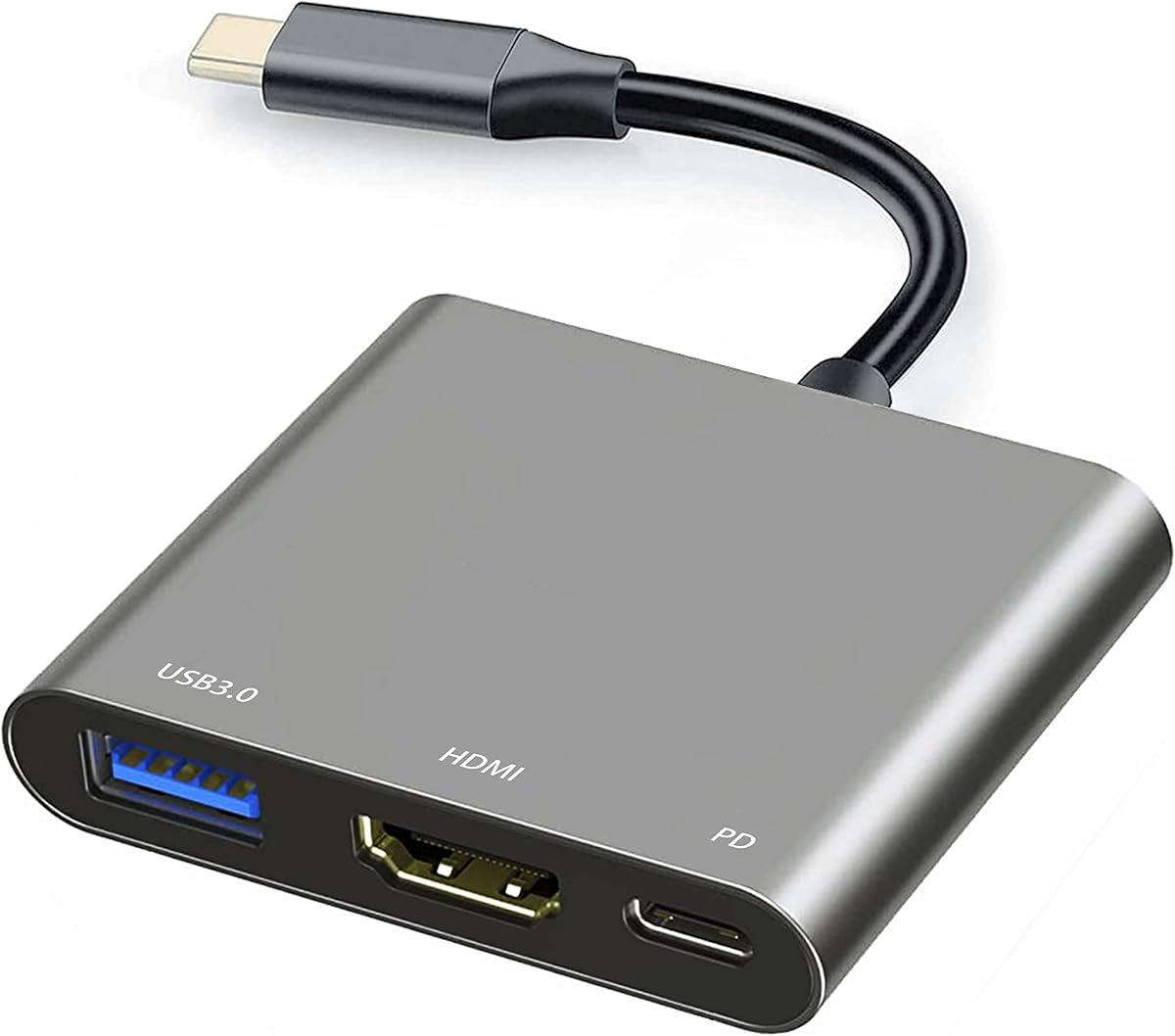
The UGREEN USB C Hub 5 in 1 is the most versatile budget-oriented model in this guide, combining a 4K HDMI output with charging and three USB-A data ports. Its 4.6 rating reflects a favorable balance of useful features, and the five-port layout can replace several separate accessories around a laptop.
We may earn a commission when you buy through this link, at no additional cost to you.
The 100W USB-C Power Delivery port is especially useful when the hub is connected to a compatible laptop and charger. A 5 Gbps USB-A port handles faster data transfers, while two 480 Mbps ports can accommodate slower accessories such as a keyboard, mouse, flash drive, or low-bandwidth peripherals. The HDMI port allows the same hub to serve as a display adapter.
As with most compact hubs, the number of ports does not guarantee that every function will operate at maximum speed simultaneously. Actual charging performance depends on the host device, charger, and power requirements, and the slower USB-A ports are intended for lower-bandwidth devices. The supplied information also presents the HDMI output as 4K without specifying a refresh rate.
This is a strong pick for a student, office worker, or traveler who wants one adapter to handle charging, display output, and essential USB accessories. It is less appropriate for users seeking advanced card-reader support or numerous high-speed external drives. Even so, it delivers more functionality than a single-purpose dongle while remaining focused and easy to carry.
Combining display, charging, and USB-A connectivity reduces cable clutter around a desk. It is especially useful for users who regularly connect a display, input devices, and removable storage.
The 100W USB-C PD input gives compatible laptops a way to receive power while the hub is in use. Check the laptop and charger requirements to ensure the full stated output is supported.
We may earn a commission when you buy through this link, at no additional cost to you.
This wireless HDMI display dongle is designed for users who would rather avoid a cable running between their source device and a large display. It supports Airplay for Apple devices, Miracast for Android and Windows systems, and DLNA, while the supplied data states that no apps, Bluetooth, or Wi-Fi network are required.
We may earn a commission when you buy through this link, at no additional cost to you.
Its dual-band 2.4 and 5 GHz antennas are intended to support stable transmission, and the stated range reaches up to 16 feet. Output is described as 1080p at 60Hz with 4K decoding support, while a listed latency of 100ms makes it more appropriate for presentations, casual media, and shared viewing than fast competitive gaming.
The major limitation concerns digital-rights-protected content. The product information explicitly warns that services such as Netflix, Amazon Prime Video, Hulu, Comcast TV, Xfinity, Vudu, Sky Go, and BT Sport may not work because of HDCP copyright protection. The relatively low resolution also means it cannot deliver a true 4K image to the television, despite 4K decoding capability.
Choose this model when wireless convenience matters more than maximum image fidelity. It is a practical option for rooms where cable routing is inconvenient, for business presentations, or for sharing casual content from a compatible phone or laptop. Users planning protected streaming should choose a wired adapter instead.
The dongle creates a direct wireless connection without requiring users to join a Wi-Fi network or install a dedicated application. That simplifies setup in offices, hotels, and temporary presentation spaces.
Many subscription services prevent screen mirroring through protected-content protocols. A wired HDMI adapter remains the more predictable option when viewing DRM-protected movies or television programs.
We may earn a commission when you buy through this link, at no additional cost to you.
The Anker USB-C Hub 5-in-1 targets laptop users who need more than a simple display adapter. It combines a 4K HDMI output, 90W pass-through charging, two USB 2.0 ports, and one 5 Gbps USB 3.0 port, earning a 4.6 rating in the supplied product information.
We may earn a commission when you buy through this link, at no additional cost to you.
Its pass-through system accepts up to 100W of input and reserves 10W for hub operation, allowing a compatible laptop to receive up to 90W. A wall charger is not included, and the USB-C power input is for charging the host laptop rather than powering peripherals. The faster USB-A port is useful for external storage or other data-heavy accessories.
Video output reaches 4K at 30Hz in mirror and extend modes. That is suitable for document work, presentations, and general productivity, though users who need 4K at 60Hz should look elsewhere in this guide. The listed operating-system support includes macOS 12 and later, Windows 10 and 11, and ChromeOS, but the product is explicitly not compatible with Linux.
This hub is well suited to professionals creating a compact desk setup with an external monitor, wired input devices, and a laptop that needs continuous charging. It is less attractive for Linux users or demanding visual workflows, but the combination of charging, high-speed data, and display support makes it a balanced office accessory.
A display, charger, and three USB-A connections are consolidated into one hub. This can reduce desk clutter and eliminate the need for separate adapters when traveling between home and office.
The hub accepts a total of 100W and reserves 10W for its own operation. A compatible charger and host laptop are still required to take advantage of the stated 90W pass-through level.
We may earn a commission when you buy through this link, at no additional cost to you.
The Acer USB C to HDMI Adapter offers a balanced mix of display output, charging, and one fast USB-A data port. Its 4.4 rating reflects a generally capable package, while the three-port format keeps it smaller and less crowded than many of the full-size hubs in this guide.
We may earn a commission when you buy through this link, at no additional cost to you.
Its HDMI output supports 4K at 30Hz, and the USB-C charging port is rated for up to 100W Power Delivery. The USB-A port supports data transfer at up to 5 Gbps, approximately ten times the speed of USB 2.0. The aluminum housing is designed to improve durability and heat dissipation, and plug-and-play operation means no additional driver is required.
Compatibility requires care. The source USB-C port must support DisplayPort Alternate Mode, and the product does not support portable monitors. The manufacturer also lists exclusions for iPhones, Lightning-equipped iPads, Galaxy A or Tab A series devices, GoPro cameras, Motorola phones, Fire tablets, and other products without suitable USB-C display functionality.
This adapter is a sensible option for a compatible laptop that needs reliable 4K display output, host charging, and occasional access to a fast USB drive. It is less suited to people using portable monitors or a broad mixture of mobile devices. For a mainstream Windows, macOS, ChromeOS, or Linux laptop workflow, its compact design and clear specifications are appealing.
Three focused ports cover the most common needs: image output, host charging, and a high-speed USB-A connection. The result is more portable than a hub crowded with rarely used sockets.
A USB-C connector does not automatically guarantee video output. Confirm that the source device supports DisplayPort Alternate Mode and review the listed exclusions before purchase.
We may earn a commission when you buy through this link, at no additional cost to you.
The Battony USB C to HDTV Adapter is a compact three-purpose option intended for home entertainment, offices, exhibitions, presentations, and teaching. Its 4.3 rating is slightly lower than those of several leading models, but the supplied feature set covers display output, charging, and 5 Gbps data transfer.
We may earn a commission when you buy through this link, at no additional cost to you.
The HDMI output is specified at 4K UHD, or 3840 by 2160 at 30Hz, for connection to compatible televisions, monitors, and projectors. The manufacturer recommends an HDMI 2.0 or newer cable. A USB-A port supports transfer speeds up to 5 Gbps and can be used with flash drives, cameras, removable hard drives, mice, keyboards, and other USB 2.0 or USB 3.0 accessories.
The product uses plug-and-play operation without software or driver installation, while the slim aluminum body is intended to improve heat dissipation and portability. However, the information does not provide a clear maximum charging wattage, so users with power-hungry laptops should not assume it can deliver the same charging performance as the explicitly rated 90W or 100W alternatives.
The compatibility examples focus on several MacBook, Dell, HP, Acer, Lenovo, and Huawei models, as well as other Type-C computers and the Huawei Mate10. The list is not a guarantee for newer devices, making it important to verify USB-C video support. It is best for users seeking a portable three-function adapter with fast data transfer and solid 4K output.
The 5 Gbps USB-A connection is useful for moving files through a flash drive or external drive and provides more headroom than the 480 Mbps ports found on many compact hubs.
The stated 4K at 30Hz performance assumes a compatible television or projector and an HDMI 2.0 or better cable. Older cables or displays can limit the available resolution.
We may earn a commission when you buy through this link, at no additional cost to you.
The Belkin ConnectAir Wireless HDMI Display Adapter is the premium wireless selection in this guide, distinguished by a stated range of up to 131 feet, or 40 meters. It is designed for presentations, streaming, collaborative work, and environments where installing a long physical HDMI cable is inconvenient.
We may earn a commission when you buy through this link, at no additional cost to you.
It mirrors or extends a display at 1080p and 60Hz with audio, while the plug-and-play setup requires no applications, drivers, or Wi-Fi network. Once connected, the adapter can work with laptops, tablets, and phones across different operating systems, making it more flexible than a solution tied to one particular ecosystem.
A notable professional feature is the ability to connect up to eight transmitters to one receiver. That makes the system useful for classrooms, team meetings, and collaborative presentations where multiple participants may need to share a display. The trade-off is resolution: the stated 1080p output does not meet the 4K capabilities offered by several wired models in this list.
The supplied data does not include a customer rating, so it should be evaluated on its stated features rather than an aggregated score. It is a compelling premium pick for organizations that prioritize range, quick setup, and multi-user sharing over maximum pixel density. A wired 4K adapter remains a better fit for color-sensitive or high-resolution work.
A range of up to 40 meters lets presenters move without carrying a display cable. That freedom is useful in meeting rooms, lecture spaces, and live demonstration environments.
Supporting as many as eight transmitters on a single receiver can reduce delays when several people take turns presenting. It is a practical distinction for classrooms and collaborative offices.
We may earn a commission when you buy through this link, at no additional cost to you.
The USB C to HDMI Multiport Adapter combines an HDMI output, a USB-C charging port, a USB 3.0 port, and a USB 2.0 port in a compact aluminum enclosure. Its 4.2 rating places it toward the lower end of the list, but it provides an accessible combination of functions for compatible laptops, tablets, and smartphones.
We may earn a commission when you buy through this link, at no additional cost to you.
The HDMI 2.1 output is backward compatible with HDMI 2.0 and supports 4K as well as 2K, 1080p, and 720p modes. The charging port can provide up to 27W to a connected host, which is useful for lighter devices and maintenance charging but may not fully power a demanding workstation laptop while the adapter is active.
The USB-A connections support data transfer, OTG, and accessories such as a mouse, keyboard, flash drive, mobile hard disk, or card reader. The product title refers to 10Gbps, while the detailed description identifies the USB 3.0 port and a separate USB 2.0 port without restating that figure. Buyers requiring a guaranteed maximum transfer rate should verify the current listing specifications.
Compatibility is broad for modern USB-C devices, including Thunderbolt 3 and 4 models, several MacBook and iPad Pro generations, Chromebooks, Surface Book, and Galaxy S-series phones. It is a useful compact choice for light productivity, travel, and basic display setups where 27W charging is sufficient.
The enclosure measures approximately 60 by 55 by 10 millimeters and includes a short integrated cable. That makes it easier to carry than a full-size desktop hub.
The stated 27W maximum is sufficient for many phones, tablets, and lighter laptops. Heavy laptop models may require a dedicated higher-wattage charger while the dongle handles display and data connections.
We may earn a commission when you buy through this link, at no additional cost to you.
The Wireless HDMI Display Adapter 4K offers flexible screen mirroring and an extend mode for compatible phones, tablets, and computers. It has a 5.0 rating in the supplied data, making it one of the most favorably rated products listed, although its platform and content restrictions deserve close attention.
We may earn a commission when you buy through this link, at no additional cost to you.
The dongle decodes 4K content but outputs at 1080p and 60Hz. It supports Airplay, Miracast, and DLNA, and its three-step setup involves plugging the dongle into an HDMI display, powering it on, and selecting the appropriate wireless mirroring function on the source device. Mirror mode supports 1080p or 720p, while extend mode allows content to remain visible on one screen while the other handles separate work.
The limitations are specific but meaningful. Windows 11 is not supported, and iOS cannot mirror HDCP-protected applications such as Netflix, Prime Video, or HBO Max. Google Pixel phones and the iPhone 17 may also require a chip upgrade through the dongle's local upgrade page before mirroring. These restrictions make the product less predictable than a direct wired connection.
It is a strong recommendation for users who alternate between Apple, Android, and Windows devices and value flexible orientation and display modes. Its 5.0 rating is encouraging, but the platform support and app restrictions should determine the decision. For protected streaming or Windows 11, a wired 4K adapter offers a clearer path.
Extend mode can separate shared viewing from private tasks, such as keeping presentation controls away from the audience display. Portrait support also suits phones and vertically oriented content.
The lack of Windows 11 support and the inability to mirror many protected iOS applications are important limitations. Confirm device compatibility before relying on the dongle for a particular streaming or work platform.
We may earn a commission when you buy through this link, at no additional cost to you.
The MOKiN USB C Hub HDMI Adapter is the most specialized option in the guide, combining a 4K at 60Hz display with 100W power input, two 5 Gbps USB-A ports, a USB-C data port, and Micro SD and TF card readers. Its 4.6 rating reflects a capable package for photographers, designers, and power users.
We may earn a commission when you buy through this link, at no additional cost to you.
The HDMI output can mirror or extend a display at 4K UHD and 60Hz, making it a stronger choice for high-resolution work than most of the 30Hz wired adapters listed. The card reader provides a convenient way to import images from Micro SD or TF media, while the two USB-A ports can support storage, input devices, and other accessories at up to 5 Gbps.
Power handling is also substantial. The 100W PD input can charge a host while the hub is active, with power-out limited to 87W for safety. Storage users should note that only one HDD or SSD should be connected because of power requirements, and the adapter does not support Apple USB SuperDrive.
This is a particularly good fit for a photographer or creative professional who moves between memory cards, external storage, a high-refresh display, and a laptop throughout the day. It is also a capable general-purpose desktop hub. Those who only need a small display adapter may find it more elaborate than necessary, but the 4K at 60Hz output and card reader create a clear advantage for creative work.
4K at 60Hz provides more fluid motion and finer on-screen detail than the 30Hz outputs offered by many competing hubs. It is particularly relevant for photo selection, timelines, and graphics work.
Integrated Micro SD and TF slots reduce the need for a separate reader. The feature is especially useful when importing media from a camera before moving it to a computer or external drive.
We may earn a commission when you buy through this link, at no additional cost to you.
The most useful HDMI dongle is the one that matches your source device, display, power needs, and tolerance for cables. Review resolution, refresh rate, charging, data support, compatibility, and setup requirements before making a selection.
A wired USB-C adapter usually offers the most direct and consistent route from a laptop or tablet to an HDMI display. It avoids wireless latency, network interference, and protected-app limitations. Wireless dongles are more useful when cable routing is inconvenient, a presenter needs to move around a room, or several people want to share a display without physically exchanging adapters.
Choose wired for dependable video, lower latency, and the broadest access to streaming applications. Choose wireless for convenience, flexible positioning, and collaborative presentation setups.
Resolution describes the size of the image, while refresh rate controls how often the display updates each second. Several adapters in this guide support 4K at 30Hz, which is sufficient for many office and presentation tasks. Models supporting 4K at 60Hz offer smoother motion and are better for detailed creative work, demanding applications, and high-refresh displays.
Choose 4K at 30Hz for general productivity and 4K at 60Hz for smoother, more detailed output. A 1080p at 60Hz wireless solution can still be effective for presentations and standard content, especially when the priority is cable-free operation.
A dongle that supports Power Delivery can charge a host device while simultaneously providing display or USB connectivity. The stated wattage matters: 27W may be suitable for a phone, tablet, or lighter computer, whereas 90W and 100W designs are better aligned with demanding laptops. Some hubs also reserve a portion of their input power for internal operation.
Check the source device, charger, and cable requirements before selecting a charging model. A port labeled for charging input does not necessarily deliver the maximum advertised output in every setup.
Data ports turn a display adapter into a small hub. USB 3.0 ports rated at 5 Gbps are better for flash drives, external storage, and other frequent transfers, while 480 Mbps USB 2.0 ports are sufficient for keyboards, mice, and lightweight accessories. A dedicated USB-C data port can support compatible modern storage and peripherals.
Prioritize one or more 5 Gbps ports if you transfer large files regularly. Match the remaining port speeds to the accessories you actually use, and check any limitations on the number of powered hard drives a compact hub can support.
Not every USB-C port supports display output. The most important requirement is usually DisplayPort Alternate Mode, while newer systems may use USB4 or Thunderbolt. Product lists can also exclude older phones, tablets, portable monitors, and models using noncompatible connector standards. A USB-C charging port alone does not guarantee that the device can send video.
Confirm that your device supports USB-C video output and review the exact exclusions in the listing. This check is especially important when the product name mentions phones, tablets, or broad compatibility.
Wireless adapters may depend on Airplay, Miracast, DLNA, or platform-specific features. Even when a dongle works with a device, protected streaming applications may refuse to mirror because of HDCP. Windows versions also matter, as one featured product explicitly excludes Windows 11. Wired adapters generally avoid many of these software and content restrictions.
Review both operating-system support and app limitations. Use a wired adapter for major streaming services, protected business content, or systems with less consistent wireless mirroring support.
A dongle intended for travel should be small enough to carry without adding unnecessary bulk. Integrated short cables avoid losing a detachable lead, while aluminum housings can improve heat dissipation and durability. A cable long enough to reach around a monitor or desk edge may also be useful, although it can create more clutter in a pocket.
Choose a compact aluminum model for frequent travel and a slightly larger hub for a permanent desk. Consider cable length, connector durability, and the number of ports you will actually use before buying.
Wireless dongles trade physical freedom for possible signal delay and dependence on the local environment. The featured models state different ranges and latency levels, from 16 feet with 100ms latency to 40 meters for a premium presentation system. Greater range helps in large rooms, while low latency matters for interactive or fast-moving content.
Choose a short-range model for close viewing and standard presentations. Select a longer-range system for classrooms, conference rooms, or live demonstrations, while recognizing that video quality and responsiveness can vary with interference and source content.
Begin by confirming that the source device supports the required video standard, such as DisplayPort Alternate Mode for a wired USB-C adapter or a compatible screen-mirroring function for a wireless model. Connect the dongle to the television, monitor, or projector first for wireless models, then power it and select the matching input on the display.
For a wired adapter, plug the USB-C end into the source device and the HDMI end into an available display port. Select the correct HDMI input, then adjust the display resolution and refresh rate in the computer's settings if necessary. When a hub includes charging, connect the appropriate charger to its USB-C power input before relying on it to keep a laptop running.
Handle the adapter by its housing or reinforced cable rather than pulling on the connector. Keep ports free of dust, avoid sharply bending integrated leads, and use a suitable HDMI cable for higher-resolution output. Wireless products benefit from an unobstructed line between the transmitter and receiver, while wired hubs should be connected only to the drives and accessories supported by their power limits.
An HDMI dongle primarily converts a USB-C connection into HDMI video output. A USB-C hub usually includes that HDMI port along with charging, data ports, card readers, or other connections. A simple dongle is more compact, while a hub is more useful when several accessories need to be connected at once.
No. The USB-C port must support video output, typically through DisplayPort Alternate Mode, and the device must also be compatible with the adapter's listed specifications. Some phones, tablets, and laptops support only charging or data transfer, so checking the device manual is essential.
It depends on the model. Several featured hubs support host charging through USB-C Power Delivery at stated levels ranging from 27W to 100W, while simpler display adapters do not support charging. A compatible charger and cable are also required, and some models reserve part of the input power for hub operation.
Often not. Several products in this guide specifically warn that HDCP-protected applications may fail to mirror because of copyright protection. Wired HDMI connections generally provide a more reliable route for major subscription services, though device and service policies can still affect playback.
Choose 4K at 60Hz for smoother motion, finer detail, and higher-refresh displays, especially for creative work. A 4K at 30Hz adapter is suitable for many office tasks, presentations, and general viewing. A 1080p wireless option can be adequate when flexibility and range matter more than maximum image detail.
Wired adapters usually introduce little practical delay, while wireless models can have more. One featured product states 100ms latency, which can be noticeable in fast games or precise interactive applications. Wireless products are generally better suited to presentations, shared viewing, and noncompetitive content.
The laptop may not support DisplayPort Alternate Mode, the connected app may block wireless mirroring, or the display may not be set to the correct HDMI input. Check the compatibility list, select the proper input, update the display settings, and try a direct wired connection to narrow down the issue.
Most of the featured dongles provide one HDMI output, so they normally drive a single external display. The MOKiN model can mirror or extend to a display through its one HDMI port, while the Anker 5-in-1 hub similarly supports one HDMI connection. Additional screens generally require another adapter, a dock, or a device with native multi-display support.
The Anker USB C to HDMI Adapter stands out as the most focused overall choice, offering 4K video, broad USB-C compatibility, and straightforward installation. The UGREEN 5-in-1 hub is the strongest budget pick for users who also want charging and multiple USB-A connections, while the Belkin ConnectAir adapter serves premium presentation needs with extended wireless range.
Start with the connection method that suits your environment. Choose a wired adapter for consistent performance, charging, high-resolution output, and protected streaming. Choose a wireless model for presentations, flexible positioning, and shared viewing, after checking operating-system and application restrictions. Then match the refresh rate, port layout, and power requirements to your actual devices.
Product listings and prices can change, and compatibility details may evolve with new device models and operating systems. Before purchasing, confirm the source device's video support, the display's input and resolution limits, the required HDMI cable, and the current listing details. These checks help ensure that the selected HDMI dongle fits both the connection and the intended workflow.
