
ScanSnap iX2500 Photo Edition
4.5Editor score
Up to 100 photos per minute
Large touchscreen controls
Three included carrier sheets
Wi-Fi 6 and USB-C
A batch photo scanner is designed to convert albums, loose prints, and mixed-size photographs into organized digital files with less handling than a traditional flatbed model. The strongest choices combine automatic feeding, accurate photo detection, useful enhancement tools, and software that makes saved images easy to find and share.
We compared these scanners using their published specifications, stated capabilities, compatibility, and customer ratings. The list covers dedicated photo feeders, flatbed scanners for albums and delicate originals, portable sheet-fed models, and hybrid scanners that also handle documents. Features vary considerably, so the best choice depends on collection size, print condition, and workflow.
Each review explains what distinguishes the scanner, where it is especially useful, and which compromises may matter to you. The top three picks represent our strongest general, premium, and budget recommendations. Product availability and pricing can change, so confirm current specifications, accessories, and compatibility before purchasing.
4.5Editor score

4.5Editor score

4.1Editor score
As an Amazon Associate we earn from qualifying purchases.
The table below compares all ten scanners by scanning format, resolution, automation, connectivity, and intended use. Dedicated feeders excel with loose prints, while flatbeds provide greater control for albums and oversized items.




The Plustek ePhoto Z300 is a dedicated photo scanner built around a simple sheet-feed workflow, earning a 4.5 customer rating. Its most attractive quality is speed: the stated performance reaches two seconds for a 4-by-6-inch photo at 300 DPI. That makes it well suited to digitizing large quantities of standard prints without forcing the user to open and close a flatbed lid.
We may earn a commission when you buy through this link, at no additional cost to you.
Automatic crop and deskew reduce the amount of manual correction required after each scan. The Z300 supports 3-by-5, 4-by-6, 5-by-7, and 8-by-10-inch photographs, along with letter and A4 paper, at either 300 or 600 DPI. Image enhancement tools are included for faded photographs, allowing the scanner to do more than simply capture pixels.
Its primary limitation is the absence of a large multi-photo feeder. Although the feed process is efficient, the Z300 handles one photograph at a time, making it less convenient than a unit with an automatic document feeder that accepts dozens of prints at once. It also remains a single-purpose device rather than a hybrid for document OCR and back-side capture.
Choose the Z300 when you have many standard loose photographs, want a dedicated machine, and prefer fast hands-free capture to maximum feeder capacity. It is a particularly practical option for users who already know the print sizes in their collection. Buyers needing albums, panoramic prints, or large stacks handled in one pass should consider a flatbed or automatic-feeder alternative.
The roughly two-second scan time for a 4-by-6-inch print makes short sessions practical. A dedicated feed also reduces the positioning and lid-opening involved in flatbed scanning.
Cropping, deskewing, and enhancement tools target common problems in printed photographs. These features can save editing time, although final image quality still depends on the condition of the source.
We may earn a commission when you buy through this link, at no additional cost to you.
The Epson FastFoto FF-680W combines dedicated photo performance with genuine batch capacity and a 4.5 rating. It can scan up to 36 photographs at once and is rated to process as many as one photo per second at 300 DPI. That combination makes it one of the most convincing choices for digitizing a substantial loose-print collection.
We may earn a commission when you buy through this link, at no additional cost to you.
Its Precise Picture Imaging System handles cropping, rotation, deskewing, red-eye reduction, color restoration, and automatic enhancement. The scanner can also capture a photograph and handwritten notes on its reverse in one duplex pass. Format options range from 300-DPI JPEG for sharing to 600-DPI TIFF for archiving and 1200 DPI for enlargement-oriented workflows.
The scanner is not limited to photographs. Epson ScanSmart provides OCR for documents, while the FastFoto app supports voice and text additions, slideshow creation, and wireless setup. Dropbox and Google Drive upload and backup options can streamline a digital preservation workflow, while USB connectivity remains available for local transfers.
This is our top overall pick because it addresses the central requirements of batch photo digitization: capacity, speed, correction tools, and flexible output. The main caution is that its document features make the control environment more involved than a basic photo-only scanner. Delicate prints should also be handled with the included carrier sheet and microfiber cloth.
A feeder that accepts as many as 36 photographs reduces interruptions substantially. This is a major advantage over one-at-a-time scanners and flatbeds that require repeated manual placement.
Automatic enhancement, color restoration, red-eye reduction, and geometric correction address several common photo problems. The scanner also preserves writing on photo backs during duplex capture.
We may earn a commission when you buy through this link, at no additional cost to you.
The AMBIR Cleaning Kit Bundle combines a dedicated photo scanner with tools for maintaining fragile prints, and it holds a 4.1 rating. Its selection of 300 and 600 DPI options gives users a practical balance between efficient everyday files and higher-resolution preservation scans. Automatic crop and deskew help reduce repetitive manual edits.
We may earn a commission when you buy through this link, at no additional cost to you.
Photo size support is unusually broad. The scanner handles 3-by-5, 4-by-6, 5-by-7, and 8-by-10-inch prints, 1-by-1-inch photos, and panoramic images up to 12 inches. The included bellows blower, microfiber cloth, anti-static brush, and protective carrier sheet help prepare and protect originals before scanning.
Picture Studio by AMBIR extends beyond basic capture. It can import existing files from Apple Photos, Google Photos, cameras, and memory drives, then organize them into albums with tags, favorites, and notes. Editing includes auto-enhancement, faded-photo restoration, filters, borders, and manual controls for brightness, contrast, exposure, sharpness, and gamma.
This is the budget-focused pick for photographers who value maintenance supplies and editing organization. Its main limitation is that it processes one photograph at a time rather than accepting a large stack. It also connects by USB only, making it less convenient for users who want phone-based or wireless capture.
The included blower, cloth, brush, and carrier sheet address dust, static, and handling concerns before a photograph enters the scanner. This makes the bundle particularly relevant for older or fragile prints.
Albums, tags, notes, favorites, and detailed adjustment controls make Picture Studio useful for managing a growing digital archive. Existing digital images can be incorporated into the same organization system.
We may earn a commission when you buy through this link, at no additional cost to you.
The ScanSnap iX2500 Photo Edition is built for demanding digitization projects, combining a 4.5 rating with a stated photo-scanning speed of up to 100 photos per minute. Its automatic document feeder holds as many as 36 photographs, giving it the strongest published batch capacity among the photo-focused models in this guide.
We may earn a commission when you buy through this link, at no additional cost to you.
A large touchscreen is central to the experience. Users can select and customize scanning profiles directly on the device, then send files to a PC, Mac, mobile device, or supported cloud service. The QUICK MENU supports a scan, drag, and drop workflow, while automatic optimization, naming, and sorting reduce the burden of filing large batches.
The Photo Edition includes three carrier sheets for delicate prints and quick-start instructions for creating photo-scanning profiles. Built-in Wi-Fi 6 allows operation without a computer, and USB-C provides a modern wired alternative. These options are valuable for families that want to scan from different locations or send images directly to a phone.
This premium pick suits collectors with hundreds or thousands of prints who value speed and direct control. Compared with the standard iX2500, the Photo Edition is oriented more explicitly toward image batches and includes photo-specific carrier sheets. Buyers should verify their preferred destinations and software setup before committing to the advanced configuration.
The combination of 36-photo capacity and a stated rate of up to 100 photos per minute is designed for intensive sessions. It reduces both the physical interruptions and workflow overhead associated with large collections.
Profiles can be selected on the built-in touchscreen without returning to a computer. Wi-Fi 6 and direct cloud or mobile destinations also support a flexible, distributed workflow.
We may earn a commission when you buy through this link, at no additional cost to you.
The standard ScanSnap iX2500 is a strong hybrid for users who need to digitize documents, receipts, photos, and business cards in one workflow. Its 4.3 rating reflects a capable general-purpose machine, while the 100-sheet feeder, touchscreen, automatic optimization, and cloud support make it a natural fit for modern office or family archive systems.
We may earn a commission when you buy through this link, at no additional cost to you.
Document throughput is rated at 45 pages per minute in double-sided mode. Personal scanning profiles can be selected from the touchscreen, and scanned files can be sent to a computer, mobile device, or cloud service. The Quick Menu enables a quick scan-and-drag workflow, while automatic naming and sorting support easier long-term organization.
Paper handling receives considerable attention. A brake roller feeds sheets smoothly, a multi-feed sensor detects pages stuck together, and skew detection helps reduce damage and data loss. These are meaningful features for a feeder expected to handle many documents over time.
Although the scanner accepts photos, buyers focused primarily on large photo collections should examine the Photo Edition instead. This model makes more sense when the scanner will divide its time among family records, paperwork, receipts, and occasional photographs. Its connectivity and large feeder provide excellent flexibility for general digitization.
The brake roller, multi-feed detection, and skew controls are designed to make unattended or repeated document scanning less frustrating. These protections are particularly useful for mixed paper stacks.
Documents, receipts, business cards, and photos can share the same feeder, touchscreen, and optimization tools. This makes the iX2500 attractive for mixed archives rather than a single media type.
We may earn a commission when you buy through this link, at no additional cost to you.
The Epson Perfection V19 II is a compact flatbed scanner that emphasizes resolution and direct control rather than automatic batch feeding. Its 4800-DPI optical resolution is designed for detailed photo capture and enlargement, while one-touch controls keep the basic process approachable for users working with artwork, illustrations, documents, and prints.
We may earn a commission when you buy through this link, at no additional cost to you.
A high-rise removable lid provides clearance for books and photo albums, making this a better choice than a shallow flatbed when originals cannot be safely pressed flat. USB power also reduces setup complexity, and the scanner's 3.1-pound weight and vertical-storage kickstand help it fit into smaller workspaces.
Easy Photo Fix provides one-click color restoration for faded photographs. Epson ScanSmart can create searchable PDFs and editable Word, Excel, and PowerPoint files through OCR, expanding the device beyond photography. Letter-sized documents can be scanned in as little as 10 seconds according to the stated specifications.
The V19 II is best for a modest number of photographs, fragile prints, and album pages that need careful flatbed placement. It does not offer the throughput of a feeder-based model, and its 3.9 rating is lower than the leaders. Its advantages lie in resolution, portability, and the ability to handle thick or irregular originals.
The 4800-DPI optical resolution is suitable for photographs that may be enlarged or examined closely. Fixed placement also makes it easier to scan unusual shapes and smaller items.
The removable high-rise lid creates space for thicker pages. Users can capture album pages and book material without forcing the lid against the original.
We may earn a commission when you buy through this link, at no additional cost to you.
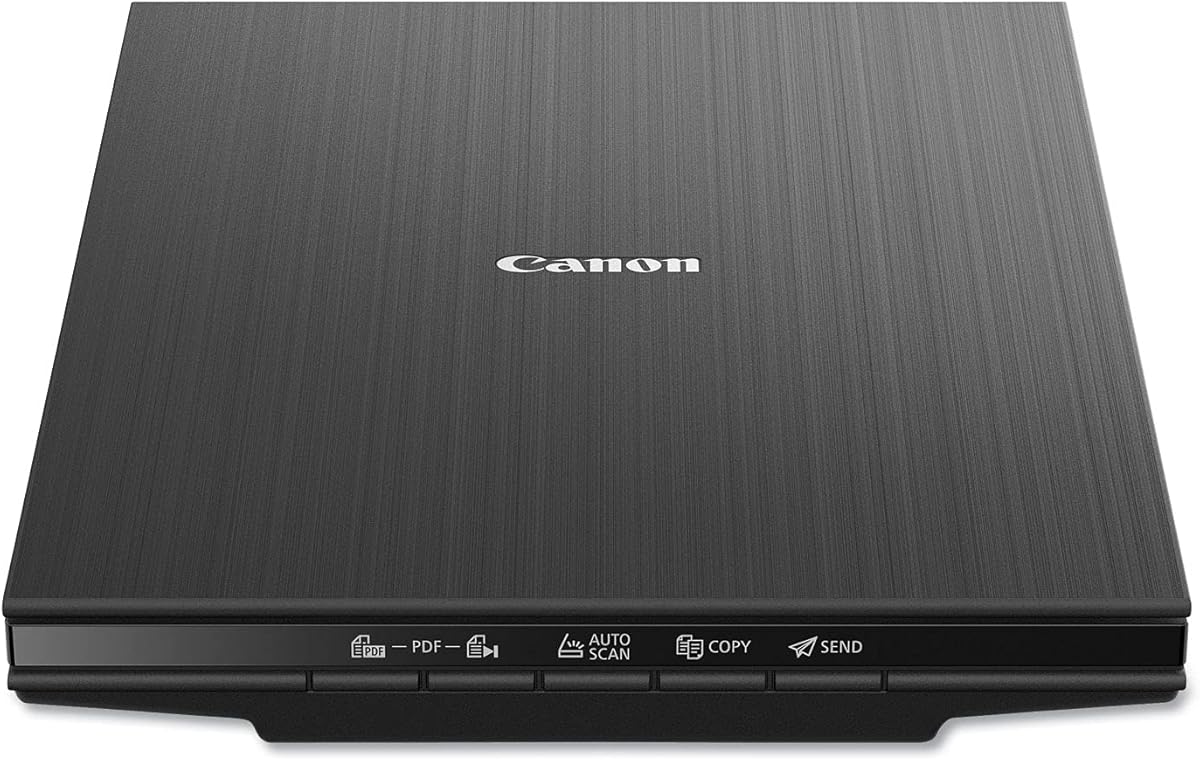
The Canon CanoScan LiDE 400 is a slim flatbed scanner with a 4.1 rating and a maximum resolution of 4800 by 4800 DPI. At only 0.4 inch thick, it is designed to fit into spaces where a conventional flatbed would be inconvenient, making it practical for occasional photo scanning in a home office.
We may earn a commission when you buy through this link, at no additional cost to you.
Automatic scan mode detects the type of material being scanned, while dedicated EZ buttons simplify common tasks. Editable and searchable PDF creation is supported, so the LiDE 400 can handle ordinary documents alongside photographs and images. Image enhancement features include color restoration and dust removal, useful for older prints.
The included USB Type-C cable handles both data and power, helping reduce cable clutter. Canon states that scanning can be completed in as fast as eight seconds, which is responsive for a flatbed model. The scanner also handles A4 and letter-size paper.
Choose the LiDE 400 when storage space, simple operation, and high-resolution still images matter more than automated batch capacity. Each photograph must be placed manually, so this is better suited to smaller collections, carefully curated albums, or occasional projects than a large backlog of loose prints.
The thin 0.4-inch profile makes the scanner easier to store in a drawer, on a shelf, or in a compact workspace. It offers flatbed flexibility without the footprint of a deeper conventional unit.
Color restoration and dust removal target common issues in aging photographs. Automatic scan detection and EZ buttons further reduce the number of manual steps for routine work.
We may earn a commission when you buy through this link, at no additional cost to you.
The HP Small USB Scanner, model HPPS100, is a portable simplex scanner rated 4.2 by customers. It is designed for people who need to convert small batches of papers, receipts, cards, and photographs while moving between home, office, and business environments. Its one-sided feed keeps the mechanism compact and uncomplicated.
We may earn a commission when you buy through this link, at no additional cost to you.
Scan speed is stated at up to 15 pages per minute, or roughly four seconds per page, for small to medium batches. Resolution of 1200 DPI is suitable for photographs and many document tasks. Paper dimensions range from 2 by 2.9 inches to 8.5 by 14 inches, giving it flexibility for business cards, letter-size pages, and longer sheets.
HP WorkScan provides automatic size detection, previewing, zooming, cropping, background and edge cleanup, image optimization, and conversion to PDF, JPG, and other formats. It is available for Windows and Mac systems, while USB 2.0 power and data simplify travel between locations.
This scanner is not a high-volume photo archiver because it only captures one side and lacks a large automatic feeder. However, its portability and compact form make it compelling for mobile office use, scanning at relatives' homes, or handling small batches without setting up a larger desktop machine.
The slim footprint and USB 2.0 connection make the HPPS100 easy to place in a bag or briefcase. It provides useful scanning capability without requiring a dedicated desk setup.
A broad stated paper-size range accommodates items from business cards to long sheets. PDF, JPG, and other formats support both practical sharing and structured document workflows.
We may earn a commission when you buy through this link, at no additional cost to you.
The Epson Perfection V39 II is a compact flatbed scanner offering 4800-DPI optical resolution, one-touch operation, and a 3.7 customer rating. Like the V19 II, it prioritizes detailed capture and careful manual placement rather than automated feeding, making it relevant for albums, artwork, books, and a limited number of photographs.
We may earn a commission when you buy through this link, at no additional cost to you.
Easy Photo Fix restores color to faded images in one click. Epson ScanSmart also supports seamless stitching of oversized images and sending scans to cloud storage services. These functions extend the device beyond basic document capture and can simplify tasks that would otherwise require separate editing software.
The removable high-rise lid accommodates books and photo albums. Letter-sized documents can be scanned in as few as 10 seconds, and USB power keeps the scanner compact and portable. One-touch controls are intended to reduce the number of steps for common scanning tasks.
The V39 II is a sensible flatbed option for high-detail work, but its 3.7 rating is the second-lowest in this list. Its manual process also makes it less efficient for hundreds of separate prints. Choose it when image detail, album handling, and restoration features outweigh the speed of an automatic feeder.
A 4800-DPI optical sensor captures enough detail for close examination and enlargement-oriented workflows. Stitching support is also useful when a single image is larger than the scanner bed.
One-click color restoration can quickly refresh faded originals. Cloud destinations and removable-lid flexibility make the scanner practical for both physical and digital archives.
We may earn a commission when you buy through this link, at no additional cost to you.
The AMBIR PICTURESTUDIO Scanner is a dedicated photo device with a 3.4 rating, a three-second scan time for a 4-by-6-inch print at 300 DPI, and a strong emphasis on software-assisted restoration. It accepts sizes from 1-by-1 inches through 8-by-10 inches and can scan panoramic photographs up to 12 inches.
We may earn a commission when you buy through this link, at no additional cost to you.
Its editing suite includes automatic enhancement, color restoration, filters, borders, and detailed controls for brightness, contrast, exposure, sharpness, and gamma. AI-based colorization can add color to grayscale images. These tools make it possible to handle more than a basic image capture, particularly when many photographs need similar corrections.
Users can search their digitized collection using tags and notes, which is valuable once the number of saved images grows. Existing images can also be imported from Apple Photos, Google Photos, digital cameras, and memory drives. A carrier sheet and microfiber cloth support careful handling of delicate prints.
This scanner is worth considering for users who prioritize creative editing and broad print-format support. Its lower rating and one-photo-at-a-time process make it a less compelling choice for a very large batch. It is better suited to a curated collection where image quality and restoration matter more than maximum feeder throughput.
Automatic enhancement, color restoration, filters, and precise tonal controls provide a substantial editing workspace. AI colorization also offers a way to experiment with grayscale originals.
The scanner accepts tiny 1-by-1-inch photos, standard prints, and panoramic images up to 12 inches. That range is useful for collections containing mixed formats.
We may earn a commission when you buy through this link, at no additional cost to you.
The right batch photo scanner depends on how many prints you own, whether they are loose or bound, how fragile they are, and whether you also need document scanning. Use the factors below to prioritize the capabilities that will save the most time without compromising your originals.
Feeder capacity determines how many loose photographs can be scanned in one session. The Epson FastFoto FF-680W and ScanSnap iX2500 Photo Edition are especially relevant for large collections because each can accept up to 36 photographs. A larger accepted stack means fewer interruptions, less repeated setup, and a more practical workflow when hundreds of prints are waiting to be digitized.
Check the stated capacity and the supported photo sizes carefully. A scanner may accept a large number of sheets in general but require a carrier sheet for certain prints. Choose the highest capacity that matches your real collection and intended output format.
Published speed figures are most useful when they reflect realistic photo scanning rather than general document specifications. The FastFoto FF-680W lists one photo per second at 300 DPI, while the iX2500 Photo Edition lists up to 100 photos per minute. The Plustek ePhoto Z300 claims two seconds for a 4-by-6-inch photograph and five seconds for an 8-by-10 print at 300 DPI.
Speed should be balanced against image quality and correction time. A faster mode is useful for everyday sharing, but higher resolutions may require more processing. For large archives, consider both the scan rate and how much post-capture editing each image needs.
Resolution choices affect file detail, storage requirements, and suitability for printing. The Plustek Z300, AMBIR models, and Epson FastFoto offer dedicated 300-DPI options, with higher choices such as 600 DPI available on several devices. Flatbeds such as the Epson V19 II, Epson V39 II, and Canon LiDE 400 reach 4800-DPI optical resolution for close inspection or enlargement.
Choose 300 or 600 DPI for most print preservation and sharing needs. Move toward higher flatbed resolution when enlarging small source images. For a large collection, balance resolution with file size and the time required to organize, back up, and edit the results.
Automatic crop, deskew, rotation, enhancement, red-eye reduction, and color restoration can save considerable time across a large album. The Epson FastFoto offers the broadest published photo-enhancement set among these picks, while AMBIR Picture Studio emphasizes restoration and advanced tonal adjustment. Flatbed models also include useful color restoration tools.
Automatic features are helpful but not identical. Examine the software's file formats, editing controls, and organization options. A scanner that can produce clean captures without locking users into a narrow editing environment is often the better long-term choice.
Collections often mix standard 4-by-6 prints, wallet-sized photos, panoramic images, and larger formats. The AMBIR models support very small 1-by-1-inch photographs and panoramas up to 12 inches. The Epson FastFoto covers Polaroid-style prints, postcards, panoramas, and photos up to 8-by-10 inches, while the Plustek supports common print and paper sizes.
Before buying, measure the largest and smallest originals in your collection. Also check whether thick albums, mounted photographs, or irregular shapes require a flatbed. Automatic sizing is convenient, but it cannot compensate for a scanner that physically cannot accept the format.
USB is universal across this group and works well for a computer-based archive. Wireless scanning adds flexibility for shared households, phone-based workflows, and direct cloud uploads. The Epson FastFoto and both ScanSnap iX2500 variants support wireless operation, while the AMBIR models and HPPS100 rely on USB.
Consider where scans will be organized and who will access them. Some products can send files directly to cloud services, mobile devices, and computers. Others create images on a connected computer for later import. Choose the workflow that matches your storage habits rather than judging connectivity in isolation.
Fragile photographs need a clean path through the feeder and protection from bending, static, and friction. The AMBIR Cleaning Kit Bundle includes a blower, microfiber cloth, anti-static brush, and carrier sheet. The Epson FastFoto includes a carrier sheet and microfiber cloth, while the ScanSnap Photo Edition includes three carrier sheets.
For bound albums, open books, or prints that cannot pass through rollers, a flatbed may be safer. The Epson V19 II and V39 II have removable high-rise lids, and the Canon LiDE 400 offers a slim flatbed design. Always inspect originals and remove loose debris before scanning.
A batch photo scanner becomes more versatile if it can also handle letters, receipts, and notes. The Epson FastFoto includes OCR through Epson ScanSmart and captures photo backs in a single duplex pass. The standard ScanSnap iX2500 is document-focused, with a 45-page-per-minute duplex rating and a 100-sheet feeder. The HP Small USB Scanner is a portable simplex alternative.
Mixed-media users should prioritize automatic feeder capacity, searchable document output, and paper-protection features. Photo-only collectors can often ignore OCR and document speed, allowing them to concentrate on image correction, resolution, and feeder handling.
Begin by sorting photographs into groups of similar size and condition. Remove loose dust with a soft brush or microfiber cloth, and use a protective carrier sheet for fragile, glossy, or easily scratched prints. Make sure the scanner path is clean and that no staples, clips, or adhesive residue can contact the rollers or optical system.
Install the software named in the product documentation, connect the scanner using its recommended cable or wireless setup, and choose a profile that matches the source format and intended use. For a first test, scan one photograph, inspect cropping and deskewing, and confirm that the saved resolution and file format look right before processing an entire batch.
Scan in manageable groups and review representative results as you proceed. Store originals in a clean, stable environment after digitization, and maintain more than one backed-up copy of the digital files. Keep scanner software and device firmware updated, clean the glass and feed path according to the manual, and avoid forcing unusual or damaged prints through a feeder.
A batch photo scanner uses an automatic feeder to accept multiple loose photographs with less manual handling. A flatbed scanner places one item or album page on the glass, giving you greater control over unusual formats and delicate originals. Sheet-fed models are usually faster for loose prints, while flatbeds are safer for bound material.
A 300-DPI setting is a practical choice for screen viewing, sharing, and many standard prints. A 600-DPI option captures more detail and is useful for archival work or possible enlargement. Very high-resolution flatbed settings can create larger files, so choose them when source size and intended output justify the extra storage.
It depends on the model and the physical dimensions of the original. The Epson FastFoto lists support for Polaroid photos and panoramas, while the AMBIR models support tiny 1-by-1-inch photographs and panoramic images up to 12 inches. Measure unusual prints and confirm the scanner's supported sizes before purchasing.
A carrier sheet is advisable for fragile, glossy, warped, or easily scratched prints because it separates the photograph from the feed mechanism. Several picks include carrier sheets or protective accessories. Even with a sheet, inspect each print before scanning and stop if the feeder creates visible bending or resistance.
Not necessarily. OCR is valuable when letters, receipts, handwritten notes, or archival documents are part of the project. For loose photographs alone, image correction, photo sizing, and reliable feeder handling may matter more. Hybrid models can be convenient, but dedicated photo tools deserve consideration for image-focused work.
Wireless operation can make direct phone, computer, and cloud delivery more convenient, but it is not essential for every workflow. USB-connected scanners can transfer files reliably to a computer that handles storage and organization. Choose wireless capability if you want flexible placement or direct cloud destinations; otherwise, prioritize feeder capacity and photo quality.
Use a consistent file format and naming system, then add albums, dates, names, or other tags that will remain meaningful over time. Software such as Picture Studio by AMBIR supports tags, notes, favorites, and albums, while ScanSnap and Epson tools provide naming, sorting, and cloud options. Maintain at least two backed-up copies of the digital archive.
Only if the scanner supports bound or open album pages and you scan each page as a separate flatbed capture. Automatic document feeders are generally better for loose prints and should not be forced onto bound pages. For albums, choose a flatbed with enough lid clearance, such as the Epson V19 II or V39 II.
The Epson FastFoto FF-680W stands out as the most balanced overall recommendation because it combines a 36-photo feeder, rapid scanning, duplex capture, extensive image correction, and wireless connectivity. The ScanSnap iX2500 Photo Edition is the premium choice for maximum throughput, touchscreen profiles, direct destinations, and a package tailored to large photo batches. The AMBIR Cleaning Kit Bundle offers the budget-focused path while including useful cleaning tools and strong organization software.
Your priorities should reflect the actual archive. Choose a large automatic feeder for hundreds of loose prints, a flatbed for albums or unusual formats, 300 or 600 DPI for standard preservation, and higher flatbed resolution for detailed enlargement work. Also account for fragile originals, wireless needs, OCR requirements, and where your files will be stored after scanning.
Specifications and product availability can change, so verify the included accessories, current software requirements, supported file formats, and operating-system compatibility before buying. Compare current pricing directly with the retailer listing, as promotions and price changes can alter which model offers the strongest overall value for your particular collection.