
CAHAYA Projector Stand Tripod
4.6Editor score
Adjusts from 26 to 51.5 inches
Supports up to 30 pounds
Tilts tray through 180 degrees
Folds for easier transport
A projector tripod stand can turn a temporary viewing area into a more practical setup for movies, presentations, rehearsals, streaming, or outdoor events. The best model balances a stable platform, useful height adjustment, secure device support, and enough portability for the places where your projector actually gets used.
We compared ten projector tripod stands using the specifications and feature details supplied for each product. Our evaluation considers load capacity, adjustment range, tray or mounting compatibility, stability mechanisms, construction, setup effort, and suitability for indoor or outdoor use.
The picks reveal several useful approaches, from broad metal stands with large trays to compact mounts built around a standard quarter-inch screw. Each review highlights the stand that best fits a particular need, while current product prices and availability can change at any time.
4.6Editor score

4.4Editor score

4.4Editor score
As an Amazon Associate we earn from qualifying purchases.
The following comparison shows each stand's core design, adjustment range, load rating, and mounting approach. It helps distinguish large tray-based tripods from compact quarter-inch mounts before you consider fit, portability, and stability.

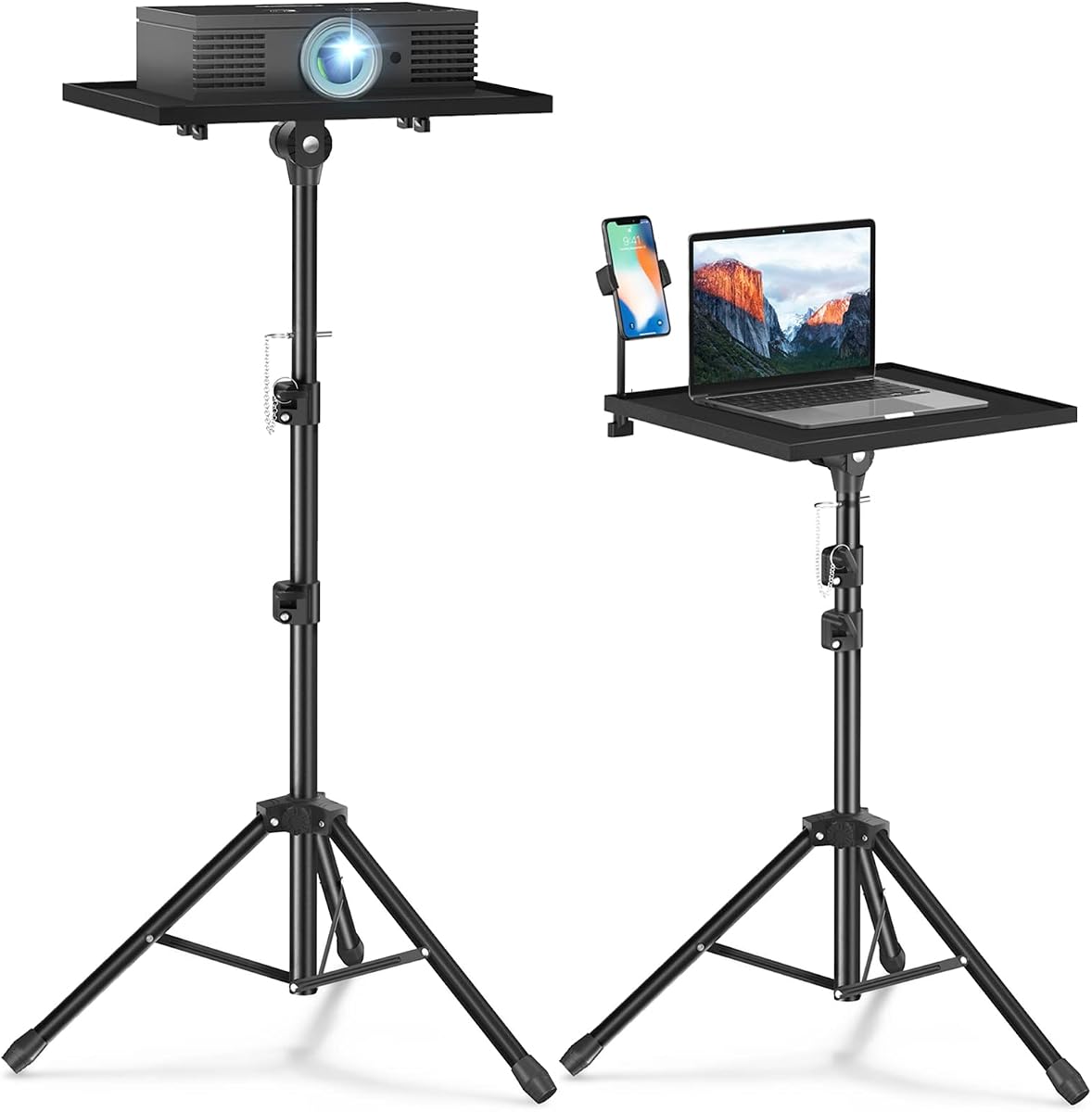


The Projector Stand Tripod Laptop Stands Height Adjustable earns a 4.4 rating and stands out as the most versatile all-around option in this guide. It combines a metal construction, a safety latch, a broad platform, and a useful 23-to-46-inch height range without becoming excessively specialized. The design suits both a projector and other equipment such as a laptop, music player, or DJ device.
We may earn a commission when you buy through this link, at no additional cost to you.
Its most valuable feature is the 15 by 11 inch top tray. The enlarged surface gives supported devices more room than a small universal mounting plate, while the 180-degree tilt helps set a comfortable viewing angle. Thickened aluminum, sponge pads, elastic belts, and the safety latch work together to reduce movement and discourage the equipment from slipping. Setup is designed to take about five to ten minutes without extra tools, provided each connection is tightened before use.
The main limitation is its maximum height. At 46 inches, it offers less vertical reach than the 61-, 63-, or 63.5-inch alternatives, making it less suitable for elevated projection in a large room. Its 22-pound capacity is also lower than several heavier-duty models. These constraints are reasonable for many portable projectors, laptops, and presentation devices, but users should check their equipment weight and desired sightline first.
This is the recommendation for most buyers because it covers the most common projector-stand needs without specializing in a particular mounting standard. Choose it for home movies, presentations, speeches, office work, and portable use. It is especially attractive for anyone who values a genuine tray, straightforward assembly, and a bag that accepts the stand after disassembly.
The broad tray and included restraints make this stand useful for laptops, music players, and DJ equipment. That flexibility increases its value for offices, rehearsals, parties, and presentations where the supported device may change from one session to the next.
The detachable sections fit into the provided bag, making this model easier to move between rooms, venues, and outdoor events. Packing the stand in sections also reduces the chance of forcing assembled legs into an unsuitable storage space.
We may earn a commission when you buy through this link, at no additional cost to you.
The CAHAYA Projector Stand Tripod Adjustable Height Portable Laptop Rack Tray carries a 4.6 rating, the highest among the ten products compared. It offers a compelling mix of stability, adjustment, portability, and device compatibility. Its sturdy metal tripod supports up to 30 pounds, while the 16 by 11 inch tray is among the broadest platforms in the group.
We may earn a commission when you buy through this link, at no additional cost to you.
The reinforced anti-sliding lock is especially relevant for a height-adjustable tripod because it helps keep the selected position firmly in place. The stand adjusts from 26 to 51.5 inches, and its tray tilts up to 180 degrees for seated or standing use. Sponge pads and spring straps secure the device, while adjustable legs improve balance on uneven floors. Assembly is tool-free and described as straightforward enough to complete in minutes.
Its primary compromise is size. The wide tray and three-leg structure are less discreet than a compact quarter-inch mount, and the 30-pound rating is more capability than many mini projectors need. Buyers who value a large, versatile support surface will see that as a strength; people seeking the smallest possible stand may prefer a narrower model.
For a budget-conscious buyer who wants more than a basic plate, this is an excellent choice. It suits projectors, laptops, small monitors, speakers, and other portable devices across classrooms, meeting rooms, offices, and home entertainment. Its balanced specification set makes it especially appealing for users who want tray convenience without moving to the largest or heaviest stands.
The reinforced locking mechanism, metal frame, and 30-pound limit provide a reassuring foundation for a projector or laptop. The broad leg arrangement also gives the user some latitude on floors that are not perfectly level.
Its compact folding profile supports quick changes between home, classroom, and meeting-room use. The tray remains more accommodating than the compact camera-style alternatives while still folding for storage or travel.
We may earn a commission when you buy through this link, at no additional cost to you.
The Projector Stand Tripod Laptop Stands Height Adjustable earns a 4.4 rating and differentiates itself with an unusually broad 23.5-to-63.5-inch adjustment range. It offers much more vertical reach than most conventional tray stands, allowing the same unit to serve low viewing positions and elevated projection setups.
We may earn a commission when you buy through this link, at no additional cost to you.
Construction uses thickened aluminum for the tripod and a metal top tray designed to resist warping. A safety latch helps keep the supported device from falling, while sponge pads and elastic belts improve grip. The 15 by 11 inch platform accommodates projectors, laptops, music players, and DJ equipment. As with similar models, installation should follow the supplied instructions and every connection should be tightened before the device is placed.
The limiting factor is the 22-pound load capacity. The extended height may be unnecessary for a compact projector but can be valuable for a larger model, elevated screen, or rear-projection arrangement. Buyers should also pay attention to the extended footprint, since a taller tripod can amplify any unevenness in the floor if it is not positioned carefully.
This stand is best for users who need a broad height range without giving up a full-size equipment tray. It is particularly relevant to presenters, teachers, performers, and outdoor movie watchers who may alternate between low and high placement. For those needs, it is more adaptable than the shorter 47-inch Facilife model.
The wide adjustment range is the defining feature. A single tripod can accommodate a lower table-like position, standard seated viewing, and a substantially elevated projection angle.
The 15 by 11 inch metal surface offers a stable base for several supported device categories. Raised retention features, pads, and straps help protect the device and reduce movement after placement.
We may earn a commission when you buy through this link, at no additional cost to you.
The Facilife Projector Stand Tripod receives a 4.2 rating and focuses on a portable, practical design for outdoor movies and general presentation work. Its height range of 22 to 47 inches, metal alloy construction, and anti-slip details make it a familiar choice for users who need a flexible support rather than a specialized studio mount.
We may earn a commission when you buy through this link, at no additional cost to you.
The stand includes two elastic straps and a foam pad that help hold a projector or laptop without encouraging scratches or drops. Its non-slip tripod legs have adjustable angles, which can be useful outdoors where the ground is less consistent than an indoor floor. The 14.9 by 11.2 inch tray also supports recorders, books, sound media devices, and equipment used by musicians, DJs, performers, engineers, teachers, and students.
Its 47-inch maximum height is the clearest limitation. This model is less appealing for users who need to project above seated heads or across a deep room, while the 22-pound load rating is adequate for many portable projectors but not the most substantial professional equipment. The lower 4.2 rating also suggests it may not offer the same perceived refinement as the highest-rated alternatives.
Choose it when portability, device restraint, and adjustable ground contact matter most. It is well suited to backyard viewing, indoor presentations, school use, and temporary setups where the entire stand must be moved frequently. Buyers seeking a higher ceiling or higher capacity should compare the taller Facilife model or the heavier-duty alternatives.
Adjustable tripod angles and anti-slip rubber feet help the stand remain more stable when the surface is not perfectly level. These details are particularly valuable for lawns, driveways, decks, and temporary indoor spaces.
The combination of elastic straps and a foam pad adds confidence when equipment is used in a busy environment. The restraints help keep the projector or laptop from shifting while the padded surface guards against direct contact damage.
We may earn a commission when you buy through this link, at no additional cost to you.
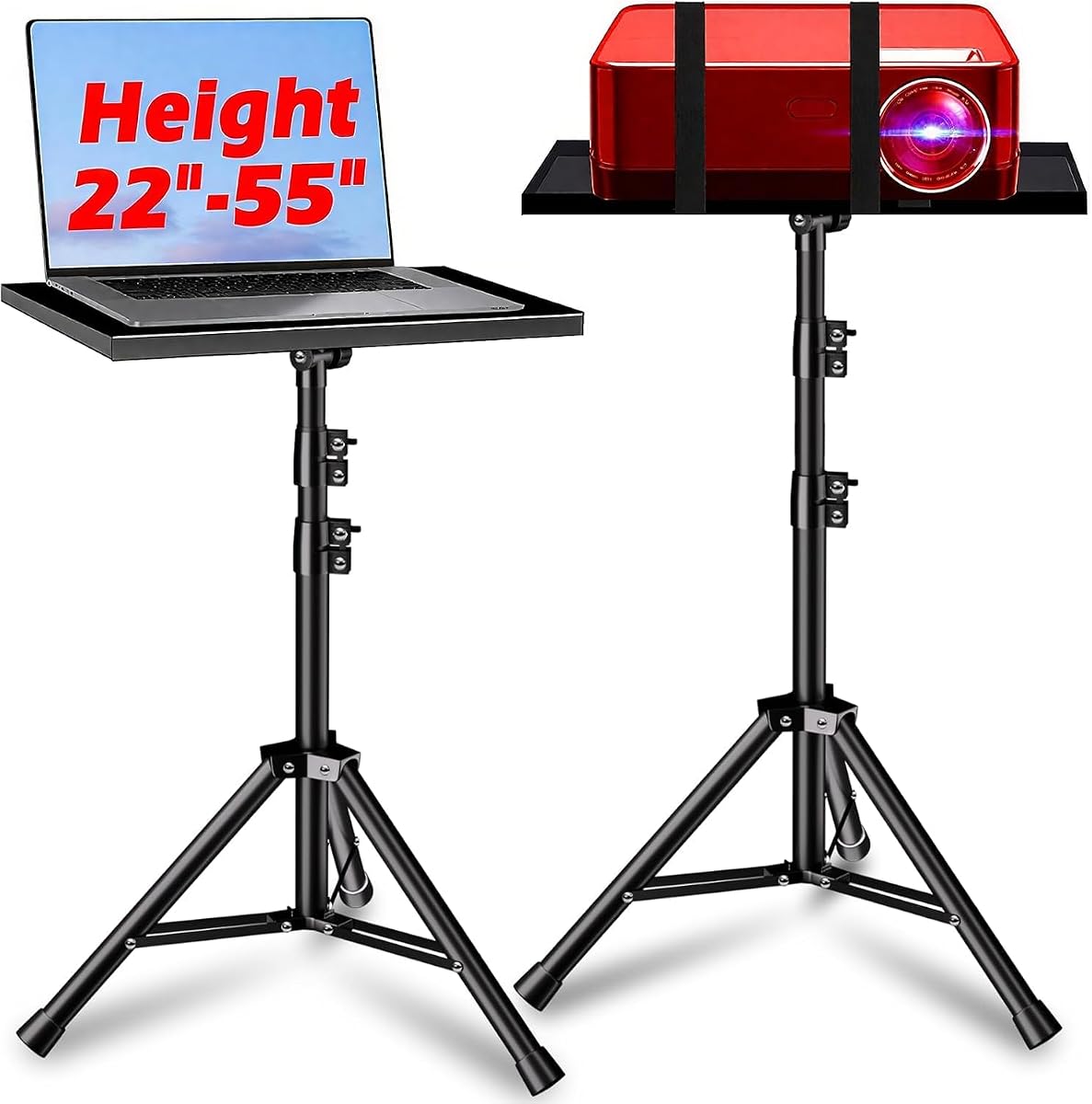
The Projector Stand with a 33-pound load bearing design holds a 4.2 rating and offers a sturdy middle ground between lightweight portable tripods and the highest-capacity models. Its height can be adjusted from 22 to 55 inches, and the 360-degree tray movement gives the user considerable freedom in positioning supported equipment.
We may earn a commission when you buy through this link, at no additional cost to you.
The stand uses thick iron tubing and a large triangular leg arrangement to create a stable base. Folding panels and retractable brackets preserve portability despite the substantial frame. Its installation is advertised as taking about 30 seconds, which is appealing for users who need to deploy quickly. Intended uses include office presentations, home theaters, standing work, speeches, and DJ shows.
One practical detail deserves attention: the product information says the drilled mounting hole may appear displaced because of transportation and may be corrected by rotating the head. That note is easy to understand once known, but it could cause avoidable confusion during a hurried setup. The product data also does not provide a tray size, so buyers who need to accommodate a particularly large projector should verify fit before ordering.
This model is a sensible pick for heavier portable equipment, DJ gear, and users who want a substantial base without moving to the 55-pound KOOV option. It works well for office, studio, stage, and outdoor uses where quick deployment matters. Those needing the broadest possible height range or a documented tray size should look elsewhere.
The thick iron construction and 33-pound limit offer additional support compared with the 22-pound stands. The triangular base and retractable components are intended to limit shifting without turning the entire product into a permanently installed support.
The claimed thirty-second assembly and 360-degree tray adjustment reduce the time between unpacking and use. This makes the stand appealing for event operators who cannot afford a complicated setup process.
We may earn a commission when you buy through this link, at no additional cost to you.
The KraftGeek Portable Projector Stand for Outside earns a 4.4 rating and is built around speed and compactness. It expands from 15.55 to 32 inches, weighs only 1.35 pounds, and deploys by pushing a button at the bottom. That makes it considerably more compact than the broad tray stands and useful for small projectors and mobile equipment.
We may earn a commission when you buy through this link, at no additional cost to you.
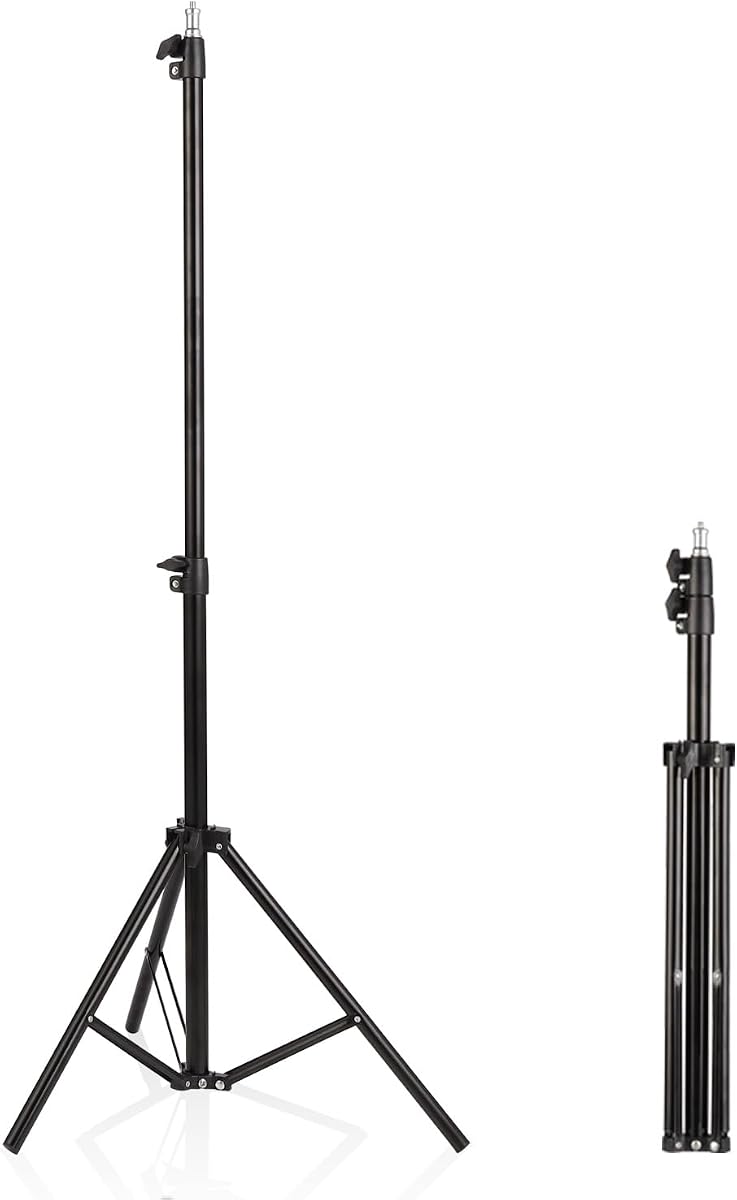
A universal quarter-inch screw provides the connection point. With that interface, the stand can support compatible projectors, DSLR cameras, ring lights, and phone mounts. The ball head offers smooth 360-degree horizontal rotation and 90-degree vertical tilt, giving the user precise positioning without the need for a large rectangular tray.
Its 6.6-pound capacity is the main constraint. Larger projectors and equipment-heavy rigs should choose a tray-based model with a substantially higher load rating. Compatibility also depends on the presence and correct placement of a quarter-inch screw; a projector designed only for a flat platform may not work with this stand.
This is a strong option for a small projector, home theater, business presentation, outdoor event, or recording setup where carrying a full-size tripod would be inconvenient. It also serves content creators who already own compatible cameras or lights. Choose it for portability, not for supporting a large cinema projector.
The short collapsed height and low weight make the stand easy to move through doorways or store in a vehicle. Its low deployed height also works well for tabletop-level viewing where a taller tripod would be unnecessary.
The head rotates smoothly through 360 degrees and tilts vertically by 90 degrees. That range is useful when the projector must point upward, downward, or toward a screen positioned away from the stand's center.
We may earn a commission when you buy through this link, at no additional cost to you.
The PUTORSEN Universal Projector Stand has a 4.1 rating and distinguishes itself through a minimalist L-shaped frame rather than a conventional broad tripod with a full tray. The design is intended to fit neatly behind furniture and save space in home, office, and outdoor environments.
We may earn a commission when you buy through this link, at no additional cost to you.
Its carbon-steel construction and stainless coating are paired with a square metal base that can support up to 11 pounds. Height adjustment runs from 36.6 to 48.75 inches, and clamp-style knobs lock the selected position. The ball head provides 360-degree horizontal rotation and 90-degree tilt, allowing compatible equipment to be aimed without rearranging the whole stand.
The principal concern is the quarter-inch compatibility requirement. The product is designed for projectors featuring a quarter-inch screw hole at the bottom center, so a projector with only a flat resting surface will not mount directly. Its relatively narrow height range also provides less flexibility than the tall folding stands, and the square base may require more care on uneven ground than adjustable tripod legs.
Buy this model when appearance and compact placement matter more than a large platform. It can work particularly well behind a sofa or bed, where a traditional tripod might intrude into the viewing area. Users should verify the projector's mounting hole and weight before choosing it.
The narrow L-shaped structure takes up less visual and physical space than a full tray tripod. That makes it easier to place behind seating or near a wall while maintaining a useful projection height.
A square all-metal base and carbon-steel construction provide a stable foundation within the stated load limit. The lockable height adjustment helps keep the stand from moving after it has been positioned.
We may earn a commission when you buy through this link, at no additional cost to you.
The KOOV Projector Stand Adjustable Height 20 to 61 inches earns a 4.4 rating and is the premium choice for users who want the highest stated load capacity in the group. Its 55-pound limit and reinforced construction set it apart from the many models rated at 22, 30, or 33 pounds.
We may earn a commission when you buy through this link, at no additional cost to you.
The stand provides a generous 20-to-61-inch height range, a 15 by 11 inch raised-edge tray, and 360-degree tray rotation. Double fixing bars, locking holes, and non-slip rubber pads are intended to keep the platform stable, including at greater heights. A mouse tray and phone holder keep common accessories within reach, adding usefulness for presentations and workstation-style use.
The trade-off is portability. A robust, high-capacity tripod with multiple braces and accessories will generally take more space than a compact aluminum mount. It may also be more than a small portable projector requires. The 55-pound rating describes what the structure can accommodate, not a recommendation to place unusually heavy equipment on it without considering balance and manufacturer guidance.
Choose the KOOV for stage work, DJ setups, studio recording, office presentations, home entertainment, and any situation where a larger device or more demanding support is expected. It is the top pick for premium construction and maximum capacity, while the CAHAYA model makes more sense when a smaller footprint and lower load requirement are priorities.
The 55-pound capacity and reinforced metal construction offer meaningful headroom for larger portable projectors and related gear. The locking-hole system and double fixing bars add reassurance when the tray is raised.
The included mouse tray and phone holder make the stand useful beyond passive projection. During a presentation or working session, these accessories keep controls and a phone visible and within convenient reach.
We may earn a commission when you buy through this link, at no additional cost to you.
The Facilife Projector Stand with an adjustable height of 22 to 63 inches receives a 4.2 rating and is a strong option for users who prioritize vertical reach. It can function as a relatively low support or extend high enough for elevated viewing, all within one portable frame.
We may earn a commission when you buy through this link, at no additional cost to you.
A metal construction is used to balance strength and weight, while an increased load point and non-slip adjustable tripod legs support stability. Two elastic straps and a foam pad help hold the supported device without scratching or dropping it. The 14.9 by 11.2 inch tray supports projectors, laptops, recorders, notes, books, and sound media devices.
The 22-pound maximum load is the key trade-off. Despite its tall adjustment range, the stand is best suited to portable projectors and similar equipment rather than large cinema models. The supplied details do not state a tray tilt range, so buyers who need precise image orientation should confirm the mechanism and its adjustment before purchase.
This model is well matched to outdoor movies, corporate presentations, classroom use, and home viewing where height flexibility is important. It is a compelling alternative to shorter stands for users who want to raise the projector above seated viewers. Those needing a higher load rating or a documented tilt mechanism should consider the KOOV or CAHAYA instead.
The 63-inch maximum offers useful elevation for outdoor viewing and rooms where a low projector would be blocked. The lower end still allows a more conventional standing or seated presentation position.
Its portable setup and takedown process support use across locations. The straps and foam pad make the platform more adaptable for projectors, laptops, and lighter media equipment used in different roles.
We may earn a commission when you buy through this link, at no additional cost to you.
The Professional Tripod Stand for Mini Projector has a 4.0 rating and is positioned as a light-duty, highly portable option for mini projectors and other compact equipment. It expands from 22 to 63 inches, giving it a broad height range despite a small folded profile of 22.4 by 2.76 inches.
We may earn a commission when you buy through this link, at no additional cost to you.
Reinforced aluminum construction and an 11-pound capacity make it suitable for compatible mini projectors, ring lights, webcams, cameras, and phones. A standard quarter-inch screw provides the mounting interface. At only 0.33 kilograms, the stand is easy to carry in a backpack and simple to reposition for photography, streaming, events, or casual home theater use.
The light-duty rating means it should not be treated as a heavy studio or stage support. The 4.0 rating is also the lowest among the products reviewed, which may reflect a less refined feature set or mixed experiences. Quarter-inch compatibility is essential, and equipment with a proprietary mount or flat base will require an appropriate adapter before use.
Choose this model for mobile creators, students, travelers, and anyone needing a lightweight vertical support for small devices. It provides a useful combination of low packed weight and long extension for the money-conscious buyer. For a standard projector with a larger body or greater weight, a tray-based model is the safer choice.
The narrow collapsed dimensions and low weight make this stand easy to carry between locations. It is a practical choice for users who already operate lightweight cameras, webcams, ring lights, or phones and prefer one support for several tasks.
Beyond projection, the quarter-inch mount allows the stand to serve photography, streaming, and event setups. That versatility makes the light-duty capacity more useful for a broad range of compact equipment.
We may earn a commission when you buy through this link, at no additional cost to you.
The right projector tripod depends on your equipment, venue, and the position from which people will watch. Compare the mounting system, load limit, height range, stability features, and packed size before choosing a model.
Projector stands generally use either a full tray or a quarter-inch mounting screw. A tray model can support a projector without a threaded hole, and its raised edges or straps make it easier to accommodate larger equipment. A quarter-inch mount is much smaller and more flexible for cameras, lights, and compatible compact projectors, but it requires a correctly positioned screw hole. The KraftGeek, PUTORSEN, and Professional Mini Projector Tripod all use the quarter-inch approach, so verify your projector's underside before selecting one of them.
The safest approach is to identify your projector's mounting pattern first, then check its weight and dimensions. A visually similar device may still have a different bottom configuration.
The maximum load rating provides a clear limit for the equipment placed on the stand. Models with 22-pound ratings cover many portable projectors, while 30-, 33-, and 55-pound stands provide more room for larger devices or heavier accessories. Do not treat the rating as permission to approach the limit; a lower working load can make the stand easier to balance and adjust. Also consider the combined weight of the projector, cables, adapters, and anything stored on the tray.
Choose a stated capacity comfortably above your total equipment weight rather than matching it as closely as possible.
A broad height range allows one stand to serve seated viewers, standing presenters, and elevated projection positions. The 20-to-61-inch KOOV model, 22-to-63-inch Facilife model, and 23.5-to-63.5-inch option offer the most reach. More compact stands may be sufficient for a tabletop projector or a setup where the image is projected onto a low wall.
Measure the available space and decide the ideal projector position before purchase. Greater height is useful, but only when the deployed footprint will not obstruct the room.
A stable stand should resist tipping, sliding, and unexpected tray movement. Look for locking joints, anti-slip feet, adjustable legs, a broad base, retention straps, or a safety latch. These features matter more when the projector is elevated or used outdoors. The strongest base alone cannot compensate for an uneven surface, so position the legs carefully and tighten every connection after setup.
Prioritize positive locking mechanisms and non-slip contact points for presentations and outdoor viewing. These details help keep both the equipment and the image stable.
A larger tray can accommodate projectors with substantial footprints and other equipment such as laptops or DJ devices. A 180-degree tilt provides more freedom when the projector must angle upward or downward, while 360-degree tray rotation can make orientation easier. Compact quarter-inch stands use the head's tilt and rotation instead of a full rectangular platform, so compare those movements carefully with your aiming needs.
Measure the base of your projector and the surface it needs to occupy. Ensure the tray or mount is large and flexible enough to support the device without overhang.
Portability is more than total weight. A tall stand may collapse into several long sections, while a compact model may fit into a backpack. Folding or sectional construction makes storage in a closet, vehicle, or event case easier. The CAHAYA stand folds for transport, and the KraftGeek model compresses to 15.55 inches, whereas the Professional Mini Projector Tripod weighs only 0.33 kilograms. Consider the entire journey from storage to venue to final position.
Choose the smallest stand that still provides the required height, load capacity, and stability. A lightweight design is most useful when you regularly carry the entire setup.
Indoor presentation rooms may favor a broad tray, neat height controls, and accessories that keep controls within reach. Outdoor movie nights benefit from adjustable legs, anti-slip feet, quick setup, and portability. Studios and stages may reward a heavier frame, broad base, and high load capacity. The same stand does not need to serve every environment, so the most common setting should guide your choice.
For outdoor use, prioritize stability and deployment speed. For fixed indoor use, prioritize height control, footprint, and accessory organization.
Some models include a carry bag, mouse tray, phone holder, straps, or padded surfaces, while others focus on the stand itself. Check the supplied component list and assembly method because extra tools may or may not be needed. Tool-free assembly is convenient for temporary events, whereas a clear manual and organized hardware can make a more complex stand easier to assemble. The model with a documented 30-second setup is particularly attractive for operators who move frequently.
Confirm that the package includes everything required for basic setup. A carrying case is useful, but it should not replace checking whether the projected device fits the support.
Begin by placing the stand on a level, stable surface and unfolding its legs fully before attaching or placing any equipment. For tray models, confirm that the legs are spread evenly and that all connection locks are tightened. For quarter-inch mounts, attach the compatible device to the screw securely before adjusting the final height or head angle.
Set the projection height and direction before powering the projector. Loosen the relevant knobs, move the stand or tray slowly, and retighten every lock. Position the legs away from cables and foot traffic, then use a clean, dry surface to check that the device rests evenly. Straps, elastic bands, or a safety latch should secure the projector without pressing against vents or blocking access to controls.
After use, disconnect equipment and cables before folding the stand. Wipe the tray and mounting surfaces with a soft, dry cloth, and remove grit or moisture that could cause slipping. Store the stand in its bag or a dry area, loosen any strained straps, and inspect locks for looseness. Outdoor use warrants an extra check for sand, moisture, or mud around joints and feet.
A tall model is generally useful outdoors because it can place the projector above seated viewers. Options extending to 61 or 63 inches provide more placement freedom, but the stand should still fit the available space. A wide base, adjustable legs, and anti-slip feet are especially important on lawns, decks, or other uneven surfaces.
Yes, most tray-based models can hold a laptop as well as a projector. Check the tray dimensions and the laptop's weight before placing it on the platform. Models with raised edges, foam pads, or elastic straps can also reduce the likelihood of the computer sliding or being scratched.
No. Quarter-inch stands require a correctly positioned threaded hole at the bottom center of the equipment. Some projectors have that connection, while others use a different mount or simply rest on a flat base. A full tray stand is generally the more flexible option when the projector's underside design is uncertain.
The stand should support the projector's weight with some margin below its stated limit. Also account for cables, adapters, and accessories placed on the same platform. A higher capacity can add confidence, but stability and fit remain just as important as the maximum number.
No. A taller stand is valuable when the image must clear seated viewers or reach a high screen. It may be unnecessary for a low wall, tabletop placement, or a small room. Greater height can also require a larger footprint and more careful positioning, so choose the range that matches the actual setup.
Several models are specifically suitable for indoor and outdoor use. Look for adjustable tripod angles, anti-slip feet, secure device straps, and a stable metal base. Even with those features, place the stand on the flattest available surface, keep it away from moisture, and check that the legs remain fully spread and locked.
For most portable models, it is better to fold or disassemble the stand before carrying it. Fully collapse the legs, protect the tray, and place all loose hardware in the appropriate section or bag. Moving an assembled full-size tripod through doors or stairs can damage the stand or create a safety risk.
Use a model with foam pads, spring straps, elastic belts, raised edges, or a safety latch. Place the projector on a clean surface, keep its feet or base flat, and tighten the retention system without blocking vents or controls. Avoid setting the equipment on loose fabric, which can shift more readily than a hard tray.
The CAHAYA Projector Stand Tripod is the strongest value-oriented choice, combining a 4.6 rating, a 30-pound capacity, a large tilting tray, and a folding frame. The first-ranked Height Adjustable Projector Tripod is the most balanced option for general use, while the KOOV model leads the premium category with a 55-pound capacity, broad height range, and useful accessories.
Prioritize compatibility before appearance. Verify whether your projector rests on a tray or requires a quarter-inch screw, compare the total equipment weight with the load limit, and select a height range that suits your venue. Stability features, portability, and deployment speed should then determine which design best fits your routine.
Finally, check current product prices, availability, and included accessories when you are ready to buy. Specifications and configurations can change, and the most expensive stand is not automatically the best choice for every projector or room.
