
Brother DS-740D
4.3Editor score
Automatic duplex scanning
Explicit Linux and SANE support
Compact feeder for mobile workflows
A Linux-compatible scanner should do more than simply appear in a device list. It should provide dependable drivers, useful command-line access, reliable OCR, and a practical path for moving documents into folders, cloud services, archives, or document-management systems. Portable feeders, flatbeds, and document cameras each suit different workflows.
The products in this guide were compared using their stated specifications, platform support, scanning methods, feeder or capture capacity, OCR features, file-output options, and suitability for Linux users. The list covers mobile scanners, desktop document scanners, photo flatbeds, and overhead document cameras rather than treating every scanner as the same type of device.
Each review identifies the product's strongest use and important limitations. Explicit Linux support receives the clearest distinction, while products described only for Windows or Mac are presented as options that may require additional setup. Prices and availability can change, so confirm the current listing and Linux driver support before purchasing.
4.3Editor score

4.3Editor score

3.4Editor score
As an Amazon Associate we earn from qualifying purchases.
This side-by-side comparison highlights Linux support, scanner type, key capabilities, and practical limitations, helping you distinguish explicitly compatible models from devices that may require unofficial drivers or extra configuration.



The Brother DS-640 earns the leading position because it combines one of the clearest Linux compatibility statements in the group with a genuinely portable document-scanning design. Its 4.3 rating reflects a capable product that handles color and monochrome documents at speeds up to 16 pages per minute, making it suitable for receipts, forms, notes, and routine paper records.
We may earn a commission when you buy through this link, at no additional cost to you.
Its strongest benefit is practical Linux integration. Brother explicitly lists Linux and SANE driver support, while the iPrint&Scan desktop application can send documents to a PC, network location, cloud service, email address, or OCR workflow. Automatic color detection, image rotation, bleed-through prevention, background removal, text enhancement, and color-drop tools make it more versatile than a basic image-only scanner.
The main limitation is its single-sheet format. You feed one page at a time, and the scanner does not automatically scan both sides in one pass. That makes it ideal for portable, intermittent work but less suitable for quickly digitizing a thick bound report. Its included micro USB 3.0 cable also makes a computer the primary power source, so Linux compatibility should be verified against the computer and driver version you plan to use.
Choose the DS-640 if you want an explicitly supported Linux workflow, portability, and useful OCR without carrying a full-size desktop unit. It is a strong all-around recommendation for Linux users who digitize a moderate number of loose documents and value a simple combination of hardware, SANE access, and document-processing features.
The DS-640 is shorter than one foot and weighs about 1.5 pounds, so it can move easily between a home office, shared workspace, or traveling setup. It powers through the included USB cable, reducing the number of accessories required when using it away from an outlet.
Beyond image capture, the included software supports OCR, document management, and several scan-to destinations. This makes scanned pages easier to search, file, and share while reducing the need for separate capture software in a basic Linux workflow.
We may earn a commission when you buy through this link, at no additional cost to you.
The Epson Workforce ES-50 is a compact mobile scanner built for quick, automatic document capture. Its 4.3 rating and stated ability to scan a page in as little as 5.5 seconds make it appealing for users who regularly collect receipts, identity cards, forms, and multipage documents while away from a full office scanner.
We may earn a commission when you buy through this link, at no additional cost to you.
Automatic feeding is the defining feature. The scanner accepts each new sheet as it is inserted and combines multipage scans into one file, reducing repetitive clicks and helping preserve document order. It can handle paper up to 8.5 by 72 inches, while Nuance OCR creates searchable PDFs and editable Word and Excel files. USB 2.0 power, ScanSmart software, cloud destinations, and a TWAIN driver add further flexibility.
The significant caveat is platform support. The supplied information states Windows and Mac compatibility but does not explicitly identify Linux as supported. A Linux user should therefore check Epson's current driver documentation and the behavior of the included TWAIN driver before relying on it for a production workflow. It also lacks a listed duplex mode, so double-sided pages need separate handling.
The ES-50 makes the most sense for a Linux professional who prioritizes mobile feeding and long-document capture and is willing to verify current compatibility. It is not the safest recommendation for a strictly plug-and-play SANE environment, but its automatic workflow is valuable when used with carefully confirmed driver support.
Automatic feeding allows users to keep working while the scanner collects pages. Pages are combined into a single output file, which is useful for receipts, travel records, classroom handouts, and small meeting packets.
Support for material up to 8.5 by 72 inches broadens the scanner's use beyond standard pages. It can capture elongated receipts and documents, although unusual media should be tested carefully before a large scanning project.
We may earn a commission when you buy through this link, at no additional cost to you.
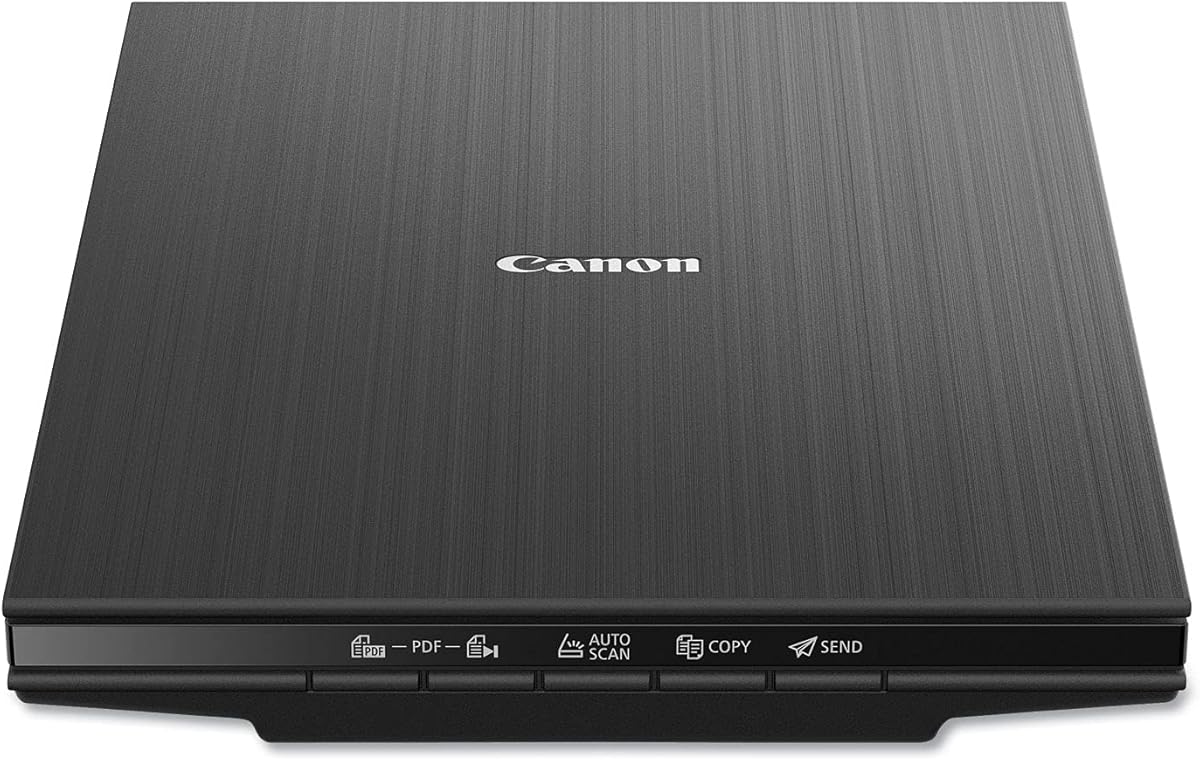
The Canon CanoScan LiDE 400 is a thin flatbed scanner intended for documents and photographs. Its 4.1 rating reflects a straightforward device with high image resolution, fast scanning, automatic document detection, and useful PDF functions. For Linux users, however, the supplied specifications do not explicitly state Linux support, making driver verification essential.
We may earn a commission when you buy through this link, at no additional cost to you.
Its 4800 by 4800 dpi resolution benefits photographs, illustrations, and detailed printed pages. The scanner can begin producing a scan in about eight seconds and uses a USB Type-C cable for both data and power. Auto Scan mode detects what is on the glass, while dedicated PDF buttons help save editable, searchable multipage PDF files. Color restore and dust-removal enhancements are useful for older images.
Unlike a feeder-based scanner, the LiDE 400 requires pages to be placed and captured individually. That is an advantage for delicate or oversized material and a disadvantage for routine stacks. The main Linux concern is software and driver availability: because no Linux platform is named, users should not assume that Canon ScanGear or the hardware will work without an appropriate backend or alternative capture tool.
Buy this model if you want a compact flatbed for photos and documents and can confirm the current Linux route. It is a compelling choice for visual-quality scanning, but the DS-640 offers much stronger stated platform clarity for users who prioritize documented Linux support.
A 4800 by 4800 dpi sensor provides ample detail for photographs, artwork, and printed material. Enhancement features such as color restore and dust removal are especially relevant when digitizing older images.
Automatic detection and built-in PDF controls simplify the capture of text-heavy material. The resulting editable and searchable PDF options can improve document indexing, though Linux compatibility still requires confirmation.
We may earn a commission when you buy through this link, at no additional cost to you.
The Brother DS-740D is the premium choice in this guide because it retains the DS-640's explicit Linux and SANE support while adding automatic duplex scanning. Its 4.3 rating reflects a capable machine that scans single- and double-sided pages in one pass at up to 16 pages per minute.
We may earn a commission when you buy through this link, at no additional cost to you.
Dual-sided capture is especially valuable for records, contracts, reports, and other material printed on both sides. The scanner also offers automatic color detection and adjustment, image rotation, bleed-through prevention, background removal, text enhancement, and color drop. The iPrint&Scan application supports destinations including a computer, network, cloud service, email, and OCR.
It is not a full-size archival scanner. The compact feeder and short body prioritize portability, and bound or fragile pages may be better handled by a flatbed. Linux support is clearly stated, including SANE drivers, but the exact workflow still depends on the installed distribution, desktop environment, and scanning application. The micro USB 3.0 connection also provides both power and data.
The DS-740D is ideal for Linux users who need two-sided capture in a portable package. If your workload consists mainly of loose pages and standard receipts, the DS-640 saves space and may be sufficient; if double-sided throughput matters, the duplex model offers the more capable and complete workflow.
The automatic duplex mode reads both sides of a sheet during a single pass. This reduces page handling and makes the DS-740D well suited to contracts, reports, and records that are printed on both sides.
The Desk Saving Design reduces the amount of space required to operate the scanner, while the sub-one-foot length supports use in bags and temporary workspaces. The result is a compact unit with more automation than a basic sheet-fed model.
We may earn a commission when you buy through this link, at no additional cost to you.
The NetumScan 4K is an overhead document camera rather than a conventional feeder or flatbed. It receives a 3.4 rating, the lowest of the ten products, but its explicit support for Windows, Mac, and Linux makes it one of the most interesting options for a Linux-specific buying guide.
We may earn a commission when you buy through this link, at no additional cost to you.
Its 8MP CMOS sensor captures live images, while the built-in LED system supports capture in dark and bright surroundings. The software automatically corrects skewed images, forms documents into digital files, and can assist with continuous page capture while the user turns pages. OCR can convert captured text into editable Word or text files, and the device supports live viewing and video recording.
Its lower rating suggests a less polished overall experience than the established document scanners, and the overhead design requires correct height, angle, and lighting. The product also requires compatible software to be installed before it can be used. These trade-offs are acceptable for teachers, students, remote presenters, and book-scanning tasks where displaying and capturing a page from above is more valuable than automated feeder speed.
Choose the NetumScan when you specifically need a low-cost document camera with stated Linux operation, flexible overhead framing, and integrated lighting. It is less appropriate for a high-volume unattended workflow, but it offers an unusually clear Linux proposition and enough flexibility for education, books, demonstrations, and live instruction.
The overhead camera can capture books, receipts, and documents without a physical feeder. This avoids issues with fragile media and allows the user to reposition each page naturally while software helps correct the captured image.
Stepless dimming and an integrated LED system make illumination easier to control than with a simple fixed-lamp document camera. Even coverage is particularly useful for teaching, demonstrations, and capturing pages in changing room conditions.
We may earn a commission when you buy through this link, at no additional cost to you.
The ScanSnap iX2500 is a high-speed desktop scanner designed for demanding document workflows. Its 4.3 rating reflects strong performance, a 100-sheet automatic feeder, 45-page-per-minute duplex scanning, a large touchscreen, and both Wi-Fi 6 and USB-C connectivity.
We may earn a commission when you buy through this link, at no additional cost to you.
Personalized profiles make repeated tasks more efficient, while Quick Menu supports a drag-and-drop workflow into favorite computer applications. The scanner can send files to computers, mobile devices, and cloud services, and automatic optimization, naming, and sorting can reduce manual administration. A brake roller, multi-feed sensor, and skew detection are designed to improve feeding reliability and reduce damage.
Its biggest caveat is Linux support. The supplied information refers to destinations for PC and Mac, not a documented Linux driver, and its advanced wireless features are likely tied to a broader software ecosystem. A Linux buyer should not treat Wi-Fi operation as guaranteed without checking current ScanSnap support and the availability of a suitable front end.
The iX2500 is an excellent choice for a compatible desktop environment handling large, mixed batches. For a confirmed Linux environment, prioritize the Brother models' stated SANE support. The iX2500 remains the stronger productivity choice if compatibility is verified and the user values speed, wireless transfer, and touchscreen automation.
A 100-sheet feeder and 45-page-per-minute duplex throughput suit offices that scan continuously. The paper-protection sensors also help reduce the disruption and data loss associated with double feeds and skewed sheets.
Wi-Fi 6 allows scanning without a direct computer connection, while USB-C supplies a wired alternative. This flexibility is attractive for shared spaces, although Linux users should verify driver and mobile-delivery support carefully.
We may earn a commission when you buy through this link, at no additional cost to you.
The Epson Perfection V19 II is a compact, USB-powered flatbed scanner aimed at photographs, artwork, books, illustrations, and documents. Its 3.9 rating places it in the middle of the group, and its 4800 dpi optical resolution is the key attraction for image-focused work.
We may earn a commission when you buy through this link, at no additional cost to you.
One-touch controls reduce the steps involved in a scan, while a removable high-rise lid helps accommodate books and photo albums. Easy Photo Fix restores color to faded photographs, and the software can produce searchable PDFs and editable Word, Excel, and PowerPoint files through OCR. The scanner weighs 3.1 pounds, powers through USB, and can scan a letter-sized document in about 10 seconds.
The supplied information does not explicitly mention Linux. Linux users may need to rely on a compatible scanner application or command-line backend, and they should verify that the desired OCR and document-conversion features are available outside the vendor's stated Windows and Mac ecosystem. A flatbed also requires manual placement of each item, so it is less convenient for a large stack.
The V19 II is a strong option for Linux users who want a portable flatbed and already have a validated capture workflow, particularly for photos and delicate printed material. It is not the most straightforward choice for a first-time Linux buyer because explicit driver support is not stated.
The 4800 dpi sensor captures fine photographic detail, while Easy Photo Fix offers a quick way to improve the appearance of faded images. These features make the scanner useful for preservation rather than document capture alone.
At 3.1 pounds and powered by USB, the V19 II is easy to move and requires few accessories. Its removable high-rise lid adds flexibility for books and albums without permanently increasing the scanner's footprint.
We may earn a commission when you buy through this link, at no additional cost to you.
The Canon imageFORMULA R10 is a compact, USB-powered document scanner with automatic duplex scanning and a 20-sheet automatic feeder. Its 4.0 rating reflects a balanced portable design that can produce searchable PDFs, JPEGs, and other digital formats at up to 12 pages per minute.
We may earn a commission when you buy through this link, at no additional cost to you.
The scanner supports color, monochrome, and grayscale output and can handle receipts, business cards, plastic or embossed cards, reports, and legal documents. Its software allows users to edit, straighten, and trim files while also creating custom buttons for scanning settings and destinations. The ENERGY STAR certification and stated power consumption of 2.5 watts or less suit mobile and shared offices.
The supplied specifications identify Windows and Mac compatibility rather than Linux, so compatibility must be checked before purchase. Canon also states that the R10 is not intended for scanning photographs on photo paper, which separates it from the flatbed models in this guide. Its built-in, automatically updating software is convenient on supported platforms but may not translate cleanly to a Linux workflow.
The R10 is a good choice for a Linux user who can confirm driver support and wants portable duplex capture of ordinary business documents. It offers more automation than a sheet-fed mobile scanner and a smaller footprint than a desktop office unit, making it a practical middle ground.
The R10 scans both sides of a document at once and uses a 20-sheet feeder to reduce manual page placement. That makes it more efficient than a flatbed for typical records while retaining a compact, USB-powered footprint.
Receipts, business cards, embossed cards, reports, and legal documents are all within the stated use cases. Searchable PDFs and JPEGs provide practical output choices, while preview editing helps correct crooked or imperfect pages.
We may earn a commission when you buy through this link, at no additional cost to you.
The Epson Perfection V39 II is a general-purpose flatbed for photographs, artwork, illustrations, books, and documents. Its 3.7 rating is among the lower scores here, but the combination of 4800 dpi resolution, one-touch controls, cloud-oriented ScanSmart features, and a removable high-rise lid gives it a clear creative and archival role.
We may earn a commission when you buy through this link, at no additional cost to you.
Easy Photo Fix restores faded color in a single step, while the software can stitch oversized images together and send results to cloud storage. The removable lid supports books and albums, and a letter-sized page can be scanned in approximately 10 seconds. The result is a versatile scanner for people whose digitizing needs extend beyond routine office paperwork.
Linux support is not explicitly included in the supplied product information. That means a buyer must confirm the current Epson driver and an appropriate capture application, including whether the desired cloud, stitching, and color-restoration functions are accessible. The device also lacks an automatic feeder, so scanning a large collection requires manual placement.
The V39 II suits a Linux creative workstation after compatibility has been validated, especially for photo enlargement, artwork, and book projects. For straightforward searchable document capture with clearly stated Linux and SANE support, the Brother DS-640 or DS-740D is a more straightforward recommendation.
The high optical resolution benefits photographs, artwork, and illustrations, while image stitching expands the creative workflow for oversized content. Easy Photo Fix gives older material a clearer digital presentation.
One-touch buttons reduce the learning curve for routine jobs. The removable high-rise lid makes books and albums easier to flatten, while the compact flatbed design remains practical for a home office.
We may earn a commission when you buy through this link, at no additional cost to you.
The Epson Workforce ES-400 II is the strongest office-focused scanner in the group by rating, earning 4.5 stars. Its 50-sheet automatic document feeder, duplex capability, and emphasis on document-management integration make it well suited to sustained administrative work rather than occasional portable capture.
We may earn a commission when you buy through this link, at no additional cost to you.
Epson ScanSmart can preview scans, email files, upload them to the cloud, and automatically name documents. The included TWAIN driver supports integration with document-management software, while OCR creates searchable PDFs and editable Word or Excel files. Direct sharing options include Dropbox, Evernote, Google Drive, and OneDrive. Ultrasonic double-feed detection and dynamic skew correction improve reliability when a stack contains imperfectly aligned sheets.
The key limitation for this guide is that the stated compatibility centers on Windows-oriented tools, including TWAIN integration, while Linux is not explicitly named. A Linux user should check whether a current Epson backend, scanner application, or community-supported workflow exposes the required feeder, OCR, and cloud functions. It is also a desktop model rather than a mobile unit.
The ES-400 II is an excellent high-volume scanner when Linux compatibility has been confirmed, particularly for teams that value automatic naming, searchable files, and cloud destinations. For a purchase driven primarily by native platform clarity, the Brother models' documented Linux and SANE support remains the safer starting point.
The 50-sheet feeder reduces interruptions during routine document processing. Duplex capture and automatic file naming further improve throughput by reducing manual page handling and repetitive naming work.
OCR transforms printed pages into searchable PDFs and editable office files. Direct email and cloud destinations can then move completed scans into common services, provided the chosen Linux workflow supports those features.
We may earn a commission when you buy through this link, at no additional cost to you.
The best scanner for Linux depends first on confirmed platform support, but throughput, media handling, OCR, and output destinations are equally important. These factors help separate a scanner that merely connects to a computer from one that can support a dependable document workflow.
Start with the operating-system statement supplied by the manufacturer. The Brother DS-640 and DS-740D explicitly list Linux support and SANE drivers, while the NetumScan 4K states that it runs on Windows, Mac, and Linux. That explicit information is stronger than a generic USB connection because it tells you the manufacturer has considered the platform. For every other model, confirm the current driver, package repository, and scanning application before buying.
Linux support also depends on the distribution and version. A device that works with a SANE backend on one release may require a different package or configuration on another. Check the current documentation, available backends, permissions, and whether OCR and cloud functions work outside the vendor's named platforms.
Feeder scanners suit loose stacks and recurring office work, flatbeds suit photos, books, and delicate media, and document cameras suit demonstrations and live teaching. A compact sheet-fed model is convenient for travel, while a desktop ADF is better for uninterrupted batch processing. Choose the physical format that matches how the material is handled rather than focusing only on headline speed.
Also consider the number of people and devices that will share the scanner. A personal mobile scanner can connect directly to a laptop, while an office model may need network scanning, named destinations, and centralized file naming. Overhead cameras can serve as both visual presentation tools and capture devices.
Speed matters most when pages are processed in batches. The Brother DS-640 and DS-740D are rated at up to 16 pages per minute, the Canon R10 at up to 12 pages per minute, and the ScanSnap iX2500 at 45 pages per minute. The Epson ES-400 II uses a 50-sheet feeder, making it appropriate for sustained office use, while the R10 has a smaller 20-sheet capacity.
Do not treat a fast headline rate as the whole story. Consider sheet handling, automatic duplex support, skew correction, and how often you must intervene. A slower scanner that handles double-sided pages reliably may complete a real workload faster than a higher-rated one that needs manual correction.
OCR converts scanned text into searchable documents, which is essential for records, notes, invoices, and long-term archives. The Brother models include OCR-oriented software and scan-to-OCR workflows, the Epson ES-50 includes Nuance OCR, and the Epson ES-400 II creates searchable PDFs and editable Word or Excel files. Check whether the OCR feature remains available in your chosen Linux application.
Image quality, page orientation, and language support affect real-world results. A scanner can support OCR technically but still produce inconsistent output for handwritten notes, unusual layouts, faint print, or mixed-language pages. For important collections, retain the original image and treat the OCR layer as a searchable supplement.
Photo and artwork users should prioritize optical resolution and image-enhancement features. The Canon LiDE 400, Epson V19 II, and Epson V39 II each provide 4800 dpi resolution, while the NetumScan uses an 8MP CMOS sensor. These options are less critical for ordinary receipts and forms but can be decisive for illustrations, album pages, and archival photographs.
Look closely at what each model is not designed to do. The Canon R10 is explicitly not intended for photographs on photo paper, and feeder scanners can struggle with bound publications. A flatbed or overhead camera is usually safer for fragile, mounted, or unusually shaped material.
USB provides the most straightforward connection and avoids dependence on network configuration. Wireless scanning can improve shared-workplace flexibility, as offered by the ScanSnap iX2500 with Wi-Fi 6, but may rely more heavily on vendor software. Linux users should confirm whether direct computer connection, wireless transfer, and mobile destinations are equally supported.
The available destinations also matter. Brother's applications mention computers, networks, cloud services, email, and OCR. The Epson ES-400 II supports email, Dropbox, Evernote, Google Drive, and OneDrive, while the NetumScan can export recognized text to editable files. Choose based on where completed files need to go, not only on the scanner's imaging specifications.
A scanner that supports Linux but remains tied to one desk may not suit a mobile workflow. The Brother DS-640 and DS-740D are under one foot long and power through USB, while the Epson ES-50 is designed as a lightweight mobile unit with USB 2.0 power. The NetumScan folds for portability and uses a single USB connection to the computer.
USB power is convenient because it reduces cable and adapter clutter. However, an always-connected mobile scanner may consume battery faster than expected, and wireless office units require suitable network coverage. Consider where the unit will live, how often it will travel, and whether the computer or hub can provide enough power.
Begin by confirming the current Linux driver, recommended scanning application, and required packages for the exact model and distribution. Connect the scanner by USB, power it on, and verify that the operating system detects it. If using SANE, check that the device is visible in the scanner list and that permissions allow the desktop session to access the device. Install the vendor utilities only when they are supported on the chosen Linux release.
Digitize a representative page before processing an important collection. Select the correct paper source, resolution, color mode, page size, and output format. Enable automatic color detection, deskew, blank-page removal, and OCR only after checking that they improve the sample. Save test files to a dedicated directory, inspect the page order, and confirm that text is searchable before beginning a large job.
For care, use a dry, lint-free cloth to clean the platen, glass, feed rollers, and exterior. Follow the manufacturer's cleaning frequency, avoid harsh liquids, and remove paper jams gently so the feeder mechanism is not bent. Keep the scanner on a stable surface, protect cables from sharp bends, and store the unit covered. Periodically test a blank page and a text page to detect changes in image quality or feeding performance.
The Brother DS-640 and Brother DS-740D explicitly list Linux support and SANE drivers. The NetumScan 4K also states that it runs on Windows, Mac, and Linux. These are the clearest options for a Linux-specific purchase, although your distribution and software version should still be checked before deployment.
Sometimes, but it is not automatic. A scanner may have a backend or driver available through the Linux community even when the manufacturer does not list Linux support. Check the hardware database, current distribution packages, and the scanner's interface before purchasing. Explicit manufacturer support remains the safest route for a production workflow.
A flatbed captures an image of material placed on a stationary glass surface and is well suited to photos, books, artwork, and delicate items. A document camera looks down at the subject and displays it in real time, making it useful for teaching, demonstrations, and flexible overhead capture. Both can produce digital files, but their workflows and strengths differ.
It can be very important when both sides of a page contain information. Automatic duplex reduces manual handling and helps maintain document order. The Brother DS-740D, ScanSnap iX2500, Canon imageFORMULA R10, and Epson Workforce ES-400 II offer automatic two-sided capture, while the other choices require turning pages separately.
OCR and searchable PDF creation are available in several of the listed products, especially the Brother scanners, Epson Workforce models, and Canon LiDE 400. The scanner must also be connected to a Linux application that provides or exposes the OCR function. Confirm the feature in that application rather than assuming desktop software support transfers automatically.
The Canon CanoScan LiDE 400, Epson Perfection V19 II, and Epson Perfection V39 II are the strongest photo-focused choices, each offering 4800 dpi optical resolution. The NetumScan 4K is an alternative for live overhead capture. Match the choice to the original media and verify Linux image-capture support before buying.
Start with several representative pages covering different paper types, orientations, font sizes, and image densities. Check color, deskew, page order, OCR accuracy, file size, and searchable text in the finished PDF. Test a small batch before scaling up, and retain the original pages until the digital files have been reviewed.
OCR is unnecessary if you only need visual copies, but it becomes valuable when documents must be searched, edited, indexed, or transferred into document-management software. It is especially helpful for invoices, reports, receipts, and records. If OCR is central to your workflow, verify the available Linux OCR tool and its handling of your document language.
The Brother DS-640 is the most balanced recommendation because it combines explicit Linux and SANE support with portability, a 16-page-per-minute rate, OCR, and several scan destinations. The DS-740D is the stronger premium choice when automatic duplex capture matters, while the NetumScan 4K is a flexible budget option for overhead capture, teaching, books, and live demonstrations.
Prioritize confirmed platform support before comparing resolution or speed. If Linux compatibility is essential, the two Brother mobile scanners provide the clearest documentation, and the NetumScan offers a different overhead approach. For a high-volume office workflow, consider the ScanSnap iX2500 or Epson Workforce ES-400 II, but verify their drivers and application ecosystems. For photos, books, or artwork, evaluate the 4800 dpi flatbeds directly.
Finally, check current pricing, availability, warranty terms, and Linux documentation at the time of purchase. Scanner support can change with driver releases and operating-system updates, so current manufacturer information matters as much as the original specifications. Choosing the right physical workflow and validating a small test will lead to a more dependable Linux scanning setup.