
TP-Link BE6300 Wi-Fi 7 Extender
4.2Editor score
WiFi 7 dual-band radio
2.5 Gbps Ethernet port
Multi-Link Operation support
Compare the 10 best Long Distance WiFi Extender options for indoor and outdoor range, WiFi speed, ports, weather resistance, setup, and device support.
A long distance WiFi extender can transform weak, unreliable connections into useful coverage in bedrooms, basements, garages, yards, and remote work areas. The right model depends on building materials, distance, outdoor exposure, wired-backhaul options, and the number of devices that need a stable connection.
We compared these ten extenders by examining radio standards, stated coverage, supported operating modes, antenna design, Ethernet and power options, weather protection, device capacity, setup requirements, and compatibility. The list includes indoor dual-band units, outdoor WiFi 6 models, and a WiFi 7 extender for newer networks.
Each review identifies the product's strongest use case and important limitations. The top picks show why a higher-rated unit is not automatically the right choice; placement, wiring, and environment often matter more than headline speed. Product prices and availability can change, so confirm current listings before purchasing.
4.2Editor score

4.1Editor score
4.9Editor score
This side-by-side comparison highlights the main distinctions among indoor and outdoor extenders, including radio generation, antenna configuration, wired connectivity, operating modes, and environmental protection.



The TP-Link AX3000 is a well-rounded indoor extender for people who want modern WiFi 6 performance without moving to a completely new mesh ecosystem. It carries a 4.1 rating and supports combined maximum throughput of up to 2,400 Mbps on the 5 GHz band and 574 Mbps on the 2.4 GHz band. Those figures describe the radio's potential rather than guaranteed internet speeds, but they make it suitable for expanding a modern home network into a dead zone.
We may earn a commission when you buy through this link, at no additional cost to you.
Its two directional external antennas use beamforming to focus coverage toward the intended extension area. The stated maximum coverage is 2,400 square feet for up to 64 devices, which is meaningful in a medium-to-large home, although walls, floor plans, and the position of the main router determine real results. A gigabit Ethernet port allows a computer, television, console, or access point to benefit from a wired connection, and AP mode can turn that wired feed into a WiFi hotspot.
The most important compromise is that a wireless extender receives the existing signal and retransmits it, so it cannot make a slow internet plan faster. TP-Link states that actual extender speeds may be 50% or less than current speeds. There can also be a small delay when devices shift between the router and extender. Wired backhaul is generally preferable in busy homes because it avoids sending traffic through the radio twice.
This is a strong recommendation for someone with a WiFi 6 router, moderate household traffic, and a need for flexible placement. It is not the ideal choice for a large estate that requires outdoor reach, nor should it be expected to work with a Deco mesh system. Buyers should place it where it still receives a strong signal rather than at the exact point where coverage is already unusable.
The gigabit Ethernet port makes this more versatile than a basic wireless repeater. Connecting the extender by cable can provide a more stable backhaul, while AP mode can create a dedicated wireless network where a wired signal is available.
The Tether app includes an intelligent signal indicator that helps identify a location with adequate router reception. That guidance is valuable because a weak incoming signal can undermine even a capable WiFi 6 radio.
We may earn a commission when you buy through this link, at no additional cost to you.
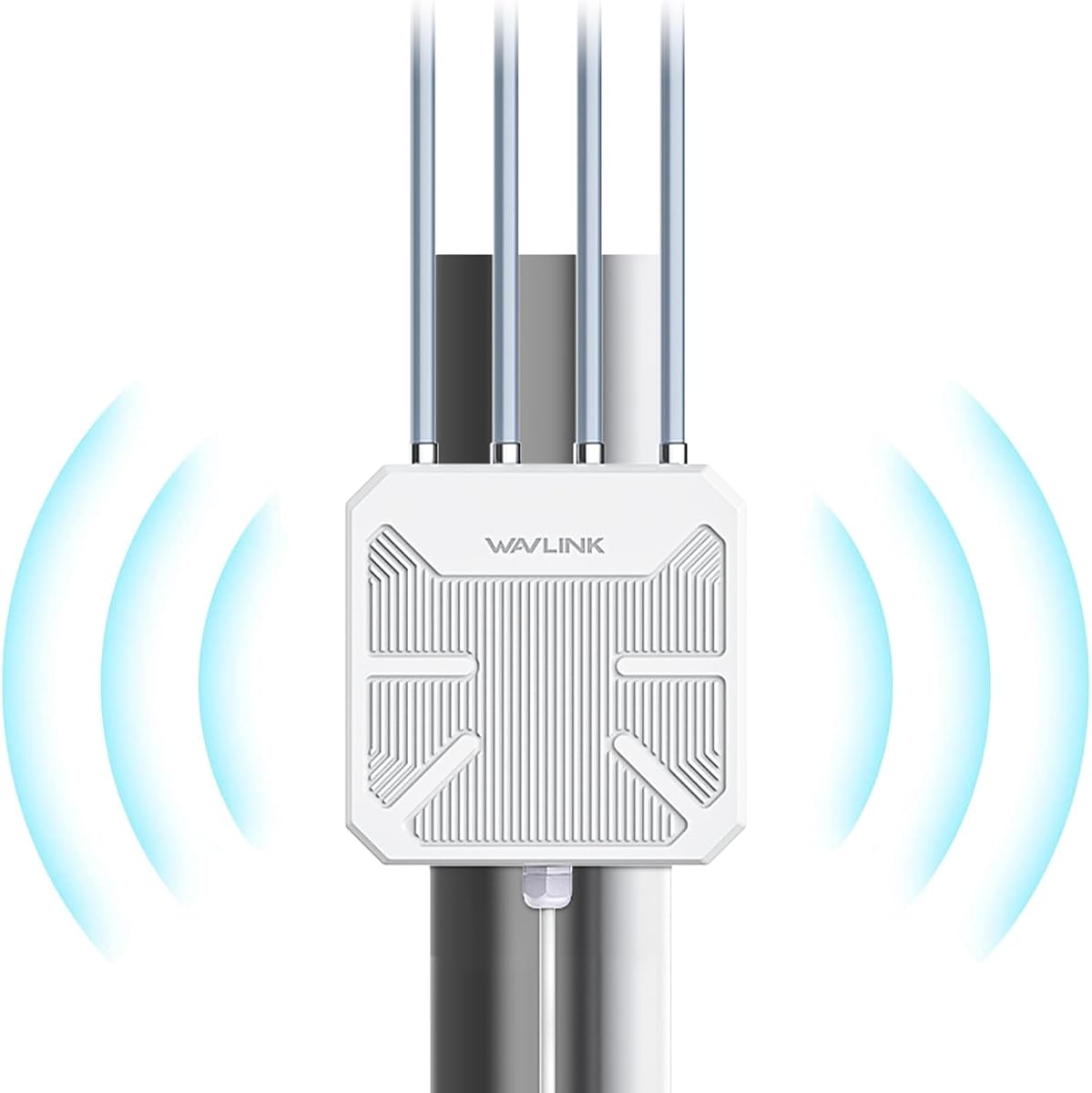
The WAVLINK AX3000 Outdoor WiFi 6 Extender is built for situations where an indoor repeater cannot realistically reach: detached garages, broad yards, farms, RV areas, and other open spaces. Its 4.2 rating reflects a capable outdoor platform with four detachable 8dBi omnidirectional antennas, two built-in amplifiers, and a stated 200-300-meter radius in suitable line-of-sight conditions. That range should be treated as an environmental maximum rather than a promise across every property.
We may earn a commission when you buy through this link, at no additional cost to you.
The enclosure carries an IP67 waterproof rating, while 15 kV ESD and 6 kV lightning protection add layers of suitability for exposed installations. It operates from minus 20 to 50 degrees Celsius and supports active 802.3af/at PoE as well as passive PoE. Power and data can therefore travel over one Ethernet cable, which is invaluable where a weather-resistant power outlet is unavailable.
Several cautions apply. The included or external PoE converter is not waterproof and must be sheltered. The system recommends CAT5E or better Ethernet cabling no longer than 100 meters, and a proper outdoor installation should account for grounding and weatherproof cable entry. Mesh mode is available only with other WAVLINK products, so a buyer should not assume interoperability with a mixed-brand mesh network.
This is the pick for outdoor coverage where long-range antennas, rugged construction, and remote power options outweigh the simplicity of a plug-in indoor unit. It is particularly relevant to users connecting a second building, extending coverage toward an RV or pool area, or linking an outdoor camera system. Installation planning and correct PoE placement are essential to achieve the intended result.
Active and passive PoE support reduces the number of cables needed at outdoor sites. One properly rated Ethernet run can carry both power and data, although the non-waterproof converter should be placed in a protected enclosure.
The IP67 enclosure, surge and lightning protection, and broad operating-temperature range distinguish this model from a conventional indoor extender. These features are especially important where equipment is exposed to rain, snow, dust, and seasonal temperature changes.
We may earn a commission when you buy through this link, at no additional cost to you.
The WAVLINK AX1800 Outdoor WiFi 6 Extender offers an appealing mix of strong customer feedback, long-range hardware, and outdoor durability. It has a 4.4 rating, the highest among the listed WAVLINK models, and supports maximum dual-band rates of 1,201 Mbps at 5 GHz and 574 Mbps at 2.4 GHz. The radio is intended for stable outdoor links and compatible WiFi devices rather than as a substitute for a high-speed wired service.
We may earn a commission when you buy through this link, at no additional cost to you.
Four detachable 8dBi fiberglass antennas and two amplifiers support a stated 200-300-meter radius in line-of-sight environments and up to 256 connections. The IP67 sealed casing resists moisture and dust, with listed protection against 6 kV lightning and 15 kV static discharge. It also supports Starlink Gen 2 and Gen 3 through the appropriate Ethernet adapter, making it a practical option for rural homes, remote properties, and off-grid internet arrangements.
The installation still requires care. The PoE adapter is not waterproof, and the manufacturer advises CAT5E or better cable up to 100 meters. Users can choose from Mesh, AP, Router, Repeater, and AP-plus-Repeater modes, but Mesh is limited to the WAVLINK series. This makes the product flexible within its own ecosystem but less attractive for a household that wants mixed-brand mesh components.
This is a strong recommendation for a large yard, farm, estate, garage, RV parking area, or detached office with a clear outdoor path to the source network. It may be overkill for a conventional living room, and its AX1800 class is less ambitious than the AX3000 outdoor alternatives. Buyers should focus on placement, line of sight, and a protected PoE connection rather than assuming the stated radius will be reached through every obstacle.
Starlink compatibility through the Ethernet adapter extends the device's relevance to rural and off-grid users. The extender can create local dual-band WiFi coverage where the satellite service itself arrives over Ethernet.
The four 8dBi antennas are designed to distribute coverage broadly rather than concentrate it in a single narrow direction. This is useful around yards and outbuildings, although walls, terrain, vegetation, and other obstructions can reduce the stated range.
We may earn a commission when you buy through this link, at no additional cost to you.
The WAVLINK AX3000 Outdoor WiFi 6 Extender is configured for outdoor or indoor deployments that may involve many connected clients. Its 4.0 rating is the lowest among the products in this guide, but its specifications distinguish it from ordinary indoor repeaters. It supports combined maximum rates of 2,402 Mbps at 5 GHz and 573 Mbps at 2.4 GHz, along with Mesh, AP, Router, Repeater, and AP-plus-Repeater modes.
We may earn a commission when you buy through this link, at no additional cost to you.
Six 7dBi omnidirectional antennas and two built-in amplifiers provide broad coverage potential, while the stated capacity reaches more than 256 simultaneous devices. That makes it relevant to shared outdoor spaces, smart-home installations, large properties, and commercial-adjacent deployments with many phones, cameras, speakers, or other connected equipment. A single gigabit-class Ethernet connection provides backhaul and power when paired with an appropriate PoE solution.
The enclosure has an IP67 waterproof rating and lists 15 kV ESD and 6 kV lightning protection. It operates between minus 20 and 50 degrees Celsius, but the product information specifically recommends adding a ground wire to reduce the risk of static or lightning damage. The PoE converter also requires protection from water, and CAT5E or better Ethernet cable should remain within 100 meters.
This unit makes the most sense when device count and broad outdoor coverage are the main priorities. A homeowner covering a modest yard may find the AX1800 or AX3000 four-antenna model more streamlined, while a household with a modern WiFi 6 router and uncomplicated indoor requirements may prefer a simpler TP-Link model. Correct grounding, cable routing, and sheltered power components are non-negotiable for dependable outdoor use.
A stated capacity above 256 devices makes this suitable for environments where many clients may connect at once. Actual performance still depends on the upstream connection, radio conditions, device capabilities, and traffic type.
Weather resistance and surge protection reduce environmental risk but do not eliminate lightning or static exposure. The manufacturer recommends a ground wire, so professional installation may be appropriate for exposed or high-value deployments.
We may earn a commission when you buy through this link, at no additional cost to you.
The TP-Link RE315 is a practical choice for extending an ordinary home network without introducing a complex outdoor system. It has a 4.2 rating and operates as a dual-band AC1200 extender, with up to 867 Mbps on the 5 GHz band and 300 Mbps on 2.4 GHz. It is a familiar WiFi 5 design, yet that lower generation is still entirely suitable for browsing, video calls, streaming, and routine connected-device use.
We may earn a commission when you buy through this link, at no additional cost to you.
Two adjustable external antennas support a stated maximum coverage area of 1,500 square feet and up to 32 devices. Adaptive Path Selection helps the unit choose a better path, while One-Touch Connection and the Tether app simplify setup. A fast Ethernet port can serve a wired device, and the extender can connect to an EasyMesh-compatible router, although it is not compatible with Deco mesh systems.
The key limitation is speed relative to newer WiFi 6 and WiFi 7 hardware. As with every wireless extender, the product does not directly increase internet speed, and a poorly placed unit may reduce effective throughput by receiving and rebroadcasting the signal over the air. The Ethernet port offers a better path for a nearby device, but it is not Gigabit, unlike several higher-tier alternatives.
This is a sensible pick for a medium home with dead zones near a bedroom, office, or hallway and an existing WiFi 5 router. It is particularly attractive for users who value simple installation over advanced outdoor features. Buyers should install it where the router signal is still strong enough to receive, then use Ethernet backhaul if the available router and cabling permit it.
One-Touch Connection, WPS, and the Tether app offer several paths to configuration. The app's signal indicator is particularly useful for finding a midpoint where the extender can communicate with the router while serving the target room.
Separate 2.4 and 5 GHz radios allow compatible devices to use the band best suited to their capabilities. The 2.4 GHz band generally offers more tolerant coverage, while the 5 GHz band favors higher throughput when signal quality is sufficient.
We may earn a commission when you buy through this link, at no additional cost to you.
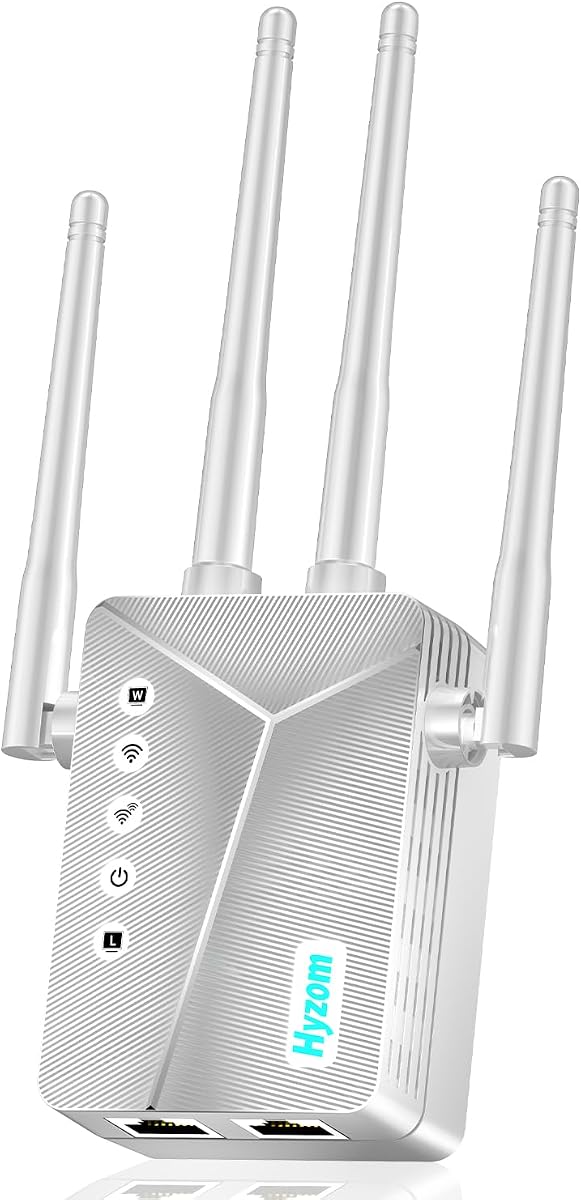
The Hyzom WiFi Extender Signal Booster is a budget-oriented indoor solution with a 4.9 rating, the highest numerical customer rating in this list. Its headline coverage claim reaches 18,000 square feet, and four high-gain antennas are designed to distribute a signal through walls into difficult areas such as bedrooms, garages, and basements. It is also designed to support more than 65 connected devices.
We may earn a commission when you buy through this link, at no additional cost to you.
Setup is straightforward. A user can use WPS for one-tap pairing or follow browser-based guided installation, and the product is described as compatible with standard routers without requiring replacement of existing equipment. A built-in Ethernet port allows a nearby computer, console, or television to use a wired connection, which can be more dependable than a weak wireless link. WPA2-PSK encryption is included for wireless protection.
The biggest reason for caution is the unusually broad 18,000-square-foot claim. Coverage is affected by construction, router placement, interference, and the number of walls involved, so the stated maximum is unlikely to represent a guaranteed usable area in every floor plan. The listing also provides fewer precise radio details than the TP-Link and WAVLINK products, making it harder to judge raw throughput in advance.
This model is a reasonable value-oriented option for a large home that has basic dead zones and needs broad indoor coverage without a complex multi-device setup. It is best for users who care more about extending a signal to an area than about WiFi generation or multi-gigabit wired performance. A wired backhaul or central placement can improve consistency, especially in homes with masonry or several floors.
The extender is designed to work with standard routers and does not require replacing the main networking equipment. WPS and browser setup also reduce the likelihood that users need to configure advanced networking parameters manually.
This unit offers a broad feature set at a budget-focused tier, including multi-device support and a wired port. It lacks the clearer band-speed and high-speed Ethernet specifications found in the premium models, making it most appropriate for typical household traffic.
We may earn a commission when you buy through this link, at no additional cost to you.
The TP-Link RE550 is a higher-capacity AC1900 indoor extender aimed at users who want more coverage and a faster wired port than a basic repeater can offer. It has a 4.3 rating, with maximum stated rates of 1,300 Mbps on 5 GHz and 600 Mbps on 2.4 GHz. Those totals make it a capable WiFi 5 option for homes that have not yet moved to WiFi 6 equipment.
We may earn a commission when you buy through this link, at no additional cost to you.
Three adjustable external antennas help direct coverage toward the intended area, and TP-Link states coverage of up to 2,100 square feet for as many as 32 devices. The gigabit Ethernet port can connect a nearby wired device or provide a backhaul connection. AP mode can create a WiFi hotspot from a wired network, while Adaptive Path Selection and automatic roaming help devices move between the router and extender.
As with other extenders, the unit cannot directly increase the speed provided by the internet service or main router. TP-Link notes that actual extender speeds may be 50% or less than current speeds because the data must be received and transmitted again. It also remains a WiFi 5 product, so the stated rates are lower than those of the WiFi 6 and WiFi 7 alternatives in the guide.
This is a good choice for a medium or large home that values a gigabit wired port, app-based control, and flexible operating modes. Buyers may use Ethernet backhaul to reduce wireless retransmission, and they can also connect a desktop directly. It is less appropriate for a shopper seeking a WiFi 6 upgrade, and Deco system owners should select a different solution.
The Ethernet port supports a wired path for nearby computers, televisions, and other devices. It can also accept the extender's upstream connection, helping preserve throughput in areas where a wireless backhaul would be less consistent.
Three adjustable external antennas allow the unit to be oriented after installation. A practical setup places each antenna toward the area that needs coverage while keeping the extender close enough to the main router for a strong incoming link.
We may earn a commission when you buy through this link, at no additional cost to you.
The ywstan WiFi Range Extender stands out for flexibility, pairing a 4.9 rating with two Gigabit Ethernet ports and five operating modes. It supports Repeater, AP, Router, Bridge, and Client configurations, allowing it to adapt to a home, office, or travel-oriented network rather than functioning only as a basic signal repeater. Four high-gain antennas and a smart signal chip support its broad multi-floor positioning.
We may earn a commission when you buy through this link, at no additional cost to you.
Its stated coverage reaches 18,888-plus square feet, and the product information says it can support more than 88 devices simultaneously. Those figures make it attractive for large residences with many connected products, although actual usable coverage still depends on the building and the quality of the incoming connection. WPA and WPA2 encryption, WPS setup, and compatibility with most routers simplify deployment.
A notable design detail is the dual-side symmetrical ventilation arrangement, intended to reduce heat accumulation that can cause shutdowns, signal attenuation, or disconnections. Two high-speed Ethernet ports allow simultaneous wired connections for devices such as game consoles and desktops, a meaningful advantage over single-port budget extenders. The listing still provides less precise band-rate information than the TP-Link products, so buyers should not infer a specific WiFi generation from the headline specifications alone.
This is a compelling recommendation for a large household that wants one extender to provide wireless coverage and two wired connections. It is also useful for users who may change operating modes as their network evolves. The huge coverage and device claims should be treated as maximum scenarios, so a small apartment may gain little from those headline numbers, and anyone with very heavy traffic should compare the more precisely specified alternatives.
Repeater and AP modes suit common coverage expansion, while Router, Bridge, and Client modes can serve more specialized arrangements. Having several modes available makes the unit easier to adapt to a router, existing network, or wired source.
Two Gigabit Ethernet ports let the extender serve more than one nearby wired device. That can reduce cable clutter and offer a stable alternative to WiFi for a gaming PC, television, or desktop in the extension area.
We may earn a commission when you buy through this link, at no additional cost to you.
The TP-Link RE403BE is the premium technology option in this guide, bringing dual-band WiFi 7 to an extender form factor. It has a 4.2 rating and supports maximum stated rates of 5,764 Mbps at 5 GHz and 574 Mbps at 2.4 GHz. When paired with a WiFi 7 router, it can use Multi-Link Operation, Multi-RUs, 160 MHz channels, and 4K-QAM to improve the behavior of compatible devices.
We may earn a commission when you buy through this link, at no additional cost to you.
Its 2.5 Gbps Ethernet port is another major attraction. That port can accommodate a multi-gigabit internet connection, a fast wired device, or a higher-capacity backhaul, making it more future-oriented than the Gigabit and Fast Ethernet alternatives. Four antennas use beamforming to support a stated 2,800-square-foot coverage area and up to 64 devices. AP mode is also available for turning a wired connection into a wireless network.
There is an important limitation: this is a dual-band extender and does not support the 6 GHz band. The benefits of WiFi 7 are most relevant when paired with a WiFi 7 router and recent compatible phones, laptops, and other clients. Older devices can still use the extender, but they will not receive WiFi 7-specific capabilities. As with all extenders, it expands coverage rather than increasing the source connection's speed.
This is the choice for a household investing in current-generation equipment, using a multi-gigabit plan, or wanting a 2.5 Gbps wired path. It is less compelling when the existing router and clients are limited to WiFi 6 or earlier. In such a case, the TP-Link AX3000 or a carefully placed outdoor WAVLINK model may deliver better value.
The 2.5 Gbps port is considerably more capable than the Fast Ethernet or Gigabit ports found on many extenders. It can support a multi-gigabit modem or provide a high-capacity link between the extender and a compatible router.
Multi-Link Operation and other advanced features need compatible hardware at both ends of the connection. Buyers with a WiFi 6 or older network should not expect the headline BE6300 total to translate into equivalent real-world performance.
We may earn a commission when you buy through this link, at no additional cost to you.
The Outdoor AX1800 WiFi Extender is a straightforward outdoor option for backyards, pools, garages, barns, farms, and RV areas. It has a 4.8 rating and uses dual-band WiFi 6 with stated rates of 574 Mbps at 2.4 GHz and 1,201 Mbps at 5 GHz. Six high-gain antennas are intended to provide broad long-range coverage, making the unit more suitable for open outdoor areas than ordinary indoor rooms.
We may earn a commission when you buy through this link, at no additional cost to you.
Three operating modes—Repeater, Router, and AP—cover the most common installation patterns. Repeater mode expands an existing network, Router mode can create an independent connection, and AP mode provides wireless access from a wired feed. A Gigabit Ethernet port supports stable wired connectivity, and the device accepts either a 24V DC adapter or PoE, offering flexibility where a nearby outlet is unavailable.
Its IP65 enclosure provides resistance to rain, dust, and outdoor temperatures, although it is not equivalent to the IP67 rating used by several WAVLINK models. The product listing does not provide the same detailed operating-temperature, humidity, surge, or lightning figures offered by those competitors. For installations in severe weather or exposed structures, those more precisely documented models may be easier to evaluate.
This is a good recommendation for a homeowner seeking a simpler outdoor unit with a broad antenna array and familiar three-mode design. The listed five-minute mounting claim should still be understood as a basic setup goal rather than the total time needed for proper cable routing, grounding, and weather sealing. Confirm PoE compatibility and place the unit where it can receive a strong source signal for the most consistent result.
Support for both a DC adapter and PoE lets the installer choose the easier option for the site. PoE is particularly useful for remote locations where a single Ethernet cable can carry power and data.
Six high-gain antennas and a dual-band radio suit broad outdoor areas where indoor routers struggle. A clear source connection and strategic placement remain essential, particularly around masonry walls and distant structures.
We may earn a commission when you buy through this link, at no additional cost to you.
The most effective extender is one that can receive a strong source signal, reach the intended area, and use a suitable wired or wireless backhaul. These factors help narrow the options before considering headline ratings or maximum speeds.
An indoor extender is appropriate for bedrooms, hallways, basements, and similar areas where the equipment will remain protected from weather. An outdoor unit needs a weather-resistant enclosure, suitable operating-temperature specifications, protected connections, and consideration of lightning, static discharge, moisture, and dust. Products described as IP65 or IP67 indicate different levels of ingress protection, but the rating alone does not eliminate the need for careful sealing and cable installation.
Choose an outdoor-rated model for a backyard, pool, garage, farm, barn, or detached office. Choose an indoor model for conventional living spaces to avoid paying for unnecessary environmental hardening.
The extender cannot offer capabilities the source router lacks. WiFi 6 products are a practical middle ground for modern dual-band networks, while WiFi 7 is most useful when paired with a WiFi 7 router and compatible client devices. A WiFi 5 extender can still provide effective coverage in a home built around older routers, especially for ordinary browsing, calls, and streaming.
Match the extender to the existing router and the devices that will use it. Newer standards improve the ceiling of performance, but placement and backhaul quality remain more important than the label in many homes.
High-gain and detachable antennas can improve reach, especially in open areas with a clear line of sight. The stated 200-300-meter radius on the outdoor WAVLINK models represents a favorable maximum, not a guaranteed distance through buildings, dense vegetation, or rolling terrain. Indoor coverage claims such as 1,500, 2,400, 2,800, and 18,000 square feet also depend heavily on floor plans and construction.
Pay attention to adjustable or detachable antennas and the number of directional or omnidirectional elements. Ask whether the area has walls, terrain, or other obstructions, and choose a model designed for that environment.
A wireless extender receives the router's signal and sends it onward, which can reduce throughput and introduce delay. Ethernet backhaul creates a dedicated path and is often more consistent for gaming, large downloads, video calls, and busy smart-home networks. The available port speed also determines whether the wired path can carry gigabit or multi-gigabit traffic.
Use Ethernet whenever a practical cable route exists, especially in high-traffic locations. Choose a model with a Gigabit port for common networks or a 2.5 Gbps port when the router, modem, and local devices support multi-gigabit service.
Repeater mode is convenient for expanding a wireless network, while AP mode can create a new wireless network from a wired connection. Router, bridge, and client modes can support more specialized arrangements. Mesh compatibility is valuable when the goal is one network name and easy roaming, but some products restrict mesh functions to their own brands. TP-Link's listed models support EasyMesh-compatible routers but are not compatible with Deco systems.
Check the exact router and mesh ecosystem before buying. Also consider whether the device should remain a separate network or should support automatic movement between access points and the main router.
A stated capacity of 32, 64, 65-plus, 88-plus, or more than 256 devices is only a useful guide to intended scale. The upstream internet speed, device capabilities, radio congestion, and applications in use determine actual performance. A modest extender can be overwhelmed by multiple 4K streams, cloud backups, and high-bandwidth downloads, while a higher-capacity unit may still be limited by a weak router connection.
Estimate the number of regular users, smart devices, cameras, and streaming endpoints rather than counting every temporary guest connection. For a busy household, prioritize stable backhaul and efficient dual-band operation over a dramatic square-footage claim.
WPS and one-button pairing make basic installation fast, but a clear process for entering router credentials, selecting a band, positioning the unit, and confirming the best link is equally important. App-based tools such as TP-Link Tether can offer signal indicators, firmware updates, and management features. Browser-based installation is useful when a router does not support WPS or when the buyer wants more direct control.
Favor a product with straightforward setup and guidance for finding the correct position. Remember that the extender should usually sit between the router and the weak area, where it can still receive a strong source signal.
Outdoor locations often lack a conveniently placed power outlet. PoE can carry power and data over a single Ethernet cable, reducing installation complexity. Some products support both active 802.3af/at and passive PoE, but the correct injector, switch, or adapter is required. The non-waterproof PoE converter mentioned in the WAVLINK listings must be enclosed or otherwise protected.
Use outdoor-rated CAT5E or better Ethernet, observe the stated maximum cable length, protect cable entry points, and follow grounding guidance where applicable. For large farms, exposed installations, or buildings with metal roofs, professional installation may be the safer choice.
Begin by identifying the target area and the best source connection. Plug the extender into an outlet or install it where it can receive a strong signal from the main router, but not so far away that it creates a second dead zone. For a wired installation, run Ethernet to the location first and consider a cable route that avoids interference from power cords and large metal objects.
Connect the extender using WPS or the manufacturer's app or browser interface, then confirm that the main router and extender are using compatible security settings. Test the signal before moving devices permanently, check both the 2.4 and 5 GHz bands where appropriate, and compare performance near the extender with performance near the router. If results are weak, adjust the placement or use Ethernet backhaul rather than adding more extenders without diagnosing the source signal.
For outdoor equipment, protect the PoE converter, use suitable cable and weather-sealed connectors, and follow the grounding instructions supplied with the product. Periodically check firmware through the applicable app or manufacturer site, inspect connections for water ingress or physical damage, and avoid rearranging the antenna orientation after setup unless coverage is being reevaluated. Do not expect an extender to raise the speed of the underlying internet service.
There is no single fixed range because walls, floors, appliances, terrain, interference, antenna design, and the source signal all affect results. The outdoor WAVLINK models claim a 200-300-meter radius in suitable line-of-sight environments, while indoor models advertise coverage based on floor area. Expect shorter effective reach through masonry or multiple floors, and place the unit where it can still receive a strong source signal.
No. An extender improves coverage and can make a weak connection more reliable, but it does not increase the speed supplied by your internet service or router. A wireless extender may reduce throughput because data travels to the extender and then back out to the client. Wired backhaul, a better router, or a faster internet plan is needed to improve the underlying connection speed.
An access point is generally better when it can receive a reliable Ethernet connection because it creates WiFi coverage without rebroadcasting the same data over the air twice. A repeater is more convenient when running cable is difficult. The best result comes from a wired access point placed where clients need coverage, while a repeater is useful for extending an existing wireless network into a nearby dead zone.
A WiFi 7 extender can work with a WiFi 6 router, but advanced WiFi 7 features require compatible equipment at both ends. The RE403BE is most worthwhile with a WiFi 7 router and recent client devices, particularly when its 2.5 Gbps port can be used. A WiFi 6 extender is usually a more balanced choice for an existing WiFi 6 network.
Often, yes. The outdoor WAVLINK products support active and passive PoE, allowing power and data to travel over one Ethernet cable. You need the correct PoE source and a compatible adapter, and the non-waterproof converter must be protected from weather. CAT5E or better Ethernet should be used within the manufacturer's stated 100-meter limit.
A strong indicator only confirms that some signal is reaching the extender; it does not guarantee that the link is fast, uncongested, or close to the router. The extender may also be too close to the source, competing with it on the same channel, or rebroadcasting a congested signal. Try a different location, connect by Ethernet, update the firmware, and compare speed tests near the router and extender.
Use as few as necessary, because each wireless link can add delay and reduce available throughput. One well-placed unit may solve a single dead zone, while a large property may need a properly designed mesh system or multiple wired access points. Begin with the largest problem area and improve the backhaul before adding additional wireless repeaters.
Some models are advertised for 65, 88-plus, 256, or more than 256 connections, but that figure describes a capacity target rather than guaranteed performance for every device type. Concurrent streaming, cloud backups, security cameras, and smart-home activity all consume bandwidth. The upstream connection, router capability, radio congestion, and client devices determine whether the stated capacity feels usable in practice.
The TP-Link AX3000 is the most balanced indoor recommendation, combining WiFi 6, a gigabit Ethernet port, app-guided setup, and EasyMesh compatibility. The TP-Link BE6300 stands above it for buyers with WiFi 7 equipment, while the Hyzom extender provides an approachable indoor option with a 4.9 rating, broad coverage positioning, and straightforward setup.
Prioritize the source connection, backhaul, and environment before focusing on headline figures. Indoor users should assess floor area, Ethernet availability, and router compatibility; outdoor users should examine IP ratings, antenna design, PoE requirements, surge protection, grounding, and operating temperatures. A modest model with a strong signal and sensible placement can outperform a more advanced extender placed beyond reliable reception.
Before buying, verify the current listing, compatibility details, included accessories, and installation requirements. Prices and availability can change, and promotional offers may influence which option seems most affordable. The right purchase is ultimately the one that can connect cleanly to the existing router and deliver dependable service in the specific area that needs coverage.