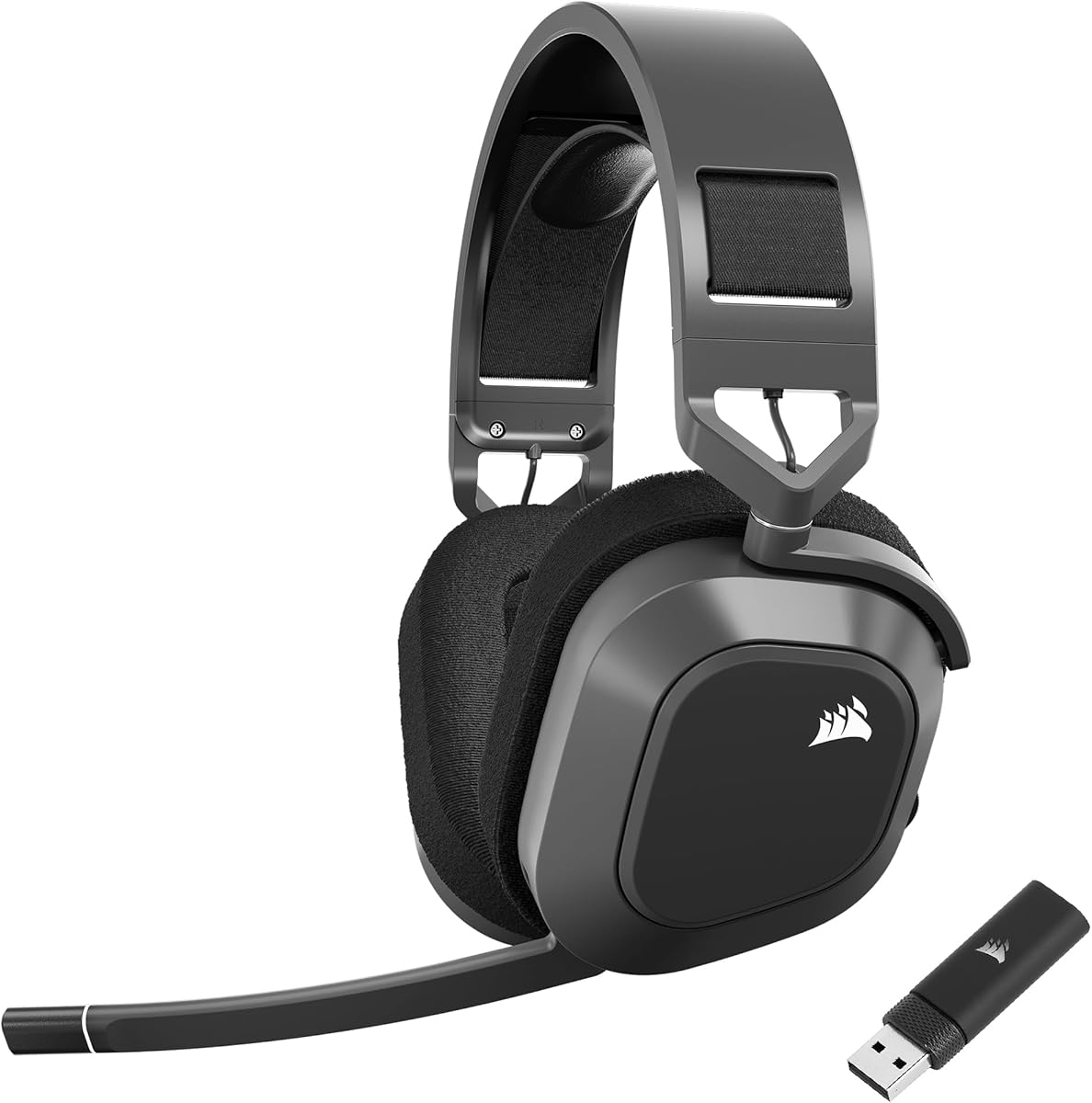
Corsair HS80 MAX Wireless
4.2Editor score
Low-latency 2.4GHz wireless
Bluetooth mobile connectivity
Up to 65-hour battery life
Floating headband comfort design
Compare the best Mac gaming headsets for wireless performance, audio quality, microphones, comfort, connectivity, and everyday versatility.
Mac gaming headsets should do more than connect cleanly. They need to deliver clear directional audio, comfortable long-session wear, dependable voice chat, and controls that work naturally with a Mac. The right model depends on whether you favor wireless freedom, precise competitive play, or a durable wired setup.
We compared all ten featured models using their listed specifications, platform support, audio characteristics, microphone designs, connection options, comfort features, and customer ratings. The guide covers wired, 2.4GHz wireless, and Bluetooth designs for Mac, PlayStation, PC, Switch, and mobile use.
Each review explains the most useful strengths, limitations, and ideal buyer so you can narrow the field confidently. Product ratings and retail pricing can change over time, so verify the latest listing details and Mac compatibility before purchasing.
4.2Editor score
4.3Editor score

4.4Editor score
The comparison below highlights connection style, driver configuration, microphone design, comfort features, and platform coverage to help Mac gamers find the most practical headset for their setup.




The Corsair Void RGB Elite Wireless is a refined all-around option for Mac gamers who want strong audio, reliable voice communication, and the freedom of a 2.4GHz connection. Its 4.3 customer rating reflects a broadly favorable balance of features. The headset pairs custom-tuned 50mm high-density neodymium drivers with an expanded 20Hz to 30,000Hz frequency range, giving it enough detail for environmental effects, dialogue, and directional cues.
We may earn a commission when you buy through this link, at no additional cost to you.
Its strongest features are practical rather than ornamental. The included USB adapter supports low-latency wireless play on a compatible Mac, while the breathable microfiber mesh and plush memory foam earpads help manage heat and pressure during extended sessions. The aluminum yokes add durability, and the omnidirectional microphone uses a simple flip-up mute action. A built-in LED clearly communicates when the microphone is muted, which is useful during focused play.
The main compromise is platform flexibility. Its listed wireless support centers on PC, PS5, and PS4 rather than a broad mix of Bluetooth-enabled devices. Mac compatibility is explicitly included, but buyers should confirm that their preferred connection method and game platform are covered. The lack of a stated spatial-audio mode also makes it less distinctive than some competing premium models.
This is a strong recommendation for a Mac gamer who prioritizes detailed sound, comfortable padding, durable construction, and a straightforward low-latency wireless experience. It works especially well for players who also use PlayStation and want one capable headset across those systems.
The custom-tuned 50mm drivers cover a broad frequency range and are designed to reveal light footsteps, vocal cues, and larger environmental effects. That makes the Void RGB Elite a sensible fit for games where locating distant activity can influence the outcome.
Breathable microfiber mesh helps reduce the stuffy feeling associated with fully enclosed headsets, while memory foam cushions provide a softer seal. Aluminum yokes reinforce the structure without making comfort depend on delicate plastic hinges.
We may earn a commission when you buy through this link, at no additional cost to you.
The Valorise Wireless 7.1 Headset combines an extensive connection system with surround audio, adjustable lighting, and exceptional stated battery endurance. Its 4.4 rating makes it one of the strongest-rated products in the group. For Mac users, the USB and Type-C 2.4GHz transmitters provide low-latency wireless play, while Bluetooth 5.4 adds flexibility for phones and tablets.
We may earn a commission when you buy through this link, at no additional cost to you.
The headset supports two ways to use its surround feature. Holding the M key activates the 7.1 mode intended to provide a wider cinematic presentation, while double-clicking the key activates the light and single-clicking switches between steady and gradient effects. Its dynamic drivers are described as delivering deep bass and clear highs, making the design appealing to players who enjoy both competitive cues and a more dramatic presentation.
Battery flexibility is one of its defining advantages. The listed maximum is 100 hours in Bluetooth mode with lighting and the microphone disabled, while 2.4GHz use with lighting and microphone enabled is stated at 45 hours. It can also be charged while in use, and a 3.5mm connection remains available when wireless operation is unsuitable. That makes the headset easier to adapt to changing gaming and communication needs.
The retractable 360-degree noise-canceling microphone is another useful feature, particularly for team chat. The rotating ear cups, memory sponge cushions, and breathable fabric aim to prevent pressure and heat buildup. The main limitation is console compatibility: wireless operation does not work with Xbox Series consoles, and PS5 requires the 2.4GHz dongle rather than Bluetooth. For Mac-first buyers who play across several non-Xbox platforms, however, it is an unusually versatile recommendation.
The USB and Type-C 2.4GHz dongles support low-latency gaming, Bluetooth 5.4 serves mobile devices, and the included 3.5mm cable offers a wired fallback. This layered approach makes the headset practical across changing setups.
The stated 100-hour maximum relies on Bluetooth with lighting and microphone disabled, while the more demanding 2.4GHz configuration offers a smaller figure. Checking those conditions makes it easier to estimate realistic battery performance.
We may earn a commission when you buy through this link, at no additional cost to you.
The Razer Kraken V4 X is a clean, wired solution for Mac gamers who value predictable connections, recognizable gaming features, and a compact form. It carries a 4.4 rating and avoids the complexity of charging, pairing, or managing separate wireless modes. The included convertible cable supports both USB-C and Type-A, making it straightforward to use with compatible Macs and other devices.
We may earn a commission when you buy through this link, at no additional cost to you.
Razer’s three-part 40mm TriForce driver design separates high, low, and mid frequencies to produce a more dynamic presentation. The included 7.1 surround mode is intended to reproduce a game’s sound design more convincingly, which can add atmosphere to shooters, role-playing games, and simulations. It is also relevant for music and video, although gaming remains the central focus.
The retractable HyperClear cardioid microphone is a sensible choice for voice chat. Its directional pickup pattern is designed to capture more of the user’s voice and less surrounding noise, and retracting it protects the capsule and removes it from view when not needed. Hybrid fabric and leatherette memory foam cushions offer a softer interface than basic foam pads, while the close-fitting earcups are intended to improve isolation and comfort.
The wired format is the principal limitation, particularly if you alternate between a desktop and a laptop while moving around. There is also no Bluetooth mode for phone calls or media. Even so, the Kraken V4 X is a convincing recommendation for someone who prefers a consistent Mac connection, appreciates a well-integrated surround mode, and does not need headset portability.
A physical connection avoids wireless pairing delays, battery concerns, and interference. The convertible USB-C and Type-A cable gives Mac users a straightforward path to their preferred port.
The cardioid microphone emphasizes the sound directly in front of it while reducing off-axis noise. Its retractable construction also helps protect the mic and keeps the profile clean when it is not needed.
We may earn a commission when you buy through this link, at no additional cost to you.
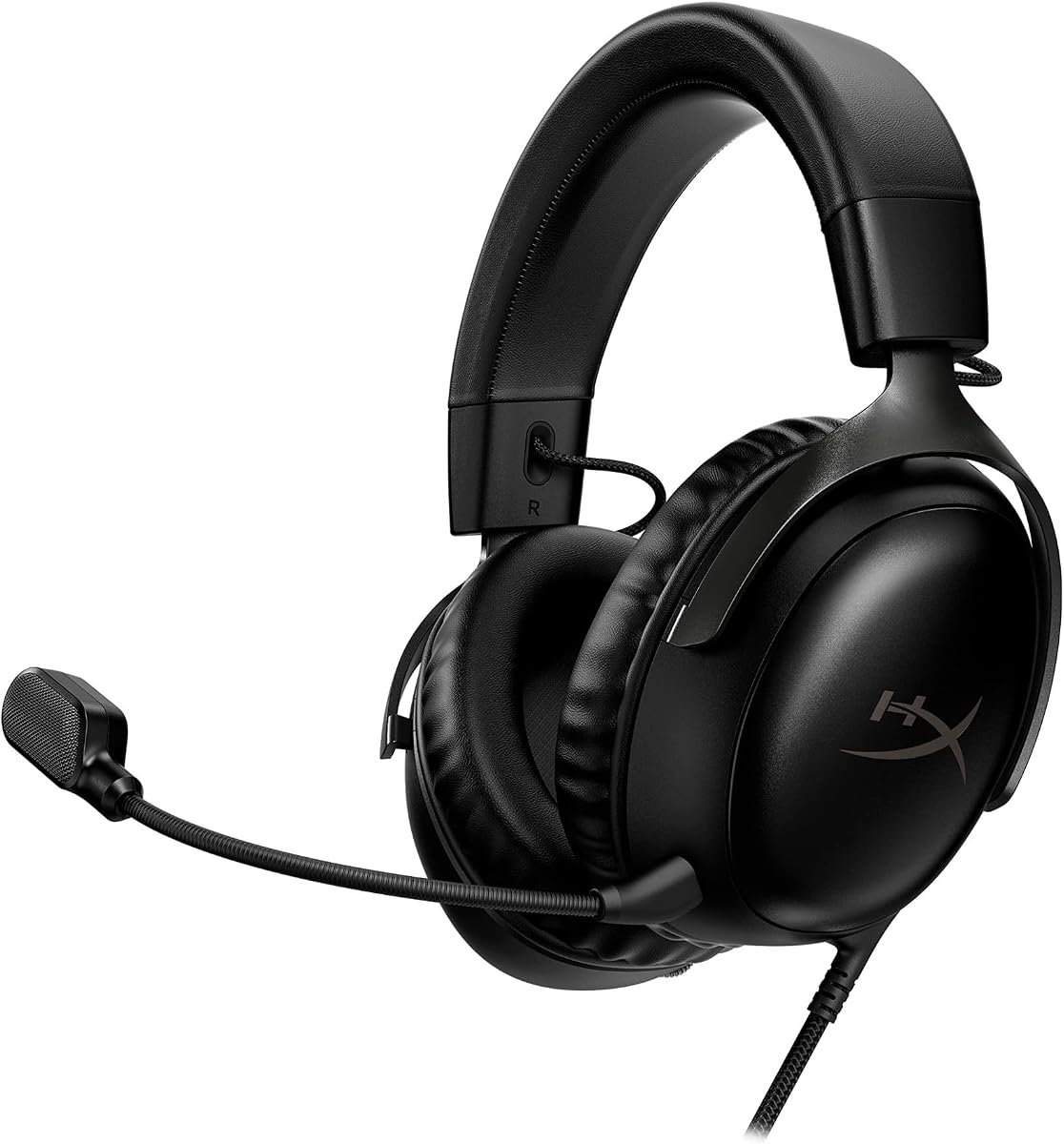
The HyperX Cloud III in black is a balanced, established-style gaming headset with broad connector support and a durable frame. Its 4.3 rating reflects a well-rounded package for Mac gamers. The angled 53mm drivers were tuned by HyperX engineers to accent dynamic game sounds, giving the headset more driver size than the 40mm alternatives in this list without moving into the larger 50mm category.
We may earn a commission when you buy through this link, at no additional cost to you.
Its microphone is designed for practical team communication. The 10mm unit is noise-canceling, includes a mesh filter to reduce disruptive sounds, and has an LED indicator that makes the mute state obvious. A rotating or detachable boom places the microphone near the mouth for clearer speech, while the suspension-style design allows it to sit out of the way when not in use.
Physical durability is a central strength. The flexible headset uses an aluminum frame to better withstand travel, accidental knocks, and the repeated handling that comes with competitive gaming. Memory foam earpads support extended wear, and the solid construction avoids the fragile feel associated with lightweight plastic headsets. A wired format keeps latency at a minimum and removes the need to recharge anything.
The headset's size may be the main consideration for some users. The large earcups are designed to envelop the ears, which can improve isolation but may feel less comfortable for smaller head shapes. The wired design also prevents phone switching without a separate cable. Overall, the Cloud III is a strong choice for Mac players who want a durable headset, flexible connection options, and a comfortable, familiar gaming profile.
The 53mm drivers are angled to direct sound toward the ears, while the tuning is intended to highlight dynamic game effects. Together, they offer a fuller sound than many compact wired gaming headsets.
The aluminum frame and flexible construction are designed to tolerate frequent use and travel. Memory foam cushions add comfort, though the substantial earcup size remains an individual preference.
We may earn a commission when you buy through this link, at no additional cost to you.
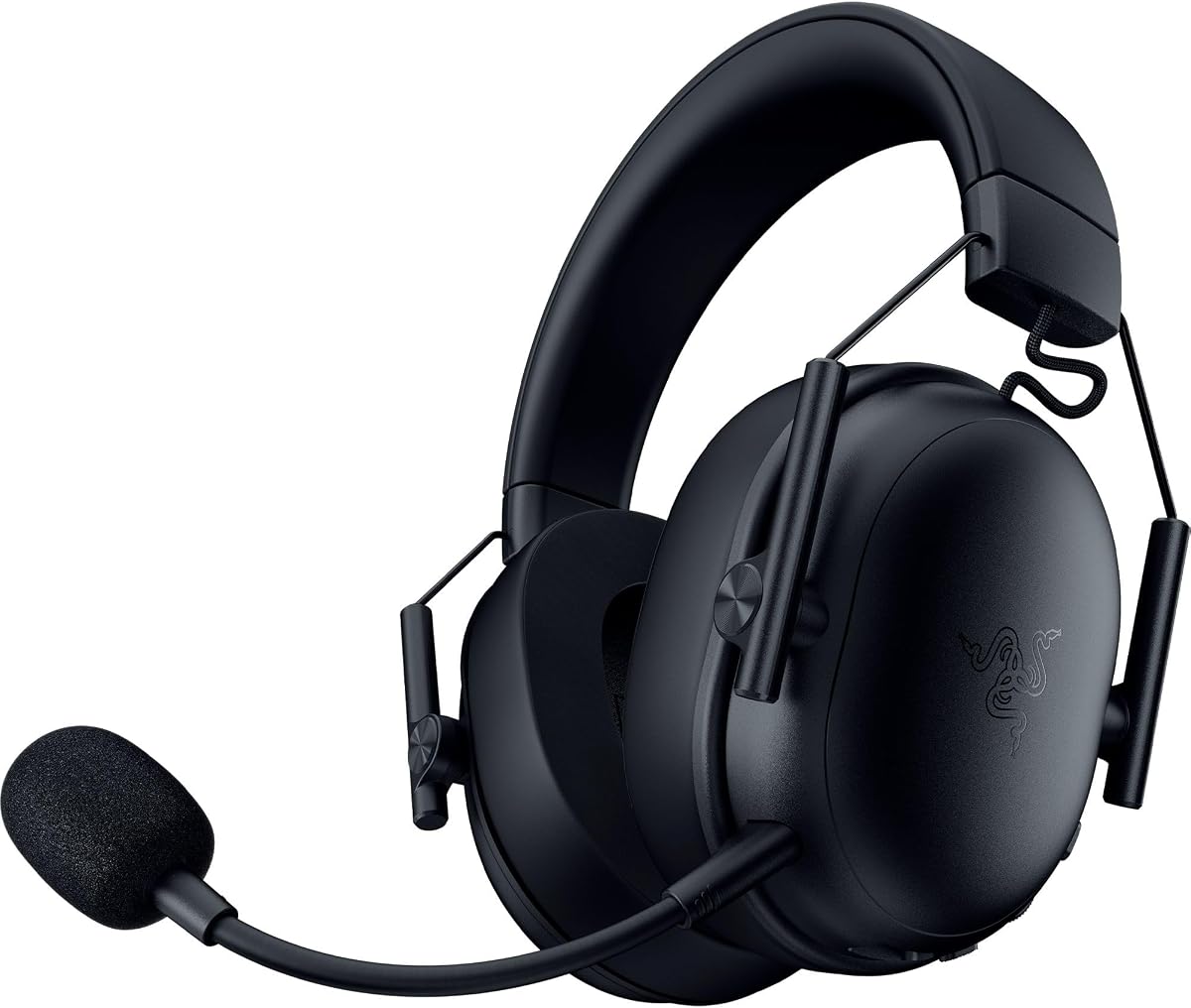
The Razer BlackShark V3 X HyperSpeed Wireless combines low-latency 2.4GHz gaming with a notably light 270-gram design. Its 4.2 rating makes it a compelling option for Mac players who want wireless freedom without the heavier feel associated with some full-size gaming headsets. The updated Gen-2 50mm drivers are tuned for clarity and positional performance, with particular attention paid to footsteps and directional audio cues.
We may earn a commission when you buy through this link, at no additional cost to you.
SmartSwitch Dual Wireless allows the headset to work across 2.4GHz and Bluetooth. The 2.4GHz mode is intended for low-latency PC and console gaming, while Bluetooth supports compatible mobile use. A USB wired option is also provided for non-stop play. The 7.1 surround mode adds a broader soundstage for games that benefit from a more cinematic presentation.
The detachable 9.9mm HyperClear cardioid microphone uses a unidirectional pattern to favor the user's voice over surrounding noise. Removing it entirely makes the headset easier to pack and use for music or travel. Its lightweight construction, plush earcups, and reduced overall weight are especially helpful during long sessions, while the smaller frame may feel less enveloping than bulkier alternatives.
The main unanswered detail is battery life because the supplied specifications do not provide a runtime figure. Wireless users will therefore need to account for charging and may want to keep the wired connection nearby. Even with that caveat, the BlackShark V3 X is a strong fit for competitive Mac gamers who prioritize low weight, positional sound, and flexible wireless operation.
The 270-gram target reduces the neck and head fatigue that can develop with heavier headsets. Plush earcups and wireless freedom make it well suited to long gaming blocks and travel between locations.
The low-latency 2.4GHz connection is the primary mode for gaming, while Bluetooth and USB broaden the headset's use. The Gen-2 50mm drivers are specifically tuned to improve positional clarity.
We may earn a commission when you buy through this link, at no additional cost to you.
The Corsair HS80 RGB Wireless is built for Mac gamers who want a premium mix of detailed audio, low-latency wireless performance, and PC-focused spatial processing. Its 4.1 rating is the lowest among the three Corsair options here, but the underlying specifications are substantial. Custom-tuned 50mm high-density neodymium drivers cover a 20Hz to 30,000Hz frequency range for fine environmental detail.
We may earn a commission when you buy through this link, at no additional cost to you.
The standout feature is immersive Dolby Atmos on PC. It positions sounds around the listener with three-dimensional precision, adding a strong sense of space to compatible games. This makes the headset particularly compelling for single-player adventures, atmospheric titles, and games where environmental ambience matters as much as competitive footstep awareness.
Corsair's SLIPSTREAM wireless technology emphasizes extremely low latency and high-quality audio so shots, steps, and voices arrive promptly. The broadcast-grade omnidirectional microphone captures speech clearly and uses a flip-up mute control with a built-in LED indicator. That action is intuitive: raising the microphone mutes it, while lowering it restores communication.
The principal limitation is that Dolby Atmos is specifically called out for PC, so Mac users gain the deepest spatial benefit while other platforms may offer a less advanced presentation. The 4.1 rating also suggests the experience is not as universally favored as the higher-rated alternatives. Even so, the HS80 RGB Wireless is a strong recommendation for Mac players who prioritize immersion, full-range audio, and durable wireless construction.
Dolby Atmos is designed to place game sounds around the listener with greater precision than conventional stereo. On a compatible Mac with PC, it is the model's most distinctive listening feature.
SLIPSTREAM focuses on low-latency delivery and high-quality wireless audio. The 50mm drivers and wide frequency range add detail, while the flip-up mic provides a clear and easily verified mute state.
We may earn a commission when you buy through this link, at no additional cost to you.
The HyperX Cloud III in white leads this roundup with a 4.6 customer rating and a broad set of platform-focused features. It is particularly practical for Mac gamers who want one wired headset across computers, consoles, and compatible mobile devices. USB-C, USB-A, and 3.5mm connections are included, while the listed platform support covers PC, PS5, PS4, Xbox Series X|S, Xbox One, Nintendo Switch, Mac, and mobile devices.
We may earn a commission when you buy through this link, at no additional cost to you.
The 53mm drivers are angled and tuned by HyperX engineers to accent dynamic gaming sounds. A noise-canceling 10mm microphone captures voice chat clearly, while its mesh filter reduces disruptive environmental sounds. An LED mute indicator communicates the microphone state at a glance, and physical earcup controls let you adjust headphone volume or mute without entering a game or system menu.
Comfort and durability are especially strong for this version. Memory foam appears in the headband and ear cushions, with soft leatherette wrapping the latter. The full metal frame is designed to resist the flexing and damage that can occur with frequent travel and heavy use. The white finish gives the familiar Cloud III design a more distinctive appearance for buyers who prefer light-colored peripherals.
There is no wireless mode, so the headset cannot switch seamlessly to phone calls or move freely away from the computer. Some users may also find the earcup size less suitable for smaller heads. Despite those limitations, the highest rating in the group, extensive compatibility, physical controls, and proven comfort make this Cloud III version an excellent all-round Mac gaming recommendation.
USB-C, USB-A, and 3.5mm connectors allow easy use across compatible Macs, consoles, and mobile devices. The broad platform list makes this a practical choice for a multi-device gaming setup.
Memory foam in the headband and cushions spreads contact pressure, while the full metal frame improves durability. Earcup volume and mute controls provide quick access during competitive or communication-heavy play.
We may earn a commission when you buy through this link, at no additional cost to you.
The Razer Barracuda X Chroma Wireless is a versatile headset for Mac players who regularly move between gaming and everyday communication. It holds a 4.3 rating and supports two wireless systems: 2.4GHz for low-latency PC or console play and Bluetooth for phones. SmartSwitch Dual Wireless can maintain connections to a 2.4GHz device and a Bluetooth device at the same time.
We may earn a commission when you buy through this link, at no additional cost to you.
Its stated 70-hour battery life provides ample room for extended play and regular commuting. The detachable HyperClear cardioid microphone improves packability and reduces background noise in team chat. For everyday listening, the headset supports music and video, making it more versatile than a gaming-focused design with a permanently attached boom.
Razer's TriForce 40mm drivers use a three-part design intended to separate highs, mids, and lows without muddying the presentation. The Chroma lighting adds six-zone earcup illumination with a large selection of colors and effects, including compatibility with many games and devices. That customization is appealing for desktop setups where the headset is part of the overall visual design.
The 285-gram weight and breathable memory foam cushions favor long-session comfort, while swiveling earcups help create a secure fit. Xbox compatibility is explicitly excluded, making this less universal than some wired alternatives. The 40mm drivers are also smaller than those in several competitors. Even so, the Barracuda X Chroma is a strong fit for Mac gamers who value wireless flexibility, lighting, long battery life, and mobile use.
SmartSwitch Dual Wireless can keep 2.4GHz and Bluetooth connections active together. This is useful when a Mac game is running while a phone call or media playback arrives on a mobile device.
Six-zone earcup lighting offers extensive color and effect choices across a wide device and game ecosystem. It adds visual personality without changing the headset's core wireless functionality.
We may earn a commission when you buy through this link, at no additional cost to you.
The Ozeino OW810 Wireless offers a straightforward way to add wireless gaming audio to a Mac. Its 4.2 rating reflects a capable but uncomplicated feature set. A 2.4GHz USB and Type-C connection provides real-time gaming audio with stated delay below 30 milliseconds, while 50mm drivers are intended to deliver meaningful bass and accuracy for footsteps, reloads, voices, and other critical cues.
We may earn a commission when you buy through this link, at no additional cost to you.
The included two-in-one transmitter is central to compatibility. It must be assembled as a complete unit for use with PS-series systems, PCs, laptops, and Macs, and cannot operate as separate USB or Type-C pieces. The listed platform coverage includes PS5, PS4, PC, Mac, laptop, and Switch, although Bluetooth on Mac, PS5, PS4, or PC requires an extra USB Bluetooth adapter that is not included.
For everyday convenience, the earcup controls manage volume, mute, phone calls, media, and lighting. A 3.5mm wired mode is available, but the product details specify that it supports music and calls rather than the same gaming functions. This distinction makes 2.4GHz the recommended mode for Mac gaming and avoids relying on the analog connection for titles without chat support.
Its stated 40-hour battery class makes it a more conventional wireless option than models designed for maximum endurance. The compact name does not describe every physical dimension, so buyers should still examine the fit. Overall, the OW810 is a useful recommendation for cost-conscious Mac gamers who want 50mm drivers, wireless audio, and convenient controls without expecting advanced spatial processing or seamless Bluetooth switching.
The 2.4GHz mode is designed for smooth, responsive game audio and is the recommended route for Mac and console gaming. Its stated delay below 30 milliseconds prioritizes timing over Bluetooth convenience.
Bluetooth is not a direct wireless option for Mac, PS5, PS4, or PC with this model. Those systems require an additional USB Bluetooth adapter, so 2.4GHz is the more reliable choice.
We may earn a commission when you buy through this link, at no additional cost to you.
The Corsair HS80 MAX Wireless is designed for Mac gamers who want flexible wireless use and exceptionally long battery endurance. Its 4.2 rating reflects a well-equipped premium headset. The 2.4GHz mode offers low-latency play and high-fidelity 24-bit/96kHz wireless audio, while Bluetooth expands the headset's reach to phones and other compatible devices.
We may earn a commission when you buy through this link, at no additional cost to you.
Battery life is the headline feature. Corsair lists up to 65 hours over 2.4GHz with RGB disabled and up to 130 hours over Bluetooth with RGB disabled. With RGB enabled, the 2.4GHz figure falls to up to 24 hours. This makes the headset well suited to users who game on different schedules, travel regularly, or simply do not want to recharge a headset every day.
The floating headband is intended to reduce clamping pressure, while breathable cloth-covered memory foam earpads manage contact and heat. Lightweight aluminum reinforcement is designed to support long-term durability. The package includes a wireless USB receiver and a charging cable, which is sufficient for the core 2.4GHz Mac experience.
Its listed multiplatform support covers PC, Mac, PS5, PS4, and mobile devices, making it a strong choice for PlayStation and Mac users. The lack of a clearly stated surround-audio feature means less emphasis on spatial processing than some premium rivals. Overall, the HS80 MAX is a compelling recommendation when wireless versatility, high-resolution transmission, and exceptional stated battery life matter more than a gaming-focused spatial mode.
The headset can provide up to 65 hours over 2.4GHz with RGB disabled and up to 130 hours over Bluetooth. Disabling lighting substantially extends the stated gaming runtime.
The 2.4GHz connection is listed as supporting 24-bit/96kHz sound, providing more data than a typical wireless gaming setup. Bluetooth serves as the convenient mobile-oriented alternative.
We may earn a commission when you buy through this link, at no additional cost to you.
The right Mac gaming headset depends on connection style, sound priorities, comfort, microphone use, and the other systems you game on. Evaluate the specifications and limitations against your own routine rather than focusing on a single headline feature.
In short, verify the connector, adapter, microphone, and operating-system requirements before buying.
In short, choose wired for consistency and 2.4GHz wireless for mobility with low gaming delay.
In short, favor clear, balanced tuning and useful spatial features over raw driver size alone.
In short, prioritize a focused pickup pattern, clear mute state, and a microphone position suited to your setup.
In short, balance soft padding, low pressure, breathability, and a weight you can comfortably sustain.
In short, read the test conditions, preserve battery headroom, and keep a wired fallback when possible.
In short, choose stronger construction and a compact microphone for frequent travel, or prioritize desk features for stationary play.
In short, treat lighting and controls as useful extras, then verify every platform and connection limitation.
Before the first gaming session, install any required headset software, update the device firmware, and verify the microphone permission in macOS Privacy and Security settings. Connect the headset with its intended 2.4GHz receiver, Bluetooth pairing process, or physical cable, then set the correct output and input in Sound preferences. If the device includes a surround or spatial mode, compare it with normal stereo in the games you play most. This quick calibration helps you identify whether the extra processing improves positional clarity or simply changes the character of the sound.
For wired models, connect the USB-C, USB-A, or 3.5mm plug directly and check that the Mac selected the headset rather than its built-in speakers. For 2.4GHz models, insert the receiver into a functioning USB port and allow the headset to pair automatically. Bluetooth models should be paired through macOS Bluetooth settings, but remember that Bluetooth may be intended for calls and media rather than the lowest-latency gaming. Keep the receiver unobstructed, avoid extending it through crowded USB hubs when possible, and ensure the microphone boom is positioned near your mouth.
Care for the headset by removing it gently rather than pulling on the cable, retract or detach the microphone before packing it, and avoid wrapping cords tightly around the earcups. Clean the cushions and headband with a soft, lightly damp cloth, and keep moisture away from the drivers, controls, and USB ports. Charge a wireless headset before long sessions, use its stated battery-saving modes when appropriate, and store it in a ventilated place. Periodically inspect the cable, connectors, headband, and earcup hinges so small signs of wear can be addressed before they interrupt use.
No. Mac gaming headsets may use USB-C, USB-A, 3.5mm audio, Bluetooth, or a 2.4GHz wireless receiver. Check the included connectors and the type of port on your specific Mac, because older and newer models use different physical connections. Some wireless products also require a receiver for full gaming functionality.
Bluetooth can be convenient for calls, music, and less competitive games, but 2.4GHz is usually the better choice for gaming because it is designed around low-latency transmission. Wired audio remains the most consistent option when absolute responsiveness matters. Several products in this guide also use Bluetooth primarily for mobile devices while reserving 2.4GHz for console and PC gaming.
A cardioid or unidirectional pattern is usually best because it emphasizes the sound directly in front of you while reducing keyboard and room noise. A boom microphone positioned close to the mouth can further improve clarity. Check the product details for noise reduction, mute controls, and an LED indicator so you can confirm your communication status.
It depends on the games and your priorities. Spatial processing can add immersion in atmospheric titles, while competitive players may prefer a natural stereo image that makes directional cues easier to interpret. Headphones with a virtual surround option are still worth evaluating, because the underlying driver tuning and microphone quality remain important. Try both modes if the headset provides a straightforward control.
Many gaming headsets work across multiple platforms, but compatibility is not always identical. Some support 3.5mm audio on Mac, others include USB-C and USB-A cables, and wireless console headsets may depend on a proprietary receiver. The listed platform support for each product in this guide should be checked carefully, including any microphone exceptions.
Turn off RGB lighting, use Bluetooth instead of 2.4GHz when appropriate, and disable the microphone or surround mode when you do not need them. Charging while using a compatible headset can help during longer sessions, although battery levels may decline while plugged in. Follow the manufacturer's battery guidance and avoid leaving a depleted headset stored for long periods.
A wired headset offers the simplest setup, consistent audio, and no charging requirement. Wireless models provide mobility and make it easier to switch between a Mac and phone, especially when 2.4GHz and Bluetooth are both supported. The better choice depends on whether you value freedom of movement or maximum simplicity and consistency.
A larger driver can offer a broader soundstage and deeper perceived bass, while a smaller driver may support a more compact design. Size alone does not guarantee better quality, so consider tuning, clarity, and the type of game you play. The 40mm, 50mm, and angled 53mm options in this guide offer distinct balances for portability, wireless performance, and fuller gaming sound.
The HyperX Cloud III White stands out as the best-balanced choice in this guide, combining the highest customer rating with broad platform support, a durable metal frame, comfortable memory foam, and physical controls. The Corsair Void RGB Elite Wireless is another well-rounded recommendation for players who prefer 50mm drivers and low-latency 2.4GHz wireless, while the Valorise headset offers the most feature-rich and flexible connection package.
Your priorities should determine the final choice. Competitive players may favor accurate directional audio, a focused microphone, and low-latency wireless or wired connectivity. Travelers and multi-device users should look closely at battery conditions, Bluetooth support, detachable microphones, and comfort. Listeners who prioritize immersion may favor spatial processing, while buyers with several consoles will need to check every platform and connector requirement.
Before ordering, verify the current Mac compatibility, included accessories, connection limitations, and latest product details. Ratings and retail pricing can change, so use the guide as a structured comparison rather than a substitute for checking the active listing. The right headset is the one that pairs accurate sound, clear communication, and comfortable control with the way you actually game.