
TP-Link USB Bluetooth Adapter
4.4Editor score
Bluetooth 5.3 with EDR
Adjustable directional antenna
Broad Windows compatibility
Best Bluetooth Transmitter for PC guide comparing ten adapters for range, low latency, codec support, device compatibility, audio quality, and easy use.
A Bluetooth transmitter for a PC can add wireless headphones, speakers, keyboards, mice, or other peripherals, but the best choice depends on whether the computer needs general Bluetooth connectivity or dedicated audio transmission. Receivers, audio-only transmitters, low-latency systems, and dual-function adapters solve different problems, so the form factor alone is not enough to guide a purchase.
This guide compares ten Bluetooth adapters using the supplied product specifications, including Bluetooth version, supported operating systems, connection methods, wireless range claims, codec support, device limits, and latency features. It also distinguishes between full Bluetooth receivers and audio-focused transmitters, helping readers avoid an adapter that cannot perform the function they actually need.
Each review explains the standout capabilities, practical limitations, and ideal user for the relevant product. The top recommendations cover a budget general-purpose adapter, a flexible home-audio transmitter, and a feature-rich premium set. Product availability, features, and prices can change, so readers should verify the current listing and compatibility details before ordering.
4.4Editor score

4.2Editor score
4.5Editor score
The table below compares every adapter by its primary function, Bluetooth version, system support, and key connection capability. It highlights important differences between general-purpose Windows receivers and audio-only transmitters, including the absence of data-device support on several premium gaming models.


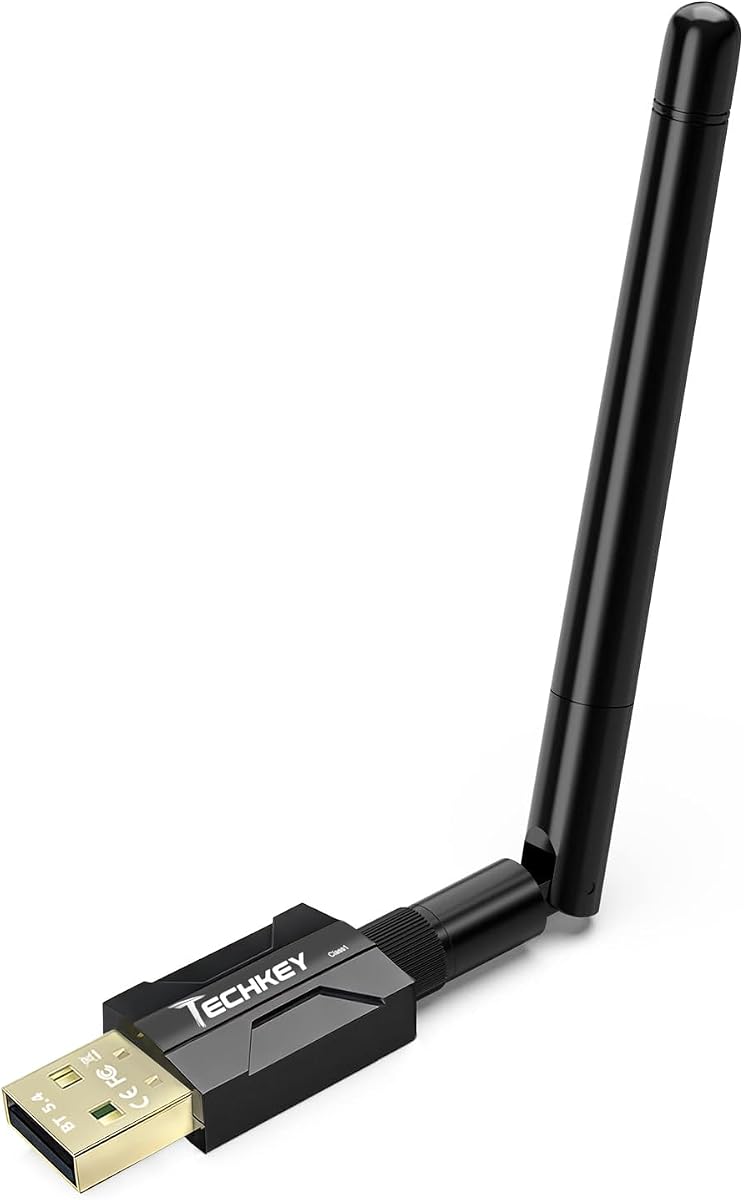


The TP-Link USB Bluetooth Adapter for PC is a general-purpose Bluetooth 5.3 receiver with a 4.4 rating and a feature set that makes it a practical first choice for many desktops and laptops. Its standout qualities are backward compatibility, enhanced data rate, Bluetooth Low Energy support, and an adjustable multi-directional antenna that can be rotated to improve reception in different locations.
We may earn a commission when you buy through this link, at no additional cost to you.
The adapter supports Bluetooth 5.3, EDR, and BLE while remaining compatible with older Bluetooth versions. Its claimed performance includes up to twice the speed and four times the coverage of Bluetooth 4.0, although real results depend on the paired device and environment. The movable antenna is particularly useful on a desktop positioned below a monitor, inside a crowded office, or somewhere with obstacles around the computer.
This is a receiver rather than a PC audio transmitter, so it cannot turn a PC's existing wired speaker output into wireless audio by itself. It also requires a separate driver on Windows 7, although Windows 8.1, 10, and 11 are designed for plug-and-play operation with an internet connection. Those limitations are reasonable for a budget-oriented general adapter, especially compared with dedicated audio products that have more specialized requirements.
Choose this TP-Link model when you want one inexpensive USB dongle to connect a wireless keyboard, mouse, headphones, speakers, phone, or other compatible peripheral to a Windows PC. It is the strongest recommendation for users who need broad everyday Bluetooth rather than a specialized gaming transmitter with codec controls and USB-C audio output.
The rotating antenna can be aimed toward the Bluetooth peripherals, which may improve stability compared with a fixed internal antenna. Fine positioning also helps when a PC sits near Wi-Fi routers, walls, metal furniture, or other sources of 2.4 GHz interference.
Because this is a full Bluetooth receiver, it can support peripherals such as keyboards and mice as well as compatible audio equipment. That makes it more versatile for a complete desk setup than an audio-only USB transmitter.
We may earn a commission when you buy through this link, at no additional cost to you.
The UGREEN USB Bluetooth 5.3 Adapter for PC holds a 4.4 rating and is one of the simplest ways to add Bluetooth to a compatible Windows computer. It combines a compact USB stick, plug-and-play operation on Windows 8.1, 10, and 11, and support for as many as five different types of Bluetooth devices at the same time.
We may earn a commission when you buy through this link, at no additional cost to you.
Its Bluetooth 5.3 BR+EDR implementation is intended to improve connection stability, data transfer performance, and power efficiency. A mouse, keyboard, phone, and headphone can be connected simultaneously as long as the devices are of different types. If two headphones or two speakers are paired, however, only one of the same audio-device type can play music at a time.
The most important limitation is that this adapter is a receiver, not a transmitter. It can send sound from the PC to Bluetooth headphones, but it cannot capture a wired PC audio output and relay that sound to a Bluetooth speaker. It is also Windows-only, with no support for Windows 7, Linux, macOS, TVs, cars, or game consoles. Users should also disable an existing built-in Bluetooth radio in Device Manager to avoid conflicts.
This is a good match for a Windows laptop with limited USB space or a desktop that needs a mouse, keyboard, headphones, and phone connected through one compact dongle. Pick it for simple, multi-device convenience; choose a dedicated transmitter instead when the primary goal is sending analog or optical audio to wireless speakers.
The mini-sized housing can remain inserted without obstructing neighboring ports, making it convenient for laptops and compact desktops. Its small footprint also makes the adapter easy to carry between compatible PCs.
Supporting up to five different device types is valuable for productivity setups combining input devices with audio or a mobile phone. The restriction against simultaneous playback from two identical audio device types should be checked before planning shared listening.
We may earn a commission when you buy through this link, at no additional cost to you.
The UGREEN USB-C Bluetooth Adapter for PS5 and PC is a dedicated audio transmitter with a 4.1 rating. Unlike the general receivers on this list, it is designed specifically to send sound from a USB-C PC or compatible console to Bluetooth headphones or speakers, and it does not support mice, keyboards, or other data peripherals.
We may earn a commission when you buy through this link, at no additional cost to you.
Its Qualcomm QCC3086 Bluetooth 6.0 chip, LE Audio support, and aptX Adaptive, aptX HD, aptX, and SBC compatibility give it several ways to optimize wireless sound. Users can select a Low Latency mode for gaming and video or a High-Quality mode for music. Compatible devices can also use LE Audio one-to-many broadcasting for shared listening, while Classic Bluetooth mode supports dual-device pairing.
The requirements are more specialized than those of a standard receiver. Low Latency mode is the default, but LE Audio functionality requires headphones or speakers that support LE Audio and LC3. AptX HD does not support dual-device connection, and Auracast operation involves connecting through Unicast mode before switching to the broadcast mode. These are meaningful limitations for people who own only conventional Bluetooth headphones.
This UGREEN product is best for a PC owner with USB-C, newer Bluetooth headphones, and a preference for detailed mode control. It is particularly attractive for gaming, shared music, and high-quality listening, provided the selected headset supports the desired codec or LE Audio mode. General keyboard-and-mouse users should select a full receiver instead.
The adapter separates low-latency and high-quality priorities so users are not forced to accept one compromise for gaming, movies, and music. Matching the mode to the application and the capabilities of the connected headphones can produce a more consistent experience.
Support for aptX Adaptive, aptX HD, aptX, SBC, LE Audio, LC3, and Auracast gives this transmitter considerable flexibility. The exact benefit depends on codec support in the receiving headphones, so compatibility should be confirmed before purchase.
We may earn a commission when you buy through this link, at no additional cost to you.
The USB Bluetooth 5.4 Adapter for PC is a general-purpose receiver with a 4.3 rating and a focus on range, stability, and simultaneous connections. It can add Bluetooth to a non-Bluetooth Windows laptop or desktop and then pair with headsets, speakers, keyboards, mice, printers, and compatible PC game controllers.
We may earn a commission when you buy through this link, at no additional cost to you.
Its Realtek Bluetooth 5.4 chipset supports BR/EDR and BLE simultaneously, remains backward compatible with older Bluetooth versions, and is designed to reduce 2.4 GHz interruptions. The dual antennas and Class 1 radio are the main differentiators, with stated line-of-sight reach of up to 492 feet and indoor reach of approximately 164 to 328 feet. Actual performance will vary with walls, metal, Wi-Fi equipment, and the receiving device's antenna.
The adapter is limited to Windows systems, including Windows 8.1, 10, and 11, with a driver required for Windows 7. It does not support macOS, Linux, TVs, car stereos, iPads, or game consoles. It also cannot add Bluetooth to wired speakers, printers, or home theater systems. Existing internal and third-party Bluetooth radios should be disabled before insertion to prevent recognition conflicts.
Choose this model for a large, busy workspace where a keyboard, mouse, and audio equipment need one general Bluetooth connection. Its advertised reach and seven-device-type support are useful, but the long-range figures should be treated as ideal conditions rather than guaranteed real-world distances.
The dual-antenna arrangement and Class 1 radio are aimed at users who need to move farther from the PC while maintaining a connection. Long-range results are most plausible in open spaces with a strong receiving antenna and fewer competing radio signals.
Up to seven different device types can work together, allowing audio, input devices, and other peripherals to share the adapter. This general functionality makes it more useful for an all-around setup than an audio-only transmitter.
We may earn a commission when you buy through this link, at no additional cost to you.
The Long Range USB Bluetooth 5.4 Adapter for Desktop PC is a compact general receiver with a perfect 5 rating in the supplied data. It targets Windows 8.1, 10, and 11 systems and is designed to connect a mixture of Bluetooth speakers, keyboards, headsets, mice, and printers without requiring driver installation.
We may earn a commission when you buy through this link, at no additional cost to you.
Bluetooth 5.4, EDR, and Low Energy support provide the underlying connection features, while the product is compatible with older Bluetooth 5.3, 5.2, 4.2, 4.0, and 2.1+EDR devices. Its Class 1 radio and extended antenna are intended to provide up to 500 feet of range in open areas, though walls, interference, and device quality can reduce that distance significantly.
The advertised transfer rate is up to 3 Mbps, and as many as five device types can be connected at once. The product does not support Mac OS, Linux, car stereos, Xbox, PS4, or TVs. Like other general PC receivers, it cannot make a wired speaker or wired printer wireless merely by inserting the dongle; it adds Bluetooth radio capability to the computer instead.
This is a compelling choice for a compatible Windows desktop that needs a simple, long-range receiver for several peripheral categories. Its no-driver setup and strong rating make it easy to recommend, while the Windows-only limitation and range caveats should be considered before purchasing.
The plug-and-play approach minimizes setup, making the adapter suitable for a new desktop build or a quick upgrade. Users can insert the dongle, pair the desired peripherals, and begin using supported Bluetooth functions.
The extended antenna and Class 1 radio can help a desktop reach peripherals farther away than a tiny internal receiver. The stated 500-foot range applies to open areas, so users in multi-room or high-interference environments should expect less.
We may earn a commission when you buy through this link, at no additional cost to you.
The UGREEN USB-C Bluetooth Adapter for PS5 is an audio-focused USB-C transmitter with a 4.4 rating. It can transmit sound from a PS5, Switch, Windows PC, Mac, or iMac to Bluetooth headphones or speakers without requiring drivers or additional software, making it a flexible choice for gaming and everyday wireless listening.
We may earn a commission when you buy through this link, at no additional cost to you.
Its Qualcomm chipset supports aptX, aptX Adaptive Low Latency, aptX Adaptive High Quality, aptX HD, and SBC. LED indicators show the active status, while the product's low-latency implementation is stated to reduce delay to under 100 milliseconds. The connected headphones must support the same codec for the relevant benefits to apply. A built-in multifunction button also switches between audio mode and Bluetooth calling mode.
There are several important exclusions. The adapter handles audio only, cannot pair mice or keyboards, does not support Linux or PS4, and is incompatible with the PS5 Portal and AirPods Pro 2. Enabling Bluetooth calling mode can reduce audio quality, while the PS5 requires users to select the UGREEN device as the output and disable automatic output-device switching. It also does not support dual-device pairing.
This model is well suited to a PC owner who wants one transmitter for both gaming and music and owns aptX-compatible headphones. The slight risk of setup complexity is acceptable given the broad device support, multiple codec options, and low-latency emphasis. It is less suitable for people who need a general Bluetooth receiver or a two-device sharing feature.
The aptX Adaptive Low Latency mode targets synchronization between on-screen action and wireless sound. Its stated delay below 100 milliseconds is designed to reduce the distracting mismatch that can occur with standard Bluetooth audio.
Compatibility with USB-C PCs, macOS systems, PS5, and Switch reduces the need to buy separate wireless audio adapters. Setup differences still exist across platforms, especially on PS5, so the manual and device settings should be consulted.
We may earn a commission when you buy through this link, at no additional cost to you.
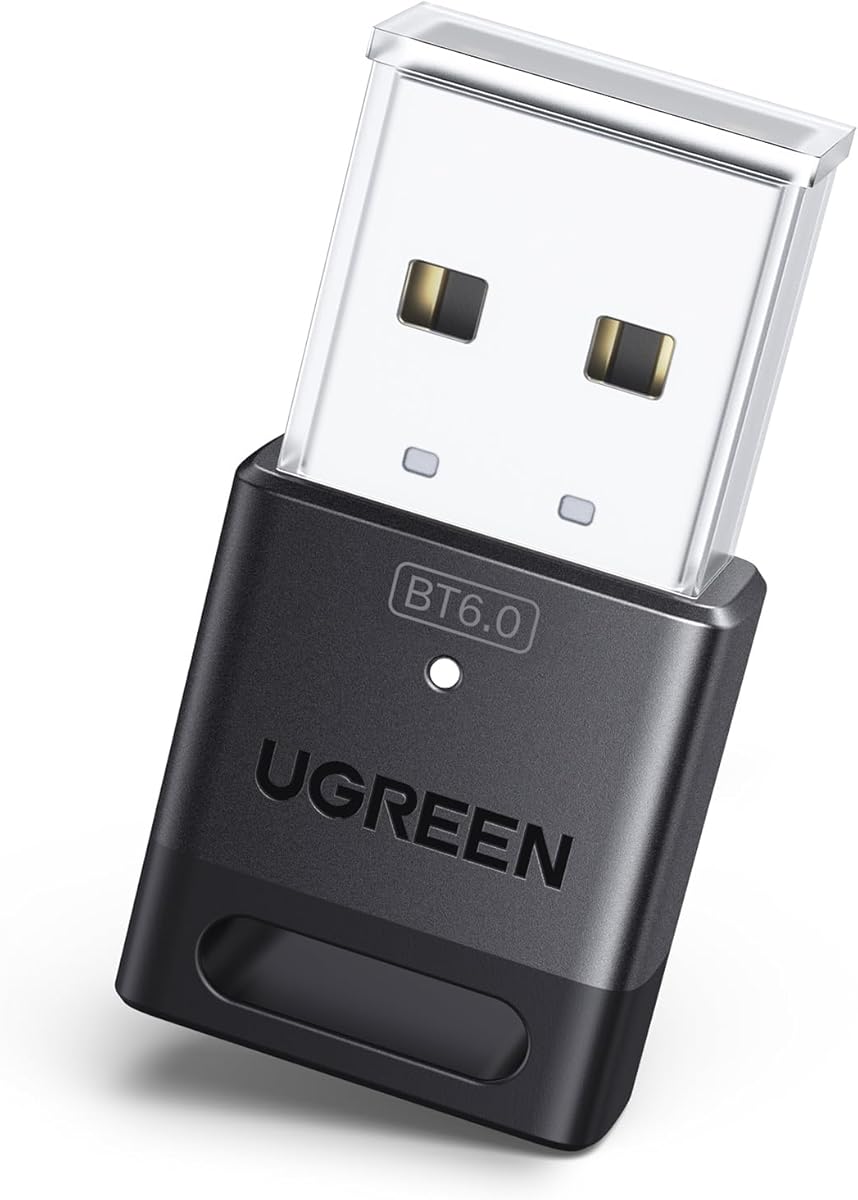
The UGREEN USB Bluetooth Adapter for PC is a compact Bluetooth 6.0 receiver with a 4.2 rating. It is designed for users who want a current-generation general Bluetooth connection on a Windows PC without installing drivers on supported versions of Windows 8.1, 10, or 11.
We may earn a commission when you buy through this link, at no additional cost to you.
The adapter provides EDR and BLE operation, is backward compatible with Bluetooth 5.4 and 5.3, and is presented as improving transfer speed, streaming stability, and large-file transfer efficiency. It can support up to five different device types simultaneously, including combinations such as a mouse, keyboard, phone, and headphones. As with other receivers, two connected devices of the same audio type cannot both play music at once.
It is not a transmitter and cannot relay a PC's analog audio output to wireless speakers. Compatibility is limited to modern Windows systems, with no Linux, macOS, or Windows 7 support. It also cannot be used directly with PS3, PS4, PS5, Switch, Xbox consoles, TVs, or car systems. To avoid conflicts, any Bluetooth radio already installed in the PC should be disabled through Device Manager before using this dongle.
Choose it for a small Windows laptop or compact desktop where a straightforward, up-to-date receiver is desired. The newer Bluetooth version makes it an appealing option for users with compatible peripherals, but the absence of transmitter functionality and strict operating-system limits should be understood before buying.
Bluetooth 6.0, EDR, and BLE provide a modern connection foundation while retaining backward compatibility with common 5.x peripherals. Actual transfer performance remains dependent on the paired hardware and the nature of the data being sent.
The small dongle can stay connected to a laptop or move to another compatible PC with little inconvenience. Its unobtrusive size is useful where USB ports are limited or neighboring connectors need clearance.
We may earn a commission when you buy through this link, at no additional cost to you.
The UGREEN CM668 is a Bluetooth 5.3 USB audio transmitter with a 4.3 rating. It adds wireless headphone or speaker support to PS4, PS5, Switch, desktop PCs, and iMac systems by transmitting their audio over Bluetooth, making it particularly relevant to gamers and users who want a less noticeable delay.
We may earn a commission when you buy through this link, at no additional cost to you.
AptX Adaptive is the centerpiece, with the supplied specifications stating latency below 60 milliseconds compared with about 220 milliseconds for standard Bluetooth. The adapter also supports aptX HD, aptX, and SBC. Its range claim reaches 33 feet, although obstructions and the quality of the receiving headset's antenna can affect practical distance. Pairing is automatic after the USB adapter is inserted and the headphones are placed in pairing mode.
The included 3.5 mm microphone can carry voice chat through a controller, Switch dock, or PC connection, while a Bluetooth headset's built-in microphone can be selected through the multifunction button. Only one microphone can be used at a time. On Windows PCs, the adapter switches automatically between Music and Talk modes for applications such as Skype, Zoom, Teams, and Meet.
This is a strong choice for a gamer seeking low-latency Bluetooth sound and a way to add a microphone. It is not a general data receiver, cannot transmit files or pictures, and does not support Linux. For a PC user whose priority is sharper low-latency audio rather than general peripherals, it is a more focused recommendation than the general receivers.
The advertised sub-60-millisecond aptX Adaptive performance is designed to keep game audio and on-screen action closely aligned. The receiving headset must support the corresponding codec for the stated low-latency behavior to be available.
The included 3.5 mm microphone provides a route to voice chat with controllers and computers, while the adapter can also use the microphone built into a connected Bluetooth headset. Selecting the best route can reduce setup friction during calls or multiplayer sessions.
We may earn a commission when you buy through this link, at no additional cost to you.
The MEE audio Connect is a dedicated Bluetooth audio transmitter with a 4.2 rating and a particularly versatile set of wired inputs. It accepts 3.5 mm, RCA, and optical TOSLINK S/PDIF audio, allowing a PC, television, set-top box, game system, or other source to send sound to wireless headphones or speakers.
We may earn a commission when you buy through this link, at no additional cost to you.
Its defining feature is the ability to connect two headphones or two speakers simultaneously. Dedicated A and B pairing buttons control the two endpoints independently, and each listener can adjust their own volume. Qualcomm aptX Low Latency support is intended to improve synchronization with compatible receivers, making the adapter suitable for both gaming and watching video.
The included cables simplify setup, and the rechargeable battery can provide portable use for travel, an airplane, or a gym. It may also remain plugged in to avoid recharging. One notable requirement is that the source must output PCM when using the optical connection because the unit does not convert Dolby Digital signals. The product transmits audio rather than acting as a general PC Bluetooth receiver.
This is the best option for shared listening from a PC or other analog or digital source, particularly when two people want separate volume control. It also suits users whose device lacks convenient Bluetooth output. People seeking a general keyboard-and-mouse receiver should look elsewhere, but those who need flexible inputs and two-person audio will find this focused design especially useful.
Two independently controlled wireless endpoints make shared viewing or gaming easier without forcing both users to use one volume level. The separate pairing buttons also simplify identifying and reconnecting each headset or speaker.
Support for 3.5 mm, RCA, and optical connections broadens compatibility with PCs, televisions, cable boxes, and game systems. The necessary cables are included, and source configuration remains the main setup consideration.
We may earn a commission when you buy through this link, at no additional cost to you.
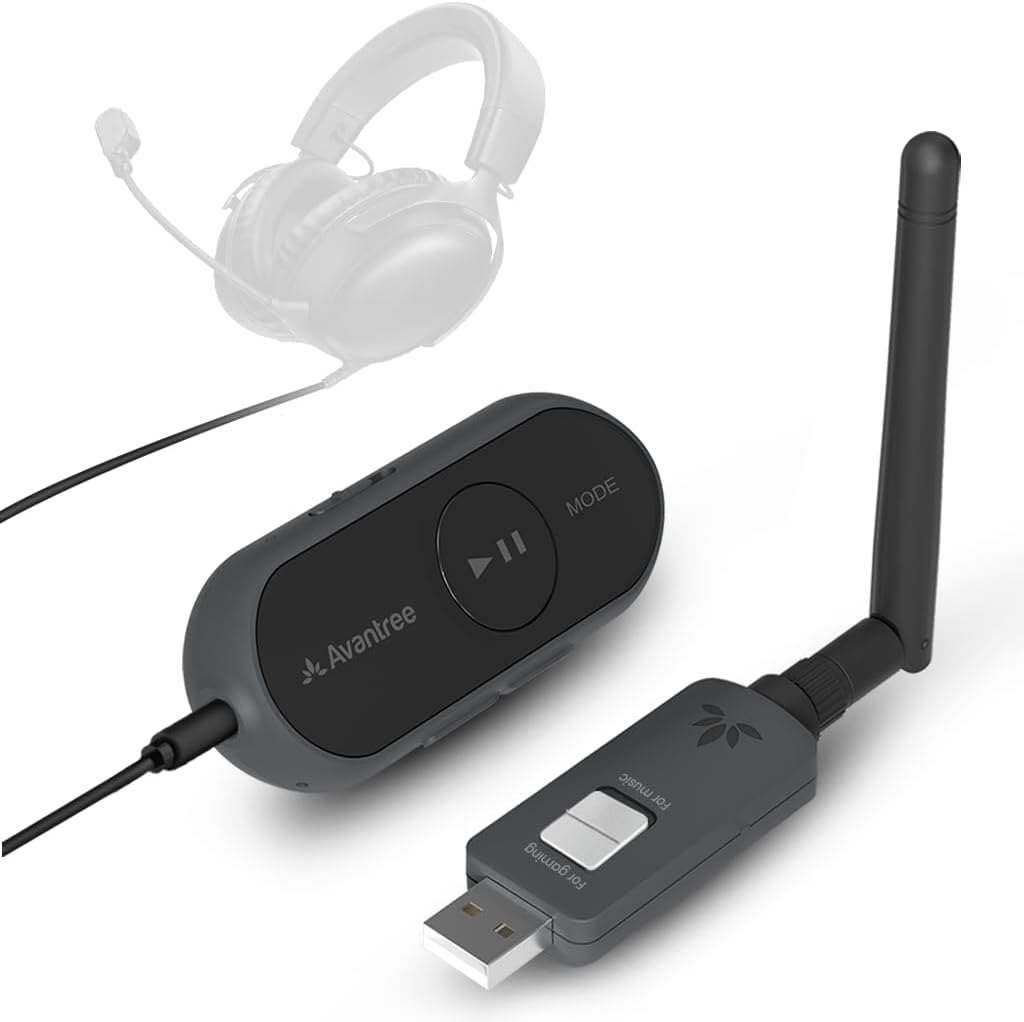
The Avantree ProLink is a premium Bluetooth 5.4 LE Audio transmitter and receiver set with a 4.5 rating. Unlike a one-way dongle, it can modernize wired and wireless setups in both directions, and its stated aptX Lite latency of as low as 20 milliseconds makes it particularly compelling for gaming, video calls, and media streaming.
We may earn a commission when you buy through this link, at no additional cost to you.
The set can revive a headset with a 3.5 mm jack by turning it into a wireless audio device. TRRS headsets with built-in or boom microphones are supported for voice chats, meetings, and in-game communication, with the instructions recommending selection of the DG60L profile in the computer's Input and Output settings. Its LE Audio focus, HiFi positioning, and ability to send sound both to and from wireless endpoints broaden its usefulness.
Setup is designed to be straightforward: connect the USB power side, power on the receiving side, and pair the relevant device. The product works with PC, PS5, Mac, Android, and iPhone through USB-C, requires no drivers, and supports firmware updates for future performance and stability improvements. AptX Lite behavior still depends on the source, operating system, receiving device, and application settings.
Choose the ProLink when low latency, two-way versatility, and wired-headset revival matter more than a minimal one-purpose dongle. It is a premium solution for a carefully configured gaming or work setup, and it stands out in this list as a coordinated set rather than a single-direction receiver or transmitter.
The advertised latency of as low as 20 ms through aptX Lite is designed for situations where audio synchronization is noticeable. Users should confirm that the playback chain supports the relevant codec to achieve the best result.
The included 3.5 mm and TRRS support allows existing wired headsets to become wireless while retaining microphone functionality. This makes the set useful for upgrading familiar equipment without discarding it.
We may earn a commission when you buy through this link, at no additional cost to you.
The right Bluetooth adapter depends on the source device, the peripherals you want to connect, operating-system requirements, and the importance placed on latency, range, codecs, or simultaneous sharing. Start by separating general receivers from dedicated audio transmitters, then narrow the selection by compatibility.
A general receiver adds a Bluetooth radio to a PC so it can connect to keyboards, mice, headphones, speakers, phones, printers, and other supported peripherals. A dedicated audio transmitter sends sound from a PC or console to Bluetooth headphones or speakers, usually through a USB audio connection, but does not support data peripherals. Several products carry a transmitter in the title while functioning only as receivers, so checking the supplied capability notes is essential.
Choose a receiver for a general desktop upgrade. Choose an audio transmitter when a PC lacks a convenient Bluetooth output or when a specific gaming codec and latency mode are priorities.
Most compact dongles in this guide support Windows 8.1, 10, and 11, with some requiring a driver for Windows 7. Dedicated UGREEN audio models and the Avantree ProLink offer broader support that may include macOS and certain mobile devices, but exact combinations differ. Linux support is uncommon, and none of these should be assumed compatible with it without checking the listing.
Confirm the adapter works with your operating system before ordering. Also check whether the PC already contains Bluetooth, because conflicting internal and USB adapters may require one radio to be disabled.
Latency matters most in games, video calls, and video playback. AptX Adaptive is highlighted by the UGREEN models for its low-latency behavior, while aptX Lite is associated with the Avantree ProLink's stated 20-millisecond figure. The MEE audio Connect uses aptX Low Latency. A higher Bluetooth version does not automatically guarantee lower audio delay, and the source and headphones must support the relevant codec.
Prioritize the codec and mode used for your main activity. For general office peripherals, latency is less significant than reliable pairing and device compatibility.
Range claims often describe ideal open-air performance. The TP-Link adapter uses an adjustable antenna, the USB Bluetooth 5.4 model uses dual antennas, and the Long Range USB Bluetooth 5.4 model uses a Class 1 radio with an extended antenna. Nevertheless, walls, metal furniture, Wi-Fi routers, USB interference, and the receiving device's own antenna can reduce practical distance.
For a normal desk setup, a nearby connection is usually sufficient. Choose an adjustable or dual-antenna model only when longer reach or flexible placement will provide a meaningful benefit.
General receivers advertise support for up to five or seven different device types, which can include a keyboard, mouse, phone, and headphones at the same time. Dedicated audio transmitters are usually limited to audio endpoints, though some support two paired devices or one-to-many LE Audio broadcasting. Read carefully because simultaneous support for different types does not always mean two identical headsets can play separate audio.
List the peripherals you actually plan to connect. A multi-device receiver is best for productivity, while a dual-output or broadcasting transmitter is best for shared listening.
If the PC has no built-in Bluetooth, a dedicated transmitter may receive sound through USB, a 3.5 mm jack, RCA connectors, or optical S/PDIF. The MEE audio Connect supports all three wired options and can connect two headphones or speakers. Optical users must configure the source for PCM because Dolby Digital conversion is not supported.
Choose an input based on the available outputs on the computer. A USB-C audio adapter is convenient for modern laptops, while 3.5 mm, RCA, and optical inputs provide broader compatibility with existing home-entertainment equipment.
A mini receiver is convenient for laptops, crowded USB ports, and travel. A larger audio transmitter may include status lights, mode buttons, battery power, and additional cables that are useful at a home entertainment station. Long antenna designs may improve orientation or range but can protrude from a notebook and should not be forced into a tight port.
Match the adapter to the place of use. Choose a compact receiver for mobility and a wired, powered audio transmitter for a fixed gaming or viewing setup.
Call support and multiple listeners introduce additional compatibility questions. The UGREEN CM668 includes a 3.5 mm microphone, the UGREEN aptX adapter can enable a Bluetooth calling mode, and the Avantree ProLink supports TRRS headset microphones. The MEE audio Connect can stream to two independent endpoints. However, enabling Bluetooth calling mode may reduce sound quality, and some models explicitly do not support dual-device pairing.
Decide whether voice chat is mandatory before selecting an audio transmitter. Verify headset microphone support, operating-system microphone selection, and whether sharing one audio stream is sufficient.
Begin by identifying the adapter's role. For a general Windows receiver, insert the USB dongle and open Device Manager if the computer does not recognize it. Disable any existing built-in or third-party Bluetooth radio, reconnect the adapter, and then pair the desired keyboard, mouse, headset, speaker, phone, or printer through the computer's Bluetooth settings.
For a dedicated audio transmitter, connect the USB or USB-C end to the PC or console, select the transmitter as the audio output, and put the Bluetooth headphones or speaker into pairing mode. Select the appropriate codec or operating mode, disable Bluetooth calling mode when maximum audio quality is the priority, and use the manual if a console requires automatic output switching to be turned off.
Keep the adapter unobstructed, avoid placing it directly beside large metal objects or competing 2.4 GHz devices, and use a stable USB port on a desktop. Update firmware where supported, use the original cables, and keep the rechargeable MEE audio Connect plugged in during extended sessions. Avoid unsupported systems and never expect a receiver to add Bluetooth to a wired peripheral that has no compatible audio interface.
A receiver adds Bluetooth to a PC and lets it connect directly to compatible peripherals such as wireless keyboards, mice, phones, and headsets. A transmitter primarily sends the PC's audio output to Bluetooth headphones or speakers. Some products in this guide are receivers despite using transmitter or dongle language in their names.
It is often possible, but having two active Bluetooth radios can cause conflicts, unexpected device selection, or an exclamation mark in Device Manager. The relevant product guidance recommends disabling the existing built-in or third-party Bluetooth function before using the USB adapter. Re-enable the internal radio if the external dongle is later removed.
The UGREEN CM668 highlights aptX Adaptive with a stated latency below 60 milliseconds, while the Avantree ProLink offers aptX Lite with latency stated as low as 20 milliseconds. The UGREEN USB-C LE Audio and aptX models are also strong options. Actual performance depends on codec support in the source, operating system, application, and headphones.
The MEE audio Connect can connect two headphones or speakers simultaneously and gives each endpoint an independent pairing button and volume control. The UGREEN USB-C LE Audio model supports dual-device pairing in Classic Bluetooth mode and one-to-many broadcasting in LE Audio mode, but aptX HD does not support dual-device connection. Other products are limited to one primary audio endpoint.
Most of the compact general-purpose receivers support Windows 8.1, 10, and 11 only. The UGREEN CM668 and UGREEN USB-C aptX adapter support Windows and macOS but not Linux, while the Avantree ProLink supports PC, PS5, Mac, Android, and iPhone. Always verify the current product listing because system support can vary by model and revision.
First, disable any Bluetooth radio already installed in the PC and reconnect the USB adapter. Confirm that the operating system is supported, use a direct USB port rather than an unpowered hub, and check that the required drivers are available. For a general receiver, move the dongle to another port and pair one peripheral at a time.
Wireless Bluetooth audio is compressed, so the sound can differ from a direct wired connection. The available codecs, including aptX HD, aptX Adaptive, aptX, aptX Lite, and SBC, determine the trade-off between fidelity, latency, and stability. Using a compatible receiver, reducing interference, and disabling Bluetooth calling mode can help preserve audio quality.
Range depends on the adapter, the paired device, obstacles, and nearby radio interference. Some products state open-air distances up to 492 or 500 feet, while a common indoor claim is much lower. Walls, metal, Wi-Fi equipment, and weak antennas on the receiving device can reduce the usable range significantly.
The TP-Link USB Bluetooth Adapter is the most practical budget recommendation for a general Windows upgrade, offering Bluetooth 5.3, broad backward compatibility, and an adjustable antenna. The MEE audio Connect stands out for people who need flexible wired inputs and two independently controlled wireless listeners. The Avantree ProLink is the premium choice for a two-way, low-latency system that can also revive wired TRRS headsets.
Prioritize the function before the specification. General-purpose users should choose a receiver for peripherals, while gamers and home-audio users should choose a dedicated transmitter for codec controls, low latency, multiple inputs, or shared listening. Confirm the operating system, USB connector, microphone requirements, and endpoint compatibility before finalizing a purchase.
Ratings and product descriptions provide a useful starting point, but features and prices can change. Review the current listing for updated compatibility notes, compare the adapter with the PC's existing Bluetooth hardware, and verify the current price and warranty information before ordering.