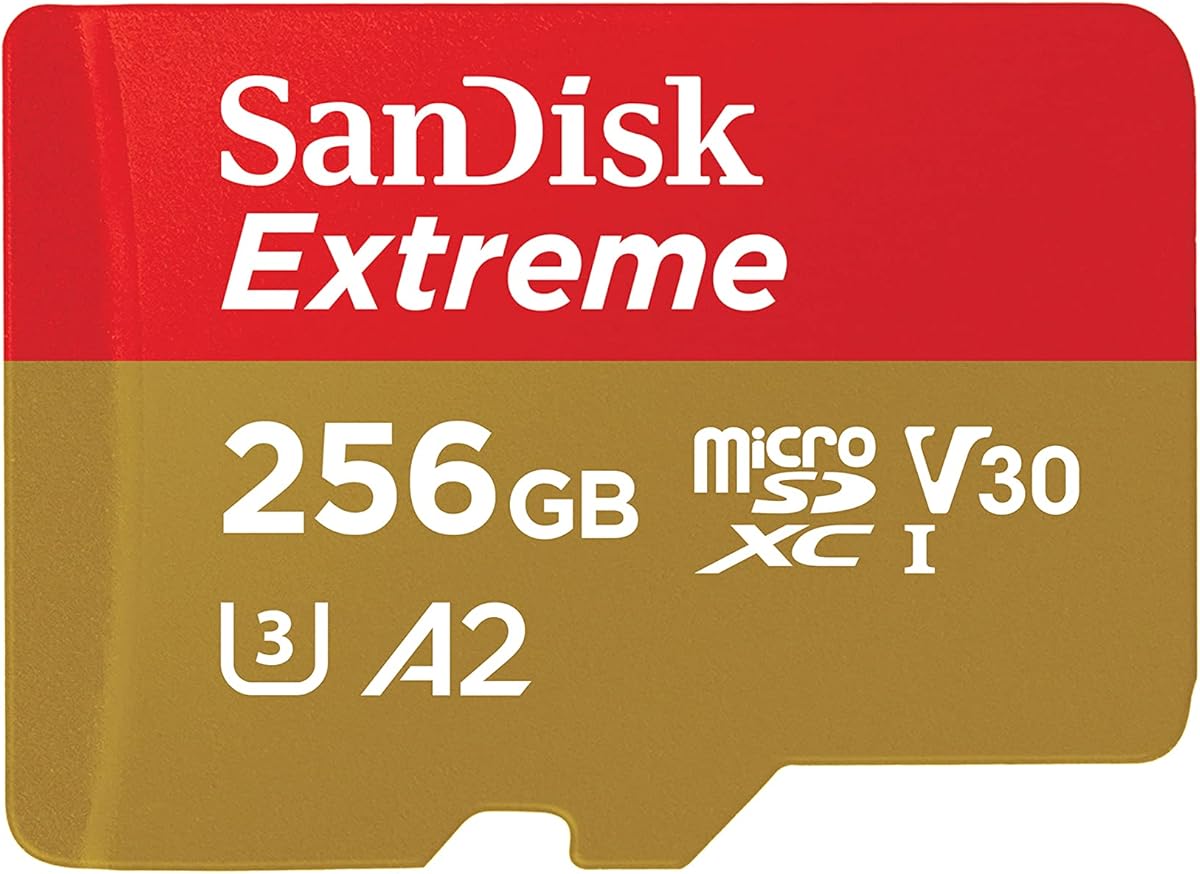
SANDISK 256GB Extreme microSD
4.8Editor score
Up to 190MB/s reads
Up to 130MB/s writes
4K and 5K support
A2 application performance
Explore the best Memory Card for Tablet options, comparing capacity, read speed, durability, app performance, video support, and daily use for mobile workflows.
A memory card for a tablet can transform a device with limited internal storage into a more flexible workspace for photos, videos, music, documents, and downloadable media. The right card should provide enough capacity, responsive application performance, and dependable sustained-write performance without exceeding the tablet’s supported limits.
We compared ten microSD options using their stated capacities, speed classes, application ratings, video capabilities, environmental protections, and device compatibility. The list covers cards for everyday file storage, app-heavy tablets, camera use, high-resolution video, and travelers who need a balanced combination of speed and durability.
Each review explains the product’s strongest qualities, limitations, and ideal use case, while the comparison table provides a quick reference. Product ratings and technical specifications can change, availability also varies, and current prices should be checked before purchasing.
4.8Editor score

4.7Editor score

4.8Editor score
The table below places all ten cards side by side, emphasizing capacity, stated read speed, performance class, and the tablet use each option is best suited to handle.


The SANDISK 128GB Ultra microSD UHS-I Card combines a generous everyday capacity with one of the highest stated read speeds in this guide. Its 4.6 rating reflects a well-regarded general-purpose card designed for Android tablets, smartphones, cameras, and laptops. The combination of UHS-I, A1 performance, and Full HD video support makes it especially practical for users who move between content viewing, photography, and app-heavy daily tasks.
We may earn a commission when you buy through this link, at no additional cost to you.
Its headline benefit is the stated read speed of up to 195MB/s when paired with compatible equipment such as the SANDISK QuickFlow microSD UHS-I Card USB-A Reader. That speed is useful for offloading batches of photos or opening large media files from a reader, although results depend on the tablet, interface, file size, and usage conditions. Within the tablet itself, sustained write speed and host-device performance remain more important than the maximum sequential-read figure.
The A1 rating indicates that the card is designed for faster app launches and improved everyday responsiveness compared with basic microSD cards. V10, U1, and C10 markings support reliable Full HD video recording, while the stated 1.5TB family capacity suggests the same product family is available in larger formats. The Memory Zone desktop and Android application adds convenient options for organizing, transferring, and backing up content.
This is a strong recommendation for a tablet owner who wants fast transfers and balanced performance without moving to the premium Extreme line. The 128GB capacity is the main constraint: users with extensive 4K libraries, large project files, or many downloaded applications may eventually need a larger card. For general use, app storage, and a healthy collection of photos and Full HD videos, it offers a compelling combination of capacity, speed, and familiar software support.
The card's stated 195MB/s read capability can shorten offloading time when used with compatible readers and devices. Actual results will vary, so the host tablet and connection determine how much of that potential you can use.
A1 performance helps with application responsiveness, while V10 and U1 classifications suit Full HD recording. This makes the card a flexible option for mixed tablet workloads rather than a specialist for one task.
We may earn a commission when you buy through this link, at no additional cost to you.
The Amazon Basics 128GB microSDXC is a strong all-around tablet card with a 4.7 rating and a notably advanced specification sheet. Its A2 application class, UHS-I U3 rating, and V30 video designation support responsive app use and higher-bitrate recording. The included full-size adapter also makes it easier to transfer files to a computer without buying a separate adapter.
We may earn a commission when you buy through this link, at no additional cost to you.
Amazon Basics describes the card as optimized for 4K UHD and Full HD recording, burst photography, RAW files, and time-lapse sequences. A read speed of up to 100MB/s is less aggressive than the top-end SanDisk cards in this list, but it satisfies the standard UHS-I interface used by many tablets and remains practical for routine file transfers and media playback.
Durability is another differentiator. The stated shock resistance, IPX6 water resistance, operating range of minus 10 to 80 degrees Celsius, and resistance to X-rays and magnetic fields make the card suitable for travel and outdoor use. Its published usable-capacity guidance is also refreshingly transparent: a 128GB card provides at least 116GB after system formatting and calculation differences.
This is an excellent recommendation for users who spend substantial time in tablet applications, capture high-bitrate video, or move files between a tablet and computer. It may not be the first option for maximizing sequential read speed, but A2 performance and a full-size adapter create a more practical package for many owners. Always confirm the tablet's maximum supported card capacity before buying.
The A2 class targets better random read and write performance, which can make installed apps feel more responsive. Actual application speed still depends on the tablet's processor, operating system, and available internal storage.
IPX6 water resistance, shock resistance, and broad temperature tolerance provide reassurance for mobile use. U3 and V30 ratings also make it better suited to demanding recording than a basic Class 10 card.
We may earn a commission when you buy through this link, at no additional cost to you.
The SANDISK 256GB Ultra microSD Card + Adapter is a strong media-focused option with a 4.7 rating. Its generous 256GB capacity gives tablet users room for more photos, Full HD videos, movies, music, games, and podcasts without changing cards frequently. It also supports Android tablets, Chromebooks, and Windows laptops, making it a versatile addition to a mobile storage setup.
We may earn a commission when you buy through this link, at no additional cost to you.
A stated read speed of up to 150MB/s helps reduce waiting when offloading files through a compatible USB 3.0 microSD reader. The card also carries A1 performance for faster application launches and overall app responsiveness. That older application class remains useful, although the A2 cards in this guide are better positioned for intensive random-access workloads.
The package includes an adapter and supports the SANDISK Memory Zone app for viewing, accessing, and backing up phone files. A 10-year limited warranty also provides useful coverage. As with other SanDisk Ultra cards in this list, the emphasis is Full HD media and broad everyday flexibility rather than the more demanding sustained recording profile of an Extreme card.
Choose this model when 128GB feels limiting but a premium performance card is unnecessary. It is particularly attractive for a family tablet, travel tablet, or media-heavy Android device where one larger card is more convenient than juggling several smaller ones. Verify the maximum supported capacity and microSD format in your tablet before installation.
Doubling to 256GB reduces the need to rotate media or delete older files. It is a practical middle ground for users whose storage needs have outgrown a 64GB or 128GB card.
The included adapter supports direct transfers on compatible computers, while Memory Zone provides a central place to access and back up compatible device files. This simplifies the transition between tablet and desktop storage.
We may earn a commission when you buy through this link, at no additional cost to you.
The SANDISK 128GB Ultra microSD Card + Adapter is a versatile Android-tablet option with a 4.7 rating. It is explicitly intended to expand storage on Android smartphones and tablets, and its 128GB capacity is a familiar sweet spot for documents, photos, music, offline media, and lighter app storage. The included adapter improves its usefulness as a general-purpose storage card.
We may earn a commission when you buy through this link, at no additional cost to you.
The stated transfer speed reaches up to 140MB/s, with the manufacturer noting that achieving it requires a compatible host and USB 3.0 reader. Its A1 rating supports faster app launches, while Class 10, U1, and V10 characteristics support Full HD video recording and playback. These features fit daily tablet use well, though they do not target the more demanding 4K recording profile of the Extreme models.
The product's advantage is straightforwardness. It delivers familiar SanDisk software support, a useful adapter, adequate capacity, and performance above ordinary baseline cards without requiring users to understand specialist UHS specifications. However, the 128GB capacity can become restrictive for users accumulating large video collections, and A1 is now one generation behind A2.
This card is a sensible recommendation for general-purpose tablet expansion, especially for Full HD media and everyday app use. It is less compelling than a 256GB option for heavy media collectors and less capable than A2 or U3 cards for intensive workloads. For most users seeking a familiar balance of capacity and transfer speed, however, it remains easy to justify.
At 128GB, the card offers enough room for common tablet files without approaching the upper capacity limits of many devices. It is an accessible starting point for users adding removable storage for the first time.
Up to 140MB/s read speed is useful for moving batches of photos to a computer. Compatible hardware is necessary to approach the stated maximum, and smaller random files may deliver different results.
We may earn a commission when you buy through this link, at no additional cost to you.
The Amazon Basics 256GB microSDXC is the most balanced all-around choice in this guide, combining a 4.7 rating with modern A2 application performance. At 256GB, it offers enough room for extensive tablet media while remaining accessible to tablets that support standard microSDXC cards. Its U3 and V30 specifications go beyond basic everyday media requirements.
We may earn a commission when you buy through this link, at no additional cost to you.
The card is described as optimized for high-bitrate video recording, burst-mode photography, RAW files, time-lapse sequences, and smooth 4K UHD playback. A2 certification helps with app loading and responsive multitasking on compatible Android devices. Although the stated read speed tops out at 100MB/s, that is the conventional UHS-I figure and remains effective for routine tablet transfers.
Amazon Basics also provides unusually clear usable-capacity information: the 256GB card offers at least 232GB after operating-system formatting and binary-versus-decimal calculation differences. Environmental protections include shock resistance, IPX6 water resistance, temperature tolerance from minus 10 to 80 degrees Celsius, and resistance to X-rays and magnetic fields.
For most tablet users, this card hits the key priorities without requiring the Extreme line's specialized performance. It is particularly well suited to media creation, app-heavy work, and travel. The trade-off is a lower headline read speed than the fastest SanDisk models, but sustained video classes and A2 responsiveness are often more relevant inside a tablet. Confirm capacity support before purchasing.
A2 application performance, U3 recording capability, V30 sustained video support, and 256GB capacity cover most modern tablet-storage priorities. The result is more versatile than a basic card without reaching premium pricing.
The stated minimum usable capacity helps buyers understand that 256GB does not mean 256GB of free space after formatting. The published estimate also reduces uncertainty when comparing different capacity claims.
We may earn a commission when you buy through this link, at no additional cost to you.
The SanDisk Ultra 64GB microSD is an economical way to expand an Android tablet, Windows laptop, or other compatible device. It carries a 4.8 rating, the highest listed rating among the ten products, and combines that favorable user response with a stated read speed of up to 140MB/s. The result is a capable budget card rather than a barebones storage option.
We may earn a commission when you buy through this link, at no additional cost to you.
A1 application performance supports faster app launches and more responsive everyday operation. The card can also move up to 1,000 photos per minute under the manufacturer's stated test conditions, provided the host device and reader can sustain compatible transfer speeds. Memory Zone app support helps users view, access, and back up compatible phone files.
The important limitation is capacity. At 64GB, this card is best suited to document storage, a moderate photo collection, music, podcasts, offline files, and selected apps or media. A user capturing video continuously or maintaining a large offline library will quickly fill it. The stated 10-year limited warranty adds confidence for routine use.
For budget-conscious buyers who do not need a large media archive, this is the most sensible starting point in the guide. It offers meaningful app performance and transfer speed at a modest capacity. Treat it as flexible day-to-day storage rather than a long-term archive, and check that your tablet supports 64GB microSD cards and the appropriate microSD file system.
The 64GB format adds useful room without requiring a large-capacity card. It is a sensible first removable-storage option for lightweight tablet workflows and occasional travel use.
A1 performance and up to 140MB/s reads make this card more capable than basic storage. The main limit is how quickly its relatively small capacity fills with media.
We may earn a commission when you buy through this link, at no additional cost to you.
The Patriot Memory 64GB EP A1/V30 Micro SD Card is a compact option designed for Android phones, tablets, and 4K-oriented use. Its 4.5 rating is lower than the other cards in the guide, but it still reflects a generally favorable user response. For buyers who value a clearly stated capacity and modern application and video classes without needing extensive premium features, it remains a valid choice.
We may earn a commission when you buy through this link, at no additional cost to you.
The A1 designation indicates suitability for faster app loading and responsive application use, while V30 identifies a sustained video capture rate of 30MB/s. Those classifications are more meaningful than a simple speed headline when a tablet records video or runs applications directly from removable storage. The card is specifically positioned for mobile-device use rather than professional camera workflows.
Compared with the other selections, the supplied information for this product is intentionally brief. It provides no stated maximum read speed, detailed durability specifications, or file-management software, so buyers cannot compare transfer potential as precisely. A1 and V30 support are useful indicators, but they should not be interpreted as a guarantee of the same sequential-read speed offered by the leading SanDisk models.
This card is best for users seeking a simple 64GB expansion for an Android tablet, particularly if the tablet's supported class is A1 or V30. It may suit a user who does not want to pay for premium speed or extra capacity they will not use. Confirm device support, file system, and current product details before purchase, especially if 4K recording is a primary requirement.
A1 and V30 provide useful baselines for application responsiveness and sustained video recording. These specifications make the card more suitable for active use than a card with no stated performance class.
The 64GB capacity is easy to understand and sufficient for selected documents, photos, music, and offline content. It is most appropriate when convenience and basic modern performance matter more than maximum transfer speed.
We may earn a commission when you buy through this link, at no additional cost to you.
The SANDISK 256GB Ultra microSD UHS-I Card combines a 4.6 rating with a roomy 256GB capacity and a stated read speed of up to 195MB/s. It is designed to expand Android smartphones and tablets, cameras, and laptops, making it a flexible card for users who want more capacity than the 128GB version without moving to the Extreme line.
We may earn a commission when you buy through this link, at no additional cost to you.
The card supports Full HD video, movies, music, games, photos, and podcasts, while its A1 rating is optimized for app launches and general performance. Use with a compatible SANDISK QuickFlow reader to take advantage of the stated 195MB/s read speed when offloading large batches of content. The Memory Zone desktop and Android app provides organization, transfer, and backup options.
Its key trade-off is the application class. A1 remains effective for typical tablet use, but A2 cards are better specified for heavier random read and write demands. The Ultra line also lists V10, U1, and C10 characteristics rather than the V30 and U3 classifications found on the Extreme and Amazon Basics models. That makes it more naturally aligned with Full HD media than sustained high-bitrate 4K recording.
Choose this card when you want generous capacity, quick file transfers, and solid everyday app performance in a tablet. It is a particularly good match for travel, family use, and media libraries that do not require premium sustained-write performance. Make sure your device supports 256GB microSDXC cards, and use compatible hardware when transferring large files.
The 256GB capacity holds more media, while the stated 195MB/s read speed can accelerate offloading through compatible equipment. Together, they reduce the friction of maintaining a sizeable tablet media collection.
A1 performance and Memory Zone support cover common app and file-management needs. The card is less specialized than premium models but remains well matched to everyday Full HD-heavy tablet use.
We may earn a commission when you buy through this link, at no additional cost to you.
The SANDISK 256GB Extreme microSD Card + Adapter is the premium choice in this guide, earning a 4.8 rating and combining high performance with substantial capacity. Its stated read speed reaches 190MB/s, while write speed reaches 130MB/s. For a tablet used to capture high-resolution video, move large files, or run demanding applications, those specifications offer useful headroom.
We may earn a commission when you buy through this link, at no additional cost to you.
U3 and V30 classifications make the card ready for demanding recording workflows, including 4K UHD and 5K UHD video when the host device, file attributes, and application support the format. A2 performance, representing 4,000 read IOPS and 2,000 write IOPS under the stated standard, also helps with app loading and in-app performance.
The included adapter adds convenience for file transfers, while compatibility with the separately sold SanDisk Professional PRO-READER can help users access the card's highest potential. The technology applies to listed capacities, and actual performance depends on the host interface and operating conditions. A tablet's own card reader will rarely reproduce the fastest reader-based results.
This is the recommendation for content creators, heavy downloaders, and users who routinely work with large media files. Its premium capabilities exceed what many general-purpose tablets can exploit, so it is not automatically the most efficient purchase for light users. If your device supports the required classes and your workload benefits from faster sustained writes and stronger app performance, it is the most capable card here.
Up to 130MB/s write speed and V30 support provide a stronger foundation for high-bitrate recording than the Ultra cards. The tablet must also support the resolution, bitrate, and sustained-writing workload you intend to capture.
A2 performance can benefit app launches and in-app tasks that involve many small file operations. It offers a meaningful advantage for intensive tablet workflows over A1-rated alternatives.
We may earn a commission when you buy through this link, at no additional cost to you.
The SanDisk 128GB Extreme microSDXC UHS-I Memory Card is a rugged, high-performance option with a 4.8 rating. It pairs a more manageable 128GB capacity with a stated read speed of up to 160MB/s and write speed of up to 90MB/s. That makes it attractive for creators who want stronger performance and environmental protection without the larger capacity of the 256GB Extreme.
We may earn a commission when you buy through this link, at no additional cost to you.
U3 and V30 ratings support 4K UHD and Full HD recording, while A2 performance targets faster application loading and in-app operations. The card is built and tested for harsh conditions, with stated temperature, water, shock, and X-ray proofing. Those qualities make it especially reassuring for travel, outdoor projects, and tablets that regularly move between environments.
The Memory Zone app provides file-management support, and the included full-size adapter simplifies computer transfers. However, reaching the stated transfer speeds requires compatible devices. A tablet's internal reader, cable, operating system, and the size and type of transferred files can all affect actual performance.
This card is an excellent choice for a tablet used to record 4K video, run performance-sensitive apps, or store important files in demanding conditions. Its 128GB capacity is less suitable for extensive archives than the 256GB Extreme, but it offers a strong balance for users who value toughness and speed equally. Confirm that the tablet supports 128GB cards and the required performance classes.
A2 application performance, up to 160MB/s reads, and up to 90MB/s writes support demanding mobile workflows. Compatible host hardware is necessary to achieve the highest stated results.
Temperature, water, shock, and X-ray proofing provide greater confidence for travel and outdoor use. These protections make the card a dependable companion for tablets used away from a desk.
We may earn a commission when you buy through this link, at no additional cost to you.
Choosing a tablet memory card means balancing device limits, capacity, application responsiveness, sustained video performance, and durability. Begin with the tablet's manual, then match its supported capacity and file system to the workload you expect the card to handle.
Every tablet has limits for the type, format, and maximum capacity of removable storage it accepts. Some older Android models restrict microSDXC cards or impose a lower capacity ceiling, while newer devices may support much larger files. Consult the manufacturer's specifications before ordering, and check whether the tablet supports microSD at all rather than assuming every model has a card slot. A card that is technically microSDXC can still be rejected if the device only supports a smaller capacity tier.
A 64GB card is appropriate for documents, podcasts, music, selected offline media, and a moderate photo collection. A 128GB card offers more breathing room for everyday use, while 256GB is better for extensive media, offline application files, and larger video collections. Consider not only the final labeled capacity but also the smaller usable space reported after operating-system formatting and binary-versus-decimal capacity differences.
The Application Performance Class indicates how well a card can handle random reads and writes, which matters when apps are installed on removable storage. A1 is a useful baseline for responsiveness, while A2 specifies a higher performance level. The tablet's processor and operating system also influence the final experience, so A2 does not guarantee identical app-launch times across every device. For heavy multitaskers, A2 is generally the more future-oriented choice.
Maximum sequential read speed is useful for transferring files, but recording depends heavily on sustained write performance. V10, U1, and Class 10 cover many Full HD workflows, while V30 and U3 provide more headroom for demanding high-bitrate, 4K, or 5K recording. Resolution alone does not guarantee smooth capture; bitrate, codec, temperature, card capacity, and the tablet's own recording limits all influence the result.
Advertised read speeds usually describe the best possible result with a compatible card reader, interface, host device, and file workload. Many tablet card readers cannot reproduce the maximum speeds advertised for desktop or professional readers. If transferring large photo libraries to a computer, verify that the tablet supports the card's speed class and use a compatible USB reader. For smaller files, random-access performance may matter more than headline sequential speed.
A tablet card travels between rooms, bags, vehicles, and outdoor environments, so durability can be as important as speed. Look for water, shock, temperature, X-ray, and magnetic-field resistance where those claims are clearly stated. Environmental ratings describe specific test conditions rather than unlimited protection, so a protective case and sensible handling remain important. Cards used for travel, field work, or frequent recording benefit from stronger stated protections.
A full-size SD adapter lets you use a microSD card in many cameras, laptops, and desktop card readers. It is convenient but does not improve the card's native performance. SanDisk Memory Zone support on several selected cards can simplify viewing, organizing, transferring, and backing up compatible files. Check whether the relevant app supports your device and file format, and avoid relying on proprietary software for essential access.
A limited warranty can provide reassurance, particularly for cards advertised with long coverage, but it is not a substitute for proper care or backup. Consider how often the card will be inserted, whether it will be moved frequently, and whether your files can be reproduced elsewhere. High-capacity cards are convenient, but two moderate cards can sometimes reduce the impact of a single failure. Always maintain a separate backup of irreplaceable photos and documents.
Before inserting a new microSD card, confirm that the tablet supports its capacity and file system. Power the device off, locate the card slot, and slide the card into the correct orientation using the printed diagram or slot shape. Restart the tablet if prompted and allow Android to detect and mount the new storage. Avoid forcing the card, since excessive pressure can damage the connector or lock mechanism.
Use the tablet's Settings or Storage menu to format the card before storing important files. Formatting prepares the file system for the device and can prevent compatibility or performance issues. Follow any on-screen prompts carefully, and remember that formatting erases the card's contents. Keep the tablet on stable power during a large transfer, close other storage-intensive applications, and avoid removing the card during writes to reduce the chance of corruption.
For safe removal, eject the card through the operating system, close apps using removable storage, and power the tablet down before removing it. Store cards in a protective case away from moisture, direct heat, and strong magnets. Periodically check free space, back up irreplaceable files, and inspect the card or slot for physical damage. If errors appear, stop using the card immediately and copy recoverable data before replacing it.
The best card depends on the tablet and workload. A modern Android tablet with demanding app and video needs may benefit from a 128GB or 256GB card with A2, U3, and V30 specifications. A 64GB A1 card can be sufficient for documents, music, and lighter media use. Always verify the tablet's supported maximum capacity and performance requirements first.
No. Some tablets include a microSD slot, while others rely entirely on internal storage or use a proprietary card format. Some Android tablets support only certain capacity tiers even when the slot accepts microSDXC. Check the manufacturer's specifications or user manual for slot type, maximum capacity, and file-system support before buying.
No, not necessarily. A faster card cannot make a tablet's processor, graphics, network, or internal storage faster. Speed matters most when transferring large files, running applications from the card, or recording demanding video. For basic document storage, a compliant card with adequate capacity may deliver a more practical result than paying for specifications the device cannot use.
Choose 64GB for light use, 128GB for a broader mix of apps and media, and 256GB for larger offline collections. Consider that usable capacity is lower than the labeled amount because of formatting and calculation differences. Leave some free space available because a nearly full card can perform less consistently and leaves little room for temporary files.
A1 and A2 are Application Performance Classes that indicate capability for random read and write operations. They are relevant when running apps from removable storage because app files are often accessed in many small operations. A2 defines a higher performance level, but the final experience also depends on the tablet's hardware and operating system.
V30 is advisable when recording high-bitrate 4K video because it guarantees a sustained write rate of 30MB/s. However, a V30 card alone does not guarantee 4K recording. The tablet must support the resolution and bitrate, and factors such as codec, recording duration, heat, and available card capacity can also affect the outcome.
Yes, if the tablet supports removable storage and the computer or peripheral recognizes the full-size SD adapter. Connect the adapter through a compatible reader, then copy or back up the selected files. Always eject the card from the tablet first and use reliable transfer software or standard file-management tools to confirm that the copy completed successfully.
Common warning signs include repeated file errors, missing photos, failed writes, corrupted videos, or a card that disappears from the tablet. Stop writing important data to a failing card and back up any recoverable files immediately. Replace it with a compatible card, and consider a protective case or a separate backup strategy to reduce the risk of another loss.
The Amazon Basics 256GB A2 card is the strongest overall choice because it balances useful capacity, modern application performance, U3 and V30 video support, an included adapter, and stated environmental protections. The SANDISK 256GB Extreme is the premium option for demanding video, intensive app use, and high transfer speeds, while the SanDisk Ultra 64GB serves buyers who want economical everyday expansion.
For most users, capacity and compatibility matter more than chasing the largest advertised read speed. Confirm that the tablet accepts microSDXC cards and the intended capacity, then select A1 for lighter workloads or A2 for more demanding application use. Video creators should also match the card's U and V speed classes to their recording resolution and bitrate.
Ratings, compatibility details, availability, and prices can change over time, so check the current product listing before buying. Compare the card against your tablet's manual, avoid purchasing more capacity than the device supports, and keep a separate backup of irreplaceable files even when using a reputable, highly rated card.