
Lumantek SDI to HDMI Converter with Display and Scaler
4.6Editor score
Integrated display and scaler
Dedicated SDI-to-HDMI conversion
Premium control-oriented design
Standalone monitoring workflow
Explore the best Sdi HDMI Converter options, comparing bidirectionality, SDI formats, resolution, audio, loop outputs, and multi-input features for every setup.
An SDI HDMI converter bridges professional broadcast video and consumer HDMI equipment, allowing cameras, capture systems, and control-room sources to connect to monitors or projectors. A worthwhile converter should support the formats your equipment actually uses, preserve the intended resolution, and include the audio, loop-through, and installation features your workflow depends on.
This guide compares ten SDI and HDMI converters across conversion direction, supported SDI standards, maximum resolution, audio handling, output options, cable reach, and deployment flexibility. The selections include one-way and bidirectional units, a four-input matrix-style converter, compact professional models, and devices with built-in displays or scalers, allowing readers to match a converter to a specific production setup.
Each review highlights the product's most useful capabilities, along with any limitations that matter when choosing equipment. The top picks represent the strongest options for general professional use, purposeful bidirectional connectivity, and premium scaling, while the complete list also includes budget-friendly converters for simpler camera-monitor and home-theater installations. Prices and availability can change, so confirm current listings before purchasing.
4.6Editor score

4.7Editor score

4.1Editor score
The comparison below shows whether each converter supports one-way or bidirectional signals, which SDI formats it accepts, its headline video capabilities, and the physical outputs or workflow features that distinguish it from the alternatives.
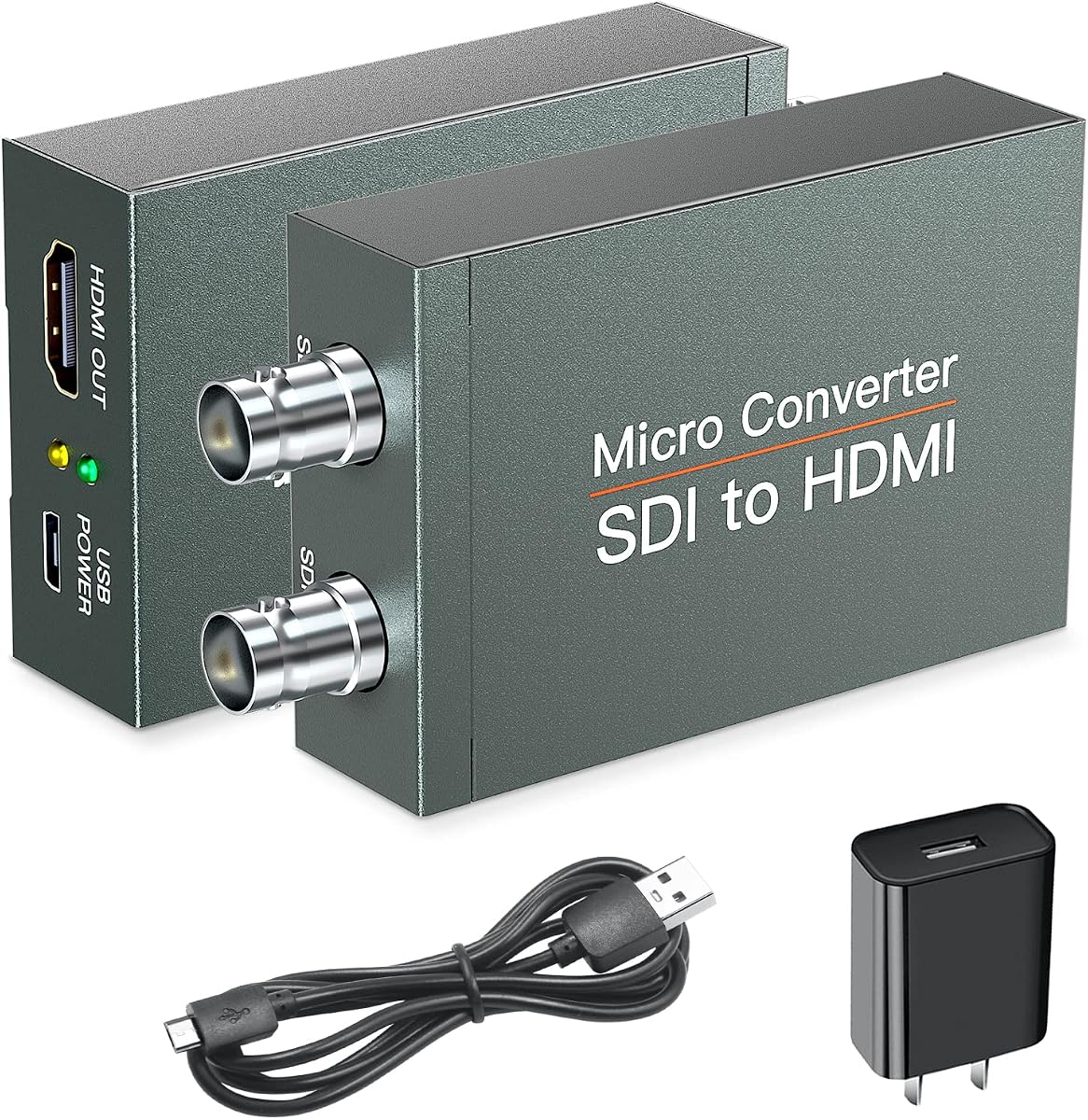


This SDI to HDMI converter is built for users who need to connect an SDI camera or other professional source to an HDMI monitor or projector. Its 3.9 rating reflects a generally capable device, while its distinguishing feature is the included SDI loop output, which allows the incoming SDI signal to remain available for additional equipment. The converter supports HD-SDI, 3G-SDI, and SD-SDI sources.
We may earn a commission when you buy through this link, at no additional cost to you.
The headline capability is full 1080p HDMI output with synchronous transmission of video and audio. Its BNC input and loop output are useful when a production chain needs SDI monitoring without taking the source away from a recorder, switcher, or transmission system. The metal shell, heat-dissipation design, and plug-and-play approach also make it more appropriate for semi-permanent installations than a minimal travel adapter.
There are important boundaries to the specification. This is not an HDMI-to-SDI converter, and it does not handle 4K. It also does not accept RF, CVBS, AHD, TVI, or CVI signals, so confirming that the source truly outputs SDI is essential. Despite those limitations, it offers a practical combination of conversion, audio support, and loop-through for camera-monitor and presentation installations.
Choose this model when your workflow needs SDI to be sent to an HDMI display while retaining a separate SDI feed. It is especially attractive for users who want more than a bare one-port converter without moving to a larger multi-channel system. Verify the source resolution, BNC connection type, and cable requirements before setup.
The SDI loop output lets the original professional signal continue toward a recorder or another device while HDMI handles local monitoring. This is valuable when an SDI camera must remain part of a larger production workflow rather than becoming an isolated HDMI-only source.
Support for SD-SDI, HD-SDI, and 3G-SDI covers many broadcast, live-production, conference, and industrial camera setups. The converter remains limited to 1080p, so it should be matched to equipment operating within that ceiling.
We may earn a commission when you buy through this link, at no additional cost to you.
This device serves the opposite side of the conversion equation from most entry-level SDI-to-HDMI adapters. It accepts an HDMI source and sends the signal to two SDI outputs, making it useful for feeding two professional displays, recorders, or downstream systems from one HDMI source. The supplied rating is 3.9, and the dual-output arrangement is its central advantage.
We may earn a commission when you buy through this link, at no additional cost to you.
Input support covers 480i, 480p, 576i, 576p, 720p at 50 or 60Hz, 1080i at 50 or 60Hz, and 1080p at 24, 25, 30, 50, or 60Hz. Its audio embedder is valuable when downstream SDI equipment needs synchronized sound carried with the video. Depending on the SDI tier, the stated cable reach extends to 328.1 feet for 3G-SDI, 656.2 feet for HD-SDI, and 984.3 feet for standard-definition SDI.
The trade-off is directionality. This converter only turns HDMI into SDI and cannot accept an SDI source for HDMI output. Users who need flexible routing in both directions would have to choose a bidirectional model instead. Its metal enclosure, heat-dissipation design, and simple installation also suit a permanent workstation better than a disposable adapter.
This converter is a strong candidate for home-theater equipment, laptop feeds, or media players that must enter a professional SDI environment. It works especially well when one HDMI source needs to be duplicated to two SDI destinations. Confirm the source resolution and required SDI standard before purchasing.
The two SDI outputs reduce the need for a separate duplicator when two professional screens or recording destinations need the same source. This makes the adapter useful for monitoring rooms, small production desks, and straightforward signal distribution.
Embedding audio into the SDI feed keeps sound and picture together through one cable. That is convenient for compatible cameras and SDI devices that expect synchronized embedded audio rather than a separate analog connection.
We may earn a commission when you buy through this link, at no additional cost to you.
This BiDirect converter is a versatile option for technicians who need to move between SDI and HDMI without carrying separate adapters. It supports both SDI-to-HDMI and HDMI-to-SDI conversion, includes an FPGA-based design, and carries a 4.0 rating. Its adaptive input handling and support for up to 1920 by 1080 make it well suited to cameras, monitors, projectors, and professional signal chains.
We may earn a commission when you buy through this link, at no additional cost to you.
The converter supports uncompressed 1080p at 60fps over the 3G-SDI standard. A dedicated clock recovery circuit allows it to act as a repeater, while the built-in ESD protection circuit adds a layer of protection against electrostatic damage. The stereo audio de-embedder broadens its usefulness for monitoring workflows where sound must be separated from the video signal.
Its specified SDI output reach is up to 80 meters for 3G-SDI, 100 meters for HD-SDI, and 120 meters for SD-SDI. The durable metal housing is designed for heat dissipation and is marketed for demanding industrial environments. The main limitation is that the video ceiling is 1080p; anyone needing 4K should not assume that feature is present.
This is the most flexible general-purpose choice in the list for users who work with both interface types. It reduces adapter clutter, supports direct camera-to-monitor connections, and can adapt HDMI sources to SDI equipment. Its bidirectional design, low-latency uncompressed transmission, and protective circuitry justify choosing it as the overall recommendation.
Bidirectional conversion is particularly useful in rental kits and mobile production environments where signal direction can change. The same unit can bridge professional SDI equipment to an HDMI display or connect an HDMI source to a downstream SDI system.
Clock recovery, ESD protection, and a metal housing with heat dissipation address practical reliability concerns. These characteristics are valuable in live-event, outdoor, and industrial installations where equipment may operate continuously.
We may earn a commission when you buy through this link, at no additional cost to you.
The Anber-Tech converter is a practical one-way solution for connecting SDI equipment to an HDMI display. Its 4.1 rating is among the stronger results in this collection, and automatic format detection simplifies operation across different camera or broadcast sources. The device supports 3G-SDI, HD-SDI, and SD-SDI, with a maximum 1080p-oriented workflow.
We may earn a commission when you buy through this link, at no additional cost to you.
A key strength is the inclusion of both an HDMI output and an SDI loop output. That means the incoming SDI feed can continue to another device while a local monitor receives the converted HDMI picture. The unit also supports eight channels of digital audio at a 48kHz sampling rate, giving professional operators more flexibility than a video-only adapter.
Its long-run specifications reach up to 300 feet for 3G-SDI, 500 feet for HD-SDI, and 1,000 feet for SD-SDI, while the loop output is listed up to 300 feet. The package includes a power adapter and user manual. The limitation is equally clear: this is not bidirectional, so it cannot convert HDMI into SDI.
For a straightforward camera-to-monitor arrangement, this is an excellent budget-conscious choice with useful loop-through functionality. It is best for users who know their source is SDI and want a direct, automatic solution. Those requiring flexible directionality should instead examine one of the bidirectional converters.
The converter recognizes 3G-SDI, HD-SDI, and SD-SDI inputs automatically. This is useful in mixed environments where technicians may connect different cameras without manually reconfiguring a complex menu for every source.
The loop output lets the SDI signal continue downstream while HDMI supports local monitoring. That makes the converter useful in camera chains involving recorders, switchers, and other professional equipment.
We may earn a commission when you buy through this link, at no additional cost to you.
The Blackmagic Micro Converter BiDirect is a compact professional unit for converting between SDI and HDMI. It holds a 4.7 rating, tied for the highest listed score among the products in this roundup. Its main selling points are bidirectional conversion, multi-speed SDI support, and a straightforward desktop form factor with an included AC power supply.
We may earn a commission when you buy through this link, at no additional cost to you.
For production users, the appeal lies in supporting both interface standards without using separate one-direction boxes. Multi-speed support makes it appropriate for systems operating across standard-definition, high-definition, and 3G-SDI contexts, subject to the exact source and display requirements. Its small enclosure also suits compact camera-control, editing, and monitoring setups.
The available product information is intentionally brief, so buyers should confirm the full port layout, supported resolutions, and regional power details on the listing. Because this is a directional and speed-sensitive conversion task, the connected source, destination, frame rate, and format should all be checked before installation. The included AC power is convenient for a fixed workstation.
This converter is best for users who want a trusted-looking professional workflow in a compact package and need both conversion directions. It is less suited to buyers whose primary requirement is a multi-input matrix or a unit with a built-in monitor. For those simpler requirements, a dedicated one-way converter may offer a more obvious fit.
A small enclosure is valuable in edit bays, camera-control stations, and mobile cases where every piece of equipment competes for space. The converter provides a practical bridge without the footprint of a larger distribution system.
Multi-speed SDI support is useful when a converter must work with sources operating at different SDI tiers. Exact format and resolution combinations should still be verified against the requirements of the connected source and destination.
We may earn a commission when you buy through this link, at no additional cost to you.
This bidirectional converter provides a broad set of professional features for users moving between SDI and HDMI signals. It carries a 4.1 rating and supports both conversion directions in one enclosure. The specification emphasizes 1080p uncompressed video, an FPGA-based chip, clock recovery, and built-in ESD protection.
We may earn a commission when you buy through this link, at no additional cost to you.
The converter is described as operating without operating-system dependence, which suits production environments where software configuration would be inconvenient. It supports smooth 1080p at 60fps over the 3G-SDI specification and is intended for broadcast, live streaming, photography, and home-theater use. A power supply is included, reducing the need for an extra accessory at installation.
The stated SDI output reach is 80 meters for 3G-SDI, 100 meters for HD-SDI, and 120 meters for standard-definition SDI. These figures depend on the source tier, cable quality, and installation conditions. The unit also retains a 1080p ceiling and does not add 4K conversion, so it should not be chosen for modern 4K-only workflows.
This is a good general converter when bidirectionality and a feature-rich interface are more important than a built-in screen or multiple input routing. It can eliminate the need to carry separate SDI-to-HDMI and HDMI-to-SDI adapters, making it a convenient choice for mixed production environments.
FPGA-based processing and clock recovery support stable high-speed transmission without reliance on a host operating system. That makes the converter convenient to deploy in live and industrial signal chains.
The ability to convert either direction is helpful when cameras, computers, recorders, and displays use different interfaces. It also keeps mobile kits simpler by reducing the number of directional adapters.
We may earn a commission when you buy through this link, at no additional cost to you.
The Lumantek SDI to HDMI Converter with Display and Scaler stands apart from the other selections because it integrates a display and scaling function into the conversion unit. It has a 4.6 rating, making it one of the highest-rated products in the list. This integrated approach is especially relevant to standalone camera monitoring and compact production workflows.
We may earn a commission when you buy through this link, at no additional cost to you.
Rather than requiring a separate preview monitor to evaluate an incoming SDI feed, the converter provides its own visible control point. The scaler adds value where the source and destination do not share a matching native format. Together, the display and scaler can simplify setup and reduce the amount of additional equipment required for a basic monitoring station.
The product data is concise, so exact connector counts, supported input formats, and scaling options should be confirmed with the seller. Its obvious limitation is that it is a dedicated SDI-to-HDMI solution rather than a bidirectional converter. Buyers who need to send HDMI into professional SDI equipment should choose a different model.
This is the premium pick for users who value an integrated screen and scaler over maximum port count. It is particularly appropriate for camera operators, filmmakers, and technicians who want direct feedback from an SDI source in a self-contained unit. Confirm the display behavior and supported formats before finalizing the setup.
A built-in display gives operators immediate visual feedback without dedicating another monitor to the SDI source. This can make camera checks faster and keep a compact production station organized.
The scaler is intended to help the converter adapt the incoming video for the connected display. It is a meaningful benefit when native timing or resolution differences would otherwise complicate the connection.
We may earn a commission when you buy through this link, at no additional cost to you.
The ACHAVE converter is designed for installations that need more than one source and one display. It provides four SDI inputs and four HDMI outputs, allowing multiple HD-SDI or 3G-SDI sources to be connected within a single unit. Its 3.6 rating is the lowest in this roundup, but the four-in, four-out architecture serves a distinct multi-source need.
We may earn a commission when you buy through this link, at no additional cost to you.
The device supports resolutions up to 1080p at 60Hz. Built-in cable equalization and clock recovery are intended to improve transmission reliability, while an automatic signal-identification system is compatible with multiple SDI signal formats. The complete package includes the converter, a Type-C power cable, and an operation manual.
Its principal limitation is that it only handles SDI input and HDMI output, not the reverse. Buyers should also understand that the existence of four ports does not necessarily mean every input is independently selectable on every output without consulting the manual. The stated 3.6 rating suggests some variability in the overall product experience, so careful setup and format verification are advisable.
This model makes the most sense for control rooms, live-event racks, conference systems, and other installations with several SDI sources to distribute. It should be considered a multi-port converter rather than a general-purpose single-camera adapter. Its scale and four-output design distinguish it from every other product in the list.
Multiple SDI inputs make the converter suitable for installations receiving feeds from several cameras or sources. Centralizing those connections can simplify rack layout and reduce the number of separate conversion units.
Cable equalization and clock recovery are useful for professionally routed BNC connections where signal integrity matters. Installation quality and compatible cabling remain important for dependable extended transmission.
We may earn a commission when you buy through this link, at no additional cost to you.
The Blackmagic Design Micro Converter BiDirectional is a compact, single-channel bridge between professional SDI and HDMI equipment. Its 4.7 rating is the highest shared score in the list. It accepts SD, HD, or 3G-SDI, receives HDMI through a Type A connection, and provides both SDI and HDMI outputs.
We may earn a commission when you buy through this link, at no additional cost to you.
Automatic SDI matching is a particularly useful feature: the SDI output is adjusted to correspond with the incoming HDMI video format. This reduces manual configuration when the converter must accommodate different source standards. The included universal power supply and international socket adapters make it suitable for mobile kits and temporary event deployments.
This is a focused converter rather than a distribution matrix. It provides one SDI input, one SDI output, one HDMI input, and one HDMI output, so it is best when the goal is to bridge a single signal chain in either direction. It does not offer the four-input structure of the ACHAVE unit or the integrated screen and scaler of the Lumantek.
For a camera-control operator, live-production technician, or editor needing a compact and well-regarded two-way converter, this is a strong recommendation. It also suits users who value automatic matching and do not want to manage separate directional adapters. Verify source and destination formats before connecting professional equipment.
The SDI output automatically matches the connected HDMI input format, which is valuable when source standards may vary. It helps keep the signal chain consistent without routine manual intervention.
The included universal supply with international socket adapters supports travel and temporary production work. It also keeps the kit self-contained when the converter is used away from a permanent installation.
We may earn a commission when you buy through this link, at no additional cost to you.
The Blackmagic Design Micro Converter HDMI to SDI 3G is a dedicated one-way converter for adapting an HDMI source to a professional 3G-SDI workflow. Its 4.7 rating is among the strongest results in the roundup, and the included power supply improves the readiness of the package for immediate deployment.
We may earn a commission when you buy through this link, at no additional cost to you.
This type of conversion is useful when a computer, presentation system, media device, or consumer source must feed a professional SDI display, recorder, or broadcast chain. A dedicated direction can be advantageous in fixed installations because operators do not have to determine which conversion mode to select, and the device can be deployed wherever HDMI must become SDI.
The tradeoff is the absence of SDI-to-HDMI functionality. This is not the converter to choose for feeding an HDMI monitor from an SDI camera. In addition, the supplied information is brief, so buyers should check the exact input and output formats, supported resolutions, and included components on the product listing before ordering.
Choose this converter when the signal path is known to run from HDMI into SDI and a dedicated professional unit is preferred. It is a logical option for fixed AV installations, media rooms, and broadcast-adjacent equipment racks. The included power supply and strong rating make it a confident recommendation for that specific use.
A dedicated HDMI-to-SDI unit is useful when the direction of the workflow never changes. It can reduce confusion in permanent installations and keep the signal path straightforward.
The product is designed to bridge HDMI equipment into a professional SDI environment. It is most relevant where downstream devices require SDI rather than consumer-facing HDMI connections.
We may earn a commission when you buy through this link, at no additional cost to you.
The right converter depends primarily on signal direction, source format, resolution, audio requirements, and the number of connections. Reviewing those factors before shopping prevents an adapter from becoming an unusable link in the middle of a live workflow.
Begin by identifying which device produces the signal and which device receives it. An SDI-to-HDMI converter is appropriate for connecting a professional camera to an HDMI monitor, while an HDMI-to-SDI converter adapts a computer, media player, or presentation source to professional SDI equipment. Bidirectional converters make sense when the same kit must support either arrangement, such as in mobile production, rental packages, or changing control-room workflows. Choosing the wrong direction is the most fundamental compatibility mistake, because a one-way box cannot reverse the signal.
SDI is a family of formats rather than a single universal specification. Common variants include SD-SDI, HD-SDI, and 3G-SDI, and a useful converter should recognize the standards used by the source equipment. Check whether the converter supports the required frame rate, resolution, and SMPTE format rather than looking only at the SDI label. Some products also specify exact supported input modes, such as 1080p at 60, 59.94, or 50Hz. This is especially important in broadcast environments where equipment may use fractional frame rates.
Most converters in this guide support up to 1080p, which remains suitable for many professional displays, streaming systems, and control-room monitors. A 1080p ceiling does not automatically prevent a higher-resolution source from producing a picture, but it does mean the converter cannot deliver a true 4K image. Examine the listed frame rates as well: support for 1080p at 60fps is valuable for moving content, while some 1080p workflows use 50, 30, 25, or 24fps. The destination display must also be able to accept the converted timing.
Video conversion does not always solve the audio requirement. A camera feed may carry embedded digital audio, while a professional display may accept embedded HDMI sound, a de-embedded stereo signal, or no audio at all. Look for an audio de-embedder when sound must be separated for separate amplification, recording, or monitoring. An audio embedder is more useful when an HDMI source needs audio packaged into an SDI feed for downstream professional equipment. Sampling-rate and channel-count details matter in broadcast workflows, so compare them with the source and destination specifications.
An SDI loop output can preserve the original professional feed while HDMI serves a local monitor. This is essential when a recorder, switcher, or transmission chain must continue receiving SDI. Dual SDI outputs offer a different benefit: they let one HDMI source feed two professional destinations without a separate duplicator. A four-input, four-output converter is appropriate for centralized multi-source distribution, but it is more specialized and may require careful routing configuration. Buyers should count real workflow connections rather than choosing a converter simply because it offers more ports.
Published cable-distance figures are useful but should be treated as configuration-specific guidance. Long-run performance depends on the SDI tier, cable quality, connectors, interference, and topology. The listed products provide different reach figures, ranging from approximately 80 meters for 3G-SDI on some bidirectional models to substantially longer standard-definition runs on dedicated SDI-to-HDMI devices. For permanent installations, consider the metal housings, heat dissipation, and operating conditions described by the manufacturer. Industrial, outdoor, and command-center uses may justify a more rugged unit over the smallest adapter.
A converter with a built-in display and scaler can provide immediate source feedback and adapt output timing for a connected screen. This integrated approach can reduce the need for a separate preview monitor and simplify a standalone camera-check station. By contrast, a simple plug-and-play converter works well when the source and destination are already compatible. Bidirectional boxes with clock recovery and ESD protection are more relevant to mobile or industrial installations where signal stability and electrostatic exposure are concerns.
Check whether a power adapter is included and whether the connector suits the intended region. Some units include a universal supply with international adapters, while others use a Type-C cable or a dedicated AC adapter. Portable camera work favors a compact enclosure and minimal accessory requirements, whereas permanent installations may make cooling, screw placement, and sustained operation more important. The presence of a user manual can be particularly helpful for less common formats because it reduces the need to infer routing behavior from the hardware alone.
Begin by identifying the exact source and destination formats, then match the converter's direction to that path. Connect the appropriate BNC or HDMI leads while the equipment is powered off, attach the required power supply, and select the matching SDI standard or conversion mode if the unit offers manual controls. Power the source first, then the converter, and finally the display or downstream SDI device. This sequence helps the receiving equipment recognize a stable signal.
For best results, use quality BNC cables for SDI paths, secure every connector, and avoid sharply bent or pinched cables. Match the source resolution and frame rate to a mode supported by both the converter and the destination. When audio is embedded or de-embedded, verify the channel layout and sample rate at both ends. If the display is blank, check the direction of conversion, confirm that the source is truly SDI rather than composite or another format, and test with a short known-good cable.
Care for the converter by keeping the enclosure dry, the vents unobstructed, and the power connections stable. Do not open the housing while it is connected to power. For long-term operation, provide ventilation and avoid placing the unit directly beneath a display that might restrict airflow. Periodically inspect BNC connectors for looseness, clean the exterior with a dry cloth, and retain the manual so format and routing settings remain understandable when the equipment changes hands.
Most of the converters listed support up to 1080p, and none of the supplied product data confirms native 4K conversion. The dedicated SDI-to-HDMI model explicitly states that 4K is unsupported, while the other units are described as 1080p-capable. If 4K is essential, confirm the converter's exact specifications before buying rather than assuming that an HDMI connector can deliver the full source resolution.
An SDI-to-HDMI converter sends a professional SDI source to an HDMI display or recorder. An HDMI-to-SDI converter takes a consumer or computer HDMI source and adapts it for professional SDI equipment. Bidirectional models support both directions and are convenient when the signal path can change, but they are not essential for a fixed installation.
It is necessary when the original SDI feed must continue to a recorder, switcher, or transmitter while a local monitor uses the HDMI output. If the camera connects only to a standalone monitor and no additional SDI equipment is involved, the loop output may add little value. Professional chains often benefit from it because it prevents the converter from interrupting the source path.
The supported distance depends on the converter, SDI tier, cable quality, and installation conditions. The listed products cite different limits: some bidirectional units state up to 80 meters for 3G-SDI, while the Anber-Tech converter lists longer runs for lower-speed SDI formats. Treat these as maximum design figures and use quality, correctly terminated BNC cables for dependable results.
Choose embedding when an HDMI source's sound must travel inside the resulting SDI signal for downstream professional equipment. Choose de-embedding when audio inside an SDI feed must be separated for HDMI playback or a separate audio system. Check the source's audio format, the destination's supported channel layout, and the converter's stated sampling rate before connecting the devices.
A four-input and four-output converter can connect several sources and distribute them, but it should not be assumed to offer the same routing controls, transitions, or switching behavior as a dedicated production switcher. Its four SDI inputs and four HDMI outputs are useful for centralized distribution. For live switching, consult the manual and confirm that the required routing functionality is present.
Not necessarily. The first listed product explicitly excludes RF, CVBS, AHD, TVI, and CVI signals, and an SDI converter generally requires a source that genuinely outputs SDI. Many installation cameras use coax video for other formats, so identify the camera's output type before purchasing and avoid connecting it based solely on the connector appearance.
A reliable startup sequence usually begins with the source, followed by the converter, and then the display or downstream equipment. Giving the converter time to negotiate with the source can reduce the chance of a temporary no-signal result. If the unit has automatic detection, allow the stated startup period and recheck the selected format before moving the display input.
The Blackmagic Design Micro Converter BiDirectional SDI/HDMI/PSU is the strongest all-around recommendation for a compact, flexible two-way workflow. The Lumantek SDI to HDMI Converter with Display and Scaler stands apart for integrated monitoring, while the Anber-Tech SDI to HDMI Converter provides the most compelling budget-focused option with automatic detection, audio support, and SDI loop-through.
Prioritize direction first, then confirm the exact SDI standard, resolution, frame rate, and audio behavior. Bidirectional converters are valuable for changing or mixed workflows, but dedicated one-way units can be simpler in fixed installations. Loop-through matters when a professional source must remain in the chain, multiple outputs matter for distribution, and a built-in display matters when rapid source checks are central to the job.
Current prices, listing availability, included accessories, and product details can change, so check the final listing before buying. The connected equipment should also be reviewed as a complete signal chain rather than evaluating the converter alone. A carefully matched converter can remove interface barriers while preserving the video and audio quality the production workflow depends on.