
Arsvita Laser Lens Cleaner Disc ARCD-04
4.3Editor score
Two-brush lens cleaning process
Includes two cleaning fluids
CD, VCD, and DVD compatible
Includes microfiber glasses cloth
Discover the 10 best CD and DVD player cleaner options, comparing compatibility, cleaning method, included accessories, playback support, and ease of use
A CD and DVD player cleaner is designed to remove dust and residue from an optical pickup lens, which can help address slow loading, skipping, freezing, distorted audio, and unclear video. The right product should fit your device, follow clear instructions, and use a cleaning process appropriate for the player without creating additional maintenance problems.
This guide compares ten laser lens cleaners and disc-maintenance options based on stated compatibility, cleaning technology, included accessories, user guidance, recommended maintenance intervals, and support for common playback issues. It covers dedicated CD, VCD, and DVD cleaning discs as well as a disc-wipe option that belongs in a broader maintenance routine.
Each review explains the product's strongest features, limitations, ideal use, and compatibility considerations. The top selections highlight the best budget, overall, and premium approaches, while the comparison makes it easier to identify the cleaner that matches your equipment and habits. Product availability and prices can change, so confirm the current listing details before purchasing.
4.3Editor score

4.2Editor score
4.3Editor score
The comparison below organizes all ten options by their stated cleaning method, device compatibility, maintenance purpose, and included components, making it easier to distinguish player lens cleaners from products intended to clean the discs themselves.




The Arsvita CD Laser Lens Cleaner Disc Cleaning Set is a straightforward maintenance disc for CD, VCD, and DVD players, with a 4.2 rating reflecting generally favorable customer feedback. Its defining feature is the two-brush cleaning process, which is intended to lift dirt and dust deposits that can contribute to slow loading, skipped playback, freezing, audio dropouts, and video distortion.
We may earn a commission when you buy through this link, at no additional cost to you.
The set focuses on doing one job with few extra components. It includes one cleaner disc, a glasses cloth, and a user manual. The cloth can be useful for general surface care, while the cleaning disc is designed to pass through a compatible player and clean the laser lens as it plays. This makes the kit convenient for owners who want a simple maintenance solution without a complicated collection of separate cleaning products.
Compatibility is the main trade-off. The stated list includes CD, VCD, and DVD players, but explicitly excludes PS1, PS2, PS3, PS4, Xbox, Xbox 360, Xbox One, Xbox X, Wii, Wii U, and Bose players. Cleaning cannot repair a failed laser, damaged disc, or mechanical transport problem, so the set should be viewed as preventative maintenance and a response to dust-related symptoms rather than a universal service tool.
This is a sensible choice for a household CD or DVD deck that loads discs slowly, skips during playback, or produces visible or audible interruptions after extended use. It is also appropriate for users who want a simple lens-cleaning disc and a cloth in one package. Confirm that your player is a supported CD, VCD, or DVD model, follow the supplied manual, and discontinue use if the player behaves abnormally.
The two-brush process is designed to clean dust and residue from the lens rather than treating the discs themselves. That focus makes this disc most relevant when playback problems occur across multiple properly handled discs.
The included glasses cloth and user manual keep the package practical without adding unnecessary complexity. It is a straightforward setup for users who prefer one disc and one cloth for basic maintenance.
We may earn a commission when you buy through this link, at no additional cost to you.
Arsvita ARCD-04 combines a laser lens cleaning disc with a more complete accessory set than the standard Arsvita packages, earning a 4.3 rating among the stronger-rated products in this guide. It uses the same stated two-brush process designed to remove dust and dirt deposits associated with slow loading, skipping, freezing, and playback distortion.
We may earn a commission when you buy through this link, at no additional cost to you.
Its package includes one cleaner disc, a glasses cloth, two disc cleaning fluids, and an after-sales card. The additional liquid makes it more useful for maintaining the physical discs as well as cleaning the player lens. That combination is particularly attractive for owners of an aging collection who want to address both player pickup cleanliness and disc-surface cleanliness with one purchase.
The same broad limitation applies as with other Arsvita CD, VCD, and DVD cleaners: it is not stated for PS1 through PS4 systems, any of the listed Xbox models, Wii or Wii U, or Bose players. Its two-brush mechanism may also require repeated use and careful handling. As with any lens cleaner, it cannot compensate for a mechanically damaged drive, a failed laser, or severely scratched media.
Choose ARCD-04 if you want dedicated player cleaning plus enough fluid and a cloth to include disc care in your routine. It is a good fit for CD, VCD, or DVD owners experiencing dust-related playback symptoms and wanting a more generous maintenance bundle. Read the manual, verify compatibility, and keep the disc in its case whenever it is not being used.
Two included cleaning fluids separate this model from simpler lens-cleaning discs. They add value for users who also want to remove dirt and smudges from discs before playback.
The two-brush process is intended to collect deposits that can interfere with the laser pickup. It targets symptoms such as skipping, freezing, and distorted playback when those symptoms are related to lens contamination.
We may earn a commission when you buy through this link, at no additional cost to you.
The Arsvita ARCD-02 is a CD, VCD, and DVD player cleaning kit with a 4.1 rating. It pairs a two-brush cleaner disc with one disc cleaning fluid, a microfiber glasses cloth, and an after-sales card, creating a practical middle ground between a lens-only disc and a larger maintenance bundle.
We may earn a commission when you buy through this link, at no additional cost to you.
Its lens-cleaning role is designed for players showing slow loading, skipping, freezing, or playback distortion that may be associated with accumulated dust. The included liquid and cloth expand its usefulness to routine disc cleaning. That makes it suitable for users who have noticed both player-related playback issues and fingerprints or smudges on their collection.
The listed compatibility is limited to CD, VCD, and DVD players. It explicitly does not support PS1, PS2, PS3, PS4, Xbox, Xbox 360, Xbox One, Xbox X, Wii, Wii U, or Bose players. Compared with the ARCD-04, the package contains one cleaning fluid rather than two, and the product's 4.1 rating is slightly lower than that sibling's 4.3 rating.
ARCD-02 is best for owners who want one affordable, compact kit for both lens and disc maintenance. It is a reasonable alternative when the extra bottle offered by the ARCD-04 is unnecessary. Confirm the player type, follow the instructions carefully, and avoid assuming a cleaner can fix a drive whose problem is mechanical rather than related to dust.
The lens disc and included liquid cover different maintenance needs. This is helpful when a player is showing pickup symptoms and the discs also need surface cleaning.
Support is clearly limited to CD, VCD, and DVD equipment. Players outside those formats should use a cleaner explicitly designed for their hardware.
We may earn a commission when you buy through this link, at no additional cost to you.
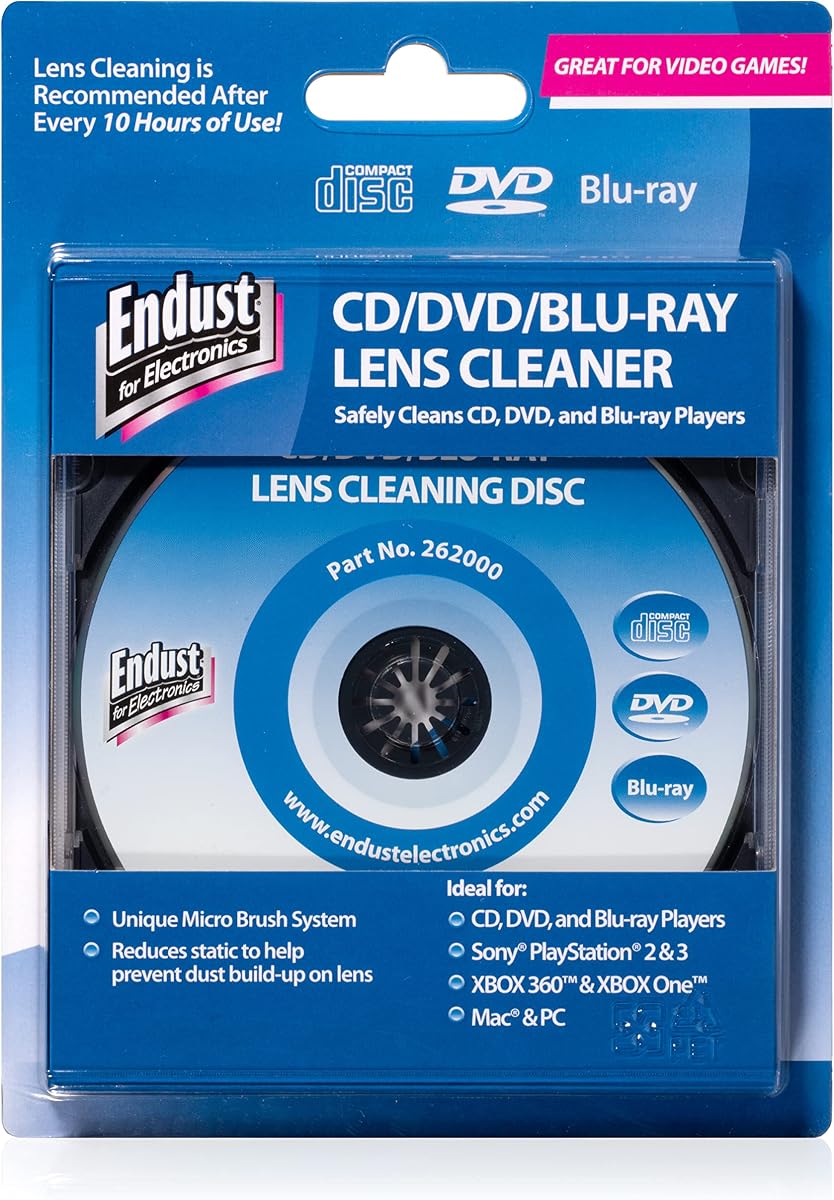
Endust for Electronics CD/DVD/Blu-Ray Lens Cleaner 262000 has a 4.3 rating and stands out for its stated compatibility with CD, DVD, and Blu-ray devices. It is designed to safely clean the lens of a compatible disc device, remove dust and dirt, and help maintain consistent playback in office desktops, school environments, and home offices.
We may earn a commission when you buy through this link, at no additional cost to you.
One distinctive feature is the instruction to turn on device audio after inserting the disc. The product uses that audio guidance to help users run the cleaning sequence correctly. This can be useful for shared or institutional equipment because it reduces dependence on printed instructions, although it also means the player must be able to play the disc's audio track for the full procedure.
Unlike several disc-centered kits, the listed package does not emphasize a cloth or cleaning fluid, and the product information does not describe a multi-brush mechanism. Its appeal is instead tied to broad stated device support and a simple cleaning objective. As always, accumulated dust is only one possible cause of skipping, freezing, or poor playback; damaged discs and failing components require different remedies.
This is a strong choice for a home office, classroom, office desktop, or mixed CD, DVD, and Blu-ray setup. It is particularly suitable when several compatible devices could benefit from routine lens care. Confirm that your equipment accepts the disc, follow the audio prompts, and consult the product instructions for the recommended sequence.
Stated support for CD, DVD, and Blu-ray devices gives the Endust cleaner broader relevance than options limited to traditional CD and DVD players. It can simplify maintenance in mixed-format spaces.
The audio-guided procedure can be especially helpful in offices and schools. Users hear the steps directly through the connected device rather than needing to repeatedly consult printed instructions.
We may earn a commission when you buy through this link, at no additional cost to you.
The Maxell DVD-LC is the strongest all-around recommendation in this guide, combining a 4.2 rating with unusually broad stated compatibility and detailed maintenance guidance. It is designed to clean optical pickup lenses in Blu-ray and DVD players, computers and laptops with DVD drives, Xbox and Xbox 360 systems, and PS1 and PS2 gaming systems.
We may earn a commission when you buy through this link, at no additional cost to you.
Its Thunder on brush system uses superfine synthetic fibers impregnated with copper. The stated purpose is maximum cleaning and demagnetization, including removal of scratches, while also helping address static-related buildup. Maxell recommends cleaning a DVD player's lens after every ten hours of use, replacing the cleaner when the brushes show wear or after 20 uses, which gives owners a concrete maintenance schedule.
The operating procedure is unusually clear: insert the disc with graphics facing up and the arrow pointing forward, play the video, press stop to remove it, and return it carefully to its case. This approach is accessible, although the need to wear or replace the disc after repeated use should be considered. The product is explicitly unsuitable for PS3, PS4, and WiiU, so newer game hardware is outside its stated scope.
This is the right choice for a DVD or Blu-ray player used frequently enough to accumulate dust, especially if you also own an older compatible game system or laptop with a DVD drive. It provides a sensible cleaning interval, understandable replacement guidance, and broad device reach. For owners of a PS3, PS4, or WiiU, choose a cleaner explicitly approved for that console instead.
The ten-hour cleaning interval and 20-use replacement guidance make this cleaner unusually easy to incorporate into a routine. Users can track use and replace the disc before brush wear compromises its performance.
Compatibility extends beyond conventional DVD players to Blu-ray players, computers, laptops, Xbox, Xbox 360, PS1, and PS2. That makes it useful for households with varied legacy optical media hardware.
We may earn a commission when you buy through this link, at no additional cost to you.
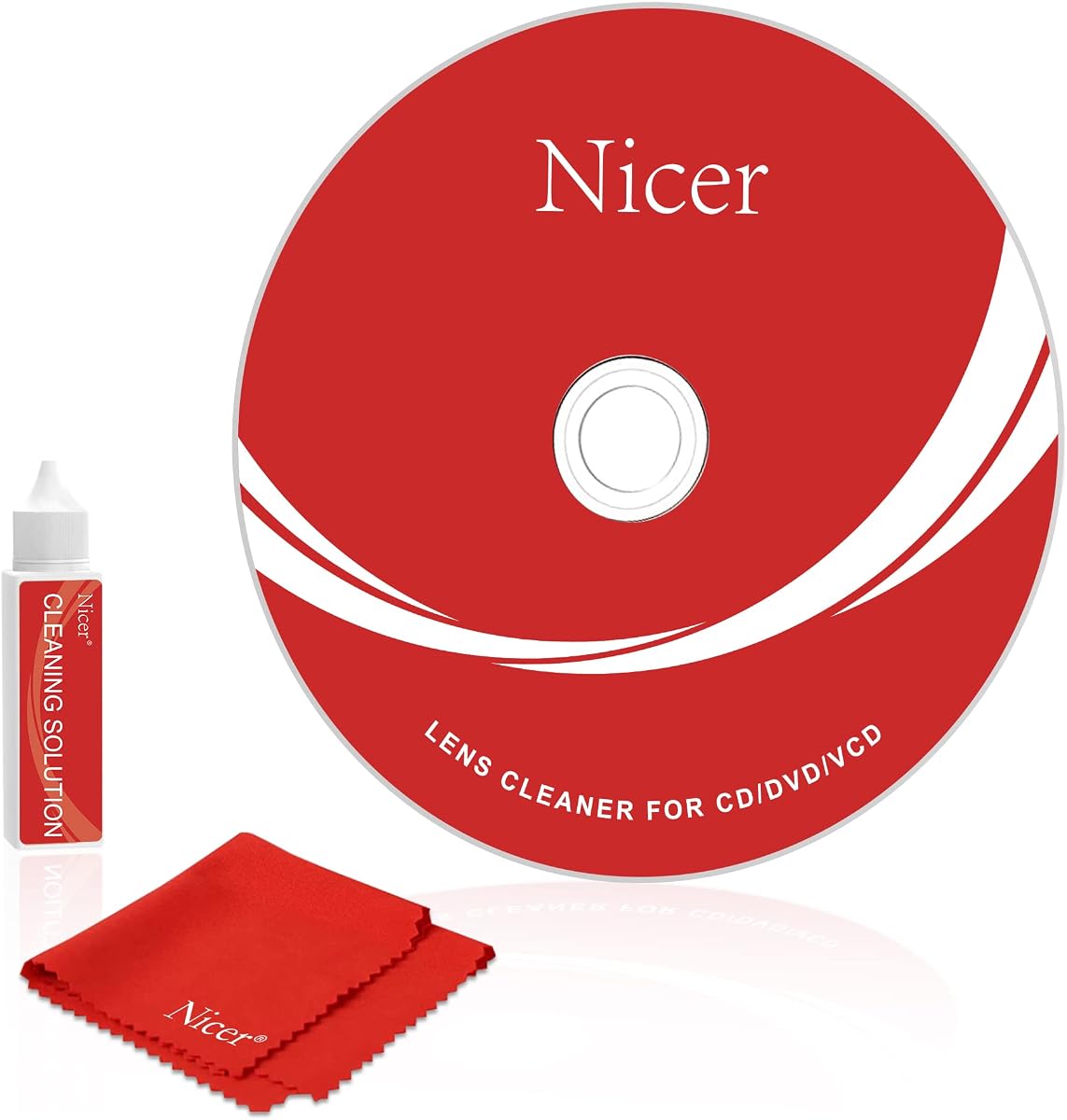
The Nicer NS-2 is a guided CD, VCD, and DVD laser lens cleaning kit with a 4.1 rating. It is designed to address slow loading, ejection problems, stuck playback, and unclear pictures, all of which may occur when an aging pickup lens has accumulated dust. The product emphasizes simple operation and a complete three-minute procedure.
We may earn a commission when you buy through this link, at no additional cost to you.
Voice guidance and left- and right-channel testing help users follow the cleaning routine, while the included microfiber cloth can be used to clean discs. The package contains one CD cleaning disc, one cleaning liquid, one microfiber cloth, an instruction manual, and a six-month after-sales service period. This combination makes it more versatile than a lens-cleaning disc alone.
Compatibility is restricted to CD, VCD, and DVD equipment. PS1 through PS4, Xbox through Xbox X, Wii, Wii U, and Bose players are explicitly excluded. The three-minute process is concise, but users should still follow the directions rather than assuming every symptom will disappear after a single run. A dirty lens is only one potential source of playback trouble.
The NS-2 is a good choice for users who want spoken instructions and a short maintenance routine with the necessary cloth and liquid included. It is especially approachable for older players used infrequently, where dust may have accumulated over years of storage. Verify compatibility and use a device that can play the cleaning disc's audio.
Voice prompts and channel testing make the process more approachable for less technical users. The included instructions provide a reference if a particular step is unclear.
The stated runtime is short enough to fit into a regular maintenance session. It removes some of the friction associated with longer or less clearly explained cleaning procedures.
We may earn a commission when you buy through this link, at no additional cost to you.
The Nicer NS-1 offers a particularly fast approach to lens maintenance, with a stated one-and-a-half-minute cleaning process. Its 4.0 rating is solid but slightly lower than the Nicer NS-2. It is intended for CD, VCD, and DVD players that eject discs, freeze during playback, display unclear pictures, or load slowly because the laser lens may be dirty.
We may earn a commission when you buy through this link, at no additional cost to you.
Voice guidance and left- and right-channel testing are the main usability features. The kit includes a cleaning disc, microfiber cloth, instruction manual, and six-month after-sales service period. The cloth allows the owner to clean disc surfaces as well as maintain the lens, although this version does not include cleaning liquid.
The format restrictions are the same as those of the NS-2: PS1, PS2, PS3, PS4, Xbox, Xbox 360, Xbox One, Xbox X, Wii, Wii U, and Bose players are not supported. The shorter routine may be convenient, but it should be followed as directed so the brush passes through the pickup correctly. Users should not interpret a quick routine as a substitute for repeatedly checking a failing player.
Choose the NS-1 when you prioritize speed, voice prompts, and a simple two-part maintenance setup with a lens disc and microfiber cloth. It suits compatible traditional media players that have been stored or used without regular cleaning. The NS-2 is the more complete alternative when having liquid and a longer guided routine is important.
The one-and-a-half-minute process is the shortest stated routine in this comparison. It suits owners who want a quick maintenance habit rather than a lengthy setup.
This package focuses on the lens-cleaning disc and cloth. Buyers who also want a disc cleaning solution may prefer the Nicer NS-2 bundle.
We may earn a commission when you buy through this link, at no additional cost to you.
The Maxell CD & DVD Quick Wipes pack is a disc-maintenance product rather than a laser lens cleaning disc, and it earns a 4.3 rating for that distinct purpose. The 20 wipes are soft and non-abrasive, intended to remove dirt, dust, smudges, and fingerprints that can interfere with smooth playback.
We may earn a commission when you buy through this link, at no additional cost to you.
This product is most valuable when a particular disc skips or stutters but other discs play normally. Cleaning the disc surface removes contamination that a player lens cleaner cannot reach. It is also useful for improving the appearance of a collection and for general upkeep around computers, shelves, and media cases. The wipes are designed to help maintain disc longevity and playback quality.
The important limitation is that these wipes do not clean the laser lens inside the player. They will not resolve skipping or loading problems caused by dust on the pickup, and they cannot repair a damaged drive. The listing also points buyers toward a separate Maxell CD Lens Cleaner for player and game-console maintenance, reinforcing the distinction between the two jobs.
This is the right choice for anyone with a collection of frequently handled CDs and DVDs, especially if individual discs have fingerprints or smudges. Keep wipes handy for a quick before-playback clean. If several different discs exhibit the same symptom, investigate lens cleaning and hardware condition rather than repeatedly treating only the media.
A dirty disc can cause skipping even when the player is clean. The wipes provide a direct way to remove smudges and fingerprints from the surface that the player is trying to read.
The stated non-abrasive construction is intended to clean without scratching discs. That makes the format suitable for routine care across a large collection.
We may earn a commission when you buy through this link, at no additional cost to you.
The Allsop Ultra ProLens Cleaner model 23321 has a 4.1 rating and uses an eight-brush carbon system intended to clean DVD and CD laser lenses. Its core proposition is removing static buildup and dirt that may contribute to skipping, making it relevant to owners of disc drives and compatible game players.
We may earn a commission when you buy through this link, at no additional cost to you.
The multiple carbon brushes are the product's most distinct specification. Rather than relying on a single wiping element, the design distributes the cleaning action across eight brushes. The product is positioned for users whose discs skip intermittently or whose drives are exposed to dust and static accumulation. It also carries a simple, purpose-built design for optical media maintenance.
The available product information gives fewer device-specific details than some competing listings. It names DVD, CD drives, and game players, but does not provide the same extensive compatibility matrix or explicit maintenance schedule. Packaging may also vary. Buyers should check the current product instructions and their own equipment before use, particularly if they rely on a game console not clearly mentioned.
The Allsop is a solid choice when static and buildup are the main concern, or when you want a multi-brush alternative to standard microfiber cleaning discs. It is most relevant to compatible optical drives and game players, not to a Blu-ray-specific or modern console model. Confirm compatibility, follow the direction sequence, and remember that cleaner discs cannot correct every type of playback failure.
The eight-brush carbon system provides a more intensive brushing approach than a single-surface cleaner. It is intended to lift dust and residue that can affect the optical pickup.
Static removal is a notable differentiator for drives that experience skipping in dusty or frequently handled environments. The carbon system is specifically described as targeting this kind of buildup.
We may earn a commission when you buy through this link, at no additional cost to you.
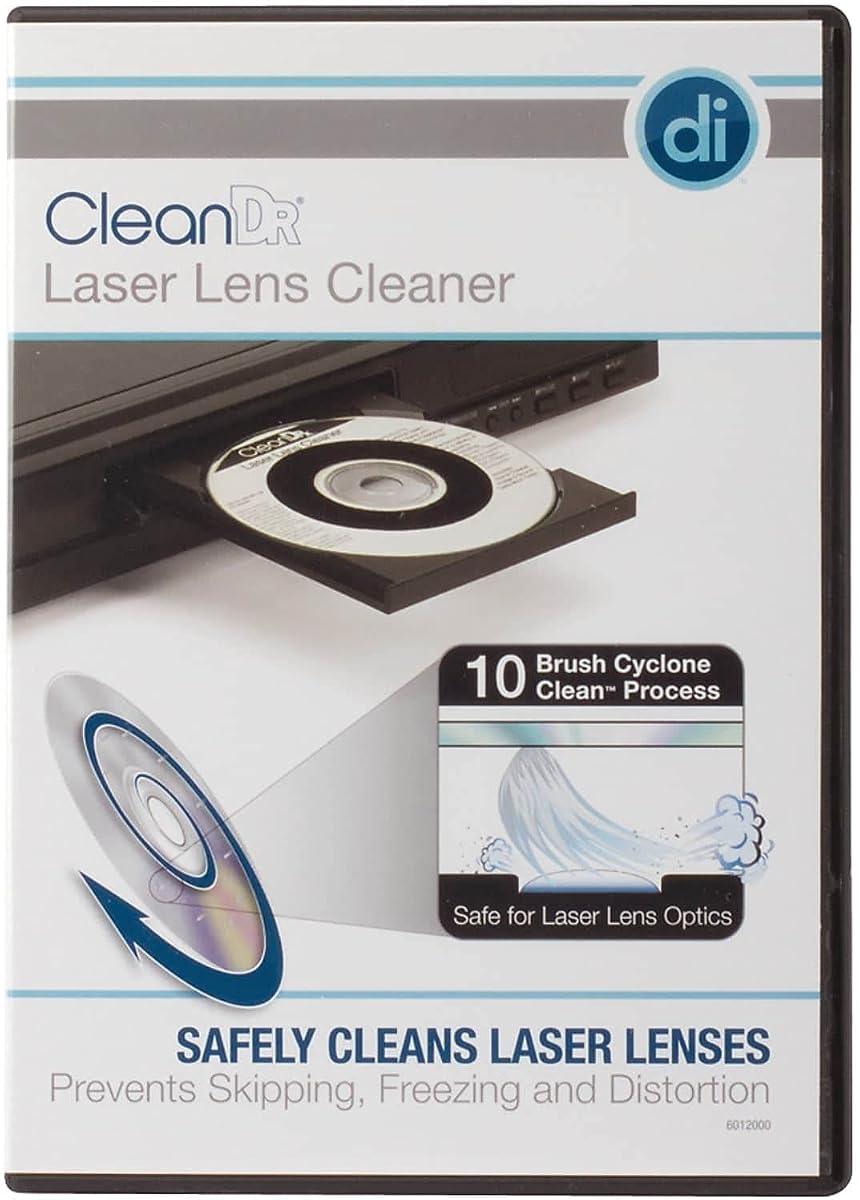
The Digital Innovations 60120-00 CleanDr has a 4.2 rating and offers one of the most elaborate stated cleaning processes in this guide. Its exclusive 10-brush Cyclone Clean system uses three stages to demagnetize and remove dust, dirt, and debris from a laser lens, with the goal of improving playback in CD and DVD players.
We may earn a commission when you buy through this link, at no additional cost to you.
The cleaner is designed for devices that load discs slowly or skip or freeze during playback. Its multiple brushes and staged approach are positioned as a thorough way to clean the optical pickup and potentially extend the useful life of the player. It is also stated to be safe for computers with CD or DVD drives, Xbox, Xbox 360, PS1, and PS2 systems.
There are important exclusions. The manufacturer does not recommend the product for multi-disc CD or DVD players, and it is not intended for Blu-ray players, WiiU, Xbox One, PS3, or PS4. Those restrictions mean that its detailed process does not make it universally suitable. A device that uses a different lens format or loading mechanism may require a specifically approved cleaner.
Choose the CleanDr when you operate a compatible standalone CD or DVD player, older computer drive, or listed legacy game system and prefer a thorough, multi-stage cleaning design. The explicit exclusions help prevent incorrect use. Read all directions, confirm the player type, and stop if the device ejects the disc or behaves unexpectedly.
The staged process is designed to demagnetize the pickup area and remove dust, dirt, and debris. It provides a more structured routine than a basic single-pass disc cleaner.
Compatibility with CD and DVD players, computer drives, Xbox, Xbox 360, PS1, and PS2 makes this useful for older collections. Modern consoles and multi-disc mechanisms require different products.
We may earn a commission when you buy through this link, at no additional cost to you.
Choosing a CD and DVD player cleaner requires matching the cleaning format to the device, understanding what the product actually cleans, and deciding how much guidance or supporting maintenance equipment you want.
Start with the device you want to maintain. The products in this guide vary substantially: some support only CD, VCD, and DVD players, while the Maxell DVD-LC and Endust cleaner also list Blu-ray compatibility, and several mention older Xbox or PlayStation systems. A cleaner that is not explicitly approved for your hardware may use an incompatible process or fail to work as intended. Multi-disc players, modern consoles, and unusual media systems are especially important to check because some manufacturers recommend against using conventional lens cleaners in them.
Choose a cleaner only when its stated compatibility explicitly includes your player or drive.
A laser lens cleaner is inserted into a player and is designed to remove dust from the optical pickup. A disc cleaner, such as the Maxell Quick Wipes, removes dirt, fingerprints, and smudges from the surface of CDs and DVDs. These solve different problems: lens contamination often causes trouble across multiple discs, while a dirty disc may produce symptoms only when that particular disc is played. Choosing the correct category can prevent wasted effort and help identify the actual source of playback issues.
Use a lens disc for internal pickup maintenance and wipes for individual disc surfaces.
Brush count and process design are useful points of comparison. Arsvita products use a stated two-brush process, the Allsop uses eight brushes, and the Digital Innovations CleanDr uses a ten-brush, three-stage system. Maxell's DVD-LC uses superfine synthetic fibers impregnated with copper for cleaning and demagnetization. These descriptions do not guarantee a specific outcome, but they reveal how the manufacturer approaches debris, static, and scratch-related pickup maintenance. A more involved process may be appealing for heavily used or older equipment.
Compare brush materials and process stages, but follow the supplied instructions precisely.
Some packages include only a lens-cleaning disc, while others add a microfiber or glasses cloth, cleaning fluid, instruction manual, and after-sales card. The Nicer NS-2 and the Arsvita ARCD-02 and ARCD-04 include liquid for additional disc care, whereas the NS-1 and standard Arsvita set do not. Accessories can make a kit more versatile, but they also mean more items to store and use correctly. For a collector, a cloth and fluid are useful; for a single-player household focused only on the pickup, the cleaning disc may be sufficient.
Match the bundle to the maintenance tasks you actually expect to perform.
The best cleaner is one you can use without guessing. Nicer kits provide voice guidance and left- and right-channel testing, while the Endust product directs users to turn on device audio for its instructions. The Maxell DVD-LC provides a specific insertion orientation and stop-and-remove procedure. Clear guidance is especially helpful if the player is older, rarely used, or already showing loading issues. Always read the included manual because even simple cleaning discs have a correct sequence and orientation.
Prioritize audible or clearly written instructions that reduce setup errors.
Cleaning discs can wear out, and frequent use may eventually reduce their effectiveness. The Maxell DVD-LC is distinctive for recommending lens cleaning after every ten hours of use and replacement after 20 usages or when its brushes show wear. Other products do not provide equally specific replacement guidance in the supplied information. A regular maintenance schedule helps avoid running a spent disc repeatedly and can make the results more predictable. Store the cleaner in its case to protect the cleaning surface and keep the directions available.
Follow the product's cleaning interval and retire the disc when its brush shows wear.
Lens cleaners are designed for symptoms that may be associated with dust, including slow loading, skipping, freezing, distorted sound, unclear pictures, and playback interruptions. They cannot fix scratched discs, failed laser assemblies, damaged motors, failed belts, loose internal connections, or every software and file-format problem. If one disc fails while others work, begin by cleaning the disc. If several discs fail, consider lens maintenance, but also check cables, power, player condition, and disc format compatibility before assuming dirt is the sole cause.
Treat cleaning as targeted maintenance, not a universal repair for every playback failure.
Value depends on more than the initial cost of the package. A useful cleaner should have clear directions, compatibility for your equipment, and enough cleaning cycles for regular use. The Maxell DVD-LC provides explicit wear and replacement guidance, while Nicer and Arsvita kits include after-sales service information. A kit with fluid and a cloth can reduce the need for separate disc-care purchases, but it is not automatically better for someone who only wants to clean a pickup lens. Review the entire package and expected maintenance schedule before choosing.
Consider useful accessories, replacement guidance, and support alongside purchase cost.
Before inserting a lens cleaner, verify that the device is explicitly supported by the product. Read the full instruction manual, inspect the cleaning disc for visible damage, and make sure the player is powered correctly. Remove loose dust from the disc surface with a clean microfiber cloth, but do not use harsh household sprays or abrasive materials. Position the disc exactly as directed, which is commonly graphics facing up with the arrow pointing forward.
Run the complete cleaning program without interrupting playback. Some products use audio guidance, channel tests, or a specific multi-stage sequence, while the Maxell DVD-LC instructs users to play the video and press stop when the cleaning pass is complete. Keep the door open until the disc is fully returned, handle it by the edges, and place it back in its case. Never force a disc, use a cleaner in an unsupported multi-disc mechanism, or continue if the player ejects the cleaner repeatedly or makes unusual sounds.
After each use, clean the disc surface if needed and store the cleaner in a dry, dust-free case. Follow the manufacturer's stated cleaning interval and replacement guidance. For the Maxell DVD-LC, the stated recommendation is cleaning after every ten hours of use and replacing the product after 20 uses or when the brush shows wear. Test playback afterward with a known-good disc and avoid expecting a cleaner to resolve mechanical, electronic, or disc-surface damage.
A CD and DVD player cleaner is used to remove dust and residue from the optical pickup lens inside a compatible disc player. It may help with slow loading, skipping, freezing, distorted audio, or unclear video when contamination is the underlying cause. It cannot repair a failed laser, damaged motor, worn belt, or badly scratched disc.
The ideal interval depends on use, storage, and dust exposure. The Maxell DVD-LC specifically recommends cleaning after every ten hours of use and replacing the cleaner after 20 uses or when wear appears. If your product does not provide a schedule, use its instructions and clean when playback issues suggest that inspection or maintenance is appropriate.
No. Compatibility varies by model and format. Some cleaners support only traditional CD, VCD, and DVD players, while others list Blu-ray players or selected legacy game consoles. The Digital Innovations CleanDr, for example, is not recommended for multi-disc players and excludes several modern systems. Always check the product's stated compatibility before use.
Clean the disc if only one disc skips, shows a dirty image, or has fingerprints. Clean the player lens when multiple properly handled discs exhibit playback trouble. The Maxell CD and DVD Quick Wipes remove surface dirt from media, whereas the lens cleaners in this guide are inserted into a player to clean the internal optical pickup.
It may help if dust on the lens is preventing the player from reading a disc properly, but an ejection or loading problem can also come from a failed motor, belt, sensor, gear, or laser assembly. Clean a known-good disc and follow the instructions, but seek technical advice if the issue continues or the player makes abnormal sounds.
Only if the cleaner explicitly lists that console as compatible. The Maxell DVD-LC supports Xbox, Xbox 360, PS1, and PS2, but excludes PS3, PS4, and WiiU. The Arsvita and Nicer kits exclude the listed PlayStation, Xbox, Wii, and Wii U systems. Check both the cleaner and console instructions before inserting any disc.
Not always. Some packages include liquid and a cloth for cleaning disc surfaces in addition to cleaning the player lens. The Maxell DVD-LC is a standalone lens-cleaning disc, while the Arsvita ARCD-04 and Nicer NS-2 include liquid for broader maintenance. Use only the cleaning agents approved for your discs and never apply liquid directly to the player.
It depends on the model. The Nicer NS-1 states a one-and-a-half-minute routine, the Nicer NS-2 states three minutes, and other products may use a multi-stage or longer guided process. Follow the complete sequence for the selected cleaner, and do not stop midway simply because the player begins producing audio or video.
The Arsvita ARCD-04 stands out as the best budget package because it combines a two-brush lens cleaner with a cloth and two cleaning fluids. The Maxell DVD-LC is the strongest overall option for broad compatibility, explicit wear guidance, and support for DVD, Blu-ray, computer, laptop, and selected legacy game-system hardware. The Endust Electronics Lens Cleaner is the best premium choice for a CD, DVD, or Blu-ray setup that benefits from audio-guided operation.
Prioritize compatibility before features, and distinguish player lens cleaning from disc-surface cleaning. Match the cleaner to the symptoms: use wipes for a dirty individual disc and a lens disc when multiple discs exhibit problems. A clearer routine, suitable materials, and reasonable maintenance guidance are more valuable than a complicated process used on incompatible hardware.
Finally, check the current product listing, supported-device list, package contents, and instructions before buying. Ratings, product details, availability, and prices can change over time, so confirm that the selected cleaner still matches your player and that replacement guidance remains appropriate for your maintenance frequency.