
Ring Indoor Cam
4.7Editor score
1080p HD video
Color night vision
Physical privacy cover
Explore the best indoor wireless IP cameras, comparing video quality, night vision, pan and tilt, storage, alerts, and smart features.
Indoor wireless IP cameras provide a convenient way to monitor children, pets, elderly relatives, offices, and other spaces without running video cables throughout the building. A useful model balances image quality, night visibility, motion detection, two-way audio, privacy controls, flexible storage options, and dependable wireless connectivity.
This guide compares ten indoor wireless IP cameras using the specifications and feature information supplied for each product. It covers everything from compact 1080p monitors to 4K pan-and-tilt models, dual-camera systems, wired installations, battery-powered designs, local recording, cloud options, voice-assistant compatibility, and smart detection features.
The numbered recommendations show which camera is best suited to a particular need, from budget monitoring to high-resolution room coverage and wire-free placement. Ratings reflect the supplied customer feedback, while feature availability can depend on the selected app, region, firmware, storage method, and optional service. Prices and promotions change over time.
4.7Editor score
4.6Editor score

4.4Editor score
The comparison below highlights resolution, viewing flexibility, low-light performance, storage, detection intelligence, and installation style. It makes it easier to identify the model that best matches a particular room, privacy preference, recording budget, and smart-home ecosystem.



The Ring Indoor Cam combines a compact plug-in design with 1080p HD video, live viewing, color night vision, and a customer rating of 4.7. Its most immediately useful feature is the manual privacy cover, which physically blocks both camera and microphone without requiring the camera to be disconnected. That makes it especially suitable for bedrooms, offices, and other spaces where visual and audio privacy need a direct mechanical solution.
We may earn a commission when you buy through this link, at no additional cost to you.
Advanced Pre-Roll records a short section before a motion event, providing context that a standard alert can lack. The camera also lets users select the area covered by motion detection, helping reduce irrelevant notifications. At night, color night vision adds illumination where conditions permit, while the flexible swivel mount supports both tabletop placement and higher mounting positions.
The main limitation is that advanced features described in the supplied information, including historical review and AI-powered alerts, require a compatible Ring Protect subscription sold separately. The camera also has a fixed viewing direction rather than remote pan and tilt. Those limitations are acceptable for buyers seeking a straightforward indoor camera with physical privacy and simple installation.
Choose the Ring Indoor Cam when affordability, recognizable smart-home integration, and clear privacy controls matter more than extensive local-recording features or motorized coverage. It is a strong first indoor camera for an apartment, nursery, pet area, or small office, particularly for people already using Alexa or compatible Ring services.
The rotating privacy cover offers a tangible advantage over relying entirely on software controls. A quick swivel conceals the lens and microphone when the camera is not needed, making the privacy state immediately apparent to everyone in the room.
Advanced Pre-Roll captures a few seconds leading into a detected motion event. That extra context can show how an event began rather than presenting only the moment the camera noticed it.
We may earn a commission when you buy through this link, at no additional cost to you.
The Amcrest IP4M-1041B delivers 4MP video at 30fps, a wide 90-degree field of view, remote pan and tilt, two-way audio, and night vision up to 32 feet. Its 4.0 customer rating places it below several higher-rated models, but the supplied specifications make it attractive for buyers who want detailed footage and a broad choice of recording and viewing options.
We may earn a commission when you buy through this link, at no additional cost to you.
H.265 compression helps reduce file sizes and bandwidth requirements, which is particularly useful when a camera streams over a busy 2.4GHz wireless network. Motion notifications, smartphone review, and two-way communication are handled through the Amcrest View app. Playback and recording options extend beyond cloud storage to include Amcrest surveillance software, Blue Iris Professional, microSD cards, NVRs, Synology and QNAP NAS systems, and FTP.
Cloud backup is optional rather than mandatory, and the camera supports motion-based or continuous recording through the applicable service. However, the product is limited to the 2.4GHz band, and digital zoom is described as available specifically through the Amcrest View Pro app. Buyers should also recognize that the supplied information does not describe the same extensive subscription-free feature set found in some competing models.
This camera is a good match for a technically engaged buyer who values 4MP clarity, remote camera movement, H.265 efficiency, and multiple storage paths. It is particularly suitable for someone already using Amcrest software, a compatible NVR, or a NAS and who can maintain a reliable 2.4GHz network.
The ability to move between local storage, NVR, NAS, FTP, professional desktop software, and optional cloud hosting gives this camera considerable flexibility. That makes it suitable for users whose recording setup may evolve over time.
H.265 encoding can reduce bandwidth and storage demands while preserving the camera's 4MP detail. It is a meaningful advantage on crowded wireless networks, although actual performance still depends on router placement and signal strength.
We may earn a commission when you buy through this link, at no additional cost to you.
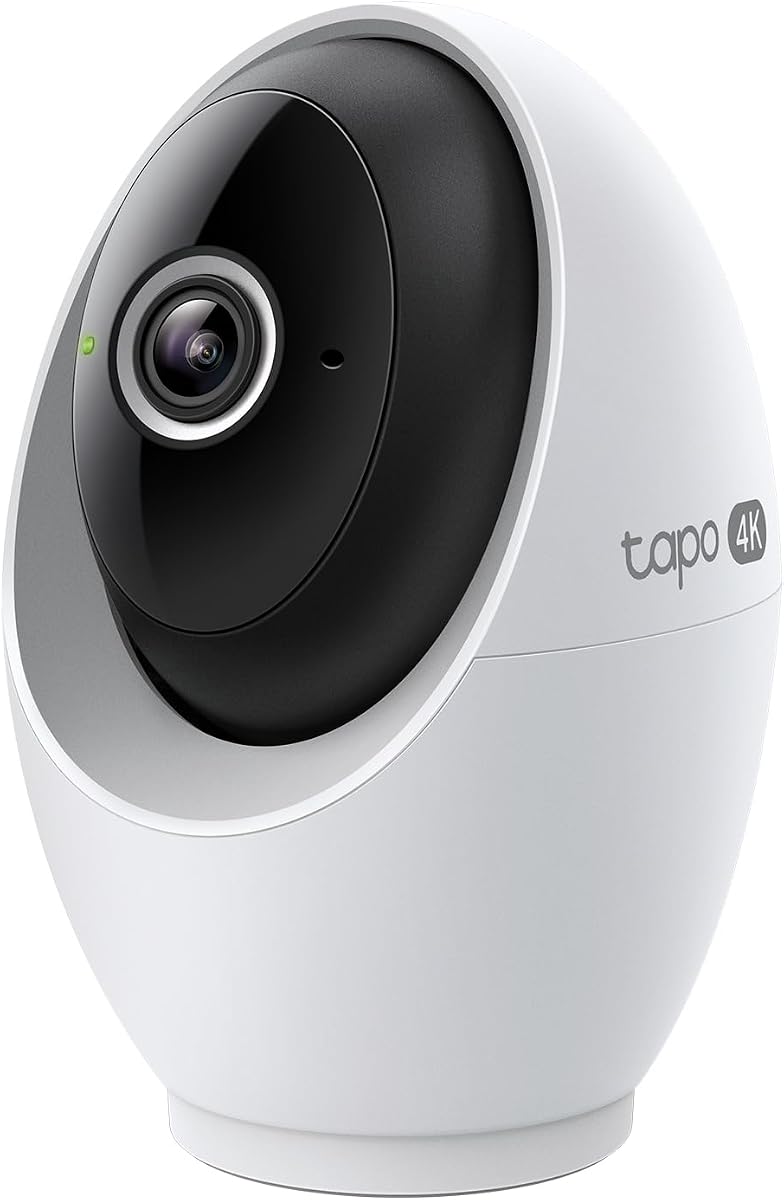
The Tapo C260 stands out with 4K ultra HD recording, 360-degree horizontal panning, 116-degree vertical viewing, up to 18x digital zoom, and a customer rating of 4.6. These specifications make it the strongest all-around choice in the group for a buyer who wants sharp imagery, broad mechanical coverage, intelligent alerts, and local recording without a mandatory subscription.
We may earn a commission when you buy through this link, at no additional cost to you.
On-device AI supports detection for people, motion, and baby cries, and users can choose which events generate notifications. The camera also tracks moving subjects by panning and tilting, while customizable privacy and detection zones help separate monitored areas from areas that should not be recorded. A microSD card of up to 512GB can hold footage locally, with Tapo Care cloud storage offered as an alternative.
Its wired design means a reliable outlet must be nearby, and the 18x figure refers to digital zoom rather than optical magnification. Extremely small objects may not gain useful detail from heavy digital enlargement. The camera is also designed primarily for indoor use, and those installation characteristics make it less flexible than a battery-powered magnetic model.
The Tapo C260 is recommended for families, baby monitoring, pet watching, and general indoor security where 4K clarity and intelligent tracking are priorities. It suits users who want a subscription-free local recording path while retaining optional cloud access and no-cost person, motion, and crying detection.
The camera processes important detection features on-device, keeping facial recognition and other sensitive information away from the cloud. This supports faster, more private handling of people, pet, and crying-related events.
Smart tracking adjusts the pan and tilt position as a detected subject moves. Combined with a 360-degree horizontal range, it reduces the need to reposition a fixed camera manually when activity crosses the room.
We may earn a commission when you buy through this link, at no additional cost to you.
The Amcrest IP2M-841B provides full-HD 1080p video at 30fps, a 90-degree viewing angle, remote pan and tilt, two-way audio, and night vision up to 32 feet. Its 4.0 rating is not among the highest in this roundup, but it remains a capable indoor IP camera for users who prioritize broad recording compatibility and straightforward remote control.
We may earn a commission when you buy through this link, at no additional cost to you.
Motion notifications and live viewing are handled through the Amcrest View app, while recorded footage can be reviewed through microSD storage, compatible NVRs, QNAP NAS systems, FTP, Amcrest Cloud, and listed desktop or browser software. The camera uses a 2.07MP Exmor sensor and built-in infrared LEDs for its night-time coverage, and it supports Alexa through Amcrest Cloud.
Compared with the 4MP Amcrest IP4M-1041B, this model offers lower image resolution but a familiar application and similarly flexible storage options. It also lacks 5GHz support. That restriction may require careful router configuration in a home with many neighboring wireless networks, especially if the camera is placed farther from the access point.
Choose the IP2M-841B if 1080p is sufficient, you want motorized coverage, and your monitoring setup may use more than one storage platform. It works well for owners of compatible NAS or NVR systems who prefer a traditional indoor security camera over a compact consumer-focused design.
Remote pan and tilt make it possible to redirect the camera from a smartphone when attention shifts. The two-way audio function also allows direct communication with people or pets in the monitored room.
Support for cloud storage, microSD cards, NVRs, NAS platforms, FTP, and professional viewing software is useful for mixed installations. Buyers should verify that their preferred device and software version are supported before purchasing.
We may earn a commission when you buy through this link, at no additional cost to you.
The eufy Security E30 combines 4K day-and-night recording, 360-degree panning, a built-in spotlight, on-device AI, and a 4.5 customer rating. Its central appeal is a capable single-camera system that offers local storage and full core functionality without requiring a recurring subscription.
We may earn a commission when you buy through this link, at no additional cost to you.
The camera can distinguish people, pets, audio cues, and crying sounds before automatically tracking movement. Quick Focus Tap and Panoramic View simplify navigation in the app, while the integrated spotlight can shift between color night vision and infrared night vision and serve as a visible deterrent. Two-way audio supports communication with family members, babies, nannies, and pets.
A separately sold microSD card provides local recording, while optional cloud storage and premium features may require a subscription. HomeKit is supported, but the supplied information notes that HomeKit limits output to 1080p. Users should therefore treat 4K as dependent on using the compatible eufy app or supported viewing route rather than assuming every ecosystem will preserve native 4K.
The E30 is best for buyers who want premium single-camera features without depending on cloud subscriptions. It is well suited to a modern family room, nursery, pet area, or home office, particularly if Alexa, Google Assistant, or HomeKit is already part of the household's smart-home setup.
The integrated spotlight can provide color illumination and switch to infrared when visible light is unwanted. This flexibility makes the camera useful both for deterrence and for quieter overnight monitoring.
The supplied information states that the camera's full product functionality is available without a monthly fee when local storage is used. This suits buyers who want dependable monitoring without making ongoing cloud service a requirement.
We may earn a commission when you buy through this link, at no additional cost to you.
The Tapo C100 four-pack is designed for buyers who need coverage across several rooms rather than one premium camera. Each unit captures 1080p full HD video, supports motion, person, and baby-crying detection, and can send relevant push notifications without an additional fee for those detection features.
We may earn a commission when you buy through this link, at no additional cost to you.
The cameras provide two-way audio and include a built-in siren that can help discourage intruders. Infrared night vision reaches up to 40 feet, while microSD storage of up to 512GB offers a no-cost local recording route. Optional Tapo Care cloud storage remains available for users who prefer off-site access, and the system works with Alexa and Google Home for live viewing on compatible displays.
All four cameras are wired, which simplifies continuous power delivery but requires outlets near each intended location. The 1080p sensors cannot match the fine detail of the 4K Tapo C260 or eufy models, and a multi-camera installation still needs sufficient wireless coverage on the 2.4GHz band.
This four-pack is a practical choice for a home with a nursery, pet area, kitchen, office, and entrance. It is particularly attractive when the goal is broad, simultaneous room monitoring at 1080p, reliable free detection categories, and the flexibility of choosing local or cloud storage.
Person, motion, and baby-cry notifications help distinguish meaningful events from generic movement. Buyers can receive more relevant alerts without paying a subscription solely for the listed detection categories.
Four included cameras make it easier to establish whole-home awareness. This is useful when a single unit cannot watch both an open living area and the hallway leading to it.
We may earn a commission when you buy through this link, at no additional cost to you.
The eufy Security S350 is the most specialized premium model in the list because it combines a 4K wide-angle camera with a 2K telephoto camera. This dual design allows users to retain a full-room view while zooming in on a child, pet, medication bottle, or other small detail. It carries a 4.4 customer rating.
We may earn a commission when you buy through this link, at no additional cost to you.
Automatic tracking follows moving people and pets across 360 degrees, while preset positions can jump directly to frequently monitored locations such as a crib, pet bed, or front door. Intelligent sound detection recognizes crying, barking, and motion. Two infrared illuminators support night vision up to 32 feet without visible light disturbance.
Local microSD recording offers a private alternative to cloud storage, and a physical privacy mode provides an immediate way to stop capture. However, the microSD card is not included, and the camera does not support HomeKit. The supplied information also notes compatibility with HomeBase 3 running firmware 3.3.2.6 or later, while excluding HomeBase 2.
The S350 is an excellent choice for users who want one device to handle both room-wide awareness and detailed close-ups. It is particularly compelling for nurseries, elder monitoring, and active pet environments, but buyers should confirm their eufy ecosystem and storage preferences before ordering.
The dual-camera design solves a common indoor monitoring dilemma: a wide lens shows context but makes small details difficult to inspect. The telephoto lens supplies that missing close-up view without requiring a second separately positioned camera.
Auto-zoom presets let users jump to a crib, pet bed, or doorway with one tap. Combined with automatic tracking, this reduces the time spent manually redirecting the camera when activity moves.
We may earn a commission when you buy through this link, at no additional cost to you.
The Tapo C120 offers a flexible middle ground between basic indoor cameras and premium 4K systems. It records in 2K QHD, supports indoor or outdoor use with an IP66 rating, and carries a 4.4 customer rating. Its magnetic base is especially convenient for renters or users who want to reposition the camera without drilling into every surface.
We may earn a commission when you buy through this link, at no additional cost to you.
Built-in starlight technology can produce colorful night footage, while two spotlights add illumination in darker locations. An invisible infrared mode reaches up to 30 feet for discreet monitoring. AI-based person, pet, and vehicle detection is available without a fee, and full-duplex two-way audio allows natural conversation with family members, delivery personnel, children, or pets.
Recordings can be stored on a microSD card of up to 512GB, although the card is not included, or through Tapo Care cloud storage. The camera is wired, and its field of view is fixed rather than motorized. Buyers should also check the TP-Link compatibility guidance for their microSD card before purchase.
The C120 is ideal for buyers who want a compact camera for an indoor room, covered patio, garage, or other sheltered outdoor location. It is a strong budget pick for a covered entryway where 2K detail, flexible placement, and free detection matter more than 4K resolution or motorized panning.
The magnetic base can attach to metal rails, frames, and similar surfaces without screws. It also makes the camera easy to reposition as rooms or monitoring priorities change.
Starlight color video, visible spotlights, and invisible infrared mode give users different ways to handle darkness. The choice depends on whether vivid color, active illumination, or minimal light disturbance matters most.
We may earn a commission when you buy through this link, at no additional cost to you.
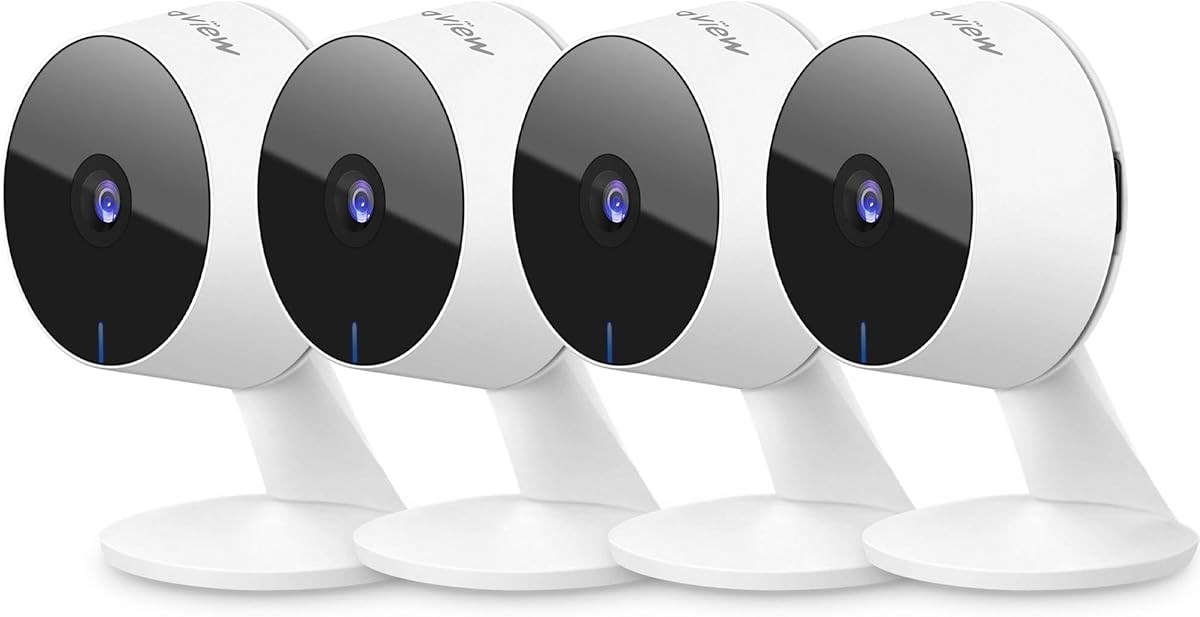
The LaView four-camera kit is centered on shared access and simultaneous monitoring. It provides 1080p indoor cameras, support for as many as nine live feeds, and sharing access for up to 20 people. Its 4.2 rating reflects a practical package aimed at households, families, or small offices where several people need camera access.
We may earn a commission when you buy through this link, at no additional cost to you.
Motion detection produces smart alerts, and two-way audio includes noise cancellation for communication with family members. Infrared night vision covers up to 33 feet. Recordings can be kept on a microSD card of up to 128GB, while a 30-day US cloud-storage trial is available for users who want to evaluate the hosted service before committing.
The supplied information notes that the cloud service uses AWS infrastructure in the United States and encrypts data to reduce the risk of losing clips. The cameras use a 2.4GHz network and do not support 5GHz. The included microSD capacity is lower than that supported by several Tapo models, and cloud access beyond the trial is tied to the service's subscription terms.
This kit suits families that need to share monitoring access across relatives, caregivers, or multiple household members. It is a sensible option for covering several rooms with a single purchase, especially when one person wants to monitor multiple feeds while another checks a particular camera.
Supporting up to 20 users is useful in homes where relatives, babysitters, caregivers, or property managers need selected access. The app-based sharing model avoids requiring every person to use the primary account holder's credentials.
Up to nine simultaneous live feeds make the kit useful for broad household awareness. A parent can keep an eye on several rooms without opening each camera stream in turn.
We may earn a commission when you buy through this link, at no additional cost to you.
The youkey S320 is the most installation-flexible camera in the list. Its magnetic design, 6400mAh battery, and fully wireless construction allow placement on a bookshelf, hallway corner, closet, or other suitable surface without outlets or wall drilling. It records in 2K and has a customer rating of 4.5.
We may earn a commission when you buy through this link, at no additional cost to you.
Built-in 8GB eMMC storage provides local recording and in-app playback without requiring a microSD card or subscription. NeuraMind on-device AI distinguishes people from pets and sends thumbnail alerts at no recurring cost. Two-way audio, IR and color night vision, dual spotlights, and compatibility with Alexa and Google displays extend the camera beyond basic motion recording.
PIR smart wake-up is intended to record only relevant human or pet movement, helping extend battery life. The camera is not permanently tethered, so it must be recharged and returned to its base when needed. Its magnetic viewing angle is fixed rather than motorized, and the supplied information also describes IP65 weather resistance for covered locations.
The S320 is a strong choice for renters, temporary spaces, or rooms where wiring and drilling are undesirable. It is also convenient for travel between a bedroom, pet area, and closet, although buyers who require uninterrupted 24/7 recording should choose a continuously powered model instead.
The magnetic base and included wall bracket let the camera move without permanent wall damage. For apartments, rental homes, and temporary arrangements, this can be more valuable than a marginally better sensor.
The integrated 8GB eMMC removes the need to buy and install a microSD card for basic local recording. The trade-off is fixed internal capacity, so buyers should understand the app's retention and export options before relying on it.
We may earn a commission when you buy through this link, at no additional cost to you.
The right indoor wireless IP camera depends on where it will be placed, what you need to see, how footage is stored, and how much installation work you want to avoid. Reviewing these factors before comparing models helps prevent paying for capabilities that are unnecessary or overlooking a feature that is essential to your setup.
Resolution determines how much fine detail a camera can preserve. The 1080p models in this guide are suitable for general room monitoring and identifying larger movement, while the 4K Tapo C260, eufy E30, and eufy S350 are better choices when small objects, facial details, or fine movement need to be inspected. Digital zoom enlarges pixels rather than adding optical detail, so a high zoom number should not be treated as equivalent to a high-resolution telephoto lens.
A fixed camera works well when the important area can fit within its viewing angle. Pan and tilt models can redirect the lens electronically, while 360-degree systems are better for large rooms or open floor plans. The eufy S350 adds a separate telephoto view, and the Tapo C260 combines motorized movement with digital zoom. Think about the room's dimensions, fixed obstacles, and likely movement paths before choosing the viewing system.
Night-vision specifications should be considered alongside room size, darkness, and acceptable light levels. Infrared provides discreet monochrome coverage, starlight sensors can preserve color, and built-in spotlights can illuminate a scene or deter intruders. Claimed ranges offer a useful comparison, but furniture, walls, reflective surfaces, and the camera's position can all affect what appears on screen.
Basic motion alerts are common, but person, pet, vehicle, sound, and baby-cry detection can make monitoring more useful. On-device processing may improve speed and keep sensitive information away from the cloud. Buyers should also look for detection zones, privacy zones, and automatic tracking, because these features help reduce irrelevant notifications and focus the camera on important areas.
The listed cameras provide different paths for keeping footage. Local microSD recording generally provides a subscription-free way to retain video, while built-in storage is especially convenient for wireless models. Optional cloud services can support off-site access, but their cost and trial terms should be checked directly. Buyers should distinguish free core detection features from paid historical viewing, cloud storage, or premium services.
Wired cameras provide continuous power and consistent operation, but they need an outlet and sometimes a cable run. Battery-powered models offer easier placement and renter-friendly installation, but they require periodic recharging. Magnetic bases are useful in both categories, while fixed or adjustable wall mounts provide a more permanent viewing angle. Consider furniture placement, Wi-Fi signal, outlet access, and whether a low-visibility location is important.
Privacy options range from configurable software zones to physical covers and privacy modes. A physical mechanism is useful when the mere presence of an enabled camera may make household members uncomfortable. Look for encrypted wireless connections, secure app access, firmware updates, and restrictions on where sensitive processing and storage occur. Placement also matters: cameras should avoid unnecessary views of private spaces.
A camera's app determines much of the day-to-day experience, so check notification quality, live-stream controls, playback, sharing, and zone configuration. Alexa, Google Assistant, HomeKit, Echo Show, and Google displays can provide convenient live viewing and voice announcements, but resolution and supported functions can vary by ecosystem. Confirm compatibility before purchasing, especially if the camera is central to a broader automation system.
Begin by choosing the camera's position based on the view you need rather than simply the nearest outlet or strongest signal. Mount or place it high enough to reduce easy tampering, keep it away from direct sunlight, and check that the lens will not be blocked by shelving, curtains, or decorative objects. For battery models, confirm that the magnetic base or wall bracket holds securely before moving the camera.
Complete setup in the manufacturer's app, update the firmware, connect the camera to the intended 2.4GHz network where required, and set the correct date and time. Create separate detection and privacy zones, choose which people, pet, sound, or motion events should trigger notifications, and test the camera from different locations in the home. Confirm that live view, recording playback, two-way audio, and any desired voice-assistant commands work before relying on the camera for routine monitoring.
Review storage and privacy settings regularly. If using a microSD card, check its supported capacity and format it as directed; if using cloud storage, review the active subscription and retention preferences. Keep the app and camera firmware current, use a strong and unique account password, and enable additional account security where available. Periodically clean the lens gently, inspect mounts and cables, and verify that recordings remain accessible and notifications arrive promptly.
No. These cameras need a wireless connection to the internet for live viewing, notifications, remote access, and most cloud functions. Some models can continue recording to local storage during an internet outage, but remote access and smart-home features may remain unavailable until the connection returns.
For general monitoring, 1080p can provide sufficient detail to identify people, pets, and general activity in a well-lit room. It is less useful when you need to inspect small objects, read labels, or view a subject at a distance. A 4K model or a dual-camera system offers stronger options for close-up monitoring.
A camera can record through a window, but reflections, glare, tint, and changes in outdoor lighting may obscure the image. Placement is usually better when the camera is close to the glass and angled to reduce reflections, or when the area being monitored is indoors. Avoid placing a camera directly behind a window if image clarity is important.
Not always. Several models in this guide provide local microSD storage, built-in storage, and no-fee detection categories without requiring a monthly service. Optional cloud storage, advanced historical features, and premium services may still require a subscription, so compare the full feature list rather than assuming every capability is included.
Wired cameras use a continuous power connection and are generally better for uninterrupted, always-on monitoring. Battery-powered cameras are easier to install and move, making them attractive for renters, but they need periodic recharging. Their viewing position can also be less permanent because the magnetic base is intended for convenient relocation.
Local storage keeps recordings on a card in the camera and avoids routine upload to a cloud server, which can appeal to privacy-conscious users. It can still be accessed by someone with physical access to the card, and it may offer less convenient off-site recovery. Cloud recording provides remote access but adds an online service and account-security considerations.
The right number depends on the floor plan, sightlines, and what you need to monitor. One camera may cover a small room, while open-plan homes may benefit from a camera in the main living area and another near the hallway. Multi-camera kits can reduce installation effort, but reliable wireless coverage and clear privacy placement remain important.
Several listed models include baby-cry or pet detection, two-way audio, and night vision, making them suitable for those uses. You may also want to use a privacy zone to avoid recording a crib, bed, or pet bed while still monitoring the rest of the room. Test alerts for crying, barking, and movement in the actual environment before relying on them.
The Ring Indoor Cam is the strongest straightforward budget option, combining 1080p video, color night vision, a physical privacy cover, and a strong 4.7 rating. The Tapo C260 takes the overall lead for buyers who want 4K resolution, broad pan-and-tilt coverage, intelligent detection, subject tracking, and local storage without a mandatory subscription. For premium monitoring, the eufy S350 offers the most specialized viewing arrangement with separate wide and telephoto cameras.
Prioritize the capabilities that affect daily use: clear video in the available light, detection categories that reduce irrelevant alerts, a field of view that covers the room, and storage that meets your privacy and retention needs. Battery models are convenient for flexible placement, while wired systems suit continuous monitoring. Voice-assistant compatibility and mobile app behavior can also have a major effect on usability.
Before purchasing, confirm the camera's current specifications, supported accessories, regional app availability, and storage requirements. Features such as cloud history, high-resolution display support, and firmware-dependent functions can change over time. Check current prices and promotions as well, since they can fluctuate, and choose the model that best fits your room, recording habits, and privacy preferences.