
ASUS Vivobook Go 15 Ryzen 5
4.3Editor score
AMD Ryzen 5 processor
15.6-inch FHD display
Wi-Fi 6E connectivity
The ASUS Vivobook family covers an unusually broad range of laptops, from efficient Snapdragon systems and budget-friendly Ryzen models to powerful Core i9 configurations with generous memory and storage. A good Vivobook should fit the way you work, balancing processing power, display quality, portability, connectivity, battery life, and security without wasting your budget on specifications you will never use.
This guide compares ten ASUS Vivobook laptops across both conventional Intel and AMD platforms and ARM-based Snapdragon designs. We examined processor capabilities, memory, storage, screen dimensions, graphics, wireless connectivity, ports, keyboards, privacy features, and intended workloads. The list includes desktop replacements, ultraportable laptops, everyday productivity machines, and more affordable options for students and light users.
Each recommendation highlights a distinct use case rather than declaring every model equally suited for every task. The top picks emphasize strong configuration value, practical mobility, and specialized performance, while the remaining reviews explain where each laptop is most useful. Product listings and prices change frequently, so confirm the current configuration, included accessories, warranty terms, and latest price before purchasing.
4.3Editor score

4.5Editor score
5.0Editor score
As an Amazon Associate we earn from qualifying purchases.
The comparison below makes it easier to see how the ten Vivobook models differ in processor platform, memory, storage, display, connectivity, portability, and intended workload.




This Vivobook 15 pairs the Intel Core i9-13900H with 32GB of DDR4 memory and a 1TB PCIe M.2 SSD, creating the strongest conventional computing configuration in this guide. Its 4.5 rating reflects an attractive balance of performance, practical features, and professional usability. The 15.6-inch Full HD non-touch display provides 1920 by 1080 resolution for office documents, media consumption, and detailed work.
We may earn a commission when you buy through this link, at no additional cost to you.
The Core i9 processor is described as a 14-core AI-ready platform capable of handling complex simulations, AI-enhanced creative tools, and intensive multitasking. Thirty-two gigabytes of RAM is especially valuable when running many browser tabs, communication applications, large spreadsheets, and demanding software concurrently. A one-terabyte PCIe SSD adds enough room for applications and project files while supporting quick boot and file access.
Security and everyday usability are particularly strong. A physical webcam shield blocks the camera when it is not needed, while the fingerprint reader provides a convenient way to sign in. The backlit keyboard helps during low-light work, and the touchpad supports comfortable navigation. Its selection of USB-C, two USB-A 3.x, USB 2.0, HDMI, and a 3.5mm audio port reduces reliance on adapters for common tasks.
This is the most convincing all-around recommendation for professionals who want substantial computing power without moving to a much larger workstation. The included PCO Cooler is intended to complement the laptop's internal thermal system during sustained workloads, although buyers should still expect more heat and fan activity than a lower-power notebook. Choose this model for demanding multitasking, professional applications, and a configuration that can grow as software demands increase.
The Core i9-13900H and 32GB of RAM create substantial headroom for complex multitasking, including large project files, numerous browser tabs, and AI-enhanced creative applications. The 1TB PCIe SSD provides ample room without forcing you to rely entirely on cloud storage.
The fingerprint reader, physical webcam shield, backlit keyboard, and broad port selection make this configuration especially practical for daily professional use. HDMI supports an external display, while multiple USB ports accommodate common peripherals.
We may earn a commission when you buy through this link, at no additional cost to you.
The Vivobook 16 Snapdragon combines a large 16-inch WUXGA display with Qualcomm's efficient Snapdragon X platform, making it an interesting option for users who prioritize a roomy screen and long-running efficiency. Its 4.4 rating indicates a well-received overall configuration. The display offers 1920 by 1200 resolution, a 16:10 aspect ratio, 300-nit sustained brightness, and a smooth 60Hz refresh rate.
We may earn a commission when you buy through this link, at no additional cost to you.
At the heart of the system is an eight-core Qualcomm Snapdragon X processor with a Hexagon NPU capable of up to 45 TOPS. The integrated Adreno GPU benefits from Qualcomm's sliced architecture and generational performance improvements. Sixteen gigabytes of memory supports routine productivity, browsing, editing, and gaming tasks, while a 512GB PCIe 4.0 SSD provides fast storage for applications, media, and backups.
As an ARM-based Windows laptop, its most important trade-off is software compatibility. Standard browser, office, communication, and mainstream creative applications are well suited to this platform, but specialized utilities, drivers, games, or peripherals may require attention to native Windows support. Buyers using niche engineering software, corporate virtual machines, or uncommon accessories should verify their requirements before choosing this model.
This Vivobook is best for students, remote workers, and everyday users who want a large 16-inch display without choosing a high-power conventional laptop. The extended battery-life potential and integrated AI hardware reinforce its focus on efficient, connected productivity. It is less compelling when maximum storage, unrestricted x86 software support, or heavy sustained workloads are the primary requirements.
The Snapdragon X platform combines an eight-core CPU with a Hexagon NPU rated at up to 45 TOPS. Its power-efficiency emphasis makes the Vivobook 16 particularly suitable for mobile work, browsing, communication, and general creative work.
The 1920 by 1200 WUXGA display provides a roomier work area than a conventional 15.6-inch 16:9 panel. Its 300-nit brightness and 60Hz refresh rate suit documents, presentations, streaming, and general productivity.
We may earn a commission when you buy through this link, at no additional cost to you.
The Vivobook 16 Core i7 offers one of the most balanced specifications in the guide, combining the Intel Core i7-1355U, 16GB of RAM, and a 512GB SSD with a large WUXGA display. Its 4.5 rating supports its reputation as a capable business-oriented notebook. Intel Iris Xe graphics should handle office applications, video playback, browsing, and light creative work smoothly.
We may earn a commission when you buy through this link, at no additional cost to you.
The Core i7-1355U processor is designed for high-performance computing and multitasking without moving into the heavier power envelope of a Core i9 system. That makes the laptop appealing to office professionals, students, and small-business users who regularly move between email, spreadsheets, presentations, virtual meetings, and web-based applications. The 16-inch display offers a generous canvas for spreadsheets and multitasking.
Connectivity is one of the model's strongest practical features. It includes USB-C, USB-A, HDMI, a microSD card reader, and a 3.5mm audio jack. Wi-Fi 6 and Bluetooth 5.1 support modern wireless accessories and networks. The principal limitation is the 512GB SSD, which can become restrictive if you routinely work with large media libraries, local backups, or demanding software packages.
This laptop is a strong choice for business and study users who value a conventional Intel platform, a large display, and useful connectivity without chasing top-tier gaming performance. The integrated graphics are appropriate for productivity but are not intended to replace a dedicated gaming GPU. For many users, however, its balanced processor, memory, and everyday feature set make it one of the easiest Vivobooks to justify.
The Intel Core i7 platform offers broad application and peripheral compatibility for business and educational environments. It is a familiar choice for organizations whose software and accessories have been validated around x86 Windows systems.
USB-C, USB-A, HDMI, a microSD reader, and an audio jack cover a broad range of daily needs. Wi-Fi 6 and Bluetooth 5.1 keep the laptop ready for modern office peripherals and wireless connections.
We may earn a commission when you buy through this link, at no additional cost to you.
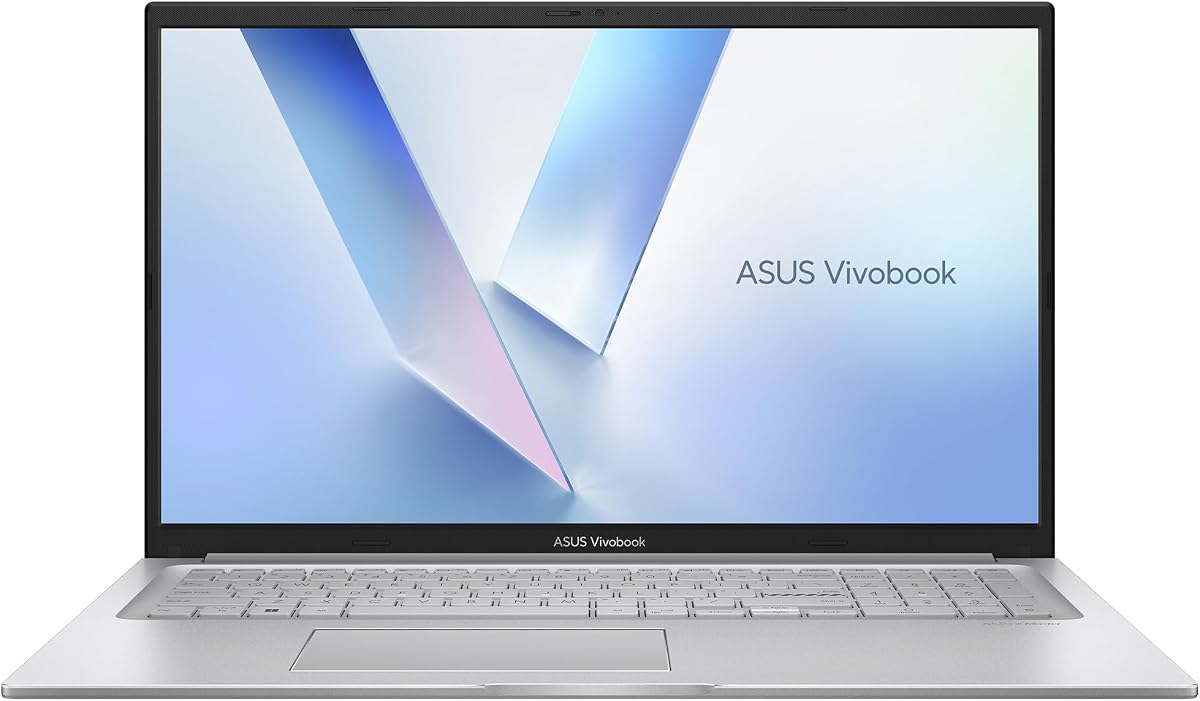
The Vivobook 17 is built around a generous 17.3-inch Full HD display, a Intel Core 7 150U processor, 16GB of RAM, and a 1TB SSD. Its 4.0 rating makes it one of the more modest scores in the list, but the underlying configuration remains useful for families, students, and home offices that favor a large screen. Windows 11 Home is preinstalled for everyday productivity.
We may earn a commission when you buy through this link, at no additional cost to you.
The slim-bezel NanoEdge display offers wide viewing angles and TÜV Rheinland eye-care certification, which is useful for long sessions. SonicMaster-tuned speakers add a stronger emphasis on entertainment than many compact business laptops. For people who regularly use spreadsheets, watch media, attend online classes, or want a single screen that can replace a desktop monitor, the extra display area is the defining benefit.
The ErgoSense keyboard includes numeric keys, while a sliding webcam cover provides straightforward privacy. A lay-flat hinge makes the notebook easier to share during collaboration. The laptop also meets the US MIL-STD 810H military-grade durability standard and supports fast charging that can reach 60 percent in as little as 49 minutes. USB-A, USB-C with power delivery, HDMI, a combo audio jack, and DC input provide flexible connectivity.
Its main compromise is portability. A 17.3-inch chassis naturally requires more desk and bag space than a 14-inch ultraportable, and it may be less comfortable to carry for long periods. Integrated graphics also mean it is better suited to media and general use than intensive gaming. Choose this model when screen size, storage, numeric keypad access, and family-friendly usability matter more than minimum weight.
The 17.3-inch Full HD NanoEdge display gives documents, classes, media, and casual games a noticeably larger canvas. Wide viewing angles and eye-care certification make it more comfortable for prolonged viewing.
The numeric keyboard, lay-flat hinge, sliding webcam cover, and fast charging make the Vivobook 17 convenient for shared household use. Its one-terabyte SSD reduces the need for frequent manual file management.
We may earn a commission when you buy through this link, at no additional cost to you.
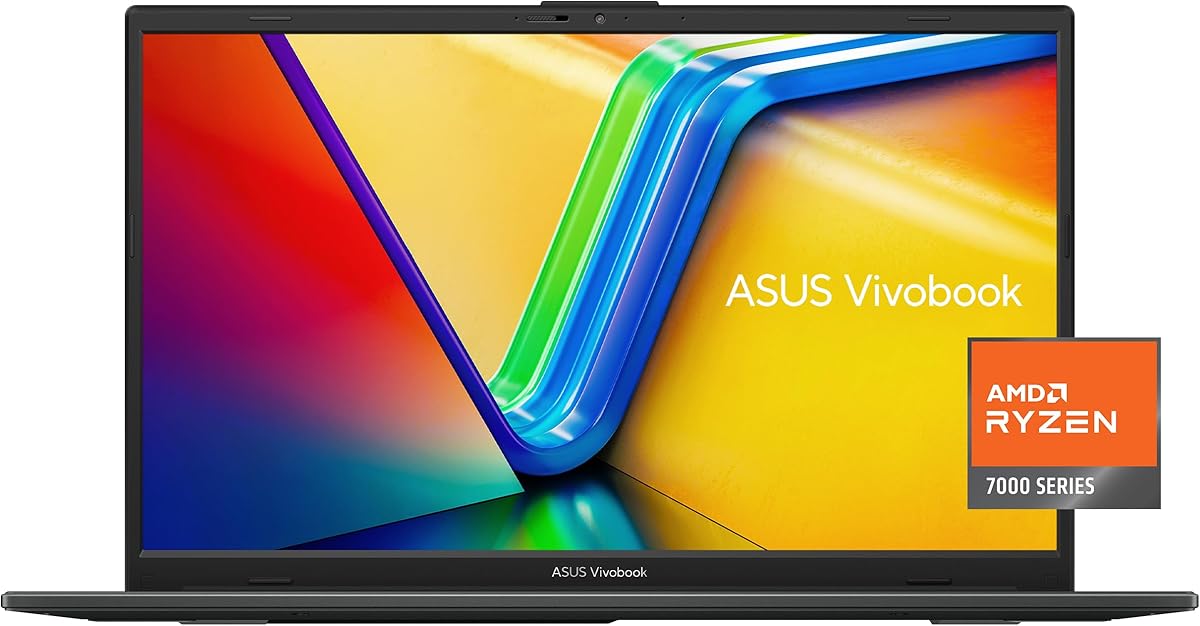
The Vivobook Go 15 Ryzen 5 is a value-focused model that pairs an AMD Ryzen 5 7520U processor with 8GB of RAM, a 512GB SSD, and a 15.6-inch Full HD display. Its 4.3 rating reflects a generally positive balance of everyday performance and useful features. The storage capacity is especially helpful at this configuration level because it is large enough for a substantial application and document library.
We may earn a commission when you buy through this link, at no additional cost to you.
ASUS describes the processor and SSD combination as providing a fast, smooth experience, which makes this laptop suitable for web browsing, schoolwork, remote learning, document editing, video calls, and media consumption. The 15.6-inch Full HD panel and slim NanoEdge bezels provide a comfortable visual area without moving to a much larger chassis. Its integrated graphics are sufficient for general use rather than demanding modern games.
Fast charging can restore up to 50 percent battery capacity in approximately 30 minutes, a useful feature for students and commuters. ASUS IceCool thermal technology helps manage heat, while compliance with US military-grade standards adds durability confidence. The ErgoSense keyboard is designed for comfortable typing, and AI Noise-Canceling Technology supports clearer video calls.
Wi-Fi 6E and Bluetooth 5 provide modern wireless support, while USB-A, USB-C, and HDMI cover essential connections. The 8GB memory is the clearest limitation, especially as more applications run in the background. This is an excellent budget choice for students and light productivity users, provided you are willing to manage memory-intensive tasks carefully. It offers more storage and newer connectivity than many entry-level alternatives.
The Ryzen 5 7520U and 512GB SSD provide a responsive foundation for school, browsing, communication, and office work. Fast charging and Wi-Fi 6E add convenience that extends beyond basic processor speed.
The ErgoSense keyboard is tuned for comfortable typing, while AI noise cancellation improves communication during online meetings. ASUS military-grade testing supports confidence in everyday durability.
We may earn a commission when you buy through this link, at no additional cost to you.
The Vivobook Go 15 Ryzen 3 is a straightforward entry-level laptop for browsing, school, document work, communication, and lightweight applications. It includes a quad-core AMD Ryzen 3 7320U processor, 8GB of DDR5 memory, a 128GB SSD, and Windows 11 Home. Its 4.3 rating indicates that buyers generally appreciate the combination of features, portability, and affordability.
We may earn a commission when you buy through this link, at no additional cost to you.
Its 15.6-inch NanoEdge display has a smooth 60Hz refresh rate, a 45 percent NTSC color gamut, and 250-nit sustained brightness. That specification is appropriate for indoor productivity, though it is less impressive for image editing, media consumption, or outdoor use. The thin chassis measures 14.19 by 9.15 by 0.70 inches and weighs 3.59 pounds, making it easier to carry than the larger Vivobook models.
The 180-degree hinge supports flexible positioning, and a 720p HD camera with a physical privacy shutter improves everyday usability. SonicMaster audio, an array microphone, an ErgoSense keyboard, and a precision touchpad cover the basics. USB-C, two USB-A ports, HDMI, a 3.5mm audio jack, and DC input provide a useful selection of connections for a basic laptop.
The 128GB SSD is the biggest practical constraint. After Windows, applications, updates, and personal files are accounted for, available space can become limited quickly, so cloud storage or a microSD card may be useful. DDR5 memory is a positive feature, but 8GB is modest for heavy multitasking. Buy this model for essential school and home tasks rather than intensive software, large project files, or serious gaming.
At 3.59 pounds and 0.70 inches thick, the Vivobook Go 15 offers a manageable everyday form. Its slim bezels preserve a useful 15.6-inch viewing area without requiring the footprint of a larger display.
DDR5 memory, a privacy shutter, a 180-degree hinge, and multiple ports give this model more practical flexibility than a barebones approach. The small SSD and modest brightness remain the primary limitations.
We may earn a commission when you buy through this link, at no additional cost to you.
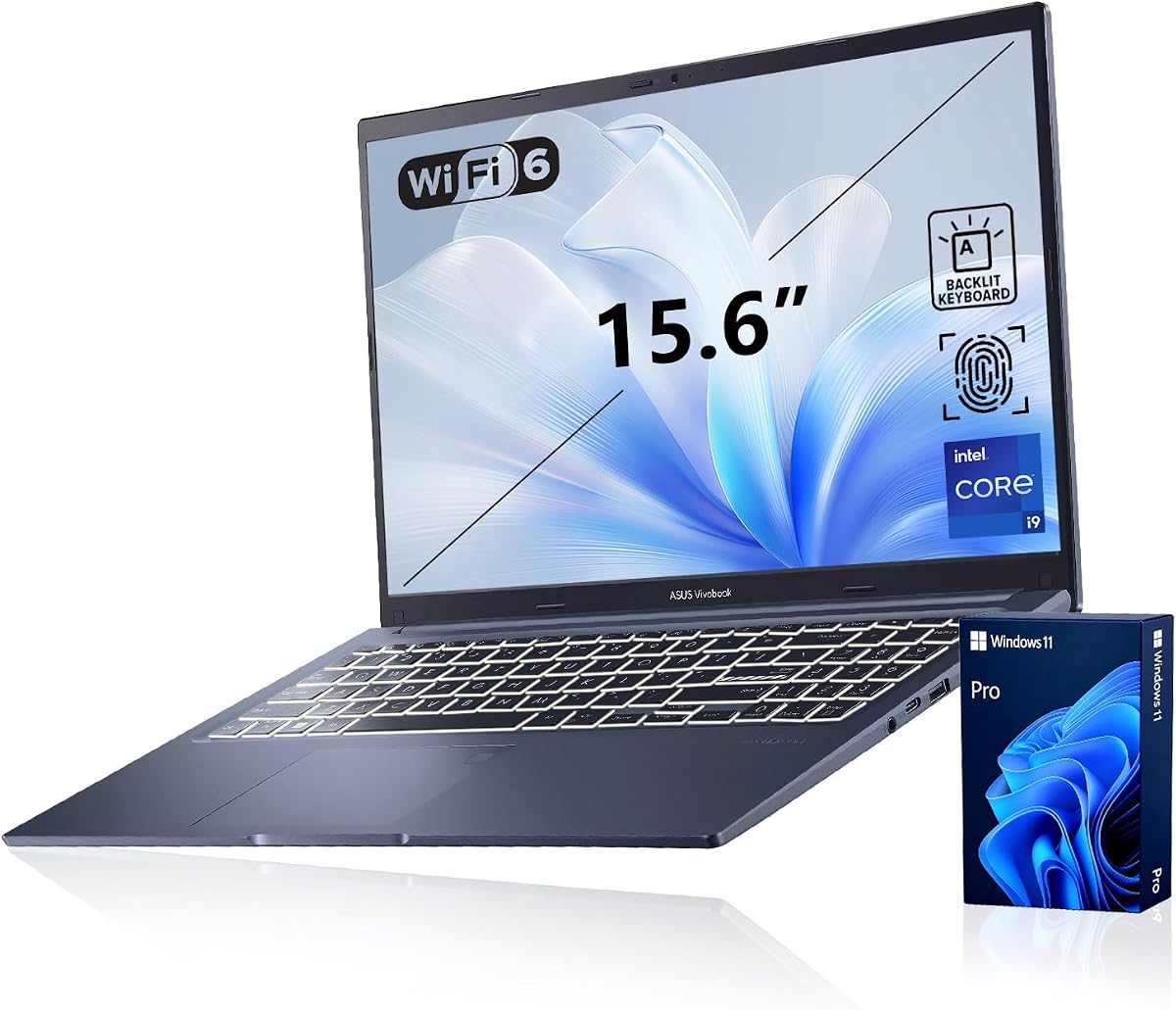
The PCOnline-customized Vivobook offers considerable configuration flexibility, allowing buyers to select 16GB, 32GB, or 48GB of DDR4 memory alongside 1TB or 2TB of PCIe M.2 storage. It combines those options with the Intel Core i9-13900H and a 15.6-inch Full HD display. Its 5.0 rating is the highest in this guide, making the available configuration particularly appealing to buyers who value performance headroom.
We may earn a commission when you buy through this link, at no additional cost to you.
The Core i9-13900H is positioned as a 14-core AI-ready processor for demanding multitasking and advanced workloads. Memory reaches 48GB at the top of the range, which is useful for large datasets, heavy application suites, virtualized environments, and professional creative tools. A two-terabyte PCIe SSD offers enough capacity for extensive project libraries, installed software, and local backups.
The chassis includes a physical webcam shield, fingerprint reader, backlit numeric keyboard, and Windows 11 Pro. Its port selection includes USB-C, two USB-A 3.x connections, USB 2.0, HDMI, and a 3.5mm audio jack. These features make it a good fit for professionals who routinely work in dim environments, connect external displays, and sign in frequently.
PCOnline has opened the original seal solely to perform the RAM and SSD upgrades. The upgraded components carry a three-year coverage from PCOnline US, while remaining components retain the original one-year manufacturer's coverage. Buyers should read the listing carefully and preserve the included documentation. The best configuration depends on workload, but this is the premium pick for users who want a power laptop with unusually generous memory and storage options.
The 16GB option is suitable for general productivity, while 32GB offers greater comfort for intensive multitasking. The 48GB configuration is aimed at users running demanding applications, large project sets, or multiple specialized workloads.
A one-terabyte SSD is adequate for everyday use, while the two-terabyte option is more appropriate for extensive media, application libraries, and local project archives. Confirm the selected capacity before completing the purchase.
We may earn a commission when you buy through this link, at no additional cost to you.
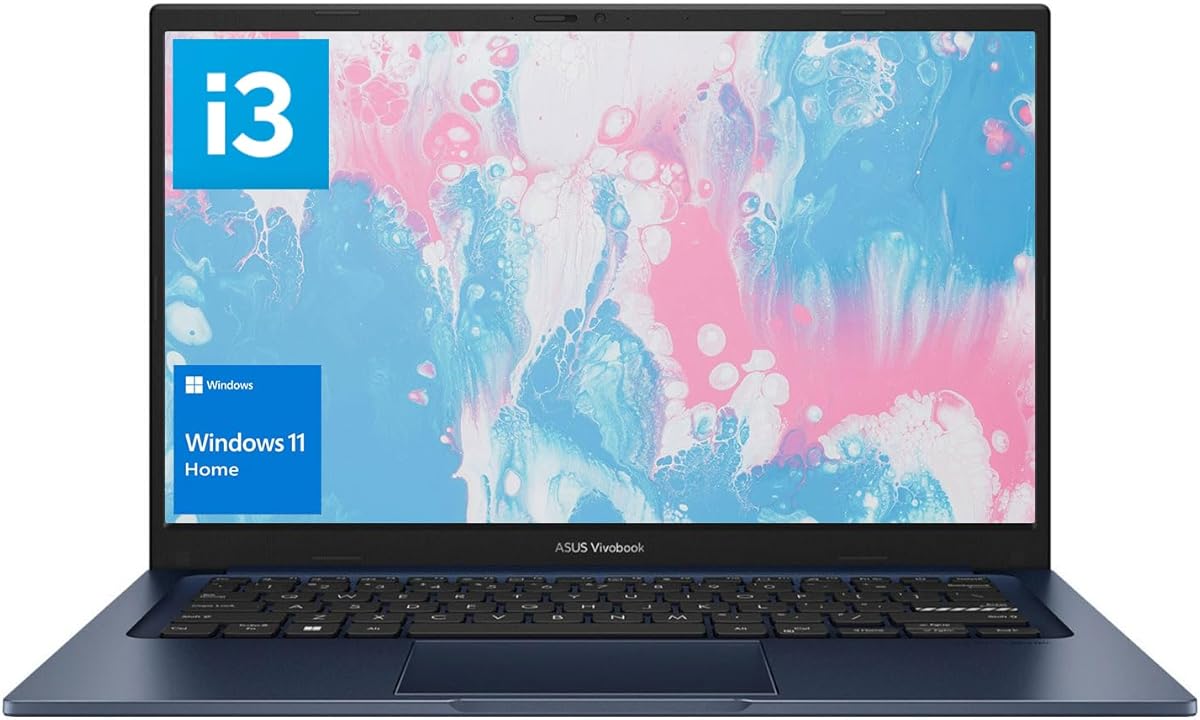
The Vivobook 14 Core i3 is a compact notebook built around 24GB of RAM, a 1TB PCIe NVMe SSD, and the Intel Core i3-1215U processor. Its 4.1 rating reflects a configuration that emphasizes memory and storage over cutting-edge processing. The unusual combination of 24GB RAM and a 14-inch form factor makes it attractive for users who want multitasking flexibility in a portable package.
We may earn a commission when you buy through this link, at no additional cost to you.
The i3-1215U offers six cores and eight threads, with a 0.9GHz base frequency and boost capability up to 4.4GHz. It is suitable for browsing, office productivity, online learning, communication, and light creative work. Twenty-four gigabytes of memory allows more applications and browser tabs to remain active than an 8GB configuration, while the one-terabyte NVMe drive supports quick boot and file transfer.
Its 14-inch Full HD IPS-level display uses a 16:9 aspect ratio, LED backlighting, 250-nit brightness, and an anti-glare finish. That combination is useful for office work and travel, although it is not exceptionally bright. Connectivity includes one USB 2.0 Type-A, one USB-C, two USB-A 3.2 Gen 1 ports, HDMI, a combo audio jack, DC input, a webcam, a touchpad, and Wi-Fi 6.
This laptop is best for students, remote workers, and light professionals who prioritize a small screen, ample memory, and generous storage. The processor is adequate rather than premium, so demanding creative applications or sustained heavy computation may reveal its limits. Compared with many similarly sized competitors, however, the 24GB memory and 1TB SSD create a notably balanced everyday configuration.
The 24GB allocation is the model's standout specification. It gives the laptop more capacity for browser-heavy research, office multitasking, and several lightweight applications running at the same time.
The 14-inch display and anti-glare panel are well suited to mobile productivity. A full set of USB, HDMI, and audio connections reduces the need to carry a dongle for common tasks.
We may earn a commission when you buy through this link, at no additional cost to you.
The Vivobook 14 Snapdragon combines a compact 14-inch WUXGA display with a Snapdragon X processor, Qualcomm Adreno graphics, 16GB of memory, and a 512GB SSD. Its 4.8 rating is the second-highest in the group and suggests strong customer satisfaction. It is also identified as a Copilot+ PC, giving it access to Windows features designed around on-device AI and efficient modern workflows.
We may earn a commission when you buy through this link, at no additional cost to you.
The 1920 by 1200 display uses a 16:10 aspect ratio, offering a taller workspace than a traditional 16:9 panel. That extra vertical space is helpful for documents, browsing, and multitasking. Qualcomm's Adreno GPU supports the platform's visual and general computing needs, while the efficient Snapdragon architecture is designed to balance responsiveness with power consumption.
The combination of 16GB memory and 512GB storage is appropriate for typical productivity, communication, web, and light creative tasks. Windows 11 Home is preinstalled and provides a familiar interface, security features, and Android app compatibility. A one-year manufacturer warranty covers parts and labor, adding basic ownership support for a new system.
The main consideration is ARM compatibility. This Vivobook is well suited to web-based tools, mainstream productivity software, and users who value mobility and efficiency. People relying on specialist x86 utilities, older device drivers, certain games, or virtual-machine software should verify support first. For everyone else, the rating, compact display, and modern platform make it one of the most attractive ultraportables in the guide.
The Snapdragon X platform and Copilot+ PC designation target efficient everyday work with modern Windows AI capabilities. Sixteen gigabytes of memory provides enough capacity for standard multitasking and lighter creative applications.
The 14-inch WUXGA panel offers 1920 by 1200 resolution and a useful 16:10 aspect ratio. It provides a productive viewing area while keeping the laptop easier to carry than larger models.
We may earn a commission when you buy through this link, at no additional cost to you.
The Vivobook 14 Ryzen AI is a compact Copilot+ PC built around the eight-core, 16-thread AMD Ryzen AI 7 350 and an XDNA neural processing unit rated at up to 50 TOPS. It includes Radeon integrated graphics, 16GB of memory, and a 512GB SSD. The 4.2 rating reflects a broadly capable configuration, particularly for users interested in AI-assisted Windows workflows in a portable form.
We may earn a commission when you buy through this link, at no additional cost to you.
Its 14-inch WUXGA display provides 1920 by 1200 resolution, 300-nit sustained brightness, and a 60Hz refresh rate. These specifications are well suited to productivity, presentations, streaming, and general creative work. The dedicated AI accelerator is designed to optimize AI workloads, improve multitasking, and support features such as Live Captions and Copilot+ experiences. As with all Copilot+ features, availability and requirements can depend on software updates and regional support.
A 42Wh battery and ASUS FastCharge technology allow a full charge in approximately one hour and 20 minutes according to the supplied product information. Wi-Fi 6, Bluetooth 5.3, a backlit keyboard, and a 16:10 display round out the everyday experience. The product also includes three months of PC Game Pass under the listed promotion, subject to its subscription and availability terms.
This Vivobook is best for mobile professionals and students who want modern AI hardware without moving to a larger or more expensive system. AMD Radeon graphics can handle mainstream games and creative applications, although the integrated solution is not aimed at demanding 3D workloads. The 512GB SSD may also require periodic storage management. Overall, it is a well-rounded compact laptop with a clear emphasis on AI efficiency and everyday mobility.
The XDNA NPU is rated at up to 50 TOPS and is intended to accelerate compatible AI workloads. This makes the Ryzen AI 7 350 platform appealing for users interested in modern Copilot+ features and efficient on-device processing.
The compact 14-inch chassis, 16:10 screen, backlit keyboard, and fast charging fit a mobile workflow. Wi-Fi 6 and Bluetooth 5.3 provide current wireless connectivity for everyday accessories.
We may earn a commission when you buy through this link, at no additional cost to you.
Choosing an ASUS Vivobook requires matching the processor platform, screen size, memory, storage, and connectivity to your actual workload. The most important step is to identify what you need now and which features would still be useful several years from now.
The Vivobook range includes Intel Core, AMD Ryzen, and Qualcomm Snapdragon platforms, and they are not interchangeable in every situation. Intel Core i7 and i9 models provide familiar x86 compatibility and strong multitasking performance, while Ryzen options deliver competitive everyday and efficient computing on conventional Windows systems. Snapdragon laptops can offer excellent power efficiency and integrated AI hardware, but specialized applications, drivers, games, or virtual environments may require native ARM support.
Choose the platform based on software compatibility first and performance second. For mainstream office work, browsing, education, and mainstream creative applications, all three families can be suitable. For intensive multitasking, an Intel Core i9 or Core i7 model offers abundant headroom, while Core i3 and Ryzen 3 configurations are best for lighter duties.
RAM determines how many applications, browser tabs, and background services the laptop can handle smoothly. The models in this guide range from 8GB to as much as 48GB. An 8GB configuration is adequate for essential productivity and browsing, but it can feel constrained when running large browser sessions, meeting applications, and creative software together. A 16GB allocation is the more comfortable baseline for regular multitasking, while 24GB and above offer additional room for specialized workloads.
Aim for 16GB if your budget permits, and consider 24GB or 32GB for heavy multitasking. Choose 48GB only when a demanding professional workflow clearly benefits from it. More memory is useful, but it does not make a weaker processor suitable for every task.
A 128GB SSD can fill quickly after Windows, essential applications, updates, and personal files are installed. A 512GB drive is a sensible minimum for many students and professionals, while a 1TB or 2TB configuration is more comfortable for large media libraries, creative projects, and local backups. The featured models use SSD storage, providing fast boot and file access compared with a mechanical hard drive.
Choose at least 512GB when possible, even for a lighter laptop. If you regularly work with video, high-resolution images, large datasets, or extensive game libraries, prioritize 1TB or more. Keep some free capacity available so the operating system and applications continue to operate smoothly.
A 14-inch laptop is the most travel-friendly option in this collection, while a 15.6-inch display offers a familiar balance of workspace and portability. The 16-inch and 17.3-inch models are better for large documents, media consumption, presentations, and users who mostly work from a desk. WUXGA resolutions of 1920 by 1200 provide a more spacious 16:10 layout, whereas Full HD 1920 by 1080 panels use the traditional 16:9 format.
Pay attention to brightness and color specifications as well as size. Models rated at 300 nits are better suited to bright rooms, while 250-nit screens are generally more appropriate for indoor productivity. Choose the smallest display you can comfortably use and the largest only if your workspace supports it.
Battery performance depends on the processor, display, workload, wireless activity, and power settings, so real-world results will vary. Efficient Snapdragon systems are especially attractive for mobile users, while a high-performance Core i9 can consume more power under load. ASUS FastCharge is a useful feature for anyone who needs quick recovery during a busy day. The Vivobook Go 15 Ryzen 5 is listed as reaching 50 percent in approximately 30 minutes.
For travel, favor efficiency and consider the Snapdragon models. For desk-based use, fast charging may matter more than all-day endurance. Review recent independent battery feedback for the exact configuration when possible, because manufacturer figures are often based on controlled test conditions.
A practical laptop should include the connections you use without requiring a permanent adapter. USB-A remains important for keyboards, mice, flash drives, and legacy accessories, while USB-C handles modern devices and may support power delivery or display output. HDMI is useful for presentations and larger monitors, and a 3.5mm or combo audio jack connects headphones or speakers. Some models also include a microSD card reader for convenient file transfers.
Wi-Fi 6, Wi-Fi 6E, and Bluetooth 5 or newer support fast wireless connections, but the surrounding router and accessories must also be compatible. Check the exact port list and confirm whether USB-C supports display output or charging when both are important to your workflow.
A physical webcam shield provides a straightforward way to prevent unwanted video capture, while a fingerprint reader offers faster and more convenient Windows sign-in than a password alone. A sliding cover may be easier to operate than a manual shutter, and a lay-flat hinge can make a laptop more convenient for shared viewing or collaboration. These features are particularly useful for frequent video calls and work in public places.
Prioritize a webcam privacy mechanism if you regularly attend meetings. A fingerprint reader is valuable for a personal or business machine, though you should still use a strong password and Windows Hello alternatives as backups. Privacy hardware is useful, but it does not replace sensible account security.
Weight, thickness, display size, and durability determine how comfortably a laptop can be carried. The 14-inch models are the easiest choices for frequent commuting, while the 16-inch and 17.3-inch versions generally demand more bag space. Several featured laptops meet the US MIL-STD 810H military-grade durability standard, which provides useful reassurance for normal travel and daily wear.
Choose the smallest display that still gives you a comfortable workspace. If the laptop will remain on a desk, prioritize screen quality, keyboard comfort, and ports. If it will travel regularly, consider weight, battery efficiency, and charger portability alongside processor speed.
Start by completing the Windows setup process, signing into your preferred account, installing essential security updates, and configuring your display, audio, privacy, and power preferences. Check the included hardware, charger, warranty documents, and any upgrade information before removing the packaging. For a customized build, photograph the installed memory and storage and preserve the coverage paperwork provided by the seller.
To keep the laptop performing smoothly, use a stable surface with adequate airflow and clean the vents periodically. Avoid blocking the cooling openings with fabric or placing the system directly on a soft bed. Charge with the supplied or a compatible adapter, and use fast charging when you need a quick turnaround. Battery health is best preserved by avoiding prolonged heat and keeping the system within the manufacturer's recommended temperature range.
Treat the display, keyboard, touchpad, and ports with care. Use a soft microfiber cloth and a suitable cleaner for the screen, and avoid liquids near the keyboard and display. Do not pry open the chassis unless you are comfortable with the procedure and understand the warranty implications. Finally, back up important files to an external drive or reputable cloud service, especially if the model has a relatively small SSD.
The Vivobook 16 Core i7 is a strong all-purpose choice for office work, browsing, communication, and light creative tasks. Its Core i7-1355U processor, 16GB of memory, large WUXGA display, and broad port selection provide a balanced foundation. The 512GB SSD may require occasional storage management, while the Vivobook 14 Core i3 offers more memory and storage in a smaller form.
Snapdragon models are built for Windows and work well with many mainstream browser, office, communication, and creative applications. However, specialized utilities, device drivers, some games, and certain virtual-machine or engineering tools may require native ARM versions. Check the software developor's current platform support and test essential peripherals before buying an ARM-based model.
At least 8GB can handle basic browsing, schoolwork, and document tasks, but 16GB is preferable for a machine expected to remain useful for several years. Twenty-four gigabytes is beneficial for heavy browser sessions and multitasking, while 32GB or 48GB makes sense for professional applications, large project files, or virtualized work. Additional memory cannot compensate for an unsuitable processor in every scenario.
Choose a 14-inch model if portability, a lighter travel load, and a compact footprint matter most. A 16-inch model offers a larger 16:10 workspace, making it more comfortable for spreadsheets, presentations, side-by-side applications, and entertainment. The 17.3-inch option goes further in screen space but is best suited to users who mostly work at a desk.
Yes, the Vivobook Go 15 models are well suited to note-taking, research, browsing, video lectures, and typical school applications. The Ryzen 5 configuration offers 512GB storage and newer connectivity, while the Ryzen 3 model is more basic and has only 128GB of storage. Students should also consider keyboard comfort, battery efficiency, and whether their required software supports the chosen platform.
The Core i9 configurations in this guide provide the strongest multitasking headroom, particularly when paired with 32GB or 48GB of memory. The standard 32GB version is a balanced premium choice, while the PCOnline-customized model allows buyers to match memory and storage to their workload. Sustained intensive tasks will also generate more heat than on a lower-power model.
A 1TB or 2TB SSD is preferable if you install large applications, work with video, retain high-resolution media, or prefer local backups. A 512GB drive can be perfectly adequate for web-focused work and documents, provided you maintain some free space and use cloud or external storage for larger files. The 128GB entry model has the least room for growth.
Confirm the exact RAM and SSD capacities, processor, display size, operating-system license, included charger, and warranty coverage. For the PCOnline-customized models, review the distinction between component coverage and the remaining manufacturer's coverage. Keeping the original packaging and upgrade documents will make future support requests easier.
The ASUS Vivobook 15 Core i9 is the strongest overall choice for demanding users because it combines a 14-core Core i9 processor, 32GB of memory, a 1TB PCIe SSD, and useful professional features. The Vivobook Go 15 Ryzen 5 is the most convincing budget option, offering a capable everyday platform, a 512GB drive, modern wireless connectivity, and fast charging. For premium buyers, the PCOnline-customized Core i9 provides the most flexible memory and storage choices.
Prioritize the workload and portability before comparing processor labels. A 14-inch Snapdragon model may be ideal for mobile efficiency, while a 16-inch Core i7 offers a larger traditional Windows workspace. Creators and technical professionals may need the memory and storage headroom of the Core i9 configurations. Students and budget-conscious users should balance adequate specifications against features they will genuinely use.
Ratings, configurations, bundles, and prices can change, and the same Vivobook name may appear with different component options. Before purchasing, verify the listing details, compatibility of essential software and accessories, warranty coverage, and the current price. Those checks will help ensure that the selected model fits both your workload and your budget.